Top 25 ASP.NET Core Interview Questions: Middleware, DI and Minimal APIs
Master the most common ASP.NET Core interview questions on middleware pipelines, dependency injection lifetimes, and minimal APIs. Covers .NET 9 and .NET 10 features with code examples.
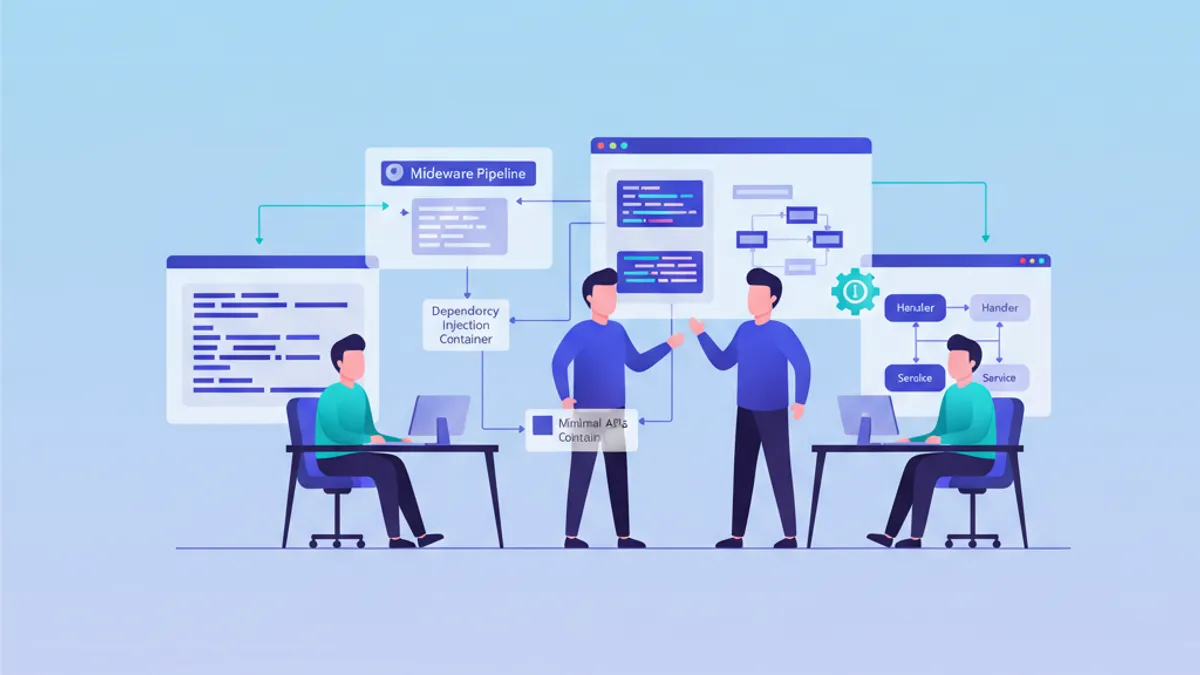
ASP.NET Core interview questions on middleware, dependency injection, and minimal APIs remain among the most frequent topics in .NET technical interviews. Whether the role targets backend development or full-stack .NET positions, interviewers consistently probe understanding of the request pipeline, service lifetimes, and the lightweight API model introduced in .NET 6 and refined through .NET 10.
Middleware pipeline order, DI lifetime mismatches (the captive dependency problem), and the ability to articulate trade-offs between minimal APIs and controllers. These three areas account for the majority of ASP.NET Core interview questions at mid-to-senior level.
ASP.NET Core Middleware Pipeline Questions
1. What is middleware in ASP.NET Core?
Middleware is a component assembled into the application pipeline to handle requests and responses. Each middleware component chooses whether to pass the request to the next component or short-circuit the pipeline. Middleware executes in the order it is registered in Program.cs, and the response travels back through the same components in reverse order.
2. How does the middleware execution order work?
The order of app.Use*() calls in Program.cs defines the exact execution sequence. A request flows top-down through each middleware, and the response flows bottom-up. This is why UseAuthentication() must appear before UseAuthorization(), and UseRouting() before UseEndpoints().
var app = builder.Build();

app.UseExceptionHandler("/error");   // 1. Outermost: catches all exceptions
app.UseHsts();                        // 2. HTTP Strict Transport Security
app.UseHttpsRedirection();            // 3. Redirect HTTP to HTTPS
app.UseStaticFiles();                 // 4. Serve static files (short-circuits if found)
app.UseRouting();                     // 5. Match request to endpoint
app.UseAuthentication();              // 6. Identify the user
app.UseAuthorization();               // 7. Check permissions
app.MapControllers();                 // 8. Execute the matched endpoint

app.Run();
Placing UseStaticFiles() before authentication avoids unnecessary auth checks on CSS, JS, and image requests. This is a common interview follow-up question.
3. How to write custom middleware?
Custom middleware can be implemented as a class with an InvokeAsync method or inline using app.Use(). The class-based approach is preferred for production code because it supports dependency injection through constructor parameters.
public class RequestTimingMiddleware
{
    private readonly RequestDelegate _next;
    private readonly ILogger<RequestTimingMiddleware> _logger;

    public RequestTimingMiddleware(RequestDelegate next, ILogger<RequestTimingMiddleware> logger)
    {
        _next = next;
        _logger = logger;
    }

    public async Task InvokeAsync(HttpContext context)
    {
        var stopwatch = Stopwatch.StartNew();

        await _next(context);  // Call the next middleware

        stopwatch.Stop();
        _logger.LogInformation(
            "Request {Method} {Path} completed in {Elapsed}ms",
            context.Request.Method,
            context.Request.Path,
            stopwatch.ElapsedMilliseconds);
    }
}

// Registration in Program.cs
app.UseMiddleware<RequestTimingMiddleware>();
Note that middleware classes are instantiated once (singleton lifetime) while InvokeAsync is called per request. This distinction matters for thread safety.
4. What is the difference between app.Use(), app.Run(), and app.Map()?
app.Use() adds middleware that calls the next delegate. app.Run() is a terminal middleware that does not call next, ending the pipeline. app.Map() branches the pipeline based on the request path. A common mistake is placing app.Run() too early, which short-circuits all downstream middleware.
5. How does middleware short-circuiting work?
Any middleware can short-circuit the pipeline by not calling next(). This is how UseStaticFiles() works: if a static file matches the request path, it returns the file directly without invoking authentication, authorization, or routing middleware. Rate-limiting middleware also uses short-circuiting to return 429 responses before reaching the endpoint.
6. What changed with middleware in .NET 9?
.NET 9 extended keyed dependency injection support to middleware. The [FromKeyedServices] attribute now works in both the middleware constructor (for singleton/transient services) and the InvokeAsync method (for all lifetimes including scoped). This eliminates the need for service locator workarounds when a middleware needs different implementations of the same interface.
Dependency Injection Interview Questions
7. What are the three DI service lifetimes?
ASP.NET Core provides three lifetimes: Transient (new instance every time), Scoped (one instance per HTTP request), and Singleton (one instance for the application lifetime). The choice directly affects memory usage, thread safety, and state sharing between components.
Injecting a scoped service into a singleton creates a captive dependency: the scoped service lives as long as the singleton, sharing state across requests. Enable ValidateScopes in development to catch this at startup.
8. Explain the captive dependency problem with an example
When a singleton service receives a scoped dependency through its constructor, that scoped instance is never disposed between requests. It becomes "captive" within the singleton's lifetime. This leads to shared state across HTTP requests, which can cause data leaks and race conditions.
builder.Services.AddScoped<IUserRepository, UserRepository>();
builder.Services.AddSingleton<ICacheService, CacheService>(); // CacheService takes IUserRepository

// This throws at startup in Development when ValidateScopes is enabled:
builder.Host.UseDefaultServiceProvider(options =>
{
    options.ValidateScopes = true;    // Catches captive dependencies
    options.ValidateOnBuild = true;   // Validates all registrations at startup
});
The fix: inject IServiceScopeFactory into the singleton and create a scope manually when the scoped service is needed.
9. What are keyed services and when to use them?
Keyed services, introduced in .NET 8, allow registering multiple implementations of the same interface with different keys. This eliminates custom factory patterns and complex conditional resolution logic.
builder.Services.AddKeyedSingleton<INotificationService, EmailNotification>("email");
builder.Services.AddKeyedSingleton<INotificationService, SmsNotification>("sms");
builder.Services.AddKeyedSingleton<INotificationService, PushNotification>("push");

// Resolving in a controller or service
public class OrderService
{
    public OrderService(
        [FromKeyedServices("email")] INotificationService emailService,
        [FromKeyedServices("sms")] INotificationService smsService)
    {
        // Each parameter gets its specific implementation
    }
}
Before keyed services, this required either a factory class, named registrations with third-party containers, or manual resolution from IServiceProvider.
10. Should third-party DI containers still be used with ASP.NET Core?
The built-in container covers most scenarios as of .NET 9/10: constructor injection, keyed services, open generics, and decorator patterns (via manual registration). Third-party containers like Autofac or Lamar remain useful for advanced scenarios such as property injection, interception/AOP, module-based registration, or convention-based scanning across large assemblies. For most applications, the built-in container is sufficient.
11. How does DI work in minimal APIs vs controllers?
Controllers receive dependencies through constructor injection. Minimal API endpoints receive them as method parameters, resolved automatically from the DI container. Special types like HttpContext, CancellationToken, and ClaimsPrincipal are also auto-bound without explicit registration.
12. What is the Options pattern?
The Options pattern binds configuration sections to strongly-typed classes. It separates configuration from service logic and supports validation, named options, and runtime reload via IOptionsMonitor<T>. Injecting raw IConfiguration into services is an anti-pattern because it tightly couples services to configuration structure.
Ready to ace your .NET interviews?
Practice with our interactive simulators, flashcards, and technical tests.
Minimal APIs Interview Questions
13. What are minimal APIs and how do they differ from controllers?
Minimal APIs, introduced in .NET 6, define HTTP endpoints directly in Program.cs using app.MapGet(), app.MapPost(), and similar methods. They eliminate the need for controller classes, model binding attributes, and action filters. Controllers offer built-in support for filters, model validation, and content negotiation. Minimal APIs are leaner but require manual setup for cross-cutting concerns.
14. When to choose minimal APIs over controllers?
Minimal APIs suit microservices, lightweight APIs, and scenarios where startup performance matters. Controllers fit large applications with complex filtering pipelines, extensive model binding, or teams accustomed to MVC conventions. Both can coexist in the same application.
15. How to structure minimal APIs in a real project?
Avoid placing all endpoints in Program.cs. Use extension methods to organize endpoints by feature or domain, keeping route handlers thin and delegating business logic to services.
public static class ProductEndpoints
{
    public static void MapProductEndpoints(this WebApplication app)
    {
        var group = app.MapGroup("/api/products")
            .WithTags("Products")
            .RequireAuthorization();

        group.MapGet("/", GetAll);
        group.MapGet("/{id:int}", GetById);
        group.MapPost("/", Create);
    }

    private static async Task<IResult> GetAll(
        IProductService productService,    // Auto-resolved from DI
        CancellationToken cancellationToken)
    {
        var products = await productService.GetAllAsync(cancellationToken);
        return TypedResults.Ok(products);
    }

    private static async Task<IResult> GetById(
        int id,
        IProductService productService)
    {
        var product = await productService.GetByIdAsync(id);
        return product is null
            ? TypedResults.NotFound()
            : TypedResults.Ok(product);
    }

    private static async Task<IResult> Create(
        CreateProductRequest request,
        IProductService productService)
    {
        var product = await productService.CreateAsync(request);
        return TypedResults.Created($"/api/products/{product.Id}", product);
    }
}

// Program.cs — Clean registration
app.MapProductEndpoints();
This pattern scales well: each feature folder contains its endpoints, DTOs, and service interfaces.
16. How does validation work in minimal APIs?
.NET 10 introduced built-in validation for minimal APIs. Prior to .NET 10, validation required manual implementation or third-party libraries like FluentValidation. With .NET 10, data annotations on parameter types are automatically validated, and invalid requests return a 400 response with problem details.
17. What is TypedResults and why use it?
TypedResults (introduced in .NET 7) provides compile-time type safety for API responses and enables automatic OpenAPI documentation. Unlike Results, which returns IResult, TypedResults methods return specific types like Ok<T> or NotFound, allowing the framework to generate accurate response schemas.
18. How to handle Server-Sent Events in minimal APIs?
.NET 10 added TypedResults.ServerSentEvents() for streaming responses. This eliminates manual Response.Body writing and handles JSON serialization, content-type headers, and connection management automatically.
Advanced Interview Questions
19. How does the request pipeline interact with endpoint routing?
UseRouting() matches the incoming request to an endpoint but does not execute it. Middleware between UseRouting() and MapControllers()/MapEndpoints() can inspect the matched endpoint metadata (e.g., authorization attributes) before execution. This is how UseAuthorization() reads [Authorize] attributes set on controllers or minimal API endpoints.
20. What is the difference between AddTransient, AddScoped, and AddSingleton for IHttpClientFactory?
Never register HttpClient as a singleton: it ignores DNS changes and exhausts socket connections. IHttpClientFactory (via AddHttpClient()) manages HttpClient lifetimes correctly: the HttpClient instances are transient, but the underlying HttpMessageHandler pool is managed with a configurable lifetime (default 2 minutes). This prevents socket exhaustion while respecting DNS TTLs.
21. How to implement the decorator pattern with built-in DI?
The built-in container does not have native decorator support, but it can be achieved manually using factory delegates.
// Decorating IProductService with caching
builder.Services.AddScoped<ProductService>();
builder.Services.AddScoped<IProductService>(sp =>
{
    var inner = sp.GetRequiredService<ProductService>();
    var cache = sp.GetRequiredService<IMemoryCache>();
    return new CachedProductService(inner, cache);
});
For applications requiring many decorators, a third-party container like Scrutor provides a cleaner Decorate<TInterface, TDecorator>() API.
22. How does middleware differ from endpoint filters in minimal APIs?
Middleware runs for every request in the pipeline, regardless of the endpoint. Endpoint filters (introduced in .NET 7) run only for matched endpoints, similar to action filters in MVC. Filters have access to endpoint-specific context and are registered per-route or per-group. Use middleware for cross-cutting concerns like logging and CORS; use filters for endpoint-specific logic like validation or transformation.
23. What is HybridCache in .NET 9?
HybridCache combines in-memory (L1) and distributed (L2) caching behind a single API. It handles cache stampede protection automatically: when multiple concurrent requests miss the cache for the same key, only one executes the factory method while others wait. This replaces manual IMemoryCache + IDistributedCache coordination that was previously error-prone.
24. How to test middleware in isolation?
Middleware can be tested using DefaultHttpContext and a custom RequestDelegate. Create an instance of the middleware, pass a mock context, and assert on the response properties.
[Fact]
public async Task Middleware_LogsElapsedTime()
{
    var logger = new FakeLogger<RequestTimingMiddleware>();
    var middleware = new RequestTimingMiddleware(
        next: (ctx) => Task.CompletedTask,  // Terminal delegate
        logger: logger);

    var context = new DefaultHttpContext();
    context.Request.Method = "GET";
    context.Request.Path = "/api/products";

    await middleware.InvokeAsync(context);

    Assert.Single(logger.LogEntries);
    Assert.Contains("completed in", logger.LogEntries[0].Message);
}
For integration tests, WebApplicationFactory<T> provides a full pipeline test including middleware ordering.
25. What are the OpenAPI changes in .NET 9 and .NET 10?
.NET 9 replaced Swagger/Swashbuckle with built-in OpenAPI document generation via Microsoft.AspNetCore.OpenApi. .NET 10 upgraded to OpenAPI library v2.0 with YAML support, improved nullable type schemas (using oneOf instead of the nullable property), and better XML documentation comment integration. The generated documents are served at /openapi/v1.json by default. Scalar or Swagger UI can be added as a separate package for interactive documentation.
Practice explaining the middleware pipeline on a whiteboard: draw the request flowing down through each middleware and the response flowing back up. Interviewers at companies like Microsoft, Accenture, and consultancies frequently use this exercise to assess understanding depth.
Conclusion
- Middleware execution order is deterministic and security-critical: exception handling first, static files before auth, routing before authorization
- The captive dependency problem (scoped inside singleton) is the most common DI bug; enable
ValidateScopesandValidateOnBuildin development - Keyed services in .NET 8/9 eliminate most needs for third-party DI containers or custom factory patterns
- Minimal APIs and controllers coexist; choose based on project complexity, team conventions, and filtering requirements
- Structure minimal APIs using extension methods and route groups to keep
Program.csclean - .NET 10 adds built-in minimal API validation, SSE support via TypedResults, and improved OpenAPI generation
- Test middleware in isolation with
DefaultHttpContext; useWebApplicationFactoryfor integration tests
Practice these questions with real code on SharpSkill's .NET interview simulator covering minimal APIs, Web API development, and clean architecture modules.
Start practicing!
Test your knowledge with our interview simulators and technical tests.
Can you spot the bug in .NET?
One real snippet, one hidden bug, one attempt a day. No account needed to try.

Written by
Anthony Fillion-MailletFounder of SharpSkill
Full-stack developer for over 10 years. Runs SharpSkill and answers for everything published here.
Updated on May 22, 2026
Tags
Share
Related articles

Advanced C# LINQ in 2026: Operators, Performance and Interview Questions
Master advanced LINQ operators, deferred execution, and performance optimization. Covers GroupBy, SelectMany, query optimization, and common interview questions for .NET developers.

SignalR in ASP.NET Core 2026: Real-Time, Hubs and Interview Questions
Master SignalR for real-time web applications in ASP.NET Core. Complete guide covering hubs, groups, authentication, scaling with Redis, and common interview questions.

.NET 10 in 2026: New Features, Native AOT and C# 14 for Interview Preparation
.NET 10 ships as a long-term support release with Native AOT improvements, C# 14 extension members, the field keyword, and file-based apps. A complete guide covering new features, performance gains, and interview-ready knowledge for .NET developers in 2026.