Vue 3 Script Setup và defineModel năm 2026: Cú pháp Hiện đại và Câu hỏi Phỏng vấn
Hướng dẫn chi tiết về cú pháp script setup Vue 3, defineModel cho two-way binding, reactive props destructure trong Vue 3.5, và các câu hỏi phỏng vấn thường gặp.
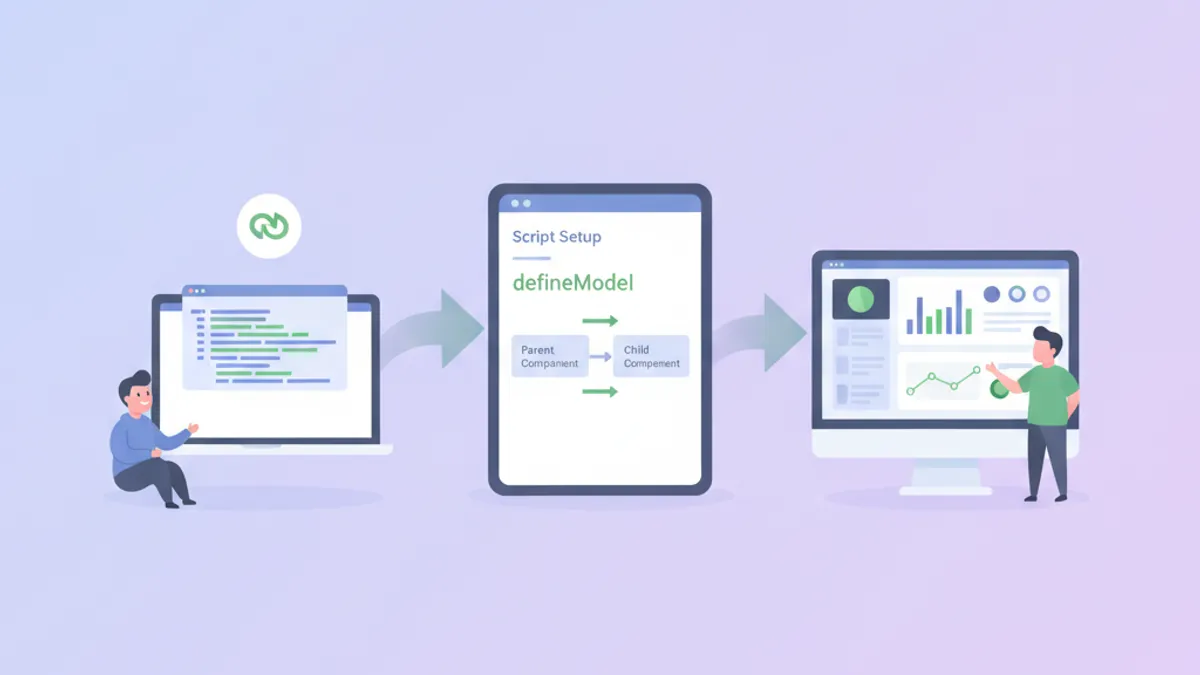
Cú pháp script setup của Vue 3 thay đổi cách viết component bằng việc loại bỏ boilerplate và cải thiện tích hợp TypeScript. Kết hợp với defineModel, được giới thiệu trong Vue 3.3 như tính năng thử nghiệm và ổn định hóa trong Vue 3.4, việc xây dựng component với two-way data binding yêu cầu ít code hơn nhiều so với Options API.
Bắt đầu từ Vue 3.5, props có thể được destructure trực tiếp từ defineProps trong khi vẫn giữ được tính reactive. Điều này loại bỏ nhu cầu sử dụng toRefs trong hầu hết các trường hợp.
Kiến thức Cơ bản về Script Setup trong Vue 3.5
Cú pháp <script setup> là compile-time sugar cho Composition API bên trong Single File Components. Các biến được khai báo ở top level tự động được expose ra template, và imports có thể sử dụng trực tiếp mà không cần đăng ký.
<!-- UserCard.vue -->
<script setup lang="ts">
import { ref, computed } from 'vue'
import type { User } from '@/types'

// Props với TypeScript interface
const props = defineProps<{
  user: User
  showEmail?: boolean
}>()

// Reactive state
const isExpanded = ref(false)

// Computed property
const displayName = computed(() => {
  return `${props.user.firstName} ${props.user.lastName}`
})

// Event emitter với typed payload
const emit = defineEmits<{
  select: [userId: string]
  delete: [userId: string]
}>()

// Methods là plain functions
function handleSelect() {
  emit('select', props.user.id)
}
</script>

<template>
  <div class="user-card" @click="handleSelect">
    <h3>{{ displayName }}</h3>
    <p v-if="showEmail">{{ user.email }}</p>
    <button @click.stop="isExpanded = !isExpanded">
      {{ isExpanded ? 'Collapse' : 'Expand' }}
    </button>
  </div>
</template>
Compiler xử lý các export statements và đăng ký component tự động. Điều này giảm tải nhận thức so với việc trả về giá trị một cách rõ ràng từ hàm setup().
Reactive Props Destructure (Vue 3.5+)
Trước Vue 3.5, destructuring props phá vỡ tính reactive vì destructuring JavaScript tạo ra một snapshot của giá trị tại thời điểm đó. Vue 3.5 giới thiệu tracking ở cấp compiler để bảo toàn tính reactive cho props được destructure.
<!-- SearchInput.vue -->
<script setup lang="ts">
import { watch } from 'vue'

// Destructure với defaults - vẫn reactive trong 3.5+
const { query = '', placeholder = 'Search...' } = defineProps<{
  query?: string
  placeholder?: string
}>()

// Watch hoạt động trên props đã destructure
watch(
  () => query,
  (newQuery) => {
    console.log('Query changed:', newQuery)
  }
)
</script>

<template>
  <input
    :value="query"
    :placeholder="placeholder"
    @input="$emit('update:query', ($event.target as HTMLInputElement).value)"
  />
</template>
Cú pháp này yêu cầu Vue 3.5 trở lên. Tài liệu Vue 3.5 release announcement ghi lại danh sách đầy đủ hành vi của reactive props destructure.
defineModel cho Two-Way Binding
Trước defineModel, việc triển khai v-model trên component tùy chỉnh yêu cầu khai báo prop và emit update event một cách thủ công. Pattern này xuất hiện trong vô số Vue codebases:
<!-- Cách cũ - dài dòng nhưng rõ ràng -->
<script setup lang="ts">
const props = defineProps<{ modelValue: string }>()
const emit = defineEmits<{ 'update:modelValue': [value: string] }>()

function updateValue(event: Event) {
  emit('update:modelValue', (event.target as HTMLInputElement).value)
}
</script>
Với defineModel, cùng một component trở nên ngắn gọn hơn đáng kể:
<!-- TextInput.vue -->
<script setup lang="ts">
// defineModel tạo ref đồng bộ với v-model
const model = defineModel<string>({ default: '' })
</script>

<template>
  <input
    v-model="model"
    type="text"
    class="text-input"
  />
</template>
Component cha sử dụng cú pháp v-model tiêu chuẩn:
<!-- ParentForm.vue -->
<script setup lang="ts">
import { ref } from 'vue'
import TextInput from './TextInput.vue'

const username = ref('')
</script>

<template>
  <TextInput v-model="username" />
  <p>Username: {{ username }}</p>
</template>
defineModel trả về ref luôn đồng bộ với giá trị được bind từ parent. Các mutation trên ref này tự động emit update event.
Sẵn sàng chinh phục phỏng vấn Vue.js / Nuxt.js?
Luyện tập với mô phỏng tương tác, flashcards và bài kiểm tra kỹ thuật.
Named Models và Multiple v-model Bindings
Các component đôi khi cần nhiều two-way bindings. Vue hỗ trợ named v-model bindings, và defineModel xử lý chúng bằng cách nhận tham số tên.
<!-- DateRangePicker.vue -->
<script setup lang="ts">
// Named models cho multiple v-model bindings
const startDate = defineModel<Date>('start', { required: true })
const endDate = defineModel<Date>('end', { required: true })

// Validation computed
const isValidRange = computed(() => {
  if (!startDate.value || !endDate.value) return true
  return startDate.value <= endDate.value
})
</script>

<template>
  <div class="date-range-picker">
    <input
      type="date"
      :value="startDate?.toISOString().split('T')[0]"
      @input="startDate = new Date(($event.target as HTMLInputElement).value)"
    />
    <span>to</span>
    <input
      type="date"
      :value="endDate?.toISOString().split('T')[0]"
      @input="endDate = new Date(($event.target as HTMLInputElement).value)"
    />
    <p v-if="!isValidRange" class="error">End date must be after start date</p>
  </div>
</template>
Parent bind cả hai models:
<DateRangePicker v-model:start="filterStart" v-model:end="filterEnd" />v-model Modifiers với defineModel
Các modifiers tích hợp của Vue như .trim, .number, và .lazy hoạt động tự động với defineModel. Các modifiers tùy chỉnh yêu cầu xử lý rõ ràng thông qua phần tử thứ hai của tuple được trả về.
<!-- CurrencyInput.vue -->
<script setup lang="ts">
// Truy cập modifiers qua giá trị return thứ hai
const [model, modifiers] = defineModel<number>({
  default: 0,
  // Hàm transform cho custom modifiers
  set(value) {
    // Làm tròn đến 2 chữ số thập phân nếu có modifier 'round'
    if (modifiers.round) {
      return Math.round(value * 100) / 100
    }
    return value
  }
})
</script>

<template>
  <div class="currency-input">
    <span>$</span>
    <input
      type="number"
      step="0.01"
      :value="model"
      @input="model = parseFloat(($event.target as HTMLInputElement).value) || 0"
    />
  </div>
</template>
Sử dụng với modifier tùy chỉnh:
<CurrencyInput v-model.round="price" />Các Pattern TypeScript cho Script Setup
Type safety trong các component <script setup> dựa vào generics được truyền cho compiler macros. Pattern hơi khác nhau giữa props, emits, và models.
<!-- GenericList.vue -->
<script setup lang="ts" generic="T extends { id: string }">
import { computed } from 'vue'

// Generic component props
const props = defineProps<{
  items: T[]
  selected?: T
}>()

const emit = defineEmits<{
  select: [item: T]
  remove: [id: string]
}>()

// Slots cũng có thể được typed
defineSlots<{
  default: (props: { item: T; index: number }) => any
  empty: () => any
}>()

const hasItems = computed(() => props.items.length > 0)
</script>

<template>
  <ul v-if="hasItems">
    <li
      v-for="(item, index) in items"
      :key="item.id"
      :class="{ selected: selected?.id === item.id }"
      @click="emit('select', item)"
    >
      <slot :item="item" :index="index">
        {{ item.id }}
      </slot>
    </li>
  </ul>
  <div v-else>
    <slot name="empty">No items</slot>
  </div>
</template>
Generic components, có sẵn từ Vue 3.3, cho phép các component typed có thể tái sử dụng mà không hy sinh type inference trong code sử dụng. Để tìm hiểu sâu hơn, tài liệu Vue về TypeScript bao gồm các edge cases.
Các Câu hỏi Phỏng vấn Thường gặp về Script Setup
Nhà tuyển dụng kiểm tra kiến thức Vue thường tập trung vào sự khác biệt giữa script setup và Options API, cũng như cơ chế của reactivity.
Câu hỏi: Tại sao destructuring props phá vỡ tính reactive, và Vue 3.5 giải quyết điều này như thế nào?
Trong JavaScript, destructuring tạo ra các biến mới chứa giá trị tại thời điểm destructure. Nếu props.count thay đổi sau đó, một biến đã destructure const { count } = props vẫn giữ giá trị cũ. Compiler của Vue 3.5 biến đổi các biến đã destructure thành getters đánh giá lại khi được truy cập, bảo toàn tính reactive mà không có runtime overhead.
Câu hỏi: Điều gì xảy ra bên dưới khi defineModel được sử dụng?
Compiler mở rộng defineModel thành một khai báo prop và đăng ký emit. Tại runtime, nó tạo ra một ref mà getter của nó đọc giá trị prop và setter của nó gọi emit('update:modelValue', newValue). Ref này không phải là bản sao thực sự của prop mà là một proxy chuyển tiếp reads và writes một cách phù hợp.
Câu hỏi: Khi nào một component nên sử dụng script setup so với hàm setup thông thường?
Script setup được ưu tiên cho hầu hết các single-file components vì nó giảm boilerplate và cải thiện hỗ trợ IDE. Hàm setup() thông thường cần thiết khi component cần expose methods cho component cha thông qua defineExpose trong các pattern phức tạp, hoặc khi xây dựng renderless components trả về render functions trực tiếp. Để chuẩn bị phỏng vấn, khám phá thêm các pattern Vue composables.
Di chuyển từ Options API sang Script Setup
Các codebase hiện có thường chứa các component Options API có thể được hưởng lợi từ việc di chuyển. Quá trình chuyển đổi tuân theo một pattern có thể dự đoán:
<!-- Trước: Options API -->
<script lang="ts">
import { defineComponent, PropType } from 'vue'

export default defineComponent({
  props: {
    items: { type: Array as PropType<string[]>, required: true }
  },
  emits: ['select'],
  data() {
    return { searchTerm: '' }
  },
  computed: {
    filteredItems() {
      return this.items.filter(item =>
        item.toLowerCase().includes(this.searchTerm.toLowerCase())
      )
    }
  },
  methods: {
    selectItem(item: string) {
      this.$emit('select', item)
    }
  }
})
</script><!-- Sau: Script Setup -->
<script setup lang="ts">
import { ref, computed } from 'vue'
const props = defineProps<{ items: string[] }>()
const emit = defineEmits<{ select: [item: string] }>()
const searchTerm = ref('')
const filteredItems = computed(() =>
props.items.filter(item =>
item.toLowerCase().includes(searchTerm.value.toLowerCase())
)
)
function selectItem(item: string) {
emit('select', item)
}
</script>Phiên bản đã di chuyển ngắn hơn và type inference hoạt động mà không cần cast PropType. Team Vue cung cấp vue-codemod cho việc di chuyển tự động, mặc dù review thủ công vẫn cần thiết cho các component phức tạp.
Cân nhắc Hiệu năng trong Script Setup
Các component script setup được compile thành code hiệu quả hơn vì compiler biết chính xác hình dạng của component tại thời điểm build. Cụ thể:
- Template bindings resolve tại compile time thay vì runtime property lookup
- Unused imports được tree-shake hiệu quả hơn
- Việc không có wrapping function giảm closure overhead
Cho các ứng dụng ưu tiên bundle size, script setup với Vapor Mode (có sẵn trong Vue 3.6+) loại bỏ hoàn toàn virtual DOM cho các component opted-in, tạo ra các thao tác DOM trực tiếp thay thế.
Bắt đầu luyện tập!
Kiểm tra kiến thức với mô phỏng phỏng vấn và bài kiểm tra kỹ thuật.
Những Điểm Chính về Vue 3 Script Setup và defineModel
- Script setup giảm boilerplate component bằng cách tự động expose top-level bindings ra templates và xử lý đăng ký component
defineModelthay thế pattern thủ công prop + emit chov-model, trả về ref đồng bộ với giá trị được bind từ parent- Vue 3.5 giới thiệu reactive props destructure, cho phép
const { prop } = defineProps()mà không mất tính reactive - Named models hỗ trợ multiple
v-modelbindings trên một component sử dụngdefineModel('name') - TypeScript generics hoạt động với
defineProps,defineEmits,defineSlots, và generic components thông qua thuộc tínhgeneric - Di chuyển từ Options API tuân theo pattern cơ học: data trở thành refs, computed vẫn là computed, methods trở thành functions, và compiler xử lý exports
Bạn có tìm ra lỗi trong Vue.js / Nuxt.js không?
Một đoạn mã thật, một lỗi ẩn, mỗi ngày một lượt. Không cần tài khoản để thử.

Viết bởi
Anthony Fillion-MailletNgười sáng lập SharpSkill
Lập trình viên fullstack hơn 10 năm. Anh điều hành SharpSkill và chịu trách nhiệm về mọi nội dung đăng tại đây.
Cập nhật ngày 18 tháng 9, 2026
Thẻ
Chia sẻ
Bài viết liên quan

Vue 3 Reactivity Transform trong 2026: $ref, $computed và Câu hỏi Phỏng vấn
Hướng dẫn chuyên sâu về Reactivity Transform trong Vue 3 bao gồm $ref, $computed, và các câu hỏi phỏng vấn thường gặp cho lập trình viên Vue cấp cao.

Vue 3 với TypeScript năm 2026: Props, Emits và Composable an toàn kiểu
Làm chủ component Vue 3 an toàn kiểu với TypeScript: defineProps generic, defineEmits dạng tuple, composable có kiểu, defineModel và InjectionKey, kèm câu hỏi phỏng vấn.

Vue 3 Composition API: Hướng Dẫn Đầy Đủ Để Làm Chủ Reactivity
Làm chủ Vue 3 Composition API qua hướng dẫn thực hành này. Tìm hiểu ref, reactive, computed, watch và composables để xây dựng ứng dụng Vue hiệu suất cao.