Testing React trong 2026: Vitest, React Testing Library và Best Practices
Nắm vững testing React với Vitest và React Testing Library. Tìm hiểu các mẫu testing component, xử lý async, chiến lược mocking, và best practices phỏng vấn 2026.
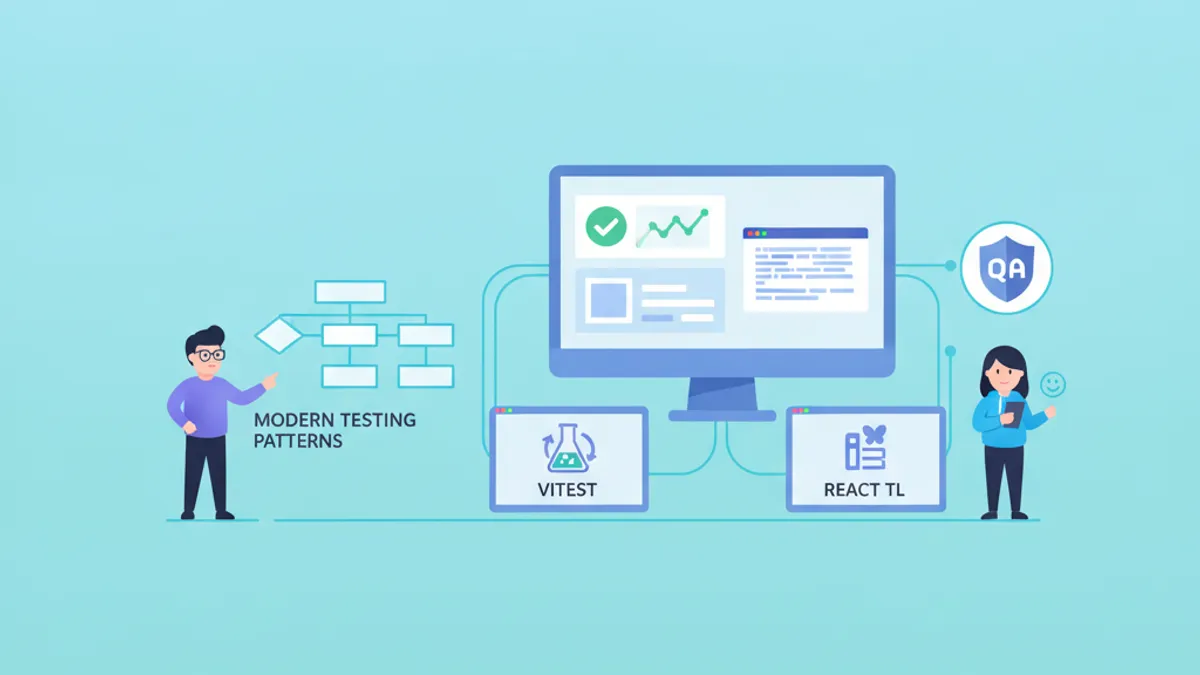
Testing React trong năm 2026 tập trung vào Vitest như test runner thống trị và React Testing Library (RTL) như tiêu chuẩn cho việc testing component. Sự kết hợp này mang lại vòng phản hồi nhanh, hỗ trợ native ES modules, và các bài test xác minh hành vi thay vì chi tiết implementation.
Viết các bài test mô phỏng cách người dùng tương tác với component. Query theo accessible roles, labels, và text—không theo CSS classes hoặc thuộc tính data-testid. Cách tiếp cận này bắt được bug thực và tồn tại qua quá trình refactoring.
Cấu Hình Vitest Cho Dự Án React
Vitest đã thay thế Jest như test runner được ưa chuộng cho các ứng dụng React hiện đại. Hỗ trợ native ES modules loại bỏ overhead transformation, và tích hợp chặt với Vite nghĩa là cấu hình phản ánh môi trường development.
Cấu hình Vitest production-ready xử lý JSX transformation, path aliases, và thiết lập test environment mà không cần boilerplate:
import { defineConfig } from 'vitest/config'
import react from '@vitejs/plugin-react'
import tsconfigPaths from 'vite-tsconfig-paths'

export default defineConfig({
  plugins: [react(), tsconfigPaths()],
  test: {
    // Use jsdom for DOM APIs and React rendering
    environment: 'jsdom',
    // Run setup file before each test file
    setupFiles: ['./src/test/setup.ts'],
    // Include only test files, exclude e2e
    include: ['src/**/*.{test,spec}.{ts,tsx}'],
    // Enable global test APIs (describe, it, expect)
    globals: true,
    // Generate coverage reports
    coverage: {
      provider: 'v8',
      reporter: ['text', 'html', 'lcov'],
      exclude: ['node_modules', 'src/test/**'],
    },
  },
})
File setup mở rộng matchers và cấu hình cleanup giữa các bài test:
import '@testing-library/jest-dom/vitest'
import { cleanup } from '@testing-library/react'
import { afterEach, vi } from 'vitest'

// Clean up rendered components after each test
afterEach(() => {
  cleanup()
})

// Mock window.matchMedia for responsive components
Object.defineProperty(window, 'matchMedia', {
  writable: true,
  value: vi.fn().mockImplementation((query: string) => ({
    matches: false,
    media: query,
    onchange: null,
    addListener: vi.fn(),
    removeListener: vi.fn(),
    addEventListener: vi.fn(),
    removeEventListener: vi.fn(),
    dispatchEvent: vi.fn(),
  })),
})
Thiết lập này cung cấp trạng thái sạch cho mỗi bài test và xử lý các mock browser API phổ biến mà jsdom thiếu.
Testing Component Với React Testing Library
React Testing Library thực thi việc testing component từ góc nhìn người dùng. Thay vì kiểm tra state nội bộ hoặc giá trị prop, các bài test tương tác với output được render thông qua accessibility queries.
Xem xét component tìm kiếm lọc kết quả và hiển thị loading states:
import { useState } from 'react'

interface SearchResultsProps {
  onSearch: (query: string) => Promise<string[]>
}

export function SearchResults({ onSearch }: SearchResultsProps) {
  const [query, setQuery] = useState('')
  const [results, setResults] = useState<string[]>([])
  const [isLoading, setIsLoading] = useState(false)
  const [error, setError] = useState<string | null>(null)

  async function handleSearch() {
    if (!query.trim()) return
    setIsLoading(true)
    setError(null)
    try {
      const data = await onSearch(query)
      setResults(data)
    } catch (e) {
      setError('Search failed. Please try again.')
    } finally {
      setIsLoading(false)
    }
  }

  return (
    <div>
      <label htmlFor="search-input">Search</label>
      <input
        id="search-input"
        type="text"
        value={query}
        onChange={(e) => setQuery(e.target.value)}
      />
      <button onClick={handleSearch} disabled={isLoading}>
        {isLoading ? 'Searching...' : 'Search'}
      </button>
      {error && <p role="alert">{error}</p>}
      <ul aria-label="Search results">
        {results.map((result, i) => (
          <li key={i}>{result}</li>
        ))}
      </ul>
    </div>
  )
}
Các bài test xác minh hành vi component qua các tương tác người dùng và async states:
import { render, screen } from '@testing-library/react'
import userEvent from '@testing-library/user-event'
import { describe, it, expect, vi } from 'vitest'
import { SearchResults } from './SearchResults'

describe('SearchResults', () => {
  it('displays results after successful search', async () => {
    // Arrange: mock the search function
    const mockSearch = vi.fn().mockResolvedValue(['React', 'Vue', 'Angular'])
    const user = userEvent.setup()
    render(<SearchResults onSearch={mockSearch} />)

    // Act: type a query and click search
    await user.type(screen.getByLabelText('Search'), 'framework')
    await user.click(screen.getByRole('button', { name: 'Search' }))

    // Assert: results appear in the list
    expect(await screen.findByText('React')).toBeInTheDocument()
    expect(screen.getByText('Vue')).toBeInTheDocument()
    expect(mockSearch).toHaveBeenCalledWith('framework')
  })

  it('shows loading state during search', async () => {
    // Create a promise that doesn't resolve immediately
    let resolveSearch: (value: string[]) => void
    const searchPromise = new Promise<string[]>((resolve) => {
      resolveSearch = resolve
    })
    const mockSearch = vi.fn().mockReturnValue(searchPromise)
    const user = userEvent.setup()
    render(<SearchResults onSearch={mockSearch} />)

    await user.type(screen.getByLabelText('Search'), 'test')
    await user.click(screen.getByRole('button', { name: 'Search' }))

    // Button shows loading state
    expect(screen.getByRole('button', { name: 'Searching...' })).toBeDisabled()

    // Resolve the search to clean up
    resolveSearch!([])
  })

  it('displays error message on search failure', async () => {
    const mockSearch = vi.fn().mockRejectedValue(new Error('Network error'))
    const user = userEvent.setup()
    render(<SearchResults onSearch={mockSearch} />)

    await user.type(screen.getByLabelText('Search'), 'query')
    await user.click(screen.getByRole('button', { name: 'Search' }))

    // Error message appears with alert role for screen readers
    expect(await screen.findByRole('alert')).toHaveTextContent(
      'Search failed. Please try again.'
    )
  })
})
Thư viện userEvent mô phỏng tương tác người dùng thực tế bao gồm keyboard events và focus management, bắt được bug mà synthetic events bỏ lỡ.
Các Mẫu Testing Async Và waitFor
Các hoạt động async yêu cầu chiến lược chờ đợi rõ ràng. React Testing Library cung cấp query findBy kết hợp getBy với chờ đợi tự động, cộng với waitFor cho các assertions phức tạp.
Ưu tiên findBy hơn waitFor + getBy khi chờ element xuất hiện. Dành waitFor cho assertions trên các element hiện có mà thay đổi state.
Các mẫu async phổ biến xuất hiện khi testing hooks và component thực hiện data fetching:
import { render, screen, waitFor, waitForElementToBeRemoved } from '@testing-library/react'
import userEvent from '@testing-library/user-event'
import { describe, it, expect, vi } from 'vitest'

// Wait for element to appear (preferred for new elements)
it('loads user profile on mount', async () => {
  render(<UserProfile userId="123" />)

  // findBy returns a promise, automatically waits up to 1000ms
  const heading = await screen.findByRole('heading', { name: /john doe/i })
  expect(heading).toBeInTheDocument()
})

// Wait for element to disappear
it('removes loading spinner after data loads', async () => {
  render(<DataTable />)

  // Wait for spinner to be removed from DOM
  await waitForElementToBeRemoved(() => screen.queryByRole('progressbar'))
  expect(screen.getByRole('table')).toBeInTheDocument()
})

// Wait for multiple conditions
it('enables submit button when form is valid', async () => {
  const user = userEvent.setup()
  render(<RegistrationForm />)

  const submitButton = screen.getByRole('button', { name: 'Submit' })
  expect(submitButton).toBeDisabled()

  await user.type(screen.getByLabelText('Email'), 'user@example.com')
  await user.type(screen.getByLabelText('Password'), 'SecurePass123!')

  // waitFor retries the assertion until it passes or times out
  await waitFor(() => {
    expect(submitButton).toBeEnabled()
  })
})

// Avoid false positives with queryBy for absence checks
it('does not show premium badge for free users', async () => {
  render(<UserCard subscription="free" />)

  // queryBy returns null instead of throwing, use for absence checks
  expect(screen.queryByText('Premium')).not.toBeInTheDocument()
})
Tùy chỉnh timeout giúp các hoạt động chậm hơn mà không làm chậm toàn bộ test suite:
// Increase timeout for slow operations
await screen.findByText('Upload complete', {}, { timeout: 5000 })

await waitFor(
  () => expect(mockSubmit).toHaveBeenCalled(),
  { timeout: 3000, interval: 100 }
)
Sẵn sàng chinh phục phỏng vấn React / Next.js?
Luyện tập với mô phỏng tương tác, flashcards và bài kiểm tra kỹ thuật.
Chiến Lược Mocking: Modules, APIs, Và Hooks
Khả năng mocking của Vitest xử lý các dependency bên ngoài mà không làm ô nhiễm module graph. Mocking chiến lược cô lập component khỏi network calls, thư viện bên thứ ba, và dependency phức tạp.
Module mocking thay thế imports ở mức bundler:
import { vi, describe, it, expect, beforeEach } from 'vitest'
import { fetchUserData } from './api'

// Mock the entire fetch module
vi.mock('./http-client', () => ({
  httpClient: {
    get: vi.fn(),
  },
}))

import { httpClient } from './http-client'

describe('fetchUserData', () => {
  beforeEach(() => {
    vi.clearAllMocks()
  })

  it('transforms API response into user model', async () => {
    // Type-safe mock implementation
    vi.mocked(httpClient.get).mockResolvedValue({
      data: { id: 1, first_name: 'John', last_name: 'Doe' },
    })

    const user = await fetchUserData(1)

    expect(user).toEqual({
      id: 1,
      fullName: 'John Doe',
    })
  })
})
Đối với React hooks phụ thuộc vào context hoặc external state, tiện ích renderHook cho phép testing cô lập:
import { renderHook, waitFor } from '@testing-library/react'
import { describe, it, expect, vi } from 'vitest'
import { useAuth } from './useAuth'
import { AuthProvider } from './AuthContext'

describe('useAuth', () => {
  it('returns authenticated user after login', async () => {
    const mockLogin = vi.fn().mockResolvedValue({ id: 1, name: 'Alice' })

    const { result } = renderHook(() => useAuth(), {
      wrapper: ({ children }) => (
        <AuthProvider loginFn={mockLogin}>{children}</AuthProvider>
      ),
    })

    expect(result.current.user).toBeNull()
    expect(result.current.isAuthenticated).toBe(false)

    await result.current.login('alice@example.com', 'password')

    await waitFor(() => {
      expect(result.current.user).toEqual({ id: 1, name: 'Alice' })
      expect(result.current.isAuthenticated).toBe(true)
    })
  })
})
MSW (Mock Service Worker) cung cấp API mocking ở mức network, cho phép các bài test thực thi actual fetch calls:
import { http, HttpResponse } from 'msw'

export const handlers = [
  http.get('/api/users/:id', ({ params }) => {
    return HttpResponse.json({
      id: params.id,
      name: 'Test User',
    })
  }),

  http.post('/api/login', async ({ request }) => {
    const body = await request.json()
    if (body.email === 'valid@example.com') {
      return HttpResponse.json({ token: 'abc123' })
    }
    return HttpResponse.json(
      { error: 'Invalid credentials' },
      { status: 401 }
    )
  }),
]
Testing React 19 Server Components
Server Components đặt ra thách thức testing độc đáo vì chúng thực thi trên server và streaming HTML tới client. Testing đơn vị trực tiếp yêu cầu cách tiếp cận khác với testing client component.
Đối với Server Components thực hiện data fetching, test output rendering với data sources được mock:
import { describe, it, expect, vi } from 'vitest'

// Mock the data fetching function
vi.mock('./db', () => ({
  getUser: vi.fn().mockResolvedValue({ id: 1, name: 'Server User' }),
}))

import { render, screen } from '@testing-library/react'
import { UserProfile } from './UserProfile.server'

describe('UserProfile Server Component', () => {
  it('renders user data from database', async () => {
    // Server components are async, await the component
    const Component = await UserProfile({ userId: '1' })
    render(Component)

    expect(screen.getByRole('heading')).toHaveTextContent('Server User')
  })
})
Integration tests với Playwright cung cấp coverage đáng tin cậy nhất cho Server Components bằng cách testing full rendering pipeline:
import { test, expect } from '@playwright/test'

test('server component renders with streamed data', async ({ page }) => {
  await page.goto('/users/1')

  // Wait for streaming to complete
  await expect(page.getByRole('heading', { name: /profile/i })).toBeVisible()
  await expect(page.getByText('Server User')).toBeVisible()
})
Testing Custom Hooks Với State Phức Tạp
Custom hooks quản lý state phức tạp, side effects, hoặc external subscriptions được hưởng lợi từ các bài test chuyên dụng. Tiện ích renderHook từ React Testing Library xử lý vòng đời hook và updates.
Xem xét debounced search hook phối hợp với API:
import { useState, useEffect, useCallback } from 'react'

export function useDebounceSearch<T>(
  searchFn: (query: string) => Promise<T[]>,
  delay = 300
) {
  const [query, setQuery] = useState('')
  const [results, setResults] = useState<T[]>([])
  const [isLoading, setIsLoading] = useState(false)

  useEffect(() => {
    if (!query) {
      setResults([])
      return
    }

    setIsLoading(true)
    const timeoutId = setTimeout(async () => {
      try {
        const data = await searchFn(query)
        setResults(data)
      } finally {
        setIsLoading(false)
      }
    }, delay)

    return () => clearTimeout(timeoutId)
  }, [query, searchFn, delay])

  return { query, setQuery, results, isLoading }
}
Các bài test xác minh hành vi debouncing và chuyển đổi state:
import { renderHook, act, waitFor } from '@testing-library/react'
import { describe, it, expect, vi, beforeEach } from 'vitest'
import { useDebounceSearch } from './useDebounceSearch'

describe('useDebounceSearch', () => {
  beforeEach(() => {
    vi.useFakeTimers()
  })

  it('debounces search calls', async () => {
    const mockSearch = vi.fn().mockResolvedValue(['result1', 'result2'])
    const { result } = renderHook(() => useDebounceSearch(mockSearch, 300))

    // Type multiple characters quickly
    act(() => result.current.setQuery('r'))
    act(() => result.current.setQuery('re'))
    act(() => result.current.setQuery('rea'))
    act(() => result.current.setQuery('reac'))
    act(() => result.current.setQuery('react'))

    // Search not called yet (debouncing)
    expect(mockSearch).not.toHaveBeenCalled()

    // Advance timers past debounce delay
    await act(async () => {
      vi.advanceTimersByTime(300)
    })

    // Only one search call with final query
    expect(mockSearch).toHaveBeenCalledTimes(1)
    expect(mockSearch).toHaveBeenCalledWith('react')
  })

  it('shows loading state during search', async () => {
    let resolveSearch: (value: string[]) => void
    const mockSearch = vi.fn().mockImplementation(
      () => new Promise((resolve) => { resolveSearch = resolve })
    )
    const { result } = renderHook(() => useDebounceSearch(mockSearch, 100))

    act(() => result.current.setQuery('test'))

    await act(async () => {
      vi.advanceTimersByTime(100)
    })

    expect(result.current.isLoading).toBe(true)

    await act(async () => {
      resolveSearch(['result'])
    })

    expect(result.current.isLoading).toBe(false)
    expect(result.current.results).toEqual(['result'])
  })
})
Fake timers từ Vitest cho phép testing xác định của hành vi phụ thuộc thời gian mà không có delay thực tế.
Câu Hỏi Phỏng Vấn Về Testing React
Các buổi phỏng vấn kỹ thuật thường xuyên thăm dò kiến thức testing. Những câu hỏi này đánh giá hiểu biết thực tế hơn là khái niệm lý thuyết.
Tránh testing chi tiết implementation như giá trị state hoặc phương thức component. Các bài test hỏng khi refactoring cấu trúc nội bộ cung cấp sự tự tin sai lầm và gánh nặng bảo trì.
Ưu tiên query trong React Testing Library
Ưu tiên query được khuyến nghị theo accessibility: getByRole > getByLabelText > getByPlaceholderText > getByText > getByTestId. Query dựa trên role đảm bảo component vẫn accessible và các bài test tồn tại qua thay đổi markup.
Khi nào sử dụng findBy vs waitFor
Query findBy chờ element xuất hiện trong DOM và trả về promise. Sử dụng khi mong đợi element mới sau hoạt động async. waitFor bọc assertions có thể không pass ngay lập tức, thử lại cho đến khi thành công hoặc timeout. Sử dụng waitFor khi assert trên thay đổi state của element hiện có.
Mocking fetch vs MSW
Mocking fetch trực tiếp (vi.spyOn(global, 'fetch')) hoạt động cho trường hợp đơn giản nhưng yêu cầu reimplementing đối tượng Response và error handling. MSW chặn ở mức network, cho phép các bài test thực thi actual fetch calls, serialization request, và code paths error handling.
Để thực hành sâu hơn với những khái niệm này, khám phá câu hỏi phỏng vấn React Testing trên SharpSkill.
Kết Luận
- Cấu hình Vitest với jsdom environment, setup files cho matcher extensions, và coverage reporting để có khả năng nhìn thấy các khoảng trống test coverage
- Query component theo accessible roles và labels để viết các bài test xác minh hành vi hướng người dùng và bắt bug thực
- Sử dụng query
findBycho element xuất hiện sau hoạt động async,waitForcho assertions trên state đang thay đổi - Mock ở mức thích hợp: module mocks cho cô lập đơn vị, MSW cho testing network layer thực tế
- Test custom hooks với
renderHookvà fake timers để xác minh quản lý state phức tạp và side effects - Server Components yêu cầu hoặc async rendering trong bài test hoặc full integration tests với Playwright
- Đọc thêm: Các mẫu React Hooks nâng cao và TypeScript với React cho các mẫu testing type-safe
Bắt đầu luyện tập!
Kiểm tra kiến thức với mô phỏng phỏng vấn và bài kiểm tra kỹ thuật.
Bạn có tìm ra lỗi trong React / Next.js không?
Một đoạn mã thật, một lỗi ẩn, mỗi ngày một lượt. Không cần tài khoản để thử.

Viết bởi
Anthony Fillion-MailletNgười sáng lập SharpSkill
Lập trình viên fullstack hơn 10 năm. Anh điều hành SharpSkill và chịu trách nhiệm về mọi nội dung đăng tại đây.
Cập nhật ngày 9 tháng 7, 2026
Chia sẻ
Bài viết liên quan
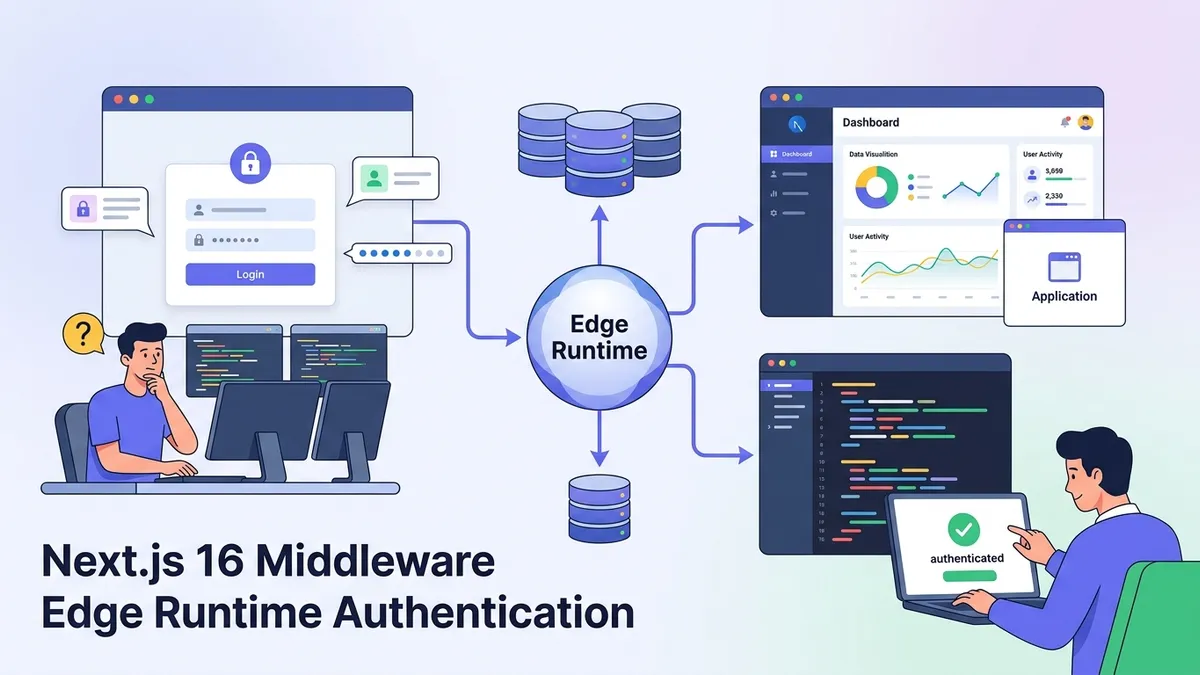
Next.js 16 Middleware 2026: Edge Runtime, Xác thực và Câu hỏi Phỏng vấn
Hướng dẫn toàn diện về Next.js 16 Middleware trong năm 2026. Tìm hiểu cách Edge Runtime hoạt động, triển khai xác thực, path matching và chuẩn bị cho câu hỏi phỏng vấn frontend.
Câu hỏi phỏng vấn Zustand 2026: Quản lý State React và Các phương pháp hay nhất
Câu hỏi và trả lời phỏng vấn Zustand cho năm 2026. Tìm hiểu các pattern quản lý state, middleware, TypeScript, và so sánh Zustand với Redux và Context.
React 19 Suspense và Concurrent Rendering: Streaming SSR cùng Câu hỏi Phỏng vấn 2026
Hướng dẫn toàn diện về React 19 Suspense, concurrent rendering và streaming SSR. Bao gồm các ví dụ code thực tế và câu hỏi phỏng vấn thường gặp năm 2026.