Phát triển ứng dụng React Native 2026: Hướng dẫn đầy đủ và câu hỏi phỏng vấn
Hướng dẫn toàn diện về phát triển ứng dụng React Native năm 2026. Tìm hiểu về New Architecture, JSI, Fabric, TurboModules và các câu hỏi phỏng vấn thường gặp.
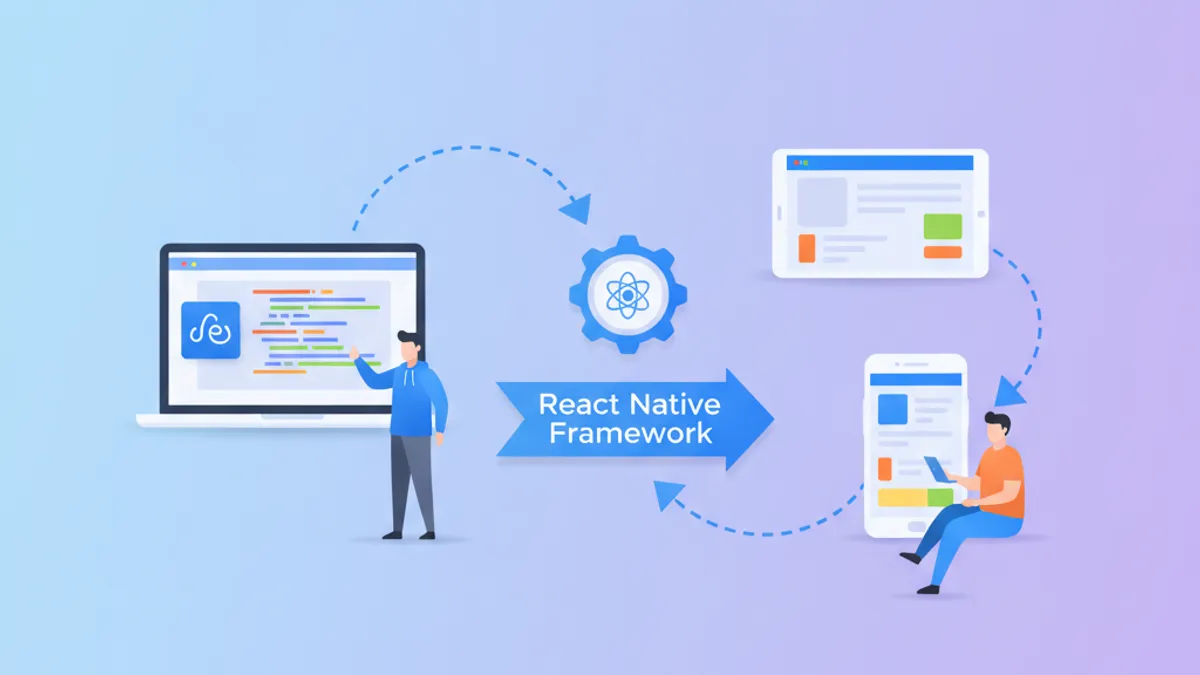
Phát triển ứng dụng React Native vào năm 2026 đã có sự thay đổi căn bản với phiên bản 0.87 hiện đang cung cấp New Architecture là tùy chọn duy nhất được hỗ trợ. Bridge cũ từng serialize mọi lời gọi JavaScript-to-native thành JSON đã được loại bỏ, thay thế bằng JSI (JavaScript Interface) để giao tiếp đồng bộ trực tiếp.
React Native 0.87 bắt buộc sử dụng New Architecture. Bridge cũ đã bị loại bỏ hoàn toàn. Rendering danh sách phức tạp chạy nhanh hơn 43%, frame drop khi cuộn giảm 95%, và sử dụng bộ nhớ giảm 33% trong các bài test benchmark.
Hiểu về JSI và New Architecture
JSI (JavaScript Interface) thay thế bridge bất đồng bộ bằng các binding C++ trực tiếp giữa JavaScript và mã native. Thay vì serialize dữ liệu thành JSON, truyền qua message queue, và deserialize ở phía bên kia, JSI cho phép JavaScript giữ tham chiếu đến các đối tượng native và gọi các phương thức của chúng trực tiếp.
Sự thay đổi kiến trúc này mang lại ba khả năng cốt lõi: gọi native đồng bộ, chia sẻ quyền sở hữu đối tượng giữa lớp JavaScript và native, và lazy loading các module native.
import { TurboModuleRegistry, TurboModule } from 'react-native';

export interface Spec extends TurboModule {
  getUserProfile(userId: string): Promise<{
    id: string;
    name: string;
    email: string;
  }>;

  // Gọi đồng bộ - chỉ có thể với JSI
  getDeviceLocale(): string;
}

export default TurboModuleRegistry.getEnforcing<Spec>('UserModule');
Phương thức getDeviceLocale() trả về ngay lập tức mà không cần await Promise. Điều này không thể thực hiện được với bridge cũ nơi mọi lời gọi native đều yêu cầu serialization bất đồng bộ.
Xây dựng Component Production-Ready với Fabric
Fabric là hệ thống rendering mới hoạt động cùng với JSI. Nó quản lý UI tree trong C++ và đồng bộ hóa trực tiếp với JavaScript thread, loại bỏ "UI jank" xảy ra khi bridge cũ bị tụt lại trong quá trình update nhanh.
import React, { memo, useCallback } from 'react';
import {
  View,
  Text,
  Image,
  Pressable,
  StyleSheet,
} from 'react-native';
import Animated, {
  useSharedValue,
  useAnimatedStyle,
  withSpring,
} from 'react-native-reanimated';

interface Product {
  id: string;
  name: string;
  price: number;
  imageUrl: string;
  inStock: boolean;
}

interface ProductCardProps {
  product: Product;
  onPress: (id: string) => void;
}

const AnimatedPressable = Animated.createAnimatedComponent(Pressable);

export const ProductCard = memo(function ProductCard({
  product,
  onPress,
}: ProductCardProps) {
  const scale = useSharedValue(1);

  const animatedStyle = useAnimatedStyle(() => ({
    transform: [{ scale: scale.value }],
  }));

  const handlePressIn = useCallback(() => {
    scale.value = withSpring(0.95);
  }, [scale]);

  const handlePressOut = useCallback(() => {
    scale.value = withSpring(1);
  }, [scale]);

  const handlePress = useCallback(() => {
    onPress(product.id);
  }, [onPress, product.id]);

  return (
    <AnimatedPressable
      style={[styles.card, animatedStyle]}
      onPressIn={handlePressIn}
      onPressOut={handlePressOut}
      onPress={handlePress}
    >
      <Image source={{ uri: product.imageUrl }} style={styles.image} />
      <View style={styles.info}>
        <Text style={styles.name}>{product.name}</Text>
        <Text style={styles.price}>
          {product.price.toLocaleString('vi-VN')} đ
        </Text>
        {!product.inStock && (
          <Text style={styles.outOfStock}>Hết hàng</Text>
        )}
      </View>
    </AnimatedPressable>
  );
});

const styles = StyleSheet.create({
  card: {
    backgroundColor: '#fff',
    borderRadius: 12,
    overflow: 'hidden',
    shadowColor: '#000',
    shadowOffset: { width: 0, height: 2 },
    shadowOpacity: 0.1,
    shadowRadius: 4,
    elevation: 3,
  },
  image: {
    width: '100%',
    height: 200,
  },
  info: {
    padding: 16,
  },
  name: {
    fontSize: 18,
    fontWeight: '600',
    marginBottom: 8,
  },
  price: {
    fontSize: 16,
    color: '#2563eb',
    fontWeight: '700',
  },
  outOfStock: {
    color: '#dc2626',
    marginTop: 4,
    fontSize: 14,
  },
});
Component này thể hiện một số pattern quan trọng: memo để ngăn re-render không cần thiết, useCallback để ổn định tham chiếu hàm, và Reanimated cho animation dựa trên worklet chạy trên UI thread.
TurboModules: Thế hệ mới của Native Modules
TurboModules thay thế Native Modules cũ với cách tiếp cận hiệu quả hơn. Các module chỉ được tải khi sử dụng lần đầu (lazy loading), không phải tất cả khi ứng dụng khởi động.
import type { TurboModule } from 'react-native';
import { TurboModuleRegistry } from 'react-native';

export interface AnalyticsEvent {
  name: string;
  properties: Record<string, string | number | boolean>;
  timestamp: number;
}

export interface Spec extends TurboModule {
  trackEvent(event: AnalyticsEvent): void;
  trackScreen(screenName: string): void;
  setUserId(userId: string): void;
  flush(): Promise<void>;
  getSessionId(): string; // Đồng bộ với JSI
}

export default TurboModuleRegistry.getEnforcing<Spec>('Analytics');
Spec TypeScript này tạo ra các binding native type-safe. Phương thức getSessionId() là đồng bộ vì không trả về Promise—điều này hoàn toàn được kích hoạt bởi JSI.
Điều hướng với Expo Router
Expo Router mang điều hướng dựa trên file đến React Native, tương tự như Next.js App Router. Cấu trúc thư mục xác định cấu trúc route của ứng dụng.
import { Stack } from 'expo-router';
import { QueryClient, QueryClientProvider } from '@tanstack/react-query';

const queryClient = new QueryClient({
  defaultOptions: {
    queries: {
      staleTime: 60 * 1000,
      gcTime: 5 * 60 * 1000,
    },
  },
});

export default function RootLayout() {
  return (
    <QueryClientProvider client={queryClient}>
      <Stack
        screenOptions={{
          headerShown: false,
          animation: 'slide_from_right',
        }}
      />
    </QueryClientProvider>
  );
}import { View, FlatList, RefreshControl } from 'react-native';
import { useQuery } from '@tanstack/react-query';
import { ProductCard } from '@/components/ProductCard';
import { fetchProducts } from '@/api/products';
export default function HomeScreen() {
const { data, isLoading, refetch, isRefetching } = useQuery({
queryKey: ['products'],
queryFn: fetchProducts,
});
return (
<View style={{ flex: 1 }}>
<FlatList
data={data?.products}
keyExtractor={(item) => item.id}
renderItem={({ item }) => (
<ProductCard product={item} onPress={() => {}} />
)}
refreshControl={
<RefreshControl refreshing={isRefetching} onRefresh={refetch} />
}
contentContainerStyle={{ padding: 16, gap: 16 }}
/>
</View>
);
}TanStack Query xử lý caching, refetching, và quản lý state cho dữ liệu server. Kết hợp với Expo Router mang lại trải nghiệm developer rất giống với Next.js.
Quản lý State với Zustand
Đối với state phía client, Zustand cung cấp API đơn giản nhưng mạnh mẽ:
import { create } from 'zustand';
import { persist, createJSONStorage } from 'zustand/middleware';
import AsyncStorage from '@react-native-async-storage/async-storage';

interface CartItem {
  productId: string;
  quantity: number;
  price: number;
}

interface CartStore {
  items: CartItem[];
  addItem: (item: Omit<CartItem, 'quantity'>) => void;
  removeItem: (productId: string) => void;
  updateQuantity: (productId: string, quantity: number) => void;
  clearCart: () => void;
  totalPrice: () => number;
}

export const useCartStore = create<CartStore>()(
  persist(
    (set, get) => ({
      items: [],
      addItem: (item) =>
        set((state) => {
          const existing = state.items.find(
            (i) => i.productId === item.productId
          );
          if (existing) {
            return {
              items: state.items.map((i) =>
                i.productId === item.productId
                  ? { ...i, quantity: i.quantity + 1 }
                  : i
              ),
            };
          }
          return { items: [...state.items, { ...item, quantity: 1 }] };
        }),
      removeItem: (productId) =>
        set((state) => ({
          items: state.items.filter((i) => i.productId !== productId),
        })),
      updateQuantity: (productId, quantity) =>
        set((state) => ({
          items: state.items.map((i) =>
            i.productId === productId ? { ...i, quantity } : i
          ),
        })),
      clearCart: () => set({ items: [] }),
      totalPrice: () =>
        get().items.reduce((sum, item) => sum + item.price * item.quantity, 0),
    }),
    {
      name: 'cart-storage',
      storage: createJSONStorage(() => AsyncStorage),
    }
  )
);
Middleware persist tự động lưu state giỏ hàng vào AsyncStorage và hydrate lại khi ứng dụng khởi động lại.
Testing với React Native Testing Library
Kiểm thử component React Native nên tập trung vào hành vi từ góc nhìn của người dùng, không phải chi tiết implementation:
import { render, screen, fireEvent } from '@testing-library/react-native';
import { ProductCard } from '../ProductCard';

const mockProduct = {
  id: '1',
  name: 'Tai nghe không dây',
  price: 1500000,
  imageUrl: 'https://example.com/image.jpg',
  inStock: true,
};

describe('ProductCard', () => {
  it('hiển thị thông tin sản phẩm chính xác', () => {
    render(<ProductCard product={mockProduct} onPress={() => {}} />);

    expect(screen.getByText('Tai nghe không dây')).toBeOnTheScreen();
    expect(screen.getByText('1.500.000 đ')).toBeOnTheScreen();
  });

  it('hiển thị badge hết hàng khi sản phẩm không còn', () => {
    const outOfStockProduct = { ...mockProduct, inStock: false };
    render(<ProductCard product={outOfStockProduct} onPress={() => {}} />);

    expect(screen.getByText('Hết hàng')).toBeOnTheScreen();
  });

  it('gọi callback onPress với product id', () => {
    const onPressMock = jest.fn();
    render(<ProductCard product={mockProduct} onPress={onPressMock} />);

    fireEvent.press(screen.getByText('Tai nghe không dây'));

    expect(onPressMock).toHaveBeenCalledWith('1');
  });
});
Câu hỏi phỏng vấn React Native 2026
Dưới đây là các câu hỏi kỹ thuật thường xuất hiện trong phỏng vấn React Native:
Sự khác biệt giữa bridge cũ và JSI là gì?
Bridge cũ serialize tất cả dữ liệu thành JSON và gửi qua message queue bất đồng bộ. JSI cung cấp binding C++ trực tiếp cho phép JavaScript giữ tham chiếu đến đối tượng native và gọi phương thức một cách đồng bộ.
Fabric cải thiện hiệu suất rendering như thế nào?
Fabric quản lý UI tree trong C++ và đồng bộ hóa trực tiếp với JavaScript thread thông qua JSI. Điều này loại bỏ bottleneck rendering bất đồng bộ và cho phép concurrent rendering với React 18.
Khi nào nên sử dụng gọi đồng bộ vs bất đồng bộ trong TurboModules?
Gọi đồng bộ chỉ dành cho các thao tác hoàn thành trong dưới 16ms (một frame). Ví dụ như lấy locale thiết bị hoặc kiểm tra permission. Các thao tác I/O như network request hoặc truy cập database phải giữ bất đồng bộ.
Giải thích sự khác biệt giữa useCallback và useMemo!
useCallback memoize tham chiếu hàm và hữu ích để ngăn re-render component con nhận callback như prop. useMemo memoize kết quả tính toán và hữu ích để tránh các phép tính tốn kém ở mỗi lần render.
Làm thế nào để tối ưu FlatList cho dataset lớn?
Sử dụng getItemLayout nếu chiều cao item cố định để tránh tính toán layout. Đặt initialNumToRender, maxToRenderPerBatch, và windowSize phù hợp với nhu cầu. Đảm bảo keyExtractor trả về key ổn định. Bọc item với memo để ngăn re-render không cần thiết.
Tối ưu hiệu suất và Monitoring
Ứng dụng production cần theo dõi các metrics hiệu suất từ ngày đầu tiên:
import { PerformanceObserver } from 'react-native-performance';

export function setupPerformanceMonitoring() {
  const observer = new PerformanceObserver((list) => {
    list.getEntries().forEach((entry) => {
      if (entry.entryType === 'measure') {
        // Gửi đến analytics service
        console.log(`${entry.name}: ${entry.duration}ms`);
      }
    });
  });

  observer.observe({ entryTypes: ['measure'] });
}

export function measureTTI(screenName: string) {
  const startMark = `${screenName}_start`;
  const endMark = `${screenName}_interactive`;
  const measureName = `${screenName}_tti`;

  performance.mark(startMark);

  return () => {
    performance.mark(endMark);
    performance.measure(measureName, startMark, endMark);
  };
}
Time to Interactive (TTI), frame drops, và sử dụng bộ nhớ là các metrics chính cần giám sát. React Native 0.87 cung cấp built-in profiling tools tích hợp với React DevTools.
Kết luận
Phát triển ứng dụng React Native năm 2026 tập trung vào New Architecture đã trở thành tiêu chuẩn. Những điểm quan trọng cần nhớ:
- New Architecture (JSI, Fabric, TurboModules) là bắt buộc trong React Native 0.87. Bridge cũ không còn tồn tại.
- JSI cho phép gọi native đồng bộ. Sử dụng một cách tiết kiệm cho các thao tác dưới 16ms.
- Fabric render UI trong C++ và đồng bộ với JavaScript qua JSI, loại bỏ bottleneck rendering bất đồng bộ.
- TurboModules được tải lazy và cung cấp binding type-safe được tạo từ spec TypeScript.
- Expo Router cung cấp điều hướng dựa trên file tương tự Next.js App Router.
- React Native Testing Library kiểm thử component thông qua public API và accessibility tree.
- Ứng dụng production cần theo dõi TTI, frame drops, và sử dụng bộ nhớ từ ngày đầu tiên.
Bắt đầu luyện tập!
Kiểm tra kiến thức với mô phỏng phỏng vấn và bài kiểm tra kỹ thuật.
Bạn có tìm ra lỗi trong React Native không?
Một đoạn mã thật, một lỗi ẩn, mỗi ngày một lượt. Không cần tài khoản để thử.

Viết bởi
Anthony Fillion-MailletNgười sáng lập SharpSkill
Lập trình viên fullstack hơn 10 năm. Anh điều hành SharpSkill và chịu trách nhiệm về mọi nội dung đăng tại đây.
Cập nhật ngày 6 tháng 9, 2026
Thẻ
Chia sẻ
Bài viết liên quan

Hướng Dẫn Phát Triển Ứng Dụng React Native 2026: Xây Dựng Ứng Dụng Production và Câu Hỏi Phỏng Vấn
Hướng dẫn toàn diện về phát triển ứng dụng React Native 2026 bao gồm New Architecture, Expo SDK 56, Hermes V1, và các câu hỏi phỏng vấn dành cho developer React Native.

React Native và TypeScript năm 2026: Kiến trúc Type-Safe và Câu hỏi Phỏng vấn
Xây dựng ứng dụng React Native type-safe với TypeScript, Codegen, TurboModules, và Strict TypeScript API. Bao gồm các pattern kiến trúc, typed navigation, yêu cầu toolchain 0.87, và câu hỏi phỏng vấn.

Kiến Trúc Mới React Native 2026: Hermes V1, Fabric, TurboModules và Bridgeless Mode
Phân tích chuyên sâu về Kiến Trúc Mới React Native trong năm 2026, bao gồm Hermes V1, Fabric Renderer, TurboModules và chế độ Bridgeless. Bài viết cung cấp các ví dụ code thực tế và câu hỏi phỏng vấn phổ biến.