Flutter Navigation 2.0 và GoRouter năm 2026: Deep Linking và Câu Hỏi Phỏng Vấn
Hướng dẫn toàn diện về điều hướng Flutter với GoRouter 17.5: routing khai báo, deep linking, ShellRoute, route guards và câu hỏi phỏng vấn với ví dụ code.

Điều hướng Flutter đã phát triển đáng kể kể từ khi Navigation 2.0 được giới thiệu. GoRouter 17.5, gói chính thức từ đội Flutter, hiện xử lý sự phức tạp của Router API trong khi cung cấp routing khai báo, deep linking tự động và nested navigation sẵn có.
Đội Flutter coi GoRouter đã hoàn thiện tính năng tính đến năm 2026. Nó hỗ trợ path parameters, query parameters, redirects, ShellRoute cho UI cố định, và StatefulShellRoute để bảo toàn trạng thái tab. Navigator 2.0 thủ công hiếm khi được viết trực tiếp trong production.
Hiểu Kiến Trúc Navigator 2.0
Navigator 2.0 giới thiệu cách tiếp cận khai báo, điều khiển bởi URL cho điều hướng Flutter. Thay vì gọi mệnh lệnh push và pop, trạng thái ứng dụng xác định những gì xuất hiện trên navigation stack. Kiến trúc dựa trên ba lớp cốt lõi:
- Router: Widget cấp cao nhất điều phối điều hướng
- RouteInformationParser: Dịch URL thành trạng thái ứng dụng
- RouterDelegate: Xây dựng cây widget dựa trên trạng thái đó
Khi deep link đến từ OS hoặc URL thay đổi trong trình duyệt web, framework cập nhật trạng thái, và UI phản ứng. Vấn đề: viết RouterDelegate và RouteInformationParser tùy chỉnh thủ công đòi hỏi boilerplate đáng kể.
// Raw Navigator 2.0 approach - verbose and rarely used directly
class AppRouterDelegate extends RouterDelegate<AppRoutePath>
with ChangeNotifier, PopNavigatorRouterDelegateMixin<AppRoutePath> {
final GlobalKey<NavigatorState> navigatorKey = GlobalKey<NavigatorState>();
AppRoutePath? _currentPath;
AppRoutePath? get currentConfiguration => _currentPath;
Widget build(BuildContext context) {
return Navigator(
key: navigatorKey,
pages: [
const MaterialPage(child: HomeScreen()),
if (_currentPath?.isProductPage == true)
MaterialPage(child: ProductScreen(id: _currentPath!.productId!)),
],
onDidRemovePage: (page) {
// Handle page removal
},
);
}
Future<void> setNewRoutePath(AppRoutePath path) async {
_currentPath = path;
notifyListeners();
}
}Sự rườm rà này là lý do GoRouter tồn tại. Nó bọc Navigator 2.0 và xử lý boilerplate.
Thiết Lập GoRouter 17.5
GoRouter 17.5 giới thiệu hỗ trợ route metadata và ràng buộc biểu thức chính quy cho path parameters. Yêu cầu SDK tối thiểu là Flutter 3.32 và Dart 3.8.
import 'package:go_router/go_router.dart';

final goRouter = GoRouter(
  initialLocation: '/',
  debugLogDiagnostics: true, // Useful during development
  routes: [
    GoRoute(
      path: '/',
      name: 'home',
      builder: (context, state) => const HomeScreen(),
      routes: [
        GoRoute(
          path: 'products/:id', // Path parameter
          name: 'product',
          builder: (context, state) {
            final productId = state.pathParameters['id']!;
            return ProductScreen(productId: productId);
          },
        ),
        GoRoute(
          path: 'search',
          name: 'search',
          builder: (context, state) {
            // Query parameters: /search?q=flutter&category=books
            final query = state.uri.queryParameters['q'] ?? '';
            final category = state.uri.queryParameters['category'];
            return SearchScreen(query: query, category: category);
          },
        ),
      ],
    ),
  ],
);
Router tích hợp với MaterialApp.router:
import 'package:flutter/material.dart';
import 'router_config.dart';
void main() {
runApp(const MyApp());
}
class MyApp extends StatelessWidget {
const MyApp({super.key});
Widget build(BuildContext context) {
return MaterialApp.router(
routerConfig: goRouter,
title: 'GoRouter Demo',
);
}
}Cấu Hình Deep Linking cho Android và iOS
Deep linking cho phép URL bên ngoài mở màn hình cụ thể trong ứng dụng. GoRouter xử lý routing tự động sau khi cấu hình nền tảng hoàn tất.
Android App Links
Android yêu cầu intent-filter trong AndroidManifest.xml và file Digital Asset Links được host trên domain:
<!-- android/app/src/main/AndroidManifest.xml -->
<activity android:name=".MainActivity">
  <intent-filter android:autoVerify="true">
    <action android:name="android.intent.action.VIEW" />
    <category android:name="android.intent.category.DEFAULT" />
    <category android:name="android.intent.category.BROWSABLE" />
    <data
      android:scheme="https"
      android:host="example.com"
      android:pathPrefix="/products" />
  </intent-filter>
</activity>
File assetlinks.json phải được phục vụ tại https://example.com/.well-known/assetlinks.json.
iOS Universal Links
Với iOS, khả năng Associated Domains phải được bật trong Xcode, và file apple-app-site-association phải được host:
{
  "applinks": {
    "apps": [],
    "details": [
      {
        "appID": "TEAMID.com.example.app",
        "paths": ["/products/*", "/search"]
      }
    ]
  }
}
GoRouter 17.5 đã sửa lỗi nghiêm trọng khi deep link khởi động lạnh Android với path trống mất scheme và authority. Điều này có nghĩa deep links hiện hoạt động đáng tin cậy ngay cả khi ứng dụng không chạy.
Kiểm tra deep links Android với adb shell am start -a android.intent.action.VIEW -d "https://example.com/products/123". Với iOS, sử dụng xcrun simctl openurl booted "https://example.com/products/123".
ShellRoute cho UI Điều Hướng Cố Định
ShellRoute bọc các child routes với phần tử UI cố định như BottomNavigationBar hoặc Drawer. Shell vẫn hiển thị khi điều hướng giữa các con của nó.
final goRouter = GoRouter(
initialLocation: '/home',
routes: [
ShellRoute(
builder: (context, state, child) {
return ScaffoldWithNavBar(child: child);
},
routes: [
GoRoute(
path: '/home',
name: 'home',
builder: (context, state) => const HomeTab(),
),
GoRoute(
path: '/explore',
name: 'explore',
builder: (context, state) => const ExploreTab(),
),
GoRoute(
path: '/profile',
name: 'profile',
builder: (context, state) => const ProfileTab(),
),
],
),
],
);
// scaffold_with_nav_bar.dart
class ScaffoldWithNavBar extends StatelessWidget {
final Widget child;
const ScaffoldWithNavBar({super.key, required this.child});
Widget build(BuildContext context) {
return Scaffold(
body: child,
bottomNavigationBar: BottomNavigationBar(
currentIndex: _calculateSelectedIndex(context),
onTap: (index) => _onItemTapped(index, context),
items: const [
BottomNavigationBarItem(icon: Icon(Icons.home), label: 'Home'),
BottomNavigationBarItem(icon: Icon(Icons.explore), label: 'Explore'),
BottomNavigationBarItem(icon: Icon(Icons.person), label: 'Profile'),
],
),
);
}
int _calculateSelectedIndex(BuildContext context) {
final location = GoRouterState.of(context).uri.toString();
if (location.startsWith('/explore')) return 1;
if (location.startsWith('/profile')) return 2;
return 0;
}
void _onItemTapped(int index, BuildContext context) {
switch (index) {
case 0: context.go('/home');
case 1: context.go('/explore');
case 2: context.go('/profile');
}
}
}GoRouter 17.5 đã sửa lỗi khi cử chỉ quay lại iOS sẽ pop toàn bộ ShellRoute thay vì chỉ sub-route đang hoạt động.
Sẵn sàng chinh phục phỏng vấn Flutter?
Luyện tập với mô phỏng tương tác, flashcards và bài kiểm tra kỹ thuật.
StatefulShellRoute để Bảo Toàn Trạng Thái Tab
Khi người dùng chuyển tab, ShellRoute xây dựng lại con. StatefulShellRoute bảo toàn navigation stack của mỗi nhánh:
final goRouter = GoRouter(
  initialLocation: '/home',
  routes: [
    StatefulShellRoute.indexedStack(
      builder: (context, state, navigationShell) {
        return ScaffoldWithNavBar(navigationShell: navigationShell);
      },
      branches: [
        StatefulShellBranch(
          routes: [
            GoRoute(
              path: '/home',
              builder: (context, state) => const HomeTab(),
              routes: [
                GoRoute(
                  path: 'details/:id',
                  builder: (context, state) => DetailsScreen(
                    id: state.pathParameters['id']!,
                  ),
                ),
              ],
            ),
          ],
        ),
        StatefulShellBranch(
          routes: [
            GoRoute(
              path: '/explore',
              builder: (context, state) => const ExploreTab(),
            ),
          ],
        ),
        StatefulShellBranch(
          routes: [
            GoRoute(
              path: '/profile',
              builder: (context, state) => const ProfileTab(),
            ),
          ],
        ),
      ],
    ),
  ],
);
Với thiết lập này, nếu người dùng điều hướng đến /home/details/42, chuyển sang tab Explore, rồi quay lại Home, họ sẽ vẫn ở trên màn hình details.
Route Guards với Redirect
Redirects xử lý kiểm tra xác thực và điều hướng có điều kiện. Callback redirect chạy trước mỗi điều hướng:
final goRouter = GoRouter(
  initialLocation: '/',
  redirect: (context, state) {
    final isLoggedIn = AuthService.instance.isLoggedIn;
    final isLoggingIn = state.matchedLocation == '/login';

    // Redirect to login if not authenticated
    if (!isLoggedIn && !isLoggingIn) {
      return '/login?redirect=${state.uri}';
    }

    // Redirect away from login if already authenticated
    if (isLoggedIn && isLoggingIn) {
      final redirect = state.uri.queryParameters['redirect'];
      return redirect ?? '/';
    }

    return null; // No redirect
  },
  routes: [
    GoRoute(
      path: '/',
      builder: (context, state) => const HomeScreen(),
    ),
    GoRoute(
      path: '/login',
      builder: (context, state) => const LoginScreen(),
    ),
    GoRoute(
      path: '/admin',
      redirect: (context, state) {
        // Route-level redirect for admin-only access
        if (!AuthService.instance.isAdmin) {
          return '/';
        }
        return null;
      },
      builder: (context, state) => const AdminScreen(),
    ),
  ],
);
GoRouter 17.5 thêm hỗ trợ sử dụng context extension methods như context.namedLocation() trong redirect callbacks.
Câu Hỏi Phỏng Vấn Điều Hướng Flutter Phổ Biến
Người phỏng vấn thường kiểm tra kiến thức điều hướng vì nó chạm đến kiến trúc, quản lý trạng thái và tích hợp nền tảng. Đây là những câu hỏi phân biệt ứng viên cao cấp:
Q: Vấn đề gì Navigator 2.0 giải quyết mà Navigator 1.0 không thể?
Navigator 1.0 sử dụng điều hướng mệnh lệnh: Navigator.push() và Navigator.pop(). Ứng dụng không thể biểu diễn trạng thái điều hướng như URL, khiến deep linking và hỗ trợ web khó khăn. Navigator 2.0 mang tính khai báo: trạng thái ứng dụng xác định navigation stack, URLs là first-class citizens, và deep links hoạt động tự động.
Q: Khi nào sử dụng context.go() vs context.push()?
context.go('/path') thay thế navigation stack hiện tại đến route khớp. context.push('/path') thêm route mới lên trên stack hiện có. Sử dụng go() cho điều hướng cấp cao (chuyển tab, về home) và push() để đi sâu vào chi tiết trong khi bảo toàn điều hướng quay lại.
Q: Làm sao bảo toàn trạng thái khi chuyển tab?
Sử dụng StatefulShellRoute.indexedStack(). Nó duy trì navigation stacks riêng biệt cho mỗi nhánh và bảo toàn chúng khi chuyển tab. Không có nó, chuyển tab sẽ xây dựng lại toàn bộ sub-tree.
Q: Làm sao truyền đối tượng phức tạp giữa các route?
Có ba cách tiếp cận. Thứ nhất, truyền ID trong path parameter và fetch đối tượng tại màn hình đích. Thứ hai, sử dụng tham số extra của GoRouter để truyền đối tượng trực tiếp. Thứ ba, lưu trữ đối tượng trong giải pháp quản lý trạng thái (Riverpod, Bloc) và truy cập từ đích. Cách tiếp cận đầu tiên tốt nhất cho deep linking vì URL vẫn có thể chia sẻ.
// Passing via extra (not deep-linkable)
context.push('/product', extra: productObject);

// Receiving via extra
GoRoute(
  path: '/product',
  builder: (context, state) {
    final product = state.extra as Product?;
    return ProductScreen(product: product);
  },
),
Q: Callback onEnter trong GoRouter 17.5 là gì?
Callback onEnter thực thi khi vào route và cung cấp truy cập cả trạng thái route hiện tại và tiếp theo. Nó cho phép chạy logic trước khi route tải hoàn toàn, hữu ích cho analytics hoặc pre-loading có điều kiện.
Type-Safe Routes với Code Generation
GoRouter hỗ trợ type-safe routing thông qua code generation. Định nghĩa route data classes và để build_runner tạo navigation code:
import 'package:go_router/go_router.dart';
part 'routes.g.dart';
<HomeRoute>(path: '/')
class HomeRoute extends GoRouteData {
const HomeRoute();
Widget build(BuildContext context, GoRouterState state) => const HomeScreen();
}
<ProductRoute>(path: '/product/:id')
class ProductRoute extends GoRouteData {
final String id;
const ProductRoute({required this.id});
Widget build(BuildContext context, GoRouterState state) =>
ProductScreen(productId: id);
}Sau khi chạy dart run build_runner build, điều hướng với compile-time safety:
// Type-safe navigation
ProductRoute(id: '123').go(context);
Điều này loại bỏ lỗi gõ sai trong route paths và đảm bảo parameters luôn được cung cấp.
Làm Chủ Điều Hướng Flutter cho Ứng Dụng Production
- GoRouter 17.5 là giải pháp điều hướng được khuyến nghị cho các ứng dụng Flutter cần deep linking, nested navigation, hoặc hỗ trợ web
- Sử dụng
ShellRoutecho bottom navigation bars cố định; sử dụngStatefulShellRouteđể bảo toàn navigation stack của mỗi tab - Cấu hình deep linking đặc thù nền tảng (Android App Links, iOS Universal Links) riêng biệt với GoRouter, cái xử lý logic routing
- Triển khai authentication guards với callback
redirecttại cấp router hoặc cấp route riêng lẻ - Cho các tình huống phỏng vấn, tập trung giải thích mô hình khai báo: trạng thái ứng dụng điều khiển UI, URLs được suy ra từ trạng thái, và GoRouter xử lý việc dịch
- Type-safe routes với code generation loại bỏ runtime errors từ đường dẫn gõ sai
- Kiểm tra tài liệu điều hướng Flutter và changelog GoRouter cho các tính năng theo phiên bản
Bắt đầu luyện tập!
Kiểm tra kiến thức với mô phỏng phỏng vấn và bài kiểm tra kỹ thuật.
Bạn có tìm ra lỗi trong Flutter không?
Một đoạn mã thật, một lỗi ẩn, mỗi ngày một lượt. Không cần tài khoản để thử.

Viết bởi
Anthony Fillion-MailletNgười sáng lập SharpSkill
Lập trình viên fullstack hơn 10 năm. Anh điều hành SharpSkill và chịu trách nhiệm về mọi nội dung đăng tại đây.
Cập nhật ngày 23 tháng 8, 2026
Chia sẻ
Bài viết liên quan

Flutter Impeller 2026: Kiến Trúc Rendering Engine, Hiệu Năng và Câu Hỏi Phỏng Vấn
Flutter Impeller thay thế Skia bằng shader được biên dịch AOT, loại bỏ hiện tượng jank khi runtime. Hướng dẫn này bao gồm kiến trúc, hỗ trợ nền tảng, benchmark hiệu năng và câu hỏi phỏng vấn.
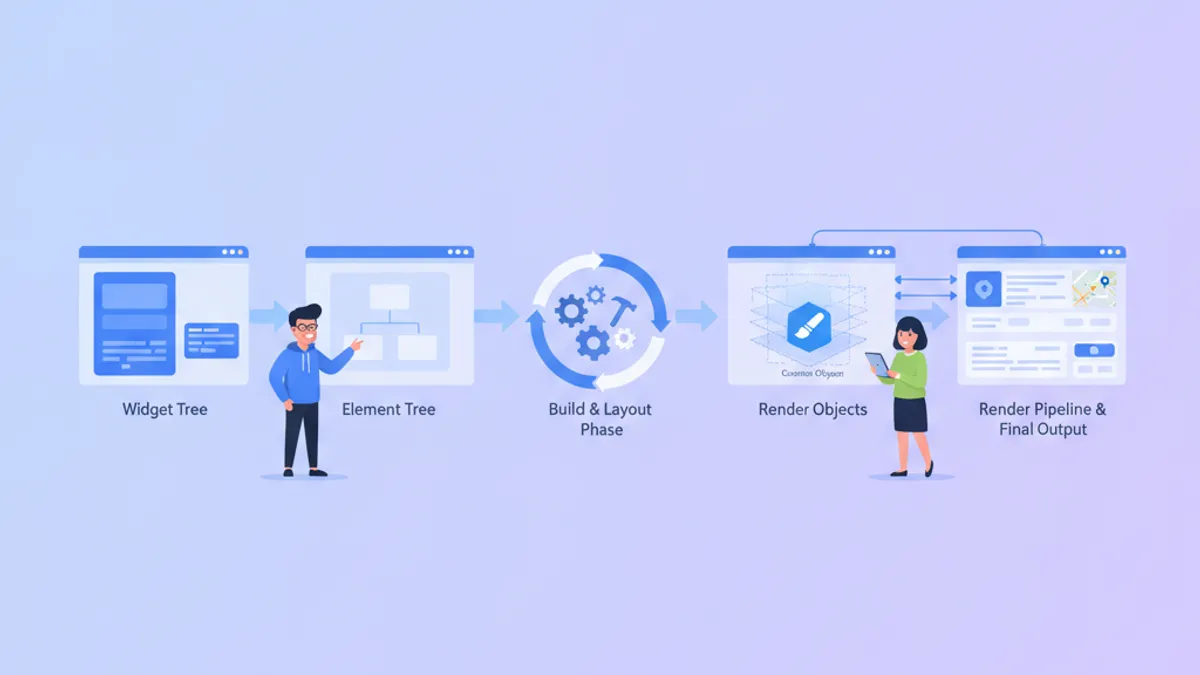
Flutter Custom Render Objects 2026: Custom Painting và Câu Hỏi Phỏng Vấn
Làm chủ pipeline rendering của Flutter với custom RenderObjects, tìm hiểu khi nào nên chọn CustomPainter vs RenderBox, và chuẩn bị cho các câu hỏi phỏng vấn level senior về vòng đời Element-RenderObject.
So Sánh React Native và Flutter: Kiến Trúc và Hiệu Năng 2026
Hướng dẫn toàn diện so sánh Flutter 3.44 và React Native 0.86 về kiến trúc, hiệu năng, quản lý state và các cân nhắc xây dựng team phát triển năm 2026.