Tùy Biến Django Admin 2026: Actions, Filters và Câu Hỏi Phỏng Vấn
Nắm vững tùy biến Django admin với custom actions, list filters, fieldsets và inlines cho Django 6. Bao gồm câu hỏi phỏng vấn thường gặp.
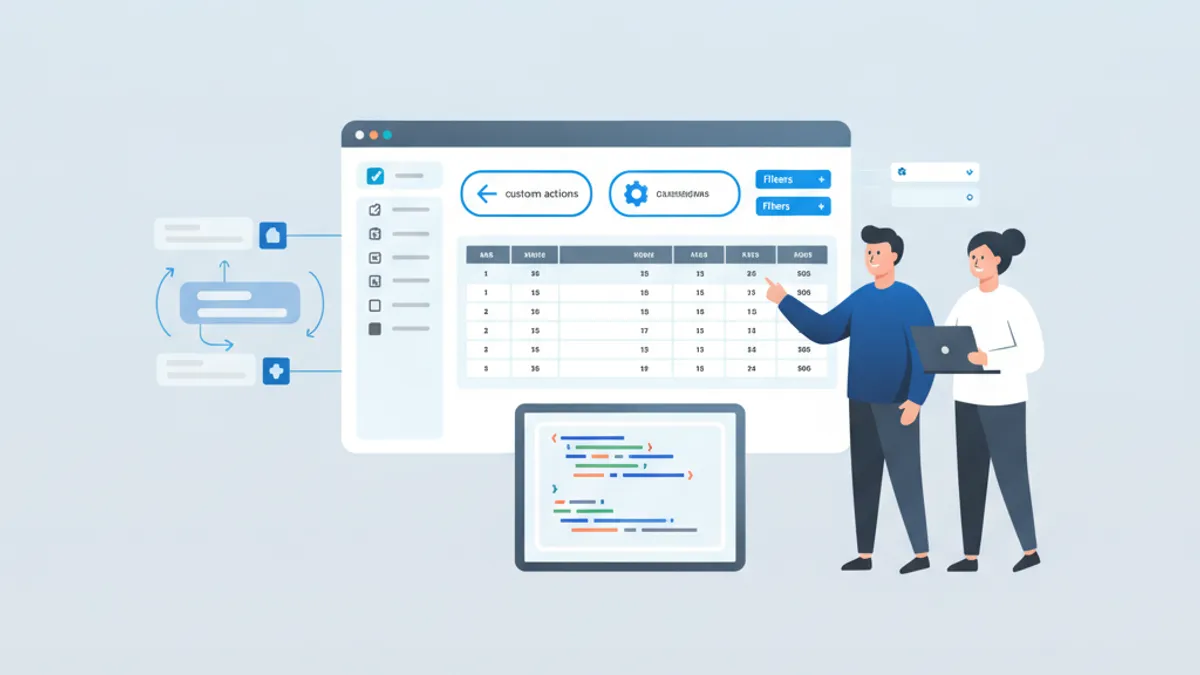
Tùy biến Django admin biến đổi giao diện admin mặc định từ một công cụ scaffolding đơn giản thành back office được thiết kế riêng cho ứng dụng production. Django 6 cung cấp các tính năng admin được cải tiến bao gồm facet counts cho filters, form thay đổi mật khẩu có thể tùy chỉnh và các icon Font Awesome, biến admin được cấu hình tốt thành một công cụ thực sự dễ chịu khi sử dụng.
ModelAdmin là class trung tâm cho tất cả tùy biến admin. Nắm vững list_display, list_filter, search_fields, fieldsets và custom actions để xử lý 90% nhu cầu cấu hình admin.
Cơ Bản ModelAdmin: list_display và search_fields
list_display kiểm soát các cột xuất hiện trên trang change list. Ngoài tên field đơn giản, nó còn chấp nhận các callable được decorate với @admin.display() cho các giá trị tính toán. search_fields kích hoạt hộp tìm kiếm filter các record sử dụng icontains theo mặc định.
# admin.py
from django.contrib import admin
from django.utils.html import format_html
from .models import Article


class ArticleAdmin(admin.ModelAdmin):
    list_display = ["title", "author_name", "status", "publish_date", "is_recent"]
    search_fields = ["title", "author__email", "content"]
    list_per_page = 50
    list_select_related = ["author"]  # Avoid N+1 queries

    @admin.display(description="Author", ordering="author__last_name")
    def author_name(self, obj):
        return f"{obj.author.first_name} {obj.author.last_name}"

    @admin.display(description="Recent?", boolean=True)
    def is_recent(self, obj):
        from django.utils import timezone
        return obj.publish_date >= timezone.now() - timezone.timedelta(days=7)


admin.site.register(Article, ArticleAdmin)
Decorator @admin.display() thay thế pattern cũ của việc đặt short_description như một thuộc tính hàm. Tham số boolean=True render icon dấu tick hoặc X thay vì text True/False. Sử dụng list_select_related ngăn chặn các query N+1 khi truy cập các field foreign key trong list_display.
Custom list_filter với SimpleListFilter
list_filter kích hoạt các filter sidebar trên trang change list. Tên field hoạt động cho filtering cơ bản, nhưng SimpleListFilter xử lý logic filtering phức tạp bao gồm nhiều field hoặc yêu cầu các query tùy chỉnh.
# admin.py
from datetime import date, timedelta
from django.contrib import admin
from django.utils.translation import gettext_lazy as _
from .models import Article


class PublishDateFilter(admin.SimpleListFilter):
    title = _("publish period")
    parameter_name = "published"  # URL parameter: ?published=this_week

    def lookups(self, request, model_admin):
        # Returns (value, label) tuples for the filter sidebar
        return [
            ("this_week", _("This week")),
            ("this_month", _("This month")),
            ("this_year", _("This year")),
            ("unpublished", _("Not published")),
        ]

    def queryset(self, request, queryset):
        # Filter the queryset based on self.value()
        today = date.today()
        if self.value() == "this_week":
            return queryset.filter(publish_date__gte=today - timedelta(days=7))
        if self.value() == "this_month":
            return queryset.filter(
                publish_date__year=today.year, publish_date__month=today.month
            )
        if self.value() == "this_year":
            return queryset.filter(publish_date__year=today.year)
        if self.value() == "unpublished":
            return queryset.filter(publish_date__isnull=True)
        return queryset


class ArticleAdmin(admin.ModelAdmin):
    list_filter = [
        "status",
        PublishDateFilter,
        ("author", admin.RelatedOnlyFieldListFilter),  # Show only authors with articles
    ]
RelatedOnlyFieldListFilter giới hạn dropdown author chỉ hiển thị các author thực sự có bài viết, thay vì liệt kê tất cả user trong database. Điều này cải thiện khả năng sử dụng khi model liên quan có nhiều record.
Django 6 Facets: Số Lượng Filter trong Sidebar
Django 6 giới thiệu facet counts hiển thị số lượng object khớp bên cạnh mỗi tùy chọn filter. Thuộc tính show_facets kiểm soát hành vi này.
# admin.py
from django.contrib import admin
from django.contrib.admin import ShowFacets
from .models import Article


class ArticleAdmin(admin.ModelAdmin):
    list_display = ["title", "status", "category"]
    list_filter = ["status", "category", "author"]
    show_facets = ShowFacets.ALWAYS  # Always display counts

    # Alternative values:
    # ShowFacets.ALLOW - Show counts when ?_facets=1 in URL
    # ShowFacets.NEVER - Never show counts (for large datasets)
Facet counts thực thi các query COUNT bổ sung cho mỗi tùy chọn filter. Trên các bảng có hàng triệu row, đặt show_facets = ShowFacets.NEVER để tránh giảm hiệu suất. Các số liệu được cập nhật động khi filters được áp dụng, cho thấy có bao nhiêu record khớp với tổ hợp filter hiện tại.
Custom Admin Actions cho Các Thao Tác Hàng Loạt
Admin actions thực hiện các thao tác hàng loạt trên các object được chọn. Decorator @admin.action thiết lập permissions và mô tả hiển thị trong dropdown.
# admin.py
from django.contrib import admin
from django.contrib import messages
from django.utils.translation import ngettext
from .models import Article


@admin.action(description="Publish selected articles", permissions=["change"])
def publish_articles(modeladmin, request, queryset):
    # Exclude already published articles
    unpublished = queryset.exclude(status="published")
    updated = unpublished.update(status="published")

    modeladmin.message_user(
        request,
        ngettext(
            "%d article was published.",
            "%d articles were published.",
            updated,
        )
        % updated,
        messages.SUCCESS,
    )


@admin.action(description="Export selected as JSON")
def export_as_json(modeladmin, request, queryset):
    from django.http import HttpResponse
    from django.core import serializers

    response = HttpResponse(content_type="application/json")
    response["Content-Disposition"] = 'attachment; filename="articles.json"'
    serializers.serialize("json", queryset, stream=response)
    return response  # Returning HttpResponse triggers file download


class ArticleAdmin(admin.ModelAdmin):
    actions = [publish_articles, export_as_json]

    def get_actions(self, request):
        # Conditionally remove actions based on user permissions
        actions = super().get_actions(request)
        if not request.user.has_perm("articles.delete_article"):
            del actions["delete_selected"]
        return actions
Trả về HttpResponse từ action sẽ kích hoạt download file hoặc redirect đến trang xác nhận. Tham số permissions giới hạn action chỉ cho người dùng có permissions model cụ thể. Override get_actions() để hiển thị hoặc ẩn actions động dựa trên request hiện tại.
Sẵn sàng chinh phục phỏng vấn Django?
Luyện tập với mô phỏng tương tác, flashcards và bài kiểm tra kỹ thuật.
Fieldsets và Inline Models cho Form Có Tổ Chức
fieldsets tổ chức các form add và change thành các section có thể thu gọn. TabularInline và StackedInline nhúng các model liên quan trực tiếp vào form parent, loại bỏ việc điều hướng giữa các trang.
# admin.py
from django.contrib import admin
from .models import Article, ArticleImage, ArticleComment


class ArticleImageInline(admin.TabularInline):
    model = ArticleImage
    extra = 1  # Number of empty forms to display
    max_num = 5  # Maximum images per article
    fields = ["image", "caption", "order"]


class ArticleCommentInline(admin.StackedInline):
    model = ArticleComment
    extra = 0
    readonly_fields = ["created_at", "author"]
    can_delete = True


class ArticleAdmin(admin.ModelAdmin):
    fieldsets = [
        (
            None,
            {
                "fields": ["title", "slug", "author"],
            },
        ),
        (
            "Content",
            {
                "fields": ["content", "excerpt"],
                "classes": ["wide"],  # Full-width fields
            },
        ),
        (
            "Publishing",
            {
                "fields": ["status", "publish_date", "category", "tags"],
                "classes": ["collapse"],  # Collapsed by default
            },
        ),
        (
            "SEO",
            {
                "fields": ["meta_title", "meta_description"],
                "classes": ["collapse"],
                "description": "Search engine optimization fields",
            },
        ),
    ]
    inlines = [ArticleImageInline, ArticleCommentInline]
    prepopulated_fields = {"slug": ["title"]}  # Auto-generate slug from title
    autocomplete_fields = ["author", "category"]  # AJAX-powered select
    filter_horizontal = ["tags"]  # Widget for M2M selection


admin.site.register(Article, ArticleAdmin)
TabularInline hiển thị các object liên quan ở định dạng bảng gọn gàng, phù hợp cho các model đơn giản với ít field. StackedInline hiển thị mỗi object liên quan như một khối form riêng biệt, tốt hơn cho các model có nhiều field. Tùy chọn autocomplete_fields thay thế dropdown mặc định bằng widget tìm kiếm AJAX, thiết yếu khi model liên quan có hàng nghìn record.
Tùy Biến Admin Site
Kế thừa từ AdminSite cho phép nhiều giao diện admin với branding, permissions hoặc đăng ký model khác nhau. Django 6 thêm tùy chỉnh password_change_form cho các chính sách mật khẩu nghiêm ngặt hơn.
# admin.py
from django.contrib import admin
from django.contrib.admin import AdminSite
from .models import Article, Category


class ContentAdminSite(AdminSite):
    site_header = "Content Management"
    site_title = "CMS"
    index_title = "Dashboard"

    def has_permission(self, request):
        # Restrict to staff in the 'editors' group
        return (
            request.user.is_active
            and request.user.is_staff
            and request.user.groups.filter(name="editors").exists()
        )


content_admin = ContentAdminSite(name="content_admin")
content_admin.register(Article, ArticleAdmin)
content_admin.register(Category)

# In urls.py:
# path('content-admin/', content_admin.urls),
Mỗi instance AdminSite có namespace URL riêng, trang đăng nhập và tập hợp các model đã đăng ký. Pattern này phù hợp với các ứng dụng có các vai trò người dùng khác nhau nơi editor không nên thấy quản lý người dùng hoặc cài đặt hệ thống.
Câu Hỏi Phỏng Vấn: Tùy Biến Django Admin
Các câu hỏi này thường xuất hiện trong các buổi phỏng vấn kỹ thuật Django. Hiểu các cơ chế cơ bản, không chỉ cú pháp, phân biệt ứng viên cấp trung với engineer cấp cao.
H: Làm thế nào để thêm một cột tính toán vào list_display mà không thể sắp xếp?
Decorator @admin.display() chấp nhận tham số ordering chỉ định field database nào được sử dụng để sắp xếp. Nếu không có nó, header cột không thể click. Các giá trị tính toán tổng hợp nhiều record hoặc gọi dịch vụ bên ngoài không thể sắp xếp vì không có cột database cơ bản để order.
H: Tác động hiệu suất của facet counts là gì và khi nào nên tắt chúng?
Facets thực thi một query COUNT cho mỗi tùy chọn filter, nhân với số filter đang hoạt động. Trên bảng có 10 triệu row và 5 tùy chọn filter mỗi field trên 3 field, đó là 15 query COUNT bổ sung cho mỗi lần load trang. Đặt show_facets = ShowFacets.NEVER khi filter nhắm vào bảng hơn 100.000 row mà không có index phù hợp.
H: Admin actions khác với custom admin views như thế nào?
Actions hoạt động trên queryset của các object được chọn và tích hợp với các checkbox chọn của change list. Custom admin views là các trang độc lập được truy cập qua URL tùy chỉnh, phù hợp cho reports, imports hoặc dashboards không hoạt động trên các record được chọn. Actions không nên thực hiện các thao tác chạy lâu vì chúng chặn request.
H: Tại sao sử dụng RelatedOnlyFieldListFilter thay vì filter mặc định?
RelatedFieldListFilter mặc định query tất cả object trong bảng liên quan. Khi ForeignKey trỏ đến model User với 100.000 record, dropdown filter tải tất cả 100.000 tùy chọn, làm đóng băng trình duyệt. RelatedOnlyFieldListFilter chỉ query các giá trị tồn tại trong các record của model hiện tại, thường là tập hợp nhỏ hơn nhiều.
Các Lỗi Phổ Biến Cần Tránh Trong Production
Một số pattern hoạt động trong development gây ra vấn đề khi scale.
# admin.py
from django.contrib import admin
from .models import Order


class OrderAdmin(admin.ModelAdmin):
    # Mistake: Accessing related fields without list_select_related
    # This causes N+1 queries, one per row in the list view
    list_display = ["id", "customer_email", "total"]

    # Fix: Prefetch related objects
    list_select_related = ["customer"]

    def customer_email(self, obj):
        return obj.customer.email

    # Mistake: search_fields on unindexed large text columns
    # search_fields = ["notes"]  # Slow on large tables

    # Fix: Limit search to indexed fields
    search_fields = ["id", "customer__email"]

    # Mistake: Expensive computation in list_display
    # def order_total(self, obj):
    #     return sum(item.price * item.qty for item in obj.items.all())  # N+1

    # Fix: Use annotation in get_queryset
    def get_queryset(self, request):
        from django.db.models import Sum, F

        qs = super().get_queryset(request)
        return qs.annotate(computed_total=Sum(F("items__price") * F("items__qty")))

    @admin.display(description="Total", ordering="computed_total")
    def total(self, obj):
        return obj.computed_total
Override get_queryset() để thêm annotations giữ các giá trị tính toán trong một query thay vì truy cập database một lần cho mỗi row. Profile admin với Django Debug Toolbar để bắt các query N+1 trước khi đưa lên production.
Theme Admin Bên Thứ Ba: Django Unfold
Django Unfold là theme admin được duy trì tích cực nhất cho Django 6, được xây dựng với Tailwind CSS. Nó mở rộng thay vì thay thế admin tiêu chuẩn, nên các cấu hình ModelAdmin hiện có tiếp tục hoạt động.
# settings.py
INSTALLED_APPS = [
    "unfold",  # Must come before django.contrib.admin
    "unfold.contrib.filters",  # Advanced filter widgets
    "unfold.contrib.forms",  # Enhanced form widgets
    "django.contrib.admin",
    # ...
]
Unfold thêm dark mode, layouts responsive, điều hướng sidebar và các loại filter nâng cao như RangeNumericFilter và RangeDateFilter. Tích hợp HTMX và Alpine.js cung cấp tính tương tác mà không có overhead của framework SPA đầy đủ. Đối với các team cần admin được đánh bóng mà không cần xây dựng dashboard tùy chỉnh, Unfold tiết kiệm nhiều tuần công việc frontend.
Bắt đầu luyện tập!
Kiểm tra kiến thức với mô phỏng phỏng vấn và bài kiểm tra kỹ thuật.
Những Điều Cần Nhớ Về Tùy Biến Django Admin
list_displayvới@admin.display()kiểm soát các cột; thêmorderingcho các giá trị tính toán có thể sắp xếpSimpleListFilterxử lý logic filter tùy chỉnh bao gồm nhiều field hoặc yêu cầu phạm vi ngày- Django 6 facets hiển thị số lượng filter; tắt với
ShowFacets.NEVERtrên các bảng lớn để tránh overhead query COUNT - Admin actions với
@admin.action(permissions=[...])xử lý các thao tác hàng loạt; trả vềHttpResponsecho xuất file - Sử dụng
list_select_relatedvà queryset với annotations trongget_queryset()để ngăn query N+1 trong list views RelatedOnlyFieldListFilterngăn trình duyệt đóng băng khi filter theo ForeignKey đến các bảng lớn- Thực hành các pattern này với câu hỏi phỏng vấn Django nhắm vào cấu hình admin cụ thể
Bạn có tìm ra lỗi trong Django không?
Một đoạn mã thật, một lỗi ẩn, mỗi ngày một lượt. Không cần tài khoản để thử.

Viết bởi
Anthony Fillion-MailletNgười sáng lập SharpSkill
Lập trình viên fullstack hơn 10 năm. Anh điều hành SharpSkill và chịu trách nhiệm về mọi nội dung đăng tại đây.
Cập nhật ngày 13 tháng 9, 2026
Chia sẻ
Bài viết liên quan

Django Middleware Nâng Cao 2026: Custom Middleware, Logging và Câu Hỏi Phỏng Vấn
Hướng dẫn toàn diện về Django middleware năm 2026 bao gồm cách tạo custom middleware, triển khai logging hiệu quả, và các câu hỏi phỏng vấn thường gặp dành cho lập trình viên Django cấp cao.

Django Signals vs Celery Tasks 2026: Khi Nào Sử Dụng Cái Nào
Tìm hiểu khi nào nên sử dụng Django signals so với Celery tasks. Bao gồm xử lý event đồng bộ vs bất đồng bộ, ảnh hưởng hiệu suất, và câu hỏi phỏng vấn cho lập trình viên Django.

Django Channels 2026: WebSockets, Real-Time và Câu hỏi Phỏng vấn
Làm chủ Django Channels 4.x với WebSocket consumers, Redis channel layers, và các câu hỏi phỏng vấn thường gặp. Ví dụ code sẵn sàng cho production với triển khai ASGI.