Django 5: Xây Dụng REST API Với Django REST Framework
Hướng dẫn đầy đủ xây dụng REST API chuyên nghiệp với Django 5 và DRF. Serializers, ViewSets, xác thực JWT và các phương pháp tốt nhất được giải thích chi tiết.

Django REST Framework (DRF) vẫn là tiêu chuẩn hàng đầu để xây dụng REST API với Python. Kết hợp với Django 5, framework này mang đến trải nghiệm phát triển xuất sắc thông qua các serializers mạnh mẽ, ViewSets tự động và hệ thống xác thực linh hoạt. Bài hướng dẫn này bao gồm toàn bộ quy trình tạo API chuyên nghiệp, từ cài đặt đến kiểm thử.
Django REST Framework 3.15 hỗ trợ đầy đủ Django 5, cải thiện hiệu suất đáng kể và tích hợp tốt hơn với các kiểu dữ liệu native của Python. Sự kết hợp này vẫn là lựa chọn ưu tiên cho các API Python trong môi trường production.
Project Installation and Configuration
Thiết lập dự án Django với DRF cần một số bước cấu hình. Sử dụng virtual environment và cấu trúc dự án rõ ràng giúp việc bảo trì dài hạn dễ dàng hơn.
# terminal
# Create virtual environment and install dependencies
python -m venv venv
source venv/bin/activate  # Linux/Mac
# venv\Scripts\activate   # Windows

# Install Django 5 and DRF
pip install django djangorestframework
pip install django-filter  # Advanced filtering
pip install djangorestframework-simplejwt  # JWT authentication

# Create Django project
django-admin startproject config .
python manage.py startapp api
Các lệnh trên tạo dự án Django với ứng dụng api riêng biệt cho các endpoint REST.
# config/settings.py
INSTALLED_APPS = [
    'django.contrib.admin',
    'django.contrib.auth',
    'django.contrib.contenttypes',
    'django.contrib.sessions',
    'django.contrib.messages',
    'django.contrib.staticfiles',
    # Third-party apps
    'rest_framework',
    'rest_framework_simplejwt',
    'django_filters',
    # Local apps
    'api',
]

REST_FRAMEWORK = {
    # Default authentication classes
    'DEFAULT_AUTHENTICATION_CLASSES': [
        'rest_framework_simplejwt.authentication.JWTAuthentication',
        'rest_framework.authentication.SessionAuthentication',
    ],
    # Default permissions: authentication required
    'DEFAULT_PERMISSION_CLASSES': [
        'rest_framework.permissions.IsAuthenticated',
    ],
    # Global pagination
    'DEFAULT_PAGINATION_CLASS': 'rest_framework.pagination.PageNumberPagination',
    'PAGE_SIZE': 20,
    # Filter backends
    'DEFAULT_FILTER_BACKENDS': [
        'django_filters.rest_framework.DjangoFilterBackend',
        'rest_framework.filters.SearchFilter',
        'rest_framework.filters.OrderingFilter',
    ],
}
Cấu hình này thiết lập xác thực JWT, phân trang mặc định và filter backends cho toàn bộ API.
Creating Data Models
Các model Django đại diện cho cấu trúc dữ liệu của API. Thiết kế model cẩn thận giúp đơn giản hóa việc tạo serializers và views.
# api/models.py
from django.db import models
from django.contrib.auth.models import AbstractUser
from django.core.validators import MinValueValidator, MaxValueValidator
import uuid

class User(AbstractUser):
    """Custom user model with additional fields."""
    id = models.UUIDField(
        primary_key=True,
        default=uuid.uuid4,
        editable=False
    )
    bio = models.TextField(blank=True, max_length=500)
    avatar = models.URLField(blank=True)
    created_at = models.DateTimeField(auto_now_add=True)
    updated_at = models.DateTimeField(auto_now=True)

    class Meta:
        ordering = ['-created_at']

    def __str__(self):
        return self.username


class Category(models.Model):
    """Category for organizing articles."""
    name = models.CharField(max_length=100, unique=True)
    slug = models.SlugField(max_length=100, unique=True)
    description = models.TextField(blank=True)
    created_at = models.DateTimeField(auto_now_add=True)

    class Meta:
        verbose_name_plural = 'categories'
        ordering = ['name']

    def __str__(self):
        return self.name


class Article(models.Model):
    """Blog article with author and category relations."""
    STATUS_CHOICES = [
        ('draft', 'Draft'),
        ('published', 'Published'),
        ('archived', 'Archived'),
    ]

    id = models.UUIDField(
        primary_key=True,
        default=uuid.uuid4,
        editable=False
    )
    title = models.CharField(max_length=200)
    slug = models.SlugField(max_length=200, unique=True)
    content = models.TextField()
    excerpt = models.TextField(max_length=300, blank=True)
    # Author relation
    author = models.ForeignKey(
        User,
        on_delete=models.CASCADE,
        related_name='articles'
    )
    # Category relation
    category = models.ForeignKey(
        Category,
        on_delete=models.SET_NULL,
        null=True,
        related_name='articles'
    )
    status = models.CharField(
        max_length=20,
        choices=STATUS_CHOICES,
        default='draft'
    )
    views_count = models.PositiveIntegerField(default=0)
    published_at = models.DateTimeField(null=True, blank=True)
    created_at = models.DateTimeField(auto_now_add=True)
    updated_at = models.DateTimeField(auto_now=True)

    class Meta:
        ordering = ['-created_at']

    def __str__(self):
        return self.title
Sử dụng UUID làm primary key tăng cường bảo mật (mã định danh không thể đoán trước) và hỗ trợ phân phối dữ liệu.
Luôn định nghĩa custom User model ngay từ đầu dự án, kể cả khi chưa cần trường bổ sung. Thay đổi User model sau khi đã chạy migration ban đầu rất phức tạp và dễ gây lỗi.
Serializers: Data Transformation and Validation
Serializers là cốt lõi của DRF. Các lớp này chuyển đổi đối tượng Python sang JSON và ngược lại, đồng thời xác thực dữ liệu đầu vào.
# api/serializers.py
from rest_framework import serializers
from django.contrib.auth import get_user_model
from django.contrib.auth.password_validation import validate_password
from .models import Article, Category

User = get_user_model()


class UserSerializer(serializers.ModelSerializer):
    """Serializer for reading user data."""
    # Computed field: number of published articles
    articles_count = serializers.SerializerMethodField()

    class Meta:
        model = User
        fields = [
            'id', 'username', 'email', 'bio',
            'avatar', 'articles_count', 'created_at'
        ]
        # Read-only fields
        read_only_fields = ['id', 'created_at']

    def get_articles_count(self, obj):
        """Count user's published articles."""
        return obj.articles.filter(status='published').count()


class UserCreateSerializer(serializers.ModelSerializer):
    """Serializer for user creation with password validation."""
    password = serializers.CharField(
        write_only=True,
        required=True,
        validators=[validate_password],
        style={'input_type': 'password'}
    )
    password_confirm = serializers.CharField(
        write_only=True,
        required=True,
        style={'input_type': 'password'}
    )

    class Meta:
        model = User
        fields = [
            'id', 'username', 'email', 'password',
            'password_confirm', 'bio', 'avatar'
        ]

    def validate(self, attrs):
        """Verify that both passwords match."""
        if attrs['password'] != attrs['password_confirm']:
            raise serializers.ValidationError({
                'password_confirm': 'Passwords do not match.'
            })
        return attrs

    def create(self, validated_data):
        """Create user with hashed password."""
        # Remove confirmation field
        validated_data.pop('password_confirm')
        # Use create_user to hash the password
        user = User.objects.create_user(**validated_data)
        return user


class CategorySerializer(serializers.ModelSerializer):
    """Serializer for categories with article counter."""
    articles_count = serializers.IntegerField(
        source='articles.count',
        read_only=True
    )

    class Meta:
        model = Category
        fields = ['id', 'name', 'slug', 'description', 'articles_count']


class ArticleListSerializer(serializers.ModelSerializer):
    """Lightweight serializer for article listings."""
    # Display username instead of UUID
    author = serializers.StringRelatedField()
    category = serializers.StringRelatedField()

    class Meta:
        model = Article
        fields = [
            'id', 'title', 'slug', 'excerpt',
            'author', 'category', 'status',
            'views_count', 'published_at', 'created_at'
        ]


class ArticleDetailSerializer(serializers.ModelSerializer):
    """Complete serializer for article details."""
    # Include full author data
    author = UserSerializer(read_only=True)
    category = CategorySerializer(read_only=True)
    # Write fields (accepts ID)
    category_id = serializers.PrimaryKeyRelatedField(
        queryset=Category.objects.all(),
        source='category',
        write_only=True,
        required=False
    )

    class Meta:
        model = Article
        fields = [
            'id', 'title', 'slug', 'content', 'excerpt',
            'author', 'category', 'category_id',
            'status', 'views_count',
            'published_at', 'created_at', 'updated_at'
        ]
        read_only_fields = ['id', 'author', 'views_count', 'created_at', 'updated_at']

    def create(self, validated_data):
        """Automatically assign the author to the logged-in user."""
        validated_data['author'] = self.context['request'].user
        return super().create(validated_data)
Việc tách ArticleListSerializer (nhẹ) và ArticleDetailSerializer (đầy đủ) tối ưu hóa hiệu suất bằng cách tránh tải dữ liệu không cần thiết cho giao diện danh sách.
Sẵn sàng chinh phục phỏng vấn Django?
Luyện tập với mô phỏng tương tác, flashcards và bài kiểm tra kỹ thuật.
ViewSets and Automatic Routers
ViewSets nhóm các thao tác CRUD vào một lớp duy nhất. Kết hợp với routers, ViewSets tự động tạo các URL cho API.
# api/views.py
from rest_framework import viewsets, status, filters
from rest_framework.decorators import action
from rest_framework.response import Response
from rest_framework.permissions import IsAuthenticated, AllowAny, IsAdminUser
from django_filters.rest_framework import DjangoFilterBackend
from django.contrib.auth import get_user_model
from django.utils import timezone
from .models import Article, Category
from .serializers import (
    UserSerializer, UserCreateSerializer,
    ArticleListSerializer, ArticleDetailSerializer,
    CategorySerializer
)
from .permissions import IsAuthorOrReadOnly
from .filters import ArticleFilter

User = get_user_model()


class UserViewSet(viewsets.ModelViewSet):
    """
    ViewSet for user management.

    Generated endpoints:
    - GET /users/ : user list
    - POST /users/ : creation (registration)
    - GET /users/{id}/ : detail
    - PUT/PATCH /users/{id}/ : update
    - DELETE /users/{id}/ : delete
    - GET /users/me/ : logged-in user profile
    """
    queryset = User.objects.all()
    filter_backends = [filters.SearchFilter, filters.OrderingFilter]
    search_fields = ['username', 'email']
    ordering_fields = ['created_at', 'username']

    def get_serializer_class(self):
        """Use different serializer for creation."""
        if self.action == 'create':
            return UserCreateSerializer
        return UserSerializer

    def get_permissions(self):
        """Dynamic permissions based on action."""
        if self.action == 'create':
            # Open registration
            return [AllowAny()]
        if self.action in ['update', 'partial_update', 'destroy']:
            # Modification: owner or admin
            return [IsAuthenticated()]
        return [IsAuthenticated()]

    @action(detail=False, methods=['get'])
    def me(self, request):
        """Return the logged-in user's profile."""
        serializer = self.get_serializer(request.user)
        return Response(serializer.data)

    @action(detail=False, methods=['patch'])
    def update_profile(self, request):
        """Update the logged-in user's profile."""
        serializer = self.get_serializer(
            request.user,
            data=request.data,
            partial=True
        )
        serializer.is_valid(raise_exception=True)
        serializer.save()
        return Response(serializer.data)


class CategoryViewSet(viewsets.ModelViewSet):
    """
    ViewSet for category management.
    Only admins can create/update/delete.
    """
    queryset = Category.objects.all()
    serializer_class = CategorySerializer
    lookup_field = 'slug'
    filter_backends = [filters.SearchFilter]
    search_fields = ['name', 'description']

    def get_permissions(self):
        """Public read, admin-only write."""
        if self.action in ['list', 'retrieve']:
            return [AllowAny()]
        return [IsAdminUser()]


class ArticleViewSet(viewsets.ModelViewSet):
    """
    ViewSet for article management.

    Features:
    - Filter by category, status, author
    - Text search
    - Sort by date, views
    - Custom actions (publish, archive)
    """
    queryset = Article.objects.select_related('author', 'category')
    filter_backends = [DjangoFilterBackend, filters.SearchFilter, filters.OrderingFilter]
    filterset_class = ArticleFilter
    search_fields = ['title', 'content', 'excerpt']
    ordering_fields = ['created_at', 'published_at', 'views_count']
    ordering = ['-created_at']
    lookup_field = 'slug'

    def get_serializer_class(self):
        """Lightweight serializer for lists, complete for detail."""
        if self.action == 'list':
            return ArticleListSerializer
        return ArticleDetailSerializer

    def get_permissions(self):
        """Permissions based on action."""
        if self.action in ['list', 'retrieve']:
            return [AllowAny()]
        if self.action == 'create':
            return [IsAuthenticated()]
        # Update/delete: author or admin
        return [IsAuthorOrReadOnly()]

    def get_queryset(self):
        """Filter articles based on user."""
        queryset = super().get_queryset()
        user = self.request.user

        # Unauthenticated users: published articles only
        if not user.is_authenticated:
            return queryset.filter(status='published')

        # Admins: all articles
        if user.is_staff:
            return queryset

        # Authenticated users: published + their own articles
        from django.db.models import Q
        return queryset.filter(
            Q(status='published') | Q(author=user)
        )

    def retrieve(self, request, *args, **kwargs):
        """Increment view counter on each retrieval."""
        instance = self.get_object()
        instance.views_count += 1
        instance.save(update_fields=['views_count'])
        serializer = self.get_serializer(instance)
        return Response(serializer.data)

    @action(detail=True, methods=['post'])
    def publish(self, request, slug=None):
        """Publish a draft article."""
        article = self.get_object()

        if article.status == 'published':
            return Response(
                {'error': 'Article already published.'},
                status=status.HTTP_400_BAD_REQUEST
            )

        article.status = 'published'
        article.published_at = timezone.now()
        article.save()

        serializer = self.get_serializer(article)
        return Response(serializer.data)

    @action(detail=True, methods=['post'])
    def archive(self, request, slug=None):
        """Archive a published article."""
        article = self.get_object()
        article.status = 'archived'
        article.save()

        serializer = self.get_serializer(article)
        return Response(serializer.data)
Các custom actions (@action) bổ sung các endpoint cụ thể như /articles/{slug}/publish/ mà không cần tạo views mới.
Custom Permissions
Permissions kiểm soát quyền truy cập vào các tài nguyên. DRF cho phép tạo các permissions tái sử dụng được cho các quy tắc nghiệp vụ phức tạp.
# api/permissions.py
from rest_framework import permissions


class IsAuthorOrReadOnly(permissions.BasePermission):
    """
    Custom permission:
    - Read: everyone
    - Write: object author or admin only
    """

    def has_object_permission(self, request, view, obj):
        # GET, HEAD, OPTIONS methods are always allowed
        if request.method in permissions.SAFE_METHODS:
            return True

        # Write allowed only for author or admins
        return obj.author == request.user or request.user.is_staff


class IsOwnerOrAdmin(permissions.BasePermission):
    """
    Permission for user resources:
    - Users can access their own resources
    - Admins can access everything
    """

    def has_object_permission(self, request, view, obj):
        # Check if object is the user themselves
        if hasattr(obj, 'id') and obj.id == request.user.id:
            return True

        # Check if object belongs to the user
        if hasattr(obj, 'user') and obj.user == request.user:
            return True

        # Admins have access to everything
        return request.user.is_staff
Các permissions này được áp dụng ở cấp độ đối tượng (has_object_permission) để kiểm soát chi tiết quyền truy cập trên từng tài nguyên.
Custom Filters with django-filter
Các bộ lọc cho phép client API tìm kiếm và lọc dữ liệu theo nhiều tiêu chí khác nhau.
# api/filters.py
import django_filters
from .models import Article


class ArticleFilter(django_filters.FilterSet):
    """
    Custom filters for articles.

    Usage examples:
    - /articles/?category=tech
    - /articles/?status=published
    - /articles/?author=username
    - /articles/?created_after=2026-01-01
    - /articles/?min_views=100
    """
    # Filter by category slug
    category = django_filters.CharFilter(
        field_name='category__slug',
        lookup_expr='exact'
    )

    # Filter by author username
    author = django_filters.CharFilter(
        field_name='author__username',
        lookup_expr='exact'
    )

    # Filter by creation date (after)
    created_after = django_filters.DateFilter(
        field_name='created_at',
        lookup_expr='gte'
    )

    # Filter by creation date (before)
    created_before = django_filters.DateFilter(
        field_name='created_at',
        lookup_expr='lte'
    )

    # Filter by minimum views
    min_views = django_filters.NumberFilter(
        field_name='views_count',
        lookup_expr='gte'
    )

    # Filter by title (contains)
    title = django_filters.CharFilter(
        field_name='title',
        lookup_expr='icontains'
    )

    class Meta:
        model = Article
        fields = ['status', 'category', 'author']
Các bộ lọc này tự động tạo tài liệu trong giao diện browsable của DRF.
Các bộ lọc trên trường văn bản với icontains có thể chậm trên các bảng lớn. Để tìm kiếm toàn văn, hãy cân nhắc PostgreSQL với SearchVector hoặc Elasticsearch.
URL Configuration and Routers
Router của DRF tự động tạo các URL RESTful từ các ViewSets đã đăng ký.
# api/urls.py
from django.urls import path, include
from rest_framework.routers import DefaultRouter
from rest_framework_simplejwt.views import (
    TokenObtainPairView,
    TokenRefreshView,
    TokenVerifyView,
)
from .views import UserViewSet, CategoryViewSet, ArticleViewSet

# Create router with automatic URL generation
router = DefaultRouter()
router.register(r'users', UserViewSet, basename='user')
router.register(r'categories', CategoryViewSet, basename='category')
router.register(r'articles', ArticleViewSet, basename='article')

urlpatterns = [
    # Router-generated URLs
    path('', include(router.urls)),

    # JWT authentication endpoints
    path('auth/token/', TokenObtainPairView.as_view(), name='token_obtain_pair'),
    path('auth/token/refresh/', TokenRefreshView.as_view(), name='token_refresh'),
    path('auth/token/verify/', TokenVerifyView.as_view(), name='token_verify'),
]# config/urls.py
from django.contrib import admin
from django.urls import path, include
urlpatterns = [
path('admin/', admin.site.urls),
# All API URLs under /api/
path('api/', include('api.urls')),
]Cấu hình này cung cấp các endpoint sau:
POST /api/auth/token/: lấy token JWTPOST /api/auth/token/refresh/: làm mới tokenGET/POST /api/users/: danh sách và tạo người dùngGET/PUT/PATCH/DELETE /api/users/{id}/: các thao tác trên người dùng- Tương tự cho categories và articles.
Advanced JWT Configuration
Xác thực JWT cần cấu hình phù hợp cho bảo mật và trải nghiệm người dùng.
# config/settings.py
from datetime import timedelta

SIMPLE_JWT = {
    # Access token lifetime
    'ACCESS_TOKEN_LIFETIME': timedelta(minutes=30),
    # Refresh token lifetime
    'REFRESH_TOKEN_LIFETIME': timedelta(days=7),
    # Automatic refresh token rotation
    'ROTATE_REFRESH_TOKENS': True,
    # Blacklist old tokens after rotation
    'BLACKLIST_AFTER_ROTATION': True,
    # Signing algorithm
    'ALGORITHM': 'HS256',
    # Signing key (use secret key in production)
    'SIGNING_KEY': SECRET_KEY,
    # Authorization header prefix
    'AUTH_HEADER_TYPES': ('Bearer',),
    # Fields included in token
    'USER_ID_FIELD': 'id',
    'USER_ID_CLAIM': 'user_id',
}
Xoay vòng token (ROTATE_REFRESH_TOKENS) tăng cường bảo mật bằng cách vô hiệu hóa các token cũ sau mỗi lần làm mới.
Automated API Testing
DRF cung cấp các công cụ kiểm thử tích hợp để xác thực hành vi của API.
# api/tests/test_articles.py
from django.test import TestCase
from django.urls import reverse
from rest_framework.test import APIClient
from rest_framework import status
from django.contrib.auth import get_user_model
from api.models import Article, Category

User = get_user_model()


class ArticleAPITestCase(TestCase):
    """Tests for article endpoints."""

    def setUp(self):
        """Set up test data."""
        self.client = APIClient()

        # Create test user
        self.user = User.objects.create_user(
            username='testuser',
            email='test@example.com',
            password='testpass123'
        )

        # Create category
        self.category = Category.objects.create(
            name='Tech',
            slug='tech',
            description='Technology articles'
        )

        # Create published article
        self.article = Article.objects.create(
            title='Test Article',
            slug='test-article',
            content='Detailed test content.',
            excerpt='Short summary',
            author=self.user,
            category=self.category,
            status='published'
        )

    def test_list_articles_unauthenticated(self):
        """Published articles are accessible without authentication."""
        url = reverse('article-list')
        response = self.client.get(url)

        self.assertEqual(response.status_code, status.HTTP_200_OK)
        self.assertEqual(len(response.data['results']), 1)

    def test_list_articles_filters_drafts(self):
        """Drafts are not visible to unauthenticated users."""
        # Create a draft
        Article.objects.create(
            title='Draft Article',
            slug='draft-article',
            content='Draft content',
            author=self.user,
            status='draft'
        )

        url = reverse('article-list')
        response = self.client.get(url)

        # Only published article is visible
        self.assertEqual(len(response.data['results']), 1)

    def test_create_article_authenticated(self):
        """An authenticated user can create an article."""
        self.client.force_authenticate(user=self.user)

        url = reverse('article-list')
        data = {
            'title': 'New Article',
            'slug': 'new-article',
            'content': 'New article content.',
            'category_id': self.category.id,
        }

        response = self.client.post(url, data, format='json')

        self.assertEqual(response.status_code, status.HTTP_201_CREATED)
        self.assertEqual(Article.objects.count(), 2)
        # Author is automatically assigned
        self.assertEqual(
            Article.objects.get(slug='new-article').author,
            self.user
        )

    def test_create_article_unauthenticated(self):
        """An unauthenticated user cannot create an article."""
        url = reverse('article-list')
        data = {
            'title': 'Unauthorized Article',
            'slug': 'unauthorized-article',
            'content': 'Content',
        }

        response = self.client.post(url, data, format='json')

        self.assertEqual(response.status_code, status.HTTP_401_UNAUTHORIZED)

    def test_update_own_article(self):
        """An author can update their own article."""
        self.client.force_authenticate(user=self.user)

        url = reverse('article-detail', kwargs={'slug': self.article.slug})
        data = {'title': 'Modified Title'}

        response = self.client.patch(url, data, format='json')

        self.assertEqual(response.status_code, status.HTTP_200_OK)
        self.article.refresh_from_db()
        self.assertEqual(self.article.title, 'Modified Title')

    def test_update_other_user_article(self):
        """A user cannot update another user's article."""
        other_user = User.objects.create_user(
            username='other',
            email='other@example.com',
            password='otherpass123'
        )
        self.client.force_authenticate(user=other_user)

        url = reverse('article-detail', kwargs={'slug': self.article.slug})
        data = {'title': 'Modified Title'}

        response = self.client.patch(url, data, format='json')

        self.assertEqual(response.status_code, status.HTTP_403_FORBIDDEN)

    def test_publish_action(self):
        """The publish action changes the article status."""
        draft = Article.objects.create(
            title='Draft',
            slug='draft',
            content='Draft content',
            author=self.user,
            status='draft'
        )
        self.client.force_authenticate(user=self.user)

        url = reverse('article-publish', kwargs={'slug': draft.slug})
        response = self.client.post(url)

        self.assertEqual(response.status_code, status.HTTP_200_OK)
        draft.refresh_from_db()
        self.assertEqual(draft.status, 'published')
        self.assertIsNotNone(draft.published_at)

    def test_filter_by_category(self):
        """Filtering by category works correctly."""
        url = reverse('article-list')
        response = self.client.get(url, {'category': 'tech'})

        self.assertEqual(response.status_code, status.HTTP_200_OK)
        self.assertEqual(len(response.data['results']), 1)

    def test_search_articles(self):
        """Text search works."""
        url = reverse('article-list')
        response = self.client.get(url, {'search': 'Test'})

        self.assertEqual(response.status_code, status.HTTP_200_OK)
        self.assertEqual(len(response.data['results']), 1)
Chạy kiểm thử bằng lệnh python manage.py test api.tests.
Error Handling and Standardized Responses
Xử lý lỗi nhất quán giúp cải thiện trải nghiệm developer cho những người sử dụng API.
# api/exceptions.py
from rest_framework.views import exception_handler
from rest_framework.response import Response
from rest_framework import status


def custom_exception_handler(exc, context):
    """
    Custom exception handler to standardize error responses.

    Response format:
    {
        "success": false,
        "error": {
            "code": "ERROR_CODE",
            "message": "Error description",
            "details": {...}  # Optional
        }
    }
    """
    # Call the default handler
    response = exception_handler(exc, context)

    if response is not None:
        # Standardize response format
        custom_response = {
            'success': False,
            'error': {
                'code': get_error_code(exc),
                'message': get_error_message(response.data),
                'details': response.data if isinstance(response.data, dict) else None
            }
        }
        response.data = custom_response

    return response


def get_error_code(exc):
    """Return an error code based on exception type."""
    error_codes = {
        'ValidationError': 'VALIDATION_ERROR',
        'AuthenticationFailed': 'AUTHENTICATION_FAILED',
        'NotAuthenticated': 'NOT_AUTHENTICATED',
        'PermissionDenied': 'PERMISSION_DENIED',
        'NotFound': 'NOT_FOUND',
        'MethodNotAllowed': 'METHOD_NOT_ALLOWED',
        'Throttled': 'RATE_LIMIT_EXCEEDED',
    }
    return error_codes.get(exc.__class__.__name__, 'UNKNOWN_ERROR')


def get_error_message(data):
    """Extract a readable error message from response data."""
    if isinstance(data, dict):
        if 'detail' in data:
            return str(data['detail'])
        # Collect validation messages
        messages = []
        for field, errors in data.items():
            if isinstance(errors, list):
                messages.extend([f"{field}: {e}" for e in errors])
            else:
                messages.append(f"{field}: {errors}")
        return '; '.join(messages) if messages else 'Validation error'
return str(data)# config/settings.py
REST_FRAMEWORK = {
# ... other configurations
'EXCEPTION_HANDLER': 'api.exceptions.custom_exception_handler',
}Conclusion
Django REST Framework kết hợp với Django 5 cung cấp hệ sinh thái hoàn chỉnh để xây dụng REST API chuyên nghiệp. Sức mạnh của serializers, sự linh hoạt của ViewSets và tích hợp native xác thực JWT cho phép xây dụng API vững chắc và bảo mật một cách nhanh chóng.
Danh sách kiểm tra cho API Django chất lượng
- Sử dụng serializer riêng biệt cho đọc và ghi
- Triển khai custom permissions để kiểm soát truy cập
- Cấu hình bộ lọc cho tìm kiếm và sắp xếp
- Thêm xác thực JWT với xoay vòng token
- Viết unit test cho từng endpoint
- Chuẩn hóa định dạng phản hồi lỗi
- Tài liệu hóa API qua DRF Spectacular hoặc drf-yasg
Bắt đầu luyện tập!
Kiểm tra kiến thức với mô phỏng phỏng vấn và bài kiểm tra kỹ thuật.
Cách tiếp cận của DRF khuyến khích tái sử dụng và kết hợp: serializers, permissions và bộ lọc phối hợp để tạo các API dễ bảo trì trong dài hạn. Tài liệu tự động và giao diện browsable giúp tăng tốc phát triển và hỗ trợ tích hợp cho các nhóm frontend.
Bạn có tìm ra lỗi trong Django không?
Một đoạn mã thật, một lỗi ẩn, mỗi ngày một lượt. Không cần tài khoản để thử.

Viết bởi
Anthony Fillion-MailletNgười sáng lập SharpSkill
Lập trình viên fullstack hơn 10 năm. Anh điều hành SharpSkill và chịu trách nhiệm về mọi nội dung đăng tại đây.
Cập nhật ngày 10 tháng 4, 2026
Thẻ
Chia sẻ
Bài viết liên quan

Cau hoi phong van Django va Python: Top 25 nam 2026
25 cau hoi phong van Django va Python thuong gap nhat. ORM, views, middleware, DRF, signals va toi uu hoa voi dap an chi tiet va vi du code.
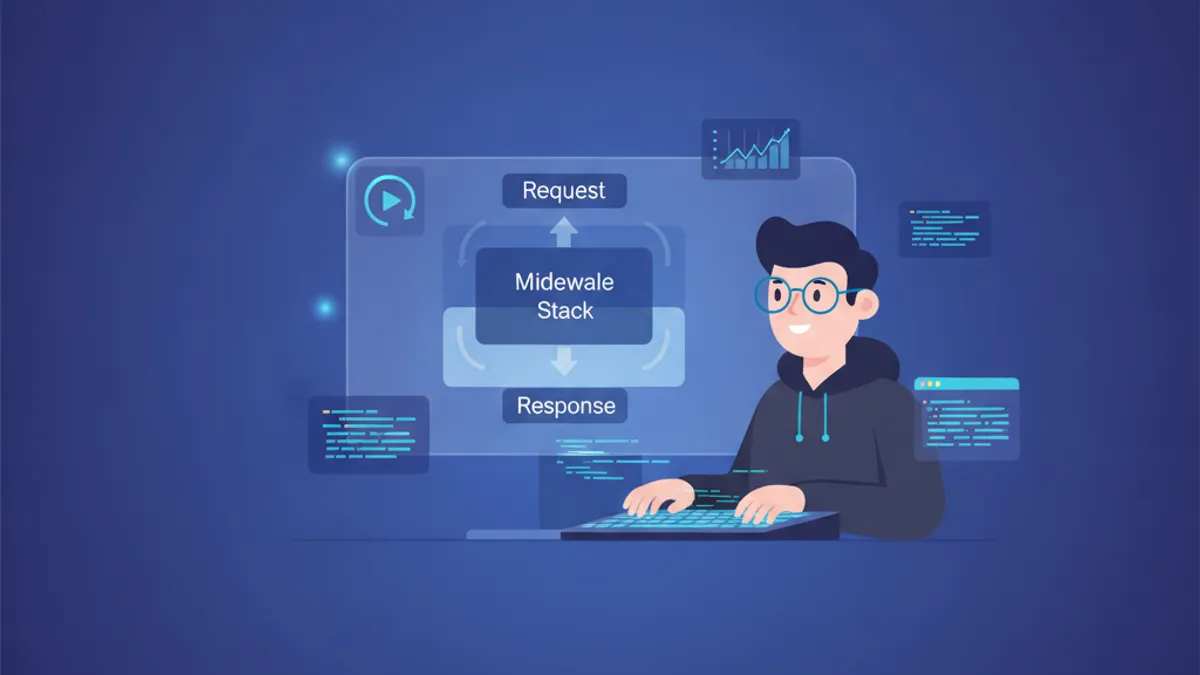
Django Middleware Nâng Cao 2026: Custom Middleware, Logging và Câu Hỏi Phỏng Vấn
Hướng dẫn toàn diện về Django middleware năm 2026 bao gồm cách tạo custom middleware, triển khai logging hiệu quả, và các câu hỏi phỏng vấn thường gặp dành cho lập trình viên Django cấp cao.
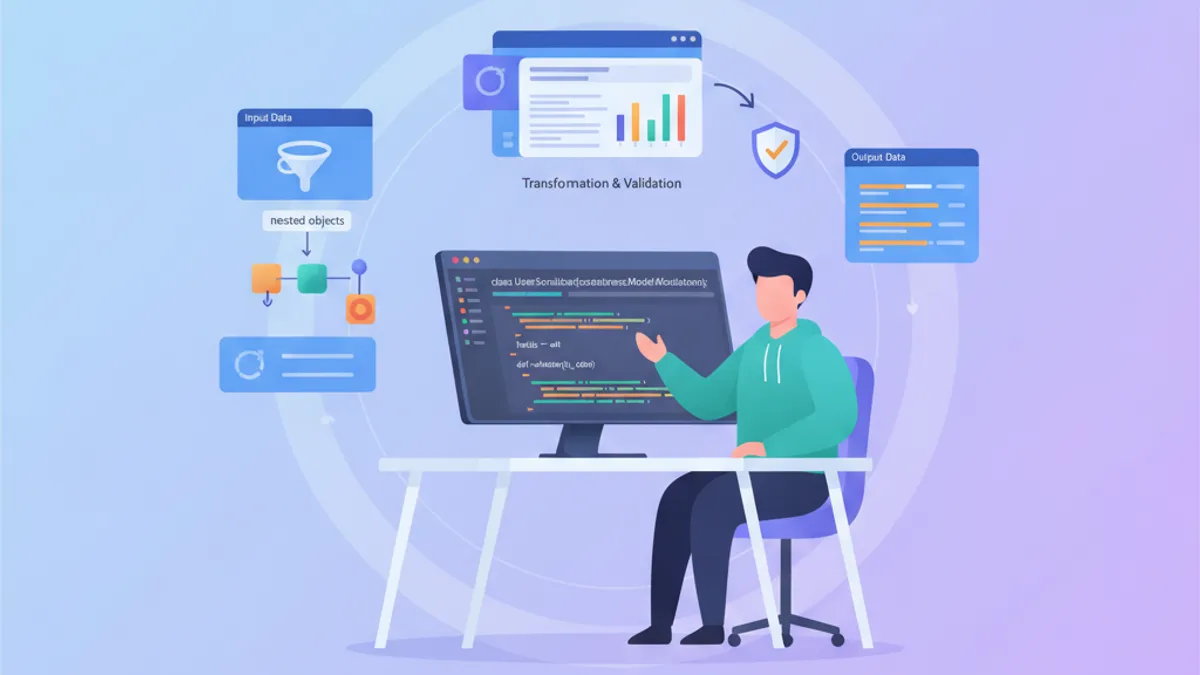
Tìm Hiểu Sâu Về Serializer Django REST Framework: Validation, Nested và Tối Ưu N+1
Hướng dẫn toàn diện về DRF serializers: pipeline validation, nested serializers, xử lý quan hệ phức tạp và các kỹ thuật tối ưu để tránh vấn đề N+1 queries.