Docker: tu phat trien den san xuat
Huong dan Docker day du de container hoa ung dung. Dockerfile, Docker Compose, multi-stage build va trien khai san xuat voi cac vi du thuc te.

Docker cach mang hoa cach phat trien, kiem thu va trien khai ung dung. Bang cach dong goi ung dung cung cac phu thuoc vao mot container di dong, Docker loai bo van de noi tieng "chay duoc tren may toi" va dam bao tinh nhat quan tren moi moi truong. Huong dan nay bao gom hanh trinh day du tu Dockerfile dau tien den trien khai san xuat.
Docker Desktop 5.x mang den nhung cai tien hieu suat dang ke, bao gom ho tro containerd ban dia, quan ly tai nguyen toi uu va tich hop Kubernetes lien mach. Image da kien truc (ARM/x86) hien la thuc hanh tieu chuan.
Nen tang Container hoa
Container la mot don vi phan mem nhe dong goi ma nguon, runtime, thu vien he thong va cac cai dat. Khac voi may ao ao hoa phan cung, container chia se kernel cua he thong chu, giup chung khoi dong nhanh hon va tieu ton it tai nguyen hon.
# terminal
# Docker installation on Ubuntu
sudo apt update
sudo apt install -y docker.io

# Add user to docker group (avoids sudo)
sudo usermod -aG docker $USER

# Verify installation
docker --version
# Docker version 26.1.0, build 1234567

# First container: downloads image and runs
docker run hello-world
Lenh nay tai image hello-world tu Docker Hub va khoi chay mot container hien thi thong bao xac nhan.
# terminal
# List running containers
docker ps

# List all containers (including stopped)
docker ps -a

# List downloaded images
docker images

# Remove a container
docker rm <container_id>

# Remove an image
docker rmi <image_name>
Cac lenh co ban nay quan ly vong doi cua container va image.
Tao Dockerfile dau tien
Dockerfile chua cac huong dan de xay dung image Docker. Moi huong dan tao mot lop trong image cuoi cung, cho phep cache va tai su dung.
# Dockerfile
# Base image: Node.js 22 on Alpine Linux (lightweight)
FROM node:22-alpine

# Set working directory in the container
WORKDIR /app

# Copy dependency files first (cache optimization)
COPY package*.json ./

# Install dependencies
RUN npm ci --only=production

# Copy source code
COPY . .

# Expose port (documentation)
EXPOSE 3000

# Startup command
CMD ["node", "server.js"]
Thu tu cac huong dan rat quan trong de toi uu hoa cache. Cac file it thay doi (package.json) nen duoc sao chep truoc ma nguon.
# terminal
# Build image with a tag
docker build -t my-app:1.0 .

# Run the container
docker run -d -p 3000:3000 --name my-app-container my-app:1.0

# Check logs
docker logs my-app-container

# Access container shell
docker exec -it my-app-container sh
Co -d chay container o che do nen, -p anh xa cong 3000 cua container sang cong 3000 cua host.
Image Alpine nho hon dang ke (khoang 5 MB so voi 120 MB cua Debian). Tuy nhien, chung su dung musl libc thay vi glibc, co the gay ra su khong tuong thich voi mot so phu thuoc ban dia. Khi gap van de, nen uu tien su dung image dua tren Debian (node:22-slim).
Multi-stage Build cho san xuat
Multi-stage build tao ra image san xuat duoc toi uu bang cach tach moi truong build khoi moi truong runtime. Chi cac thanh phan can thiet moi duoc dua vao image cuoi cung.
# Dockerfile.production
# ============================================
# Stage 1: Build
# ============================================
FROM node:22-alpine AS builder
WORKDIR /app
# Copy and install dependencies (including devDependencies)
COPY package*.json ./
RUN npm ci
# Copy source code
COPY . .
# Build the application (TypeScript, bundling, etc.)
RUN npm run build
# ============================================
# Stage 2: Production
# ============================================
FROM node:22-alpine AS production
# Non-root user for security
RUN addgroup -g 1001 -S nodejs && \
adduser -S nodejs -u 1001
WORKDIR /app
# Copy only necessary files from builder stage
COPY /app/dist ./dist
COPY /app/node_modules ./node_modules
COPY /app/package.json ./
# Switch to non-root user
USER nodejs
# Environment variables
ENV NODE_ENV=production
ENV PORT=3000
EXPOSE 3000
# Startup command
CMD ["node", "dist/server.js"]Cach tiep can nay giam dang ke kich thuoc image cuoi cung bang cach loai tru cong cu build, devDependencies va file nguon.
# terminal
# Build with specific file
docker build -f Dockerfile.production -t my-app:production .

# Compare image sizes
docker images | grep my-app
# my-app    production    abc123    150MB
# my-app    1.0           def456    450MB
Muc giam kich thuoc co the dat 60-70% tuy thuoc vao du an, cai thien thoi gian trien khai va giam be mat tan cong.
Docker Compose cho dieu phoi cuc bo
Docker Compose don gian hoa viec quan ly ung dung nhieu container. File YAML khai bao tat ca cac dich vu, cau hinh va phu thuoc cua chung.
# docker-compose.yml
version: "3.9"

services:
  # Main application
  app:
    build:
      context: .
      dockerfile: Dockerfile
    ports:
      - "3000:3000"
    environment:
      - NODE_ENV=development
      - DATABASE_URL=postgresql://postgres:secret@db:5432/myapp
      - REDIS_URL=redis://cache:6379
    volumes:
      # Mount source code for hot-reload
      - ./src:/app/src
      - ./package.json:/app/package.json
    depends_on:
      db:
        condition: service_healthy
      cache:
        condition: service_started
    networks:
      - app-network

  # PostgreSQL database
  db:
    image: postgres:16-alpine
    environment:
      POSTGRES_USER: postgres
      POSTGRES_PASSWORD: secret
      POSTGRES_DB: myapp
    volumes:
      # Data persistence
      - postgres_data:/var/lib/postgresql/data
      # Initialization script
      - ./init.sql:/docker-entrypoint-initdb.d/init.sql
    ports:
      - "5432:5432"
    healthcheck:
      test: ["CMD-SHELL", "pg_isready -U postgres"]
      interval: 5s
      timeout: 5s
      retries: 5
    networks:
      - app-network

  # Redis cache
  cache:
    image: redis:7-alpine
    ports:
      - "6379:6379"
    volumes:
      - redis_data:/data
    command: redis-server --appendonly yes
    networks:
      - app-network

# Named volumes for persistence
volumes:
  postgres_data:
  redis_data:

# Dedicated network for isolation
networks:
  app-network:
    driver: bridge
Cac dich vu giao tiep su dung ten cua chung (db, cache) thong qua mang noi bo Docker. Healthcheck dam bao cac phu thuoc san sang truoc khi ung dung khoi dong.
# terminal
# Start all services
docker compose up -d

# View logs from all services
docker compose logs -f

# Logs from a specific service
docker compose logs -f app

# Stop and remove containers
docker compose down

# Removal including volumes (caution: data loss)
docker compose down -v

# Rebuild after Dockerfile changes
docker compose up -d --build
Sẵn sàng chinh phục phỏng vấn DevOps?
Luyện tập với mô phỏng tương tác, flashcards và bài kiểm tra kỹ thuật.
Quan ly Secret va Bien moi truong
Quan ly secret an toan rat quan trong trong san xuat. Docker cung cap nhieu phuong phap tuy theo ngu canh.
# docker-compose.override.yml (development only)
version: "3.9"

services:
  app:
    env_file:
      - .env.development
    environment:
      - DEBUG=true
Cho san xuat, Docker secrets cung cap muc bao mat cao hon.
# docker-compose.production.yml
version: "3.9"

services:
  app:
    build:
      context: .
      dockerfile: Dockerfile.production
    secrets:
      - db_password
      - api_key
    environment:
      - NODE_ENV=production
      - DATABASE_PASSWORD_FILE=/run/secrets/db_password
      - API_KEY_FILE=/run/secrets/api_key

secrets:
  db_password:
    file: ./secrets/db_password.txt
  api_key:
    file: ./secrets/api_key.txt
Ma nguon ung dung doc secret tu cac file duoc mount.
const fs = require('fs');
const path = require('path');

// Utility function to read Docker secrets
function readSecret(secretName) {
  const secretPath = `/run/secrets/${secretName}`;

  // Check if secret file exists
  if (fs.existsSync(secretPath)) {
    return fs.readFileSync(secretPath, 'utf8').trim();
  }

  // Fallback to classic environment variables
  const envVar = secretName.toUpperCase();
  return process.env[envVar];
}

module.exports = {
  databasePassword: readSecret('db_password'),
  apiKey: readSecret('api_key'),
};
Cach tiep can nay ngan chan viec lo secret trong bien moi truong hoac image Docker.
Toi uu hoa Image Docker
Nhieu ky thuat giup giam kich thuoc image va cai thien hieu suat.
# Dockerfile.optimized
FROM node:22-alpine AS base
# Install necessary tools in a single layer
RUN apk add --no-cache \
dumb-init \
&& rm -rf /var/cache/apk/*
# ============================================
# Stage: Dependencies
# ============================================
FROM base AS deps
WORKDIR /app
# Copy only lock files for caching
COPY package.json package-lock.json ./
# Install with mounted npm cache (BuildKit)
RUN \
npm ci --only=production
# ============================================
# Stage: Builder
# ============================================
FROM base AS builder
WORKDIR /app
COPY package.json package-lock.json ./
RUN \
npm ci
COPY . .
RUN npm run build
# ============================================
# Stage: Production
# ============================================
FROM base AS production
# Image metadata
LABEL maintainer="team@example.com"
LABEL version="1.0"
LABEL description="Production-ready Node.js application"
# Non-root user
RUN addgroup -g 1001 -S nodejs && \
adduser -S nodejs -u 1001
WORKDIR /app
# Copy production dependencies
COPY /app/node_modules ./node_modules
# Copy build output
COPY /app/dist ./dist
COPY /app/package.json ./
USER nodejs
ENV NODE_ENV=production
# dumb-init as PID 1 for signal handling
ENTRYPOINT ["dumb-init", "--"]
CMD ["node", "dist/server.js"]Viec su dung dumb-init dam bao xu ly dung cac tin hieu Unix, cho phep tat container mot cach an toan.
# terminal
# Enable BuildKit for advanced features
export DOCKER_BUILDKIT=1

# Build with cache and detailed output
docker build --progress=plain -t my-app:optimized .

# Analyze image layers
docker history my-app:optimized

# Detailed image inspection
docker inspect my-app:optimizedImage can duoc quet thuong xuyen de tim lo hong bao mat bang cac cong cu nhu Trivy hoac Snyk. Image co so can duoc cap nhat thuong xuyen de bao gom cac ban va bao mat.
Mang Docker nang cao
Docker cung cap nhieu driver mang cho cac truong hop su dung khac nhau.
# docker-compose.networking.yml
version: "3.9"

services:
  # Publicly accessible frontend
  frontend:
    build: ./frontend
    ports:
      - "80:80"
    networks:
      - frontend-network
      - backend-network

  # API accessible only from frontend
  api:
    build: ./api
    networks:
      - backend-network
      - database-network
    # No external ports exposed

  # Isolated database
  database:
    image: postgres:16-alpine
    networks:
      - database-network
    # Accessible only by API

networks:
  frontend-network:
    driver: bridge
  backend-network:
    driver: bridge
    internal: true  # No internet access
  database-network:
    driver: bridge
    internal: true
Cau hinh nay co lap cac dich vu theo nguyen tac dac quyen toi thieu. Co so du lieu chi co the truy cap tu API.
# terminal
# Inspect Docker networks
docker network ls

# Details of a specific network
docker network inspect app-network

# Create a custom network
docker network create --driver bridge --subnet 172.28.0.0/16 custom-network

# Connect a container to an existing network
docker network connect custom-network my-container
Volume va luu tru du lieu
Docker volume bao toan du lieu vuot qua vong doi cua container.
# docker-compose.volumes.yml
version: "3.9"

services:
  app:
    image: my-app:latest
    volumes:
      # Named volume for persistent data
      - app_data:/app/data
      # Bind mount for development
      - ./uploads:/app/uploads:rw
      # Read-only mount for configuration
      - ./config:/app/config:ro

  backup:
    image: alpine
    volumes:
      # Access same volume for backups
      - app_data:/data:ro
      - ./backups:/backups
    command: |
      sh -c "tar czf /backups/backup-$$(date +%Y%m%d).tar.gz /data"

volumes:
  app_data:
    driver: local
    driver_opts:
      type: none
      device: /path/to/host/data
      o: bind
Su khac biet giua named volume va bind mount la quan trong: volume duoc quan ly boi Docker trong khi bind mount su dung truc tiep he thong file cua host.
# terminal
# List volumes
docker volume ls

# Inspect a volume
docker volume inspect app_data

# Remove orphaned volumes
docker volume prune

# Backup a volume
docker run --rm -v app_data:/data -v $(pwd):/backup alpine \
  tar czf /backup/volume-backup.tar.gz /data
Trien khai san xuat
Mot quy trinh trien khai vung chac bao gom build, kiem thu va push len registry.
# deploy.sh
#!/bin/bash
set -e

# Variables
REGISTRY="registry.example.com"
IMAGE_NAME="my-app"
VERSION=$(git describe --tags --always)

echo "Building version: $VERSION"

# Build production image
docker build \
  -f Dockerfile.production \
  -t $REGISTRY/$IMAGE_NAME:$VERSION \
  -t $REGISTRY/$IMAGE_NAME:latest \
  --build-arg BUILD_DATE=$(date -u +"%Y-%m-%dT%H:%M:%SZ") \
  --build-arg VERSION=$VERSION \
  .

# Security scan
echo "Running security scan..."
docker run --rm -v /var/run/docker.sock:/var/run/docker.sock \
  aquasec/trivy image $REGISTRY/$IMAGE_NAME:$VERSION

# Push to registry
echo "Pushing to registry..."
docker push $REGISTRY/$IMAGE_NAME:$VERSION
docker push $REGISTRY/$IMAGE_NAME:latest

echo "Deployment complete: $REGISTRY/$IMAGE_NAME:$VERSION"
Cho trien khai tren server, mot file compose san xuat rieng dieu chinh cau hinh.
# docker-compose.prod.yml
version: "3.9"

services:
  app:
    image: registry.example.com/my-app:latest
    restart: always
    deploy:
      replicas: 3
      resources:
        limits:
          cpus: "0.5"
          memory: 512M
        reservations:
          cpus: "0.25"
          memory: 256M
      update_config:
        parallelism: 1
        delay: 10s
        failure_action: rollback
    healthcheck:
      test: ["CMD", "curl", "-f", "http://localhost:3000/health"]
      interval: 30s
      timeout: 10s
      retries: 3
      start_period: 40s
    logging:
      driver: "json-file"
      options:
        max-size: "10m"
        max-file: "3"
Cau hinh nay dinh nghia phan bo tai nguyen, chien luoc cap nhat va healthcheck cho trien khai dang tin cay.
# terminal
# Production deployment with Docker Compose
docker compose -f docker-compose.yml -f docker-compose.prod.yml up -d

# Zero-downtime update (rolling update)
docker compose -f docker-compose.yml -f docker-compose.prod.yml pull
docker compose -f docker-compose.yml -f docker-compose.prod.yml up -d --no-deps app

# Rollback if issues occur
docker compose -f docker-compose.yml -f docker-compose.prod.yml up -d --no-deps \
  --scale app=0 && \
docker compose -f docker-compose.yml -f docker-compose.prod.yml up -d --no-deps app
Giam sat va go loi Container
Giam sat container la thiet yeu trong san xuat.
# terminal
# Real-time statistics for all containers
docker stats

# Statistics for a specific container with custom format
docker stats my-app --format "table {{.Name}}\t{{.CPUPerc}}\t{{.MemUsage}}"

# Inspect processes in a container
docker top my-app

# Real-time Docker events
docker events --filter container=my-app

# Copy files from/to a container
docker cp my-app:/app/logs/error.log ./error.log
De go loi sau, co nhieu ky thuat kha dung.
# terminal
# Interactive shell in a running container
docker exec -it my-app sh

# Execute a single command
docker exec my-app cat /app/config/settings.json

# Start a container in debug mode
docker run -it --rm --entrypoint sh my-app:latest

# Inspect environment variables
docker exec my-app printenv

# Analyze logs with filters
docker logs my-app --since 1h --tail 100 | grep ERROR# docker-compose.monitoring.yml
version: "3.9"
services:
app:
# ... existing configuration
labels:
- "prometheus.scrape=true"
- "prometheus.port=3000"
- "prometheus.path=/metrics"
prometheus:
image: prom/prometheus:latest
ports:
- "9090:9090"
volumes:
- ./prometheus.yml:/etc/prometheus/prometheus.yml
- prometheus_data:/prometheus
command:
- '--config.file=/etc/prometheus/prometheus.yml'
- '--storage.tsdb.retention.time=15d'
grafana:
image: grafana/grafana:latest
ports:
- "3001:3000"
volumes:
- grafana_data:/var/lib/grafana
environment:
- GF_SECURITY_ADMIN_PASSWORD=secret
volumes:
prometheus_data:
grafana_data:Stack giam sat nay cho phep thu thap va truc quan hoa cac so lieu container.
Ket luan
Docker bien doi chu ky phat trien bang cach dam bao tinh nhat quan tren moi moi truong. Container hoa mang lai tinh di dong, co lap va tai tao — nhung dac tinh thiet yeu cho ung dung hien dai.
Danh sach kiem tra Docker cho san xuat
- ✅ Multi-stage build cho image duoc toi uu
- ✅ Nguoi dung khong phai root trong container
- ✅ Healthcheck duoc cau hinh cho tat ca dich vu
- ✅ Secret duoc quan ly qua Docker secrets hoac bien moi truong an toan
- ✅ Gioi han tai nguyen (CPU, bo nho) duoc dinh nghia
- ✅ Volume cho luu tru du lieu quan trong
- ✅ Logging tap trung voi xoay vong file
- ✅ Quet bao mat image truoc khi trien khai
- ✅ Chien luoc cap nhat khong co thoi gian nghi
- ✅ Mang co lap giua cac dich vu
Bắt đầu luyện tập!
Kiểm tra kiến thức với mô phỏng phỏng vấn và bài kiểm tra kỹ thuật.
Lam chu Docker la ky nang co ban cua moi lap trinh vien hien dai. Tu moi truong cuc bo den trien khai san xuat, Docker chuan hoa quy trinh lam viec va don gian hoa van hanh. Cac khai niem duoc trinh bay o day tao nen nen tang vung chac de kham pha Kubernetes va dieu phoi container quy mo lon.
Bạn có tìm ra lỗi trong DevOps không?
Một đoạn mã thật, một lỗi ẩn, mỗi ngày một lượt. Không cần tài khoản để thử.

Viết bởi
Anthony Fillion-MailletNgười sáng lập SharpSkill
Lập trình viên fullstack hơn 10 năm. Anh điều hành SharpSkill và chịu trách nhiệm về mọi nội dung đăng tại đây.
Cập nhật ngày 10 tháng 4, 2026
Thẻ
Chia sẻ
Bài viết liên quan
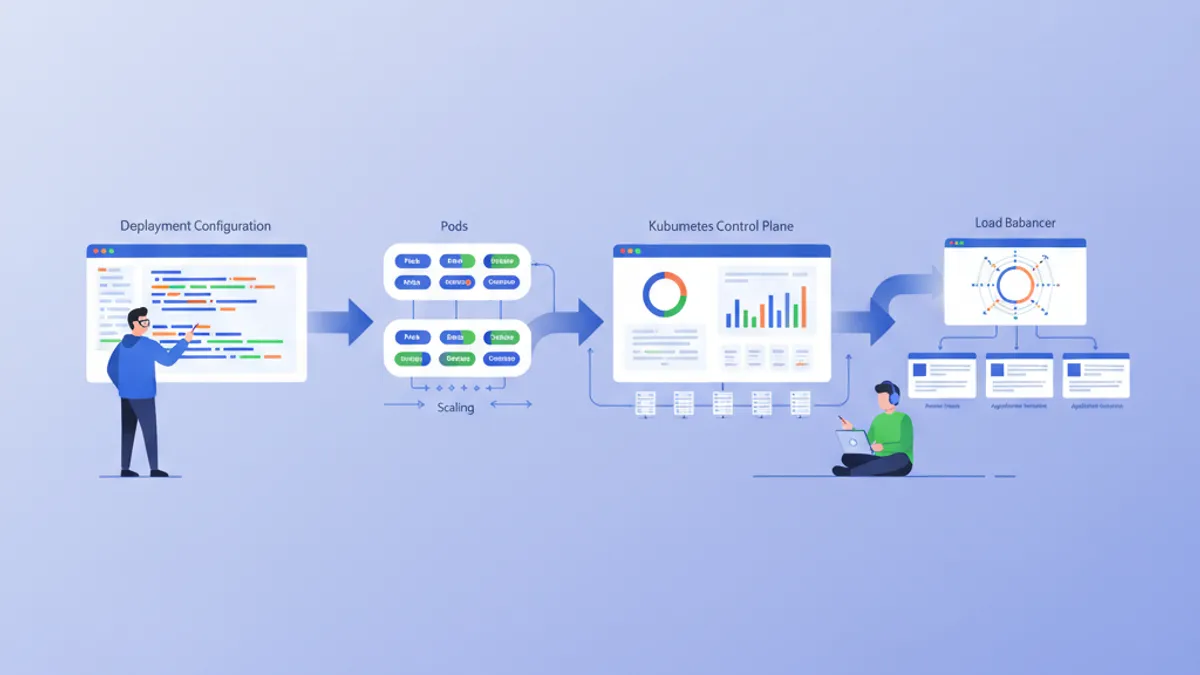
Kubernetes: Triển khai ứng dụng đầu tiên
Hướng dẫn thực hành để triển khai ứng dụng trên Kubernetes. Từ cài đặt minikube đến Deployments, Services và ConfigMaps với các ví dụ cụ thể.

Bảo mật Pipeline DevOps 2026: Thực tiễn DevSecOps và Câu hỏi Phỏng vấn
Hướng dẫn toàn diện về bảo mật pipeline DevOps năm 2026, bao gồm các thực tiễn tốt nhất DevSecOps, triển khai CI/CD an toàn, và câu hỏi phỏng vấn kỹ thuật để chuẩn bị sự nghiệp.

Quản lý Secrets Kubernetes 2026: External Secrets, Vault và Câu hỏi Phỏng vấn
Hướng dẫn toàn diện về quản lý secrets Kubernetes với External Secrets Operator và HashiCorp Vault. Bao gồm cấu hình production, rotation tự động và câu hỏi phỏng vấn DevOps.