Vision Framework i CoreML: pytania rekrutacyjne iOS o ML on-device
Przygotuj się do rozmów rekrutacyjnych iOS z kluczowymi pytaniami o Vision Framework i CoreML: rozpoznawanie obrazu, detekcja obiektów i ML on-device.
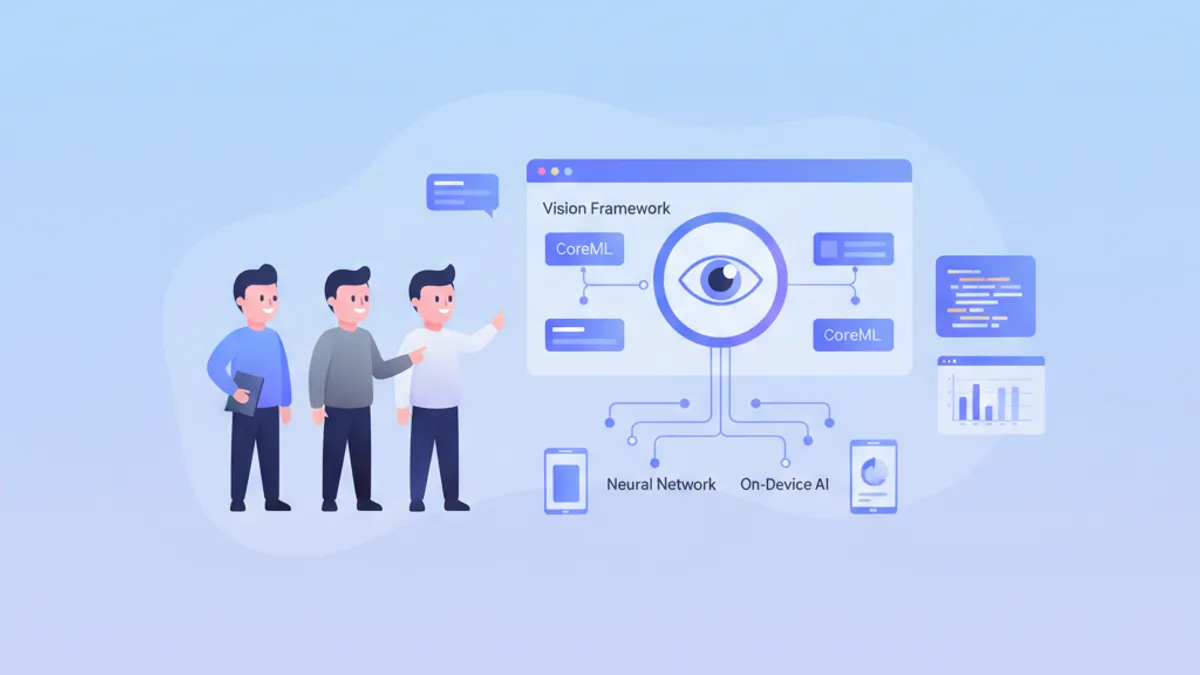
Machine learning on-device stanowi istotną przewagę konkurencyjną nowoczesnych aplikacji iOS. Vision Framework i CoreML pozwalają uruchamiać modele bezpośrednio na urządzeniu, zapewniając prywatność danych i wydajność w czasie rzeczywistym. Te pytania rekrutacyjne obejmują kluczowe pojęcia, które każdy senior iOS developer powinien opanować.
Pytania są pogrupowane tematycznie: podstawy CoreML, Vision Framework, optymalizacja wydajności i przypadki praktyczne. Każda odpowiedź zawiera nowoczesny kod Swift i szczegółowe wyjaśnienia.
Podstawy CoreML
1. Czym jest CoreML i jakie ma zalety?
CoreML to framework Apple do integracji modeli machine learning w aplikacjach iOS, macOS, watchOS i tvOS. Automatycznie optymalizuje modele pod kątem sprzętu Apple (CPU, GPU, Neural Engine) i gwarantuje wykonanie on-device bez połączenia sieciowego.
Główne zalety to prywatność danych (żadne dane nie opuszczają urządzenia), niższe opóźnienia (brak round-tripa sieciowego) oraz automatyczna optymalizacja dla Neural Engine na chipach Apple Silicon.
import CoreML

// Loading a compiled CoreML model (.mlmodelc)
class ImageClassifier {
    // Model is compiled at build time to optimize loading
    private let model: VNCoreMLModel

    init() throws {
        // Configuration to use Neural Engine if available
        let config = MLModelConfiguration()
        config.computeUnits = .all  // CPU + GPU + Neural Engine

        // Load model with custom configuration
        let mlModel = try MobileNetV2(configuration: config).model
        model = try VNCoreMLModel(for: mlModel)
    }

    // Method to classify an image
    func classify(image: CGImage) async throws -> [(String, Float)] {
        // Create Vision request with CoreML model
        let request = VNCoreMLRequest(model: model)
        request.imageCropAndScaleOption = .centerCrop

        // Handler to process the image
        let handler = VNImageRequestHandler(cgImage: image, options: [:])
        try handler.perform([request])

        // Extract results
        guard let results = request.results as? [VNClassificationObservation] else {
            return []
        }

        // Return top 5 predictions with confidence
        return results.prefix(5).map { ($0.identifier, $0.confidence) }
    }
}
2. Jak skonwertować model TensorFlow lub PyTorch na CoreML?
Konwersja korzysta z coremltools, oficjalnego pakietu Pythona od Apple. Obsługuje TensorFlow, PyTorch, ONNX i inne popularne formaty. Konwersja może obejmować optymalizacje takie jak kwantyzacja, aby zmniejszyć rozmiar modelu.
# convert_model.py
import coremltools as ct
import torch

# Conversion from PyTorch
class MyClassifier(torch.nn.Module):
    def __init__(self):
        super().__init__()
        self.conv = torch.nn.Conv2d(3, 64, 3)
        self.fc = torch.nn.Linear(64, 10)

    def forward(self, x):
        x = self.conv(x)
        x = x.mean([2, 3])  # Global average pooling
        return self.fc(x)

# Example input for tracing
example_input = torch.rand(1, 3, 224, 224)

# Trace the PyTorch model
traced_model = torch.jit.trace(MyClassifier(), example_input)

# Convert to CoreML with metadata
mlmodel = ct.convert(
    traced_model,
    inputs=[ct.ImageType(name="image", shape=(1, 3, 224, 224))],
    classifier_config=ct.ClassifierConfig(["cat", "dog", "bird"]),
    minimum_deployment_target=ct.target.iOS17
)

# Save model with compression
mlmodel.save("MyClassifier.mlpackage")
Model .mlpackage można następnie dodać bezpośrednio do projektu Xcode, który automatycznie generuje typowaną klasę Swift.
3. Jaka jest różnica między MLModel a VNCoreMLModel?
MLModel to klasa bazowa CoreML do ładowania i uruchamiania modeli ML. VNCoreMLModel to wrapper umożliwiający użycie modelu CoreML z Vision Framework, zapewniający automatyczne preprocessing obrazów i integrację z pipeline'ami Vision.
import CoreML
import Vision

// Direct MLModel usage (low level)
func predictWithMLModel(features: MLFeatureProvider) async throws -> String {
    let config = MLModelConfiguration()
    let model = try MyModel(configuration: config)

    // Direct prediction with feature provider
    let prediction = try model.prediction(from: features)

    // Manual output access
    guard let output = prediction.featureValue(for: "classLabel")?.stringValue else {
        throw PredictionError.invalidOutput
    }
    return output
}

// Usage with VNCoreMLModel (high level, recommended for images)
func predictWithVision(image: CGImage) async throws -> [VNClassificationObservation] {
    let config = MLModelConfiguration()
    let mlModel = try MyModel(configuration: config).model

    // Wrapper for use with Vision
    let visionModel = try VNCoreMLModel(for: mlModel)

    // Vision automatically handles resizing and preprocessing
    let request = VNCoreMLRequest(model: visionModel)
    request.imageCropAndScaleOption = .scaleFill

    let handler = VNImageRequestHandler(cgImage: image)
    try handler.perform([request])

    return request.results as? [VNClassificationObservation] ?? []
}Bezpośrednio MLModel dla danych tabelarycznych lub wejść niezwiązanych z obrazami. VNCoreMLModel dla wszystkiego, co dotyczy obrazów, ponieważ Vision automatycznie obsługuje konwersje formatów i preprocessing.
4. Jak obsługiwać różne wersje iOS w CoreML?
CoreML rozwija się wraz z każdą wersją iOS. Konieczne jest zdefiniowanie minimalnego deployment target podczas konwersji oraz obsługa funkcji niedostępnych w starszych wersjach.
import CoreML

class AdaptiveMLManager {
    // Check model capabilities based on iOS version
    func loadOptimalModel() throws -> MLModel {
        let config = MLModelConfiguration()

        // iOS 17+: Optimized Neural Engine with compute budget
        if #available(iOS 17, *) {
            config.computeUnits = .cpuAndNeuralEngine
            // New in iOS 17: compute power limit
            config.allowLowPrecisionAccumulationOnGPU = true
            return try AdvancedModel(configuration: config).model
        }
        // iOS 16: Enhanced GPU support
        else if #available(iOS 16, *) {
            config.computeUnits = .all
            return try StandardModel(configuration: config).model
        }
        // iOS 15: CPU only fallback for reliability
        else {
            config.computeUnits = .cpuOnly
            return try LegacyModel(configuration: config).model
        }
    }

    // Check if Neural Engine is available
    var hasNeuralEngine: Bool {
        if #available(iOS 16, *) {
            // Devices with A11+ have Neural Engine
            var sysinfo = utsname()
            uname(&sysinfo)
            let machine = String(bytes: Data(bytes: &sysinfo.machine,
                count: Int(_SYS_NAMELEN)), encoding: .ascii)?
                .trimmingCharacters(in: .controlCharacters) ?? ""

            // iPhone X and later have Neural Engine
            return machine.contains("iPhone10") ||
                   machine.hasPrefix("iPhone1") && machine.count > 7
        }
        return false
    }
}
Vision Framework
5. Jakie typy requestów obsługuje Vision Framework?
Vision Framework oferuje szeroki zakres requestów do analizy obrazów. Główne kategorie obejmują detekcję twarzy, rozpoznawanie tekstu (OCR), detekcję obiektów, śledzenie obiektów w wideo i analizę podobieństwa obrazów.
import Vision

class VisionAnalyzer {
    // Face detection with landmarks
    func detectFaces(in image: CGImage) async throws -> [VNFaceObservation] {
        let request = VNDetectFaceLandmarksRequest()
        request.revision = VNDetectFaceLandmarksRequestRevision3

        let handler = VNImageRequestHandler(cgImage: image)
        try handler.perform([request])

        return request.results ?? []
    }

    // Text recognition (OCR)
    func recognizeText(in image: CGImage) async throws -> [String] {
        let request = VNRecognizeTextRequest()
        request.recognitionLevel = .accurate  // .fast for real-time
        request.recognitionLanguages = ["en-US", "fr-FR"]
        request.usesLanguageCorrection = true

        let handler = VNImageRequestHandler(cgImage: image)
        try handler.perform([request])

        return request.results?.compactMap { observation in
            observation.topCandidates(1).first?.string
        } ?? []
    }

    // Object detection and classification
    func detectObjects(in image: CGImage) async throws -> [VNRecognizedObjectObservation] {
        // Use a CoreML model for detection
        let config = MLModelConfiguration()
        let detector = try YOLOv8(configuration: config)
        let visionModel = try VNCoreMLModel(for: detector.model)

        let request = VNCoreMLRequest(model: visionModel)
        request.imageCropAndScaleOption = .scaleFill

        let handler = VNImageRequestHandler(cgImage: image)
        try handler.perform([request])

        return request.results as? [VNRecognizedObjectObservation] ?? []
    }

    // Compute similarity between images
    func computeSimilarity(image1: CGImage, image2: CGImage) async throws -> Float {
        // Generate feature prints for both images
        let request = VNGenerateImageFeaturePrintRequest()

        let handler1 = VNImageRequestHandler(cgImage: image1)
        try handler1.perform([request])
        guard let print1 = request.results?.first else { throw VisionError.noResults }

        let handler2 = VNImageRequestHandler(cgImage: image2)
        try handler2.perform([request])
        guard let print2 = request.results?.first else { throw VisionError.noResults }

        // Compute distance between embeddings
        var distance: Float = 0
        try print1.computeDistance(&distance, to: print2)

        // Convert distance to similarity score (0-1)
        return 1.0 / (1.0 + distance)
    }
}
6. Jak zaimplementować śledzenie obiektów w czasie rzeczywistym z Vision?
Śledzenie obiektów wykorzystuje VNTrackObjectRequest do podążania za wykrytym obiektem przez klatki wideo. Inicjalizacja odbywa się z observation detekcji, kolejne klatki używają tego samego requesta do tracking.
import Vision
import AVFoundation

class ObjectTracker: NSObject {
    private var trackingRequest: VNTrackObjectRequest?
    private let sequenceHandler = VNSequenceRequestHandler()

    // Callback to notify position updates
    var onTrackingUpdate: ((CGRect) -> Void)?
    var onTrackingLost: (() -> Void)?

    // Initialize tracking with an initial detection
    func startTracking(observation: VNDetectedObjectObservation) {
        // Create tracking request from observation
        trackingRequest = VNTrackObjectRequest(
            detectedObjectObservation: observation
        ) { [weak self] request, error in
            self?.handleTrackingResult(request: request, error: error)
        }

        // Configure tracking
        trackingRequest?.trackingLevel = .accurate  // .fast for 60fps
    }

    // Process each new video frame
    func processFrame(_ pixelBuffer: CVPixelBuffer) {
        guard let request = trackingRequest else { return }

        do {
            // Sequence handler maintains context between frames
            try sequenceHandler.perform([request], on: pixelBuffer)
        } catch {
            onTrackingLost?()
            trackingRequest = nil
        }
    }

    private func handleTrackingResult(request: VNRequest, error: Error?) {
        guard let result = request.results?.first as? VNDetectedObjectObservation else {
            onTrackingLost?()
            return
        }

        // Check tracking confidence
        if result.confidence < 0.3 {
            onTrackingLost?()
            trackingRequest = nil
            return
        }

        // Update request for next frame
        trackingRequest = VNTrackObjectRequest(detectedObjectObservation: result) {
            [weak self] request, error in
            self?.handleTrackingResult(request: request, error: error)
        }

        // Notify new position (normalized coordinates)
        DispatchQueue.main.async { [weak self] in
            self?.onTrackingUpdate?(result.boundingBox)
        }
    }
}

// Integration with AVCaptureSession
extension ObjectTracker: AVCaptureVideoDataOutputSampleBufferDelegate {
    func captureOutput(
        _ output: AVCaptureOutput,
        didOutput sampleBuffer: CMSampleBuffer,
        from connection: AVCaptureConnection
    ) {
        guard let pixelBuffer = CMSampleBufferGetImageBuffer(sampleBuffer) else {
            return
        }
        processFrame(pixelBuffer)
    }
}
Gotowy na rozmowy o iOS?
Ćwicz z naszymi interaktywnymi symulatorami, flashcards i testami technicznymi.
7. Jak zoptymalizować wydajność Vision do przetwarzania w czasie rzeczywistym?
Optymalizacja obejmuje kilka technik: użycie odpowiedniego poziomu rozpoznawania, przetwarzanie klatek na dedykowanej kolejce i ograniczanie jednoczesnych requestów. Wybór między dokładnością a szybkością zależy od przypadku użycia.
import Vision
import AVFoundation

class OptimizedVisionPipeline {
    // Dedicated queue for Vision processing (avoids main thread)
    private let processingQueue = DispatchQueue(
        label: "com.app.vision",
        qos: .userInteractive,
        attributes: .concurrent
    )

    // Limit number of simultaneously processed frames
    private let semaphore = DispatchSemaphore(value: 2)

    // Reuse requests to avoid allocations
    private lazy var textRequest: VNRecognizeTextRequest = {
        let request = VNRecognizeTextRequest()
        request.recognitionLevel = .fast  // .accurate if precision > speed
        request.usesLanguageCorrection = false  // Disable for +20% perf
        request.minimumTextHeight = 0.05  // Ignore text too small
        return request
    }()

    // Reuse sequence handler for tracking
    private let sequenceHandler = VNSequenceRequestHandler()

    // Optimized frame processing
    func processFrame(_ pixelBuffer: CVPixelBuffer) {
        // Skip if pipeline is saturated
        guard semaphore.wait(timeout: .now()) == .success else {
            return  // Drop frame rather than block
        }

        processingQueue.async { [weak self] in
            defer { self?.semaphore.signal() }

            guard let self = self else { return }

            do {
                // Use sequence handler for better performance
                try self.sequenceHandler.perform(
                    [self.textRequest],
                    on: pixelBuffer,
                    orientation: .up
                )

                // Process results
                if let results = self.textRequest.results {
                    self.handleResults(results)
                }
            } catch {
                print("Vision error: \(error)")
            }
        }
    }

    // Batch processing for static images
    func processImages(_ images: [CGImage]) async throws -> [[VNObservation]] {
        // Parallel processing with TaskGroup
        try await withThrowingTaskGroup(of: (Int, [VNObservation]).self) { group in
            for (index, image) in images.enumerated() {
                group.addTask {
                    let handler = VNImageRequestHandler(cgImage: image)
                    let request = VNDetectFaceRectanglesRequest()
                    try handler.perform([request])
                    return (index, request.results ?? [])
                }
            }

            // Collect results in original order
            var results = [[VNObservation]](repeating: [], count: images.count)
            for try await (index, observations) in group {
                results[index] = observations
            }
            return results
        }
    }

    private func handleResults(_ results: [VNRecognizedTextObservation]) {
        // Async processing of results
    }
}
8. Jak zaimplementować detekcję pozycji ciała z Vision?
Vision Framework iOS 14+ oferuje VNDetectHumanBodyPoseRequest do detekcji stawów ciała. Funkcja jest używana w aplikacjach fitness, grach AR i analizie ruchu.
import Vision

struct DetectedPose {
    let joints: [VNHumanBodyPoseObservation.JointName: CGPoint]
    let confidence: Float

    // Calculate angle between three joints
    func angleBetween(
        _ joint1: VNHumanBodyPoseObservation.JointName,
        _ joint2: VNHumanBodyPoseObservation.JointName,
        _ joint3: VNHumanBodyPoseObservation.JointName
    ) -> Double? {
        guard let p1 = joints[joint1],
              let p2 = joints[joint2],
              let p3 = joints[joint3] else { return nil }

        let v1 = CGVector(dx: p1.x - p2.x, dy: p1.y - p2.y)
        let v2 = CGVector(dx: p3.x - p2.x, dy: p3.y - p2.y)

        let dot = v1.dx * v2.dx + v1.dy * v2.dy
        let mag1 = sqrt(v1.dx * v1.dx + v1.dy * v1.dy)
        let mag2 = sqrt(v2.dx * v2.dx + v2.dy * v2.dy)

        return acos(dot / (mag1 * mag2)) * 180 / .pi
    }
}

class PoseDetector {
    private let request = VNDetectHumanBodyPoseRequest()

    func detectPose(in image: CGImage) async throws -> DetectedPose? {
        let handler = VNImageRequestHandler(cgImage: image)
        try handler.perform([request])

        guard let observation = request.results?.first else { return nil }

        // Extract all detected joints
        var joints: [VNHumanBodyPoseObservation.JointName: CGPoint] = [:]

        // List of main joints
        let jointNames: [VNHumanBodyPoseObservation.JointName] = [
            .nose, .neck,
            .leftShoulder, .rightShoulder,
            .leftElbow, .rightElbow,
            .leftWrist, .rightWrist,
            .leftHip, .rightHip,
            .leftKnee, .rightKnee,
            .leftAnkle, .rightAnkle
        ]

        for jointName in jointNames {
            if let point = try? observation.recognizedPoint(jointName),
               point.confidence > 0.3 {
                // Convert normalized coordinates to points
                joints[jointName] = CGPoint(x: point.x, y: point.y)
            }
        }

        return DetectedPose(
            joints: joints,
            confidence: observation.confidence
        )
    }

    // Detect if person is doing a squat
    func isSquatting(pose: DetectedPose) -> Bool {
        guard let kneeAngle = pose.angleBetween(
            .leftHip, .leftKnee, .leftAnkle
        ) else { return false }

        // A squat typically has knee angle < 100°
        return kneeAngle < 100
    }
}
Optymalizacja i produkcja
9. Jak skwantyzować model CoreML, aby zmniejszyć jego rozmiar?
Kwantyzacja zmniejsza precyzję wag (z Float32 do Float16 lub Int8), aby zredukować rozmiar modelu i przyspieszyć wnioskowanie. Kompromisem jest niewielka utrata dokładności.
# quantize_model.py
import coremltools as ct
from coremltools.models.neural_network import quantization_utils

# Load existing model
model = ct.models.MLModel("MyModel.mlpackage")

# Float16 quantization (recommended, good size/precision balance)
model_fp16 = ct.models.neural_network.quantization_utils.quantize_weights(
    model,
    nbits=16,
    quantization_mode="linear"
)
model_fp16.save("MyModel_FP16.mlpackage")

# Int8 quantization (smallest size, possible precision loss)
# Requires calibration dataset for best results
def calibration_data():
    import numpy as np
    for _ in range(100):
        yield {"image": np.random.rand(1, 3, 224, 224).astype(np.float32)}

model_int8 = ct.compression_utils.affine_quantize_weights(
    model,
    mode="linear_symmetric",
    dtype=ct.converters.mil.mil.types.int8
)
model_int8.save("MyModel_INT8.mlpackage")import CoreML
class ModelBenchmark {
// Compare performance of different versions
func benchmark() async throws {
let configs: [(String, URL)] = [
("Full Precision", Bundle.main.url(forResource: "Model", withExtension: "mlmodelc")!),
("Float16", Bundle.main.url(forResource: "Model_FP16", withExtension: "mlmodelc")!),
("Int8", Bundle.main.url(forResource: "Model_INT8", withExtension: "mlmodelc")!)
]
for (name, url) in configs {
let model = try MLModel(contentsOf: url)
// Measure average inference time over 100 iterations
let startTime = CFAbsoluteTimeGetCurrent()
for _ in 0..<100 {
let input = try prepareInput()
_ = try model.prediction(from: input)
}
let elapsed = CFAbsoluteTimeGetCurrent() - startTime
// Model size
let size = try FileManager.default.attributesOfItem(atPath: url.path)[.size] as? Int ?? 0
print("\(name): \(elapsed/100*1000)ms/inference, \(size/1024/1024)MB")
}
}
private func prepareInput() throws -> MLFeatureProvider {
// Prepare test input
fatalError("Implement based on model requirements")
}
}10. Jak zarządzać pamięcią przy przetwarzaniu dużych obrazów?
Przetwarzanie obrazów w wysokiej rozdzielczości może powodować skoki zużycia pamięci. Techniki obejmują inteligentny downsampling, przetwarzanie kafelkowe i proaktywne zwalnianie zasobów.
import Vision
import CoreImage

class MemoryEfficientProcessor {
    // Reusable CoreImage context to avoid allocations
    private let ciContext = CIContext(options: [
        .useSoftwareRenderer: false,
        .cacheIntermediates: false  // Reduces memory usage
    ])

    // Smart downsampling of large images
    func downsampleImage(at url: URL, to maxDimension: CGFloat) -> CGImage? {
        // Options for downsampling at read time (avoids loading full image)
        let options: [CFString: Any] = [
            kCGImageSourceCreateThumbnailFromImageAlways: true,
            kCGImageSourceThumbnailMaxPixelSize: maxDimension,
            kCGImageSourceCreateThumbnailWithTransform: true,
            kCGImageSourceShouldCacheImmediately: false
        ]

        guard let source = CGImageSourceCreateWithURL(url as CFURL, nil),
              let image = CGImageSourceCreateThumbnailAtIndex(source, 0, options as CFDictionary) else {
            return nil
        }

        return image
    }

    // Tile processing for very large images
    func processByTiles(
        image: CGImage,
        tileSize: CGSize,
        processor: (CGImage) throws -> [VNObservation]
    ) throws -> [VNObservation] {
        var allObservations: [VNObservation] = []

        let imageWidth = CGFloat(image.width)
        let imageHeight = CGFloat(image.height)

        // Iterate through image by tiles
        var y: CGFloat = 0
        while y < imageHeight {
            var x: CGFloat = 0
            while x < imageWidth {
                // Calculate tile rectangle
                let tileRect = CGRect(
                    x: x, y: y,
                    width: min(tileSize.width, imageWidth - x),
                    height: min(tileSize.height, imageHeight - y)
                )

                // Extract tile
                autoreleasepool {
                    if let tile = image.cropping(to: tileRect) {
                        do {
                            let observations = try processor(tile)

                            // Adjust coordinates relative to full image
                            let adjusted = observations.compactMap { obs -> VNObservation? in
                                guard let detected = obs as? VNDetectedObjectObservation else {
                                    return obs
                                }
                                // Recalculate bounding box in global coordinates
                                var box = detected.boundingBox
                                box.origin.x = (box.origin.x * tileRect.width + x) / imageWidth
                                box.origin.y = (box.origin.y * tileRect.height + y) / imageHeight
                                box.size.width = box.size.width * tileRect.width / imageWidth
                                box.size.height = box.size.height * tileRect.height / imageHeight

                                return detected
                            }
                            allObservations.append(contentsOf: adjusted)
                        } catch {
                            print("Tile processing error: \(error)")
                        }
                    }
                }

                x += tileSize.width * 0.9  // 10% overlap to avoid cutting objects
            }
            y += tileSize.height * 0.9
        }

        return allObservations
    }
}Zawsze stosuj autoreleasepool w pętlach przetwarzania obrazów i sprawdzaj retain cycles w closure'ach requestów Vision.
11. Jak zaimplementować pipeline ML z Create ML Components?
Create ML Components (iOS 16+) pozwala tworzyć modułowe pipeline'y ML z predefiniowanymi transformerami. Jest bardziej elastyczny niż tradycyjne monolityczne modele.
import CreateMLComponents
import CoreImage

@available(iOS 16.0, *)
class MLPipeline {
    // Image classification pipeline with preprocessing
    func createImageClassificationPipeline() throws -> some Transformer<CGImage, String> {
        // Transformer composition
        let pipeline = ImageReader()
            .appending(ImageScaler(targetSize: .init(width: 224, height: 224)))
            .appending(ImageNormalizer(mean: [0.485, 0.456, 0.406],
                                       std: [0.229, 0.224, 0.225]))
            .appending(try ImageFeaturePrint())
            .appending(try NearestNeighborClassifier<String>
                .load(from: trainingDataURL))

        return pipeline
    }

    // Custom pipeline with custom steps
    func createCustomPipeline() -> some Transformer<CIImage, AnalysisResult> {
        // Step 1: Preprocessing
        let preprocess = CIImageTransformer { image in
            // Apply CoreImage filters
            let adjusted = image
                .applyingFilter("CIColorControls", parameters: [
                    kCIInputContrastKey: 1.2,
                    kCIInputSaturationKey: 1.1
                ])
            return adjusted
        }

        // Step 2: Detection
        let detect = VisionTransformer<CIImage, [VNFaceObservation]> { image in
            let request = VNDetectFaceRectanglesRequest()
            let handler = VNImageRequestHandler(ciImage: image)
            try handler.perform([request])
            return request.results ?? []
        }

        // Step 3: Analysis
        let analyze = ResultTransformer<[VNFaceObservation], AnalysisResult> { faces in
            AnalysisResult(
                faceCount: faces.count,
                averageConfidence: faces.map(\.confidence).reduce(0, +) / Float(faces.count)
            )
        }

        return preprocess
            .appending(detect)
            .appending(analyze)
    }
}

struct AnalysisResult {
    let faceCount: Int
    let averageConfidence: Float
}
12. Jak testować i walidować model CoreML?
Testowanie obejmuje walidację dokładności, testy wydajności i testy integracyjne. Testowanie na różnych urządzeniach i w różnych warunkach jest kluczowe.
import XCTest
import CoreML
import Vision

class CoreMLModelTests: XCTestCase {
    var model: VNCoreMLModel!

    override func setUpWithError() throws {
        let config = MLModelConfiguration()
        config.computeUnits = .cpuOnly  // Reproducible on CI
        let mlModel = try MyClassifier(configuration: config).model
        model = try VNCoreMLModel(for: mlModel)
    }

    // Accuracy test with validation dataset
    func testClassificationAccuracy() async throws {
        let testCases: [(imageName: String, expectedClass: String)] = [
            ("cat_001", "cat"),
            ("dog_001", "dog"),
            ("bird_001", "bird")
        ]

        var correct = 0
        for testCase in testCases {
            let image = try loadTestImage(named: testCase.imageName)
            let prediction = try await classify(image: image)

            if prediction == testCase.expectedClass {
                correct += 1
            }
        }

        let accuracy = Double(correct) / Double(testCases.count)
        XCTAssertGreaterThan(accuracy, 0.95, "Accuracy should be > 95%")
    }

    // Performance test (inference time)
    func testInferencePerformance() throws {
        let image = try loadTestImage(named: "test_image")

        measure(metrics: [XCTClockMetric(), XCTMemoryMetric()]) {
            let request = VNCoreMLRequest(model: model)
            let handler = VNImageRequestHandler(cgImage: image)
            try? handler.perform([request])
        }
    }

    // Transformation robustness test
    func testRobustness() async throws {
        let originalImage = try loadTestImage(named: "cat_001")
        let originalPrediction = try await classify(image: originalImage)

        // Test with rotation
        let rotated = try applyTransform(originalImage, rotation: .pi / 6)
        let rotatedPrediction = try await classify(image: rotated)
        XCTAssertEqual(originalPrediction, rotatedPrediction)

        // Test with noise
        let noisy = try addNoise(to: originalImage, intensity: 0.1)
        let noisyPrediction = try await classify(image: noisy)
        XCTAssertEqual(originalPrediction, noisyPrediction)
    }

    // Edge case handling test
    func testEdgeCases() async throws {
        // Very small image
        let smallImage = try loadTestImage(named: "tiny_10x10")
        let smallResult = try await classify(image: smallImage)
        XCTAssertNotNil(smallResult)

        // Monochrome image
        let monoImage = try loadTestImage(named: "grayscale")
        let monoResult = try await classify(image: monoImage)
        XCTAssertNotNil(monoResult)
    }

    // Helpers
    private func classify(image: CGImage) async throws -> String {
        let request = VNCoreMLRequest(model: model)
        let handler = VNImageRequestHandler(cgImage: image)
        try handler.perform([request])

        guard let results = request.results as? [VNClassificationObservation],
              let top = results.first else {
            throw TestError.noResults
        }

        return top.identifier
    }

    private func loadTestImage(named: String) throws -> CGImage {
        guard let url = Bundle(for: type(of: self))
                .url(forResource: named, withExtension: "jpg"),
              let source = CGImageSourceCreateWithURL(url as CFURL, nil),
              let image = CGImageSourceCreateImageAtIndex(source, 0, nil) else {
            throw TestError.imageNotFound
        }
        return image
    }
}
Gotowy na rozmowy o iOS?
Ćwicz z naszymi interaktywnymi symulatorami, flashcards i testami technicznymi.
Pytania o System Design
13. Jak zaprojektować architekturę ML on-device dla aplikacji produkcyjnej?
Solidna architektura ML rozdziela odpowiedzialności: model, preprocessing, postprocessing i caching. Musi obsługiwać aktualizacje modelu i płynny fallback.
import CoreML
import Vision

// Protocol for model abstraction
protocol MLModelProvider {
    associatedtype Input
    associatedtype Output

    func predict(_ input: Input) async throws -> Output
    var modelVersion: String { get }
}

// Model manager with OTA updates
class ModelManager {
    static let shared = ModelManager()

    private var models: [String: any MLModel] = [:]
    private let modelDirectory: URL

    private init() {
        modelDirectory = FileManager.default.urls(for: .applicationSupportDirectory, in: .userDomainMask)[0]
            .appendingPathComponent("MLModels")
        try? FileManager.default.createDirectory(at: modelDirectory, withIntermediateDirectories: true)
    }

    // Load model with fallback to bundled version
    func loadModel<T: MLModel>(
        named name: String,
        type: T.Type
    ) async throws -> T {
        // Check if downloaded version exists
        let downloadedURL = modelDirectory.appendingPathComponent("\(name).mlmodelc")

        if FileManager.default.fileExists(atPath: downloadedURL.path) {
            // Validate downloaded model integrity
            do {
                let model = try await loadAndValidate(from: downloadedURL, type: type)
                return model
            } catch {
                // Fallback to bundled version if corrupted
                print("Downloaded model corrupted, falling back to bundled version")
                try? FileManager.default.removeItem(at: downloadedURL)
            }
        }

        // Load bundled version
        guard let bundledURL = Bundle.main.url(forResource: name, withExtension: "mlmodelc") else {
            throw ModelError.modelNotFound(name)
        }

        return try await loadAndValidate(from: bundledURL, type: type)
    }

    // Download and install new model version
    func updateModel(named name: String, from url: URL) async throws {
        // Download model
        let (tempURL, _) = try await URLSession.shared.download(from: url)

        // Compile model if needed
        let compiledURL: URL
        if tempURL.pathExtension == "mlmodel" {
            compiledURL = try MLModel.compileModel(at: tempURL)
        } else {
            compiledURL = tempURL
        }

        // Validate before installation
        let config = MLModelConfiguration()
        _ = try MLModel(contentsOf: compiledURL, configuration: config)

        // Install in models directory
        let destURL = modelDirectory.appendingPathComponent("\(name).mlmodelc")
        try? FileManager.default.removeItem(at: destURL)
        try FileManager.default.moveItem(at: compiledURL, to: destURL)

        // Notify app of update
        NotificationCenter.default.post(name: .modelUpdated, object: name)
    }

    private func loadAndValidate<T: MLModel>(
        from url: URL,
        type: T.Type
    ) async throws -> T {
        let config = MLModelConfiguration()
        config.computeUnits = .all

        let model = try T(contentsOf: url, configuration: config)

        // Basic model validation
        // Verify inputs/outputs match expectations

        return model
    }
}

extension Notification.Name {
    static let modelUpdated = Notification.Name("MLModelUpdated")
}
14. Jak obsługiwać błędy i monitoring na produkcji?
Solidny system monitoringu rejestruje metryki wydajności, błędy i umożliwia zdalne debugowanie. Integracja z narzędziami analitycznymi jest niezbędna.
import OSLog

class MLMonitor {
    static let shared = MLMonitor()

    private let logger = Logger(subsystem: "com.app.ml", category: "inference")
    private var metrics: [InferenceMetric] = []

    struct InferenceMetric: Codable {
        let modelName: String
        let inferenceTime: Double
        let inputSize: CGSize?
        let confidence: Float?
        let timestamp: Date
        let success: Bool
        let errorDescription: String?
    }

    // Record an inference
    func recordInference(
        model: String,
        duration: TimeInterval,
        inputSize: CGSize? = nil,
        confidence: Float? = nil,
        error: Error? = nil
    ) {
        let metric = InferenceMetric(
            modelName: model,
            inferenceTime: duration,
            inputSize: inputSize,
            confidence: confidence,
            timestamp: Date(),
            success: error == nil,
            errorDescription: error?.localizedDescription
        )

        metrics.append(metric)

        // Log for debugging
        if let error = error {
            logger.error("ML inference failed: \(model) - \(error.localizedDescription)")
        } else {
            logger.info("ML inference: \(model) completed in \(duration)s")
        }

        // Detect anomalies
        checkForAnomalies(metric)
    }

    // Wrapper for automatic measurement
    func measure<T>(
        model: String,
        inputSize: CGSize? = nil,
        operation: () async throws -> T
    ) async rethrows -> T {
        let start = CFAbsoluteTimeGetCurrent()

        do {
            let result = try await operation()
            let duration = CFAbsoluteTimeGetCurrent() - start

            recordInference(
                model: model,
                duration: duration,
                inputSize: inputSize
            )

            return result
        } catch {
            let duration = CFAbsoluteTimeGetCurrent() - start

            recordInference(
                model: model,
                duration: duration,
                inputSize: inputSize,
                error: error
            )

            throw error
        }
    }

    // Detect performance issues
    private func checkForAnomalies(_ metric: InferenceMetric) {
        // Alert if inference time exceeds threshold
        if metric.inferenceTime > 1.0 {
            logger.warning("Slow inference detected: \(metric.modelName) took \(metric.inferenceTime)s")

            // Send alert if available
            Task {
                await AnalyticsService.shared.reportAnomaly(
                    type: .slowInference,
                    details: metric
                )
            }
        }

        // Alert if confidence is too low
        if let confidence = metric.confidence, confidence < 0.5 {
            logger.info("Low confidence prediction: \(confidence) for \(metric.modelName)")
        }
    }

    // Generate performance report
    func generateReport() -> PerformanceReport {
        let recentMetrics = metrics.filter {
            $0.timestamp > Date().addingTimeInterval(-3600)  // Last hour
        }

        let avgInferenceTime = recentMetrics.map(\.inferenceTime).reduce(0, +) / Double(recentMetrics.count)
        let successRate = Double(recentMetrics.filter(\.success).count) / Double(recentMetrics.count)

        return PerformanceReport(
            totalInferences: recentMetrics.count,
            averageInferenceTime: avgInferenceTime,
            successRate: successRate,
            modelBreakdown: Dictionary(grouping: recentMetrics, by: \.modelName)
        )
    }
}

struct PerformanceReport {
    let totalInferences: Int
    let averageInferenceTime: Double
    let successRate: Double
    let modelBreakdown: [String: [MLMonitor.InferenceMetric]]
}
Podsumowanie
Vision Framework i CoreML stanowią fundament machine learningu on-device na iOS. Opanowanie tych technologii jest niezbędne do tworzenia nowoczesnych aplikacji, które szanują prywatność użytkownika oferując zaawansowane funkcje ML.
Lista kontrolna
- ✅ Zrozumienie CoreML i jego zalet (prywatność, opóźnienia, offline)
- ✅ Umiejętność konwersji modeli TensorFlow/PyTorch na CoreML
- ✅ Opanowanie requestów Vision (detekcja twarzy, OCR, klasyfikacja)
- ✅ Implementacja śledzenia obiektów w czasie rzeczywistym
- ✅ Optymalizacja wydajności (kwantyzacja, zarządzanie pamięcią)
- ✅ Projektowanie solidnych architektur ML do produkcji
- ✅ Konfiguracja monitoringu i obsługi błędów
Kluczowe wnioski
Wydajność on-device w dużej mierze zależy od wyboru między CPU, GPU i Neural Engine. Kwantyzacja modeli oferuje doskonały kompromis rozmiar/wydajność. Monitoring na produkcji jest kluczowy dla wykrywania regresji.
Zacznij ćwiczyć!
Sprawdź swoją wiedzę z naszymi symulatorami rozmów i testami technicznymi.
Znajdziesz błąd w iOS?
Prawdziwy fragment kodu, ukryty błąd, jedna próba dziennie. Bez konta, żeby spróbować.

Autor:
Anthony Fillion-MailletZałożyciel SharpSkill
Programista fullstack od ponad 10 lat. Prowadzi SharpSkill i odpowiada za wszystko, co się tu ukazuje.
Zaktualizowano 29 kwietnia 2026
Tagi
Udostępnij
Powiązane artykuły

Rozmowa kwalifikacyjna MapKit SwiftUI w 2026: Adnotacje, Nakładki i Geolokalizacja
Opanuj MapKit z SwiftUI do rozmów iOS: niestandardowe adnotacje, nakładki, geolokalizacja, wyszukiwanie miejsc i wzorce integracji z Maps.

Rozmowa Kwalifikacyjna StoreKit 2: Zarządzanie Subskrypcjami i Walidacja Paragonów
Opanuj pytania na rozmowy iOS dotyczące StoreKit 2, zarządzania subskrypcjami, walidacji paragonów i implementacji zakupów w aplikacji z praktycznymi przykładami kodu Swift.

Swift Testing Framework Rozmowa kwalifikacyjna 2026: Makra #expect i #require vs XCTest
Opanuj nowy Swift Testing Framework na rozmowy iOS: makra #expect i #require, migracja z XCTest, zaawansowane wzorce i typowe pułapki.