StoreKit 2 Sollicitatiegesprek: Abonnementenbeheer en Bonvalidatie
Beheers iOS sollicitatievragen over StoreKit 2, abonnementenbeheer, bonvalidatie en de implementatie van in-app aankopen met praktische Swift-codevoorbeelden.
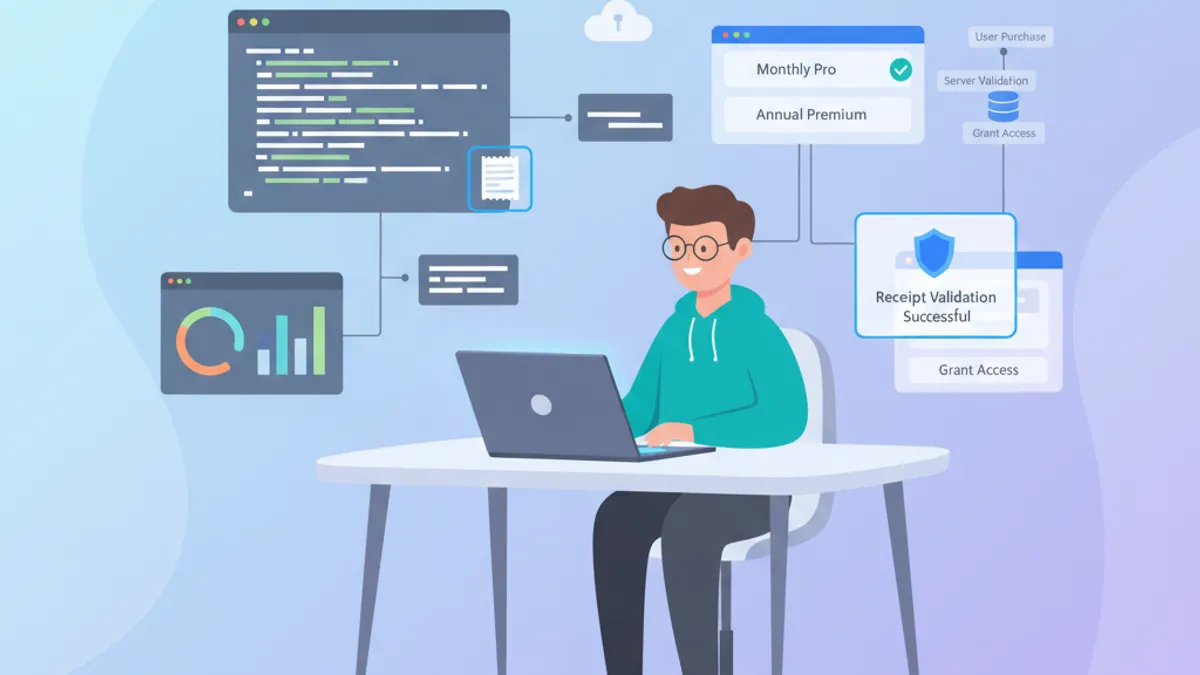
StoreKit 2 vertegenwoordigt een fundamentele verschuiving in hoe in-app aankopen op iOS worden afgehandeld. Geïntroduceerd met iOS 15 vereenvoudigt dit moderne framework de code voor abonnementenbeheer en transactievalidatie aanzienlijk. Met iOS 18 is StoreKit 1 nu officieel deprecated, waardoor StoreKit 2 de enige ondersteunde weg vooruit is. Technische iOS-sollicitatiegesprekken behandelen dit onderwerp regelmatig om de expertise van ontwikkelaars in app-monetisatie te beoordelen.
StoreKit 2 maakt gebruik van een native Swift-API met async/await, waardoor complexe callbacks en client-side bonvalidatie overbodig worden. Interviewers waarderen kandidaten die de fundamentele verschillen met StoreKit 1 helder kunnen verwoorden, evenals de nieuwe iOS 18.4-functies zoals appTransactionID en SubscriptionOfferView.
Overzicht van de StoreKit 2-Architectuur
StoreKit 2 is gebouwd op een moderne architectuur die volledig gebruikmaakt van Swift Concurrency. In tegenstelling tot StoreKit 1 zijn alle bewerkingen asynchroon en gebruiken ze native Swift-types.
Beschikbare Producten Ophalen
De eerste stap bestaat uit het laden van de in App Store Connect geconfigureerde producten. StoreKit 2 vereenvoudigt deze bewerking met een declaratieve API.
import StoreKit

actor ProductService {

    // Product identifiers configured in App Store Connect
    private let productIdentifiers: Set<String> = [
        "com.app.subscription.monthly",
        "com.app.subscription.yearly",
        "com.app.premium.lifetime"
    ]

    // Product cache to avoid repeated network calls
    private var cachedProducts: [Product] = []

    func loadProducts() async throws -> [Product] {
        // Return cache if available
        guard cachedProducts.isEmpty else {
            return cachedProducts
        }

        // Asynchronous request to the App Store
        let products = try await Product.products(for: productIdentifiers)
        cachedProducts = products
        return products
    }

    func product(for identifier: String) async throws -> Product? {
        let products = try await loadProducts()
        return products.first { $0.id == identifier }
    }
}
Het gebruik van een actor garandeert thread-safety bij het beheren van de productcache.
Producttypen in StoreKit 2
StoreKit 2 maakt duidelijk onderscheid tussen verschillende producttypen. Het begrijpen van dit onderscheid is essentieel voor sollicitatiegesprekken.
import StoreKit

extension Product.ProductType {

    var displayName: String {
        switch self {
        case .consumable:
            // Consumable products (credits, lives, etc.)
            return "Consumable"
        case .nonConsumable:
            // Permanent purchases (feature unlock)
            return "Non-Consumable"
        case .autoRenewable:
            // Subscriptions with automatic renewal
            return "Auto-Renewable Subscription"
        case .nonRenewable:
            // Subscriptions without renewal (temporary pass)
            return "Non-Renewable Subscription"
        @unknown default:
            return "Unknown"
        }
    }
}
Automatisch verlengbare abonnementen vertegenwoordigen het dominante bedrijfsmodel voor moderne iOS-applicaties.
Aankooptransacties Afhandelen
Het aankoopproces in StoreKit 2 wordt lineair dankzij async/await. Geen geneste delegates en callbacks meer zoals in StoreKit 1.
Een Aankoop Initiëren
Vanaf iOS 18.2 vereisen aankopen een UI-contextparameter. Deze wijziging zorgt ervoor dat het aankoopscherm correct verschijnt in de view-hiërarchie van de app.
import StoreKit
import UIKit

actor PurchaseManager {

    enum PurchaseError: Error {
        case productNotFound
        case purchaseCancelled
        case purchasePending
        case verificationFailed
        case unknown
    }

    func purchase(_ product: Product, in scene: UIWindowScene) async throws -> Transaction {
        // Initiate purchase with UI context (iOS 18.2+)
        let result = try await product.purchase(confirmIn: scene)

        switch result {
        case .success(let verification):
            // Verify the transaction signature
            let transaction = try checkVerification(verification)

            // Mark the transaction as finished
            await transaction.finish()

            return transaction

        case .userCancelled:
            // User cancelled the purchase modal
            throw PurchaseError.purchaseCancelled

        case .pending:
            // Purchase pending (parental approval, etc.)
            throw PurchaseError.purchasePending

        @unknown default:
            throw PurchaseError.unknown
        }
    }

    private func checkVerification<T>(_ result: VerificationResult<T>) throws -> T {
        switch result {
        case .verified(let safe):
            // Transaction signed and verified by the App Store
            return safe
        case .unverified(_, let error):
            // Invalid or corrupted signature
            throw PurchaseError.verificationFailed
        }
    }
}
De finish()-methode is cruciaal: deze geeft de App Store aan dat de inhoud is geleverd aan de gebruiker.
Vergeet nooit transaction.finish() aan te roepen na het leveren van de inhoud. Een onafgemaakte transactie wordt hersteld bij de volgende app-start, wat onverwacht gedrag veroorzaakt.
Luisteren naar Achtergrondtransacties
StoreKit 2 introduceert Transaction.updates, een asynchrone stream die transacties uitzendt die buiten de app plaatsvinden (verlengingen, family sharing-aankopen, etc.).
import StoreKit

actor TransactionObserver {

    private var updateTask: Task<Void, Never>?

    func startObserving() {
        // Cancel any previous observation
        updateTask?.cancel()

        updateTask = Task(priority: .background) {
            // Infinite stream of transaction updates
            for await result in Transaction.updates {
                do {
                    let transaction = try self.checkVerification(result)

                    // Process the transaction based on its type
                    await self.handleTransaction(transaction)

                    // Always finish the transaction
                    await transaction.finish()
                } catch {
                    // Log the error for debugging
                    print("Transaction verification failed: (error)")
                }
            }
        }
    }

    func stopObserving() {
        updateTask?.cancel()
        updateTask = nil
    }

    private func handleTransaction(_ transaction: Transaction) async {
        switch transaction.productType {
        case .autoRenewable:
            // Update subscription status
            await updateSubscriptionStatus(transaction)
        case .nonConsumable:
            // Unlock premium feature
            await unlockFeature(transaction.productID)
        default:
            break
        }
    }

    private func checkVerification<T>(_ result: VerificationResult<T>) throws -> T {
        switch result {
        case .verified(let safe):
            return safe
        case .unverified:
            throw PurchaseError.verificationFailed
        }
    }

    private func updateSubscriptionStatus(_ transaction: Transaction) async {
        // Implementation of status update
    }

    private func unlockFeature(_ productID: String) async {
        // Implementation of feature unlock
    }

    enum PurchaseError: Error {
        case verificationFailed
    }
}
De transactie-observatie moet starten zodra de app wordt gestart om geen updates te missen.
Veelgestelde Sollicitatievragen over StoreKit 2-Abonnementen
iOS-sollicitatiegesprekken bevatten vaak specifieke vragen over abonnementenbeheer. Hier zijn de meest voorkomende met gedetailleerde antwoorden. Voor meer Swift-sollicitatieonderwerpen, zie de Swift structured concurrency gids.
Vraag 1: Hoe Controleer Je de Huidige Abonnementsstatus?
StoreKit 2 biedt directe toegang tot actieve entitlements. Merk op dat Transaction.currentEntitlement(for:) deprecated is vanaf iOS 18.4. De nieuwe currentEntitlements(for:) retourneert een asynchrone sequentie om meerdere entitlements te verwerken (bijvoorbeeld abonnement plus Family Sharing-toegang).
import StoreKit

struct SubscriptionStatusChecker {

    struct SubscriptionStatus {
        let isActive: Bool
        let expirationDate: Date?
        let willRenew: Bool
        let productID: String?
        let appTransactionID: UInt64?  // iOS 18.4+
    }

    static func checkCurrentStatus(for productID: String) async -> SubscriptionStatus {
        // Use the new currentEntitlements(for:) API (iOS 18.4+)
        var latestTransaction: Transaction?

        for await result in Transaction.currentEntitlements(for: productID) {
            if case .verified(let transaction) = result {
                if transaction.productType == .autoRenewable {
                    if latestTransaction == nil ||
                       transaction.purchaseDate > latestTransaction!.purchaseDate {
                        latestTransaction = transaction
                    }
                }
            }
        }

        guard let transaction = latestTransaction else {
            return SubscriptionStatus(
                isActive: false,
                expirationDate: nil,
                willRenew: false,
                productID: nil,
                appTransactionID: nil
            )
        }

        // Check if the subscription is still active
        let isActive = transaction.expirationDate ?? Date.distantPast > Date()

        // Retrieve renewal information
        let renewalInfo = await getRenewalInfo(for: transaction.productID)

        return SubscriptionStatus(
            isActive: isActive,
            expirationDate: transaction.expirationDate,
            willRenew: renewalInfo?.willAutoRenew ?? false,
            productID: transaction.productID,
            appTransactionID: transaction.appTransactionID
        )
    }

    private static func getRenewalInfo(for productID: String) async -> Product.SubscriptionInfo.RenewalInfo? {
        guard let product = try? await Product.products(for: [productID]).first,
              let subscription = product.subscription else {
            return nil
        }

        // Retrieve renewal status
        let status = try? await subscription.status.first
        return status?.renewalInfo
    }
}
Deze aanpak biedt de exacte abonnementsstatus zonder serveroproepen. Het appTransactionID-veld, geïntroduceerd in iOS 18.4, maakt het mogelijk klanten over transacties heen te tracken zonder server-naar-server-oproepen.
Klaar om je iOS gesprekken te halen?
Oefen met onze interactieve simulatoren, flashcards en technische tests.
Vraag 2: Hoe Behandel Je Gratis Proefperioden en Promotionele Aanbiedingen?
StoreKit 2 vereenvoudigt de toegang tot aanbiedingsinformatie. Interviewers testen vaak het begrip van verschillende aanbiedingstypen. Vanaf iOS 18.4 kunnen promotionele aanbiedingen worden ondertekend met JWS via de nieuwe PromotionOfferV2SignatureCreator beschikbaar in de App Store Server Library.
import StoreKit

struct OfferManager {

    enum OfferType {
        case freeTrial(duration: String)
        case payAsYouGo(periods: Int, price: Decimal)
        case payUpFront(duration: String, price: Decimal)
        case oneTime(price: Decimal)  // iOS 17.2+: offer codes for all product types
        case none
    }

    static func getIntroductoryOffer(for product: Product) -> OfferType {
        guard let subscription = product.subscription,
              let offer = subscription.introductoryOffer else {
            return .none
        }

        switch offer.paymentMode {
        case .freeTrial:
            // Free trial period
            return .freeTrial(duration: formatPeriod(offer.period))

        case .payAsYouGo:
            // Reduced price over multiple periods
            return .payAsYouGo(
                periods: offer.periodCount,
                price: offer.price
            )

        case .payUpFront:
            // Single payment for a period
            return .payUpFront(
                duration: formatPeriod(offer.period),
                price: offer.price
            )

        case .oneTime:
            // One-time offer code (consumables, non-consumables, non-renewing)
            return .oneTime(price: offer.price)

        @unknown default:
            return .none
        }
    }

    static func checkEligibility(for product: Product) async -> Bool {
        // Check if user can benefit from the offer
        guard let subscription = product.subscription else {
            return false
        }

        // isEligibleForIntroOffer indicates if this is a new subscriber
        return await subscription.isEligibleForIntroOffer
    }

    private static func formatPeriod(_ period: Product.SubscriptionPeriod) -> String {
        let value = period.value
        switch period.unit {
        case .day:
            return "(value) day(value > 1 ? "s" : "")"
        case .week:
            return "(value) week(value > 1 ? "s" : "")"
        case .month:
            return "(value) month(value > 1 ? "s" : "")"
        case .year:
            return "(value) year(value > 1 ? "s" : "")"
        @unknown default:
            return ""
        }
    }
}
De methode isEligibleForIntroOffer is essentieel om te voorkomen dat niet-beschikbare aanbiedingen worden weergegeven. Merk op dat aanbiedingscodes, die voorheen beperkt waren tot automatisch verlengbare abonnementen, nu consumables, non-consumables en niet-verlengbare abonnementen ondersteunen vanaf iOS 16.3.
Vraag 3: Hoe Herstel Je Eerdere Aankopen?
Het herstellen van aankopen is een verplichte functie volgens de App Store Review Guidelines.
import StoreKit

actor RestoreManager {

    struct RestoreResult {
        let restoredProducts: [String]
        let activeSubscriptions: [String]
    }

    func restorePurchases() async throws -> RestoreResult {
        var restoredProducts: [String] = []
        var activeSubscriptions: [String] = []

        // Synchronize with the App Store
        try await AppStore.sync()

        // Iterate through all user transactions
        for await result in Transaction.currentEntitlements {
            guard case .verified(let transaction) = result else {
                continue
            }

            switch transaction.productType {
            case .nonConsumable:
                // Restore permanent purchases
                restoredProducts.append(transaction.productID)

            case .autoRenewable:
                // Check if subscription is active
                if let expiration = transaction.expirationDate,
                   expiration > Date() {
                    activeSubscriptions.append(transaction.productID)
                }

            default:
                // Consumables are not restorable
                break
            }
        }

        return RestoreResult(
            restoredProducts: restoredProducts,
            activeSubscriptions: activeSubscriptions
        )
    }
}
AppStore.sync() forceert synchronisatie met de Apple-servers, nuttig na een herinstallatie.
SubscriptionOfferView: Moderne Abonnement-Merchandising
iOS 18.4 introduceert SubscriptionOfferView, een SwiftUI-component die abonnementsopties weergeeft met automatisch laden van productmetadata. Dit is een veelvoorkomend sollicitatieonderwerp voor ontwikkelaars die apps bouwen op basis van abonnementen.
import SwiftUI
import StoreKit

struct SubscriptionSettingsView: View {
    let subscriptionGroupID = "com.app.subscription.group"

    var body: some View {
        VStack(spacing: 16) {
            // Show upgrade options for current subscribers
            SubscriptionOfferView(groupID: subscriptionGroupID)
                .visibleRelationship(.upgrade)
                .prefersPromotionalIcon(true)
                .subscriptionOfferViewDetailAction { path in
                    path.append("subscriptionDetail")
                }

            // Show current plan details
            SubscriptionOfferView(groupID: subscriptionGroupID)
                .visibleRelationship(.current)
        }
        .padding()
    }
}
De parameter visibleRelationship bepaalt welke abonnementsniveaus worden weergegeven: .upgrade toont plannen één niveau hoger, .downgrade toont lagere niveaus, .crossgrade toont equivalente niveaus met betere waarde, en .all toont elk plan in de groep.
Server-Side Bonvalidatie
Server-side validatie blijft aanbevolen voor applicaties met kritieke abonnementen. StoreKit 2 gebruikt JWS (JSON Web Signatures) voor moderne validatie. Het deprecated verifyReceipt-endpoint is vervangen door de App Store Server API.
Transactiegegevens Extraheren voor de Server
import StoreKit

struct TransactionPayload: Codable {
    let transactionID: String
    let originalTransactionID: String
    let productID: String
    let purchaseDate: Date
    let expirationDate: Date?
    let jwsRepresentation: String
    let appTransactionID: String?  // iOS 18.4+
}

actor ServerValidationService {

    private let apiEndpoint = "https://api.example.com/verify"

    func validateWithServer(_ transaction: Transaction) async throws -> Bool {
        // Create payload for the server
        let payload = TransactionPayload(
            transactionID: String(transaction.id),
            originalTransactionID: String(transaction.originalID),
            productID: transaction.productID,
            purchaseDate: transaction.purchaseDate,
            expirationDate: transaction.expirationDate,
            jwsRepresentation: transaction.jwsRepresentation ?? "",
            appTransactionID: transaction.appTransactionID.map { String($0) }
        )

        // Encode to JSON
        let encoder = JSONEncoder()
        encoder.dateEncodingStrategy = .iso8601
        let jsonData = try encoder.encode(payload)

        // Send to server
        var request = URLRequest(url: URL(string: apiEndpoint)!)
        request.httpMethod = "POST"
        request.httpBody = jsonData
        request.setValue("application/json", forHTTPHeaderField: "Content-Type")

        let (data, response) = try await URLSession.shared.data(for: request)

        guard let httpResponse = response as? HTTPURLResponse,
              httpResponse.statusCode == 200 else {
            return false
        }

        // Decode server response
        let validationResponse = try JSONDecoder().decode(
            ValidationResponse.self,
            from: data
        )

        return validationResponse.isValid
    }
}

struct ValidationResponse: Codable {
    let isValid: Bool
    let subscriptionStatus: String?
}
De jwsRepresentation bevat de cryptografische handtekening die door de server kan worden geverifieerd. De nieuwe appTransactionID maakt nauwkeurige klanttracking mogelijk zonder extra server-roundtrips.
Apple's App Store Server API biedt server-side validatie met JWS-tokens, Server Notifications V2 voor realtime abonnementsgebeurtenissen, en de nieuwe SubscriptionStatus API die Transaction ID's accepteert (iOS 18.4+) voor directe statusopvragen.
Servermeldingen Configureren
Server Notifications V2 maken realtime ontvangst van gebeurtenissen mogelijk.
enum NotificationType: String, Codable {
    case subscribed = "SUBSCRIBED"
    case didRenew = "DID_RENEW"
    case didFailToRenew = "DID_FAIL_TO_RENEW"
    case didChangeRenewalStatus = "DID_CHANGE_RENEWAL_STATUS"
    case expired = "EXPIRED"
    case gracePeriodExpired = "GRACE_PERIOD_EXPIRED"
    case offerRedeemed = "OFFER_REDEEMED"
    case priceIncrease = "PRICE_INCREASE"
    case refund = "REFUND"
    case renewalExtended = "RENEWAL_EXTENDED"
    case revoke = "REVOKE"
}

struct ServerNotification: Codable {
    let notificationType: NotificationType
    let subtype: String?
    let data: NotificationData

    struct NotificationData: Codable {
        let bundleId: String
        let environment: String
        let signedTransactionInfo: String
        let signedRenewalInfo: String?
    }
}
Deze meldingen zorgen ervoor dat de abonnementsstatus gesynchroniseerd blijft met de backend.
Foutafhandeling en Randgevallen
Sollicitatiegesprekken testen vaak het begrip van foutscenario's en hun juiste afhandeling. Voor meer over iOS-architectuurpatronen, zie de iOS senior sollicitatiegids over design patterns.
Veelvoorkomende StoreKit 2-Fouten
import StoreKit

struct PurchaseErrorHandler {

    enum UserFacingError {
        case networkError
        case paymentFailed
        case notAuthorized
        case productNotAvailable
        case unknown

        var message: String {
            switch self {
            case .networkError:
                return "Connection failed. Please check your internet connection."
            case .paymentFailed:
                return "Payment failed. Please verify your payment information."
            case .notAuthorized:
                return "In-app purchases are disabled on this device."
            case .productNotAvailable:
                return "This product is not currently available."
            case .unknown:
                return "An unexpected error occurred."
            }
        }
    }

    static func handle(_ error: Error) -> UserFacingError {
        // Check if it's a StoreKit error
        if let storeKitError = error as? StoreKitError {
            switch storeKitError {
            case .networkError:
                return .networkError
            case .userCancelled:
                // Don't show error, user cancelled
                return .unknown
            case .notAvailableInStorefront:
                return .productNotAvailable
            case .notEntitled:
                return .notAuthorized
            default:
                return .unknown
            }
        }

        // Purchase errors
        if let purchaseError = error as? Product.PurchaseError {
            switch purchaseError {
            case .invalidQuantity:
                return .unknown
            case .productUnavailable:
                return .productNotAvailable
            case .purchaseNotAllowed:
                return .notAuthorized
            default:
                return .unknown
            }
        }

        return .unknown
    }
}
Duidelijke foutafhandeling verbetert de gebruikerservaring en vereenvoudigt het debuggen.
Ondersteuning voor Offline-Modus
import StoreKit

actor OfflineCapabilityManager {

    private let userDefaults = UserDefaults.standard
    private let entitlementsKey = "cached_entitlements"

    func cacheCurrentEntitlements() async {
        var entitlements: [String: Date] = [:]

        for await result in Transaction.currentEntitlements {
            if case .verified(let transaction) = result {
                entitlements[transaction.productID] = transaction.expirationDate
            }
        }

        // Save locally
        if let data = try? JSONEncoder().encode(entitlements) {
            userDefaults.set(data, forKey: entitlementsKey)
        }
    }

    func getCachedEntitlements() -> [String: Date] {
        guard let data = userDefaults.data(forKey: entitlementsKey),
              let entitlements = try? JSONDecoder().decode(
                  [String: Date].self,
                  from: data
              ) else {
            return [:]
        }

        // Filter expired entitlements
        let now = Date()
        return entitlements.filter { _, expiration in
            expiration > now
        }
    }

    func hasValidEntitlement(for productID: String) -> Bool {
        let cached = getCachedEntitlements()
        return cached[productID] != nil
    }
}
Lokale caching behoudt toegang tot premium functies zelfs zonder verbinding.
Best Practices voor Productie
Aanbevolen Architectuur
import StoreKit
import Combine

@MainActor
final class SubscriptionService: ObservableObject {

    static let shared = SubscriptionService()

    @Published private(set) var products: [Product] = []
    @Published private(set) var purchasedProductIDs: Set<String> = []
    @Published private(set) var subscriptionStatus: SubscriptionStatus = .none

    private var transactionObserver: Task<Void, Never>?

    enum SubscriptionStatus {
        case none
        case active(expirationDate: Date)
        case expired
        case inGracePeriod
    }

    private init() {
        // Start transaction observation
        startTransactionObserver()

        // Load initial state
        Task {
            await loadProducts()
            await updateSubscriptionStatus()
        }
    }

    private func startTransactionObserver() {
        transactionObserver = Task.detached(priority: .background) {
            for await result in Transaction.updates {
                if case .verified(let transaction) = result {
                    await transaction.finish()
                    await self.updateSubscriptionStatus()
                }
            }
        }
    }

    func loadProducts() async {
        do {
            let productIDs = [
                "com.app.subscription.monthly",
                "com.app.subscription.yearly"
            ]
            products = try await Product.products(for: productIDs)
        } catch {
            print("Failed to load products: (error)")
        }
    }

    func purchase(_ product: Product) async throws {
        let result = try await product.purchase()

        switch result {
        case .success(let verification):
            if case .verified(let transaction) = verification {
                await transaction.finish()
                await updateSubscriptionStatus()
            }
        case .userCancelled:
            break
        case .pending:
            break
        @unknown default:
            break
        }
    }

    func updateSubscriptionStatus() async {
        var purchasedIDs: Set<String> = []
        var latestSubscription: Transaction?

        for await result in Transaction.currentEntitlements {
            if case .verified(let transaction) = result {
                purchasedIDs.insert(transaction.productID)

                if transaction.productType == .autoRenewable {
                    if latestSubscription == nil ||
                       transaction.purchaseDate > latestSubscription!.purchaseDate {
                        latestSubscription = transaction
                    }
                }
            }
        }

        purchasedProductIDs = purchasedIDs

        if let subscription = latestSubscription,
           let expiration = subscription.expirationDate {
            if expiration > Date() {
                subscriptionStatus = .active(expirationDate: expiration)
            } else {
                subscriptionStatus = .expired
            }
        } else {
            subscriptionStatus = .none
        }
    }

    deinit {
        transactionObserver?.cancel()
    }
}
Deze gecentraliseerde architectuur vereenvoudigt het beheer van de aankoopstatus in de hele applicatie.
Bronnen
- What's new in StoreKit and In-App Purchase, WWDC25 - iOS 18.4 API-toevoegingen inclusief
appTransactionIDenSubscriptionOfferView - App Store Server API Documentation - Server-side validatie met JWS en Server Notifications V2
- StoreKit Documentation - Volledige API-referentie voor StoreKit 2
Belangrijke Inzichten voor StoreKit 2-Sollicitaties
StoreKit 2 transformeert het beheer van in-app aankopen in een moderne en veilige ontwikkelingservaring. Belangrijke punten om te onthouden voor een sollicitatiegesprek:
- De native async/await-API elimineert de complexe delegates en callbacks van StoreKit 1, dat nu deprecated is vanaf iOS 18
- Automatische verificatie via
VerificationResultregelt de cryptografische transactievalidatie Transaction.updatesbiedt een asynchrone stream voor achtergrondtransacties inclusief verlengingen en family sharingTransaction.currentEntitlements(for:)vervangt het deprecatedcurrentEntitlement(for:)voor het afhandelen van meerdere entitlements- Het
appTransactionID-veld (iOS 18.4+) maakt klanttracking mogelijk zonder server-naar-server-oproepen SubscriptionOfferViewbiedt ingebouwde UI voor abonnement-merchandising metvisibleRelationshipvoor upgrade-, downgrade- en crossgrade-opties- Promotionele aanbiedingen kunnen worden ondertekend met JWS via
PromotionOfferV2SignatureCreator - Aanbiedingscodes ondersteunen nu consumables, non-consumables en niet-verlengbare abonnementen (iOS 16.3+)
- Servervalidatie gebruikt de App Store Server API met JWS-tokens, ter vervanging van het deprecated
verifyReceipt-endpoint - Roep altijd
transaction.finish()aan na contentlevering om onverwacht herstelgedrag te voorkomen - Implementeer offline entitlement-caching voor een naadloze gebruikerservaring zonder connectiviteit
Begin met oefenen!
Test je kennis met onze gespreksimulatoren en technische tests.
Zie jij de bug in iOS?
Een echt codefragment, een verborgen bug, één poging per dag. Zonder account uit te proberen.

Geschreven door
Anthony Fillion-MailletOprichter van SharpSkill
Al meer dan 10 jaar fullstack-ontwikkelaar. Hij leidt SharpSkill en staat in voor alles wat hier verschijnt.
Bijgewerkt op 20 oktober 2026
Tags
Delen
Gerelateerde artikelen
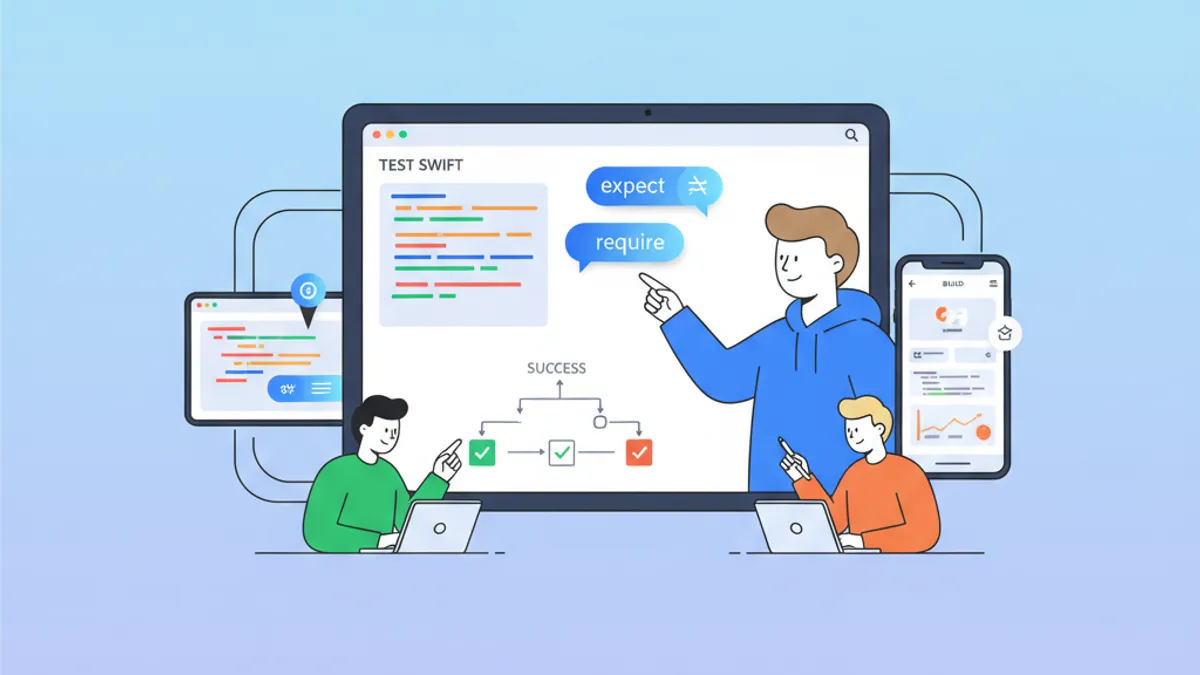
Swift Testing Framework Sollicitatiegesprek 2026: Macro's #expect en #require vs XCTest
Beheers het nieuwe Swift Testing Framework voor iOS-sollicitaties: macro's #expect en #require, migratie vanuit XCTest, geavanceerde patronen en veelgemaakte fouten.
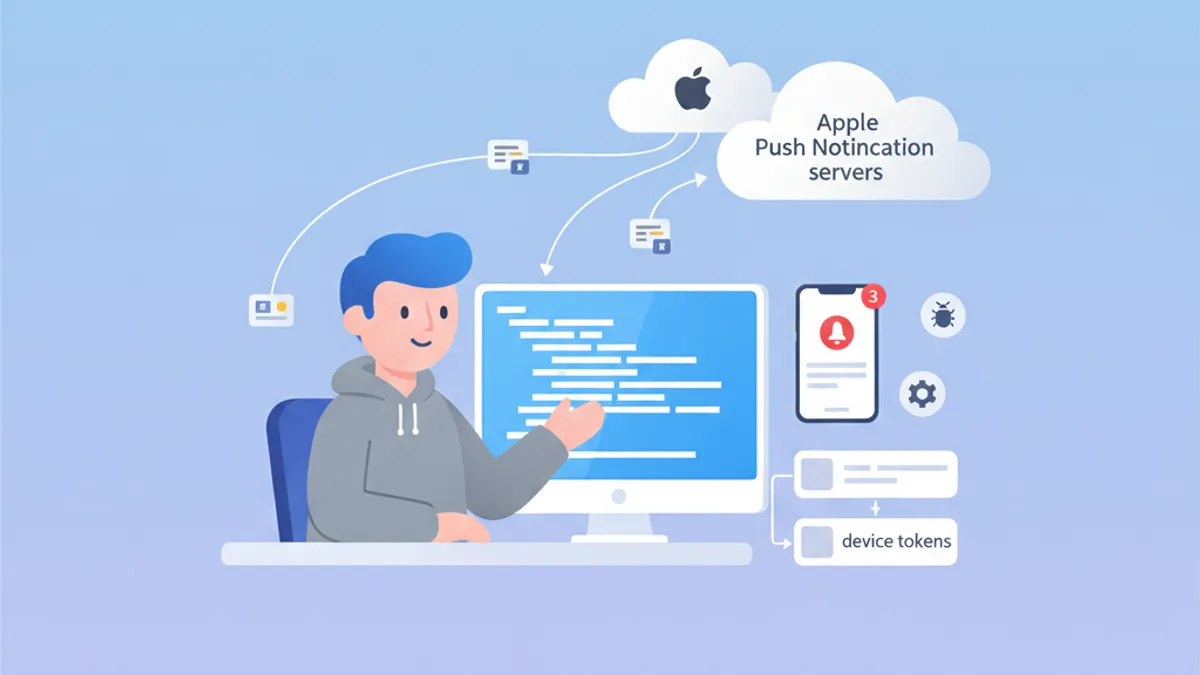
iOS Push Notifications-sollicitatiegesprek 2026: APNs, tokens en troubleshooting
Complete gids om je voor te bereiden op iOS-sollicitatiegesprekken over Push Notifications, APNs, tokenbeheer en troubleshooting. Veelgestelde vragen met uitgebreide antwoorden.
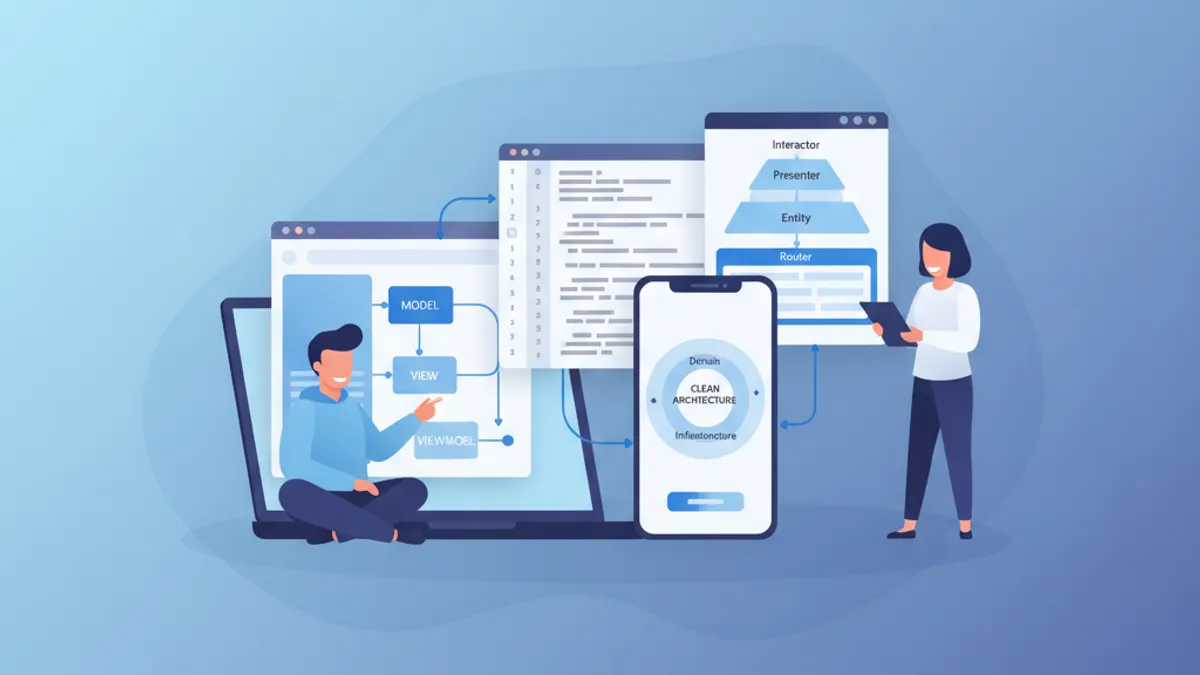
iOS Senior Sollicitatiegesprek 2026: Vragen over Architectuur en Design Patterns
Voorbereiding op iOS senior sollicitatiegesprekken met kernvragen over MVVM, VIPER, Clean Architecture en design patterns. Volledige gids met Swift-codevoorbeelden.