Testcontainers Spring Boot: 고통 없는 통합 테스트
Spring Boot 3.4에서 Testcontainers를 구성하는 완전한 가이드입니다. 신뢰할 수 있고 재현 가능한 통합 테스트를 위해 Docker 컨테이너에서 PostgreSQL, Redis, Kafka를 실행합니다.
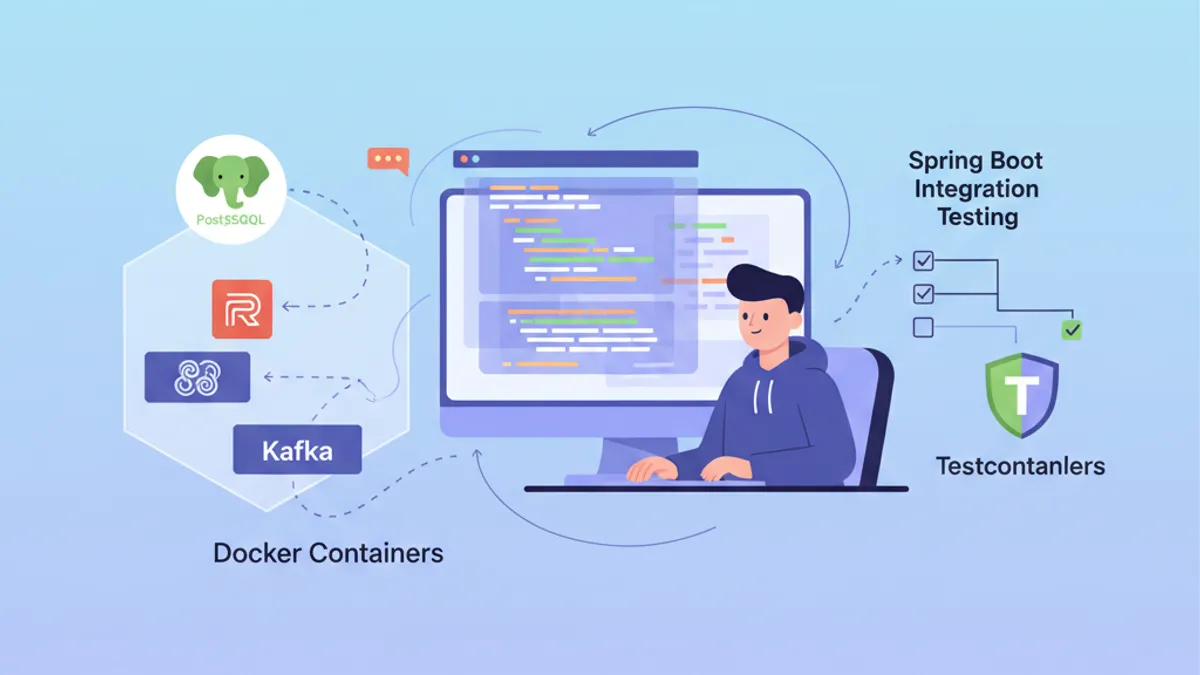
통합 테스트는 Spring Boot 애플리케이션 개발에서 큰 과제입니다. 실제 PostgreSQL 데이터베이스나 Kafka 브로커에 대해 테스트하려면 무거운 인프라를 유지해야 합니다. Testcontainers는 테스트 중에 Docker 컨테이너를 온디맨드로 실행함으로써 이 문제를 해결하며, 격리되고 재현 가능한 환경을 보장합니다.
Spring Boot 3.4는 자동 구성이 포함된 네이티브 Testcontainers 지원을 포함하고 있습니다. spring-boot-testcontainers 의존성은 설치를 크게 단순화하고 테스트 간 컨테이너 재사용을 가능하게 합니다.
Testcontainers와 Spring Boot 통합 이해하기
Testcontainers는 테스트 실행 중에 Docker 컨테이너를 시작하기 위한 Java API를 제공합니다. 외부 의존성을 모킹하거나 공유 테스트 데이터베이스를 유지하는 대신, 각 테스트 실행은 자체 격리된 인스턴스를 받습니다.
아키텍처는 세 가지 주요 구성 요소에 의존합니다: Docker를 제어하는 Testcontainers 라이브러리, 각 기술(PostgreSQL, Redis, Kafka)을 위한 전문 모듈, 그리고 연결 매개변수를 자동으로 주입하는 Spring Boot 통합입니다.
<!-- pom.xml -->
<dependencies>
    <!-- Main Testcontainers dependency -->
    <dependency>
        <groupId>org.springframework.boot</groupId>
        <artifactId>spring-boot-testcontainers</artifactId>
        <scope>test</scope>
    </dependency>

    <!-- PostgreSQL module -->
    <dependency>
        <groupId>org.testcontainers</groupId>
        <artifactId>postgresql</artifactId>
        <scope>test</scope>
    </dependency>

    <!-- JUnit 5 support -->
    <dependency>
        <groupId>org.testcontainers</groupId>
        <artifactId>junit-jupiter</artifactId>
        <scope>test</scope>
    </dependency>
</dependencies>

<dependencyManagement>
    <dependencies>
        <!-- Testcontainers BOM for version management -->
        <dependency>
            <groupId>org.testcontainers</groupId>
            <artifactId>testcontainers-bom</artifactId>
            <version>1.20.4</version>
            <type>pom</type>
            <scope>import</scope>
        </dependency>
    </dependencies>
</dependencyManagement>
Testcontainers BOM은 프로젝트에서 사용되는 모든 모듈 간의 버전 일관성을 보장합니다.
PostgreSQL을 사용한 기본 구성
가장 일반적인 사용 사례는 실제 PostgreSQL 데이터베이스로 테스트하는 것입니다. Spring Boot 3.4는 두 가지 접근 방식을 제공합니다: 자동 구성을 위한 @ServiceConnection 어노테이션 또는 @DynamicPropertySource를 통한 수동 구성입니다.
@DataJpaTest
@Testcontainers
@AutoConfigureTestDatabase(replace = Replace.NONE)
class UserRepositoryIntegrationTest {

    // Starts a PostgreSQL container before tests
    @Container
    @ServiceConnection
    static PostgreSQLContainer<?> postgres = new PostgreSQLContainer<>(
        DockerImageName.parse("postgres:16-alpine")
    );

    @Autowired
    private UserRepository userRepository;

    @Test
    void shouldSaveAndRetrieveUser() {
        // Given: a user to persist
        User user = new User();
        user.setEmail("test@example.com");
        user.setName("Test User");

        // When: save and retrieve
        User saved = userRepository.save(user);
        Optional<User> found = userRepository.findById(saved.getId());

        // Then: user is correctly persisted
        assertThat(found).isPresent();
        assertThat(found.get().getEmail()).isEqualTo("test@example.com");
    }

    @Test
    void shouldFindUserByEmail() {
        // Given: a user in database
        User user = new User();
        user.setEmail("search@example.com");
        user.setName("Search User");
        userRepository.save(user);

        // When: search by email
        Optional<User> found = userRepository.findByEmail("search@example.com");

        // Then: user is found
        assertThat(found).isPresent();
        assertThat(found.get().getName()).isEqualTo("Search User");
    }
}
@ServiceConnection 어노테이션은 컨테이너 유형을 자동으로 감지하고 해당 Spring 속성(spring.datasource.url, spring.datasource.username 등)을 구성합니다. 이 접근 방식은 반복적인 구성 코드를 제거합니다.
정적 필드에 @Container를 사용하면 컨테이너는 클래스의 모든 테스트 전에 한 번 시작되고 마지막 테스트 후에 중지됩니다. 테스트당 하나의 컨테이너를 원하는 경우 비정적 인스턴스 필드를 사용해야 합니다.
@DynamicPropertySource를 사용한 수동 구성
일부 시나리오에서는 주입된 속성에 대한 더 세밀한 제어가 필요합니다. @DynamicPropertySource 어노테이션은 구성 값을 명시적으로 정의할 수 있게 해줍니다.
@DataJpaTest
@Testcontainers
@AutoConfigureTestDatabase(replace = Replace.NONE)
class OrderRepositoryIntegrationTest {

    @Container
    static PostgreSQLContainer<?> postgres = new PostgreSQLContainer<>(
        DockerImageName.parse("postgres:16-alpine")
    )
        // Specific container configuration
        .withDatabaseName("orders_test")
        .withUsername("test_user")
        .withPassword("test_password")
        // SQL initialization script
        .withInitScript("db/init-orders.sql");

    // Manual injection of dynamic properties
    @DynamicPropertySource
    static void configureProperties(DynamicPropertyRegistry registry) {
        // JDBC URL generated dynamically with mapped port
        registry.add("spring.datasource.url", postgres::getJdbcUrl);
        registry.add("spring.datasource.username", postgres::getUsername);
        registry.add("spring.datasource.password", postgres::getPassword);
        // Additional properties if needed
        registry.add("spring.jpa.hibernate.ddl-auto", () -> "validate");
    }

    @Autowired
    private OrderRepository orderRepository;

    @Autowired
    private EntityManager entityManager;

    @Test
    void shouldPersistOrderWithItems() {
        // Given: an order with items
        Order order = new Order();
        order.setOrderNumber("ORD-2026-001");
        order.setStatus(OrderStatus.PENDING);

        OrderItem item = new OrderItem();
        item.setProductId(1L);
        item.setQuantity(2);
        item.setUnitPrice(BigDecimal.valueOf(29.99));
        order.addItem(item);

        // When: save the order
        Order saved = orderRepository.save(order);
        entityManager.flush();
        entityManager.clear();

        // Then: order and its items are persisted
        Order found = orderRepository.findById(saved.getId()).orElseThrow();
        assertThat(found.getItems()).hasSize(1);
        assertThat(found.getItems().get(0).getQuantity()).isEqualTo(2);
    }
}
초기화 스크립트 withInitScript는 테스트 실행 전에 스키마를 준비하거나 참조 데이터를 삽입합니다.
완전한 Spring Boot 통합 테스트
모든 구성 요소가 로드된 상태로 전체 애플리케이션을 테스트하려면 @SpringBootTest가 @DataJpaTest를 대체합니다. 이 구성은 PostgreSQL 컨테이너와 함께 완전한 Spring 컨텍스트를 시작합니다.
@SpringBootTest(webEnvironment = WebEnvironment.RANDOM_PORT)
@Testcontainers
class UserServiceIntegrationTest {

    @Container
    @ServiceConnection
    static PostgreSQLContainer<?> postgres = new PostgreSQLContainer<>(
        DockerImageName.parse("postgres:16-alpine")
    );

    @Autowired
    private UserService userService;

    @Autowired
    private TestRestTemplate restTemplate;

    @Test
    void shouldCreateUserViaApi() {
        // Given: a creation request
        CreateUserRequest request = new CreateUserRequest(
            "api@example.com",
            "API User",
            "securePassword123"
        );

        // When: call the REST API
        ResponseEntity<UserResponse> response = restTemplate.postForEntity(
            "/api/users",
            request,
            UserResponse.class
        );

        // Then: user is created successfully
        assertThat(response.getStatusCode()).isEqualTo(HttpStatus.CREATED);
        assertThat(response.getBody()).isNotNull();
        assertThat(response.getBody().email()).isEqualTo("api@example.com");
    }

    @Test
    void shouldRetrieveUserById() {
        // Given: an existing user
        UserResponse created = userService.createUser(
            new CreateUserRequest("retrieve@example.com", "Retrieve User", "password")
        );

        // When: retrieve by ID
        ResponseEntity<UserResponse> response = restTemplate.getForEntity(
            "/api/users/" + created.id(),
            UserResponse.class
        );

        // Then: user is returned
        assertThat(response.getStatusCode()).isEqualTo(HttpStatus.OK);
        assertThat(response.getBody().name()).isEqualTo("Retrieve User");
    }
}
자동 구성된 TestRestTemplate은 임의의 포트에서 시작된 서버를 가리키며, 병렬 테스트 간의 포트 충돌을 방지합니다.
Spring Boot 면접 준비가 되셨나요?
인터랙티브 시뮬레이터, flashcards, 기술 테스트로 연습하세요.
테스트 간 컨테이너 재사용
Docker 컨테이너 시작에는 몇 초가 소요됩니다. 테스트 실행을 가속화하기 위해 Spring Boot 3.4는 중앙 집중식 구성을 통해 컨테이너를 재사용할 수 있게 해줍니다.
@TestConfiguration(proxyBeanMethods = false)
public class TestcontainersConfiguration {

    // Reusable container bean across all tests
    @Bean
    @ServiceConnection
    PostgreSQLContainer<?> postgresContainer() {
        return new PostgreSQLContainer<>(DockerImageName.parse("postgres:16-alpine"))
            .withReuse(true)
            .withLabel("reuse.UUID", "e06d7a87-7d7d-472e-a047-7c2c6d4b5f7a");
    }

    @Bean
    @ServiceConnection
    RedisContainer redisContainer() {
        return new RedisContainer(DockerImageName.parse("redis:7-alpine"))
            .withReuse(true)
            .withLabel("reuse.UUID", "b3c8f9d2-4a5e-4c8d-9f2a-1b3c5d7e9f0a");
    }
}
테스트는 동일한 컨테이너를 공유하기 위해 이 구성을 가져옵니다.
@SpringBootTest
@Import(TestcontainersConfiguration.class)
class ProductServiceIntegrationTest {

    @Autowired
    private ProductService productService;

    @Autowired
    private ProductRepository productRepository;

    @Test
    void shouldCacheProductDetails() {
        // Given: a product in database
        Product product = new Product();
        product.setName("Cached Product");
        product.setPrice(BigDecimal.valueOf(99.99));
        productRepository.save(product);

        // When: two successive calls
        ProductDto first = productService.getProductById(product.getId());
        ProductDto second = productService.getProductById(product.getId());

        // Then: second call uses cache
        assertThat(first).isEqualTo(second);
    }
}
컨테이너 재사용을 활성화하려면 ~/.testcontainers.properties에 구성을 추가해야 합니다:
# ~/.testcontainers.properties
testcontainers.reuse.enable=true컨테이너를 재사용하면 데이터가 실행 간에 유지됩니다. 각 테스트 전에 테이블을 정리하려면 @Sql 또는 @BeforeEach를 사용하거나 테스트 클래스별로 다른 스키마를 구성하는 것이 좋습니다.
Redis와 분산 캐시를 사용한 테스트
Testcontainers는 캐시 기능 테스트를 위해 Redis를 지원합니다. Redis 모듈은 즉시 사용 가능한 사전 구성된 컨테이너를 제공합니다.
@SpringBootTest
@Testcontainers
class CacheServiceIntegrationTest {

    @Container
    @ServiceConnection
    static RedisContainer redis = new RedisContainer(
        DockerImageName.parse("redis:7-alpine")
    );

    @Autowired
    private CacheService cacheService;

    @Autowired
    private StringRedisTemplate redisTemplate;

    @Test
    void shouldStoreAndRetrieveFromCache() {
        // Given: a value to cache
        String key = "user:123";
        String value = "{\"id\":123,\"name\":\"Cached User\"}";

        // When: store in cache
        cacheService.put(key, value, Duration.ofMinutes(10));

        // Then: value is retrievable
        String cached = cacheService.get(key);
        assertThat(cached).isEqualTo(value);
    }

    @Test
    void shouldExpireAfterTtl() throws InterruptedException {
        // Given: a value with short TTL
        String key = "expiring:key";
        cacheService.put(key, "temporary", Duration.ofSeconds(1));

        // When: wait for expiration
        Thread.sleep(1500);

        // Then: key has expired
        String cached = cacheService.get(key);
        assertThat(cached).isNull();
    }

    @Test
    void shouldIncrementCounter() {
        // Given: a counter key
        String counterKey = "page:views:homepage";

        // When: multiple increments
        Long first = redisTemplate.opsForValue().increment(counterKey);
        Long second = redisTemplate.opsForValue().increment(counterKey);
        Long third = redisTemplate.opsForValue().increment(counterKey);

        // Then: counter increments correctly
        assertThat(first).isEqualTo(1);
        assertThat(second).isEqualTo(2);
        assertThat(third).isEqualTo(3);
    }
}
Spring Boot는 @ServiceConnection을 통해 RedisContainer를 자동으로 감지하고 spring.data.redis.host와 spring.data.redis.port를 구성합니다.
Kafka와 비동기 메시징을 사용한 테스트
이벤트 기반 애플리케이션은 실제 Kafka 브로커로 테스트해야 합니다. Testcontainers는 테스트에 적합한 단일 노드 클러스터를 시작하는 Kafka 모듈을 제공합니다.
@SpringBootTest
@Testcontainers
@EmbeddedKafka(partitions = 1, topics = {"order-events"})
class OrderEventIntegrationTest {

    @Container
    @ServiceConnection
    static KafkaContainer kafka = new KafkaContainer(
        DockerImageName.parse("confluentinc/cp-kafka:7.6.0")
    );

    @Autowired
    private KafkaTemplate<String, OrderEvent> kafkaTemplate;

    @Autowired
    private OrderEventConsumer orderEventConsumer;

    @Test
    void shouldPublishAndConsumeOrderEvent() throws Exception {
        // Given: an order event
        OrderEvent event = new OrderEvent(
            "ORD-2026-100",
            OrderEventType.CREATED,
            LocalDateTime.now()
        );

        // When: publish to Kafka
        kafkaTemplate.send("order-events", event.orderId(), event).get();

        // Then: event is consumed (with timeout)
        await()
            .atMost(Duration.ofSeconds(10))
            .untilAsserted(() -> {
                assertThat(orderEventConsumer.getReceivedEvents())
                    .hasSize(1)
                    .first()
                    .extracting(OrderEvent::orderId)
                    .isEqualTo("ORD-2026-100");
            });
    }
}@Component
public class OrderEventConsumer {
private final List<OrderEvent> receivedEvents = new CopyOnWriteArrayList<>();
@KafkaListener(topics = "order-events", groupId = "test-group")
public void consume(OrderEvent event) {
receivedEvents.add(event);
}
public List<OrderEvent> getReceivedEvents() {
return List.copyOf(receivedEvents);
}
public void clear() {
receivedEvents.clear();
}
}Awaitility 라이브러리는 타임아웃이 있는 비동기 어설션을 처리하여 테스트에서 취약한 Thread.sleep 호출을 방지합니다.
Docker Compose를 사용한 다중 컨테이너 구성
여러 상호 의존적인 서비스가 필요한 복잡한 애플리케이션의 경우 Testcontainers는 Docker Compose 파일을 지원합니다.
# src/test/resources/docker-compose-test.yml
services:
  postgres:
    image: postgres:16-alpine
    environment:
      POSTGRES_DB: testdb
      POSTGRES_USER: testuser
      POSTGRES_PASSWORD: testpass
    ports:
      - "5432"

  redis:
    image: redis:7-alpine
    ports:
      - "6379"

  localstack:
    image: localstack/localstack:3.0
    environment:
      SERVICES: s3,sqs
      DEFAULT_REGION: eu-west-1
    ports:
- "4566"@SpringBootTest
@Testcontainers
class FullStackIntegrationTest {
@Container
static DockerComposeContainer<?> environment = new DockerComposeContainer<>(
new File("src/test/resources/docker-compose-test.yml")
)
.withExposedService("postgres", 5432)
.withExposedService("redis", 6379)
.withExposedService("localstack", 4566)
.waitingFor("postgres", Wait.forListeningPort())
.waitingFor("redis", Wait.forListeningPort())
.waitingFor("localstack", Wait.forLogMessage(".*Ready\\.$", 1));
@DynamicPropertySource
static void configureProperties(DynamicPropertyRegistry registry) {
// PostgreSQL configuration
String postgresHost = environment.getServiceHost("postgres", 5432);
Integer postgresPort = environment.getServicePort("postgres", 5432);
registry.add("spring.datasource.url",
() -> "jdbc:postgresql://" + postgresHost + ":" + postgresPort + "/testdb");
registry.add("spring.datasource.username", () -> "testuser");
registry.add("spring.datasource.password", () -> "testpass");
// Redis configuration
String redisHost = environment.getServiceHost("redis", 6379);
Integer redisPort = environment.getServicePort("redis", 6379);
registry.add("spring.data.redis.host", () -> redisHost);
registry.add("spring.data.redis.port", () -> redisPort);
// LocalStack S3 configuration
String localstackHost = environment.getServiceHost("localstack", 4566);
Integer localstackPort = environment.getServicePort("localstack", 4566);
registry.add("aws.s3.endpoint",
() -> "http://" + localstackHost + ":" + localstackPort);
}
@Autowired
private FileStorageService fileStorageService;
@Test
void shouldUploadFileToS3() {
// Given: a file to upload
byte[] content = "Test file content".getBytes();
String fileName = "test-file.txt";
// When: upload to S3 via LocalStack
String url = fileStorageService.upload(fileName, content);
// Then: file is accessible
assertThat(url).contains(fileName);
byte[] downloaded = fileStorageService.download(fileName);
assertThat(downloaded).isEqualTo(content);
}
}연습을 시작하세요!
면접 시뮬레이터와 기술 테스트로 지식을 테스트하세요.
모범 사례 및 성능 최적화
효율적인 Testcontainers 실행을 위해서는 빌드 시간을 줄이기 위한 몇 가지 최적화가 필요합니다.
@SpringBootTest
@Testcontainers
@ActiveProfiles("test")
public abstract class AbstractIntegrationTest {

    // Shared container across all inheriting classes
    @Container
    @ServiceConnection
    protected static PostgreSQLContainer<?> postgres = new PostgreSQLContainer<>(
        DockerImageName.parse("postgres:16-alpine")
    )
        .withReuse(true);

    @Autowired
    protected JdbcTemplate jdbcTemplate;

    @BeforeEach
    void cleanDatabase() {
        // Clean tables in order to respect FK constraints
        jdbcTemplate.execute("TRUNCATE TABLE order_items CASCADE");
        jdbcTemplate.execute("TRUNCATE TABLE orders CASCADE");
        jdbcTemplate.execute("TRUNCATE TABLE users CASCADE");
    }
}class UserIntegrationTest extends AbstractIntegrationTest {
@Autowired
private UserRepository userRepository;
@Test
void shouldCreateUser() {
// PostgreSQL container already started via parent class
User user = new User();
user.setEmail("inherited@test.com");
user.setName("Inherited Test");
User saved = userRepository.save(user);
assertThat(saved.getId()).isNotNull();
}
}추상 클래스는 컨테이너 구성과 데이터베이스 정리를 중앙 집중화하여 코드 중복을 방지합니다.
# src/test/resources/application-test.properties
# Test-specific configuration
spring.jpa.hibernate.ddl-auto=create-drop
spring.jpa.show-sql=false

# Disable Flyway/Liquibase if using ddl-auto
spring.flyway.enabled=false

# Reduced connection pool for tests
spring.datasource.hikari.maximum-pool-size=5
spring.datasource.hikari.minimum-idle=2더 가볍고 빠르게 시작되는 Alpine 이미지(postgres:16-alpine, redis:7-alpine)를 선호하는 것이 좋습니다. 테스트의 경우 전체 이미지와의 기능적 차이는 무시할 수 있는 수준입니다.
데이터베이스 마이그레이션 테스트
Testcontainers는 실제 데이터베이스에 대해 Flyway 또는 Liquibase 마이그레이션을 테스트하는 데 탁월합니다.
@DataJpaTest
@Testcontainers
@AutoConfigureTestDatabase(replace = Replace.NONE)
class FlywayMigrationTest {

    @Container
    @ServiceConnection
    static PostgreSQLContainer<?> postgres = new PostgreSQLContainer<>(
        DockerImageName.parse("postgres:16-alpine")
    );

    @Autowired
    private Flyway flyway;

    @Autowired
    private JdbcTemplate jdbcTemplate;

    @Test
    void shouldApplyAllMigrations() {
        // Given: migrations applied at startup

        // When: check state
        MigrationInfoService info = flyway.info();

        // Then: all migrations are applied
        assertThat(info.pending()).isEmpty();
        assertThat(info.applied()).isNotEmpty();
    }

    @Test
    void shouldCreateExpectedTables() {
        // Given: migrations applied

        // When: query system tables
        List<String> tables = jdbcTemplate.queryForList(
            "SELECT table_name FROM information_schema.tables " +
            "WHERE table_schema = 'public' AND table_type = 'BASE TABLE'",
            String.class
        );

        // Then: expected tables exist
        assertThat(tables).contains("users", "orders", "order_items", "products");
    }

    @Test
    void shouldHaveCorrectColumnTypes() {
        // Given: users table created

        // When: verify schema
        List<Map<String, Object>> columns = jdbcTemplate.queryForList(
            "SELECT column_name, data_type, is_nullable " +
            "FROM information_schema.columns " +
            "WHERE table_name = 'users'"
        );

        // Then: columns have correct types
        assertThat(columns)
            .extracting(c -> c.get("column_name"))
            .contains("id", "email", "name", "created_at");
    }
}
이 테스트는 프로덕션 배포 전에 SQL 마이그레이션이 올바르게 작동하는지 보장합니다.
결론
Testcontainers는 Spring Boot 통합 테스트를 신뢰할 수 있고 재현 가능하며 로컬 환경과 독립적으로 만들어 변화시킵니다. @ServiceConnection을 사용한 Spring Boot 3.4의 네이티브 지원은 구성을 크게 단순화하고, 컨테이너 재사용은 실행 시간을 최적화합니다.
Testcontainers Spring Boot 체크리스트:
- ✅ 네이티브 자동 구성을 위해
spring-boot-testcontainers사용 - ✅ 가능한 경우
@DynamicPropertySource보다@ServiceConnection선호 - ✅ 연속 실행 속도를 높이기 위해
withReuse(true)활성화 - ✅ 추상 클래스 또는
@TestConfiguration에 구성 중앙 집중화 - ✅
@BeforeEach또는@Sql로 테스트 간 데이터 정리 - ✅ 더 빠른 시작을 위해 Alpine 이미지 사용
- ✅ 실제 PostgreSQL에 대해 Flyway/Liquibase 마이그레이션 테스트
- ✅ 다중 서비스 환경을 위해 Docker Compose 활용
Spring Boot 코드의 버그를 찾을 수 있나요
실제 코드 한 조각, 숨은 버그 하나, 하루 한 번. 계정 없이 바로 도전할 수 있습니다.

작성자
Anthony Fillion-MailletSharpSkill 창업자
10년 이상 풀스택 개발을 해왔습니다. SharpSkill을 운영하며 이곳에 게시되는 모든 내용에 책임을 집니다.
2026년 5월 1일 업데이트
태그
공유
관련 기사

Spring Modulith: 모듈러 모놀리스 아키텍처 해설
Spring Modulith로 자바 모듈러 모놀리스를 구축하는 방법을 배웁니다. 아키텍처, 모듈, 비동기 이벤트, Spring Boot 3 및 4 코드 예제로 살펴보는 테스트와 관측성.

Spring Batch 5 면접: 파티셔닝, 청크, 장애 허용
Spring Batch 5 면접을 정복하세요. 파티셔닝, 청크 처리, 장애 허용에 관한 15가지 핵심 질문과 Java 21 예제를 제공합니다.

Spring Boot 면접: 트랜잭션 전파 설명
Spring Boot 트랜잭션 전파 마스터하기: REQUIRED, REQUIRES_NEW, NESTED 등. 코드 예제와 일반적인 함정을 포함한 12가지 면접 질문.