Ruby on Rails 7: 리액티브 애플리케이션을 위한 Hotwire와 Turbo
Rails 7에서 Hotwire와 Turbo 완벽 가이드. Turbo Drive, Frames, Streams로 JavaScript 없이 리액티브 애플리케이션을 구축하는 방법.

Rails 7은 Hotwire를 기본으로 통합하여 웹 개발에 혁명을 가져왔습니다. 이 스택은 커스텀 JavaScript를 한 줄도 작성하지 않고도 고도로 리액티브한 애플리케이션을 구축할 수 있게 해줍니다. Turbo Drive, Turbo Frames, Turbo Streams는 기존 SPA 접근 방식을 "HTML over the wire" 철학으로 대체합니다.
Hotwire는 프론트엔드 복잡성을 획기적으로 줄여줍니다. 동적 인터페이스에 React나 Vue가 필요 없습니다. 서버가 바로 사용 가능한 HTML을 전송하고, Turbo가 DOM 업데이트를 자동으로 처리합니다.
Hotwire 아키텍처 이해하기
Hotwire는 JavaScript 프레임워크의 전형적인 복잡성 없이 매끄러운 사용자 경험을 제공하기 위해 함께 작동하는 세 가지 보완적인 기술로 구성됩니다.
Turbo Drive는 링크 클릭과 폼 제출을 가로채서 내비게이션을 가속화합니다. 전체 페이지를 새로고침하는 대신 <body> 콘텐츠만 교체되며, JavaScript와 CSS 컨텍스트가 유지됩니다.
Turbo Frames는 페이지를 독립적인 섹션으로 분해합니다. 각 프레임은 개별적으로 업데이트될 수 있어 페이지의 나머지 부분에 영향을 주지 않고 타겟 인터랙션이 가능합니다.
Turbo Streams는 WebSocket을 통해 또는 HTTP 요청에 대한 응답으로 실시간 업데이트를 가능하게 합니다. 선언적 DOM 조작을 위한 8가지 CRUD 액션을 사용할 수 있습니다.
# Gemfile
# Installing Turbo Rails (included by default in Rails 7+)
gem 'turbo-rails'
기존 프로젝트에서는 설치에 단 하나의 명령어만 필요합니다.
# installation.sh
# Installing Turbo in an existing Rails project
rails turbo:install

# Verify the JavaScript import is present
cat app/javascript/application.js
# Should contain: import "@hotwired/turbo-rails"
Turbo Drive 초기 설정
Turbo Drive는 Rails 7에서 기본적으로 활성화되어 있습니다. 모든 내비게이션이 추가 설정 없이 자동으로 "turbo"가 됩니다. 동작은 data 속성을 통해 커스터마이즈할 수 있습니다.
<!-- app/views/layouts/application.html.erb -->
<!DOCTYPE html>
<html>
  <head>
    <meta name="turbo-cache-control" content="no-preview">
    <%= csrf_meta_tags %>
    <%= csp_meta_tag %>
    <%= stylesheet_link_tag "application", "data-turbo-track": "reload" %>
    <%= javascript_importmap_tags %>
  </head>
  <body>
    <!-- Progress bar during navigation -->
    <div class="turbo-progress-bar"></div>
    <%= yield %>
  </body>
</html>
필요한 경우 특정 링크나 폼에서 Turbo Drive를 비활성화할 수 있습니다.
<!-- app/views/pages/examples.html.erb -->
<!-- Link with Turbo enabled (default) -->
<%= link_to "Dashboard", dashboard_path %>

<!-- Disable Turbo for a specific link -->
<%= link_to "Download PDF", export_path, data: { turbo: false } %>

<!-- Disable Turbo for a form (file upload for example) -->
<%= form_with model: @document, data: { turbo: false } do |f| %>
  <%= f.file_field :attachment %>
  <%= f.submit "Upload" %>
<% end %>

<!-- Turbo with confirmation -->
<%= link_to "Delete", item_path(@item),
    data: { turbo_method: :delete, turbo_confirm: "Are you sure?" } %>
Turbo Drive는 방문한 페이지를 캐시합니다. 에셋의 data-turbo-track="reload" 속성은 CSS/JS 파일이 변경될 때 전체 새로고침을 강제합니다.
타겟 업데이트를 위한 Turbo Frames
Turbo Frames는 독립적으로 업데이트되는 페이지 영역을 정의합니다. 각 프레임은 고유한 식별자를 가지며 일치하는 프레임을 포함하는 응답에만 반응합니다.
<!-- app/views/messages/index.html.erb -->
<h1>Messages</h1>

<!-- Frame for the message list -->
<turbo-frame id="messages_list">
  <div id="messages">
    <%= render @messages %>
  </div>

  <%= link_to "Load more", messages_path(page: @next_page) %>
</turbo-frame>

<!-- Frame for the creation form -->
<turbo-frame id="new_message">
  <%= render "form", message: Message.new %>
</turbo-frame>
업데이트가 작동하려면 서버 응답에 같은 식별자를 가진 프레임이 포함되어야 합니다.
<!-- app/views/messages/_message.html.erb -->
<!-- Partial for an individual message -->
<turbo-frame id="<%= dom_id(message) %>">
  <div class="message">
    <p><%= message.content %></p>
    <span class="metadata">
      By <%= message.author.name %> - <%= time_ago_in_words(message.created_at) %>
    </span>

    <!-- These links stay within the frame -->
    <%= link_to "Edit", edit_message_path(message) %>
    <%= button_to "Delete", message_path(message), method: :delete %>
  </div>
</turbo-frame>
Turbo Frames를 이용한 지연 로딩
프레임은 src 속성을 사용하여 비동기적으로 콘텐츠를 로드할 수 있습니다. 로딩 중에는 초기 콘텐츠가 표시됩니다.
<!-- app/views/dashboard/show.html.erb -->
<h1>Dashboard</h1>

<!-- Statistics loaded asynchronously -->
<turbo-frame id="stats" src="<%= dashboard_stats_path %>">
  <div class="loading-placeholder">
    <p>Loading statistics...</p>
  </div>
</turbo-frame>

<!-- Notifications loaded when visible (lazy loading) -->
<turbo-frame id="notifications"
             src="<%= notifications_path %>"
             loading="lazy">
  <p>Loading notifications...</p>
</turbo-frame>

<!-- Recent activity with periodic refresh -->
<turbo-frame id="recent_activity"
             src="<%= activity_path %>"
             data-controller="auto-refresh"
             data-auto-refresh-interval-value="30000">
  <%= render "activity/placeholder" %>
</turbo-frame>
컨트롤러는 요청된 프레임만 포함하는 뷰로 응답합니다.
# app/controllers/dashboard_controller.rb
class DashboardController < ApplicationController
  def stats
    @user_count = User.count
    @message_count = Message.count
    @active_today = User.where("last_seen_at > ?", 24.hours.ago).count

    # Partial rendering for the frame
    render partial: "dashboard/stats"
  end
end<!-- app/views/dashboard/_stats.html.erb -->
<turbo-frame id="stats">
<div class="stats-grid">
<div class="stat-card">
<h3><%= @user_count %></h3>
<p>Users</p>
</div>
<div class="stat-card">
<h3><%= @message_count %></h3>
<p>Messages</p>
</div>
<div class="stat-card">
<h3><%= @active_today %></h3>
<p>Active today</p>
</div>
</div>
</turbo-frame>Ruby on Rails 면접 준비가 되셨나요?
인터랙티브 시뮬레이터, flashcards, 기술 테스트로 연습하세요.
실시간 업데이트를 위한 Turbo Streams
Turbo Streams는 DOM 조작을 위한 8가지 액션을 제공합니다: append, prepend, replace, update, remove, before, after, morph. 이러한 액션은 HTTP 응답이나 WebSocket을 통해 트리거될 수 있습니다.
# app/controllers/messages_controller.rb
class MessagesController < ApplicationController
  def create
    @message = current_user.messages.build(message_params)

    respond_to do |format|
      if @message.save
        # Turbo Stream response to add the message
        format.turbo_stream do
          render turbo_stream: [
            turbo_stream.prepend("messages", @message),
            turbo_stream.update("message_count", partial: "messages/count"),
            turbo_stream.replace("new_message", partial: "messages/form",
                                 locals: { message: Message.new })
          ]
        end
        format.html { redirect_to messages_path, notice: "Message created" }
      else
        format.turbo_stream do
          render turbo_stream: turbo_stream.replace(
            "new_message",
            partial: "messages/form",
            locals: { message: @message }
          )
        end
        format.html { render :new, status: :unprocessable_entity }
      end
    end
  end

  def destroy
    @message = Message.find(params[:id])
    @message.destroy

    respond_to do |format|
      # Removal with animation
      format.turbo_stream { render turbo_stream: turbo_stream.remove(@message) }
      format.html { redirect_to messages_path, notice: "Message deleted" }
    end
  end
end
전용 Turbo Stream 템플릿
더 복잡한 응답의 경우 .turbo_stream.erb 템플릿이 더 큰 유연성을 제공합니다.
<!-- app/views/messages/create.turbo_stream.erb -->
<!-- Prepend the new message to the list -->
<%= turbo_stream.prepend "messages" do %>
  <%= render @message %>
<% end %>

<!-- Update the counter -->
<%= turbo_stream.update "message_count" do %>
  <span><%= Message.count %> messages</span>
<% end %>

<!-- Reset the form -->
<%= turbo_stream.replace "new_message" do %>
  <%= render "form", message: Message.new %>
<% end %>

<!-- Display a flash notification -->
<%= turbo_stream.prepend "flash_messages" do %>
  <div class="flash flash-success" data-controller="auto-dismiss">
    Message sent successfully!
  </div>
<% end %>Turbo Stream 응답은 content-type text/vnd.turbo-stream.html을 가져야 합니다. Rails는 respond_to와 turbo_stream 형식으로 이를 자동 처리합니다.
Action Cable을 이용한 실시간 브로드캐스팅
Turbo Streams는 WebSocket 브로드캐스팅에서 진정한 위력을 발휘합니다. 사용자들은 폴링 없이 즉시 업데이트를 받습니다.
# app/models/message.rb
class Message < ApplicationRecord
  belongs_to :room
  belongs_to :author, class_name: "User"

  # Automatic broadcast after creation
  after_create_commit do
    broadcast_append_to(
      room,
      target: "messages",
      partial: "messages/message",
      locals: { message: self }
    )
  end

  # Broadcast after update
  after_update_commit do
    broadcast_replace_to(
      room,
      target: dom_id(self),
      partial: "messages/message",
      locals: { message: self }
    )
  end

  # Broadcast after deletion
  after_destroy_commit do
    broadcast_remove_to(room, target: dom_id(self))
  end
end
뷰는 turbo_stream_from 헬퍼로 해당 스트림을 구독합니다.
<!-- app/views/rooms/show.html.erb -->
<h1><%= @room.name %></h1>

<!-- Subscribe to the WebSocket stream -->
<%= turbo_stream_from @room %>

<!-- Container for messages -->
<div id="messages">
  <%= render @room.messages.order(created_at: :asc) %>
</div>

<!-- New message form -->
<%= form_with model: [@room, Message.new], id: "new_message" do |f| %>
  <%= f.text_area :content, placeholder: "Your message..." %>
  <%= f.submit "Send" %>
<% end %>
무거운 작업을 위한 비동기 브로드캐스팅
요청을 차단하지 않기 위해 브로드캐스팅은 백그라운드에서 수행할 수 있습니다.
# app/models/report.rb
class Report < ApplicationRecord
  belongs_to :user

  after_create_commit :generate_async

  private

  def generate_async
    GenerateReportJob.perform_later(self)
  end
end# app/jobs/generate_report_job.rb
class GenerateReportJob < ApplicationJob
queue_as :default
def perform(report)
# Simulating a long operation
report.update!(status: "processing")
# Notify user of start
report.broadcast_replace_to(
report.user, :reports,
target: dom_id(report),
partial: "reports/report"
)
# Generate the report
result = ReportGenerator.new(report).generate
report.update!(content: result, status: "completed")
# Notify user of completion
report.broadcast_replace_to(
report.user, :reports,
target: dom_id(report),
partial: "reports/report"
)
end
endTurbo 고급 패턴
인라인 폼 편집
일반적인 패턴은 정적 콘텐츠를 인라인 편집 폼으로 대체하는 것입니다.
<!-- app/views/tasks/_task.html.erb -->
<turbo-frame id="<%= dom_id(task) %>">
  <div class="task">
    <span class="task-content"><%= task.content %></span>
    <div class="task-actions">
      <%= link_to "Edit", edit_task_path(task) %>
      <%= button_to "Delete", task_path(task), method: :delete,
          data: { turbo_confirm: "Delete this task?" } %>
    </div>
  </div>
</turbo-frame><!-- app/views/tasks/edit.html.erb -->
<turbo-frame id="<%= dom_id(@task) %>">
<%= form_with model: @task do |f| %>
<%= f.text_field :content, autofocus: true %>
<div class="form-actions">
<%= f.submit "Save" %>
<%= link_to "Cancel", task_path(@task) %>
</div>
<% end %>
</turbo-frame>부모 프레임 외부로의 내비게이션
기본적으로 프레임 내의 링크는 해당 프레임 안에 머무릅니다. data-turbo-frame 속성을 사용하면 다른 프레임이나 전체 페이지를 타겟으로 지정할 수 있습니다.
<!-- app/views/search/_results.html.erb -->
<turbo-frame id="search_results">
  <ul>
    <% @results.each do |result| %>
      <li>
        <!-- This link navigates the entire page, not the frame -->
        <%= link_to result.title, result_path(result),
            data: { turbo_frame: "_top" } %>
      </li>
    <% end %>
  </ul>
</turbo-frame><!-- app/views/layouts/_sidebar.html.erb -->
<aside>
<!-- This frame loads content and updates main -->
<turbo-frame id="sidebar_nav" target="main_content">
<%= render "navigation" %>
</turbo-frame>
</aside>
<main>
<turbo-frame id="main_content">
<%= yield %>
</turbo-frame>
</main>개발 환경에서 JavaScript 콘솔을 열고 Turbo.setProgressBarDelay(0)를 입력하면 프로그레스 바를 즉시 볼 수 있습니다. Turbo.session.drive = false로 Turbo Drive를 임시로 비활성화할 수 있습니다.
에러 처리와 로딩 상태
좋은 UX를 위해서는 로딩 상태와 네트워크 오류 처리가 필요합니다.
<!-- app/views/shared/_form_with_loading.html.erb -->
<%= form_with model: @model,
    data: {
      controller: "form-loading",
      action: "turbo:submit-start->form-loading#disable turbo:submit-end->form-loading#enable"
    } do |f| %>
  <%= yield f %>

  <button type="submit" data-form-loading-target="submit">
    <span data-form-loading-target="text">Save</span>
    <span data-form-loading-target="spinner" class="hidden">
      <svg class="animate-spin h-5 w-5"><!-- spinner SVG --></svg>
    </span>
  </button>
<% end %>import { Controller } from "@hotwired/stimulus"
export default class extends Controller {
static targets = ["submit", "text", "spinner"]
disable() {
this.submitTarget.disabled = true
this.textTarget.classList.add("hidden")
this.spinnerTarget.classList.remove("hidden")
}
enable() {
this.submitTarget.disabled = false
this.textTarget.classList.remove("hidden")
this.spinnerTarget.classList.add("hidden")
}
}서버 오류 처리
# app/controllers/application_controller.rb
class ApplicationController < ActionController::Base
  rescue_from ActiveRecord::RecordNotFound do |exception|
    respond_to do |format|
      format.turbo_stream do
        render turbo_stream: turbo_stream.replace(
          "main_content",
          partial: "shared/not_found"
        )
      end
      format.html { render "errors/not_found", status: :not_found }
    end
  end
end
성능 최적화
여러 기법으로 성능 좋은 Turbo 애플리케이션을 보장할 수 있습니다.
# app/controllers/messages_controller.rb
class MessagesController < ApplicationController
  # Avoid N+1 queries with eager loading
  def index
    @messages = Message.includes(:author, :room)
                       .order(created_at: :desc)
                       .page(params[:page])
  end

  # Fragment caching for static elements
  def show
    @message = Message.find(params[:id])
    fresh_when @message
  end
end<!-- app/views/messages/_message.html.erb -->
<!-- Partial-level caching -->
<% cache message do %>
<turbo-frame id="<%= dom_id(message) %>">
<div class="message">
<%= message.content %>
<small>By <%= message.author.name %></small>
</div>
</turbo-frame>
<% end %>결론
Hotwire와 Turbo는 기존 JavaScript 프레임워크의 복잡성을 제거하여 Rails 개발을 혁신합니다. Turbo Drive는 내비게이션을 가속화하고, Turbo Frames는 타겟 업데이트를 가능하게 하며, Turbo Streams는 강력한 실시간 기능을 제공합니다.
Hotwire 시작 체크리스트
- 내장된 Hotwire 통합을 위해 Rails 7 이상 사용하기
- 세 가지 컴포넌트 이해하기: Drive, Frames, Streams
- Turbo Frames가 유용한 페이지 영역 식별하기
- 컨트롤러에서
respond_to와format.turbo_stream사용하기 - 실시간 기능을 위한 브로드캐스팅 구현하기
- 간단한 JavaScript 인터랙션을 위해 Stimulus와 결합하기
연습을 시작하세요!
면접 시뮬레이터와 기술 테스트로 지식을 테스트하세요.
이 "HTML over the wire" 접근 방식은 Ruby on Rails를 강력하게 만드는 단순성과 생산성을 유지하면서 모던하고 리액티브한 애플리케이션을 구축할 수 있게 해줍니다. 결과적으로 유지보수할 코드가 줄어들고, 뛰어난 성능과 최적의 개발자 경험을 얻을 수 있습니다.
Ruby on Rails 코드의 버그를 찾을 수 있나요
실제 코드 한 조각, 숨은 버그 하나, 하루 한 번. 계정 없이 바로 도전할 수 있습니다.

작성자
Anthony Fillion-MailletSharpSkill 창업자
10년 이상 풀스택 개발을 해왔습니다. SharpSkill을 운영하며 이곳에 게시되는 모든 내용에 책임을 집니다.
2026년 4월 7일 업데이트
태그
공유
관련 기사

Rails Turbo와 Hotwire 2026 완벽 가이드: 실시간 애플리케이션 개발과 면접 대비
Rails 8의 Turbo 8과 Hotwire를 활용한 실시간 웹 애플리케이션 개발 실전 가이드입니다. Turbo Streams, 모핑, Stimulus 구현 패턴과 기술 면접에서 자주 나오는 질문을 다룹니다.
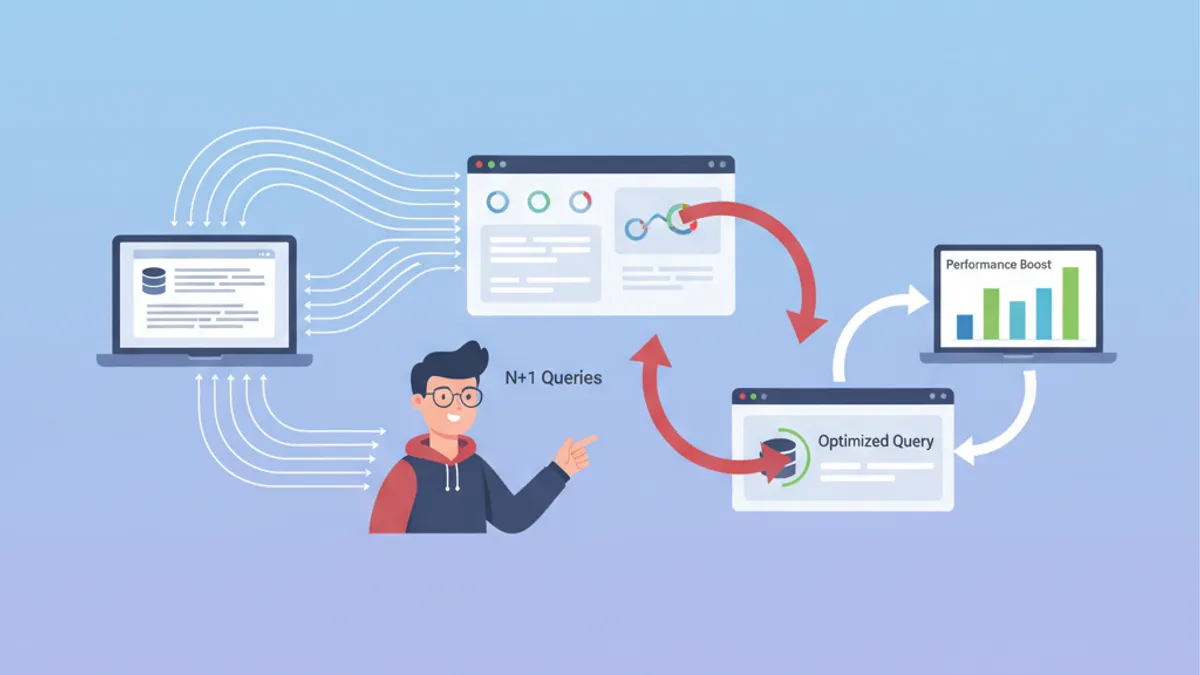
ActiveRecord: Ruby on Rails에서 N+1 쿼리 문제 해결하기
ActiveRecord로 Rails의 N+1 쿼리를 탐지하고 해결하는 완전한 가이드입니다. includes, preload, eager_load와 자동 탐지 도구를 익혀보십시오.
Ruby on Rails 면접 질문: 2026년 Top 25
가장 자주 묻는 Ruby on Rails 면접 질문 25선. MVC 아키텍처, Active Record, 마이그레이션, RSpec 테스트, REST API에 대한 자세한 답변과 코드 예제.