프로덕션에서의 React Server Components: 패턴과 함정
프로덕션에서의 React Server Components: 실전에서 검증된 패턴, 흔한 안티패턴, 견고한 Next.js 15 애플리케이션을 위한 디버깅 전략입니다.
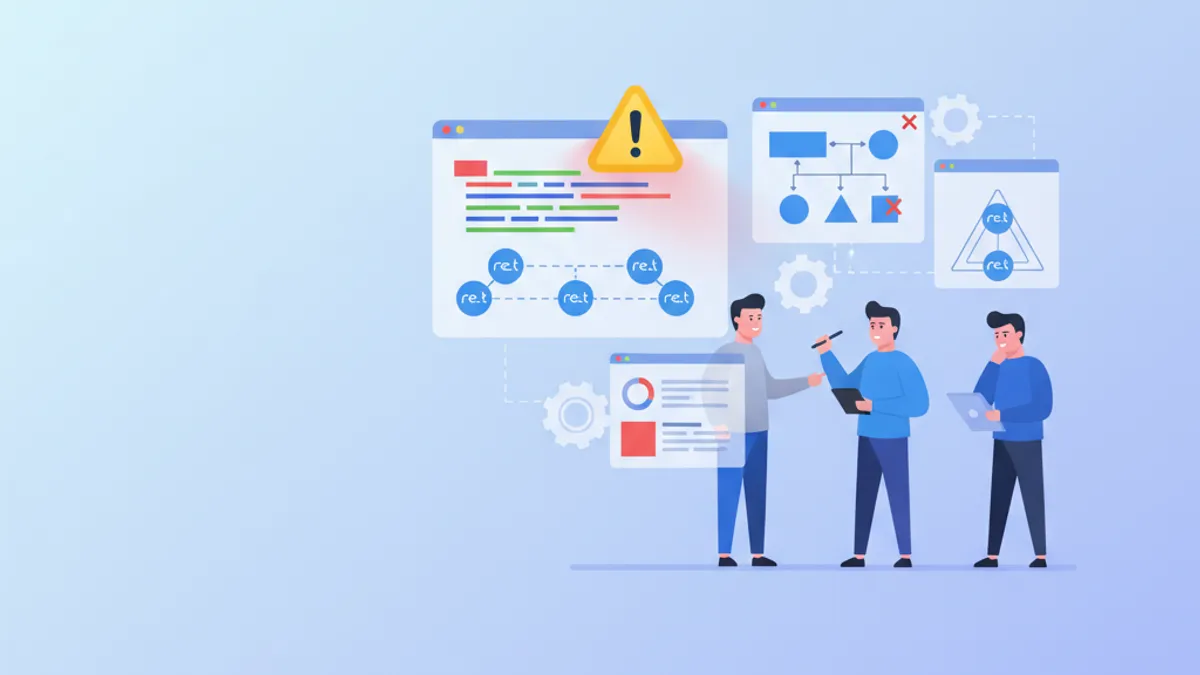
React Server Components(RSC)는 Next.js 15의 서버 렌더링 동작 방식을 근본적으로 바꾸지만, 프로덕션 도입은 공식 문서가 항상 다루지는 않는 함정을 드러냅니다. 이 글은 작동하는 패턴, 깨지는 패턴, 그리고 문제가 프로덕션에 닿기 전에 진단하는 방법을 분석합니다.
Server Component는 오직 서버에서만 실행되며 브라우저로 보내는 JavaScript는 0입니다. Client Component("use client"로 표시)는 양쪽에서 모두 실행됩니다. 원칙: Client Components는 가능한 한 작게, 트리에서 가능한 한 아래쪽에 둡니다.
서버-클라이언트 경계: boundary 패턴 이해하기
가장 흔한 RSC 함정은 Server와 Client Components 사이의 경계와 관련됩니다. 컴포넌트가 "use client" 지시어를 갖는 순간, 임포트된 자식들도 모두 Client Components가 됩니다. 자식이 지시어를 갖지 않더라도 마찬가지입니다.
import { ProductDetails } from './ProductDetails'
import { AddToCartButton } from './AddToCartButton'

export default async function ProductPage({ params }: { params: Promise<{ id: string }> }) {
  const { id } = await params
  const product = await getProduct(id)

  return (
    <div>
      {/* Server Component: DB 직접 접근 */}
      <ProductDetails product={product} />
      {/* Client Component: 격리된 상호작용 */}
      <AddToCartButton productId={product.id} price={product.price} />
    </div>
  )
}'use client'
import { useState } from 'react'
export function AddToCartButton({ productId, price }: { productId: string; price: number }) {
const [adding, setAdding] = useState(false)
async function handleAdd() {
setAdding(true)
await fetch('/api/cart', {
method: 'POST',
body: JSON.stringify({ productId, quantity: 1 }),
})
setAdding(false)
}
return (
<button onClick={handleAdd} disabled={adding}>
{adding ? '추가 중...' : `장바구니에 추가 — $${price}`}
</button>
)
}핵심 패턴: Server Component에서 Client Component로 직렬화 가능한 props로 데이터를 전달합니다. 함수, 클래스, Date 객체는 이 경계를 넘을 수 없습니다.
안티패턴: 불필요한 Client Component 래퍼
흔한 실수는 Server Component 자식들을 감싸는 Client Component를 만들어 전체 서브트리를 클라이언트 측으로 강제로 이동시키는 것입니다.
'use client'

import { useState } from 'react'

// 모든 자식 콘텐츠가 클라이언트 측이 됨
export function PageWrapper({ children }: { children: React.ReactNode }) {
  const [theme, setTheme] = useState('light')
  return (
    <div className={theme}>
      <button onClick={() => setTheme(t => t === 'light' ? 'dark' : 'light')}>
        테마 전환
      </button>
      {children}
    </div>
  )
}해결책: Server Components를 children으로 전달합니다(슬롯 패턴). props로 전달된 자식은 부모가 Client Component라도 여전히 Server Components로 남습니다. 위 코드는 children이 Server Component 부모에서 오는 한 정상 동작합니다.
import { PageWrapper } from './PageWrapper'
import { HeavyServerContent } from './HeavyServerContent'

export default function Layout() {
  return (
    <PageWrapper>
      {/* 클라이언트 래퍼가 있어도 Server Component 유지 */}
      <HeavyServerContent />
    </PageWrapper>
  )
}
이 컴포지션 패턴은 무거운 콘텐츠에 대해 서버 렌더링의 이점을 유지하면서 래퍼 수준에서 상호작용을 가능하게 합니다.
비동기 데이터 처리: 컴포넌트 내부 fetch 패턴
React 19와 Next.js 15는 Server Components에서 async/await를 직접 지원합니다. 이 패턴은 기존 getServerSideProps 방식보다 데이터 페칭을 단순화합니다.
import { cache } from 'react'

// 같은 렌더 안에서 동일 호출을 중복 제거
const getUser = cache(async (userId: string) => {
  const res = await fetch(`https://api.example.com/users/${userId}`, {
    next: { revalidate: 3600 }, // 1시간 캐시
  })
  if (!res.ok) throw new Error('User not found')
  return res.json()
})

export default async function UserProfile({ userId }: { userId: string }) {
  const user = await getUser(userId)

  return (
    <section>
      <h2>{user.name}</h2>
      <p>{user.email}</p>
      <p>가입일: {new Date(user.createdAt).toLocaleDateString('ko-KR')}</p>
    </section>
  )
}
세 가지 핵심:
- React의
cache()는 단일 서버 렌더 동안 동일한 호출을 중복 제거합니다 next: { revalidate }는 Next.js 측 캐시 시간을 제어합니다- 비동기 Server Component의 오류는 가장 가까운
error.tsx를 트리거합니다
직렬화 함정: 경계를 넘지 못하는 것들
Server와 Client Components 사이에서 교환되는 데이터는 JSON으로 직렬화 가능해야 합니다. 다음은 무음 오류나 크래시를 유발하는 사례입니다.
// 함정: 직렬화 불가능한 타입을 전달
// 함수 — 동작하지 않음
<ClientComp onSubmit={async (data) => { /* server action */ }} />
// 대신 임포트된 Server Action을 사용
import { submitForm } from '@/lib/actions/form'
<ClientComp onSubmit={submitForm} />

// Date 객체 — 동작하지 않음
<ClientComp createdAt={new Date()} />
// ISO 문자열 — 동작함
<ClientComp createdAt={new Date().toISOString()} />

// Map, Set, RegExp — 동작하지 않음
<ClientComp data={new Map([['key', 'value']])} />
// 일반 객체 또는 배열 — 동작함
<ClientComp data={{ key: 'value' }} />
Server Actions("use server"로 표시된 함수)는 예외입니다. Next.js가 HTTP 엔드포인트로 변환하므로 Client Component에 props로 전달할 수 있습니다.
React / Next.js 면접 준비가 되셨나요?
인터랙티브 시뮬레이터, flashcards, 기술 테스트로 연습하세요.
스트리밍과 Suspense: 점진적 로딩 패턴
Suspense를 사용한 SSR 스트리밍은 HTML을 브라우저로 점진적으로 보냅니다. 최적의 패턴은 비동기 섹션마다 세분화된 Suspense 경계를 두는 것입니다.
import { Suspense } from 'react'
import { RevenueChart } from './RevenueChart'
import { RecentOrders } from './RecentOrders'
import { UserStats } from './UserStats'

export default function DashboardPage() {
  return (
    <div className="grid grid-cols-2 gap-6">
      <Suspense fallback={<ChartSkeleton />}>
        <RevenueChart />
      </Suspense>

      <Suspense fallback={<StatsSkeleton />}>
        <UserStats />
      </Suspense>

      <Suspense fallback={<TableSkeleton />}>
        <RecentOrders />
      </Suspense>
    </div>
  )
}
각 섹션은 독립적으로 로드됩니다. RevenueChart가 3초 걸리고 UserStats가 200ms 걸리면, 통계는 차트를 기다리지 않고 즉시 나타납니다.
Suspense 경계 내부의 콘텐츠는 서버에서 렌더링되어 초기 HTML에 포함됩니다. 크롤러는 전체 콘텐츠를 봅니다. 스트리밍은 브라우저로의 전달 속도에만 영향을 주며 SEO 가시성에는 영향을 주지 않습니다.
프로덕션 디버깅: RSC 문제 추적
RSC 오류는 종종 난해합니다. 프로덕션에서 작동하는 세 가지 진단 기법이 있습니다.
1. 하이드레이션 불일치 식별
'use client'

import { useEffect, useState } from 'react'

export function HydrationDebug() {
  const [isClient, setIsClient] = useState(false)

  useEffect(() => {
    setIsClient(true)
  }, [])

  if (process.env.NODE_ENV !== 'development') return null

  return (
    <div style={{ position: 'fixed', bottom: 0, right: 0, padding: '4px 8px', fontSize: 12 }}>
      {isClient ? 'Client' : 'Server'}
    </div>
  )
}
2. RSC 페이로드 로깅
Next.js 15에서 next.config.ts로 RSC 로깅을 활성화합니다:
const nextConfig = {
  logging: {
    fetches: {
      fullUrl: true, // 전체 fetch URL 표시
    },
  },
}

export default nextConfig
3. 페이로드 크기 점검
과도하게 큰 RSC 페이로드(> 128 KB)는 성능을 저하시킵니다. DevTools에서 text/x-component 콘텐츠 타입의 네트워크 요청을 모니터링해야 합니다.
고급 패턴: Server Actions와의 컴포지션
Server Actions와 Server Components의 결합은 자연스러운 CQRS 패턴을 만듭니다: 서버에서 읽기(RSC), actions를 통한 쓰기.
import { getTodos } from '@/lib/services/todo'
import { TodoForm } from './TodoForm'
import { deleteTodo } from '@/lib/actions/todo'

export default async function TodoList() {
  const todos = await getTodos()

  return (
    <div>
      <TodoForm />
      <ul>
        {todos.map(todo => (
          <li key={todo.id}>
            {todo.title}
            <form action={deleteTodo}>
              <input type="hidden" name="id" value={todo.id} />
              <button type="submit">삭제</button>
            </form>
          </li>
        ))}
      </ul>
    </div>
  )
}'use server'
import { revalidatePath } from 'next/cache'
import { TodoService } from '@/lib/services/todo'
export async function deleteTodo(formData: FormData) {
const id = formData.get('id') as string
await TodoService.delete(id)
revalidatePath('/todos')
}revalidatePath 호출은 페이지 전체를 다시 로드하지 않고 갱신된 데이터로 Server Component의 새 렌더링을 트리거합니다.
이 주제들에 대해 더 깊이 면접을 준비하려면 SharpSkill의 Next.js Server Actions 모듈과 Next.js Data Fetching 모듈을 살펴보시기 바랍니다. 공식 React 문서는 Server Components 사양 전반을 다룹니다.
결론
- Client Components는 컴포넌트 트리의 하단에 작고 격리된 형태로 유지합니다
- 슬롯 패턴(
children)을 사용해 클라이언트 래퍼 내부의 Server Components를 보존합니다 - 서버-클라이언트 경계를 넘는 props의 직렬화 가능 여부를 항상 확인합니다
- 독립된 비동기 섹션마다 세분화된 Suspense 경계를 배치합니다
- 프로덕션에서 RSC 페이로드 크기를 모니터링합니다(목표 < 128 KB)
- 자연스러운 CQRS 패턴을 위해 Server Components(읽기)와 Server Actions(쓰기)를 결합합니다
- 단일 서버 렌더 내 요청을 중복 제거하기 위해 React의
cache()를 사용합니다
연습을 시작하세요!
면접 시뮬레이터와 기술 테스트로 지식을 테스트하세요.

작성자
Anthony Fillion-Maillet풀스택 개발자, SharpSkill 창업자
10년 이상 풀스택 개발을 해왔습니다. SharpSkill을 운영하며 이곳에 게시되는 모든 내용에 책임을 집니다.
2026년 5월 4일 업데이트
태그
공유
관련 기사

2026년 Zustand vs Redux Toolkit: 어떤 React 상태 관리자를 골라야 할까?
2026년 기준 Zustand 5와 Redux Toolkit 2.x를 React 상태 관리 관점에서 실전 비교합니다. 설정 방식, RTK Query를 통한 비동기 데이터 페칭, 성능, 그리고 면접 질문까지 다룹니다.
React 19: Server Components 프로덕션 환경 완벽 가이드
React 19 Server Components를 프로덕션 환경에서 구현하는 방법을 다룹니다. 아키텍처 설계, 컴포지션 패턴, 스트리밍, 캐싱 전략, 성능 최적화까지 체계적으로 정리했습니다.
2026년 React 테스트: Vitest, React Testing Library와 모범 사례
2026년 최신 React 테스트 방법론을 상세히 설명합니다. Vitest, React Testing Library 활용법, 컴포넌트 테스트, 통합 테스트, 기술 면접 대비까지 종합적으로 다룹니다.