iOS 푸시 알림 면접 2026: APNs, 토큰, 트러블슈팅
Push Notifications, APNs, 토큰 관리, 트러블슈팅에 관한 iOS 면접 준비 완벽 가이드입니다. 자주 묻는 질문에 상세한 답변을 함께 담았습니다.
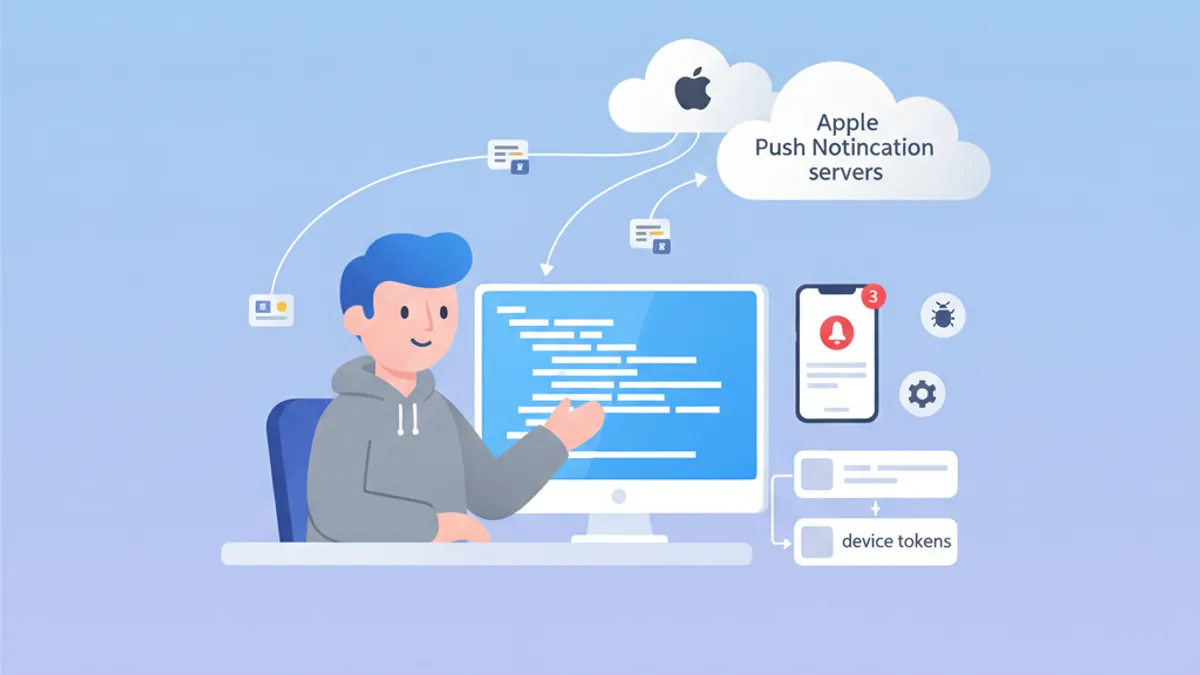
Push Notifications는 iOS 면접에서 여전히 핵심 주제입니다. APNs의 동작 원리를 이해하고 device token을 관리하며 흔한 문제를 해결할 수 있다는 것은 Apple 생태계에 대한 깊은 이해를 보여 줍니다. 본 가이드는 면접에서 가장 자주 등장하는 질문들을 다룹니다.
면접관은 디바이스 등록부터 알림 전달에 이르는 전 과정을 이해하고, 각 단계에서 적절히 오류를 처리할 수 있는 지원자를 찾고 있습니다.
APNs 아키텍처: iOS 알림의 토대
Apple Push Notification service (APNs)는 Apple 디바이스로 푸시 알림을 전달하는 중앙 서비스입니다. 그 아키텍처를 파악하는 것은 면접에서 효과적으로 답변하기 위한 필수 조건입니다.
APNs는 어떻게 동작합니까?
통신 흐름에는 iOS 앱, APNs, 백엔드 서버라는 세 주요 주체가 관여합니다. 전체 절차는 다음과 같습니다.
import UIKit
import UserNotifications

@main
class AppDelegate: UIResponder, UIApplicationDelegate {

    func application(
        _ application: UIApplication,
        didFinishLaunchingWithOptions launchOptions: [UIApplication.LaunchOptionsKey: Any]?
    ) -> Bool {
        // Request notification authorization
        UNUserNotificationCenter.current().requestAuthorization(
            options: [.alert, .badge, .sound]
        ) { granted, error in
            guard granted else { return }
            // Register with APNs
            DispatchQueue.main.async {
                application.registerForRemoteNotifications()
            }
        }
        return true
    }
}
APNs 등록은 두 단계로 이루어집니다. 사용자 권한을 받은 뒤 registerForRemoteNotifications()를 호출하면 됩니다.
Device token 관리
Device token은 특정 디바이스를 지목하기 위해 APNs가 생성하는 고유 식별자입니다. 이 토큰은 변경될 수 있으며, 앱이 실행될 때마다 백엔드 서버로 전송해야 합니다.
extension AppDelegate {

    // Callback when APNs provides the token
    func application(
        _ application: UIApplication,
        didRegisterForRemoteNotificationsWithDeviceToken deviceToken: Data
    ) {
        // Convert token to hexadecimal string
        let tokenString = deviceToken.map { String(format: "%02.2hhx", $0) }.joined()
        print("Device Token: \(tokenString)")

        // Send to backend server
        sendTokenToServer(tokenString)
    }

    // Callback on registration failure
    func application(
        _ application: UIApplication,
        didFailToRegisterForRemoteNotificationsWithError error: Error
    ) {
        print("Failed to register: \(error.localizedDescription)")
    }

    private func sendTokenToServer(_ token: String) {
        // Implement HTTP request to backend
    }
}
토큰은 Data 형태로 전달되므로, 서버로 보내기 전에 16진수 문자열로 변환해야 합니다.
자주 묻는 APNs 면접 질문
iOS 면접에서는 보통 APNs에 관한 이론적·실무적 질문이 함께 출제됩니다. 가장 흔한 질문과 상세한 답변을 정리했습니다.
질문 1: APNs sandbox와 production의 차이는 무엇입니까?
APNs에는 별도의 엔드포인트를 가진 두 환경이 존재합니다. 한쪽 환경에서 발급된 토큰은 다른 환경에서는 사용할 수 없습니다.
| 환경 | 엔드포인트 | 사용처 |
|---|---|---|
| Sandbox | api.sandbox.push.apple.com | 디버그, TestFlight |
| Production | api.push.apple.com | App Store |
질문 2: 토큰 만료는 어떻게 처리합니까?
Device token은 시스템 복원, 새 디바이스에서의 설치, APNs의 주기적 갱신 등 다양한 이유로 변경될 수 있습니다. 서버는 APNs의 오류 응답을 적절하게 처리해야 합니다.
enum APNsError: Int {
    case badDeviceToken = 400
    case unregistered = 410
    case payloadTooLarge = 413
    case tooManyRequests = 429
    case internalServerError = 500

    var shouldRemoveToken: Bool {
        // Remove token only if device is no longer registered
        return self == .unregistered || self == .badDeviceToken
    }
}

struct APNsResponse {
    let statusCode: Int
    let deviceToken: String

    func handleError() {
        guard let error = APNsError(rawValue: statusCode) else { return }

        if error.shouldRemoveToken {
            // Remove token from database
            TokenRepository.shared.remove(deviceToken)
        }
    }
}
서버에서의 APNs 오류 처리는 토큰 데이터베이스를 깨끗하게 유지하고 불필요한 요청을 줄이는 데 매우 중요합니다.
질문 3: silent notification은 어떻게 구현합니까?
silent notification을 활용하면 사용자에게 어떤 알림도 보여 주지 않고 백그라운드에서 앱을 깨워 작업을 수행할 수 있습니다.
func application(
    _ application: UIApplication,
    didReceiveRemoteNotification userInfo: [AnyHashable: Any],
    fetchCompletionHandler completionHandler: @escaping (UIBackgroundFetchResult) -> Void
) {
    // Check if this is a silent notification
    guard let aps = userInfo["aps"] as? [String: Any],
          aps["content-available"] as? Int == 1 else {
        completionHandler(.noData)
        return
    }

    // Perform background task
    performBackgroundTask { result in
        switch result {
        case .success:
            completionHandler(.newData)
        case .failure:
            completionHandler(.failed)
        }
    }
}
silent notification의 JSON 페이로드는 aps 객체 안에 "content-available": 1을 포함해야 합니다.
iOS 면접 준비가 되셨나요?
인터랙티브 시뮬레이터, flashcards, 기술 테스트로 연습하세요.
Notification Service Extension: 고급 커스터마이징
Notification Service Extension을 사용하면 알림이 표시되기 전에 내용을 수정할 수 있습니다. 이 기능은 면접에서도 자주 다루어집니다.
Service Extension 만들기
import UserNotifications

class NotificationService: UNNotificationServiceExtension {

    var contentHandler: ((UNNotificationContent) -> Void)?
    var bestAttemptContent: UNMutableNotificationContent?

    override func didReceive(
        _ request: UNNotificationRequest,
        withContentHandler contentHandler: @escaping (UNNotificationContent) -> Void
    ) {
        self.contentHandler = contentHandler
        bestAttemptContent = request.content.mutableCopy() as? UNMutableNotificationContent

        guard let bestAttemptContent = bestAttemptContent else {
            contentHandler(request.content)
            return
        }

        // Modify content
        if let imageURLString = bestAttemptContent.userInfo["image-url"] as? String,
           let imageURL = URL(string: imageURLString) {
            downloadImage(from: imageURL) { attachment in
                if let attachment = attachment {
                    bestAttemptContent.attachments = [attachment]
                }
                contentHandler(bestAttemptContent)
            }
        } else {
            contentHandler(bestAttemptContent)
        }
    }

    override func serviceExtensionTimeWillExpire() {
        // Called when time limit (30 seconds) is exceeded
        if let contentHandler = contentHandler,
           let bestAttemptContent = bestAttemptContent {
            contentHandler(bestAttemptContent)
        }
    }

    private func downloadImage(
        from url: URL,
        completion: @escaping (UNNotificationAttachment?) -> Void
    ) {
        URLSession.shared.downloadTask(with: url) { localURL, _, error in
            guard let localURL = localURL, error == nil else {
                completion(nil)
                return
            }

            let tempDirectory = FileManager.default.temporaryDirectory
            let fileName = url.lastPathComponent
            let destinationURL = tempDirectory.appendingPathComponent(fileName)

            try? FileManager.default.moveItem(at: localURL, to: destinationURL)

            let attachment = try? UNNotificationAttachment(
                identifier: fileName,
                url: destinationURL,
                options: nil
            )
            completion(attachment)
        }.resume()
    }
}
Extension은 내용을 수정할 수 있는 시간으로 30초를 갖습니다. 이 한도를 넘기면 serviceExtensionTimeWillExpire() 메서드가 호출됩니다.
Push Notifications 트러블슈팅
푸시 알림 디버깅은 면접에서 반복적으로 등장하는 주제입니다. 지원자는 진단에 사용되는 도구와 기법을 숙지해야 합니다.
등록 상태 확인
struct PushNotificationDebugger {

    static func checkNotificationStatus() async {
        let center = UNUserNotificationCenter.current()
        let settings = await center.notificationSettings()

        print("=== Push Notification Status ===")
        print("Authorization: \(settings.authorizationStatus.description)")
        print("Alert: \(settings.alertSetting.description)")
        print("Badge: \(settings.badgeSetting.description)")
        print("Sound: \(settings.soundSetting.description)")
        print("Notification Center: \(settings.notificationCenterSetting.description)")
    }
}

extension UNAuthorizationStatus {
    var description: String {
        switch self {
        case .notDetermined: return "Not Determined"
        case .denied: return "Denied"
        case .authorized: return "Authorized"
        case .provisional: return "Provisional"
        case .ephemeral: return "Ephemeral"
        @unknown default: return "Unknown"
        }
    }
}
이 디버그 함수를 사용하면 알림 권한 상태를 빠르게 확인할 수 있습니다.
자주 발생하는 오류와 해결책
면접관은 흔한 오류와 해결 방법을 자주 묻습니다. 다음 표가 반드시 기억해야 할 핵심 내용입니다.
| 오류 | 원인 | 해결책 |
|---|---|---|
| 토큰 무효 | 환경 불일치 (sandbox/prod) | provisioning profile 확인 |
| 알림 미수신 | 저전력 모드 활성화 | 충전된 상태에서 재시도 |
| Extension 미호출 | 페이로드에 mutable-content 부재 | "mutable-content": 1 추가 |
| Background fetch 실패 | 사용자가 앱 종료 | 사용자에게 제한 사항 안내 |
APNs를 직접 테스트
개발 단계에서 알림을 테스트할 때는 curl 도구로 APNs에 직접 요청을 보낼 수 있습니다.
struct APNsTestPayload {

    static let silentNotification = """
    {
        "aps": {
            "content-available": 1
        },
        "custom-data": "test"
    }
    """

    static let richNotification = """
    {
        "aps": {
            "alert": {
                "title": "New message",
                "body": "Message content"
            },
            "mutable-content": 1,
            "sound": "default"
        },
        "image-url": "https://example.com/image.jpg"
    }
    """
}
위와 같은 테스트 페이로드는 다양한 알림 유형에서 앱이 어떻게 동작하는지 검증하는 데 유용합니다.
운영 환경 모범 사례
모범 사례에 관한 질문은 지원자가 운영 중인 앱을 어떻게 다루어 왔는지 평가하는 데 도움이 됩니다.
네트워크 오류 처리
actor PushTokenManager {

    private var pendingToken: String?
    private var retryCount = 0
    private let maxRetries = 3

    func registerToken(_ token: String) async {
        pendingToken = token
        await sendTokenWithRetry()
    }

    private func sendTokenWithRetry() async {
        guard let token = pendingToken else { return }

        do {
            try await APIClient.shared.registerPushToken(token)
            pendingToken = nil
            retryCount = 0
        } catch {
            retryCount += 1
            if retryCount < maxRetries {
                // Retry with exponential backoff
                let delay = UInt64(pow(2.0, Double(retryCount))) * 1_000_000_000
                try? await Task.sleep(nanoseconds: delay)
                await sendTokenWithRetry()
            }
        }
    }
}actor를 사용하면 동시성 환경에서 토큰을 다룰 때 스레드 안전성을 확보할 수 있습니다.
토큰의 로컬 저장
struct TokenStorage {

    private static let tokenKey = "com.app.pushToken"

    static func save(_ token: String) {
        UserDefaults.standard.set(token, forKey: tokenKey)
    }

    static func retrieve() -> String? {
        UserDefaults.standard.string(forKey: tokenKey)
    }

    static func hasTokenChanged(_ newToken: String) -> Bool {
        guard let savedToken = retrieve() else { return true }
        return savedToken != newToken
    }
}
토큰을 로컬에 저장해 두면 토큰이 바뀌지 않은 경우 불필요한 네트워크 호출을 막을 수 있습니다.
결론
iOS Push Notifications를 능숙하게 다룰 수 있다는 점은 Apple 생태계와 클라이언트-서버 상호작용을 깊이 이해하고 있음을 보여 줍니다. 면접에서 기억해 두어야 할 핵심 포인트는 다음과 같습니다.
✅ APNs 아키텍처: 등록부터 전달까지의 전체 흐름을 이해할 것
✅ Device token: 라이프사이클과 변경 시 대응 방식
✅ Notification Service Extension: 30초 한도 내에서의 콘텐츠 가공
✅ 트러블슈팅: 자주 발생하는 오류와 해결책 숙지
✅ silent notifications: background fetch를 위한 content-available
✅ 모범 사례: 재시도 로직, 로컬 저장, 오류 처리
연습을 시작하세요!
면접 시뮬레이터와 기술 테스트로 지식을 테스트하세요.
iOS 코드의 버그를 찾을 수 있나요
실제 코드 한 조각, 숨은 버그 하나, 하루 한 번. 계정 없이 바로 도전할 수 있습니다.

작성자
Anthony Fillion-MailletSharpSkill 창업자
10년 이상 풀스택 개발을 해왔습니다. SharpSkill을 운영하며 이곳에 게시되는 모든 내용에 책임을 집니다.
2026년 4월 29일 업데이트
태그
공유
관련 기사

StoreKit 2 인터뷰: 구독 관리 및 영수증 검증
StoreKit 2, 구독 관리, 영수증 검증, 인앱 구매 구현에 관한 iOS 인터뷰 질문을 실용적인 Swift 코드 예제와 함께 마스터하십시오.

Swift Testing Framework 면접 2026: #expect와 #require 매크로 vs XCTest
iOS 면접을 위한 새로운 Swift Testing Framework를 마스터합니다: #expect와 #require 매크로, XCTest 마이그레이션, 고급 패턴 및 흔한 함정.
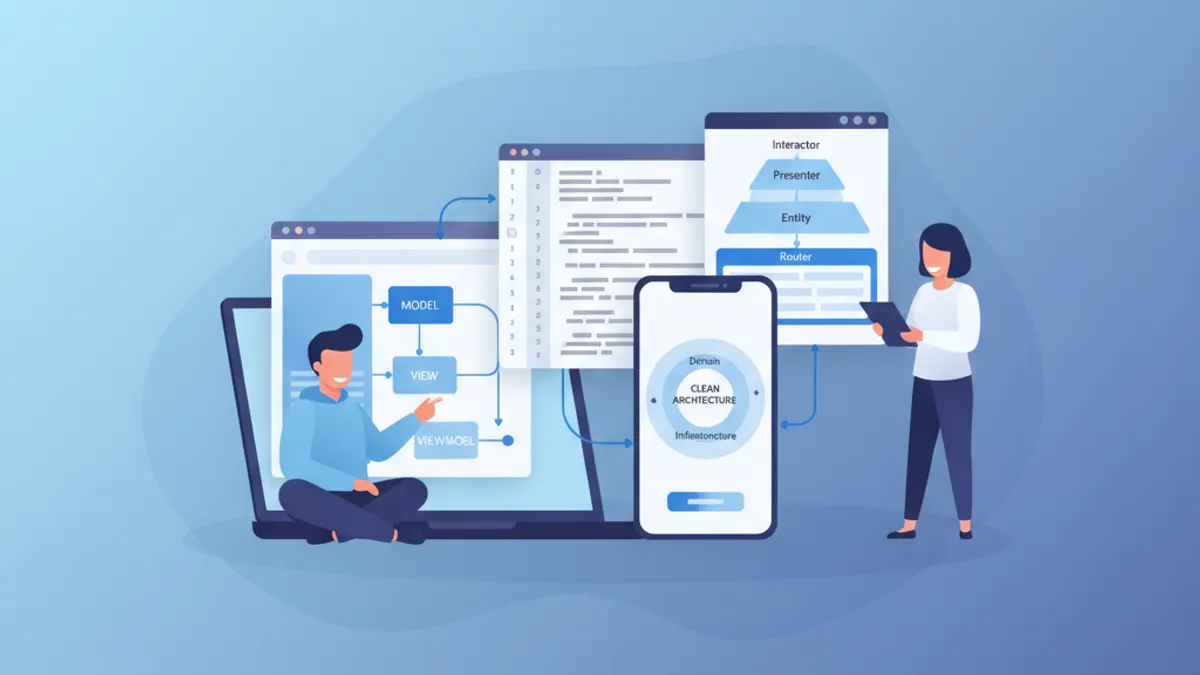
iOS 시니어 면접 2026: 아키텍처와 디자인 패턴 질문
MVVM, VIPER, Clean Architecture, 디자인 패턴 핵심 질문으로 iOS 시니어 면접을 준비합니다. Swift 코드 예시가 포함된 완벽 가이드입니다.