.NET을 활용한 Clean Architecture 실전 가이드
C#과 .NET으로 Clean Architecture를 마스터합니다. SOLID 원칙, 계층 분리, 유지보수가 쉬운 애플리케이션을 위한 구현 패턴을 학습합니다.
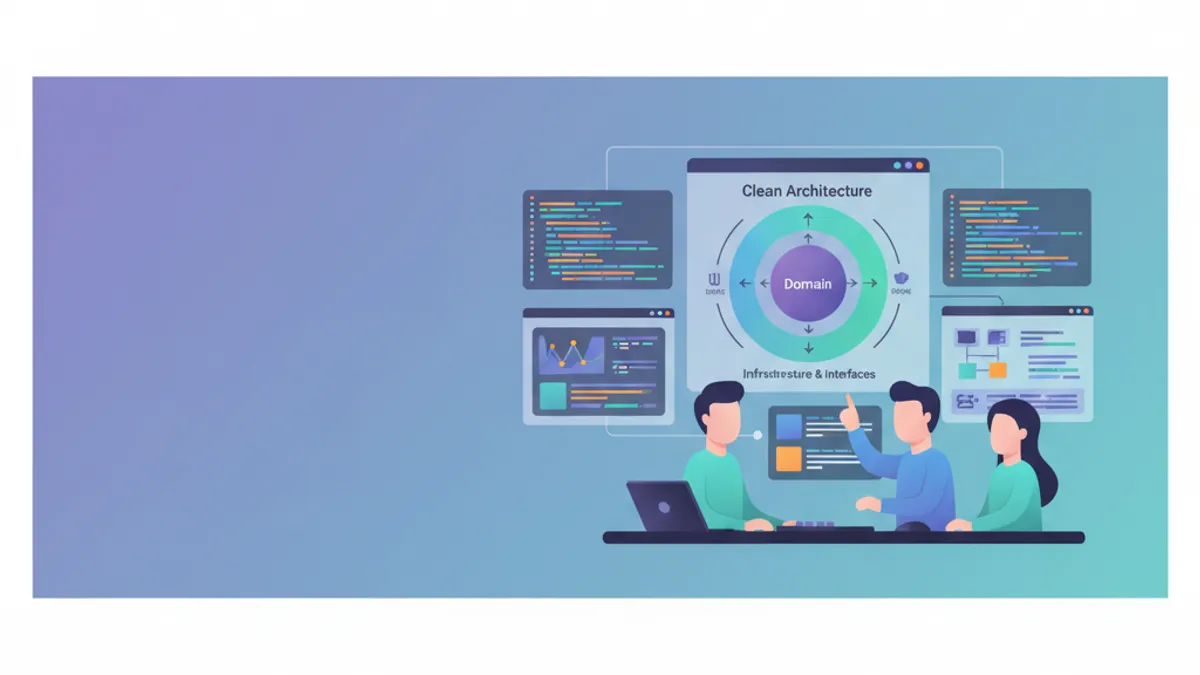
로버트 C. 마틴(Uncle Bob)이 대중화한 Clean Architecture는 비즈니스 로직을 애플리케이션의 중심에 두어 프레임워크와 구현 세부사항으로부터 독립시키는 방식으로 코드를 구성합니다. 이러한 아키텍처 접근 방식은 .NET 애플리케이션의 테스트 용이성, 유지보수성, 확장성을 보장합니다. 이 가이드는 ASP.NET Core를 사용한 실전 구현을 소개하며, 패턴 채택에 영향을 미치는 2025년 MediatR 라이선스 변경 사항도 다룹니다.
비즈니스 로직과 인프라 코드가 섞인 애플리케이션은 빠르게 유지보수가 어려워집니다. Clean Architecture는 엄격한 분리를 강제하여 비즈니스 핵심에 영향을 주지 않고도 기술 세부사항을 변경할 수 있도록 합니다.
Clean Architecture의 핵심 원칙
Clean Architecture는 의존성 역전에 기반합니다. 내부 계층은 외부 계층을 알지 못합니다. 비즈니스 도메인은 격리된 채로 유지되며 웹 프레임워크나 데이터베이스 같은 기술 선택과 무관하게 발전할 수 있습니다.
┌─────────────────────────────────────────────────────────┐
│                     Presentation                        │
│  (Controllers, Razor Pages, Blazor, API Endpoints)     │
├─────────────────────────────────────────────────────────┤
│                    Infrastructure                       │
│    (EF Core, External APIs, File System, Email)        │
├─────────────────────────────────────────────────────────┤
│                      Application                        │
│       (Use Cases, Commands, Queries, DTOs)             │
├─────────────────────────────────────────────────────────┤
│                        Domain                           │
│     (Entities, Value Objects, Domain Services)          │
└─────────────────────────────────────────────────────────┘
의존성은 항상 안쪽을 향합니다. Presentation → Infrastructure → Application → Domain. Domain은 다른 어떤 프로젝트도 참조하지 않습니다.
Clean Architecture를 위한 .NET 프로젝트 구조
프로젝트 구성은 각 계층을 그대로 반영합니다. 각 계층은 Visual Studio 솔루션 안에서 별도의 프로젝트로 분리되어 책임의 물리적 분리를 보장합니다.
# terminal
# 솔루션 구조 생성
dotnet new sln -n CleanArchitecture

# 계층별 프로젝트 생성
dotnet new classlib -n CleanArchitecture.Domain -o src/CleanArchitecture.Domain
dotnet new classlib -n CleanArchitecture.Application -o src/CleanArchitecture.Application
dotnet new classlib -n CleanArchitecture.Infrastructure -o src/CleanArchitecture.Infrastructure
dotnet new webapi -n CleanArchitecture.Api -o src/CleanArchitecture.Api

# 솔루션에 프로젝트 추가
dotnet sln add src/CleanArchitecture.Domain
dotnet sln add src/CleanArchitecture.Application
dotnet sln add src/CleanArchitecture.Infrastructure
dotnet sln add src/CleanArchitecture.Api

# 프로젝트 간 참조 구성
cd src/CleanArchitecture.Application
dotnet add reference ../CleanArchitecture.Domain

cd ../CleanArchitecture.Infrastructure
dotnet add reference ../CleanArchitecture.Application

cd ../CleanArchitecture.Api
dotnet add reference ../CleanArchitecture.Infrastructure
이 구조 덕분에 Domain은 독립성을 유지하고 의존성은 Clean Architecture의 Dependency Rule을 따르게 됩니다.
Domain 계층: 비즈니스 핵심
Domain 계층은 비즈니스 엔터티, Value Object, 리포지토리 인터페이스를 포함합니다. 이 계층에는 어떠한 외부 의존성도 허용되지 않습니다.
namespace CleanArchitecture.Domain.Entities;

// 정체성과 비즈니스 생명주기를 가진 엔터티
public class Order
{
    // 주문의 고유 식별자
    public Guid Id { get; private set; }

    // 고객 참조(이메일을 위한 Value Object)
    public string CustomerEmail { get; private set; }

    // 항목 컬렉션(일대다 관계)
    private readonly List<OrderItem> _items = new();
    public IReadOnlyCollection<OrderItem> Items => _items.AsReadOnly();

    // 주문 상태(비즈니스 enum)
    public OrderStatus Status { get; private set; }

    // 계산된 총액
    public decimal TotalAmount => _items.Sum(i => i.TotalPrice);

    // 추적용 일자
    public DateTime CreatedAt { get; private set; }
    public DateTime? ShippedAt { get; private set; }

    // private 생성자가 팩토리 메서드 사용을 강제함
    private Order() { }

    // 유효한 주문을 생성하는 팩토리 메서드
    public static Order Create(string customerEmail)
    {
        // 생성 시 비즈니스 규칙 검증
        if (string.IsNullOrWhiteSpace(customerEmail))
            throw new DomainException("Customer email is required.");

        if (!IsValidEmail(customerEmail))
            throw new DomainException("Invalid email format.");

        return new Order
        {
            Id = Guid.NewGuid(),
            CustomerEmail = customerEmail,
            Status = OrderStatus.Pending,
            CreatedAt = DateTime.UtcNow
        };
    }

    // 비즈니스 메서드: 항목 추가
    public void AddItem(Product product, int quantity)
    {
        // 비즈니스 규칙: 발송된 주문은 수정 불가
        if (Status == OrderStatus.Shipped)
            throw new DomainException("Cannot modify a shipped order.");

        if (quantity <= 0)
            throw new DomainException("Quantity must be positive.");

        // 상품이 이미 포함되어 있는지 확인
        var existingItem = _items.FirstOrDefault(i => i.ProductId == product.Id);
        if (existingItem != null)
        {
            existingItem.IncreaseQuantity(quantity);
        }
        else
        {
            _items.Add(OrderItem.Create(this, product, quantity));
        }
    }

    // 비즈니스 메서드: 주문 확정
    public void Confirm()
    {
        if (Status != OrderStatus.Pending)
            throw new DomainException("Only pending orders can be confirmed.");

        if (!_items.Any())
            throw new DomainException("An order must contain at least one item.");

        Status = OrderStatus.Confirmed;
    }

    // 비즈니스 메서드: 주문 발송
    public void Ship()
    {
        if (Status != OrderStatus.Confirmed)
            throw new DomainException("Order must be confirmed before shipping.");

        Status = OrderStatus.Shipped;
        ShippedAt = DateTime.UtcNow;
    }

    private static bool IsValidEmail(string email) =>
        email.Contains('@') && email.Contains('.');
}
Order 엔터티는 비즈니스 규칙을 캡슐화하고 내부 상태를 보호합니다. 모든 변경은 불변식을 검증하는 비즈니스 메서드를 거쳐야 합니다.
namespace CleanArchitecture.Domain.Entities;

// 자체 정체성을 가진 자식 엔터티
public class OrderItem
{
    public Guid Id { get; private set; }
    public Guid OrderId { get; private set; }
    public Guid ProductId { get; private set; }
    public string ProductName { get; private set; }
    public decimal UnitPrice { get; private set; }
    public int Quantity { get; private set; }

    // 행 합계 가격 계산
    public decimal TotalPrice => UnitPrice * Quantity;

    private OrderItem() { }

    // 검증을 포함한 팩토리 메서드
    public static OrderItem Create(Order order, Product product, int quantity)
    {
        return new OrderItem
        {
            Id = Guid.NewGuid(),
            OrderId = order.Id,
            ProductId = product.Id,
            ProductName = product.Name,
            UnitPrice = product.Price,
            Quantity = quantity
        };
    }

    // 수량 증가 메서드
    public void IncreaseQuantity(int additionalQuantity)
    {
        if (additionalQuantity <= 0)
            throw new DomainException("Additional quantity must be positive.");

        Quantity += additionalQuantity;
    }
}namespace CleanArchitecture.Domain.Enums;
// 주문 상태 열거형
public enum OrderStatus
{
Pending = 0, // 확인 대기
Confirmed = 1, // 확정, 발송 준비 완료
Shipped = 2, // 발송됨
Delivered = 3, // 배송 완료
Cancelled = 4 // 취소됨
}Money, Address, Email 같은 Value Object는 자체 정체성이 없는 비즈니스 개념을 캡슐화합니다. 동등성은 참조가 아닌 값에 기반합니다. 이러한 접근 방식은 도메인의 표현력을 강화합니다.
Domain의 Repository 인터페이스
리포지토리 인터페이스는 Domain에서 정의되지만 그 구현체는 Infrastructure에 위치합니다. 이 패턴은 의존성 역전 원칙을 따릅니다.
namespace CleanArchitecture.Domain.Interfaces;

// Order 리포지토리 인터페이스
public interface IOrderRepository
{
    // 식별자로 조회
    Task<Order?> GetByIdAsync(Guid id, CancellationToken cancellationToken = default);

    // 항목을 포함하여 조회
    Task<Order?> GetByIdWithItemsAsync(Guid id, CancellationToken cancellationToken = default);

    // 고객 이메일로 조회
    Task<IEnumerable<Order>> GetByCustomerEmailAsync(
        string email,
        CancellationToken cancellationToken = default);

    // 새 주문 추가
    Task AddAsync(Order order, CancellationToken cancellationToken = default);

    // 기존 주문 갱신
    Task UpdateAsync(Order order, CancellationToken cancellationToken = default);

    // 주문 삭제
    Task DeleteAsync(Guid id, CancellationToken cancellationToken = default);
}namespace CleanArchitecture.Domain.Interfaces;
// 트랜잭션 관리를 위한 Unit of Work 패턴
public interface IUnitOfWork : IDisposable
{
// UoW를 통해 접근하는 리포지토리
IOrderRepository Orders { get; }
IProductRepository Products { get; }
// 모든 변경을 원자적으로 저장
Task<int> SaveChangesAsync(CancellationToken cancellationToken = default);
// 명시적인 트랜잭션 관리
Task BeginTransactionAsync(CancellationToken cancellationToken = default);
Task CommitTransactionAsync(CancellationToken cancellationToken = default);
Task RollbackTransactionAsync(CancellationToken cancellationToken = default);
}Unit of Work 패턴은 여러 리포지토리에 걸친 작업을 하나의 트랜잭션 안에서 조율합니다.
.NET 면접 준비가 되셨나요?
인터랙티브 시뮬레이터, flashcards, 기술 테스트로 연습하세요.
Application 계층: 유스케이스의 오케스트레이션
Application 계층은 애플리케이션 로직(유스케이스), DTO, 외부 서비스 인터페이스를 포함합니다. 도메인과 외부 세계 사이의 상호작용을 오케스트레이션합니다.
MediatR은 2025년 7월부터 상용 라이선스로 전환되었습니다. 신규 프로젝트에서는 간단한 중재자를 직접 구현하거나, FastEndpoints를 사용하거나, 라이선스 비용을 예산에 반영하는 것을 고려해야 합니다. 여기서 보여주는 CQRS 패턴은 어떤 라이브러리를 선택하든 유효합니다.
using MediatR;

namespace CleanArchitecture.Application.Orders.Commands;

// 주문 생성 의도를 표현하는 Command
public record CreateOrderCommand(
    string CustomerEmail,
    List<OrderItemDto> Items
) : IRequest<Guid>;

// 주문 항목용 DTO
public record OrderItemDto(
    Guid ProductId,
    int Quantity
);using MediatR;
using CleanArchitecture.Domain.Entities;
using CleanArchitecture.Domain.Interfaces;
namespace CleanArchitecture.Application.Orders.Commands;
// 유스케이스를 구현하는 Handler
public class CreateOrderCommandHandler : IRequestHandler<CreateOrderCommand, Guid>
{
private readonly IUnitOfWork _unitOfWork;
public CreateOrderCommandHandler(IUnitOfWork unitOfWork)
{
_unitOfWork = unitOfWork;
}
public async Task<Guid> Handle(
CreateOrderCommand request,
CancellationToken cancellationToken)
{
// 팩토리 메서드를 통해 Order 엔터티 생성
var order = Order.Create(request.CustomerEmail);
// 주문에 항목 추가
foreach (var item in request.Items)
{
// 리포지토리에서 상품 조회
var product = await _unitOfWork.Products
.GetByIdAsync(item.ProductId, cancellationToken);
if (product == null)
throw new NotFoundException($"Product {item.ProductId} not found.");
// 엔터티의 비즈니스 메서드 사용
order.AddItem(product, item.Quantity);
}
// 리포지토리를 통한 영속화
await _unitOfWork.Orders.AddAsync(order, cancellationToken);
await _unitOfWork.SaveChangesAsync(cancellationToken);
return order.Id;
}
}MediatR은 Mediator 패턴을 구현하여 핸들러를 컨트롤러로부터 분리합니다. 각 command는 처리를 담당하는 단일 핸들러를 갖습니다.
using MediatR;

namespace CleanArchitecture.Application.Orders.Queries;

// ID로 주문을 조회하기 위한 Query
public record GetOrderByIdQuery(Guid OrderId) : IRequest<OrderDto?>;

// 주문 응답용 DTO
public record OrderDto(
    Guid Id,
    string CustomerEmail,
    string Status,
    decimal TotalAmount,
    DateTime CreatedAt,
    DateTime? ShippedAt,
    List<OrderItemResponseDto> Items
);

// 응답 내 항목용 DTO
public record OrderItemResponseDto(
    Guid Id,
    string ProductName,
    decimal UnitPrice,
    int Quantity,
    decimal TotalPrice
);using MediatR;
using CleanArchitecture.Domain.Interfaces;
namespace CleanArchitecture.Application.Orders.Queries;
public class GetOrderByIdQueryHandler : IRequestHandler<GetOrderByIdQuery, OrderDto?>
{
private readonly IOrderRepository _orderRepository;
public GetOrderByIdQueryHandler(IOrderRepository orderRepository)
{
_orderRepository = orderRepository;
}
public async Task<OrderDto?> Handle(
GetOrderByIdQuery request,
CancellationToken cancellationToken)
{
// 항목까지 포함하여 조회
var order = await _orderRepository
.GetByIdWithItemsAsync(request.OrderId, cancellationToken);
if (order == null)
return null;
// DTO로 매핑(수동 프로젝션)
return new OrderDto(
Id: order.Id,
CustomerEmail: order.CustomerEmail,
Status: order.Status.ToString(),
TotalAmount: order.TotalAmount,
CreatedAt: order.CreatedAt,
ShippedAt: order.ShippedAt,
Items: order.Items.Select(i => new OrderItemResponseDto(
Id: i.Id,
ProductName: i.ProductName,
UnitPrice: i.UnitPrice,
Quantity: i.Quantity,
TotalPrice: i.TotalPrice
)).ToList()
);
}
}Commands/Queries 분리는 CQRS 패턴(Command Query Responsibility Segregation)을 따르며 읽기와 쓰기를 독립적으로 최적화합니다.
FluentValidation을 활용한 검증
command 검증은 핸들러가 실행되기 전에 Application 계층에서 이루어집니다. FluentValidation 12 이상은 .NET 8 이상이 필요합니다.
using FluentValidation;
using CleanArchitecture.Application.Orders.Commands;

namespace CleanArchitecture.Application.Orders.Validators;

public class CreateOrderCommandValidator : AbstractValidator<CreateOrderCommand>
{
    public CreateOrderCommandValidator()
    {
        // 이메일 필수 및 형식 검증
        RuleFor(x => x.CustomerEmail)
            .NotEmpty().WithMessage("Customer email is required.")
            .EmailAddress().WithMessage("Invalid email format.");

        // 항목이 최소 한 개 이상 필요
        RuleFor(x => x.Items)
            .NotEmpty().WithMessage("Order must contain at least one item.");

        // 각 항목 검증
        RuleForEach(x => x.Items).ChildRules(item =>
        {
            item.RuleFor(i => i.ProductId)
                .NotEmpty().WithMessage("Product identifier is required.");

            item.RuleFor(i => i.Quantity)
                .GreaterThan(0).WithMessage("Quantity must be positive.")
                .LessThanOrEqualTo(100).WithMessage("Maximum quantity: 100.");
        });
    }
}using FluentValidation;
using MediatR;
namespace CleanArchitecture.Application.Common.Behaviors;
// 자동 검증을 위한 파이프라인 비헤이비어
public class ValidationBehavior<TRequest, TResponse>
: IPipelineBehavior<TRequest, TResponse>
where TRequest : notnull
{
private readonly IEnumerable<IValidator<TRequest>> _validators;
public ValidationBehavior(IEnumerable<IValidator<TRequest>> validators)
{
_validators = validators;
}
public async Task<TResponse> Handle(
TRequest request,
RequestHandlerDelegate<TResponse> next,
CancellationToken cancellationToken)
{
// 검증기가 없으면 그대로 진행
if (!_validators.Any())
return await next();
// 모든 검증기 실행
var context = new ValidationContext<TRequest>(request);
var validationResults = await Task.WhenAll(
_validators.Select(v => v.ValidateAsync(context, cancellationToken)));
// 오류 집계
var failures = validationResults
.SelectMany(r => r.Errors)
.Where(f => f != null)
.ToList();
// 오류가 있으면 예외 발생
if (failures.Any())
throw new ValidationException(failures);
return await next();
}
}ValidationBehavior는 각 핸들러 실행 전에 자동으로 동작하여 유효한 command만 비즈니스 로직에 도달하도록 합니다.
Infrastructure 계층: 기술적 구현
Infrastructure 계층은 Domain과 Application에서 정의된 인터페이스의 구체 구현을 제공합니다. Entity Framework Core 10은 새로운 LINQ 연산자(LeftJoin, RightJoin)와 개선된 ExecuteUpdate 기능을 도입하여 리포지토리 패턴과 잘 통합됩니다.
using Microsoft.EntityFrameworkCore;
using CleanArchitecture.Domain.Entities;

namespace CleanArchitecture.Infrastructure.Persistence;

public class AppDbContext : DbContext
{
    public AppDbContext(DbContextOptions<AppDbContext> options) : base(options)
    {
    }

    public DbSet<Order> Orders => Set<Order>();
    public DbSet<OrderItem> OrderItems => Set<OrderItem>();
    public DbSet<Product> Products => Set<Product>();

    protected override void OnModelCreating(ModelBuilder modelBuilder)
    {
        // 어셈블리의 구성 적용
        modelBuilder.ApplyConfigurationsFromAssembly(typeof(AppDbContext).Assembly);
    }
}using Microsoft.EntityFrameworkCore;
using Microsoft.EntityFrameworkCore.Metadata.Builders;
using CleanArchitecture.Domain.Entities;
namespace CleanArchitecture.Infrastructure.Persistence.Configurations;
public class OrderConfiguration : IEntityTypeConfiguration<Order>
{
public void Configure(EntityTypeBuilder<Order> builder)
{
// 테이블과 기본 키
builder.ToTable("Orders");
builder.HasKey(o => o.Id);
// 속성
builder.Property(o => o.CustomerEmail)
.IsRequired()
.HasMaxLength(256);
builder.Property(o => o.Status)
.IsRequired()
.HasConversion<string>(); // 가독성 있는 문자열로 저장
// OrderItems 관계
builder.HasMany(o => o.Items)
.WithOne()
.HasForeignKey(i => i.OrderId)
.OnDelete(DeleteBehavior.Cascade);
// 이메일 검색을 위한 인덱스
builder.HasIndex(o => o.CustomerEmail);
// private 필드 _items 접근
builder.Navigation(o => o.Items)
.UsePropertyAccessMode(PropertyAccessMode.Field);
}
}using Microsoft.EntityFrameworkCore;
using CleanArchitecture.Domain.Entities;
using CleanArchitecture.Domain.Interfaces;
using CleanArchitecture.Infrastructure.Persistence;
namespace CleanArchitecture.Infrastructure.Repositories;
public class OrderRepository : IOrderRepository
{
private readonly AppDbContext _context;
public OrderRepository(AppDbContext context)
{
_context = context;
}
public async Task<Order?> GetByIdAsync(
Guid id,
CancellationToken cancellationToken = default)
{
return await _context.Orders
.FirstOrDefaultAsync(o => o.Id == id, cancellationToken);
}
public async Task<Order?> GetByIdWithItemsAsync(
Guid id,
CancellationToken cancellationToken = default)
{
// 항목 즉시 로딩
return await _context.Orders
.Include(o => o.Items)
.FirstOrDefaultAsync(o => o.Id == id, cancellationToken);
}
public async Task<IEnumerable<Order>> GetByCustomerEmailAsync(
string email,
CancellationToken cancellationToken = default)
{
return await _context.Orders
.Include(o => o.Items)
.Where(o => o.CustomerEmail == email)
.OrderByDescending(o => o.CreatedAt)
.ToListAsync(cancellationToken);
}
public async Task AddAsync(
Order order,
CancellationToken cancellationToken = default)
{
await _context.Orders.AddAsync(order, cancellationToken);
}
public Task UpdateAsync(
Order order,
CancellationToken cancellationToken = default)
{
// EF Core가 변경사항을 자동으로 추적
_context.Orders.Update(order);
return Task.CompletedTask;
}
public async Task DeleteAsync(
Guid id,
CancellationToken cancellationToken = default)
{
await _context.Orders
.Where(o => o.Id == id)
.ExecuteDeleteAsync(cancellationToken);
}
}리포지토리는 IQueryable을 직접 노출해서는 안 됩니다. 그렇지 않으면 상위 계층에 EF Core에 대한 의존성이 생깁니다. 명확한 매개변수를 가진 전용 메서드를 사용해야 합니다.
Unit of Work 구현
using Microsoft.EntityFrameworkCore.Storage;
using CleanArchitecture.Domain.Interfaces;
using CleanArchitecture.Infrastructure.Repositories;

namespace CleanArchitecture.Infrastructure.Persistence;

public class UnitOfWork : IUnitOfWork
{
    private readonly AppDbContext _context;
    private IDbContextTransaction? _transaction;

    // 리포지토리 지연 로딩
    private IOrderRepository? _orderRepository;
    private IProductRepository? _productRepository;

    public UnitOfWork(AppDbContext context)
    {
        _context = context;
    }

    // 필요 시점에 생성(lazy initialization)
    public IOrderRepository Orders =>
        _orderRepository ??= new OrderRepository(_context);

    public IProductRepository Products =>
        _productRepository ??= new ProductRepository(_context);

    public async Task<int> SaveChangesAsync(
        CancellationToken cancellationToken = default)
    {
        return await _context.SaveChangesAsync(cancellationToken);
    }

    public async Task BeginTransactionAsync(
        CancellationToken cancellationToken = default)
    {
        _transaction = await _context.Database
            .BeginTransactionAsync(cancellationToken);
    }

    public async Task CommitTransactionAsync(
        CancellationToken cancellationToken = default)
    {
        if (_transaction == null)
            throw new InvalidOperationException("No active transaction.");

        await _transaction.CommitAsync(cancellationToken);
        await _transaction.DisposeAsync();
        _transaction = null;
    }

    public async Task RollbackTransactionAsync(
        CancellationToken cancellationToken = default)
    {
        if (_transaction == null)
            throw new InvalidOperationException("No active transaction.");

        await _transaction.RollbackAsync(cancellationToken);
        await _transaction.DisposeAsync();
        _transaction = null;
    }

    public void Dispose()
    {
        _transaction?.Dispose();
        _context.Dispose();
    }
}
Dependency Injection 구성
서비스 등록은 각 계층의 확장 메서드에서 수행되며, Program.cs에서 통합 구성됩니다.
using Microsoft.EntityFrameworkCore;
using Microsoft.Extensions.Configuration;
using Microsoft.Extensions.DependencyInjection;
using CleanArchitecture.Domain.Interfaces;
using CleanArchitecture.Infrastructure.Persistence;
using CleanArchitecture.Infrastructure.Repositories;

namespace CleanArchitecture.Infrastructure;

public static class DependencyInjection
{
    public static IServiceCollection AddInfrastructure(
        this IServiceCollection services,
        IConfiguration configuration)
    {
        // Entity Framework 구성
        services.AddDbContext<AppDbContext>(options =>
            options.UseSqlServer(
                configuration.GetConnectionString("DefaultConnection"),
                b => b.MigrationsAssembly(typeof(AppDbContext).Assembly.FullName)));

        // Unit of Work 등록(Scoped)
        services.AddScoped<IUnitOfWork, UnitOfWork>();

        // 필요 시 개별 리포지토리 등록
        services.AddScoped<IOrderRepository, OrderRepository>();
        services.AddScoped<IProductRepository, ProductRepository>();

        return services;
    }
}using FluentValidation;
using MediatR;
using Microsoft.Extensions.DependencyInjection;
using CleanArchitecture.Application.Common.Behaviors;
namespace CleanArchitecture.Application;
public static class DependencyInjection
{
public static IServiceCollection AddApplication(this IServiceCollection services)
{
var assembly = typeof(DependencyInjection).Assembly;
// 핸들러와 함께 MediatR 등록
services.AddMediatR(cfg => cfg.RegisterServicesFromAssembly(assembly));
// FluentValidation 검증기 등록
services.AddValidatorsFromAssembly(assembly);
// 파이프라인 비헤이비어(실행 순서 중요)
services.AddTransient(typeof(IPipelineBehavior<,>), typeof(ValidationBehavior<,>));
return services;
}
}using CleanArchitecture.Application;
using CleanArchitecture.Infrastructure;
var builder = WebApplication.CreateBuilder(args);
// 계층 등록
builder.Services.AddApplication();
builder.Services.AddInfrastructure(builder.Configuration);
// API 구성
builder.Services.AddControllers();
builder.Services.AddEndpointsApiExplorer();
builder.Services.AddSwaggerGen();
var app = builder.Build();
if (app.Environment.IsDevelopment())
{
app.UseSwagger();
app.UseSwaggerUI();
}
app.UseHttpsRedirection();
app.UseAuthorization();
app.MapControllers();
app.Run();Presentation 계층: API 컨트롤러
컨트롤러는 작업을 MediatR에 위임하는 단순한 어댑터입니다. 보다 단순한 API의 경우, ASP.NET Core Minimal APIs가 동일한 아키텍처 분리를 유지하면서 더 가벼운 접근 방식을 제공합니다.
using MediatR;
using Microsoft.AspNetCore.Mvc;
using CleanArchitecture.Application.Orders.Commands;
using CleanArchitecture.Application.Orders.Queries;

namespace CleanArchitecture.Api.Controllers;

[ApiController]
[Route("api/[controller]")]
public class OrdersController : ControllerBase
{
    private readonly IMediator _mediator;

    public OrdersController(IMediator mediator)
    {
        _mediator = mediator;
    }

    [HttpPost]
    [ProducesResponseType(typeof(Guid), StatusCodes.Status201Created)]
    [ProducesResponseType(StatusCodes.Status400BadRequest)]
    public async Task<IActionResult> Create(
        [FromBody] CreateOrderCommand command,
        CancellationToken cancellationToken)
    {
        // 모든 작업을 MediatR에 위임
        var orderId = await _mediator.Send(command, cancellationToken);

        return CreatedAtAction(
            nameof(GetById),
            new { id = orderId },
            orderId);
    }

    [HttpGet("{id:guid}")]
    [ProducesResponseType(typeof(OrderDto), StatusCodes.Status200OK)]
    [ProducesResponseType(StatusCodes.Status404NotFound)]
    public async Task<IActionResult> GetById(
        Guid id,
        CancellationToken cancellationToken)
    {
        var order = await _mediator.Send(
            new GetOrderByIdQuery(id),
            cancellationToken);

        if (order == null)
            return NotFound();

        return Ok(order);
    }

    [HttpPost("{id:guid}/confirm")]
    [ProducesResponseType(StatusCodes.Status204NoContent)]
    [ProducesResponseType(StatusCodes.Status404NotFound)]
    public async Task<IActionResult> Confirm(
        Guid id,
        CancellationToken cancellationToken)
    {
        await _mediator.Send(new ConfirmOrderCommand(id), cancellationToken);
        return NoContent();
    }

    [HttpPost("{id:guid}/ship")]
    [ProducesResponseType(StatusCodes.Status204NoContent)]
    [ProducesResponseType(StatusCodes.Status404NotFound)]
    public async Task<IActionResult> Ship(
        Guid id,
        CancellationToken cancellationToken)
    {
        await _mediator.Send(new ShipOrderCommand(id), cancellationToken);
        return NoContent();
    }
}
컨트롤러는 가벼운 상태로 유지되며 비즈니스 로직을 포함하지 않고 HTTP 매핑만 담당합니다.
Application 계층의 단위 테스트
Clean Architecture는 의존성 격리 덕분에 단위 테스트를 쉽게 만들어 줍니다. C#과 .NET 테스트 패턴을 이해하면 테스트 가능한 아키텍처를 설계하는 데 도움이 됩니다.
using Moq;
using Xunit;
using CleanArchitecture.Application.Orders.Commands;
using CleanArchitecture.Domain.Entities;
using CleanArchitecture.Domain.Interfaces;

namespace CleanArchitecture.Tests.Application;

public class CreateOrderCommandHandlerTests
{
    private readonly Mock<IUnitOfWork> _unitOfWorkMock;
    private readonly CreateOrderCommandHandler _handler;

    public CreateOrderCommandHandlerTests()
    {
        _unitOfWorkMock = new Mock<IUnitOfWork>();
        _handler = new CreateOrderCommandHandler(_unitOfWorkMock.Object);
    }

    [Fact]
    public async Task Handle_ValidCommand_CreatesOrderAndReturnsId()
    {
        // Arrange
        var product = new Product { Id = Guid.NewGuid(), Name = "Test", Price = 100 };

        _unitOfWorkMock.Setup(x => x.Products.GetByIdAsync(
            It.IsAny<Guid>(),
            It.IsAny<CancellationToken>()))
            .ReturnsAsync(product);

        _unitOfWorkMock.Setup(x => x.Orders.AddAsync(
            It.IsAny<Order>(),
            It.IsAny<CancellationToken>()))
            .Returns(Task.CompletedTask);

        _unitOfWorkMock.Setup(x => x.SaveChangesAsync(It.IsAny<CancellationToken>()))
            .ReturnsAsync(1);

        var command = new CreateOrderCommand(
            CustomerEmail: "test@example.com",
            Items: new List<OrderItemDto>
            {
                new(ProductId: product.Id, Quantity: 2)
            });

        // Act
        var result = await _handler.Handle(command, CancellationToken.None);

        // Assert
        Assert.NotEqual(Guid.Empty, result);
        _unitOfWorkMock.Verify(x => x.Orders.AddAsync(
            It.Is<Order>(o => o.CustomerEmail == "test@example.com"),
            It.IsAny<CancellationToken>()), Times.Once);
        _unitOfWorkMock.Verify(x => x.SaveChangesAsync(
            It.IsAny<CancellationToken>()), Times.Once);
    }

    [Fact]
    public async Task Handle_ProductNotFound_ThrowsNotFoundException()
    {
        // Arrange
        _unitOfWorkMock.Setup(x => x.Products.GetByIdAsync(
            It.IsAny<Guid>(),
            It.IsAny<CancellationToken>()))
            .ReturnsAsync((Product?)null);

        var command = new CreateOrderCommand(
            CustomerEmail: "test@example.com",
            Items: new List<OrderItemDto>
            {
                new(ProductId: Guid.NewGuid(), Quantity: 1)
            });

        // Act & Assert
        await Assert.ThrowsAsync<NotFoundException>(
            () => _handler.Handle(command, CancellationToken.None));
    }
}
Moq의 mock을 활용하면 핸들러를 의존성으로부터 격리하여 오케스트레이션 로직만 테스트할 수 있습니다.
Sources
- MediatR GitHub 리포지토리 - 라이선스 및 버전 정보
- What's New in EF Core 10 - 새로운 LINQ 연산자 및 ExecuteUpdate 개선 사항
- FluentValidation 12.0 업그레이드 가이드 - 주요 변경 사항 및 .NET 8 최소 요구 사항
Clean Architecture .NET 구현 체크리스트
.NET을 활용한 Clean Architecture는 엔터프라이즈 애플리케이션에 견고한 구조를 제공합니다. Domain, Application, Infrastructure, Presentation 계층 간 책임의 엄격한 분리는 장기적으로 유지보수와 테스트가 가능한 코드를 보장합니다.
- 외부 의존성이 없는 격리된 Domain
- 비즈니스 로직이 캡슐화된 엔터티
- Domain에 위치한 리포지토리 인터페이스
- Commands/Queries(CQRS)를 통한 유스케이스
- FluentValidation과 파이프라인 비헤이비어를 활용한 검증
- Domain 인터페이스를 구현하는 Infrastructure
- MediatR에 위임하는 가벼운 컨트롤러(또는 커스텀 중재자)
- mock으로 격리된 단위 테스트
연습을 시작하세요!
면접 시뮬레이터와 기술 테스트로 지식을 테스트하세요.
이 아키텍처에 대한 초기 투자는 중대형 프로젝트에서 빠르게 보상을 돌려줍니다. 기술 요구사항의 변화(데이터베이스 마이그레이션, 프레임워크 변경)는 외부 계층에만 영향을 주고 비즈니스 핵심은 그대로 보존됩니다. 프로덕션 환경에서의 EF Core 성능에 대해서는 Entity Framework Core 최적화 가이드를 참조하십시오.
.NET 코드의 버그를 찾을 수 있나요
실제 코드 한 조각, 숨은 버그 하나, 하루 한 번. 계정 없이 바로 도전할 수 있습니다.

작성자
Anthony Fillion-MailletSharpSkill 창업자
10년 이상 풀스택 개발을 해왔습니다. SharpSkill을 운영하며 이곳에 게시되는 모든 내용에 책임을 집니다.
2026년 9월 3일 업데이트
태그
공유
관련 기사

C# 및 .NET 면접 질문: 2026년 완벽 가이드
가장 자주 출제되는 C# 및 .NET 면접 질문 17선입니다. LINQ, async/await, 의존성 주입, Entity Framework, ASP.NET Core 등 상세한 답변과 코드 예제를 다룹니다.
.NET 10: ASP.NET Core로 REST API 구축하기
.NET 10과 ASP.NET Core를 사용한 전문적인 REST API 구축 완벽 가이드. 컨트롤러, Entity Framework Core, 내장 유효성 검사 및 모범 사례를 설명합니다.
Entity Framework Core: 2026년 성능 최적화와 모범 사례
EF Core 10의 성능 최적화를 다룹니다. AsNoTracking, 컴파일된 쿼리, 배치 작업, 분할 쿼리, LeftJoin 연산자 등 .NET 10 프로덕션 애플리케이션을 위한 실용적인 C# 코드 예제를 제공합니다.