Testcontainers Spring Boot: Painless Integration Testing
Complete guide to configuring Testcontainers with Spring Boot 3.4. PostgreSQL, Redis, Kafka in Docker containers for reliable, reproducible integration tests.
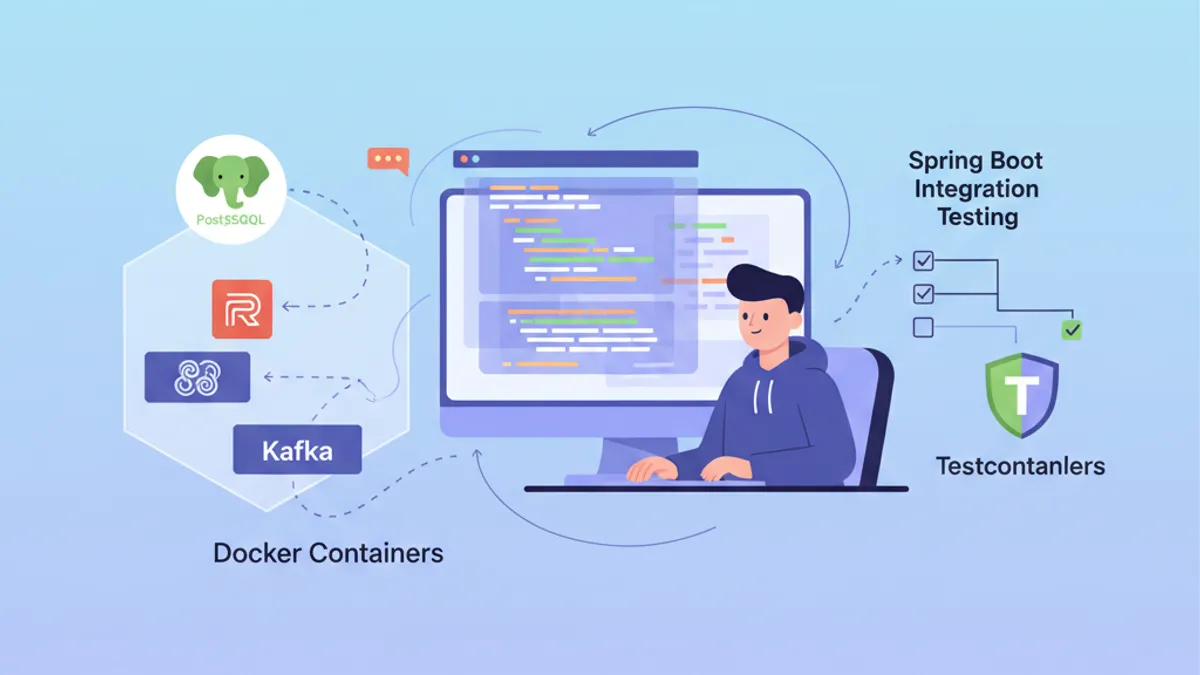
Integration testing presents a major challenge in Spring Boot application development. Testing against a real PostgreSQL database or Kafka broker requires heavy infrastructure to maintain. Testcontainers solves this problem by spinning up Docker containers on demand during tests, guaranteeing isolated and reproducible environments.
Spring Boot 3.4 includes native Testcontainers support with auto-configuration. The spring-boot-testcontainers dependencies drastically simplify setup and enable container reuse between tests.
Understanding Testcontainers and Spring Boot Integration
Testcontainers provides a Java API for starting Docker containers during test execution. Instead of mocking external dependencies or maintaining shared test databases, each test run gets its own isolated instance.
The architecture relies on three main components: the Testcontainers library that drives Docker, specialized modules for each technology (PostgreSQL, Redis, Kafka), and Spring Boot integration that automatically injects connection parameters.
<!-- pom.xml -->
<dependencies>
    <!-- Main Testcontainers dependency -->
    <dependency>
        <groupId>org.springframework.boot</groupId>
        <artifactId>spring-boot-testcontainers</artifactId>
        <scope>test</scope>
    </dependency>

    <!-- PostgreSQL module -->
    <dependency>
        <groupId>org.testcontainers</groupId>
        <artifactId>postgresql</artifactId>
        <scope>test</scope>
    </dependency>

    <!-- JUnit 5 support -->
    <dependency>
        <groupId>org.testcontainers</groupId>
        <artifactId>junit-jupiter</artifactId>
        <scope>test</scope>
    </dependency>
</dependencies>

<dependencyManagement>
    <dependencies>
        <!-- Testcontainers BOM for version management -->
        <dependency>
            <groupId>org.testcontainers</groupId>
            <artifactId>testcontainers-bom</artifactId>
            <version>1.20.4</version>
            <type>pom</type>
            <scope>import</scope>
        </dependency>
    </dependencies>
</dependencyManagement>
The Testcontainers BOM ensures version consistency across all modules used in the project.
Basic Configuration with PostgreSQL
The most common use case involves testing with a real PostgreSQL database. Spring Boot 3.4 offers two approaches: the @ServiceConnection annotation for auto-configuration, or manual configuration via @DynamicPropertySource.
@DataJpaTest
@Testcontainers
@AutoConfigureTestDatabase(replace = Replace.NONE)
class UserRepositoryIntegrationTest {

    // Starts a PostgreSQL container before tests
    @Container
    @ServiceConnection
    static PostgreSQLContainer<?> postgres = new PostgreSQLContainer<>(
        DockerImageName.parse("postgres:16-alpine")
    );

    @Autowired
    private UserRepository userRepository;

    @Test
    void shouldSaveAndRetrieveUser() {
        // Given: a user to persist
        User user = new User();
        user.setEmail("test@example.com");
        user.setName("Test User");

        // When: save and retrieve
        User saved = userRepository.save(user);
        Optional<User> found = userRepository.findById(saved.getId());

        // Then: user is correctly persisted
        assertThat(found).isPresent();
        assertThat(found.get().getEmail()).isEqualTo("test@example.com");
    }

    @Test
    void shouldFindUserByEmail() {
        // Given: a user in database
        User user = new User();
        user.setEmail("search@example.com");
        user.setName("Search User");
        userRepository.save(user);

        // When: search by email
        Optional<User> found = userRepository.findByEmail("search@example.com");

        // Then: user is found
        assertThat(found).isPresent();
        assertThat(found.get().getName()).isEqualTo("Search User");
    }
}
The @ServiceConnection annotation automatically detects the container type and configures the corresponding Spring properties (spring.datasource.url, spring.datasource.username, etc.). This approach eliminates boilerplate configuration code.
With @Container on a static field, the container starts once before all tests in the class and stops after the last test. For a container per test, use a non-static instance field.
Manual Configuration with @DynamicPropertySource
Some scenarios require finer control over injected properties. The @DynamicPropertySource annotation allows explicit definition of configuration values.
@DataJpaTest
@Testcontainers
@AutoConfigureTestDatabase(replace = Replace.NONE)
class OrderRepositoryIntegrationTest {

    @Container
    static PostgreSQLContainer<?> postgres = new PostgreSQLContainer<>(
        DockerImageName.parse("postgres:16-alpine")
    )
        // Specific container configuration
        .withDatabaseName("orders_test")
        .withUsername("test_user")
        .withPassword("test_password")
        // SQL initialization script
        .withInitScript("db/init-orders.sql");

    // Manual injection of dynamic properties
    @DynamicPropertySource
    static void configureProperties(DynamicPropertyRegistry registry) {
        // JDBC URL generated dynamically with mapped port
        registry.add("spring.datasource.url", postgres::getJdbcUrl);
        registry.add("spring.datasource.username", postgres::getUsername);
        registry.add("spring.datasource.password", postgres::getPassword);
        // Additional properties if needed
        registry.add("spring.jpa.hibernate.ddl-auto", () -> "validate");
    }

    @Autowired
    private OrderRepository orderRepository;

    @Autowired
    private EntityManager entityManager;

    @Test
    void shouldPersistOrderWithItems() {
        // Given: an order with items
        Order order = new Order();
        order.setOrderNumber("ORD-2026-001");
        order.setStatus(OrderStatus.PENDING);

        OrderItem item = new OrderItem();
        item.setProductId(1L);
        item.setQuantity(2);
        item.setUnitPrice(BigDecimal.valueOf(29.99));
        order.addItem(item);

        // When: save the order
        Order saved = orderRepository.save(order);
        entityManager.flush();
        entityManager.clear();

        // Then: order and its items are persisted
        Order found = orderRepository.findById(saved.getId()).orElseThrow();
        assertThat(found.getItems()).hasSize(1);
        assertThat(found.getItems().get(0).getQuantity()).isEqualTo(2);
    }
}
The withInitScript initialization script prepares the schema or inserts reference data before test execution.
Full Spring Boot Integration Tests
To test the entire application with all components loaded, @SpringBootTest replaces @DataJpaTest. This configuration starts the complete Spring context with the PostgreSQL container.
@SpringBootTest(webEnvironment = WebEnvironment.RANDOM_PORT)
@Testcontainers
class UserServiceIntegrationTest {

    @Container
    @ServiceConnection
    static PostgreSQLContainer<?> postgres = new PostgreSQLContainer<>(
        DockerImageName.parse("postgres:16-alpine")
    );

    @Autowired
    private UserService userService;

    @Autowired
    private TestRestTemplate restTemplate;

    @Test
    void shouldCreateUserViaApi() {
        // Given: a creation request
        CreateUserRequest request = new CreateUserRequest(
            "api@example.com",
            "API User",
            "securePassword123"
        );

        // When: call the REST API
        ResponseEntity<UserResponse> response = restTemplate.postForEntity(
            "/api/users",
            request,
            UserResponse.class
        );

        // Then: user is created successfully
        assertThat(response.getStatusCode()).isEqualTo(HttpStatus.CREATED);
        assertThat(response.getBody()).isNotNull();
        assertThat(response.getBody().email()).isEqualTo("api@example.com");
    }

    @Test
    void shouldRetrieveUserById() {
        // Given: an existing user
        UserResponse created = userService.createUser(
            new CreateUserRequest("retrieve@example.com", "Retrieve User", "password")
        );

        // When: retrieve by ID
        ResponseEntity<UserResponse> response = restTemplate.getForEntity(
            "/api/users/" + created.id(),
            UserResponse.class
        );

        // Then: user is returned
        assertThat(response.getStatusCode()).isEqualTo(HttpStatus.OK);
        assertThat(response.getBody().name()).isEqualTo("Retrieve User");
    }
}
The automatically configured TestRestTemplate points to the server started on a random port, avoiding port conflicts between parallel tests.
Ready to ace your Spring Boot interviews?
Practice with our interactive simulators, flashcards, and technical tests.
Container Reuse Between Tests
Starting a Docker container takes several seconds. To speed up test execution, Spring Boot 3.4 allows container reuse through centralized configuration.
@TestConfiguration(proxyBeanMethods = false)
public class TestcontainersConfiguration {

    // Reusable container bean across all tests
    @Bean
    @ServiceConnection
    PostgreSQLContainer<?> postgresContainer() {
        return new PostgreSQLContainer<>(DockerImageName.parse("postgres:16-alpine"))
            .withReuse(true)
            .withLabel("reuse.UUID", "e06d7a87-7d7d-472e-a047-7c2c6d4b5f7a");
    }

    @Bean
    @ServiceConnection
    RedisContainer redisContainer() {
        return new RedisContainer(DockerImageName.parse("redis:7-alpine"))
            .withReuse(true)
            .withLabel("reuse.UUID", "b3c8f9d2-4a5e-4c8d-9f2a-1b3c5d7e9f0a");
    }
}
Tests import this configuration to share the same containers.
@SpringBootTest
@Import(TestcontainersConfiguration.class)
class ProductServiceIntegrationTest {

    @Autowired
    private ProductService productService;

    @Autowired
    private ProductRepository productRepository;

    @Test
    void shouldCacheProductDetails() {
        // Given: a product in database
        Product product = new Product();
        product.setName("Cached Product");
        product.setPrice(BigDecimal.valueOf(99.99));
        productRepository.save(product);

        // When: two successive calls
        ProductDto first = productService.getProductById(product.getId());
        ProductDto second = productService.getProductById(product.getId());

        // Then: second call uses cache
        assertThat(first).isEqualTo(second);
    }
}
To enable container reuse, add the configuration in ~/.testcontainers.properties:
# ~/.testcontainers.properties
testcontainers.reuse.enable=trueWith container reuse, data persists between executions. Use @Sql or @BeforeEach to clean tables before each test, or configure a different schema per test class.
Testing with Redis and Distributed Cache
Testcontainers supports Redis for testing cache functionality. The Redis module provides a preconfigured container ready to use.
@SpringBootTest
@Testcontainers
class CacheServiceIntegrationTest {

    @Container
    @ServiceConnection
    static RedisContainer redis = new RedisContainer(
        DockerImageName.parse("redis:7-alpine")
    );

    @Autowired
    private CacheService cacheService;

    @Autowired
    private StringRedisTemplate redisTemplate;

    @Test
    void shouldStoreAndRetrieveFromCache() {
        // Given: a value to cache
        String key = "user:123";
        String value = "{\"id\":123,\"name\":\"Cached User\"}";

        // When: store in cache
        cacheService.put(key, value, Duration.ofMinutes(10));

        // Then: value is retrievable
        String cached = cacheService.get(key);
        assertThat(cached).isEqualTo(value);
    }

    @Test
    void shouldExpireAfterTtl() throws InterruptedException {
        // Given: a value with short TTL
        String key = "expiring:key";
        cacheService.put(key, "temporary", Duration.ofSeconds(1));

        // When: wait for expiration
        Thread.sleep(1500);

        // Then: key has expired
        String cached = cacheService.get(key);
        assertThat(cached).isNull();
    }

    @Test
    void shouldIncrementCounter() {
        // Given: a counter key
        String counterKey = "page:views:homepage";

        // When: multiple increments
        Long first = redisTemplate.opsForValue().increment(counterKey);
        Long second = redisTemplate.opsForValue().increment(counterKey);
        Long third = redisTemplate.opsForValue().increment(counterKey);

        // Then: counter increments correctly
        assertThat(first).isEqualTo(1);
        assertThat(second).isEqualTo(2);
        assertThat(third).isEqualTo(3);
    }
}
Spring Boot automatically detects the RedisContainer through @ServiceConnection and configures spring.data.redis.host and spring.data.redis.port.
Testing with Kafka and Asynchronous Messaging
Event-driven applications require testing with a real Kafka broker. Testcontainers provides a Kafka module that starts a single-node cluster suitable for testing.
@SpringBootTest
@Testcontainers
@EmbeddedKafka(partitions = 1, topics = {"order-events"})
class OrderEventIntegrationTest {

    @Container
    @ServiceConnection
    static KafkaContainer kafka = new KafkaContainer(
        DockerImageName.parse("confluentinc/cp-kafka:7.6.0")
    );

    @Autowired
    private KafkaTemplate<String, OrderEvent> kafkaTemplate;

    @Autowired
    private OrderEventConsumer orderEventConsumer;

    @Test
    void shouldPublishAndConsumeOrderEvent() throws Exception {
        // Given: an order event
        OrderEvent event = new OrderEvent(
            "ORD-2026-100",
            OrderEventType.CREATED,
            LocalDateTime.now()
        );

        // When: publish to Kafka
        kafkaTemplate.send("order-events", event.orderId(), event).get();

        // Then: event is consumed (with timeout)
        await()
            .atMost(Duration.ofSeconds(10))
            .untilAsserted(() -> {
                assertThat(orderEventConsumer.getReceivedEvents())
                    .hasSize(1)
                    .first()
                    .extracting(OrderEvent::orderId)
                    .isEqualTo("ORD-2026-100");
            });
    }
}@Component
public class OrderEventConsumer {
private final List<OrderEvent> receivedEvents = new CopyOnWriteArrayList<>();
@KafkaListener(topics = "order-events", groupId = "test-group")
public void consume(OrderEvent event) {
receivedEvents.add(event);
}
public List<OrderEvent> getReceivedEvents() {
return List.copyOf(receivedEvents);
}
public void clear() {
receivedEvents.clear();
}
}The Awaitility library handles asynchronous assertions with timeout, avoiding fragile Thread.sleep calls in tests.
Multi-Container Configuration with Docker Compose
For complex applications requiring multiple interdependent services, Testcontainers supports Docker Compose files.
# src/test/resources/docker-compose-test.yml
services:
  postgres:
    image: postgres:16-alpine
    environment:
      POSTGRES_DB: testdb
      POSTGRES_USER: testuser
      POSTGRES_PASSWORD: testpass
    ports:
      - "5432"

  redis:
    image: redis:7-alpine
    ports:
      - "6379"

  localstack:
    image: localstack/localstack:3.0
    environment:
      SERVICES: s3,sqs
      DEFAULT_REGION: eu-west-1
    ports:
- "4566"@SpringBootTest
@Testcontainers
class FullStackIntegrationTest {
@Container
static DockerComposeContainer<?> environment = new DockerComposeContainer<>(
new File("src/test/resources/docker-compose-test.yml")
)
.withExposedService("postgres", 5432)
.withExposedService("redis", 6379)
.withExposedService("localstack", 4566)
.waitingFor("postgres", Wait.forListeningPort())
.waitingFor("redis", Wait.forListeningPort())
.waitingFor("localstack", Wait.forLogMessage(".*Ready\\.$", 1));
@DynamicPropertySource
static void configureProperties(DynamicPropertyRegistry registry) {
// PostgreSQL configuration
String postgresHost = environment.getServiceHost("postgres", 5432);
Integer postgresPort = environment.getServicePort("postgres", 5432);
registry.add("spring.datasource.url",
() -> "jdbc:postgresql://" + postgresHost + ":" + postgresPort + "/testdb");
registry.add("spring.datasource.username", () -> "testuser");
registry.add("spring.datasource.password", () -> "testpass");
// Redis configuration
String redisHost = environment.getServiceHost("redis", 6379);
Integer redisPort = environment.getServicePort("redis", 6379);
registry.add("spring.data.redis.host", () -> redisHost);
registry.add("spring.data.redis.port", () -> redisPort);
// LocalStack S3 configuration
String localstackHost = environment.getServiceHost("localstack", 4566);
Integer localstackPort = environment.getServicePort("localstack", 4566);
registry.add("aws.s3.endpoint",
() -> "http://" + localstackHost + ":" + localstackPort);
}
@Autowired
private FileStorageService fileStorageService;
@Test
void shouldUploadFileToS3() {
// Given: a file to upload
byte[] content = "Test file content".getBytes();
String fileName = "test-file.txt";
// When: upload to S3 via LocalStack
String url = fileStorageService.upload(fileName, content);
// Then: file is accessible
assertThat(url).contains(fileName);
byte[] downloaded = fileStorageService.download(fileName);
assertThat(downloaded).isEqualTo(content);
}
}Start practicing!
Test your knowledge with our interview simulators and technical tests.
Best Practices and Performance Optimization
Efficient Testcontainers execution requires some optimizations to reduce build times.
@SpringBootTest
@Testcontainers
@ActiveProfiles("test")
public abstract class AbstractIntegrationTest {

    // Shared container across all inheriting classes
    @Container
    @ServiceConnection
    protected static PostgreSQLContainer<?> postgres = new PostgreSQLContainer<>(
        DockerImageName.parse("postgres:16-alpine")
    )
        .withReuse(true);

    @Autowired
    protected JdbcTemplate jdbcTemplate;

    @BeforeEach
    void cleanDatabase() {
        // Clean tables in order to respect FK constraints
        jdbcTemplate.execute("TRUNCATE TABLE order_items CASCADE");
        jdbcTemplate.execute("TRUNCATE TABLE orders CASCADE");
        jdbcTemplate.execute("TRUNCATE TABLE users CASCADE");
    }
}class UserIntegrationTest extends AbstractIntegrationTest {
@Autowired
private UserRepository userRepository;
@Test
void shouldCreateUser() {
// PostgreSQL container already started via parent class
User user = new User();
user.setEmail("inherited@test.com");
user.setName("Inherited Test");
User saved = userRepository.save(user);
assertThat(saved.getId()).isNotNull();
}
}The abstract class centralizes container configuration and database cleanup, avoiding code duplication.
# src/test/resources/application-test.properties
# Test-specific configuration
spring.jpa.hibernate.ddl-auto=create-drop
spring.jpa.show-sql=false

# Disable Flyway/Liquibase if using ddl-auto
spring.flyway.enabled=false

# Reduced connection pool for tests
spring.datasource.hikari.maximum-pool-size=5
spring.datasource.hikari.minimum-idle=2Prefer Alpine images (postgres:16-alpine, redis:7-alpine) which are lighter and start faster. For testing, the feature difference from full images is negligible.
Database Migration Testing
Testcontainers excels at testing Flyway or Liquibase migrations against a real database.
@DataJpaTest
@Testcontainers
@AutoConfigureTestDatabase(replace = Replace.NONE)
class FlywayMigrationTest {

    @Container
    @ServiceConnection
    static PostgreSQLContainer<?> postgres = new PostgreSQLContainer<>(
        DockerImageName.parse("postgres:16-alpine")
    );

    @Autowired
    private Flyway flyway;

    @Autowired
    private JdbcTemplate jdbcTemplate;

    @Test
    void shouldApplyAllMigrations() {
        // Given: migrations applied at startup

        // When: check state
        MigrationInfoService info = flyway.info();

        // Then: all migrations are applied
        assertThat(info.pending()).isEmpty();
        assertThat(info.applied()).isNotEmpty();
    }

    @Test
    void shouldCreateExpectedTables() {
        // Given: migrations applied

        // When: query system tables
        List<String> tables = jdbcTemplate.queryForList(
            "SELECT table_name FROM information_schema.tables " +
            "WHERE table_schema = 'public' AND table_type = 'BASE TABLE'",
            String.class
        );

        // Then: expected tables exist
        assertThat(tables).contains("users", "orders", "order_items", "products");
    }

    @Test
    void shouldHaveCorrectColumnTypes() {
        // Given: users table created

        // When: verify schema
        List<Map<String, Object>> columns = jdbcTemplate.queryForList(
            "SELECT column_name, data_type, is_nullable " +
            "FROM information_schema.columns " +
            "WHERE table_name = 'users'"
        );

        // Then: columns have correct types
        assertThat(columns)
            .extracting(c -> c.get("column_name"))
            .contains("id", "email", "name", "created_at");
    }
}
These tests ensure SQL migrations work correctly before production deployment.
Conclusion
Testcontainers transforms Spring Boot integration testing by making tests reliable, reproducible, and independent of the local environment. Spring Boot 3.4's native support with @ServiceConnection significantly simplifies configuration, while container reuse optimizes execution times.
Testcontainers Spring Boot Checklist:
- ✅ Use
spring-boot-testcontainersfor native auto-configuration - ✅ Prefer
@ServiceConnectionover@DynamicPropertySourcewhen possible - ✅ Enable
withReuse(true)to speed up successive executions - ✅ Centralize configuration in an abstract class or
@TestConfiguration - ✅ Clean data between tests with
@BeforeEachor@Sql - ✅ Use Alpine images for faster startups
- ✅ Test Flyway/Liquibase migrations against real PostgreSQL
- ✅ Leverage Docker Compose for multi-service environments
Can you spot the bug in Spring Boot?
One real snippet, one hidden bug, one attempt a day. No account needed to try.

Written by
Anthony Fillion-MailletFounder of SharpSkill
Full-stack developer for over 10 years. Runs SharpSkill and answers for everything published here.
Updated on March 31, 2026
Tags
Share
Related articles

Spring Modulith: Modular Monolith Architecture Explained
Learn Spring Modulith to build modular monoliths in Java. Architecture, modules, async events, testing and observability with Spring Boot 3 and 4 code examples.

Spring Batch 5 Interview: Partitioning, Chunks and Fault Tolerance
Ace your Spring Batch 5 interviews: 15 essential questions on partitioning, chunk-oriented processing, and fault tolerance with Java 21 code examples.

Spring Boot Interview: Transaction Propagation Explained
Master Spring Boot transaction propagation: REQUIRED, REQUIRES_NEW, NESTED and more. 12 interview questions with code examples and common pitfalls.