Flutter State Management: Riverpod vs BLoC - Complete Comparison Guide
In-depth comparison between Riverpod 3.x and BLoC 9.x for Flutter state management. Architecture, automatic retry, testability and use cases to choose the best solution.

State management represents a central challenge in Flutter development. Riverpod and BLoC dominate the ecosystem, each offering a distinct philosophy. This guide compares these two solutions through concrete implementations to inform the choice based on project needs.
This guide assumes familiarity with Flutter and state management basics. Examples use Riverpod 3.x and flutter_bloc 9.x, the current stable versions in 2026.
Core Philosophies of Both Approaches
Riverpod and BLoC solve the same problem with opposing paradigms. Understanding these conceptual differences enables choosing the right tool for each context.
Riverpod adopts a declarative and reactive approach. Providers define data sources that widgets observe. The framework automatically manages lifecycle, caching, and dependencies between providers. Version 3.0 brought significant improvements: automatic retry for failed providers, pause/resume of listeners based on widget visibility, and experimental offline persistence.
BLoC (Business Logic Component) enforces strict event-driven architecture. Components emit events, the Bloc processes them and produces new states. This explicit separation facilitates data flow tracking. Version 9.x introduced EmittableStateStreamableSource for improved testing flexibility.
// Riverpod 3.x: Notifier replaces StateNotifier as the standard pattern
class Counter extends _$Counter {
int build() => 0;
void increment() => state++;
}
// Usage in a widget
class CounterWidget extends ConsumerWidget {
Widget build(BuildContext context, WidgetRef ref) {
// Reactive read: automatic rebuild if value changes
final count = ref.watch(counterProvider);
return Text('$count');
}
}// BLoC 9.x: explicit events/states separation
sealed class CounterEvent {}
final class IncrementPressed extends CounterEvent {}
class CounterBloc extends Bloc<CounterEvent, int> {
CounterBloc() : super(0) {
// Each event has its dedicated handler
on<IncrementPressed>((event, emit) => emit(state + 1));
}
}
// Usage in a widget
class CounterWidget extends StatelessWidget {
Widget build(BuildContext context) {
return BlocBuilder<CounterBloc, int>(
builder: (context, count) => Text('$count'),
);
}
}The choice between these approaches depends on team preferences and project constraints. For an overview of state management options including GetX, see the complete Flutter state management comparison for 2026.
Setup and Initial Configuration
Initial setup reveals ergonomic differences between the two solutions. Riverpod prioritizes simplicity, BLoC offers more structure.
Riverpod Installation
Riverpod requires a single package and a wrapper at the application root. Code generation with riverpod_generator is the recommended approach in version 3.x.
// Riverpod configuration: single wrapper at root
import 'package:flutter_riverpod/flutter_riverpod.dart';
void main() {
runApp(
// ProviderScope wraps the entire application
const ProviderScope(
child: MyApp(),
),
);
}
class MyApp extends StatelessWidget {
const MyApp({super.key});
Widget build(BuildContext context) {
return MaterialApp(
home: HomeScreen(),
);
}
}BLoC Installation
BLoC requires multiple packages and more elaborate configuration with BlocProviders for each Bloc used.
// BLoC configuration: explicit providers for each Bloc
import 'package:flutter_bloc/flutter_bloc.dart';
void main() {
runApp(const MyApp());
}
class MyApp extends StatelessWidget {
const MyApp({super.key});
Widget build(BuildContext context) {
// MultiBlocProvider for multiple Blocs
return MultiBlocProvider(
providers: [
BlocProvider(create: (_) => AuthBloc()),
BlocProvider(create: (_) => ThemeBloc()),
],
child: MaterialApp(
home: HomeScreen(),
),
);
}
}BLoC configuration requires more initial code but makes dependencies explicit from the start.
Simple State Management: Counters and Toggles
Simple cases illustrate the daily ergonomics of each solution. Riverpod excels in conciseness, BLoC maintains its event-driven structure.
Counter with Riverpod (Notifier Pattern)
Riverpod 3.x deprecates StateProvider and StateNotifierProvider in favor of the unified Notifier API. The new pattern is cleaner and works seamlessly with code generation.
// Notifier pattern: the standard in Riverpod 3.x
class Counter extends _$Counter {
int build() => 0;
void increment() => state++;
void decrement() => state--;
void reset() => state = 0;
}
class CounterScreen extends ConsumerWidget {
const CounterScreen({super.key});
Widget build(BuildContext context, WidgetRef ref) {
// watch for reactive value
final count = ref.watch(counterProvider);
return Scaffold(
body: Center(child: Text('Count: $count')),
floatingActionButton: FloatingActionButton(
// read for actions (no rebuild)
onPressed: () => ref.read(counterProvider.notifier).increment(),
child: const Icon(Icons.add),
),
);
}
}Counter with BLoC
// Typed events for each possible action
sealed class CounterEvent {}
final class CounterIncremented extends CounterEvent {}
final class CounterDecremented extends CounterEvent {}
final class CounterReset extends CounterEvent {}
// Bloc with handlers for each event
class CounterBloc extends Bloc<CounterEvent, int> {
CounterBloc() : super(0) {
on<CounterIncremented>((event, emit) => emit(state + 1));
on<CounterDecremented>((event, emit) => emit(state - 1));
on<CounterReset>((event, emit) => emit(0));
}
}
class CounterScreen extends StatelessWidget {
const CounterScreen({super.key});
Widget build(BuildContext context) {
return Scaffold(
body: Center(
child: BlocBuilder<CounterBloc, int>(
builder: (context, count) => Text('Count: $count'),
),
),
floatingActionButton: FloatingActionButton(
// Event dispatch to modify state
onPressed: () => context.read<CounterBloc>().add(CounterIncremented()),
child: const Icon(Icons.add),
),
);
}
}For simple cases, Riverpod significantly reduces boilerplate. BLoC becomes relevant when logic grows complex or when event traceability matters.
StateProvider and StateNotifierProvider still work but require importing from flutter_riverpod/legacy.dart. For new code, use Notifier or AsyncNotifier.
Asynchronous State Management: API Calls
Asynchronous operations reveal the power of each solution. Managing loading/error/data states constitutes a major challenge. Riverpod 3.x introduces automatic retry with exponential backoff for failed providers.
Async Data with Riverpod
// AsyncNotifier: automatic loading/error/data management with retry
class Users extends _$Users {
Future<List<User>> build() async {
// autoDispose releases resources when provider is no longer used
// Automatic retry on failure (exponential backoff: 200ms to 6.4s)
final repository = ref.watch(userRepositoryProvider);
return repository.fetchUsers();
}
Future<void> refresh() async {
state = const AsyncLoading();
state = await AsyncValue.guard(() => build());
}
}
class UsersScreen extends ConsumerWidget {
const UsersScreen({super.key});
Widget build(BuildContext context, WidgetRef ref) {
final usersAsync = ref.watch(usersProvider);
// when handles all 3 possible states
return usersAsync.when(
loading: () => const Center(child: CircularProgressIndicator()),
error: (error, stack) => Center(
child: Column(
mainAxisAlignment: MainAxisAlignment.center,
children: [
Text('Error: $error'),
ElevatedButton(
// invalidate forces reload
onPressed: () => ref.invalidate(usersProvider),
child: const Text('Retry'),
),
],
),
),
data: (users) => ListView.builder(
itemCount: users.length,
itemBuilder: (context, index) => UserTile(user: users[index]),
),
);
}
}Async Data with BLoC
// Explicit states for each loading phase
sealed class UsersState {}
final class UsersInitial extends UsersState {}
final class UsersLoading extends UsersState {}
final class UsersLoaded extends UsersState {
  final List<User> users;
  UsersLoaded(this.users);
}
final class UsersError extends UsersState {
  final String message;
  UsersError(this.message);
}

// Events to trigger actions
sealed class UsersEvent {}
final class UsersFetchRequested extends UsersEvent {}
final class UsersRefreshRequested extends UsersEvent {}

class UsersBloc extends Bloc<UsersEvent, UsersState> {
  final UserRepository _repository;

  UsersBloc(this._repository) : super(UsersInitial()) {
    on<UsersFetchRequested>(_onFetchRequested);
    on<UsersRefreshRequested>(_onRefreshRequested);
  }

  Future<void> _onFetchRequested(
    UsersFetchRequested event,
    Emitter<UsersState> emit,
  ) async {
    emit(UsersLoading());
    try {
      final users = await _repository.fetchUsers();
      emit(UsersLoaded(users));
    } catch (e) {
      emit(UsersError(e.toString()));
    }
  }

  Future<void> _onRefreshRequested(
    UsersRefreshRequested event,
    Emitter<UsersState> emit,
  ) async {
    // Keep current state during refresh
    final currentState = state;
    try {
      final users = await _repository.fetchUsers();
      emit(UsersLoaded(users));
    } catch (e) {
      // Restore previous state on error
      if (currentState is UsersLoaded) {
        emit(currentState);
      } else {
        emit(UsersError(e.toString()));
      }
    }
  }
}// Widget with pattern matching on states
class UsersScreen extends StatelessWidget {
const UsersScreen({super.key});
Widget build(BuildContext context) {
return BlocBuilder<UsersBloc, UsersState>(
builder: (context, state) {
return switch (state) {
UsersInitial() => Center(
child: ElevatedButton(
onPressed: () => context.read<UsersBloc>().add(UsersFetchRequested()),
child: const Text('Load'),
),
),
UsersLoading() => const Center(child: CircularProgressIndicator()),
UsersError(:final message) => Center(
child: Column(
mainAxisAlignment: MainAxisAlignment.center,
children: [
Text('Error: $message'),
ElevatedButton(
onPressed: () => context
.read<UsersBloc>()
.add(UsersFetchRequested()),
child: const Text('Retry'),
),
],
),
),
UsersLoaded(:final users) => ListView.builder(
itemCount: users.length,
itemBuilder: (context, index) => UserTile(user: users[index]),
),
};
},
);
}
}BLoC offers granular control over each state transition. Riverpod automates more with AsyncValue and built-in retry logic.
Ready to ace your Flutter interviews?
Practice with our interactive simulators, flashcards, and technical tests.
State Dependencies: Composition and Injection
Real applications involve interdependent states. Managing these dependencies significantly differentiates the two approaches.
Composition with Riverpod
// Base provider: configuration
ApiClient apiClient(Ref ref) {
final baseUrl = ref.watch(environmentProvider).apiUrl;
return ApiClient(baseUrl: baseUrl);
}
// Dependent provider: repository
ProductRepository productRepository(Ref ref) {
// Automatic client injection
final client = ref.watch(apiClientProvider);
return ProductRepository(client);
}
// Provider with parameter: product by ID
Future<Product> product(Ref ref, String productId) async {
final repository = ref.watch(productRepositoryProvider);
return repository.getProduct(productId);
}
// Derived provider: filtered products
List<Product> filteredProducts(Ref ref) {
final products = ref.watch(productsProvider).valueOrNull ?? [];
final filter = ref.watch(productFilterProvider);
return products.where((p) => p.category == filter.category).toList();
}
// Usage with parameter
class ProductDetailScreen extends ConsumerWidget {
final String productId;
const ProductDetailScreen({super.key, required this.productId});
Widget build(BuildContext context, WidgetRef ref) {
// family allows passing parameters
final productAsync = ref.watch(productProvider(productId));
return productAsync.when(
loading: () => const ProductSkeleton(),
error: (e, _) => ErrorWidget(error: e),
data: (product) => ProductDetails(product: product),
);
}
}Composition with BLoC
// Repository injected into the Bloc
class ProductBloc extends Bloc<ProductEvent, ProductState> {
final ProductRepository _repository;
final CartBloc _cartBloc;
late final StreamSubscription _cartSubscription;
ProductBloc({
required ProductRepository repository,
required CartBloc cartBloc,
}) : _repository = repository,
_cartBloc = cartBloc,
super(ProductInitial()) {
on<ProductFetchRequested>(_onFetchRequested);
on<ProductAddedToCart>(_onAddedToCart);
// Listen to cart changes
_cartSubscription = _cartBloc.stream.listen((cartState) {
// React to cart changes
if (cartState is CartUpdated) {
add(ProductCartSyncRequested(cartState.items));
}
});
}
Future<void> _onFetchRequested(
ProductFetchRequested event,
Emitter<ProductState> emit,
) async {
emit(ProductLoading());
try {
final product = await _repository.getProduct(event.productId);
// Check if product is in cart
final isInCart = _cartBloc.state.contains(product.id);
emit(ProductLoaded(product, isInCart: isInCart));
} catch (e) {
emit(ProductError(e.toString()));
}
}
Future<void> close() {
_cartSubscription.cancel();
return super.close();
}
}
// Configuration with dependency injection
class ProductsPage extends StatelessWidget {
Widget build(BuildContext context) {
return BlocProvider(
create: (context) => ProductBloc(
repository: context.read<ProductRepository>(),
cartBloc: context.read<CartBloc>(),
)..add(ProductFetchRequested()),
child: const ProductsView(),
);
}
}Riverpod manages dependencies declaratively. BLoC requires manual subscription management between Blocs.
Testability and Mocking
Testing constitutes a decisive criterion for professional projects. Both solutions excel in this area with different approaches. Testing skills are frequently evaluated in Flutter interviews.
Testing with Riverpod
import 'package:flutter_riverpod/flutter_riverpod.dart';
import 'package:flutter_test/flutter_test.dart';
import 'package:mocktail/mocktail.dart';

class MockUserRepository extends Mock implements UserRepository {}

void main() {
  group('UserProvider Tests', () {
    late MockUserRepository mockRepository;

    setUp(() {
      mockRepository = MockUserRepository();
    });

    test('returns users from repository', () async {
      // Arrange
      final expectedUsers = [User(id: '1', name: 'Test')];
      when(() => mockRepository.fetchUsers())
          .thenAnswer((_) async => expectedUsers);

      // ProviderContainer.test auto-disposes after test
      final container = ProviderContainer.test(
        overrides: [
          userRepositoryProvider.overrideWithValue(mockRepository),
        ],
      );

      // Act
      final users = await container.read(usersProvider.future);

      // Assert
      expect(users, expectedUsers);
      verify(() => mockRepository.fetchUsers()).called(1);
    });

    test('handles repository errors', () async {
      when(() => mockRepository.fetchUsers())
          .thenThrow(Exception('Network error'));

      final container = ProviderContainer.test(
        overrides: [
          userRepositoryProvider.overrideWithValue(mockRepository),
        ],
      );

      expect(
        () => container.read(usersProvider.future),
        throwsException,
      );
    });
  });
}
Testing with BLoC
import 'package:bloc_test/bloc_test.dart';
import 'package:flutter_test/flutter_test.dart';
import 'package:mocktail/mocktail.dart';

class MockUserRepository extends Mock implements UserRepository {}

void main() {
  group('UsersBloc Tests', () {
    late MockUserRepository mockRepository;

    setUp(() {
      mockRepository = MockUserRepository();
    });

    // blocTest simplifies state sequence testing
    blocTest<UsersBloc, UsersState>(
      'emits [Loading, Loaded] when fetch succeeds',
      build: () {
        when(() => mockRepository.fetchUsers())
            .thenAnswer((_) async => [User(id: '1', name: 'Test')]);
        return UsersBloc(mockRepository);
      },
      act: (bloc) => bloc.add(UsersFetchRequested()),
      expect: () => [
        isA<UsersLoading>(),
        isA<UsersLoaded>().having(
          (s) => s.users.length,
          'users count',
          1,
        ),
      ],
    );

    blocTest<UsersBloc, UsersState>(
      'emits [Loading, Error] when fetch fails',
      build: () {
        when(() => mockRepository.fetchUsers())
            .thenThrow(Exception('Network error'));
        return UsersBloc(mockRepository);
      },
      act: (bloc) => bloc.add(UsersFetchRequested()),
      expect: () => [
        isA<UsersLoading>(),
        isA<UsersError>(),
      ],
    );
  });
}
The bloc_test package offers dedicated syntax for testing state sequences. Riverpod 3.x adds ProviderContainer.test() for automatic disposal and NotifierProvider.overrideWithBuild() for mocking only the build method.
Testing only nominal cases is insufficient. Tests must cover network errors, timeouts, edge-case states, and unexpected state transitions. For comprehensive testing practices, see the Flutter testing guide.
Performance and Rebuild Optimization
Performance directly impacts user experience. Both solutions offer distinct optimization mechanisms.
Riverpod Optimization
// select to rebuild only if targeted value changes
class UserNameWidget extends ConsumerWidget {
Widget build(BuildContext context, WidgetRef ref) {
// Rebuilds only if user.name changes
final name = ref.watch(userProvider.select((user) => user.name));
return Text(name);
}
}
// Provider with automatic caching
ExpensiveResult expensiveComputation(Ref ref) {
final input = ref.watch(inputProvider);
// Computation automatically cached
return performExpensiveComputation(input);
}
// keepAlive with timer for temporary caching
Future<List<Product>> searchResults(Ref ref, String query) async {
// Temporary keepAlive during typing
final link = ref.keepAlive();
// Timer to release after inactivity
final timer = Timer(const Duration(seconds: 30), link.close);
ref.onDispose(timer.cancel);
return searchProducts(query);
}BLoC Optimization
// buildWhen limits rebuilds conditionally
class UserNameWidget extends StatelessWidget {
Widget build(BuildContext context) {
return BlocBuilder<UserBloc, UserState>(
// Rebuilds only if name changes
buildWhen: (previous, current) {
if (previous is UserLoaded && current is UserLoaded) {
return previous.user.name != current.user.name;
}
return true;
},
builder: (context, state) {
if (state is UserLoaded) {
return Text(state.user.name);
}
return const SizedBox.shrink();
},
);
}
}
// BlocSelector to extract a specific value
class UserAvatarWidget extends StatelessWidget {
Widget build(BuildContext context) {
return BlocSelector<UserBloc, UserState, String?>(
// Select only the avatar URL
selector: (state) => state is UserLoaded ? state.user.avatarUrl : null,
builder: (context, avatarUrl) {
if (avatarUrl == null) return const DefaultAvatar();
return NetworkImage(avatarUrl);
},
);
}
}Both solutions offer granular optimizations. Riverpod with select, BLoC with buildWhen and BlocSelector. For advanced performance techniques, consult the Flutter performance optimization guide.
Practical Use Case: Complete Authentication
An authentication system illustrates real patterns for each solution. This case combines persistent state, API calls, and navigation.
Authentication with Riverpod
// Authentication state with sealed class
sealed class AuthState {
const AuthState();
}
final class AuthInitial extends AuthState {
const AuthInitial();
}
final class AuthLoading extends AuthState {
const AuthLoading();
}
final class AuthAuthenticated extends AuthState {
final User user;
const AuthAuthenticated(this.user);
}
final class AuthUnauthenticated extends AuthState {
final String? error;
const AuthUnauthenticated([this.error]);
}
// Notifier to manage auth state
class Auth extends _$Auth {
Future<AuthState> build() async {
final storage = ref.watch(secureStorageProvider);
final repository = ref.watch(authRepositoryProvider);
final token = await storage.getToken();
if (token != null) {
try {
final user = await repository.getCurrentUser(token);
return AuthAuthenticated(user);
} catch (_) {
await storage.deleteToken();
return const AuthUnauthenticated();
}
}
return const AuthUnauthenticated();
}
Future<void> login(String email, String password) async {
state = const AsyncLoading();
final repository = ref.read(authRepositoryProvider);
final storage = ref.read(secureStorageProvider);
try {
final result = await repository.login(email, password);
await storage.saveToken(result.token);
state = AsyncData(AuthAuthenticated(result.user));
} catch (e) {
state = AsyncData(AuthUnauthenticated(e.toString()));
}
}
Future<void> logout() async {
final storage = ref.read(secureStorageProvider);
await storage.deleteToken();
state = const AsyncData(AuthUnauthenticated());
}
}
// Redirect based on auth state
GoRouter router(Ref ref) {
final authState = ref.watch(authProvider);
return GoRouter(
redirect: (context, state) {
final isAuth = authState.valueOrNull is AuthAuthenticated;
final isAuthRoute = state.matchedLocation.startsWith('/auth');
if (!isAuth && !isAuthRoute) return '/auth/login';
if (isAuth && isAuthRoute) return '/home';
return null;
},
routes: [...],
);
}Authentication with BLoC
// Exhaustive states for authentication
sealed class AuthState {
  const AuthState();
}
final class AuthInitial extends AuthState {
  const AuthInitial();
}
final class AuthCheckInProgress extends AuthState {
  const AuthCheckInProgress();
}
final class AuthLoginInProgress extends AuthState {
  const AuthLoginInProgress();
}
final class AuthSuccess extends AuthState {
  final User user;
  const AuthSuccess(this.user);
}
final class AuthFailure extends AuthState {
  final String error;
  const AuthFailure(this.error);
}
final class AuthLoggedOut extends AuthState {
  const AuthLoggedOut();
}

// Authentication events
sealed class AuthEvent {
  const AuthEvent();
}
final class AuthCheckRequested extends AuthEvent {
  const AuthCheckRequested();
}
final class AuthLoginSubmitted extends AuthEvent {
  final String email;
  final String password;
  const AuthLoginSubmitted(this.email, this.password);
}
final class AuthLogoutRequested extends AuthEvent {
  const AuthLogoutRequested();
}

class AuthBloc extends Bloc<AuthEvent, AuthState> {
  final AuthRepository _repository;
  final SecureStorage _storage;

  AuthBloc({
    required AuthRepository repository,
    required SecureStorage storage,
  })  : _repository = repository,
        _storage = storage,
        super(const AuthInitial()) {
    on<AuthCheckRequested>(_onCheckRequested);
    on<AuthLoginSubmitted>(_onLoginSubmitted);
    on<AuthLogoutRequested>(_onLogoutRequested);
  }

  Future<void> _onCheckRequested(
    AuthCheckRequested event,
    Emitter<AuthState> emit,
  ) async {
    emit(const AuthCheckInProgress());
    final token = await _storage.getToken();

    if (token == null) {
      emit(const AuthLoggedOut());
      return;
    }

    try {
      final user = await _repository.getCurrentUser(token);
      emit(AuthSuccess(user));
    } catch (_) {
      await _storage.deleteToken();
      emit(const AuthLoggedOut());
    }
  }

  Future<void> _onLoginSubmitted(
    AuthLoginSubmitted event,
    Emitter<AuthState> emit,
  ) async {
    emit(const AuthLoginInProgress());
    try {
      final result = await _repository.login(event.email, event.password);
      await _storage.saveToken(result.token);
      emit(AuthSuccess(result.user));
    } catch (e) {
      emit(AuthFailure(e.toString()));
    }
  }

  Future<void> _onLogoutRequested(
    AuthLogoutRequested event,
    Emitter<AuthState> emit,
  ) async {
    await _storage.deleteToken();
    emit(const AuthLoggedOut());
  }
}
Both implementations handle the same functionality with different styles. BLoC makes each transition explicit, Riverpod simplifies syntax.
Comparative Summary Table
| Criterion | Riverpod 3.x | BLoC 9.x |
|---|---|---|
| Learning Curve | Moderate | Steeper |
| Boilerplate | Minimal (with codegen) | Significant |
| Type Safety | Excellent | Excellent |
| Testability | Excellent | Excellent |
| Automatic Retry | Built-in | Manual implementation |
| Offline Persistence | Experimental support | External packages |
| Traceability | Via DevTools | Explicit Events/States |
| Composition | Automatic | Manual |
| Code Generation | Recommended | Not required |
| Team Size | Flexible | Large teams |
Recommendations by Context
The choice between Riverpod and BLoC depends on several contextual factors.
Choose Riverpod when:
- The team prioritizes conciseness and productivity
- The project requires flexible state composition
- Developers come from React or other reactive frameworks
- Automatic retry and error recovery matter
- Offline persistence is a requirement
Choose BLoC when:
- The team appreciates strict, predictable patterns
- The project requires complete event traceability for auditing
- Juniors benefit from an enforced architecture
- Debugging requires detailed transition history
- The industry demands audit trails (fintech, healthcare)
Sources
- Riverpod 3.0 What's New: automatic retry, pause/resume, offline persistence
- Riverpod 3.0 Migration Guide: Notifier replaces StateNotifier
- flutter_bloc 9.0.0 Changelog: EmittableStateStreamableSource, testing improvements
- BLoC Documentation: official patterns and best practices
What to Remember About Riverpod vs BLoC in 2026
Riverpod and BLoC effectively address Flutter state management needs. Riverpod 3.x excels in ergonomics, automatic error handling, and flexible composition. BLoC 9.x leads in structure, predictability, and enterprise-grade traceability. Both solutions offer excellent testability and optimal performance.
Decision Checklist
- Evaluate team size and experience
- Consider data flow complexity
- Analyze traceability and debugging needs
- Test both solutions on a prototype
- Verify consistency with existing architecture
Start practicing!
Test your knowledge with our interview simulators and technical tests.
The best choice remains the one the team masters and maintains effectively. Consistency in application takes precedence over the solution choice itself. For Dart-specific patterns like isolates and concurrency, see the Dart isolates and concurrency guide.
Can you spot the bug in Flutter?
One real snippet, one hidden bug, one attempt a day. No account needed to try.

Written by
Anthony Fillion-MailletFounder of SharpSkill
Full-stack developer for over 10 years. Runs SharpSkill and answers for everything published here.
Updated on August 21, 2026
Tags
Share
Related articles
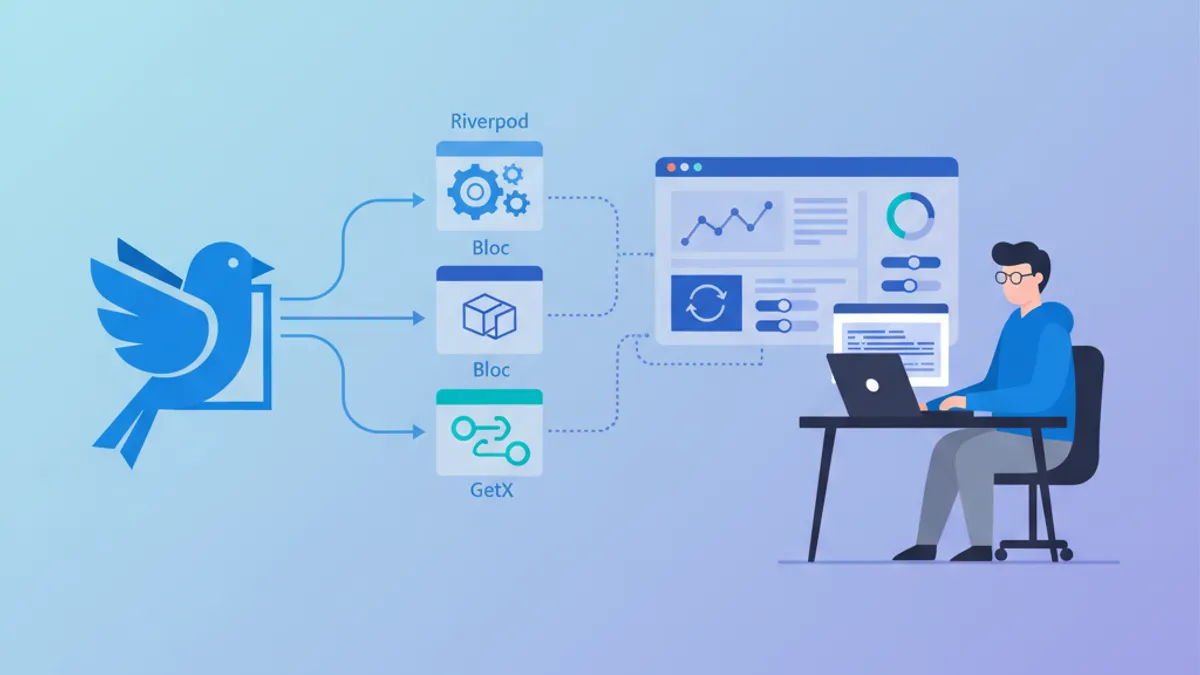
Flutter State Management in 2026: Riverpod vs Bloc vs GetX
A practical comparison of Flutter state management solutions in 2026. Riverpod 3.4, Bloc 9.1, and GetX evaluated with real code examples, performance benchmarks, and migration strategies.

Top 20 Flutter Interview Questions for Mobile Developers
Prepare for Flutter interviews with the 20 most common questions. Widgets, state management, Dart, architecture and best practices explained in detail.
Flutter: Building Your First Cross-Platform App
Complete guide to creating a cross-platform mobile application with Flutter and Dart. Widgets, state management, navigation and best practices for beginners.