Testcontainers Spring Boot: kiểm thử tích hợp không đau đầu
Hướng dẫn đầy đủ về cấu hình Testcontainers với Spring Boot 3.4. PostgreSQL, Redis và Kafka trong các container Docker để kiểm thử tích hợp đáng tin cậy và có thể tái lập.
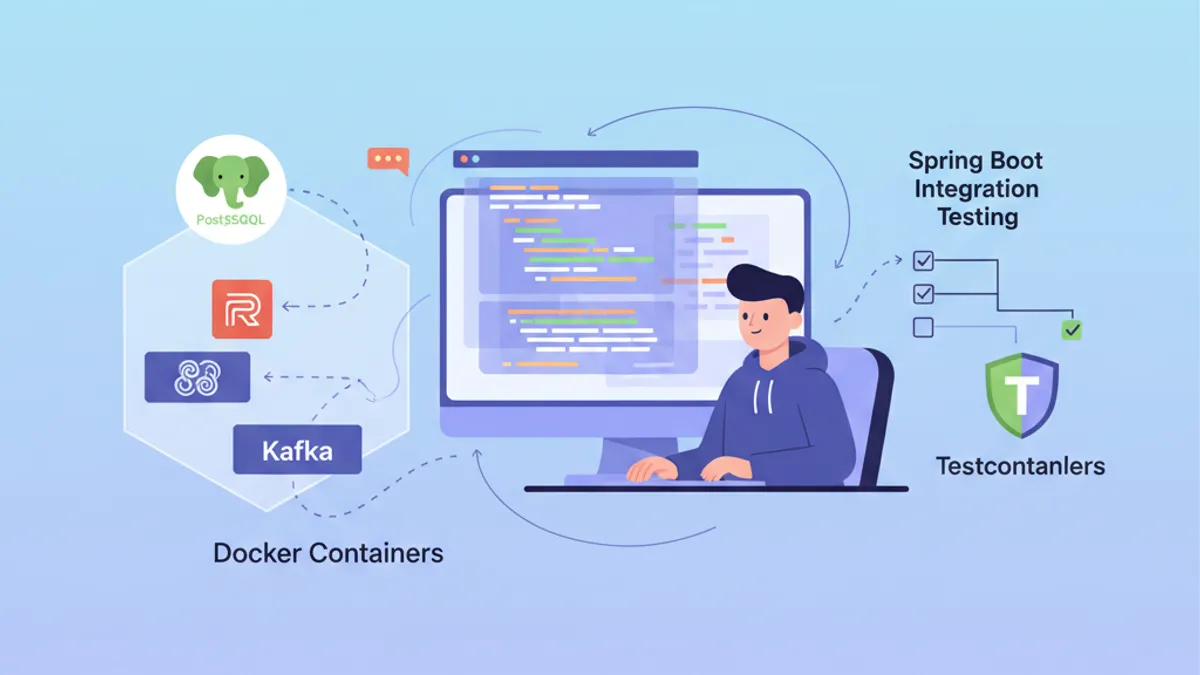
Kiểm thử tích hợp đặt ra một thách thức lớn trong quá trình phát triển ứng dụng Spring Boot. Việc kiểm thử trên một cơ sở dữ liệu PostgreSQL thực tế hoặc một broker Kafka đòi hỏi phải duy trì hạ tầng nặng nề. Testcontainers giải quyết vấn đề này bằng cách khởi chạy các container Docker theo yêu cầu trong quá trình kiểm thử, đảm bảo các môi trường biệt lập và có thể tái lập.
Spring Boot 3.4 bao gồm hỗ trợ Testcontainers nguyên bản với cấu hình tự động. Các phụ thuộc spring-boot-testcontainers đơn giản hóa đáng kể việc cài đặt và cho phép tái sử dụng container giữa các bài kiểm thử.
Hiểu sự tích hợp giữa Testcontainers và Spring Boot
Testcontainers cung cấp một API Java để khởi chạy các container Docker trong khi thực thi kiểm thử. Thay vì giả lập các phụ thuộc bên ngoài hoặc duy trì cơ sở dữ liệu kiểm thử dùng chung, mỗi lần chạy kiểm thử nhận được instance biệt lập riêng.
Kiến trúc dựa trên ba thành phần chính: thư viện Testcontainers điều khiển Docker, các module chuyên biệt cho từng công nghệ (PostgreSQL, Redis, Kafka) và sự tích hợp với Spring Boot tự động đưa các tham số kết nối vào.
<!-- pom.xml -->
<dependencies>
    <!-- Main Testcontainers dependency -->
    <dependency>
        <groupId>org.springframework.boot</groupId>
        <artifactId>spring-boot-testcontainers</artifactId>
        <scope>test</scope>
    </dependency>

    <!-- PostgreSQL module -->
    <dependency>
        <groupId>org.testcontainers</groupId>
        <artifactId>postgresql</artifactId>
        <scope>test</scope>
    </dependency>

    <!-- JUnit 5 support -->
    <dependency>
        <groupId>org.testcontainers</groupId>
        <artifactId>junit-jupiter</artifactId>
        <scope>test</scope>
    </dependency>
</dependencies>

<dependencyManagement>
    <dependencies>
        <!-- Testcontainers BOM for version management -->
        <dependency>
            <groupId>org.testcontainers</groupId>
            <artifactId>testcontainers-bom</artifactId>
            <version>1.20.4</version>
            <type>pom</type>
            <scope>import</scope>
        </dependency>
    </dependencies>
</dependencyManagement>
BOM Testcontainers đảm bảo tính nhất quán phiên bản giữa tất cả các module được sử dụng trong dự án.
Cấu hình cơ bản với PostgreSQL
Trường hợp sử dụng phổ biến nhất là kiểm thử với cơ sở dữ liệu PostgreSQL thực tế. Spring Boot 3.4 cung cấp hai cách tiếp cận: chú thích @ServiceConnection cho cấu hình tự động hoặc cấu hình thủ công thông qua @DynamicPropertySource.
@DataJpaTest
@Testcontainers
@AutoConfigureTestDatabase(replace = Replace.NONE)
class UserRepositoryIntegrationTest {

    // Starts a PostgreSQL container before tests
    @Container
    @ServiceConnection
    static PostgreSQLContainer<?> postgres = new PostgreSQLContainer<>(
        DockerImageName.parse("postgres:16-alpine")
    );

    @Autowired
    private UserRepository userRepository;

    @Test
    void shouldSaveAndRetrieveUser() {
        // Given: a user to persist
        User user = new User();
        user.setEmail("test@example.com");
        user.setName("Test User");

        // When: save and retrieve
        User saved = userRepository.save(user);
        Optional<User> found = userRepository.findById(saved.getId());

        // Then: user is correctly persisted
        assertThat(found).isPresent();
        assertThat(found.get().getEmail()).isEqualTo("test@example.com");
    }

    @Test
    void shouldFindUserByEmail() {
        // Given: a user in database
        User user = new User();
        user.setEmail("search@example.com");
        user.setName("Search User");
        userRepository.save(user);

        // When: search by email
        Optional<User> found = userRepository.findByEmail("search@example.com");

        // Then: user is found
        assertThat(found).isPresent();
        assertThat(found.get().getName()).isEqualTo("Search User");
    }
}
Chú thích @ServiceConnection tự động phát hiện loại container và cấu hình các thuộc tính Spring tương ứng (spring.datasource.url, spring.datasource.username, v.v.). Cách tiếp cận này loại bỏ mã cấu hình lặp lại.
Với @Container trên trường tĩnh, container khởi động một lần trước tất cả các bài kiểm thử trong lớp và dừng sau bài kiểm thử cuối cùng. Đối với một container cho mỗi bài kiểm thử, cần sử dụng trường instance không tĩnh.
Cấu hình thủ công với @DynamicPropertySource
Một số kịch bản đòi hỏi kiểm soát chi tiết hơn đối với các thuộc tính được đưa vào. Chú thích @DynamicPropertySource cho phép xác định rõ ràng các giá trị cấu hình.
@DataJpaTest
@Testcontainers
@AutoConfigureTestDatabase(replace = Replace.NONE)
class OrderRepositoryIntegrationTest {

    @Container
    static PostgreSQLContainer<?> postgres = new PostgreSQLContainer<>(
        DockerImageName.parse("postgres:16-alpine")
    )
        // Specific container configuration
        .withDatabaseName("orders_test")
        .withUsername("test_user")
        .withPassword("test_password")
        // SQL initialization script
        .withInitScript("db/init-orders.sql");

    // Manual injection of dynamic properties
    @DynamicPropertySource
    static void configureProperties(DynamicPropertyRegistry registry) {
        // JDBC URL generated dynamically with mapped port
        registry.add("spring.datasource.url", postgres::getJdbcUrl);
        registry.add("spring.datasource.username", postgres::getUsername);
        registry.add("spring.datasource.password", postgres::getPassword);
        // Additional properties if needed
        registry.add("spring.jpa.hibernate.ddl-auto", () -> "validate");
    }

    @Autowired
    private OrderRepository orderRepository;

    @Autowired
    private EntityManager entityManager;

    @Test
    void shouldPersistOrderWithItems() {
        // Given: an order with items
        Order order = new Order();
        order.setOrderNumber("ORD-2026-001");
        order.setStatus(OrderStatus.PENDING);

        OrderItem item = new OrderItem();
        item.setProductId(1L);
        item.setQuantity(2);
        item.setUnitPrice(BigDecimal.valueOf(29.99));
        order.addItem(item);

        // When: save the order
        Order saved = orderRepository.save(order);
        entityManager.flush();
        entityManager.clear();

        // Then: order and its items are persisted
        Order found = orderRepository.findById(saved.getId()).orElseThrow();
        assertThat(found.getItems()).hasSize(1);
        assertThat(found.getItems().get(0).getQuantity()).isEqualTo(2);
    }
}
Kịch bản khởi tạo withInitScript chuẩn bị schema hoặc chèn dữ liệu tham chiếu trước khi thực thi kiểm thử.
Kiểm thử tích hợp Spring Boot đầy đủ
Để kiểm thử toàn bộ ứng dụng với tất cả các thành phần được tải, @SpringBootTest thay thế @DataJpaTest. Cấu hình này khởi động ngữ cảnh Spring đầy đủ cùng với container PostgreSQL.
@SpringBootTest(webEnvironment = WebEnvironment.RANDOM_PORT)
@Testcontainers
class UserServiceIntegrationTest {

    @Container
    @ServiceConnection
    static PostgreSQLContainer<?> postgres = new PostgreSQLContainer<>(
        DockerImageName.parse("postgres:16-alpine")
    );

    @Autowired
    private UserService userService;

    @Autowired
    private TestRestTemplate restTemplate;

    @Test
    void shouldCreateUserViaApi() {
        // Given: a creation request
        CreateUserRequest request = new CreateUserRequest(
            "api@example.com",
            "API User",
            "securePassword123"
        );

        // When: call the REST API
        ResponseEntity<UserResponse> response = restTemplate.postForEntity(
            "/api/users",
            request,
            UserResponse.class
        );

        // Then: user is created successfully
        assertThat(response.getStatusCode()).isEqualTo(HttpStatus.CREATED);
        assertThat(response.getBody()).isNotNull();
        assertThat(response.getBody().email()).isEqualTo("api@example.com");
    }

    @Test
    void shouldRetrieveUserById() {
        // Given: an existing user
        UserResponse created = userService.createUser(
            new CreateUserRequest("retrieve@example.com", "Retrieve User", "password")
        );

        // When: retrieve by ID
        ResponseEntity<UserResponse> response = restTemplate.getForEntity(
            "/api/users/" + created.id(),
            UserResponse.class
        );

        // Then: user is returned
        assertThat(response.getStatusCode()).isEqualTo(HttpStatus.OK);
        assertThat(response.getBody().name()).isEqualTo("Retrieve User");
    }
}
TestRestTemplate được cấu hình tự động chỉ đến máy chủ được khởi chạy trên một cổng ngẫu nhiên, tránh xung đột cổng giữa các bài kiểm thử song song.
Sẵn sàng chinh phục phỏng vấn Spring Boot?
Luyện tập với mô phỏng tương tác, flashcards và bài kiểm tra kỹ thuật.
Tái sử dụng container giữa các bài kiểm thử
Khởi động một container Docker mất vài giây. Để tăng tốc thực thi kiểm thử, Spring Boot 3.4 cho phép tái sử dụng container thông qua một cấu hình tập trung.
@TestConfiguration(proxyBeanMethods = false)
public class TestcontainersConfiguration {

    // Reusable container bean across all tests
    @Bean
    @ServiceConnection
    PostgreSQLContainer<?> postgresContainer() {
        return new PostgreSQLContainer<>(DockerImageName.parse("postgres:16-alpine"))
            .withReuse(true)
            .withLabel("reuse.UUID", "e06d7a87-7d7d-472e-a047-7c2c6d4b5f7a");
    }

    @Bean
    @ServiceConnection
    RedisContainer redisContainer() {
        return new RedisContainer(DockerImageName.parse("redis:7-alpine"))
            .withReuse(true)
            .withLabel("reuse.UUID", "b3c8f9d2-4a5e-4c8d-9f2a-1b3c5d7e9f0a");
    }
}
Các bài kiểm thử nhập cấu hình này để chia sẻ cùng các container.
@SpringBootTest
@Import(TestcontainersConfiguration.class)
class ProductServiceIntegrationTest {

    @Autowired
    private ProductService productService;

    @Autowired
    private ProductRepository productRepository;

    @Test
    void shouldCacheProductDetails() {
        // Given: a product in database
        Product product = new Product();
        product.setName("Cached Product");
        product.setPrice(BigDecimal.valueOf(99.99));
        productRepository.save(product);

        // When: two successive calls
        ProductDto first = productService.getProductById(product.getId());
        ProductDto second = productService.getProductById(product.getId());

        // Then: second call uses cache
        assertThat(first).isEqualTo(second);
    }
}
Để bật tái sử dụng container, cần thêm cấu hình vào ~/.testcontainers.properties:
# ~/.testcontainers.properties
testcontainers.reuse.enable=trueVới việc tái sử dụng container, dữ liệu được giữ lại giữa các lần thực thi. Nên sử dụng @Sql hoặc @BeforeEach để dọn dẹp các bảng trước mỗi bài kiểm thử, hoặc cấu hình schema khác nhau cho từng lớp kiểm thử.
Kiểm thử với Redis và bộ nhớ đệm phân tán
Testcontainers hỗ trợ Redis để kiểm thử các tính năng cache. Module Redis cung cấp một container đã được cấu hình sẵn và sẵn sàng sử dụng.
@SpringBootTest
@Testcontainers
class CacheServiceIntegrationTest {

    @Container
    @ServiceConnection
    static RedisContainer redis = new RedisContainer(
        DockerImageName.parse("redis:7-alpine")
    );

    @Autowired
    private CacheService cacheService;

    @Autowired
    private StringRedisTemplate redisTemplate;

    @Test
    void shouldStoreAndRetrieveFromCache() {
        // Given: a value to cache
        String key = "user:123";
        String value = "{\"id\":123,\"name\":\"Cached User\"}";

        // When: store in cache
        cacheService.put(key, value, Duration.ofMinutes(10));

        // Then: value is retrievable
        String cached = cacheService.get(key);
        assertThat(cached).isEqualTo(value);
    }

    @Test
    void shouldExpireAfterTtl() throws InterruptedException {
        // Given: a value with short TTL
        String key = "expiring:key";
        cacheService.put(key, "temporary", Duration.ofSeconds(1));

        // When: wait for expiration
        Thread.sleep(1500);

        // Then: key has expired
        String cached = cacheService.get(key);
        assertThat(cached).isNull();
    }

    @Test
    void shouldIncrementCounter() {
        // Given: a counter key
        String counterKey = "page:views:homepage";

        // When: multiple increments
        Long first = redisTemplate.opsForValue().increment(counterKey);
        Long second = redisTemplate.opsForValue().increment(counterKey);
        Long third = redisTemplate.opsForValue().increment(counterKey);

        // Then: counter increments correctly
        assertThat(first).isEqualTo(1);
        assertThat(second).isEqualTo(2);
        assertThat(third).isEqualTo(3);
    }
}
Spring Boot tự động phát hiện RedisContainer thông qua @ServiceConnection và cấu hình spring.data.redis.host cũng như spring.data.redis.port.
Kiểm thử với Kafka và truyền tin bất đồng bộ
Các ứng dụng hướng sự kiện đòi hỏi kiểm thử với một broker Kafka thực tế. Testcontainers cung cấp một module Kafka khởi chạy một cụm một nút phù hợp cho kiểm thử.
@SpringBootTest
@Testcontainers
@EmbeddedKafka(partitions = 1, topics = {"order-events"})
class OrderEventIntegrationTest {

    @Container
    @ServiceConnection
    static KafkaContainer kafka = new KafkaContainer(
        DockerImageName.parse("confluentinc/cp-kafka:7.6.0")
    );

    @Autowired
    private KafkaTemplate<String, OrderEvent> kafkaTemplate;

    @Autowired
    private OrderEventConsumer orderEventConsumer;

    @Test
    void shouldPublishAndConsumeOrderEvent() throws Exception {
        // Given: an order event
        OrderEvent event = new OrderEvent(
            "ORD-2026-100",
            OrderEventType.CREATED,
            LocalDateTime.now()
        );

        // When: publish to Kafka
        kafkaTemplate.send("order-events", event.orderId(), event).get();

        // Then: event is consumed (with timeout)
        await()
            .atMost(Duration.ofSeconds(10))
            .untilAsserted(() -> {
                assertThat(orderEventConsumer.getReceivedEvents())
                    .hasSize(1)
                    .first()
                    .extracting(OrderEvent::orderId)
                    .isEqualTo("ORD-2026-100");
            });
    }
}@Component
public class OrderEventConsumer {
private final List<OrderEvent> receivedEvents = new CopyOnWriteArrayList<>();
@KafkaListener(topics = "order-events", groupId = "test-group")
public void consume(OrderEvent event) {
receivedEvents.add(event);
}
public List<OrderEvent> getReceivedEvents() {
return List.copyOf(receivedEvents);
}
public void clear() {
receivedEvents.clear();
}
}Thư viện Awaitility xử lý các xác nhận bất đồng bộ với thời gian chờ, tránh các lệnh gọi Thread.sleep mong manh trong kiểm thử.
Cấu hình đa container với Docker Compose
Đối với các ứng dụng phức tạp đòi hỏi nhiều dịch vụ phụ thuộc lẫn nhau, Testcontainers hỗ trợ các tệp Docker Compose.
# src/test/resources/docker-compose-test.yml
services:
  postgres:
    image: postgres:16-alpine
    environment:
      POSTGRES_DB: testdb
      POSTGRES_USER: testuser
      POSTGRES_PASSWORD: testpass
    ports:
      - "5432"

  redis:
    image: redis:7-alpine
    ports:
      - "6379"

  localstack:
    image: localstack/localstack:3.0
    environment:
      SERVICES: s3,sqs
      DEFAULT_REGION: eu-west-1
    ports:
- "4566"@SpringBootTest
@Testcontainers
class FullStackIntegrationTest {
@Container
static DockerComposeContainer<?> environment = new DockerComposeContainer<>(
new File("src/test/resources/docker-compose-test.yml")
)
.withExposedService("postgres", 5432)
.withExposedService("redis", 6379)
.withExposedService("localstack", 4566)
.waitingFor("postgres", Wait.forListeningPort())
.waitingFor("redis", Wait.forListeningPort())
.waitingFor("localstack", Wait.forLogMessage(".*Ready\\.$", 1));
@DynamicPropertySource
static void configureProperties(DynamicPropertyRegistry registry) {
// PostgreSQL configuration
String postgresHost = environment.getServiceHost("postgres", 5432);
Integer postgresPort = environment.getServicePort("postgres", 5432);
registry.add("spring.datasource.url",
() -> "jdbc:postgresql://" + postgresHost + ":" + postgresPort + "/testdb");
registry.add("spring.datasource.username", () -> "testuser");
registry.add("spring.datasource.password", () -> "testpass");
// Redis configuration
String redisHost = environment.getServiceHost("redis", 6379);
Integer redisPort = environment.getServicePort("redis", 6379);
registry.add("spring.data.redis.host", () -> redisHost);
registry.add("spring.data.redis.port", () -> redisPort);
// LocalStack S3 configuration
String localstackHost = environment.getServiceHost("localstack", 4566);
Integer localstackPort = environment.getServicePort("localstack", 4566);
registry.add("aws.s3.endpoint",
() -> "http://" + localstackHost + ":" + localstackPort);
}
@Autowired
private FileStorageService fileStorageService;
@Test
void shouldUploadFileToS3() {
// Given: a file to upload
byte[] content = "Test file content".getBytes();
String fileName = "test-file.txt";
// When: upload to S3 via LocalStack
String url = fileStorageService.upload(fileName, content);
// Then: file is accessible
assertThat(url).contains(fileName);
byte[] downloaded = fileStorageService.download(fileName);
assertThat(downloaded).isEqualTo(content);
}
}Bắt đầu luyện tập!
Kiểm tra kiến thức với mô phỏng phỏng vấn và bài kiểm tra kỹ thuật.
Thực hành tốt và tối ưu hóa hiệu năng
Thực thi Testcontainers hiệu quả đòi hỏi một số tối ưu hóa để giảm thời gian build.
@SpringBootTest
@Testcontainers
@ActiveProfiles("test")
public abstract class AbstractIntegrationTest {

    // Shared container across all inheriting classes
    @Container
    @ServiceConnection
    protected static PostgreSQLContainer<?> postgres = new PostgreSQLContainer<>(
        DockerImageName.parse("postgres:16-alpine")
    )
        .withReuse(true);

    @Autowired
    protected JdbcTemplate jdbcTemplate;

    @BeforeEach
    void cleanDatabase() {
        // Clean tables in order to respect FK constraints
        jdbcTemplate.execute("TRUNCATE TABLE order_items CASCADE");
        jdbcTemplate.execute("TRUNCATE TABLE orders CASCADE");
        jdbcTemplate.execute("TRUNCATE TABLE users CASCADE");
    }
}class UserIntegrationTest extends AbstractIntegrationTest {
@Autowired
private UserRepository userRepository;
@Test
void shouldCreateUser() {
// PostgreSQL container already started via parent class
User user = new User();
user.setEmail("inherited@test.com");
user.setName("Inherited Test");
User saved = userRepository.save(user);
assertThat(saved.getId()).isNotNull();
}
}Lớp trừu tượng tập trung cấu hình container và việc dọn dẹp cơ sở dữ liệu, tránh trùng lặp mã.
# src/test/resources/application-test.properties
# Test-specific configuration
spring.jpa.hibernate.ddl-auto=create-drop
spring.jpa.show-sql=false

# Disable Flyway/Liquibase if using ddl-auto
spring.flyway.enabled=false

# Reduced connection pool for tests
spring.datasource.hikari.maximum-pool-size=5
spring.datasource.hikari.minimum-idle=2Nên ưu tiên các image Alpine (postgres:16-alpine, redis:7-alpine), nhẹ hơn và khởi động nhanh hơn. Đối với kiểm thử, sự khác biệt về chức năng so với image đầy đủ là không đáng kể.
Kiểm thử migration cơ sở dữ liệu
Testcontainers xuất sắc trong việc kiểm thử các migration Flyway hoặc Liquibase trên một cơ sở dữ liệu thực tế.
@DataJpaTest
@Testcontainers
@AutoConfigureTestDatabase(replace = Replace.NONE)
class FlywayMigrationTest {

    @Container
    @ServiceConnection
    static PostgreSQLContainer<?> postgres = new PostgreSQLContainer<>(
        DockerImageName.parse("postgres:16-alpine")
    );

    @Autowired
    private Flyway flyway;

    @Autowired
    private JdbcTemplate jdbcTemplate;

    @Test
    void shouldApplyAllMigrations() {
        // Given: migrations applied at startup

        // When: check state
        MigrationInfoService info = flyway.info();

        // Then: all migrations are applied
        assertThat(info.pending()).isEmpty();
        assertThat(info.applied()).isNotEmpty();
    }

    @Test
    void shouldCreateExpectedTables() {
        // Given: migrations applied

        // When: query system tables
        List<String> tables = jdbcTemplate.queryForList(
            "SELECT table_name FROM information_schema.tables " +
            "WHERE table_schema = 'public' AND table_type = 'BASE TABLE'",
            String.class
        );

        // Then: expected tables exist
        assertThat(tables).contains("users", "orders", "order_items", "products");
    }

    @Test
    void shouldHaveCorrectColumnTypes() {
        // Given: users table created

        // When: verify schema
        List<Map<String, Object>> columns = jdbcTemplate.queryForList(
            "SELECT column_name, data_type, is_nullable " +
            "FROM information_schema.columns " +
            "WHERE table_name = 'users'"
        );

        // Then: columns have correct types
        assertThat(columns)
            .extracting(c -> c.get("column_name"))
            .contains("id", "email", "name", "created_at");
    }
}
Những bài kiểm thử này đảm bảo các migration SQL hoạt động chính xác trước khi triển khai sản xuất.
Kết luận
Testcontainers chuyển đổi kiểm thử tích hợp Spring Boot bằng cách làm cho chúng đáng tin cậy, có thể tái lập và độc lập với môi trường cục bộ. Hỗ trợ nguyên bản của Spring Boot 3.4 với @ServiceConnection đơn giản hóa đáng kể cấu hình, trong khi việc tái sử dụng container tối ưu thời gian thực thi.
Danh sách kiểm tra Testcontainers Spring Boot:
- ✅ Sử dụng
spring-boot-testcontainerscho cấu hình tự động nguyên bản - ✅ Ưu tiên
@ServiceConnectionhơn@DynamicPropertySourcekhi có thể - ✅ Bật
withReuse(true)để tăng tốc các lần thực thi liên tiếp - ✅ Tập trung cấu hình trong một lớp trừu tượng hoặc
@TestConfiguration - ✅ Dọn dẹp dữ liệu giữa các bài kiểm thử với
@BeforeEachhoặc@Sql - ✅ Sử dụng image Alpine để khởi động nhanh hơn
- ✅ Kiểm thử các migration Flyway/Liquibase trên PostgreSQL thực tế
- ✅ Tận dụng Docker Compose cho môi trường đa dịch vụ
Bạn có tìm ra lỗi trong Spring Boot không?
Một đoạn mã thật, một lỗi ẩn, mỗi ngày một lượt. Không cần tài khoản để thử.

Viết bởi
Anthony Fillion-MailletNgười sáng lập SharpSkill
Lập trình viên fullstack hơn 10 năm. Anh điều hành SharpSkill và chịu trách nhiệm về mọi nội dung đăng tại đây.
Cập nhật ngày 1 tháng 5, 2026
Thẻ
Chia sẻ
Bài viết liên quan

Spring Modulith: Kiến trúc Monolith Mô-đun Giải thích
Học Spring Modulith để xây dựng monolith mô-đun trong Java. Kiến trúc, mô-đun, sự kiện bất đồng bộ, testing và observability với ví dụ mã Spring Boot 3 và 4.

Phỏng vấn Spring Batch 5: Phân vùng, Chunk và Khả năng chịu lỗi
Chinh phục các buổi phỏng vấn Spring Batch 5: 15 câu hỏi cốt lõi về phân vùng, xử lý chunk và khả năng chịu lỗi với ví dụ Java 21.

Phỏng vấn Spring Boot: Lan truyền Giao dịch
Làm chủ lan truyền giao dịch Spring Boot: REQUIRED, REQUIRES_NEW, NESTED và hơn thế. 12 câu hỏi phỏng vấn với mã ví dụ và bẫy thường gặp.