Spring Security 6: Cấu hình OAuth2 Resource Server
Hướng dẫn thực hành cấu hình OAuth2 Resource Server với Spring Security 6. Xác thực JWT, cấu hình issuer, quản lý scope và tích hợp Keycloak.
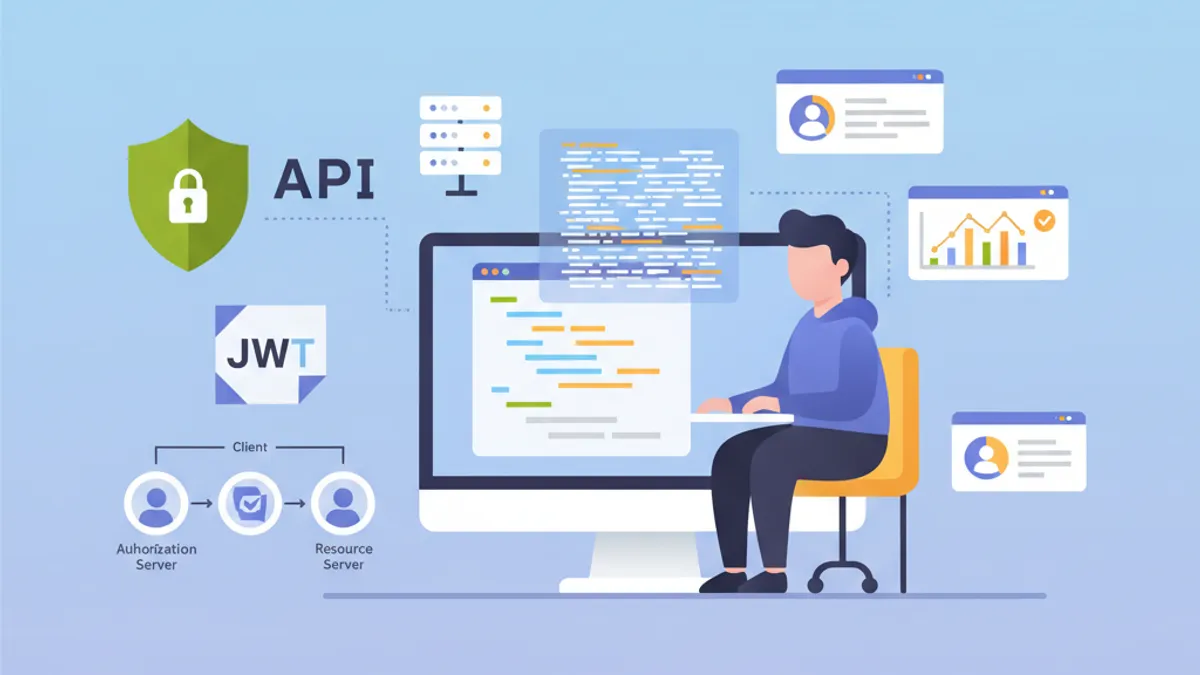
OAuth2 Resource Server bảo vệ các API bằng cách xác thực các token JWT do Authorization Server bên ngoài như Keycloak, Auth0 hoặc Okta phát hành. Khác với xác thực JWT tùy chỉnh nơi ứng dụng tự tạo token, Resource Server hoàn toàn ủy thác việc quản lý danh tính cho một Identity Provider (IdP) chuyên biệt.
Resource Server không bao giờ tạo token. Nó chỉ xác thực chúng. Việc phân tách trách nhiệm này tăng cường bảo mật và đơn giản hóa kiến trúc bằng cách tập trung quản lý danh tính.
Kiến trúc OAuth2 Resource Server
Luồng OAuth2 bao gồm ba thành phần chính. Client (ứng dụng frontend hoặc di động) lấy access token từ Authorization Server. Sau đó, nó đính kèm token này trong mọi yêu cầu đến Resource Server. Resource Server xác thực token bằng cách kiểm tra chữ ký của nó thông qua khóa công khai của Authorization Server.
Kiến trúc này mang lại nhiều lợi ích. Resource Server vẫn không trạng thái vì tất cả thông tin cần thiết được chứa trong token JWT. Việc xác thực diễn ra mà không cần gọi mạng đến IdP nhờ xác minh chữ ký bất đối xứng. Nhiều API có thể dùng chung một Authorization Server, đơn giản hóa việc quản lý người dùng.
┌──────────────┐     1. Login      ┌─────────────────────┐
│   Client     │ ───────────────►  │  Authorization      │
│   (SPA/App)  │                   │  Server (Keycloak)  │
│              │ ◄─────────────────│                     │
└──────────────┘   2. JWT Token    └─────────────────────┘
       │                                    │
       │ 3. Request + Bearer Token          │
       ▼                                    ▼
┌──────────────────────┐           ┌─────────────────────┐
│   Resource Server    │ ◄─────── │   JWKS Endpoint     │
│   (Spring Boot API)  │  4. Public Keys (cached)       │
└──────────────────────┘           └─────────────────────┘
Resource Server tải các khóa công khai khi khởi động và lưu vào bộ nhớ đệm, tránh các cuộc gọi mạng cho mỗi yêu cầu.
Dependencies Maven cho OAuth2 Resource Server
Cấu hình Resource Server yêu cầu hai dependency cụ thể. Starter oauth2-resource-server cung cấp cơ sở hạ tầng cơ bản, trong khi oauth2-jose chứa các lớp để giải mã và xác thực JWT.
<!-- pom.xml -->
<dependencies>
    <!-- OAuth2 Resource Server support -->
    <dependency>
        <groupId>org.springframework.boot</groupId>
        <artifactId>spring-boot-starter-oauth2-resource-server</artifactId>
    </dependency>

    <!-- Spring Web for REST endpoints -->
    <dependency>
        <groupId>org.springframework.boot</groupId>
        <artifactId>spring-boot-starter-web</artifactId>
    </dependency>

    <!-- DTO validation -->
    <dependency>
        <groupId>org.springframework.boot</groupId>
        <artifactId>spring-boot-starter-validation</artifactId>
    </dependency>
</dependencies>
Không cần các dependency bổ sung như JJWT. Spring Security sử dụng thư viện Nimbus JOSE+JWT có trong spring-security-oauth2-jose để xử lý token.
Cấu hình cơ bản với issuer-uri
Cấu hình tối thiểu cho Resource Server chỉ cần hai dòng. Spring Security tự động khám phá các endpoint của IdP qua giao thức OpenID Connect Discovery.
# application.yml
spring:
  security:
    oauth2:
      resourceserver:
        jwt:
          # URI của Authorization Server
          # Spring tự động lấy khóa công khai qua /.well-known/openid-configuration
          issuer-uri: https://keycloak.example.com/realms/myrealm
Từ issuer-uri, Spring Security gửi yêu cầu đến {issuer-uri}/.well-known/openid-configuration để lấy metadata của Authorization Server. Sau đó trích xuất URL JWKS (JSON Web Key Set) chứa các khóa công khai dùng để xác thực chữ ký token.
@Configuration
@EnableWebSecurity
@EnableMethodSecurity
public class SecurityConfig {

    @Bean
    public SecurityFilterChain securityFilterChain(HttpSecurity http) throws Exception {
        return http
            // Disable CSRF for stateless APIs
            .csrf(csrf -> csrf.disable())

            // Authorization rules
            .authorizeHttpRequests(auth -> auth
                // Public endpoints
                .requestMatchers("/api/public/**").permitAll()
                .requestMatchers("/actuator/health").permitAll()
                // All other requests require a valid token
                .anyRequest().authenticated()
            )

            // Enable OAuth2 JWT validation
            .oauth2ResourceServer(oauth2 -> oauth2
                .jwt(Customizer.withDefaults())
            )

            // Stateless mode required for Resource Servers
            .sessionManagement(session -> session
                .sessionCreationPolicy(SessionCreationPolicy.STATELESS)
            )

            .build();
    }
}
Cấu hình này đủ để bảo vệ một API. Spring Security tự động xác thực chữ ký token, kiểm tra các dấu thời gian (exp, nbf, iat) và đảm bảo claim iss khớp với issuer-uri đã cấu hình.
Mặc định, ứng dụng không khởi động được nếu không thể truy cập Authorization Server. Để cho phép khởi động độc lập, cần cấu hình jwk-set-uri rõ ràng thay vì issuer-uri.
Cấu hình nâng cao với jwk-set-uri
Khi Authorization Server không hỗ trợ OpenID Connect Discovery hoặc khi ứng dụng phải khởi động mà không phụ thuộc mạng vào IdP, cấu hình JWKS rõ ràng là lựa chọn tốt hơn.
# application.yml
spring:
  security:
    oauth2:
      resourceserver:
        jwt:
          # Direct URL to JWKS (public keys)
          jwk-set-uri: https://keycloak.example.com/realms/myrealm/protocol/openid-connect/certs
          # Expected value of the "iss" claim in tokens
          issuer-uri: https://keycloak.example.com/realms/myrealm
          # Allowed audiences ("aud" claim)
          audiences:
            - my-api
            - account
Cách tiếp cận này mang lại nhiều quyền kiểm soát hơn. Việc xác thực audience ngăn chặn việc sử dụng các token dành cho các dịch vụ khác. Một token được phát hành cho ứng dụng frontend-app sẽ bị từ chối nếu API chỉ chấp nhận audience my-api và account.
@Configuration
@EnableWebSecurity
public class SecurityConfig {

    @Value("${spring.security.oauth2.resourceserver.jwt.issuer-uri}")
    private String issuerUri;

    @Bean
    public SecurityFilterChain securityFilterChain(HttpSecurity http) throws Exception {
        return http
            .csrf(csrf -> csrf.disable())

            .authorizeHttpRequests(auth -> auth
                .requestMatchers("/api/public/**").permitAll()
                .anyRequest().authenticated()
            )

            // Custom JWT configuration
            .oauth2ResourceServer(oauth2 -> oauth2
                .jwt(jwt -> jwt
                    .jwtAuthenticationConverter(jwtAuthenticationConverter())
                )
            )

            .sessionManagement(session -> session
                .sessionCreationPolicy(SessionCreationPolicy.STATELESS)
            )

            .build();
    }

    // Custom converter to extract authorities from the token
    @Bean
    public JwtAuthenticationConverter jwtAuthenticationConverter() {
        JwtGrantedAuthoritiesConverter grantedAuthoritiesConverter =
            new JwtGrantedAuthoritiesConverter();
        // SCOPE_ prefix for authorities (e.g., SCOPE_read, SCOPE_write)
        grantedAuthoritiesConverter.setAuthorityPrefix("SCOPE_");
        // Claim containing scopes (OAuth2 standard)
        grantedAuthoritiesConverter.setAuthoritiesClaimName("scope");

        JwtAuthenticationConverter jwtAuthenticationConverter =
            new JwtAuthenticationConverter();
        jwtAuthenticationConverter.setJwtGrantedAuthoritiesConverter(
            grantedAuthoritiesConverter
        );

        return jwtAuthenticationConverter;
    }
}
JwtAuthenticationConverter chuyển đổi các claim của token thành các đối tượng GrantedAuthority có thể được sử dụng trong các biểu thức bảo mật.
Sẵn sàng chinh phục phỏng vấn Spring Boot?
Luyện tập với mô phỏng tương tác, flashcards và bài kiểm tra kỹ thuật.
Trích xuất các role Keycloak
Keycloak cấu trúc các role khác với chuẩn OAuth2. Các role nằm trong realm_access.roles (role realm) hoặc resource_access.{client}.roles (role dành riêng cho client). Một converter tùy chỉnh sẽ trích xuất thông tin này.
@Component
public class KeycloakJwtAuthenticationConverter
    implements Converter<Jwt, AbstractAuthenticationToken> {

    private static final String REALM_ACCESS_CLAIM = "realm_access";
    private static final String RESOURCE_ACCESS_CLAIM = "resource_access";
    private static final String ROLES_CLAIM = "roles";

    @Value("${keycloak.client-id}")
    private String clientId;

    @Override
    public AbstractAuthenticationToken convert(Jwt jwt) {
        // Combine realm and client roles
        Collection<GrantedAuthority> authorities = Stream.concat(
            extractRealmRoles(jwt).stream(),
            extractClientRoles(jwt).stream()
        ).collect(Collectors.toSet());

        // Return authentication token with extracted authorities
        return new JwtAuthenticationToken(jwt, authorities, extractUsername(jwt));
    }

    // Extract realm-level roles
    private Collection<GrantedAuthority> extractRealmRoles(Jwt jwt) {
        Map<String, Object> realmAccess = jwt.getClaim(REALM_ACCESS_CLAIM);
        if (realmAccess == null) {
            return Collections.emptyList();
        }

        @SuppressWarnings("unchecked")
        List<String> roles = (List<String>) realmAccess.get(ROLES_CLAIM);
        if (roles == null) {
            return Collections.emptyList();
        }

        // ROLE_ prefix for compatibility with hasRole()
        return roles.stream()
            .map(role -> new SimpleGrantedAuthority("ROLE_" + role.toUpperCase()))
            .collect(Collectors.toList());
    }

    // Extract client-specific roles
    private Collection<GrantedAuthority> extractClientRoles(Jwt jwt) {
        Map<String, Object> resourceAccess = jwt.getClaim(RESOURCE_ACCESS_CLAIM);
        if (resourceAccess == null) {
            return Collections.emptyList();
        }

        @SuppressWarnings("unchecked")
        Map<String, Object> clientAccess =
            (Map<String, Object>) resourceAccess.get(clientId);
        if (clientAccess == null) {
            return Collections.emptyList();
        }

        @SuppressWarnings("unchecked")
        List<String> roles = (List<String>) clientAccess.get(ROLES_CLAIM);
        if (roles == null) {
            return Collections.emptyList();
        }

        return roles.stream()
            .map(role -> new SimpleGrantedAuthority("ROLE_" + role.toUpperCase()))
            .collect(Collectors.toList());
    }

    // Extract username from token
    private String extractUsername(Jwt jwt) {
        // Keycloak uses "preferred_username" by default
        String username = jwt.getClaimAsString("preferred_username");
        if (username != null) {
            return username;
        }
        // Fallback to subject (usually the user UUID)
        return jwt.getSubject();
    }
}
Tích hợp vào cấu hình bảo mật được thực hiện qua tham số jwtAuthenticationConverter.
@Configuration
@EnableWebSecurity
@EnableMethodSecurity
@RequiredArgsConstructor
public class SecurityConfig {

    private final KeycloakJwtAuthenticationConverter keycloakConverter;

    @Bean
    public SecurityFilterChain securityFilterChain(HttpSecurity http) throws Exception {
        return http
            .csrf(csrf -> csrf.disable())

            .authorizeHttpRequests(auth -> auth
                .requestMatchers("/api/public/**").permitAll()
                // Protection by Keycloak role
                .requestMatchers("/api/admin/**").hasRole("ADMIN")
                .anyRequest().authenticated()
            )

            .oauth2ResourceServer(oauth2 -> oauth2
                .jwt(jwt -> jwt
                    // Use Keycloak converter
                    .jwtAuthenticationConverter(keycloakConverter)
                )
            )

            .sessionManagement(session -> session
                .sessionCreationPolicy(SessionCreationPolicy.STATELESS)
            )

            .build();
    }
}
Các role được trích xuất giờ đây có thể sử dụng với các annotation @PreAuthorize("hasRole('ADMIN')") hoặc trong các biểu thức requestMatchers().hasRole().
Xác thực token tùy chỉnh
Các xác thực bổ sung có thể cần thiết tùy theo nhu cầu nghiệp vụ: kiểm tra claim tùy chỉnh, xác thực audience hoặc kiểm soát thời gian sống tối đa.
@Component
public class CustomJwtValidator implements OAuth2TokenValidator<Jwt> {

    private static final OAuth2Error AUDIENCE_ERROR =
        new OAuth2Error("invalid_token", "Token audience is not valid", null);

    private static final OAuth2Error CUSTOM_CLAIM_ERROR =
        new OAuth2Error("invalid_token", "Required custom claim missing", null);

    @Value("${app.jwt.required-audience}")
    private String requiredAudience;

    @Value("${app.jwt.required-tenant-claim:tenant_id}")
    private String tenantClaimName;

    @Override
    public OAuth2TokenValidatorResult validate(Jwt jwt) {
        List<OAuth2Error> errors = new ArrayList<>();

        // Audience validation
        if (!validateAudience(jwt)) {
            errors.add(AUDIENCE_ERROR);
        }

        // Custom business claim validation
        if (!validateTenantClaim(jwt)) {
            errors.add(CUSTOM_CLAIM_ERROR);
        }

        if (!errors.isEmpty()) {
            return OAuth2TokenValidatorResult.failure(errors);
        }

        return OAuth2TokenValidatorResult.success();
    }

    private boolean validateAudience(Jwt jwt) {
        List<String> audiences = jwt.getAudience();
        return audiences != null && audiences.contains(requiredAudience);
    }

    private boolean validateTenantClaim(Jwt jwt) {
        // Check for required business claim
        String tenantId = jwt.getClaimAsString(tenantClaimName);
        return tenantId != null && !tenantId.isBlank();
    }
}
Validator tùy chỉnh được tích hợp vào cấu hình JwtDecoder.
@Configuration
@RequiredArgsConstructor
public class JwtConfig {

    private final CustomJwtValidator customValidator;

    @Value("${spring.security.oauth2.resourceserver.jwt.issuer-uri}")
    private String issuerUri;

    @Value("${spring.security.oauth2.resourceserver.jwt.jwk-set-uri}")
    private String jwkSetUri;

    @Bean
    public JwtDecoder jwtDecoder() {
        // Create decoder with JWKS URL
        NimbusJwtDecoder jwtDecoder = NimbusJwtDecoder
            .withJwkSetUri(jwkSetUri)
            .build();

        // Combine default validators with custom validator
        OAuth2TokenValidator<Jwt> defaultValidators =
            JwtValidators.createDefaultWithIssuer(issuerUri);

        OAuth2TokenValidator<Jwt> combinedValidator =
            new DelegatingOAuth2TokenValidator<>(defaultValidators, customValidator);

        jwtDecoder.setJwtValidator(combinedValidator);

        return jwtDecoder;
    }
}Các xác thực đồng bộ chặn luồng xử lý. Đối với các xác thực yêu cầu gọi bên ngoài (cơ sở dữ liệu, dịch vụ bên thứ ba), nên dùng filter bất đồng bộ hoặc kiểm tra sau.
Truy cập thông tin token trong controller
Spring Security cung cấp nhiều phương pháp để truy cập thông tin token JWT trong các controller.
@RestController
@RequestMapping("/api/users")
public class UserController {

    // Direct JWT injection via @AuthenticationPrincipal
    @GetMapping("/me")
    public ResponseEntity<UserInfoResponse> getCurrentUser(
        @AuthenticationPrincipal Jwt jwt
    ) {
        String userId = jwt.getSubject();
        String email = jwt.getClaimAsString("email");
        String username = jwt.getClaimAsString("preferred_username");
        List<String> roles = extractRoles(jwt);

        return ResponseEntity.ok(new UserInfoResponse(
            userId, email, username, roles
        ));
    }

    // Alternative with JwtAuthenticationToken to access authorities
    @GetMapping("/profile")
    public ResponseEntity<ProfileResponse> getProfile(
        JwtAuthenticationToken authentication
    ) {
        Jwt jwt = authentication.getToken();
        Collection<String> authorities = authentication.getAuthorities()
            .stream()
            .map(GrantedAuthority::getAuthority)
            .toList();

        return ResponseEntity.ok(new ProfileResponse(
            jwt.getSubject(),
            jwt.getClaimAsString("name"),
            authorities
        ));
    }

    // Access scopes for conditional business logic
    @GetMapping("/data")
    @PreAuthorize("hasAuthority('SCOPE_read')")
    public ResponseEntity<DataResponse> getData(
        @AuthenticationPrincipal Jwt jwt
    ) {
        boolean canWrite = hasScope(jwt, "write");

        // Business logic adapted according to permissions
        DataResponse response = buildDataResponse(jwt.getSubject(), canWrite);
        return ResponseEntity.ok(response);
    }

    private List<String> extractRoles(Jwt jwt) {
        Map<String, Object> realmAccess = jwt.getClaim("realm_access");
        if (realmAccess == null) {
            return Collections.emptyList();
        }
        @SuppressWarnings("unchecked")
        List<String> roles = (List<String>) realmAccess.get("roles");
        return roles != null ? roles : Collections.emptyList();
    }

    private boolean hasScope(Jwt jwt, String scope) {
        String scopes = jwt.getClaimAsString("scope");
        return scopes != null && scopes.contains(scope);
    }
}public record UserInfoResponse(
String userId,
String email,
String username,
List<String> roles
) {}
// ProfileResponse.java
public record ProfileResponse(
String userId,
String name,
Collection<String> authorities
) {}Annotation @AuthenticationPrincipal tránh việc lấy thủ công thông tin xác thực từ SecurityContextHolder.
Xử lý lỗi xác thực OAuth2
Xử lý lỗi cụ thể cải thiện trải nghiệm của nhà phát triển cho người tiêu dùng API.
@RestControllerAdvice
public class OAuth2SecurityExceptionHandler {

    private static final Logger log =
        LoggerFactory.getLogger(OAuth2SecurityExceptionHandler.class);

    // Missing token or invalid format
    @ExceptionHandler(AuthenticationException.class)
    @ResponseStatus(HttpStatus.UNAUTHORIZED)
    public ErrorResponse handleAuthenticationException(AuthenticationException ex) {
        log.warn("Authentication failed: {}", ex.getMessage());

        return new ErrorResponse(
            "UNAUTHORIZED",
            "Authentication required. Provide a valid Bearer token.",
            Map.of("error", ex.getMessage())
        );
    }

    // Access denied despite valid token
    @ExceptionHandler(AccessDeniedException.class)
    @ResponseStatus(HttpStatus.FORBIDDEN)
    public ErrorResponse handleAccessDeniedException(AccessDeniedException ex) {
        log.warn("Access denied: {}", ex.getMessage());

        return new ErrorResponse(
            "FORBIDDEN",
            "Insufficient permissions for this resource",
            null
        );
    }

    // OAuth2-specific error (expired token, invalid signature, etc.)
    @ExceptionHandler(OAuth2AuthenticationException.class)
    @ResponseStatus(HttpStatus.UNAUTHORIZED)
    public ErrorResponse handleOAuth2Exception(OAuth2AuthenticationException ex) {
        OAuth2Error error = ex.getError();
        log.warn("OAuth2 authentication error: {} - {}",
            error.getErrorCode(), error.getDescription());

        String message = switch (error.getErrorCode()) {
            case "invalid_token" -> "Token is invalid or expired";
            case "insufficient_scope" -> "Token does not have required scopes";
            default -> "Authentication failed";
        };

        return new ErrorResponse(
            error.getErrorCode().toUpperCase(),
            message,
            Map.of("details", error.getDescription())
        );
    }
}

// ErrorResponse.java
public record ErrorResponse(
    String code,
    String message,
    Map<String, String> details
) {}
Các mã lỗi OAuth2 chuẩn hóa (invalid_token, insufficient_scope) giúp xử lý dễ dàng ở phía client.
Cấu hình đa môi trường
Cấu hình thay đổi theo môi trường. Trong môi trường phát triển, có thể sử dụng máy chủ Keycloak cục bộ, trong khi ở sản xuất, một IdP được quản lý như Auth0 sẽ thay thế.
# application.yml (common configuration)
app:
  jwt:
    required-audience: my-api

---
# application-dev.yml
spring:
  config:
    activate:
      on-profile: dev
  security:
    oauth2:
      resourceserver:
        jwt:
          issuer-uri: http://localhost:8180/realms/dev-realm

keycloak:
  client-id: my-api-dev

logging:
  level:
    org.springframework.security: DEBUG

---
# application-prod.yml
spring:
  config:
    activate:
      on-profile: prod
  security:
    oauth2:
      resourceserver:
        jwt:
          issuer-uri: ${OAUTH2_ISSUER_URI}
          audiences: ${OAUTH2_AUDIENCES:my-api}

keycloak:
  client-id: ${KEYCLOAK_CLIENT_ID}

logging:
  level:
    org.springframework.security: WARN
Trong môi trường sản xuất, các giá trị nhạy cảm đến từ biến môi trường hoặc trình quản lý bí mật.
Kiểm thử tích hợp với JWT giả lập
Các bài kiểm thử tích hợp sử dụng các tiện ích Spring Security Test để giả lập các token JWT hợp lệ.
@SpringBootTest(webEnvironment = WebEnvironment.RANDOM_PORT)
@AutoConfigureMockMvc
class ResourceServerIntegrationTest {

    @Autowired
    private MockMvc mockMvc;

    @Test
    void shouldRejectRequestWithoutToken() throws Exception {
        mockMvc.perform(get("/api/users/me"))
            .andExpect(status().isUnauthorized());
    }

    @Test
    @WithMockJwtAuth(
        claims = @OpenIdClaims(sub = "user-123", preferredUsername = "john.doe"),
        authorities = {"ROLE_USER"}
    )
    void shouldAllowAuthenticatedUser() throws Exception {
        mockMvc.perform(get("/api/users/me"))
            .andExpect(status().isOk())
            .andExpect(jsonPath("$.userId").value("user-123"))
            .andExpect(jsonPath("$.username").value("john.doe"));
    }

    @Test
    void shouldAllowAccessWithValidJwt() throws Exception {
        mockMvc.perform(get("/api/users/me")
                .with(jwt()
                    .jwt(jwt -> jwt
                        .subject("user-456")
                        .claim("preferred_username", "jane.doe")
                        .claim("email", "jane@example.com")
                    )
                    .authorities(new SimpleGrantedAuthority("ROLE_USER"))
                ))
            .andExpect(status().isOk())
            .andExpect(jsonPath("$.email").value("jane@example.com"));
    }

    @Test
    void shouldDenyAccessWithoutAdminRole() throws Exception {
        mockMvc.perform(get("/api/admin/users")
                .with(jwt()
                    .authorities(new SimpleGrantedAuthority("ROLE_USER"))
                ))
            .andExpect(status().isForbidden());
    }

    @Test
    void shouldAllowAdminAccess() throws Exception {
        mockMvc.perform(get("/api/admin/users")
                .with(jwt()
                    .authorities(new SimpleGrantedAuthority("ROLE_ADMIN"))
                ))
            .andExpect(status().isOk());
    }
}
Tiện ích jwt() từ spring-security-test tạo các token giả lập mà không cần Authorization Server.
@TestConfiguration
public class SecurityTestConfig {

    // Mocked JwtDecoder for tests
    @Bean
    @Primary
    public JwtDecoder jwtDecoder() {
        return token -> {
            // Return a mocked JWT for tests
            return Jwt.withTokenValue(token)
                .header("alg", "RS256")
                .subject("test-user")
                .claim("scope", "read write")
                .build();
        };
    }
}
Bắt đầu luyện tập!
Kiểm tra kiến thức với mô phỏng phỏng vấn và bài kiểm tra kỹ thuật.
Kết luận
Cấu hình OAuth2 Resource Server với Spring Security 6 tập trung hóa việc xác thực token và đơn giản hóa bảo mật API. Authorization Server xử lý xác thực và phát hành token, trong khi API tập trung vào xác thực và trích xuất thông tin danh tính.
Danh sách kiểm tra triển khai:
- ✅ Cấu hình
issuer-urihoặcjwk-set-uritheo nhu cầu - ✅ Xác thực audience để ngăn việc lạm dụng token từ các dịch vụ khác
- ✅ Converter tùy chỉnh để trích xuất role Keycloak
- ✅ Xử lý lỗi OAuth2 với mã chuẩn hóa
- ✅ Kiểm thử tích hợp với token giả lập
- ✅ HTTPS bắt buộc giữa client và Resource Server
- ✅ Cấu hình theo từng môi trường
- ✅ Ghi nhật ký các nỗ lực xác thực thất bại
Kiến trúc này tích hợp tự nhiên vào hệ sinh thái microservices nơi nhiều API chia sẻ cùng một Identity Provider.
Bạn có tìm ra lỗi trong Spring Boot không?
Một đoạn mã thật, một lỗi ẩn, mỗi ngày một lượt. Không cần tài khoản để thử.

Viết bởi
Anthony Fillion-MailletNgười sáng lập SharpSkill
Lập trình viên fullstack hơn 10 năm. Anh điều hành SharpSkill và chịu trách nhiệm về mọi nội dung đăng tại đây.
Cập nhật ngày 1 tháng 5, 2026
Thẻ
Chia sẻ
Bài viết liên quan
Spring Security 6: Xác Thực JWT Toàn Diện
Hướng dẫn thực tế triển khai xác thực JWT với Spring Security 6: cấu hình, sinh token, kiểm tra hợp lệ và các thực hành bảo mật tốt nhất.

Spring Modulith: Kiến trúc Monolith Mô-đun Giải thích
Học Spring Modulith để xây dựng monolith mô-đun trong Java. Kiến trúc, mô-đun, sự kiện bất đồng bộ, testing và observability với ví dụ mã Spring Boot 3 và 4.

Phỏng vấn Spring Batch 5: Phân vùng, Chunk và Khả năng chịu lỗi
Chinh phục các buổi phỏng vấn Spring Batch 5: 15 câu hỏi cốt lõi về phân vùng, xử lý chunk và khả năng chịu lỗi với ví dụ Java 21.