Combine vs async/await trong Swift: Mẫu Hình Di Cư Tiến Bộ
Hướng dẫn đầy đủ về di cư từ Combine sang async/await trong Swift: chiến lược tiến bộ, mẫu hình bắc cầu và sự cùng tồn tại của các mô hình trong codebase iOS.

Sự xuất hiện của Swift Concurrency với async/await đã biến đổi các thực hành lập trình bất đồng bộ trên iOS. Đối với các dự án sử dụng Combine, câu hỏi về di cư đặt ra một cách tự nhiên. Có cần phải viết lại tất cả không? Hai phương pháp có thể cùng tồn tại không? Những mẫu hình nào cho phép một quá trình chuyển đổi mượt mà? Hướng dẫn này khám phá các chiến lược di cư tiến bộ, cho phép áp dụng async/await mà không từ bỏ Combine một cách đột ngột.
Hướng dẫn này trình bày các mẫu hình cụ thể để di cư tiến bộ từ Combine sang async/await, kèm theo các ví dụ bắc cầu hai chiều và các chiến lược cùng tồn tại phù hợp với các codebase hiện có.
Hiểu Rõ Những Khác Biệt Cơ Bản
Trước khi bắt đầu một quá trình di cư, việc hiểu được điều gì phân biệt Combine với async/await là điều thiết yếu. Hai phương pháp này đáp ứng những nhu cầu khác nhau, và một số trường hợp sử dụng vẫn được Combine phục vụ tốt hơn.
Mô Hình Tinh Thần của Combine
Combine dựa trên mô hình các luồng dữ liệu. Một Publisher phát ra các giá trị theo thời gian, các toán tử biến đổi những giá trị đó, và một Subscriber nhận được kết quả cuối cùng. Mô hình này tỏa sáng đối với các luồng liên tục như sự kiện UI, thông báo hoặc WebSocket.
// Event stream with Combine - stream-based model
import Combine

class SearchViewModel {
    @Published var searchText = ""
    private var cancellables = Set<AnyCancellable>()

    // Combine excels for continuous streams with transformations
    func setupSearch() {
        $searchText
            // Wait 300ms pause in typing
            .debounce(for: .milliseconds(300), scheduler: RunLoop.main)
            // Ignore consecutive duplicates
            .removeDuplicates()
            // Filter searches that are too short
            .filter { $0.count >= 3 }
            // Transform text into network request
            .flatMap { query in
                self.searchAPI(query: query)
                    // Local error handling
                    .catch { _ in Just([]) }
            }
            // Final subscription
            .sink { results in
                self.updateUI(with: results)
            }
            .store(in: &cancellables)
    }

    private func searchAPI(query: String) -> AnyPublisher<[SearchResult], Error> {
        // Network implementation
    }
}
Đoạn mã này minh họa sức mạnh của Combine: việc xâu chuỗi các toán tử khai báo để xử lý một luồng sự kiện liên tục.
Mô Hình Tinh Thần của async/await
Async/await áp dụng một mô hình tuần tự: một thao tác bắt đầu, đoạn mã chờ kết quả, sau đó tiếp tục. Mô hình này trực quan hơn đối với các thao tác đơn lẻ như các yêu cầu mạng riêng biệt hoặc đọc file.
// One-off operations with async/await - sequential model
import Foundation

actor SearchService {
    // async/await excels for sequential operations
    func performSearch(query: String) async throws -> [SearchResult] {
        // Pre-validation - clear sequential reading
        guard query.count >= 3 else {
            return []
        }

        // Network request with await
        let url = URL(string: "https://api.example.com/search?q=\(query)")!
        let (data, response) = try await URLSession.shared.data(from: url)

        // Response verification
        guard let httpResponse = response as? HTTPURLResponse,
              httpResponse.statusCode == 200 else {
            throw SearchError.invalidResponse
        }

        // Result decoding
        let results = try JSONDecoder().decode([SearchResult].self, from: data)
        return results
    }
}
Việc đọc tuyến tính, các lỗi được lan truyền tự nhiên với try, và luồng thực thi trở nên dễ hiểu ngay lập tức.
Combine vẫn phù hợp cho các luồng liên tục (sự kiện UI, bộ đếm thời gian, WebSocket). Async/await thích hợp hơn cho các thao tác đơn lẻ (yêu cầu API, đọc file, tính toán riêng biệt).
Bắc Cầu từ Combine sang async/await
Bước đầu tiên của một quá trình di cư thường bao gồm việc tiêu thụ các Publisher hiện có trong mã async/await. Swift cung cấp các công cụ gốc cho việc bắc cầu này.
Sử Dụng AsyncSequence với Publisher.values
Kể từ Swift 5.5, mỗi Publisher cung cấp một thuộc tính .values trả về một AsyncPublisher. Chuỗi bất đồng bộ này cho phép lặp qua các giá trị được phát ra với một vòng lặp for await.
// Publisher → AsyncSequence conversion via .values
import Combine

class NotificationObserver {
    private let notificationPublisher: AnyPublisher<Notification, Never>

    init() {
        // Existing Combine Publisher
        notificationPublisher = NotificationCenter.default
            .publisher(for: UIApplication.didBecomeActiveNotification)
            .eraseToAnyPublisher()
    }

    // Consuming the Publisher with async/await
    func observeNotifications() async {
        // .values converts the Publisher to AsyncSequence
        for await notification in notificationPublisher.values {
            // Process each notification
            await handleAppBecameActive(notification)
        }
        // This line is never reached for an infinite Publisher
    }

    private func handleAppBecameActive(_ notification: Notification) async {
        // Async processing logic
    }
}
Phương pháp này bảo toàn Publisher gốc trong khi cho phép tiêu thụ nó trong ngữ cảnh bất đồng bộ.
Lấy Một Giá Trị Đơn Lẻ với firstValue
Đối với các Publisher chỉ phát ra một giá trị duy nhất (như một yêu cầu mạng), thuộc tính .values.first(where:) hoặc một extension tùy chỉnh sẽ đơn giản hóa việc bắc cầu.
// Extension to extract a single value from a Publisher
import Combine

extension Publisher where Failure == Never {
    // Awaits and returns the first emitted value
    var firstValue: Output {
        get async {
            await withCheckedContinuation { continuation in
                var cancellable: AnyCancellable?
                cancellable = self.first()
                    .sink { value in
                        continuation.resume(returning: value)
                        cancellable?.cancel()
                    }
            }
        }
    }
}

extension Publisher {
    // Throwing version for Publishers with errors
    var firstValueThrowing: Output {
        get async throws {
            try await withCheckedThrowingContinuation { continuation in
                var cancellable: AnyCancellable?
                cancellable = self.first()
                    .sink(
                        receiveCompletion: { completion in
                            if case .failure(let error) = completion {
                                continuation.resume(throwing: error)
                            }
                            cancellable?.cancel()
                        },
                        receiveValue: { value in
                            continuation.resume(returning: value)
                        }
                    )
            }
        }
    }
}

// Usage in async code
class UserRepository {
    private let apiClient: APIClient

    func fetchCurrentUser() async throws -> User {
        // Consume an existing Publisher asynchronously
        try await apiClient.userPublisher().firstValueThrowing
    }
}
Extension này đóng gói sự phức tạp của việc bắc cầu và cung cấp một API sạch sẽ.
Sẵn sàng chinh phục phỏng vấn iOS?
Luyện tập với mô phỏng tương tác, flashcards và bài kiểm tra kỹ thuật.
Bắc Cầu từ async/await sang Combine
Quá trình di cư ngược lại cũng cần thiết: tiêu thụ mã async trong các pipeline Combine hiện có.
Tạo Một Publisher từ Một Hàm async
Phương pháp trực tiếp nhất sử dụng Future kết hợp với một Task để đóng gói lệnh gọi async.
// async → Publisher conversion via Future
import Combine

extension Publisher {
    // async flatMap operator for Combine pipelines
    func asyncMap<T>(
        _ transform: @escaping (Output) async throws -> T
    ) -> AnyPublisher<T, Error> {
        flatMap { value in
            Future { promise in
                Task {
                    do {
                        // Execute the async transformation
                        let result = try await transform(value)
                        promise(.success(result))
                    } catch {
                        promise(.failure(error))
                    }
                }
            }
        }
        .eraseToAnyPublisher()
    }
}

// Usage in a Combine pipeline
class ImageProcessor {
    @Published var selectedImageURL: URL?
    private var cancellables = Set<AnyCancellable>()

    func setupProcessingPipeline() {
        $selectedImageURL
            .compactMap { $0 }
            // Use an async function in the Combine pipeline
            .asyncMap { url in
                // downloadImage is an async function
                try await self.downloadImage(from: url)
            }
            .asyncMap { imageData in
                // processImage is also async
                try await self.processImage(imageData)
            }
            .receive(on: DispatchQueue.main)
            .sink(
                receiveCompletion: { completion in
                    if case .failure(let error) = completion {
                        print("Error: \(error)")
                    }
                },
                receiveValue: { processedImage in
                    self.displayImage(processedImage)
                }
            )
            .store(in: &cancellables)
    }

    private func downloadImage(from url: URL) async throws -> Data {
        let (data, _) = try await URLSession.shared.data(from: url)
        return data
    }

    private func processImage(_ data: Data) async throws -> UIImage {
        // Async image processing
    }
}
Publisher Tùy Chỉnh cho Các Luồng Async
Đối với các nhu cầu nâng cao hơn, một Publisher tùy chỉnh có thể đóng gói một luồng AsyncSequence hoàn chỉnh.
// Publisher wrapper for AsyncSequence
import Combine

struct AsyncSequencePublisher<S: AsyncSequence>: Publisher {
    typealias Output = S.Element
    typealias Failure = Error

    private let sequence: S

    init(_ sequence: S) {
        self.sequence = sequence
    }

    func receive<Sub>(subscriber: Sub) where Sub: Subscriber,
                                              Failure == Sub.Failure,
                                              Output == Sub.Input {
        let subscription = AsyncSubscription(
            sequence: sequence,
            subscriber: subscriber
        )
        subscriber.receive(subscription: subscription)
    }
}

private final class AsyncSubscription<S: AsyncSequence, Sub: Subscriber>: Subscription
where Sub.Input == S.Element, Sub.Failure == Error {

    private var task: Task<Void, Never>?
    private var subscriber: Sub?
    private let sequence: S

    init(sequence: S, subscriber: Sub) {
        self.sequence = sequence
        self.subscriber = subscriber
    }

    func request(_ demand: Subscribers.Demand) {
        // Start asynchronous iteration
        task = Task {
            do {
                for try await element in sequence {
                    // Check subscription is still active
                    guard subscriber != nil else { break }
                    _ = subscriber?.receive(element)
                }
                subscriber?.receive(completion: .finished)
            } catch {
                subscriber?.receive(completion: .failure(error))
            }
        }
    }

    func cancel() {
        task?.cancel()
        subscriber = nil
    }
}

// Convenience extension for any AsyncSequence
extension AsyncSequence {
    var publisher: AsyncSequencePublisher<Self> {
        AsyncSequencePublisher(self)
    }
}
Các Chiến Lược Cùng Tồn Tại trong Một Codebase
Việc di cư hoàn toàn một codebase lớn cần thời gian. Sau đây là các mẫu hình để Combine và async/await cùng tồn tại một cách hài hòa.
Kiến Trúc Phân Lớp với Trừu Tượng Hóa
Việc định nghĩa các protocol trừu tượng hóa cách triển khai cho phép di cư tiến bộ mà không cần sửa đổi mã gọi.
// Abstraction enabling two implementations
import Combine

// Protocol defining the contract
protocol UserRepositoryProtocol {
    // Modern async interface
    func fetchUser(id: String) async throws -> User

    // Legacy Combine interface (optional with default implementation)
    func fetchUserPublisher(id: String) -> AnyPublisher<User, Error>
}

// Default Publisher implementation based on async
extension UserRepositoryProtocol {
    func fetchUserPublisher(id: String) -> AnyPublisher<User, Error> {
        Future { promise in
            Task {
                do {
                    let user = try await self.fetchUser(id: id)
                    promise(.success(user))
                } catch {
                    promise(.failure(error))
                }
            }
        }
        .eraseToAnyPublisher()
    }
}

// Modern implementation - async first
class UserRepository: UserRepositoryProtocol {
    private let apiClient: APIClient

    init(apiClient: APIClient) {
        self.apiClient = apiClient
    }

    func fetchUser(id: String) async throws -> User {
        // Native async implementation
        let url = URL(string: "https://api.example.com/users/\(id)")!
        let (data, _) = try await URLSession.shared.data(from: url)
        return try JSONDecoder().decode(User.self, from: data)
    }

    // fetchUserPublisher is provided by the default extension
}
Phương pháp này cho phép các đối tượng gọi mới sử dụng async/await trong khi mã cũ tiếp tục sử dụng các Publisher.
Trong quá trình bắc cầu, các Task được tạo có thể tồn tại lâu hơn các đối tượng đã tạo ra chúng. Nên luôn sử dụng [weak self] hoặc hủy bỏ các tác vụ một cách rõ ràng để tránh rò rỉ bộ nhớ.
ViewModel Lai
Một ViewModel có thể trình bày cả hai giao diện trong giai đoạn chuyển tiếp.
// ViewModel supporting both Combine and async/await
import Combine
import SwiftUI

@MainActor
class ProfileViewModel: ObservableObject {
    // Published state for SwiftUI (Combine)
    @Published private(set) var user: User?
    @Published private(set) var isLoading = false
    @Published private(set) var errorMessage: String?

    private let repository: UserRepositoryProtocol
    private var cancellables = Set<AnyCancellable>()
    private var loadTask: Task<Void, Never>?

    init(repository: UserRepositoryProtocol) {
        self.repository = repository
    }

    // Async interface for modern UIKit or SwiftUI with .task
    func loadUser(id: String) async {
        isLoading = true
        errorMessage = nil

        do {
            user = try await repository.fetchUser(id: id)
        } catch {
            errorMessage = error.localizedDescription
        }

        isLoading = false
    }

    // Combine interface for legacy code
    func loadUserPublisher(id: String) {
        isLoading = true
        errorMessage = nil

        repository.fetchUserPublisher(id: id)
            .receive(on: DispatchQueue.main)
            .sink(
                receiveCompletion: { [weak self] completion in
                    self?.isLoading = false
                    if case .failure(let error) = completion {
                        self?.errorMessage = error.localizedDescription
                    }
                },
                receiveValue: { [weak self] user in
                    self?.user = user
                }
            )
            .store(in: &cancellables)
    }

    // Clean cancellation
    func cancelLoading() {
        loadTask?.cancel()
        cancellables.removeAll()
        isLoading = false
    }
}
Di Cư Các Toán Tử Combine Phổ Biến
Một số toán tử Combine không có tương đương trực tiếp trong async/await. Sau đây là cách tái tạo chúng.
Tương Đương Debounce với async
// Debounce implementation with async/await
import Foundation

actor Debouncer {
    private var task: Task<Void, Never>?
    private let duration: Duration

    init(duration: Duration) {
        self.duration = duration
    }

    // Cancels previous execution and schedules a new one
    func debounce(_ operation: @escaping @Sendable () async -> Void) {
        task?.cancel()

        task = Task {
            do {
                // Wait for the specified duration
                try await Task.sleep(for: duration)
                // Execute operation if not cancelled
                await operation()
            } catch {
                // Task cancelled - expected behavior
            }
        }
    }
}

// Usage in a ViewModel
@MainActor
class SearchViewModel: ObservableObject {
    @Published var searchText = ""
    @Published private(set) var results: [SearchResult] = []

    private let debouncer = Debouncer(duration: .milliseconds(300))
    private let searchService: SearchService

    init(searchService: SearchService) {
        self.searchService = searchService
    }

    func onSearchTextChanged(_ text: String) {
        Task {
            await debouncer.debounce { [weak self] in
                guard let self else { return }
                await self.performSearch(text)
            }
        }
    }

    private func performSearch(_ query: String) async {
        guard query.count >= 3 else {
            results = []
            return
        }

        do {
            results = try await searchService.search(query: query)
        } catch {
            // Error handling
        }
    }
}
Tương Đương Merge với TaskGroup
// Combining multiple async streams with TaskGroup
import Foundation

struct AsyncMerge {
    // Executes multiple async operations in parallel and returns all results
    static func merge<T>(
        _ operations: [@Sendable () async throws -> T]
    ) async throws -> [T] {
        try await withThrowingTaskGroup(of: T.self) { group in
            // Launch all operations in parallel
            for operation in operations {
                group.addTask {
                    try await operation()
                }
            }

            // Collect results
            var results: [T] = []
            for try await result in group {
                results.append(result)
            }
            return results
        }
    }

    // Streaming version that emits results as they arrive
    static func mergeStream<T: Sendable>(
        _ operations: [@Sendable () async throws -> T]
    ) -> AsyncThrowingStream<T, Error> {
        AsyncThrowingStream { continuation in
            Task {
                await withThrowingTaskGroup(of: T.self) { group in
                    for operation in operations {
                        group.addTask {
                            try await operation()
                        }
                    }

                    do {
                        for try await result in group {
                            continuation.yield(result)
                        }
                        continuation.finish()
                    } catch {
                        continuation.finish(throwing: error)
                    }
                }
            }
        }
    }
}

// Usage
class DataAggregator {
    func fetchAllData() async throws -> AggregatedData {
        // Execute three requests in parallel
        let results = try await AsyncMerge.merge([
            { try await self.fetchUsers() },
            { try await self.fetchPosts() },
            { try await self.fetchComments() }
        ])

        return AggregatedData(
            users: results[0] as! [User],
            posts: results[1] as! [Post],
            comments: results[2] as! [Comment]
        )
    }
}
Sẵn sàng chinh phục phỏng vấn iOS?
Luyện tập với mô phỏng tương tác, flashcards và bài kiểm tra kỹ thuật.
Các Trường Hợp Sử Dụng mà Combine Vẫn Được Ưa Chuộng
Mặc dù có những ưu điểm của async/await, một số kịch bản vẫn được Combine phục vụ tốt hơn.
Các Luồng Sự Kiện UI Phản Ứng
SwiftUI và UIKit tạo ra các luồng sự kiện liên tục, nơi các toán tử Combine (debounce, throttle, combineLatest) tỏa sáng.
// Combine remains optimal for reactive UI events
import Combine
import SwiftUI

class FormViewModel: ObservableObject {
    @Published var email = ""
    @Published var password = ""
    @Published var confirmPassword = ""

    // Derived states computed via Combine
    @Published private(set) var isEmailValid = false
    @Published private(set) var isPasswordStrong = false
    @Published private(set) var passwordsMatch = false
    @Published private(set) var canSubmit = false

    private var cancellables = Set<AnyCancellable>()

    init() {
        setupValidation()
    }

    private func setupValidation() {
        // Email validation with debounce
        $email
            .debounce(for: .milliseconds(300), scheduler: RunLoop.main)
            .map { email in
                let regex = /^[\w-\.]+@([\w-]+\.)+[\w-]{2,4}$/
                return email.wholeMatch(of: regex) != nil
            }
            .assign(to: &$isEmailValid)

        // Password strength validation
        $password
            .map { password in
                password.count >= 8 &&
                password.rangeOfCharacter(from: .uppercaseLetters) != nil &&
                password.rangeOfCharacter(from: .decimalDigits) != nil
            }
            .assign(to: &$isPasswordStrong)

        // Password matching
        Publishers.CombineLatest($password, $confirmPassword)
            .map { password, confirm in
                !password.isEmpty && password == confirm
            }
            .assign(to: &$passwordsMatch)

        // Final combination to enable submit button
        Publishers.CombineLatest3($isEmailValid, $isPasswordStrong, $passwordsMatch)
            .map { $0 && $1 && $2 }
            .assign(to: &$canSubmit)
    }
}
Mẫu hình khai báo này sẽ rườm rà hơn nhiều với async/await.
Quản Lý Kết Nối WebSocket
WebSocket phát ra các thông điệp một cách liên tục, một trường hợp sử dụng tự nhiên cho Combine.
// WebSocket with Combine for continuous stream
import Combine
import Foundation

class WebSocketManager: ObservableObject {
    @Published private(set) var messages: [ChatMessage] = []
    @Published private(set) var connectionState: ConnectionState = .disconnected

    private var webSocketTask: URLSessionWebSocketTask?
    private let messageSubject = PassthroughSubject<ChatMessage, Never>()
    private var cancellables = Set<AnyCancellable>()

    // Exposed Publisher for consumers
    var messagePublisher: AnyPublisher<ChatMessage, Never> {
        messageSubject.eraseToAnyPublisher()
    }

    func connect(to url: URL) {
        webSocketTask = URLSession.shared.webSocketTask(with: url)
        webSocketTask?.resume()
        connectionState = .connected

        // Start reception loop
        receiveMessages()

        // Message processing pipeline
        messageSubject
            // Buffer messages to avoid too frequent UI updates
            .collect(.byTime(RunLoop.main, .milliseconds(100)))
            // Accumulate in history
            .scan([ChatMessage]()) { accumulated, new in
                accumulated + new
            }
            .assign(to: &$messages)
    }

    private func receiveMessages() {
        webSocketTask?.receive { [weak self] result in
            switch result {
            case .success(let message):
                if case .string(let text) = message,
                   let data = text.data(using: .utf8),
                   let chatMessage = try? JSONDecoder().decode(ChatMessage.self, from: data) {
                    self?.messageSubject.send(chatMessage)
                }
                // Continue reception
                self?.receiveMessages()

            case .failure(let error):
                self?.connectionState = .error(error.localizedDescription)
            }
        }
    }
}
Danh Sách Kiểm Tra Di Cư Tiến Bộ
Một quá trình di cư thành công tuân theo một cách tiếp cận có phương pháp. Sau đây là các giai đoạn được khuyến nghị.
Giai Đoạn 1: Chuẩn Bị
- ✅ Xác định các Publisher được sử dụng trong codebase
- ✅ Phân loại: luồng liên tục so với thao tác đơn lẻ
- ✅ Tạo các extension bắc cầu (firstValue, asyncMap)
- ✅ Định nghĩa các protocol trừu tượng cho các repository
Giai Đoạn 2: Di Cư Các Thao Tác Đơn Lẻ
- ✅ Chuyển đổi các yêu cầu mạng đơn giản sang async/await
- ✅ Di cư các thao tác đọc file
- ✅ Biến đổi các thao tác cơ sở dữ liệu
- ✅ Bảo toàn các Publisher thông qua các triển khai mặc định
Giai Đoạn 3: Điều Chỉnh ViewModel
- ✅ Thêm các phương thức async vào các ViewModel hiện có
- ✅ Sử dụng
.tasktrong SwiftUI cho các màn hình mới - ✅ Duy trì các binding @Published để tương thích
Giai Đoạn 4: Dọn Dẹp
- ✅ Xóa các phương thức Combine đã trở nên vô ích
- ✅ Loại bỏ các extension bắc cầu không sử dụng
- ✅ Ghi lại các mẫu hình Combine được giữ lại có chủ đích
Kết Luận
Việc di cư từ Combine sang async/await đại diện cho một bước tiến hóa tự nhiên đối với các dự án Swift hiện đại. Cách tiếp cận tiến bộ, sử dụng các mẫu hình bắc cầu hai chiều, cho phép áp dụng những ưu điểm của async/await mà không gây ra sự gián đoạn đột ngột.
Những điểm chính cần ghi nhớ:
- ✅ Combine và async/await đáp ứng những nhu cầu khác nhau
- ✅
.valueschuyển đổi một Publisher thành AsyncSequence - ✅
Future+Taskđóng gói mã async trong một Publisher - ✅ Các protocol trừu tượng tạo điều kiện cho sự cùng tồn tại
- ✅ Combine vẫn phù hợp cho các luồng UI phản ứng
- ✅ Các toán tử như debounce có thể được tái tạo trong async
- ✅ Việc di cư tiến bộ làm giảm rủi ro hồi quy
Mục tiêu không phải là loại bỏ Combine, mà là chọn công cụ phù hợp cho từng ngữ cảnh: async/await cho các thao tác đơn lẻ, Combine cho các luồng sự kiện liên tục.
Bắt đầu luyện tập!
Kiểm tra kiến thức với mô phỏng phỏng vấn và bài kiểm tra kỹ thuật.
Bạn có tìm ra lỗi trong iOS không?
Một đoạn mã thật, một lỗi ẩn, mỗi ngày một lượt. Không cần tài khoản để thử.

Viết bởi
Anthony Fillion-MailletNgười sáng lập SharpSkill
Lập trình viên fullstack hơn 10 năm. Anh điều hành SharpSkill và chịu trách nhiệm về mọi nội dung đăng tại đây.
Cập nhật ngày 1 tháng 5, 2026
Thẻ
Chia sẻ
Bài viết liên quan
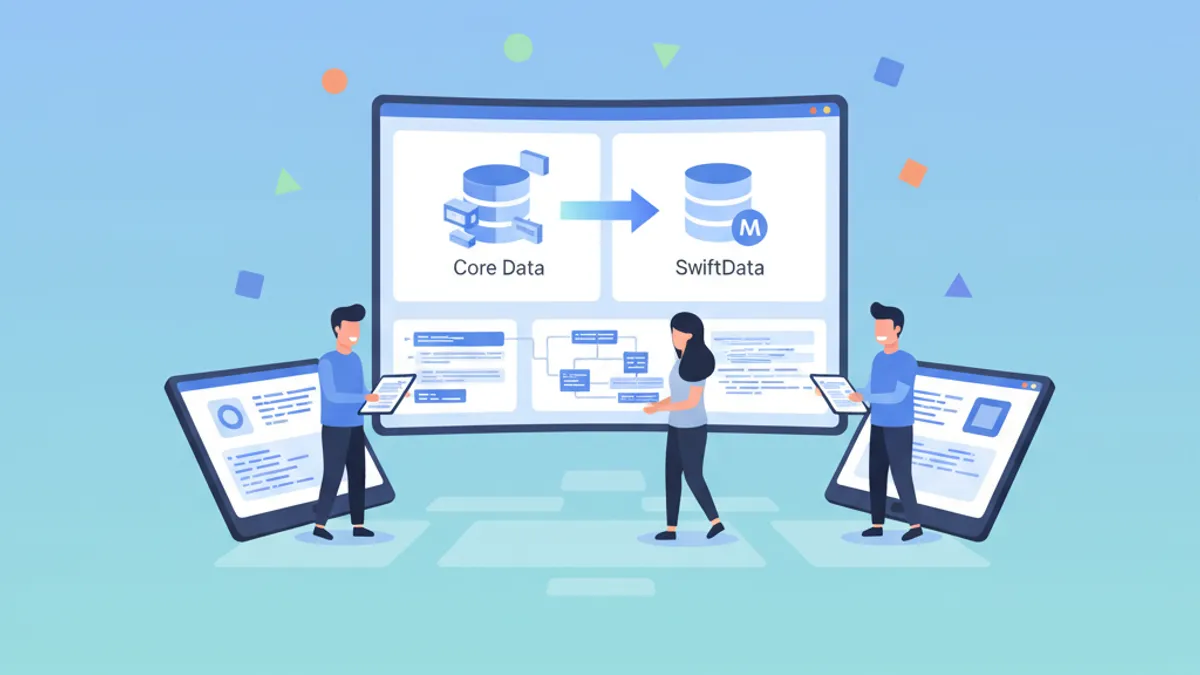
Di chuyển từ Core Data sang SwiftData: Hướng dẫn từng bước 2026
Hướng dẫn đầy đủ để di chuyển ứng dụng iOS từ Core Data sang SwiftData với các ví dụ thực tế, chiến lược cùng tồn tại và những thực hành tốt nhất.

Việc làm lập trình viên iOS 2026: Nguồn tuyển dụng, mức lương, cách chuẩn bị phỏng vấn
Hướng dẫn toàn diện tìm việc lập trình viên iOS năm 2026. Khám phá nguồn tuyển dụng, dữ liệu lương thực tế, và chiến lược chuẩn bị phỏng vấn kỹ thuật.
Câu hỏi phỏng vấn về khả năng tiếp cận iOS năm 2026: VoiceOver và Dynamic Type
Chuẩn bị phỏng vấn iOS với những câu hỏi then chốt về khả năng tiếp cận: VoiceOver, Dynamic Type, các trait ngữ nghĩa và kiểm thử.