Testcontainers Spring Boot: безболісне інтеграційне тестування
Повний посібник з налаштування Testcontainers зі Spring Boot 3.4. PostgreSQL, Redis і Kafka в Docker-контейнерах для надійних і відтворюваних інтеграційних тестів.
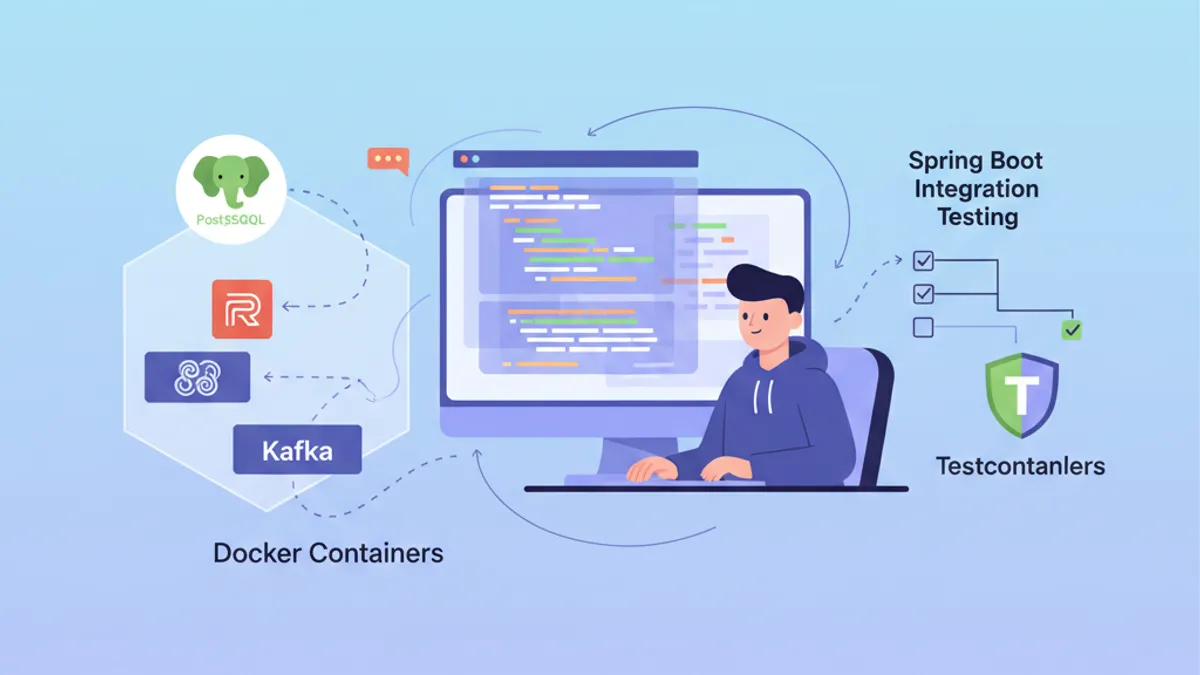
Інтеграційне тестування становить серйозний виклик при розробці застосунків Spring Boot. Тестування проти реальної бази PostgreSQL або брокера Kafka вимагає підтримки важкої інфраструктури. Testcontainers вирішує цю проблему, запускаючи Docker-контейнери на вимогу під час тестів, гарантуючи ізольовані та відтворювані середовища.
Spring Boot 3.4 містить нативну підтримку Testcontainers з автоконфігурацією. Залежності spring-boot-testcontainers радикально спрощують встановлення та дозволяють повторно використовувати контейнери між тестами.
Розуміння інтеграції між Testcontainers і Spring Boot
Testcontainers надає Java API для запуску Docker-контейнерів під час виконання тестів. Замість мокування зовнішніх залежностей або підтримки спільних тестових баз даних, кожен тестовий запуск отримує власний ізольований екземпляр.
Архітектура спирається на три основні компоненти: бібліотеку Testcontainers, яка керує Docker, спеціалізовані модулі для кожної технології (PostgreSQL, Redis, Kafka) та інтеграцію зі Spring Boot, яка автоматично впроваджує параметри з'єднання.
<!-- pom.xml -->
<dependencies>
    <!-- Main Testcontainers dependency -->
    <dependency>
        <groupId>org.springframework.boot</groupId>
        <artifactId>spring-boot-testcontainers</artifactId>
        <scope>test</scope>
    </dependency>

    <!-- PostgreSQL module -->
    <dependency>
        <groupId>org.testcontainers</groupId>
        <artifactId>postgresql</artifactId>
        <scope>test</scope>
    </dependency>

    <!-- JUnit 5 support -->
    <dependency>
        <groupId>org.testcontainers</groupId>
        <artifactId>junit-jupiter</artifactId>
        <scope>test</scope>
    </dependency>
</dependencies>

<dependencyManagement>
    <dependencies>
        <!-- Testcontainers BOM for version management -->
        <dependency>
            <groupId>org.testcontainers</groupId>
            <artifactId>testcontainers-bom</artifactId>
            <version>1.20.4</version>
            <type>pom</type>
            <scope>import</scope>
        </dependency>
    </dependencies>
</dependencyManagement>
BOM Testcontainers забезпечує узгодженість версій між усіма модулями, що використовуються в проєкті.
Базова конфігурація з PostgreSQL
Найпоширеніший варіант використання — тестування з реальною базою PostgreSQL. Spring Boot 3.4 пропонує два підходи: анотацію @ServiceConnection для автоконфігурації або ручну конфігурацію через @DynamicPropertySource.
@DataJpaTest
@Testcontainers
@AutoConfigureTestDatabase(replace = Replace.NONE)
class UserRepositoryIntegrationTest {

    // Starts a PostgreSQL container before tests
    @Container
    @ServiceConnection
    static PostgreSQLContainer<?> postgres = new PostgreSQLContainer<>(
        DockerImageName.parse("postgres:16-alpine")
    );

    @Autowired
    private UserRepository userRepository;

    @Test
    void shouldSaveAndRetrieveUser() {
        // Given: a user to persist
        User user = new User();
        user.setEmail("test@example.com");
        user.setName("Test User");

        // When: save and retrieve
        User saved = userRepository.save(user);
        Optional<User> found = userRepository.findById(saved.getId());

        // Then: user is correctly persisted
        assertThat(found).isPresent();
        assertThat(found.get().getEmail()).isEqualTo("test@example.com");
    }

    @Test
    void shouldFindUserByEmail() {
        // Given: a user in database
        User user = new User();
        user.setEmail("search@example.com");
        user.setName("Search User");
        userRepository.save(user);

        // When: search by email
        Optional<User> found = userRepository.findByEmail("search@example.com");

        // Then: user is found
        assertThat(found).isPresent();
        assertThat(found.get().getName()).isEqualTo("Search User");
    }
}
Анотація @ServiceConnection автоматично визначає тип контейнера і налаштовує відповідні властивості Spring (spring.datasource.url, spring.datasource.username тощо). Цей підхід усуває повторюваний код конфігурації.
З @Container на статичному полі контейнер запускається один раз перед усіма тестами класу і зупиняється після останнього. Для одного контейнера на тест слід використовувати нестатичне поле екземпляра.
Ручна конфігурація з @DynamicPropertySource
Деякі сценарії потребують точнішого контролю над впровадженими властивостями. Анотація @DynamicPropertySource дозволяє явно визначати значення конфігурації.
@DataJpaTest
@Testcontainers
@AutoConfigureTestDatabase(replace = Replace.NONE)
class OrderRepositoryIntegrationTest {

    @Container
    static PostgreSQLContainer<?> postgres = new PostgreSQLContainer<>(
        DockerImageName.parse("postgres:16-alpine")
    )
        // Specific container configuration
        .withDatabaseName("orders_test")
        .withUsername("test_user")
        .withPassword("test_password")
        // SQL initialization script
        .withInitScript("db/init-orders.sql");

    // Manual injection of dynamic properties
    @DynamicPropertySource
    static void configureProperties(DynamicPropertyRegistry registry) {
        // JDBC URL generated dynamically with mapped port
        registry.add("spring.datasource.url", postgres::getJdbcUrl);
        registry.add("spring.datasource.username", postgres::getUsername);
        registry.add("spring.datasource.password", postgres::getPassword);
        // Additional properties if needed
        registry.add("spring.jpa.hibernate.ddl-auto", () -> "validate");
    }

    @Autowired
    private OrderRepository orderRepository;

    @Autowired
    private EntityManager entityManager;

    @Test
    void shouldPersistOrderWithItems() {
        // Given: an order with items
        Order order = new Order();
        order.setOrderNumber("ORD-2026-001");
        order.setStatus(OrderStatus.PENDING);

        OrderItem item = new OrderItem();
        item.setProductId(1L);
        item.setQuantity(2);
        item.setUnitPrice(BigDecimal.valueOf(29.99));
        order.addItem(item);

        // When: save the order
        Order saved = orderRepository.save(order);
        entityManager.flush();
        entityManager.clear();

        // Then: order and its items are persisted
        Order found = orderRepository.findById(saved.getId()).orElseThrow();
        assertThat(found.getItems()).hasSize(1);
        assertThat(found.getItems().get(0).getQuantity()).isEqualTo(2);
    }
}
Скрипт ініціалізації withInitScript готує схему або вставляє довідкові дані перед виконанням тестів.
Повноцінні інтеграційні тести Spring Boot
Щоб протестувати весь застосунок із завантаженими всіма компонентами, @SpringBootTest замінює @DataJpaTest. Ця конфігурація запускає повний контекст Spring разом із контейнером PostgreSQL.
@SpringBootTest(webEnvironment = WebEnvironment.RANDOM_PORT)
@Testcontainers
class UserServiceIntegrationTest {

    @Container
    @ServiceConnection
    static PostgreSQLContainer<?> postgres = new PostgreSQLContainer<>(
        DockerImageName.parse("postgres:16-alpine")
    );

    @Autowired
    private UserService userService;

    @Autowired
    private TestRestTemplate restTemplate;

    @Test
    void shouldCreateUserViaApi() {
        // Given: a creation request
        CreateUserRequest request = new CreateUserRequest(
            "api@example.com",
            "API User",
            "securePassword123"
        );

        // When: call the REST API
        ResponseEntity<UserResponse> response = restTemplate.postForEntity(
            "/api/users",
            request,
            UserResponse.class
        );

        // Then: user is created successfully
        assertThat(response.getStatusCode()).isEqualTo(HttpStatus.CREATED);
        assertThat(response.getBody()).isNotNull();
        assertThat(response.getBody().email()).isEqualTo("api@example.com");
    }

    @Test
    void shouldRetrieveUserById() {
        // Given: an existing user
        UserResponse created = userService.createUser(
            new CreateUserRequest("retrieve@example.com", "Retrieve User", "password")
        );

        // When: retrieve by ID
        ResponseEntity<UserResponse> response = restTemplate.getForEntity(
            "/api/users/" + created.id(),
            UserResponse.class
        );

        // Then: user is returned
        assertThat(response.getStatusCode()).isEqualTo(HttpStatus.OK);
        assertThat(response.getBody().name()).isEqualTo("Retrieve User");
    }
}
Автоматично налаштований TestRestTemplate вказує на сервер, запущений на випадковому порту, уникаючи конфліктів портів між паралельними тестами.
Готовий до співбесід з Spring Boot?
Практикуйся з нашими інтерактивними симуляторами, flashcards та технічними тестами.
Повторне використання контейнерів між тестами
Запуск Docker-контейнера займає кілька секунд. Щоб прискорити виконання тестів, Spring Boot 3.4 дозволяє повторно використовувати контейнери через централізовану конфігурацію.
@TestConfiguration(proxyBeanMethods = false)
public class TestcontainersConfiguration {

    // Reusable container bean across all tests
    @Bean
    @ServiceConnection
    PostgreSQLContainer<?> postgresContainer() {
        return new PostgreSQLContainer<>(DockerImageName.parse("postgres:16-alpine"))
            .withReuse(true)
            .withLabel("reuse.UUID", "e06d7a87-7d7d-472e-a047-7c2c6d4b5f7a");
    }

    @Bean
    @ServiceConnection
    RedisContainer redisContainer() {
        return new RedisContainer(DockerImageName.parse("redis:7-alpine"))
            .withReuse(true)
            .withLabel("reuse.UUID", "b3c8f9d2-4a5e-4c8d-9f2a-1b3c5d7e9f0a");
    }
}
Тести імпортують цю конфігурацію, щоб ділитися тими самими контейнерами.
@SpringBootTest
@Import(TestcontainersConfiguration.class)
class ProductServiceIntegrationTest {

    @Autowired
    private ProductService productService;

    @Autowired
    private ProductRepository productRepository;

    @Test
    void shouldCacheProductDetails() {
        // Given: a product in database
        Product product = new Product();
        product.setName("Cached Product");
        product.setPrice(BigDecimal.valueOf(99.99));
        productRepository.save(product);

        // When: two successive calls
        ProductDto first = productService.getProductById(product.getId());
        ProductDto second = productService.getProductById(product.getId());

        // Then: second call uses cache
        assertThat(first).isEqualTo(second);
    }
}
Щоб увімкнути повторне використання контейнерів, потрібно додати конфігурацію в ~/.testcontainers.properties:
# ~/.testcontainers.properties
testcontainers.reuse.enable=trueПри повторному використанні контейнерів дані зберігаються між запусками. Доцільно використовувати @Sql або @BeforeEach для очищення таблиць перед кожним тестом, або налаштовувати окрему схему для кожного тестового класу.
Тести з Redis і розподіленим кешем
Testcontainers підтримує Redis для тестування функцій кешування. Модуль Redis надає попередньо налаштований контейнер, готовий до використання.
@SpringBootTest
@Testcontainers
class CacheServiceIntegrationTest {

    @Container
    @ServiceConnection
    static RedisContainer redis = new RedisContainer(
        DockerImageName.parse("redis:7-alpine")
    );

    @Autowired
    private CacheService cacheService;

    @Autowired
    private StringRedisTemplate redisTemplate;

    @Test
    void shouldStoreAndRetrieveFromCache() {
        // Given: a value to cache
        String key = "user:123";
        String value = "{\"id\":123,\"name\":\"Cached User\"}";

        // When: store in cache
        cacheService.put(key, value, Duration.ofMinutes(10));

        // Then: value is retrievable
        String cached = cacheService.get(key);
        assertThat(cached).isEqualTo(value);
    }

    @Test
    void shouldExpireAfterTtl() throws InterruptedException {
        // Given: a value with short TTL
        String key = "expiring:key";
        cacheService.put(key, "temporary", Duration.ofSeconds(1));

        // When: wait for expiration
        Thread.sleep(1500);

        // Then: key has expired
        String cached = cacheService.get(key);
        assertThat(cached).isNull();
    }

    @Test
    void shouldIncrementCounter() {
        // Given: a counter key
        String counterKey = "page:views:homepage";

        // When: multiple increments
        Long first = redisTemplate.opsForValue().increment(counterKey);
        Long second = redisTemplate.opsForValue().increment(counterKey);
        Long third = redisTemplate.opsForValue().increment(counterKey);

        // Then: counter increments correctly
        assertThat(first).isEqualTo(1);
        assertThat(second).isEqualTo(2);
        assertThat(third).isEqualTo(3);
    }
}
Spring Boot автоматично виявляє RedisContainer через @ServiceConnection і налаштовує spring.data.redis.host та spring.data.redis.port.
Тести з Kafka й асинхронним обміном повідомленнями
Застосунки, керовані подіями, потребують тестів із реальним брокером Kafka. Testcontainers надає модуль Kafka, який запускає одновузловий кластер, придатний для тестування.
@SpringBootTest
@Testcontainers
@EmbeddedKafka(partitions = 1, topics = {"order-events"})
class OrderEventIntegrationTest {

    @Container
    @ServiceConnection
    static KafkaContainer kafka = new KafkaContainer(
        DockerImageName.parse("confluentinc/cp-kafka:7.6.0")
    );

    @Autowired
    private KafkaTemplate<String, OrderEvent> kafkaTemplate;

    @Autowired
    private OrderEventConsumer orderEventConsumer;

    @Test
    void shouldPublishAndConsumeOrderEvent() throws Exception {
        // Given: an order event
        OrderEvent event = new OrderEvent(
            "ORD-2026-100",
            OrderEventType.CREATED,
            LocalDateTime.now()
        );

        // When: publish to Kafka
        kafkaTemplate.send("order-events", event.orderId(), event).get();

        // Then: event is consumed (with timeout)
        await()
            .atMost(Duration.ofSeconds(10))
            .untilAsserted(() -> {
                assertThat(orderEventConsumer.getReceivedEvents())
                    .hasSize(1)
                    .first()
                    .extracting(OrderEvent::orderId)
                    .isEqualTo("ORD-2026-100");
            });
    }
}@Component
public class OrderEventConsumer {
private final List<OrderEvent> receivedEvents = new CopyOnWriteArrayList<>();
@KafkaListener(topics = "order-events", groupId = "test-group")
public void consume(OrderEvent event) {
receivedEvents.add(event);
}
public List<OrderEvent> getReceivedEvents() {
return List.copyOf(receivedEvents);
}
public void clear() {
receivedEvents.clear();
}
}Бібліотека Awaitility опрацьовує асинхронні твердження з тайм-аутом, уникаючи крихких викликів Thread.sleep у тестах.
Багатоконтейнерна конфігурація з Docker Compose
Для складних застосунків, які потребують кількох взаємозалежних сервісів, Testcontainers підтримує файли Docker Compose.
# src/test/resources/docker-compose-test.yml
services:
  postgres:
    image: postgres:16-alpine
    environment:
      POSTGRES_DB: testdb
      POSTGRES_USER: testuser
      POSTGRES_PASSWORD: testpass
    ports:
      - "5432"

  redis:
    image: redis:7-alpine
    ports:
      - "6379"

  localstack:
    image: localstack/localstack:3.0
    environment:
      SERVICES: s3,sqs
      DEFAULT_REGION: eu-west-1
    ports:
- "4566"@SpringBootTest
@Testcontainers
class FullStackIntegrationTest {
@Container
static DockerComposeContainer<?> environment = new DockerComposeContainer<>(
new File("src/test/resources/docker-compose-test.yml")
)
.withExposedService("postgres", 5432)
.withExposedService("redis", 6379)
.withExposedService("localstack", 4566)
.waitingFor("postgres", Wait.forListeningPort())
.waitingFor("redis", Wait.forListeningPort())
.waitingFor("localstack", Wait.forLogMessage(".*Ready\\.$", 1));
@DynamicPropertySource
static void configureProperties(DynamicPropertyRegistry registry) {
// PostgreSQL configuration
String postgresHost = environment.getServiceHost("postgres", 5432);
Integer postgresPort = environment.getServicePort("postgres", 5432);
registry.add("spring.datasource.url",
() -> "jdbc:postgresql://" + postgresHost + ":" + postgresPort + "/testdb");
registry.add("spring.datasource.username", () -> "testuser");
registry.add("spring.datasource.password", () -> "testpass");
// Redis configuration
String redisHost = environment.getServiceHost("redis", 6379);
Integer redisPort = environment.getServicePort("redis", 6379);
registry.add("spring.data.redis.host", () -> redisHost);
registry.add("spring.data.redis.port", () -> redisPort);
// LocalStack S3 configuration
String localstackHost = environment.getServiceHost("localstack", 4566);
Integer localstackPort = environment.getServicePort("localstack", 4566);
registry.add("aws.s3.endpoint",
() -> "http://" + localstackHost + ":" + localstackPort);
}
@Autowired
private FileStorageService fileStorageService;
@Test
void shouldUploadFileToS3() {
// Given: a file to upload
byte[] content = "Test file content".getBytes();
String fileName = "test-file.txt";
// When: upload to S3 via LocalStack
String url = fileStorageService.upload(fileName, content);
// Then: file is accessible
assertThat(url).contains(fileName);
byte[] downloaded = fileStorageService.download(fileName);
assertThat(downloaded).isEqualTo(content);
}
}Починай практикувати!
Перевір свої знання з нашими симуляторами співбесід та технічними тестами.
Найкращі практики та оптимізація продуктивності
Ефективне виконання Testcontainers вимагає певних оптимізацій для скорочення часу збирання.
@SpringBootTest
@Testcontainers
@ActiveProfiles("test")
public abstract class AbstractIntegrationTest {

    // Shared container across all inheriting classes
    @Container
    @ServiceConnection
    protected static PostgreSQLContainer<?> postgres = new PostgreSQLContainer<>(
        DockerImageName.parse("postgres:16-alpine")
    )
        .withReuse(true);

    @Autowired
    protected JdbcTemplate jdbcTemplate;

    @BeforeEach
    void cleanDatabase() {
        // Clean tables in order to respect FK constraints
        jdbcTemplate.execute("TRUNCATE TABLE order_items CASCADE");
        jdbcTemplate.execute("TRUNCATE TABLE orders CASCADE");
        jdbcTemplate.execute("TRUNCATE TABLE users CASCADE");
    }
}class UserIntegrationTest extends AbstractIntegrationTest {
@Autowired
private UserRepository userRepository;
@Test
void shouldCreateUser() {
// PostgreSQL container already started via parent class
User user = new User();
user.setEmail("inherited@test.com");
user.setName("Inherited Test");
User saved = userRepository.save(user);
assertThat(saved.getId()).isNotNull();
}
}Абстрактний клас централізує конфігурацію контейнера та очищення бази даних, уникаючи дублювання коду.
# src/test/resources/application-test.properties
# Test-specific configuration
spring.jpa.hibernate.ddl-auto=create-drop
spring.jpa.show-sql=false

# Disable Flyway/Liquibase if using ddl-auto
spring.flyway.enabled=false

# Reduced connection pool for tests
spring.datasource.hikari.maximum-pool-size=5
spring.datasource.hikari.minimum-idle=2Варто надавати перевагу образам Alpine (postgres:16-alpine, redis:7-alpine), які легші та запускаються швидше. Для тестів функціональна різниця з повними образами незначна.
Тестування міграцій бази даних
Testcontainers відмінно підходить для тестування міграцій Flyway або Liquibase проти реальної бази даних.
@DataJpaTest
@Testcontainers
@AutoConfigureTestDatabase(replace = Replace.NONE)
class FlywayMigrationTest {

    @Container
    @ServiceConnection
    static PostgreSQLContainer<?> postgres = new PostgreSQLContainer<>(
        DockerImageName.parse("postgres:16-alpine")
    );

    @Autowired
    private Flyway flyway;

    @Autowired
    private JdbcTemplate jdbcTemplate;

    @Test
    void shouldApplyAllMigrations() {
        // Given: migrations applied at startup

        // When: check state
        MigrationInfoService info = flyway.info();

        // Then: all migrations are applied
        assertThat(info.pending()).isEmpty();
        assertThat(info.applied()).isNotEmpty();
    }

    @Test
    void shouldCreateExpectedTables() {
        // Given: migrations applied

        // When: query system tables
        List<String> tables = jdbcTemplate.queryForList(
            "SELECT table_name FROM information_schema.tables " +
            "WHERE table_schema = 'public' AND table_type = 'BASE TABLE'",
            String.class
        );

        // Then: expected tables exist
        assertThat(tables).contains("users", "orders", "order_items", "products");
    }

    @Test
    void shouldHaveCorrectColumnTypes() {
        // Given: users table created

        // When: verify schema
        List<Map<String, Object>> columns = jdbcTemplate.queryForList(
            "SELECT column_name, data_type, is_nullable " +
            "FROM information_schema.columns " +
            "WHERE table_name = 'users'"
        );

        // Then: columns have correct types
        assertThat(columns)
            .extracting(c -> c.get("column_name"))
            .contains("id", "email", "name", "created_at");
    }
}
Ці тести гарантують коректну роботу SQL-міграцій перед розгортанням у продакшн.
Висновок
Testcontainers перетворює інтеграційні тести Spring Boot, роблячи їх надійними, відтворюваними й незалежними від локального середовища. Нативна підтримка Spring Boot 3.4 з @ServiceConnection суттєво спрощує конфігурацію, а повторне використання контейнерів оптимізує час виконання.
Контрольний список Testcontainers Spring Boot:
- ✅ Використовувати
spring-boot-testcontainersдля нативної автоконфігурації - ✅ Надавати перевагу
@ServiceConnection, а не@DynamicPropertySource, коли це можливо - ✅ Активувати
withReuse(true), щоб прискорити послідовні запуски - ✅ Централізувати конфігурацію в абстрактному класі або
@TestConfiguration - ✅ Очищати дані між тестами за допомогою
@BeforeEachабо@Sql - ✅ Використовувати образи Alpine для швидшого запуску
- ✅ Тестувати міграції Flyway/Liquibase проти реального PostgreSQL
- ✅ Використовувати Docker Compose для багатосервісних середовищ
Чи знайдеш ти помилку в Spring Boot?
Справжній фрагмент коду, прихована помилка, одна спроба на день. Щоб спробувати, акаунт не потрібен.

Автор:
Anthony Fillion-MailletЗасновник SharpSkill
Fullstack-розробник понад 10 років. Керує SharpSkill і відповідає за все, що тут публікується.
Оновлено 1 травня 2026 р.
Теги
Поділитися
Пов'язані статті

Spring Modulith: Архітектура модульного моноліта
Опануйте Spring Modulith для побудови модульних монолітів на Java. Архітектура, модулі, асинхронні події, тестування та спостережуваність з прикладами коду Spring Boot 3 і 4.

Співбесіда Spring Batch 5: Партиціювання, Чанки та Відмовостійкість
Опануйте співбесіди Spring Batch 5: 15 ключових питань про партиціювання, обробку чанків і відмовостійкість з прикладами на Java 21.

Співбесіда Spring Boot: Поширення Транзакцій
Опануйте поширення транзакцій у Spring Boot: REQUIRED, REQUIRES_NEW, NESTED тощо. 12 питань зі співбесід з кодом та поширеними пастками.