Питання на співбесіді з Django та Python: Топ 25 у 2026 році
25 найпоширеніших питань на співбесіді з Django та Python. ORM, представлення, middleware, DRF, сигнали та оптимізація з детальними відповідями та прикладами коду.

Співбесіди з Django оцінюють володіння найпопулярнішим веб-фреймворком Python, знання ORM, архітектури MVT та вміння створювати надійні REST API. Цей довідник охоплює 25 найпоширеніших питань від основ Django до просунутих патернів Django REST Framework.
Інтерв'юери цінують кандидатів, які можуть пояснити архітектурні рішення Django. Розуміння того, чому фреймворк дотримується певних конвенцій (конвенція замість конфігурації), справді виділяє на співбесіді.
Основи Django
Питання 1: Опишіть архітектуру MVT у Django
Архітектура Model-View-Template (MVT) — це варіація патерну MVC у Django. Фреймворк автоматично обробляє частину контролера, що спрощує процес розробки.
# models.py
# The Model represents data structure and business logic
from django.db import models

class Article(models.Model):
    title = models.CharField(max_length=200)
    content = models.TextField()
    published_at = models.DateTimeField(auto_now_add=True)
    author = models.ForeignKey(
        "auth.User",
        on_delete=models.CASCADE,  # Deletes articles when author is deleted
        related_name="articles"     # Reverse access: user.articles.all()
    )

    class Meta:
        ordering = ["-published_at"]  # Default ordering

    def __str__(self):
return self.title# views.py
# The View contains request processing logic
from django.shortcuts import render, get_object_or_404
def article_detail(request, pk):
# get_object_or_404 raises Http404 if the object doesn't exist
article = get_object_or_404(Article, pk=pk)
return render(request, "blog/article_detail.html", {"article": article})У MVT Django виконує роль контролера, спрямовуючи URL-адреси до відповідних представлень через urls.py. Шаблон (Template) відповідає за HTML-презентацію.
Питання 2: У чому різниця між проєктом Django та додатком?
Проєкт — це загальна конфігурація (налаштування, кореневі URL, WSGI/ASGI). Додаток — це модуль з однією відповідальністю, який можна використовувати повторно. Проєкт містить кілька додатків.
# Creating a project and an app
# django-admin startproject myproject
# python manage.py startapp blog

# settings.py
# Registering apps in the project
INSTALLED_APPS = [
    "django.contrib.admin",       # Admin interface
    "django.contrib.auth",        # Authentication
    "django.contrib.contenttypes",
    "django.contrib.sessions",
    "django.contrib.messages",
    "django.contrib.staticfiles",
    # Custom apps
    "blog.apps.BlogConfig",       # Blog app
    "users.apps.UsersConfig",     # Users app
]
Кожен додаток дотримується принципу єдиної відповідальності і може бути повторно використаний у різних проєктах.
Питання 3: Поясніть життєвий цикл запиту в Django
Запит проходить через кілька рівнів, перш ніж потрапити до представлення. Розуміння цього циклу є ключовим для налагодження та оптимізації.
# middleware.py
# Middlewares intercept every request/response
class RequestTimingMiddleware:
    """Middleware that measures processing time."""

    def __init__(self, get_response):
        self.get_response = get_response  # Reference to the next middleware

    def __call__(self, request):
        import time
        start = time.time()

        # Request phase: before the view
        response = self.get_response(request)

        # Response phase: after the view
        duration = time.time() - start
        response["X-Request-Duration"] = f"{duration:.3f}s"
        return response
Повний цикл: HTTP-запит → WSGI/ASGI → middleware (process_request) → URL-резолвер → представлення → middleware (process_response) → HTTP-відповідь.
ORM та база даних
Питання 4: Як працює QuerySet у Django і що таке ліниве завантаження?
QuerySet обчислюється ліниво: жодний SQL-запит не виконується, поки дані фактично не будуть використані.
# queryset_lazy.py
# Demonstrating QuerySet lazy loading

# No SQL query executed here
qs = Article.objects.filter(published=True)  # No query
qs = qs.exclude(title="Draft")               # Still none
qs = qs.order_by("-created_at")              # Still none

# The SQL query runs ONLY here
for article in qs:  # ONE combined SQL query
    print(article.title)

# Other evaluation triggers
list(qs)        # Converting to list
qs[0]           # Index access
len(qs)         # Counting (prefer qs.count())
bool(qs)        # Existence check (prefer qs.exists())
Ліниве обчислення дозволяє об'єднувати фільтри без додаткових витрат, виконуючи лише один оптимізований запит.
Питання 5: Що таке проблема N+1 і як її вирішити?
Проблема N+1 виникає, коли основний запит генерує N додаткових запитів для завантаження зв'язків. Це найпоширеніша причина повільної роботи Django-додатків.
# n_plus_one.py
# N+1 problem and solutions

# ❌ PROBLEM: N+1 queries
# 1 query for articles + 1 query PER article for the author
articles = Article.objects.all()
for article in articles:
    print(article.author.username)  # SQL query on every iteration!

# ✅ SOLUTION 1: select_related (ForeignKey, OneToOne)
# Joins tables in ONE SQL query (JOIN)
articles = Article.objects.select_related("author").all()
for article in articles:
    print(article.author.username)  # No additional query

# ✅ SOLUTION 2: prefetch_related (ManyToMany, reverse FK)
# Executes 2 separate queries + Python assembly
articles = Article.objects.prefetch_related("tags").all()
for article in articles:
    print(article.tags.all())  # Data already cached

# ✅ SOLUTION 3: Custom Prefetch with filtering
from django.db.models import Prefetch

articles = Article.objects.prefetch_related(
    Prefetch(
        "comments",
        queryset=Comment.objects.filter(approved=True).select_related("user"),
        to_attr="approved_comments"  # Custom attribute
    )
)
Для зв'язків ForeignKey/OneToOne використовується select_related (SQL JOIN), а для ManyToMany або зворотних зв'язків — prefetch_related (окремі запити).
Питання 6: Як створити власний Manager і коли його використовувати?
Власні Manager інкапсулюють часті запити на рівні моделі, роблячи код більш читабельним і придатним для повторного використання.
# managers.py
# Custom Managers and QuerySets

class PublishedQuerySet(models.QuerySet):
    """Reusable QuerySet for published articles."""

    def published(self):
        return self.filter(status="published", published_at__lte=timezone.now())

    def by_author(self, user):
        return self.filter(author=user)

    def popular(self):
        return self.annotate(
            comment_count=models.Count("comments")
        ).order_by("-comment_count")


class PublishedManager(models.Manager):
    """Manager that exposes only published articles."""

    def get_queryset(self):
        return PublishedQuerySet(self.model, using=self._db).published()


class Article(models.Model):
    # ...
    objects = models.Manager()          # Default manager (all articles)
    published = PublishedManager()      # Custom manager (published only)

    # Usage:
    # Article.objects.all()             → All articles
    # Article.published.all()           → Published articles only
    # Article.published.popular()       → Published articles sorted by popularity
Власні Manager дотримуються принципу DRY і централізують логіку запитів.
Готовий до співбесід з Django?
Практикуйся з нашими інтерактивними симуляторами, flashcards та технічними тестами.
Представлення та URL
Питання 7: Коли використовувати представлення на основі класів, а коли — на основі функцій?
Представлення на основі функцій (FBV) пропонують простоту та явний контроль. Представлення на основі класів (CBV) забезпечують повторне використання та структуру завдяки наслідуванню.
# views_comparison.py
# FBV: Explicit, simple, easy to understand
from django.http import JsonResponse
from django.views.decorators.http import require_http_methods

@require_http_methods(["GET", "POST"])
def article_list(request):
    if request.method == "GET":
        articles = Article.published.all()
        return render(request, "articles/list.html", {"articles": articles})

    # POST: article creation
    form = ArticleForm(request.POST)
    if form.is_valid():
        form.save()
        return redirect("article-list")
return render(request, "articles/list.html", {"form": form})# views_cbv.py
# CBV: Reusable, extensible via mixins
from django.views.generic import ListView, CreateView
from django.contrib.auth.mixins import LoginRequiredMixin
class ArticleListView(LoginRequiredMixin, ListView):
model = Article
template_name = "articles/list.html"
context_object_name = "articles" # Variable name in the template
paginate_by = 20 # Automatic pagination
def get_queryset(self):
# Override to filter published articles
return Article.published.all()
class ArticleCreateView(LoginRequiredMixin, CreateView):
model = Article
form_class = ArticleForm
success_url = reverse_lazy("article-list")
def form_valid(self, form):
form.instance.author = self.request.user # Assign the author
return super().form_valid(form)Практичне правило: FBV для простої або нестандартної логіки, CBV для стандартних CRUD-операцій.
Питання 8: Як працюють middleware в Django?
Middleware — це хуки, які обробляють кожний запит та відповідь. Кожен middleware може втручатися на різних етапах циклу обробки.
# auth_middleware.py
# Custom authentication middleware
import jwt
from django.conf import settings
from django.http import JsonResponse

class JWTAuthenticationMiddleware:
    """Verifies JWT token on protected endpoints."""

    EXEMPT_PATHS = ["/api/auth/login", "/api/auth/register", "/health"]

    def __init__(self, get_response):
        self.get_response = get_response

    def __call__(self, request):
        # Skip exempt paths
        if any(request.path.startswith(p) for p in self.EXEMPT_PATHS):
            return self.get_response(request)

        # Extract and verify the token
        auth_header = request.headers.get("Authorization", "")
        if not auth_header.startswith("Bearer "):
            return JsonResponse({"error": "Missing token"}, status=401)

        try:
            token = auth_header.split(" ")[1]
            payload = jwt.decode(token, settings.SECRET_KEY, algorithms=["HS256"])
            request.user_id = payload["user_id"]  # Attach to request
        except jwt.ExpiredSignatureError:
            return JsonResponse({"error": "Token expired"}, status=401)
        except jwt.InvalidTokenError:
            return JsonResponse({"error": "Invalid token"}, status=401)

        return self.get_response(request)
Порядок middleware у MIDDLEWARE є критичним: для запитів вони виконуються зверху вниз, а для відповідей — знизу вгору.
Django REST Framework
Питання 9: У чому різниця між Serializer та ModelSerializer?
Serializer вручну визначає кожне поле, тоді як ModelSerializer автоматично генерує поля на основі моделі.
# serializers.py
from rest_framework import serializers

# Manual Serializer: full control over each field
class ArticleSerializer(serializers.Serializer):
    id = serializers.IntegerField(read_only=True)
    title = serializers.CharField(max_length=200)
    content = serializers.CharField()
    author_name = serializers.SerializerMethodField()

    def get_author_name(self, obj):
        return obj.author.get_full_name()

    def create(self, validated_data):
        return Article.objects.create(**validated_data)

    def update(self, instance, validated_data):
        instance.title = validated_data.get("title", instance.title)
        instance.content = validated_data.get("content", instance.content)
        instance.save()
        return instance


# ModelSerializer: automatic field generation
class ArticleModelSerializer(serializers.ModelSerializer):
    author_name = serializers.SerializerMethodField()
    comment_count = serializers.IntegerField(read_only=True)

    class Meta:
        model = Article
        fields = ["id", "title", "content", "author", "author_name",
                  "comment_count", "published_at"]
        read_only_fields = ["published_at"]

    def get_author_name(self, obj):
        return obj.author.get_full_name()
Для стандартних випадків варто використовувати ModelSerializer, а Serializer — коли представлення суттєво відрізняється від моделі.
Питання 10: Як реалізувати пагінацію в DRF?
DRF пропонує кілька стратегій пагінації, які можна налаштувати глобально або на рівні представлення.
# settings.py
# Global pagination configuration
REST_FRAMEWORK = {
    "DEFAULT_PAGINATION_CLASS": "rest_framework.pagination.PageNumberPagination",
    "PAGE_SIZE": 20,
}

# pagination.py
# Custom pagination per view
from rest_framework.pagination import CursorPagination, LimitOffsetPagination

class ArticleCursorPagination(CursorPagination):
    """Cursor pagination: performant for large datasets."""
    page_size = 20
    ordering = "-published_at"  # Indexed field required
    cursor_query_param = "cursor"

class ArticleLimitOffsetPagination(LimitOffsetPagination):
    """Offset/limit pagination: flexible but less performant."""
    default_limit = 20
    max_limit = 100

# views.py
class ArticleViewSet(viewsets.ModelViewSet):
    queryset = Article.published.all()
    serializer_class = ArticleModelSerializer
    pagination_class = ArticleCursorPagination  # View-specific pagination
Курсорна пагінація рекомендується для великих наборів даних, оскільки зберігає продуктивність незалежно від номера сторінки, на відміну від OFFSET/LIMIT.
Питання 11: Як захистити API за допомогою дозволів DRF?
DRF надає модульну систему дозволів, що поєднує автентифікацію з детальною авторизацією.
# permissions.py
from rest_framework.permissions import BasePermission, IsAuthenticated

class IsAuthorOrReadOnly(BasePermission):
    """Only the author can modify, everyone can read."""

    def has_object_permission(self, request, view, obj):
        # GET, HEAD, OPTIONS are always allowed
        if request.method in ("GET", "HEAD", "OPTIONS"):
            return True
        # Only the author can modify or delete
        return obj.author == request.user


class IsAdminOrManager(BasePermission):
    """Access restricted to admins and managers."""

    def has_permission(self, request, view):
        return (
            request.user.is_authenticated
            and request.user.role in ("admin", "manager")
        )


# views.py
from rest_framework.viewsets import ModelViewSet
from rest_framework.throttling import UserRateThrottle

class ArticleViewSet(ModelViewSet):
    permission_classes = [IsAuthenticated, IsAuthorOrReadOnly]
    throttle_classes = [UserRateThrottle]  # Rate limiting

    def get_permissions(self):
        # Dynamic permissions based on action
        if self.action == "destroy":
            return [IsAdminOrManager()]
        return super().get_permissions()
Слід поєднувати permission_classes на рівні представлення та has_object_permission для детального контролю на рівні об'єкта.
Сигнали та асинхронні задачі
Питання 12: Як працюють сигнали Django і коли їх використовувати?
Сигнали дозволяють розв'язувати компоненти, реагуючи на події фреймворку або додатку.
# signals.py
from django.db.models.signals import post_save, pre_delete
from django.dispatch import receiver
from django.core.mail import send_mail

@receiver(post_save, sender=Article)
def notify_on_publish(sender, instance, created, **kwargs):
    """Sends a notification when an article is published."""
    if not created and instance.status == "published":
        # Triggered only on publication (not creation)
        subscribers = instance.author.subscribers.values_list("email", flat=True)
        send_mail(
            subject=f"New article: {instance.title}",
            message=f"Check out the latest article by {instance.author.username}",
            from_email="noreply@example.com",
            recipient_list=list(subscribers),
        )

@receiver(pre_delete, sender=Article)
def cleanup_article_files(sender, instance, **kwargs):
    """Deletes associated files before article deletion."""
    if instance.cover_image:
        instance.cover_image.delete(save=False)  # Deletes the physical file
Сигнали підходять для легких побічних ефектів (логування, інвалідація кешу). Для важких задач краще використовувати Celery.
Питання 13: Як інтегрувати Celery з Django для асинхронних задач?
Celery забезпечує виконання задач у фоновому режимі, що є необхідним для тривалих операцій, таких як відправка електронних листів або обробка файлів.
# celery_config.py
# Celery configuration in the Django project
import os
from celery import Celery

os.environ.setdefault("DJANGO_SETTINGS_MODULE", "myproject.settings")

app = Celery("myproject")
app.config_from_object("django.conf:settings", namespace="CELERY")
app.autodiscover_tasks()  # Discovers tasks.py in each app

# tasks.py
from celery import shared_task
from django.core.mail import send_mass_mail

@shared_task(bind=True, max_retries=3, default_retry_delay=60)
def send_newsletter(self, article_id):
    """Sends newsletter asynchronously."""
    try:
        article = Article.objects.get(id=article_id)
        subscribers = User.objects.filter(newsletter=True)

        messages = [
            (f"New: {article.title}", article.content[:200],
             "noreply@example.com", [sub.email])
            for sub in subscribers
        ]
        send_mass_mail(messages, fail_silently=False)
    except Article.DoesNotExist:
        pass  # Article was deleted in the meantime
    except Exception as exc:
        self.retry(exc=exc)  # Automatic retry on error

# Calling from a view
# send_newsletter.delay(article.id)  # Async execution
# send_newsletter.apply_async(args=[article.id], countdown=300)  # 5-min delay
Celery є незамінним у продакшені для будь-якої операції, яка не повинна блокувати HTTP-відповідь.
Безпека та автентифікація
Питання 14: Як Django захищає від CSRF-атак?
Django містить вбудований захист від CSRF через middleware, який перевіряє унікальний токен при кожному POST-запиті.
# CSRF protection in forms
# The {% csrf_token %} template tag generates a hidden field

# For APIs (DRF), CSRF is often disabled in favor of tokens
# settings.py
REST_FRAMEWORK = {
    "DEFAULT_AUTHENTICATION_CLASSES": [
        "rest_framework.authentication.SessionAuthentication",  # Includes CSRF
        "rest_framework.authentication.TokenAuthentication",     # No CSRF
    ],
}

# For AJAX views with session auth
# The csrftoken cookie must be sent in the X-CSRFToken header# csrf_exemption.py
# Exempting a specific view (use with caution)
from django.views.decorators.csrf import csrf_exempt, ensure_csrf_cookie
@ensure_csrf_cookie
def get_csrf_token(request):
"""Endpoint that forces sending the CSRF cookie to the client."""
return JsonResponse({"detail": "CSRF cookie set"})
@csrf_exempt # ⚠️ Use only for external webhooks
def stripe_webhook(request):
"""Stripe webhook - authenticated by signature, not CSRF."""
payload = request.body
sig_header = request.headers.get("Stripe-Signature")
# Verified by Stripe signature insteadНіколи не слід вимикати CSRF глобально. csrf_exempt застосовується виключно на ендпоінтах, що автентифікуються іншими методами (вебхуки, API-токени).
Питання 15: Як реалізувати власну автентифікацію в Django?
Django дозволяє замінити стандартну модель User та налаштувати бекенд автентифікації.
# models.py
from django.contrib.auth.models import AbstractBaseUser, BaseUserManager, PermissionsMixin

class CustomUserManager(BaseUserManager):
    """Manager for the custom User model."""

    def create_user(self, email, password=None, **extra_fields):
        if not email:
            raise ValueError("Email is required")
        email = self.normalize_email(email)  # Normalizes the domain
        user = self.model(email=email, **extra_fields)
        user.set_password(password)  # Hashes the password
        user.save(using=self._db)
        return user

    def create_superuser(self, email, password=None, **extra_fields):
        extra_fields.setdefault("is_staff", True)
        extra_fields.setdefault("is_superuser", True)
        return self.create_user(email, password, **extra_fields)


class CustomUser(AbstractBaseUser, PermissionsMixin):
    email = models.EmailField(unique=True)          # Login by email
    username = models.CharField(max_length=30, blank=True)
    is_active = models.BooleanField(default=True)
    is_staff = models.BooleanField(default=False)
    date_joined = models.DateTimeField(auto_now_add=True)

    objects = CustomUserManager()

    USERNAME_FIELD = "email"      # Field used for login
    REQUIRED_FIELDS = []          # Fields required in addition to USERNAME_FIELD

# settings.py
AUTH_USER_MODEL = "users.CustomUser"  # Before the first migration!
AUTH_USER_MODEL необхідно визначити на самому початку проєкту. Зміна після початкових міграцій є складною та ризикованою.
Оптимізація та продуктивність
Питання 16: Як оптимізувати запити Django ORM?
Оптимізація запитів є критичною для продуктивності. Кілька технік зменшують кількість та вартість SQL-запитів.
# query_optimization.py
from django.db.models import F, Q, Count, Avg, Prefetch

# 1. Only/Defer: load only needed fields
articles = Article.objects.only("title", "published_at")  # SELECT title, published_at
heavy_articles = Article.objects.defer("content")          # Everything EXCEPT content

# 2. SQL-level aggregations (not Python)
stats = Article.objects.aggregate(
    total=Count("id"),
    avg_views=Avg("view_count"),
)

# 3. F() expressions: SQL-level operations
Article.objects.filter(published=True).update(
    view_count=F("view_count") + 1  # Atomic SQL increment
)

# 4. Q() objects: complex queries
results = Article.objects.filter(
    Q(title__icontains="django") | Q(tags__name="python"),
    ~Q(status="draft"),  # NOT draft
    published_at__year=2026
)

# 5. Bulk operations: reduce INSERT/UPDATE queries
articles = [Article(title=f"Article {i}") for i in range(100)]
Article.objects.bulk_create(articles, batch_size=50)  # 2 queries instead of 100

Article.objects.filter(status="draft").update(status="archived")  # 1 query
Для виявлення повільних запитів та проблем N+1 у середовищі розробки варто використовувати django-debug-toolbar.
Питання 17: Як реалізувати кешування в Django?
Django надає багаторівневий фреймворк кешування: на рівні представлення, фрагмента шаблону або довільних даних.
# settings.py
CACHES = {
    "default": {
        "BACKEND": "django.core.cache.backends.redis.RedisCache",
        "LOCATION": "redis://127.0.0.1:6379/1",
    }
}

# cache_strategies.py
from django.core.cache import cache
from django.views.decorators.cache import cache_page
from django.utils.decorators import method_decorator

# Per-view cache: caches the entire HTTP response
@cache_page(60 * 15)  # 15 minutes
def article_list(request):
    return render(request, "articles/list.html", {"articles": Article.published.all()})

# Data cache: granular control
def get_popular_articles():
    cache_key = "popular_articles_v1"
    articles = cache.get(cache_key)

    if articles is None:
        articles = list(
            Article.published.popular()[:10].values("id", "title", "view_count")
        )
        cache.set(cache_key, articles, timeout=60 * 30)  # 30 min

    return articles

# Cache invalidation
def invalidate_article_cache(article_id):
    cache.delete(f"article_{article_id}")
    cache.delete("popular_articles_v1")
    cache.delete_pattern("article_list_*")  # With django-redis
Redis рекомендується як бекенд кешу у продакшені завдяки стійкості та розширеним можливостям (патерни, TTL).
Готовий до співбесід з Django?
Практикуйся з нашими інтерактивними симуляторами, flashcards та технічними тестами.
Міграції та управління базою даних
Питання 18: Як обробляти складні міграції в Django?
Міграції Django керують еволюцією схеми бази даних у версіонований та відтворюваний спосіб.
# 0005_migrate_data.py
# Custom data migration
from django.db import migrations

def migrate_user_roles(apps, schema_editor):
    """Converts is_admin booleans to text roles."""
    User = apps.get_model("users", "CustomUser")
    # Use apps.get_model() to access the historical model
    User.objects.filter(is_admin=True).update(role="admin")
    User.objects.filter(is_admin=False, is_staff=True).update(role="manager")
    User.objects.filter(is_admin=False, is_staff=False).update(role="user")

def reverse_migrate(apps, schema_editor):
    """Reverse migration for rollback."""
    User = apps.get_model("users", "CustomUser")
    User.objects.filter(role="admin").update(is_admin=True)

class Migration(migrations.Migration):
    dependencies = [
        ("users", "0004_add_role_field"),
    ]

    operations = [
        migrations.RunPython(migrate_user_roles, reverse_migrate),
    ]
Завжди необхідно надавати функцію reverse для можливості відкату. Міграції слід тестувати на копії продакшн бази даних перед розгортанням.
Питання 19: Як створити власні індекси для оптимізації?
Індекси прискорюють часті запити, але збільшують вартість запису. Ретельний підбір є необхідним.
# models.py
class Article(models.Model):
    title = models.CharField(max_length=200)
    slug = models.SlugField(unique=True)
    status = models.CharField(max_length=20, db_index=True)  # Simple index
    published_at = models.DateTimeField(null=True)
    author = models.ForeignKey("auth.User", on_delete=models.CASCADE)

    class Meta:
        indexes = [
            # Composite index for frequent queries
            models.Index(fields=["status", "-published_at"], name="idx_status_date"),
            # Partial index: only published articles
            models.Index(
                fields=["published_at"],
                condition=models.Q(status="published"),
                name="idx_published_articles"
            ),
            # GIN index for full-text search (PostgreSQL)
            GinIndex(fields=["search_vector"], name="idx_search"),
        ]
Складені індекси враховують порядок стовпців: найбільш селективне поле повинно бути першим.
Тестування та якість
Питання 20: Як структурувати тести у проєкті Django?
Django надає надійний фреймворк тестування на основі unittest, розширений pytest-django для більшої гнучкості.
# tests/test_views.py
from django.test import TestCase, Client
from django.urls import reverse
from rest_framework.test import APITestCase, APIClient

class ArticleViewTests(TestCase):
    """View tests with Django's test client."""

    def setUp(self):
        self.client = Client()
        self.user = CustomUser.objects.create_user(
            email="test@example.com", password="testpass123"
        )
        self.article = Article.objects.create(
            title="Test Article",
            content="Content here",
            author=self.user,
            status="published"
        )

    def test_article_list_returns_200(self):
        response = self.client.get(reverse("article-list"))
        self.assertEqual(response.status_code, 200)
        self.assertContains(response, "Test Article")

    def test_create_article_requires_auth(self):
        response = self.client.post(reverse("article-create"), {"title": "New"})
        self.assertEqual(response.status_code, 302)  # Redirects to login


class ArticleAPITests(APITestCase):
    """REST API tests with DRF."""

    def setUp(self):
        self.user = CustomUser.objects.create_user(
            email="api@example.com", password="testpass123"
        )
        self.client = APIClient()
        self.client.force_authenticate(user=self.user)

    def test_create_article_via_api(self):
        data = {"title": "API Article", "content": "Created via API"}
        response = self.client.post("/api/articles/", data, format="json")
        self.assertEqual(response.status_code, 201)
        self.assertEqual(Article.objects.count(), 1)
Тести слід розділяти на файли за доменом: test_models.py, test_views.py, test_serializers.py, test_services.py.
Питання 21: Як використовувати фікстури та фабрики для тестів?
Фабрики (з factory_boy) є переважнішими за JSON-фікстури завдяки гнучкості та зручності підтримки тестових даних.
# factories.py
import factory
from factory.django import DjangoModelFactory

class UserFactory(DjangoModelFactory):
    class Meta:
        model = CustomUser

    email = factory.Sequence(lambda n: f"user{n}@example.com")
    username = factory.Faker("user_name")
    is_active = True

class ArticleFactory(DjangoModelFactory):
    class Meta:
        model = Article

    title = factory.Faker("sentence", nb_words=5)
    content = factory.Faker("paragraphs", nb=3)
    author = factory.SubFactory(UserFactory)  # Creates a user automatically
    status = "published"

    class Params:
        draft = factory.Trait(status="draft", published_at=None)

# tests.py
def test_published_articles_count(self):
    ArticleFactory.create_batch(5)              # 5 published articles
    ArticleFactory.create_batch(3, draft=True)  # 3 drafts
    self.assertEqual(Article.published.count(), 5)
Фабрики забезпечують узгоджені тестові дані та усувають залежності між тестами.
Просунуті патерни
Питання 22: Як реалізувати WebSocket з Django Channels?
Django Channels розширює Django за межі HTTP, підтримуючи WebSocket, протоколи реального часу та фонові задачі.
# consumers.py
import json
from channels.generic.websocket import AsyncWebsocketConsumer

class ChatConsumer(AsyncWebsocketConsumer):
    """WebSocket consumer for real-time chat."""

    async def connect(self):
        self.room_name = self.scope["url_route"]["kwargs"]["room_name"]
        self.room_group = f"chat_{self.room_name}"

        # Join the room group
        await self.channel_layer.group_add(self.room_group, self.channel_name)
        await self.accept()

    async def disconnect(self, close_code):
        # Leave the group
        await self.channel_layer.group_discard(self.room_group, self.channel_name)

    async def receive(self, text_data):
        data = json.loads(text_data)
        # Broadcast message to the entire group
        await self.channel_layer.group_send(
            self.room_group,
            {"type": "chat.message", "message": data["message"],
             "username": self.scope["user"].username}
        )

    async def chat_message(self, event):
        # Send message to the WebSocket client
        await self.send(text_data=json.dumps({
            "message": event["message"],
            "username": event["username"],
        }))
Django Channels використовує ASGI (замість WSGI) і потребує сумісного сервера, такого як Daphne або Uvicorn.
Питання 23: Поясніть патерн Repository та Service Layer у Django
Патерн Service Layer відокремлює бізнес-логіку від представлень та ORM, спрощуючи тестування та підтримку.
# services/article_service.py
from django.db import transaction

class ArticleService:
    """Service encapsulating article business logic."""

    @staticmethod
    def publish_article(article_id: int, user) -> Article:
        """Publishes an article with all validations."""
        article = Article.objects.select_for_update().get(id=article_id)

        if article.author != user:
            raise PermissionError("Only the author can publish this article")
        if article.status == "published":
            raise ValueError("Article is already published")

        article.status = "published"
        article.published_at = timezone.now()
        article.save(update_fields=["status", "published_at"])

        # Side effects: notification, cache, analytics
        send_newsletter.delay(article.id)
        cache.delete("popular_articles_v1")

        return article

    @staticmethod
    @transaction.atomic
    def bulk_archive(article_ids: list[int], user) -> int:
        """Archives multiple articles in a transaction."""
        updated = Article.objects.filter(
            id__in=article_ids,
            author=user,
            status="published"
        ).update(status="archived", archived_at=timezone.now())
        return updated
Service Layer є точкою входу для всієї бізнес-логіки. Представлення та серіалізатори делегують сервісу, ніколи безпосередньо ORM.
Питання 24: Як керувати змінними оточення та конфігурацією для кількох середовищ?
Керування конфігурацією дотримується принципів 12-Factor App: чітке розділення конфігурації та коду.
# settings/base.py
# Shared configuration across all environments
import os
from pathlib import Path
from dotenv import load_dotenv

load_dotenv()  # Loads the .env file

BASE_DIR = Path(__file__).resolve().parent.parent.parent

SECRET_KEY = os.environ["DJANGO_SECRET_KEY"]  # Required, no default value
DEBUG = os.environ.get("DEBUG", "False").lower() == "true"
ALLOWED_HOSTS = os.environ.get("ALLOWED_HOSTS", "").split(",")

DATABASES = {
    "default": {
        "ENGINE": "django.db.backends.postgresql",
        "NAME": os.environ.get("DB_NAME", "myapp"),
        "USER": os.environ.get("DB_USER", "postgres"),
        "HOST": os.environ.get("DB_HOST", "localhost"),
        "PORT": os.environ.get("DB_PORT", "5432"),
    }
}

# settings/production.py
from .base import *

DEBUG = False
SECURE_SSL_REDIRECT = True
SESSION_COOKIE_SECURE = True
CSRF_COOKIE_SECURE = True
SECURE_HSTS_SECONDS = 31536000  # 1 year
Ніколи не слід комітити секрети до коду. Необхідно використовувати змінні оточення або менеджер секретів (Vault, AWS Secrets Manager).
Питання 25: Як розгорнути Django-додаток у продакшені?
Продакшн-розгортання вимагає комплексного чек-листа, що охоплює безпеку, продуктивність та надійність.
# Django deployment checklist

# 1. Built-in verification command
# python manage.py check --deploy

# 2. WSGI/ASGI configuration for production
# gunicorn.conf.py
import multiprocessing

bind = "0.0.0.0:8000"
workers = multiprocessing.cpu_count() * 2 + 1  # Recommended formula
worker_class = "gthread"           # Threaded workers
threads = 4
max_requests = 1000                # Recycle workers to avoid memory leaks
max_requests_jitter = 50
timeout = 30
accesslog = "-"                    # Logs to stdout
errorlog = "-"# docker-compose.yml (typical configuration)
# Services: web (gunicorn), db (postgres), redis (cache/celery), worker (celery)
# 3. Static files
# python manage.py collectstatic --noinput
# Serve via nginx or CDN (WhiteNoise for simple cases)
# 4. Nginx configuration
# - Proxy to gunicorn on port 8000
# - Serve /static/ and /media/ directly
# - Enable gzip, HTTP/2, and security headersПеред кожним продакшн-релізом необхідно виконувати python manage.py check --deploy. Ця команда перевіряє ключові налаштування безпеки.
Висновок
Ці 25 питань охоплюють основи співбесід з Django та Python, від фундаменту архітектури MVT до патернів продакшн-розгортання.
Чек-лист підготовки:
- Архітектура MVT та життєвий цикл запиту
- ORM: QuerySet, N+1, select_related, prefetch_related
- Django REST Framework: серіалізатори, пагінація, дозволи
- Безпека: CSRF, автентифікація, дозволи
- Продуктивність: оптимізація ORM, кешування, індекси
- Тестування: TestCase, APITestCase, фабрики
- Просунуті патерни: Channels, Service Layer, розгортання
Кожне питання заслуговує детальнішого вивчення з офіційною документацією Django. Інтерв'юери цінують кандидатів, які розуміють тонкощі фреймворку та можуть обґрунтувати свої технічні рішення.
Починай практикувати!
Перевір свої знання з нашими симуляторами співбесід та технічними тестами.
Чи знайдеш ти помилку в Django?
Справжній фрагмент коду, прихована помилка, одна спроба на день. Щоб спробувати, акаунт не потрібен.

Автор:
Anthony Fillion-MailletЗасновник SharpSkill
Fullstack-розробник понад 10 років. Керує SharpSkill і відповідає за все, що тут публікується.
Оновлено 12 квітня 2026 р.
Теги
Поділитися
Пов'язані статті
Django 5.2: Власна Middleware та Обробка Сигналів для Технічних Співбесід
Повний посібник з Django 5.2: побудова власної middleware, використання сигналів post_save та pre_save, асинхронна middleware, користувацькі сигнали та типові питання для технічних співбесід з прикладами коду.

Django 5: Створення REST API з Django REST Framework
Повний посібник зі створення професійного REST API з Django 5 та DRF. Серіалізатори, ViewSet'и, автентифікація JWT та найкращі практики.
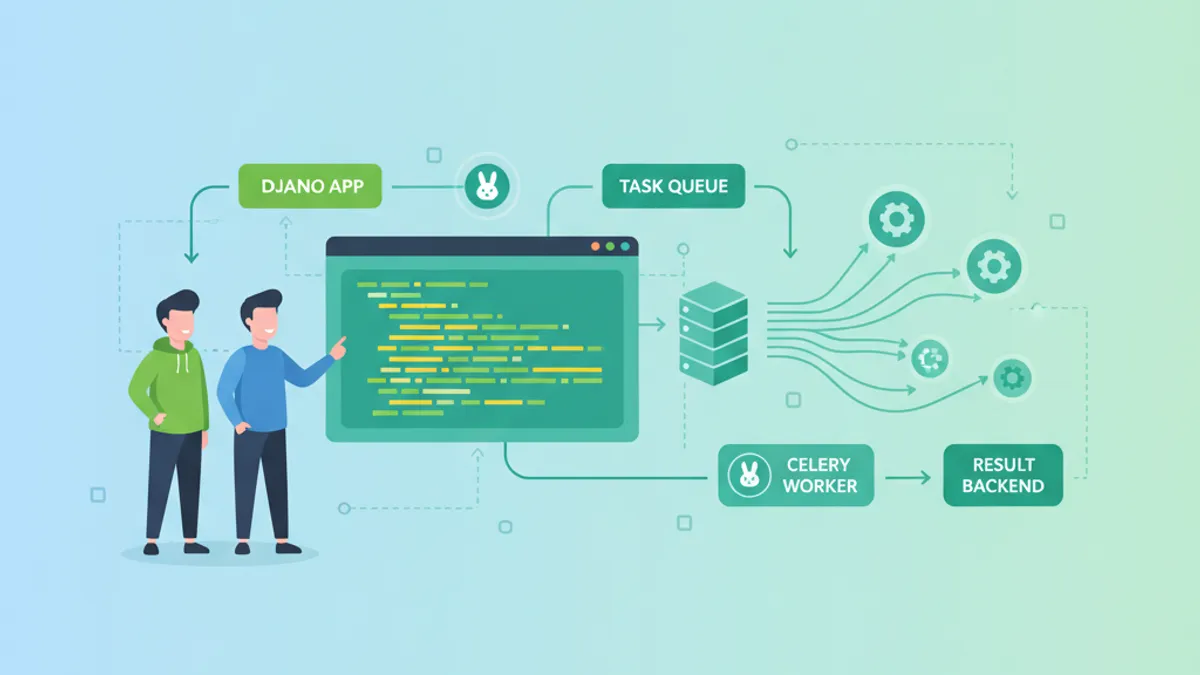
Django та Celery: асинхронна обробка завдань і питання для співбесід 2026
Повний гайд з інтеграції Django та Celery: налаштування, маршрутизація завдань, Celery Beat, Flower, продакшн-конфігурація та питання для співбесід 2026.