React 19: Server Components w produkcji - kompletny przewodnik
Opanowanie Server Components w React 19 w warunkach produkcyjnych. Architektura, wzorce, streaming, cache i optymalizacje dla wydajnych aplikacji.

Server Components to najbardziej znaczaca ewolucja w React od czasu wprowadzenia Hooks. W React 19 ta architektura dojrzala i jest gotowa do uzytku produkcyjnego, umozliwiajac wykonywanie komponentow bezposrednio na serwerze przy jednoczesnym zachowaniu interaktywnosci po stronie klienta.
Ten przewodnik zaklada znajomosc React oraz Next.js App Router. Przyklady wykorzystuja Next.js 14+, ktory natywnie implementuje React Server Components.
Understanding the Server Components Architecture
Server Components (RSC) wprowadzaja nowy paradygmat: czesc komponentow dziala wylacznie na serwerze, inne na kliencie, a oba typy moga wspolistniec w tym samym drzewie komponentow. Taki podzial znaczaco optymalizuje wydajnosc, redukujac ilosc JavaScriptu wysylanego do przegladarki.
Podstawowa idea opiera sie na fakcie, ze wiele komponentow nie potrzebuje interaktywnosci. Komponent wyswietlajacy liste artykulow z bazy danych moze dzialac calkowicie po stronie serwera. Jedynie interaktywne elementy (przyciski, formularze, animacje) wymagaja JavaScriptu po stronie klienta.
// This component runs only on the server
// No JavaScript is sent to the client for this component
import { getArticles } from '@/lib/articles'
import ArticleCard from './ArticleCard'
import LikeButton from './LikeButton'

// async/await directly in the component
// Only possible with Server Components
export default async function ArticlesPage() {
  // Direct database call (no REST API needed)
  const articles = await getArticles()

  return (
    <main className="container mx-auto py-8">
      <h1 className="text-3xl font-bold mb-6">Recent Articles</h1>

      <div className="grid gap-6 md:grid-cols-2 lg:grid-cols-3">
        {articles.map((article) => (
          // ArticleCard is also a Server Component
          <ArticleCard key={article.id} article={article}>
            {/* LikeButton is a Client Component (interactive) */}
            <LikeButton articleId={article.id} />
          </ArticleCard>
        ))}
      </div>
    </main>
  )
}
Dyrektywa "use client" jawnie oznacza komponenty, ktore wymagaja JavaScriptu w przegladarce.
'use client'

// useState and interactive hooks require "use client"
import { useState, useTransition } from 'react'
import { likeArticle } from '@/actions/articles'

interface LikeButtonProps {
  articleId: string
  initialLikes?: number
}

export default function LikeButton({ articleId, initialLikes = 0 }: LikeButtonProps) {
  // Local state for optimistic UI
  const [likes, setLikes] = useState(initialLikes)
  const [isPending, startTransition] = useTransition()

  const handleLike = () => {
    // Immediate optimistic update
    setLikes((prev) => prev + 1)

    // Server Action to persist
    startTransition(async () => {
      await likeArticle(articleId)
    })
  }

  return (
    <button
      onClick={handleLike}
      disabled={isPending}
      className="flex items-center gap-2 px-3 py-1 rounded-full bg-gray-100 hover:bg-gray-200 transition-colors"
    >
      <span>❤️</span>
      <span>{likes}</span>
    </button>
  )
}
Ta architektura znaczaco redukuje rozmiar paczki JavaScript: do klienta trafia jedynie kod LikeButton, a nie ArticlesPage czy ArticleCard.
Server/Client Composition Patterns
Kompozycja miedzy Server Components a Client Components podlega scislym regulom. Server Component moze importowac i renderowac Client Components, ale w druga strone nie jest to bezposrednio mozliwe. Aby przekazac tresc serwerowa do komponentu klienckiego, wzorzec children stanowi rozwiazanie.
'use client'

import { useState, ReactNode } from 'react'

interface InteractiveWrapperProps {
  children: ReactNode
  expandable?: boolean
}

// Client Component that wraps server content
export function InteractiveWrapper({ children, expandable = false }: InteractiveWrapperProps) {
  const [isExpanded, setIsExpanded] = useState(!expandable)

  if (!expandable) {
    return <div>{children}</div>
  }

  return (
    <div className="border rounded-lg overflow-hidden">
      <button
        onClick={() => setIsExpanded(!isExpanded)}
        className="w-full p-4 text-left font-medium bg-gray-50 hover:bg-gray-100"
      >
        {isExpanded ? '▼ Collapse' : '▶ Expand'}
      </button>

      {isExpanded && (
        <div className="p-4">
          {/* children can contain Server Components */}
          {children}
        </div>
      )}
    </div>
  )
}// Server Component using the client wrapper
import { InteractiveWrapper } from '@/components/InteractiveWrapper'
import { getStats, getRecentActivity } from '@/lib/dashboard'
export default async function DashboardPage() {
// Parallel server-side requests
const [stats, activity] = await Promise.all([
getStats(),
getRecentActivity()
])
return (
<div className="space-y-6">
{/* Stats in an expandable wrapper */}
<InteractiveWrapper expandable>
{/* This content is rendered server-side then passed to client */}
<div className="grid grid-cols-3 gap-4">
<StatCard title="Users" value={stats.users} />
<StatCard title="Revenue" value={stats.revenue} />
<StatCard title="Orders" value={stats.orders} />
</div>
</InteractiveWrapper>
{/* Recent activity */}
<InteractiveWrapper>
<ActivityList activities={activity} />
</InteractiveWrapper>
</div>
)
}Ten wzorzec umozliwia laczenie interaktywnosci klienta z danymi renderowanymi po stronie serwera bez duplikowania logiki.
Data Fetching and Caching
React 19 automatycznie rozszerza natywne API fetch, dodajac deduplikacje i cache. Identyczne zapytania w ramach tego samego renderowania sa wykonywane tylko raz.
Pobieranie danych w Server Components odbywa sie bezposrednio za pomoca async/await. React automatycznie obsluguje deduplikacje identycznych zapytan.
// Centralized request configuration with caching
const API_BASE = process.env.API_URL

// Request with time-based revalidation
export async function getProducts() {
  const response = await fetch(`${API_BASE}/products`, {
    // Revalidate every hour
    next: { revalidate: 3600 }
  })

  if (!response.ok) {
    throw new Error('Failed to fetch products')
  }

  return response.json()
}

// Request without cache (real-time data)
export async function getCurrentUser() {
  const response = await fetch(`${API_BASE}/me`, {
    // No cache, always fresh
    cache: 'no-store'
  })

  if (!response.ok) {
    return null
  }

  return response.json()
}

// Request with tag for targeted invalidation
export async function getProduct(id: string) {
  const response = await fetch(`${API_BASE}/products/${id}`, {
    next: {
      tags: [`product-${id}`],
      revalidate: 3600
    }
  })

  if (!response.ok) {
    throw new Error('Product not found')
  }

  return response.json()
}
W przypadku bezposredniego dostepu do bazy danych (Prisma, Drizzle), React cache z unstable_cache oferuje te same mozliwosci.
import { unstable_cache } from 'next/cache'
import { prisma } from '@/lib/prisma'

// Cache categories (rarely modified)
export const getCategories = unstable_cache(
  async () => {
    return prisma.category.findMany({
      orderBy: { name: 'asc' }
    })
  },
  ['categories'], // Cache key
  {
    revalidate: 86400, // 24 hours
    tags: ['categories']
  }
)

// Cache products by category
export const getProductsByCategory = unstable_cache(
  async (categoryId: string) => {
    return prisma.product.findMany({
      where: { categoryId },
      include: { images: true },
      orderBy: { createdAt: 'desc' }
    })
  },
  ['products-by-category'],
  {
    revalidate: 3600,
    tags: ['products']
  }
)

// Cache invalidation after mutation
export async function createProduct(data: ProductInput) {
  const product = await prisma.product.create({ data })

  // Invalidate related caches
  revalidateTag('products')

  return product
}
Gotowy na rozmowy o React / Next.js?
Ćwicz z naszymi interaktywnymi symulatorami, flashcards i testami technicznymi.
Streaming and Suspense for Optimal UX
Streaming umozliwia progresywne wysylanie HTML do przegladarki, natychmiastowe wyswietlanie dostepnych czesci podczas ladowania pozostalych. W polaczeniu z Suspense mechanizm ten drastycznie poprawia Time to First Byte (TTFB) oraz postrzegane doswiadczenie uzytkownika.
import { Suspense } from 'react'
import { getProduct } from '@/lib/products'
import ProductDetails from './ProductDetails'
import ProductReviews from './ProductReviews'
import RecommendedProducts from './RecommendedProducts'
import { Skeleton } from '@/components/ui/Skeleton'

interface ProductPageProps {
  params: { id: string }
}

export default async function ProductPage({ params }: ProductPageProps) {
  // This request blocks initial render
  const product = await getProduct(params.id)

  return (
    <div className="container mx-auto py-8">
      {/* Immediate render with product data */}
      <ProductDetails product={product} />

      {/* Reviews load via streaming */}
      <section className="mt-12">
        <h2 className="text-2xl font-bold mb-6">Customer Reviews</h2>
        <Suspense fallback={<ReviewsSkeleton />}>
          {/* This async component will be streamed */}
          <ProductReviews productId={params.id} />
        </Suspense>
      </section>

      {/* Recommendations too */}
      <section className="mt-12">
        <h2 className="text-2xl font-bold mb-6">Similar Products</h2>
        <Suspense fallback={<ProductGridSkeleton count={4} />}>
          <RecommendedProducts productId={params.id} />
        </Suspense>
      </section>
    </div>
  )
}

// Skeleton for reviews
function ReviewsSkeleton() {
  return (
    <div className="space-y-4">
      {[1, 2, 3].map((i) => (
        <div key={i} className="border rounded-lg p-4">
          <Skeleton className="h-4 w-32 mb-2" />
          <Skeleton className="h-4 w-full" />
          <Skeleton className="h-4 w-3/4" />
        </div>
      ))}
    </div>
  )
}// Async Server Component that will be streamed
import { getProductReviews } from '@/lib/reviews'
interface ProductReviewsProps {
productId: string
}
export default async function ProductReviews({ productId }: ProductReviewsProps) {
// This request may take time
// Component will be streamed when complete
const reviews = await getProductReviews(productId)
if (reviews.length === 0) {
return (
<p className="text-gray-500 italic">
No reviews yet. Be the first to share your thoughts!
</p>
)
}
return (
<div className="space-y-4">
{reviews.map((review) => (
<article key={review.id} className="border rounded-lg p-4">
<div className="flex items-center gap-2 mb-2">
<span className="font-medium">{review.author}</span>
<span className="text-yellow-500">
{'★'.repeat(review.rating)}{'☆'.repeat(5 - review.rating)}
</span>
</div>
<p className="text-gray-700">{review.content}</p>
<time className="text-sm text-gray-500">
{new Date(review.createdAt).toLocaleDateString('en-US')}
</time>
</article>
))}
</div>
)
}Przeglądarka najpierw otrzymuje szkielet HTML ze skeletonami, a nastepnie rzeczywista tresc jest stopniowo wstrzykiwana przez streaming.
Server Actions for Mutations
Server Actions umozliwiaja wykonywanie kodu serwerowego z poziomu komponentow klienckich bez tworzenia tras API. Takie podejscie znaczaco upraszcza obsluge mutacji.
'use server'

import { revalidatePath } from 'next/cache'
import { cookies } from 'next/headers'
import { prisma } from '@/lib/prisma'
import { getCurrentUser } from '@/lib/auth'

// Action to add to cart
export async function addToCart(productId: string, quantity: number = 1) {
  const user = await getCurrentUser()

  if (!user) {
    // Return structured error
    return { error: 'Login required', code: 'UNAUTHORIZED' }
  }

  try {
    // Check stock
    const product = await prisma.product.findUnique({
      where: { id: productId }
    })

    if (!product || product.stock < quantity) {
      return { error: 'Insufficient stock', code: 'OUT_OF_STOCK' }
    }

    // Add or update cart item
    await prisma.cartItem.upsert({
      where: {
        cartId_productId: {
          cartId: user.cartId,
          productId
        }
      },
      update: {
        quantity: { increment: quantity }
      },
      create: {
        cartId: user.cartId,
        productId,
        quantity
      }
    })

    // Invalidate cart page cache
    revalidatePath('/cart')

    return { success: true, message: 'Product added to cart' }
  } catch (error) {
    console.error('Add to cart error:', error)
    return { error: 'An error occurred', code: 'SERVER_ERROR' }
  }
}

// Action to remove from cart
export async function removeFromCart(itemId: string) {
  const user = await getCurrentUser()

  if (!user) {
    return { error: 'Login required' }
  }

  await prisma.cartItem.delete({
    where: { id: itemId, cart: { userId: user.id } }
  })

  revalidatePath('/cart')

  return { success: true }
}'use client'
import { useTransition } from 'react'
import { addToCart } from '@/actions/cart'
import { toast } from '@/components/ui/toast'
interface AddToCartButtonProps {
productId: string
}
export function AddToCartButton({ productId }: AddToCartButtonProps) {
const [isPending, startTransition] = useTransition()
const handleClick = () => {
startTransition(async () => {
const result = await addToCart(productId)
if (result.error) {
toast.error(result.error)
return
}
toast.success(result.message)
})
}
return (
<button
onClick={handleClick}
disabled={isPending}
className="w-full py-3 px-6 bg-blue-600 text-white rounded-lg font-medium hover:bg-blue-700 disabled:opacity-50 disabled:cursor-not-allowed transition-colors"
>
{isPending ? (
<span className="flex items-center justify-center gap-2">
<span className="w-4 h-4 border-2 border-white/30 border-t-white rounded-full animate-spin" />
Adding...
</span>
) : (
'Add to Cart'
)}
</button>
)
}Dane w Server Actions powinny byc zawsze walidowane po stronie serwera. Walidacje klienckie mozna obejsc. Nalezy uzyc Zod lub podobnej biblioteki do solidnej walidacji.
Error Handling and Error Boundaries
React 19 usprawnia obsluge bledow w Server Components. Error Boundaries dzialaja tak samo jak w przypadku Client Components.
'use client'

// Error Boundary for /products segment
interface ErrorProps {
  error: Error & { digest?: string }
  reset: () => void
}

export default function ProductsError({ error, reset }: ErrorProps) {
  return (
    <div className="flex flex-col items-center justify-center min-h-[400px] text-center">
      <div className="p-6 bg-red-50 rounded-lg max-w-md">
        <h2 className="text-xl font-bold text-red-800 mb-2">
          Loading Error
        </h2>
        <p className="text-red-600 mb-4">
          Unable to load products. Please try again.
        </p>
        {/* Display digest for debugging */}
        {error.digest && (
          <p className="text-sm text-gray-500 mb-4">
            Reference: {error.digest}
          </p>
        )}
        <button
          onClick={reset}
          className="px-4 py-2 bg-red-600 text-white rounded-lg hover:bg-red-700"
        >
          Try Again
        </button>
      </div>
    </div>
  )
}// Loading UI during initial load
export default function ProductsLoading() {
return (
<div className="container mx-auto py-8">
<div className="h-8 w-48 bg-gray-200 rounded animate-pulse mb-6" />
<div className="grid grid-cols-3 gap-6">
{[1, 2, 3, 4, 5, 6].map((i) => (
<div key={i} className="border rounded-lg p-4">
<div className="aspect-square bg-gray-200 rounded animate-pulse mb-4" />
<div className="h-4 bg-gray-200 rounded animate-pulse mb-2" />
<div className="h-4 w-2/3 bg-gray-200 rounded animate-pulse" />
</div>
))}
</div>
</div>
)
}Do bardziej szczegolowej obslugi bledow w konkretnych komponentach mozna uzyc komponentu ErrorBoundary bezposrednio.
'use client'

import { Component, ReactNode } from 'react'

interface Props {
  children: ReactNode
  fallback?: ReactNode
}

interface State {
  hasError: boolean
  error?: Error
}

export class ErrorBoundary extends Component<Props, State> {
  constructor(props: Props) {
    super(props)
    this.state = { hasError: false }
  }

  static getDerivedStateFromError(error: Error): State {
    return { hasError: true, error }
  }

  componentDidCatch(error: Error, errorInfo: React.ErrorInfo) {
    // Log error to monitoring service
    console.error('ErrorBoundary caught:', error, errorInfo)
  }

  render() {
    if (this.state.hasError) {
      return this.props.fallback || (
        <div className="p-4 bg-red-50 rounded-lg">
          <p className="text-red-600">An error occurred</p>
        </div>
      )
    }

    return this.props.children
  }
}
Production Performance Optimizations
Kilka technik pozwala na optymalizacje wydajnosci Server Components w srodowisku produkcyjnym.
import { Suspense } from 'react'
import { headers } from 'next/headers'

// Preload critical data
export const dynamic = 'force-dynamic'

export default async function RootLayout({
  children
}: {
  children: React.ReactNode
}) {
  return (
    <html lang="en">
      <body>
        {/* Header streamed independently */}
        <Suspense fallback={<HeaderSkeleton />}>
          <Header />
        </Suspense>

        <main>{children}</main>

        {/* Footer can be static */}
        <Footer />
      </body>
    </html>
  )
}// Data prefetching for links
import { preload } from 'react-dom'
export function prefetchProduct(productId: string) {
// Prefetch images
preload(`/api/products/${productId}/image`, { as: 'image' })
}
// Usage in a component
// <Link href={`/products/${id}`} onMouseEnter={() => prefetchProduct(id)}>/** @type {import('next').NextConfig} */
const nextConfig = {
// Build optimizations
experimental: {
// Enable Partial Prerendering (PPR)
ppr: true,
// Optimize package imports
optimizePackageImports: ['lucide-react', '@radix-ui/react-icons']
},
// Image configuration
images: {
formats: ['image/avif', 'image/webp'],
remotePatterns: [
{ hostname: 'cdn.example.com' }
]
}
}
module.exports = nextConfigGotowy na rozmowy o React / Next.js?
Ćwicz z naszymi interaktywnymi symulatorami, flashcards i testami technicznymi.
Conclusion
React 19 Server Components fundamentalnie zmieniaja sposob budowania aplikacji React. Najwazniejsze wnioski:
- ✅ Rozdzielenie serwera i klienta: dyrektywa
"use client"stosowana wylacznie dla interaktywnych komponentow - ✅ Bezposrednie pobieranie danych:
async/awaitw komponentach, bez potrzeby useEffect czy tras API - ✅ Streaming z Suspense: progresywne wyswietlanie dla lepszego postrzeganego UX
- ✅ Server Actions: uproszczone mutacje bez tworzenia endpointow API
- ✅ Inteligentne cache'owanie:
revalidateitagsdo optymalizacji wydajnosci - ✅ Elastyczna kompozycja: wzorzec
childrendo laczenia Server i Client Components
Ta architektura pozwala tworzyc wydajniejsze aplikacje z mniejsza iloscia JavaScriptu po stronie klienta, jednoczesnie znaczaco upraszczajac kod. Przejscie na Server Components to inwestycja, ktora szybko sie zwraca pod wzgledem wydajnosci i latwosci utrzymania.
Zacznij ćwiczyć!
Sprawdź swoją wiedzę z naszymi symulatorami rozmów i testami technicznymi.
Znajdziesz błąd w React / Next.js?
Prawdziwy fragment kodu, ukryty błąd, jedna próba dziennie. Bez konta, żeby spróbować.

Autor:
Anthony Fillion-MailletZałożyciel SharpSkill
Programista fullstack od ponad 10 lat. Prowadzi SharpSkill i odpowiada za wszystko, co się tu ukazuje.
Zaktualizowano 6 kwietnia 2026
Tagi
Udostępnij
Powiązane artykuły

Praca jako freelancer React w 2026: gdzie szukać kontraktów, stawki dzienne i przygotowanie do rozmów
Kompletny przewodnik po rynku freelance dla programistów React w 2026 roku. Gdzie znajdziesz kontrakty, jakich stawek możesz oczekiwać i jak przygotować się do technicznej rozmowy kwalifikacyjnej.

Zustand kontra Redux Toolkit w 2026: który menedżer stanu Reacta wybrać?
Praktyczne porównanie Zustand 5 i Redux Toolkit 2.x w 2026 roku do zarządzania stanem w Reakcie: konfiguracja, asynchroniczne pobieranie danych z RTK Query, wydajność i pytania rekrutacyjne.
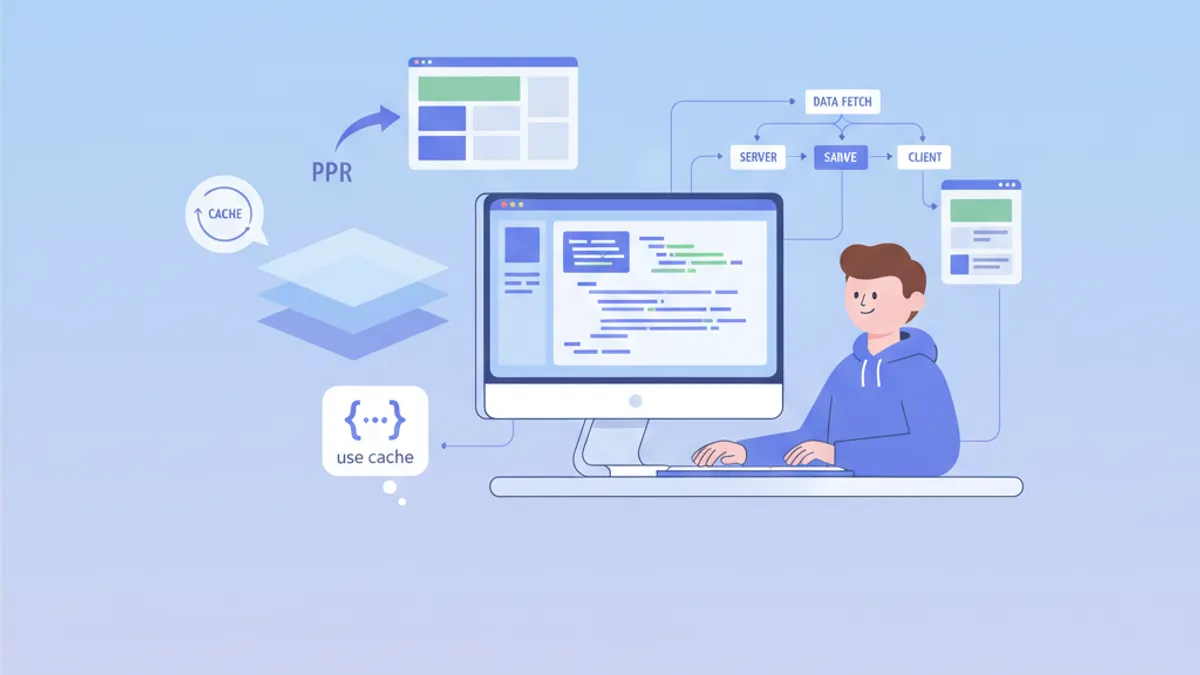
Cache Components w Next.js 16: use cache, PPR i pytania rekrutacyjne na 2026 rok
Kompletny przewodnik po Cache Components w Next.js 16: dyrektywa use cache, Partial Pre-Rendering, cacheLife, cacheTag, Instant Navigations w 16.3 oraz pytania na rozmowę kwalifikacyjną.