Spring Boot YAML vs Properties: Configuratievergelijking en Sollicitatievragen 2026
Uitgebreide vergelijking tussen YAML en Properties-bestanden in Spring Boot. Leer over syntax, best practices en veelgestelde sollicitatievragen over geëxternaliseerde configuratie.
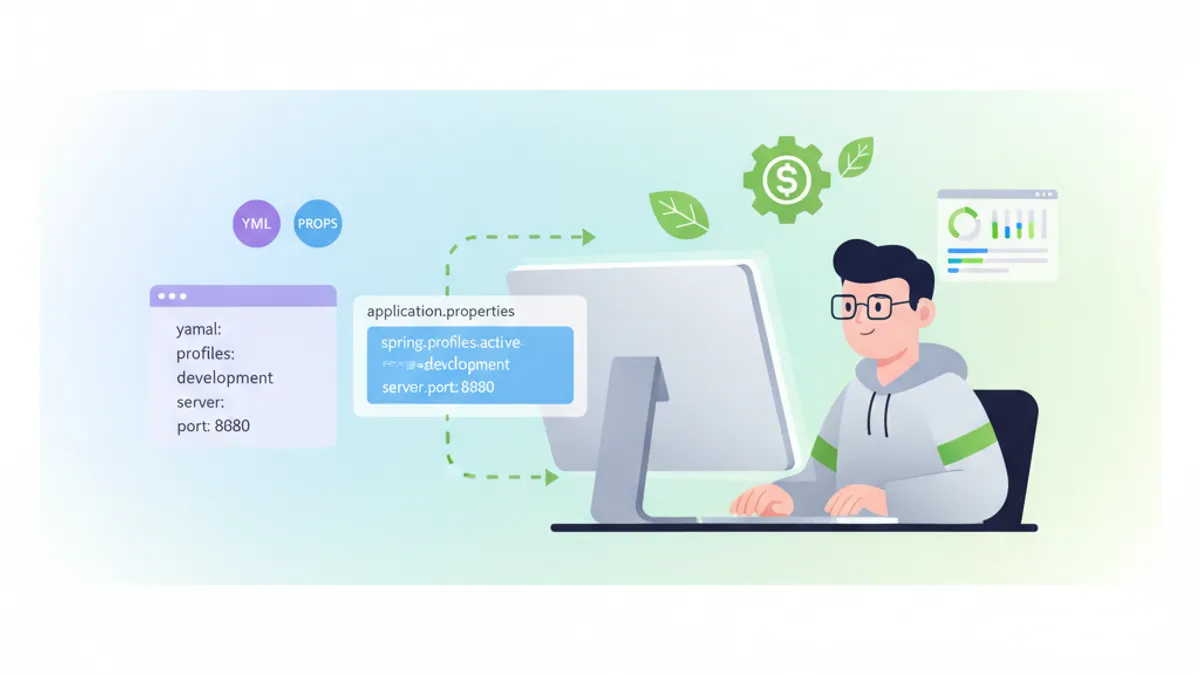
Spring Boot biedt twee primaire formaten voor applicatieconfiguratie: YAML en Properties. Beide formaten dienen hetzelfde doel, maar verschillen aanzienlijk in syntax, leesbaarheid en gebruikssituaties. Dit artikel onderzoekt beide benaderingen in detail en bereidt ontwikkelaars voor op technische sollicitatiegesprekken.
Spring Boot 3.4+ ondersteunt zowel application.yml als application.properties. De keuze tussen beide hangt af van projectvereisten, teamvertrouwdheid en configuratiecomplexiteit.
Fundamentele Syntaxverschillen
Het fundamentele verschil ligt in de structurering van configuratiewaarden. Properties-bestanden gebruiken een platte sleutel-waarde structuur, terwijl YAML hiërarchische gegevens met inspringing weergeeft.
Properties Formaat
# application.properties
server.port=8080
server.servlet.context-path=/api

spring.datasource.url=jdbc:postgresql://localhost:5432/mydb
spring.datasource.username=admin
spring.datasource.password=secret
spring.datasource.driver-class-name=org.postgresql.Driver

spring.jpa.hibernate.ddl-auto=update
spring.jpa.show-sql=true
spring.jpa.properties.hibernate.dialect=org.hibernate.dialect.PostgreSQLDialect
YAML Formaat
# application.yml
server:
  port: 8080
  servlet:
    context-path: /api

spring:
  datasource:
    url: jdbc:postgresql://localhost:5432/mydb
    username: admin
    password: secret
    driver-class-name: org.postgresql.Driver
  jpa:
    hibernate:
      ddl-auto: update
    show-sql: true
    properties:
      hibernate:
        dialect: org.hibernate.dialect.PostgreSQLDialect
Voordelen van YAML Configuratie
YAML biedt verschillende voordelen voor complexe configuraties. De hiërarchische structuur vermindert redundantie en verbetert de leesbaarheid aanzienlijk.
# Meerdere profielen in één bestand
spring:
  profiles:
    active: development

---
spring:
  config:
    activate:
      on-profile: development
  datasource:
    url: jdbc:h2:mem:devdb
    driver-class-name: org.h2.Driver

logging:
  level:
    root: DEBUG
    com.example: TRACE

---
spring:
  config:
    activate:
      on-profile: production
  datasource:
    url: jdbc:postgresql://prod-server:5432/proddb
    driver-class-name: org.postgresql.Driver

logging:
  level:
    root: WARN
    com.example: INFO
De documentscheiding met --- maakt het mogelijk om meerdere profielen in een enkel bestand te definiëren. Deze consolidatie vereenvoudigt het beheer van omgevingsspecifieke instellingen.
Lijsten en Complexe Datastructuren
YAML behandelt lijsten en geneste structuren natuurlijker dan Properties-bestanden.
# Lijst van servers
application:
  servers:
    - host: server1.example.com
      port: 8080
      ssl: true
    - host: server2.example.com
      port: 8081
      ssl: false

  allowed-origins:
    - https://example.com
    - https://app.example.com
    - https://admin.example.com

  features:
    authentication:
      enabled: true
      providers:
        - oauth2
        - ldap
    caching:
      enabled: true
      ttl: 3600
Het equivalente Properties-formaat vereist geïndexeerde notatie:
# Dezelfde configuratie in Properties
application.servers[0].host=server1.example.com
application.servers[0].port=8080
application.servers[0].ssl=true
application.servers[1].host=server2.example.com
application.servers[1].port=8081
application.servers[1].ssl=false

application.allowed-origins[0]=https://example.com
application.allowed-origins[1]=https://app.example.com
application.allowed-origins[2]=https://admin.example.com

application.features.authentication.enabled=true
application.features.authentication.providers[0]=oauth2
application.features.authentication.providers[1]=ldap
application.features.caching.enabled=true
application.features.caching.ttl=3600
Configuration Properties Binding
Spring Boot maakt type-veilige configuratiebinding mogelijk met de @ConfigurationProperties annotatie:
import org.springframework.boot.context.properties.ConfigurationProperties;
import org.springframework.stereotype.Component;
import java.util.List;

@Component
@ConfigurationProperties(prefix = "application")
public class ApplicationConfig {

    private List<ServerConfig> servers;
    private List<String> allowedOrigins;
    private FeaturesConfig features;

    // Getters and setters

    public static class ServerConfig {
        private String host;
        private int port;
        private boolean ssl;

        // Getters and setters
    }

    public static class FeaturesConfig {
        private AuthConfig authentication;
        private CacheConfig caching;

        // Getters and setters
    }

    public static class AuthConfig {
        private boolean enabled;
        private List<String> providers;

        // Getters and setters
    }

    public static class CacheConfig {
        private boolean enabled;
        private int ttl;

        // Getters and setters
    }
}
Omgevingsvariabelen en Externalisatie
Beide formaten ondersteunen overschrijving via omgevingsvariabelen. Spring Boot converteert automatisch tussen de formaten:
# Overschrijven van configuratiewaarden
export SPRING_DATASOURCE_URL=jdbc:postgresql://prod:5432/db
export SPRING_DATASOURCE_USERNAME=produser
export SERVER_PORT=9090

# Lijsten kunnen worden gescheiden door komma's
export APPLICATION_ALLOWED_ORIGINS=https://a.com,https://b.com# Verwijzen naar omgevingsvariabelen in YAML
spring:
datasource:
url: ${DB_URL:jdbc:h2:mem:default}
username: ${DB_USER:sa}
password: ${DB_PASSWORD:}
application:
api-key: ${API_KEY}
secret: ${APP_SECRET:default-secret}Validatie met Bean Validation
Configuratie-eigenschappen kunnen worden gevalideerd met Jakarta Bean Validation:
import jakarta.validation.constraints.*;
import org.springframework.boot.context.properties.ConfigurationProperties;
import org.springframework.validation.annotation.Validated;

@Validated
@ConfigurationProperties(prefix = "application.security")
public class SecurityConfig {

    @NotBlank(message = "JWT secret is required")
    private String jwtSecret;

    @Min(value = 300, message = "Token expiration must be at least 5 minutes")
    @Max(value = 86400, message = "Token expiration cannot exceed 24 hours")
    private int tokenExpiration = 3600;

    @NotEmpty(message = "At least one allowed origin is required")
    private List<@URL String> allowedOrigins;

    @Email
    private String adminEmail;

    // Getters and setters
}
Profielspecifieke Configuratie
Spring Boot ondersteunt profielspecifieke configuratiebestanden voor beide formaten:
src/main/resources/
├── application.yml              # Gedeelde configuratie
├── application-dev.yml          # Ontwikkelomgeving
├── application-staging.yml      # Staging-omgeving
├── application-prod.yml         # Productieomgeving
└── application-test.yml # Testomgeving# application-prod.yml
spring:
datasource:
hikari:
maximum-pool-size: 20
minimum-idle: 5
connection-timeout: 30000
logging:
level:
root: WARN
file:
name: /var/log/app/application.log
management:
endpoints:
web:
exposure:
include: health,info,metricsKlaar om je Spring Boot gesprekken te halen?
Oefen met onze interactieve simulatoren, flashcards en technische tests.
Veelgestelde Sollicitatievragen
Vraag 1: Wanneer heeft YAML de voorkeur boven Properties?
YAML is beter geschikt voor complexe, hiërarchische configuraties met geneste eigenschappen, lijsten en meerdere profielen. Properties-bestanden hebben de voorkeur voor eenvoudige configuraties, legacy-systemen of wanneer teamleden niet vertrouwd zijn met YAML-syntax.
Vraag 2: Hoe worden meerdere configuratiebestanden geladen?
import org.springframework.context.annotation.Configuration;
import org.springframework.context.annotation.PropertySource;

@Configuration
@PropertySource({
    "classpath:database.properties",
    "classpath:messaging.properties"
})
public class AdditionalConfig {
}
Voor YAML moet een PropertySourceFactory worden gebruikt:
import org.springframework.beans.factory.config.YamlPropertiesFactoryBean;
import org.springframework.core.env.PropertiesPropertySource;
import org.springframework.core.io.support.EncodedResource;
import org.springframework.core.io.support.PropertySourceFactory;

import java.util.Properties;

public class YamlPropertySourceFactory implements PropertySourceFactory {

    @Override
    public org.springframework.core.env.PropertySource<?> createPropertySource(
            String name, EncodedResource resource) {
        YamlPropertiesFactoryBean factory = new YamlPropertiesFactoryBean();
        factory.setResources(resource.getResource());
        Properties properties = factory.getObject();
        String sourceName = name != null ? name : resource.getResource().getFilename();
        return new PropertiesPropertySource(sourceName, properties);
    }
}
Vraag 3: Wat is de prioriteitsvolgorde van configuratiebronnen?
Spring Boot laadt configuraties in deze volgorde (hogere prioriteit overschrijft lagere):
- Opdrachtregelargumenten
- SPRING_APPLICATION_JSON (inline JSON)
- Servlet-parameters
- JNDI-attributen
- Java System Properties
- OS-omgevingsvariabelen
- Profielspecifieke bestanden (application-.yml)
- Applicatieconfiguratie (application.yml)
- @PropertySource annotaties
- Standaardwaarden
Vraag 4: Hoe worden secrets veilig beheerd?
# Gebruik van Spring Cloud Config Server of Vault
spring:
  cloud:
    vault:
      uri: https://vault.example.com
      token: ${VAULT_TOKEN}
      kv:
        enabled: true
        backend: secret

  config:
    import:
      - vault://secret/application
      - vault://secret/database
Vraag 5: Hoe werkt Relaxed Binding?
Spring Boot ondersteunt verschillende schrijfwijzen voor dezelfde eigenschap:
# Al deze vormen zijn equivalent
application:
  apiKey: value      # Camel Case
  api-key: value     # Kebab Case (aanbevolen)
  api_key: value     # Underscore
  API_KEY: value     # Hoofdletters (voor omgevingsvariabelen)
Best Practices voor Productieomgevingen
# application-prod.yml met aanbevolen praktijken
spring:
  datasource:
    url: ${DATABASE_URL}
    username: ${DATABASE_USERNAME}
    password: ${DATABASE_PASSWORD}
    hikari:
      maximum-pool-size: ${DB_POOL_SIZE:10}
      leak-detection-threshold: 60000

  jpa:
    open-in-view: false
    properties:
      hibernate:
        jdbc:
          batch_size: 50
        order_inserts: true
        order_updates: true

server:
  shutdown: graceful
  tomcat:
    accept-count: 100
    max-connections: 10000
    threads:
      max: 200
      min-spare: 10

management:
  server:
    port: 8081
  endpoints:
    web:
      exposure:
        include: health,info,prometheus
  endpoint:
    health:
      show-details: when_authorized
      probes:
        enabled: true

logging:
  pattern:
    console: "%d{ISO8601} [%thread] %-5level %logger{36} - %msg%n"
  level:
    root: INFO
    org.springframework.web: WARN
    org.hibernate.SQL: WARN
Conclusie
De keuze tussen YAML en Properties hangt af van de specifieke projectvereisten. YAML biedt betere leesbaarheid en structuur voor complexe configuraties, terwijl Properties-bestanden eenvoud en brede toolondersteuning bieden. Moderne Spring Boot-applicaties neigen naar YAML vanwege de natuurlijke weergave van hiërarchische gegevens en de mogelijkheid om meerdere profielen in één bestand te definiëren. Ongeacht het gekozen formaat moeten gevoelige gegevens altijd worden geleverd via omgevingsvariabelen of externe configuratiediensten zoals HashiCorp Vault of Spring Cloud Config Server.
Zie jij de bug in Spring Boot?
Een echt codefragment, een verborgen bug, één poging per dag. Zonder account uit te proberen.

Geschreven door
Anthony Fillion-MailletOprichter van SharpSkill
Al meer dan 10 jaar fullstack-ontwikkelaar. Hij leidt SharpSkill en staat in voor alles wat hier verschijnt.
Bijgewerkt op 26 augustus 2026
Tags
Delen
Gerelateerde artikelen

Spring Boot Sollicitatiegesprek: Transactiepropagatie
Beheers Spring Boot transactiepropagatie: REQUIRED, REQUIRES_NEW, NESTED en meer. 12 sollicitatievragen met code en veelgemaakte valkuilen.

30 Spring Boot Interviewvragen: Volledige Gids voor Java-ontwikkelaars
Bereid je voor op je Spring Boot-interviews met deze 30 essentiële vragen over auto-configuratie, starters, Spring Data JPA, Security 7 en testing.
Spring GraphQL Sollicitatiegesprek: Resolvers, DataLoaders en Oplossingen voor het N+1-probleem
Voorbereiding op Spring GraphQL sollicitatiegesprekken met deze complete gids. Resolvers, DataLoaders, omgaan met het N+1-probleem, mutaties en best practices voor technische vragen.