Go Context パッケージ 2026年完全ガイド:キャンセル、タイムアウト、面接対策
Go言語のcontextパッケージを徹底解説。キャンセル処理、タイムアウト設定、リクエストスコープ値の活用法から、技術面接で頻出の質問と回答まで、実践的なコード例とともに解説します。

Go言語のcontextパッケージは、デッドライン、キャンセルシグナル、リクエストスコープの値をAPI境界を越えて伝達するための標準的なメカニズムを提供します。HTTPハンドラ、データベースクエリ、gRPC呼び出し、バックグラウンドワーカーなど、すべての本番Goアプリケーションがグレースフルシャットダウンとタイムアウト管理のためにcontextを使用しています。
contextはGo言語の技術面接で最も頻繁に問われるトピックの一つです。面接官は、contextの伝播の説明、適切なキャンセル処理の実装、構造体へのcontext格納などの一般的な落とし穴の回避について、候補者に説明を求めます。
Context インターフェースと4つのメソッド
Contextインターフェースは、すべてのcontext実装が満たす必要がある4つのメソッドを定義しています。これらのメソッドを理解することが、効果的なcontext使用の基盤となります。
type Context interface {
    // Deadline returns the time when work should be canceled
    Deadline() (deadline time.Time, ok bool)

    // Done returns a channel that closes when the context is canceled
    Done() <-chan struct{}

    // Err returns the reason why Done was closed
    Err() error

    // Value returns the value associated with key, or nil
    Value(key any) any
}Done()は受信専用チャネルを返します。このチャネルがクローズされると、それを監視しているすべてのゴルーチンが即座にシグナルを受け取ります。パターン<-ctx.Done()はキャンセルが発生するまでブロックします。Err()はその理由を説明します:明示的にキャンセルされた場合はcontext.Canceled、タイムアウトまたはデッドラインが過ぎた場合はcontext.DeadlineExceededです。
Background と TODO によるコンテキストの作成
ルートコンテキストを作成する関数は2つあります:context.Background()とcontext.TODO()です。どちらもnil以外の空のコンテキストを返し、キャンセルされることはありません。
package main

import (
    "context"
    "log"
    "net/http"
)

func main() {
    // Background: the root context for your application
    ctx := context.Background()

    // Use it as parent for derived contexts
    server := &http.Server{Addr: ":8080"}

    // TODO: placeholder when context source is unclear
    // Static analysis tools can flag context.TODO() for review
    processLegacyData(context.TODO())
}

func processLegacyData(ctx context.Context) {
    // Context parameter enables future cancellation support
    log.Println("Processing data...")
}Background()は、着信リクエスト、main関数、初期化コードの親として機能します。TODO()は、正しいcontextソースがまだ決定されていないリファクタリング中のプレースホルダーとして機能します。静的解析ツールはTODO()の使用をフラグ付けして後続のレビューを促します。
WithCancel と WithCancelCause によるキャンセル処理
手動キャンセルにより、親ゴルーチンは子に作業を停止すべきことを通知できます。このパターンは、ワーカープール、バックグラウンドタスク、グレースフルシャットダウンの実装で見られます。
package main

import (
    "context"
    "errors"
    "fmt"
    "time"
)

func worker(ctx context.Context, id int, results chan<- int) {
    for {
        select {
        case <-ctx.Done():
            // Check why cancellation occurred
            if cause := context.Cause(ctx); cause != nil {
                fmt.Printf("Worker %d stopped: %v\n", id, cause)
            }
            return
        default:
            // Simulate work
            time.Sleep(100 * time.Millisecond)
            results <- id * 10
        }
    }
}

func main() {
    // WithCancelCause provides error context
    ctx, cancel := context.WithCancelCause(context.Background())
    results := make(chan int, 10)

    // Start 3 workers
    for i := 1; i <= 3; i++ {
        go worker(ctx, i, results)
    }

    // Collect some results
    for i := 0; i < 5; i++ {
        fmt.Println("Result:", <-results)
    }

    // Cancel with a specific reason
    cancel(errors.New("shutdown requested by user"))

    // context.Cause retrieves the cancellation reason
    time.Sleep(50 * time.Millisecond)
    fmt.Println("Cause:", context.Cause(ctx))
}
Go 1.20で導入されたWithCancelCauseは、単純なWithCancelよりも豊富なエラー情報を提供します。context.Cause()関数はキャンセル関数に渡されたエラーを取得し、複雑なシステムでのデバッグを容易にします。
Goの面接対策はできていますか?
インタラクティブなシミュレーター、flashcards、技術テストで練習しましょう。
リクエスト処理のためのタイムアウトとデッドライン
HTTPハンドラ、データベース呼び出し、外部API リクエストには常にタイムアウトを設定する必要があります。contextパッケージはこの目的のためにWithTimeoutとWithDeadlineを提供しています。どちらも、時間が経過すると自動的にキャンセルされるコンテキストを作成します。
package main

import (
    "context"
    "fmt"
    "time"
)

// fetchFromAPI simulates an HTTP call
func fetchFromAPI(ctx context.Context, endpoint string) (string, error) {
    // Simulate variable response time
    responseTime := time.Duration(100+endpoint[0]%150) * time.Millisecond

    select {
    case <-time.After(responseTime):
        return fmt.Sprintf("Response from %s", endpoint), nil
    case <-ctx.Done():
        return "", ctx.Err()
    }
}

func main() {
    // WithTimeout: relative duration
    ctx, cancel := context.WithTimeout(context.Background(), 200*time.Millisecond)
    defer cancel() // Always call cancel to release resources

    result, err := fetchFromAPI(ctx, "api.example.com/users")
    if err != nil {
        if err == context.DeadlineExceeded {
            fmt.Println("Request timed out")
        } else {
            fmt.Println("Request canceled")
        }
        return
    }
    fmt.Println(result)

    // WithDeadline: absolute time
    deadline := time.Now().Add(500 * time.Millisecond)
    ctx2, cancel2 := context.WithDeadline(context.Background(), deadline)
    defer cancel2()

    result2, _ := fetchFromAPI(ctx2, "api.example.com/orders")
    fmt.Println(result2)
}
defer cancel()パターンは、操作がタイムアウト前に完了した場合でもリソースが解放されることを保証します。この呼び出しをスキップするとリソースリークが発生します:コンテキストのタイマーゴルーチンはタイムアウトが期限切れになるまでアクティブなままです。
WithValue によるリクエストスコープ値の伝達
WithValueはリクエストスコープのデータをコンテキストにアタッチします。一般的なユースケースには、リクエストID、認証トークン、トレーシングスパンなどがあります。公式ドキュメントでは、衝突を避けるためにカスタム型をキーとして使用することが強調されています。
package main

import (
    "context"
    "fmt"
    "log"
    "net/http"
    "time"
)

// Define custom key types to avoid collisions
type contextKey string

const (
    requestIDKey contextKey = "requestID"
    userIDKey    contextKey = "userID"
)

// middleware adds request ID to context
func requestIDMiddleware(next http.Handler) http.Handler {
    return http.HandlerFunc(func(w http.ResponseWriter, r *http.Request) {
        requestID := r.Header.Get("X-Request-ID")
        if requestID == "" {
            requestID = generateRequestID()
        }

        // Create new context with request ID
        ctx := context.WithValue(r.Context(), requestIDKey, requestID)
        next.ServeHTTP(w, r.WithContext(ctx))
    })
}

// handler retrieves values from context
func handler(w http.ResponseWriter, r *http.Request) {
    requestID, ok := r.Context().Value(requestIDKey).(string)
    if !ok {
        requestID = "unknown"
    }

    log.Printf("[%s] Processing request", requestID)
    fmt.Fprintf(w, "Request ID: %s", requestID)
}

func generateRequestID() string {
    return fmt.Sprintf("req-%d", time.Now().UnixNano())
}

func main() {
    mux := http.NewServeMux()
    mux.HandleFunc("/", handler)

    http.ListenAndServe(":8080", requestIDMiddleware(mux))
}コンテキスト値は不変のチェーンを形成します:各WithValue呼び出しは親をラップする新しいコンテキストを作成します。ルックアップはこのチェーンを走査するため、深くネストされた値へのアクセスは遅くなります。リクエストスコープのデータのみを格納し、アプリケーション構成やオプションパラメータは格納しないでください。
WithoutCancel と AfterFunc ユーティリティ
Go 1.21では、クリーンアップタスクなど、親のキャンセルに関係なく完了する必要がある操作のためのWithoutCancelが追加されました。AfterFuncは、コンテキストのキャンセルが発生したときにコールバックをスケジュールします。
package main

import (
    "context"
    "fmt"
    "log"
    "time"
)

func saveAuditLog(ctx context.Context, message string) error {
    // Use WithoutCancel: audit logs must complete even if request canceled
    cleanCtx := context.WithoutCancel(ctx)

    // Simulate database write
    select {
    case <-time.After(50 * time.Millisecond):
        log.Printf("Audit: %s", message)
        return nil
    case <-cleanCtx.Done():
        // This branch never executes: WithoutCancel context is never canceled
        return cleanCtx.Err()
    }
}

func main() {
    ctx, cancel := context.WithTimeout(context.Background(), 100*time.Millisecond)

    // AfterFunc: register cleanup when context ends
    stop := context.AfterFunc(ctx, func() {
        fmt.Println("Context ended, running cleanup")
    })

    // Perform operation
    time.Sleep(50 * time.Millisecond)

    // Cancel stops the AfterFunc from running if called before context ends
    if stop() {
        fmt.Println("Cleanup prevented")
    }

    cancel()

    // Audit log completes despite parent cancellation
    saveAuditLog(ctx, "Operation completed")
}WithoutCancelは親コンテキストの値を保持しますが、そのキャンセルシグナルは無視します。このパターンは、リクエストの結果に関係なく成功する必要があるログ記録、メトリクス送信、データベースコミットに適しています。
面接での質問と回答
Goの技術面接に備えるには、contextの内部構造とベストプラクティスを理解する必要があります。これらの質問は、バックエンドサービスにGoを使用している企業の面接で頻繁に出題されます。Goの面接対策の詳細については、Context パッケージ面接問題モジュールを参照してください。
なぜcontextは最初のパラメータにすべきなのか?
Goチームは、context伝播を可視化し一貫性を持たせるためにこの慣例を確立しました。contextを最初に配置することで、関数がキャンセルを尊重することを読者に伝えます。標準ライブラリはこのパターンに従っています:http.Request.Context()、database/sql.QueryContext()、grpc.UnaryInterceptorはすべて最初の引数としてcontextを期待します。
構造体にcontextを格納するとどうなるか?
構造体にcontextを格納すると、リクエストライフサイクルモデルが壊れます。構造体は、作成されたリクエストよりも長く存続する可能性があり、操作が古いキャンセルシグナルを使用したり、新しいデッドラインを見逃したりする原因となります。contextのドキュメントはこのパターンに対して明示的に警告しています。
// BAD: context stored in struct
type Service struct {
    ctx context.Context // Never do this
}

// GOOD: pass context to each method
type Service struct{}

func (s *Service) Process(ctx context.Context, data []byte) error {
    // Context flows through the call chain
    return s.save(ctx, data)
}
ゴルーチンでcontextをどのように処理すべきか?
ゴルーチンは、メインループまたはselect文でctx.Done()をチェックする必要があります。doneチャネルを無視するとゴルーチンリークが発生します:親関数が戻っても、ゴルーチンはリソースを消費し続けます。
// Correct pattern for long-running goroutines
func processStream(ctx context.Context, stream <-chan Data) {
    for {
        select {
        case <-ctx.Done():
            log.Println("Shutting down processor")
            return
        case data, ok := <-stream:
            if !ok {
                return
            }
            handle(data)
        }
    }
}
context.TODO()はいつ使用すべきか?
レガシーコードにcontext サポートを追加する段階的リファクタリング中にTODO()を使用します。これは適切なcontext伝播が必要な場所をマークします。本番コードは最終的に、すべてのTODO()呼び出しをリクエストハンドラまたはアプリケーション初期化からの実際のcontextに置き換える必要があります。Goの並行処理パターンの詳細については、Go並行処理:ゴルーチンとチャネルを参照してください。
避けるべき一般的な間違い
contextの誤用は、負荷時やシャットダウンシーケンス中に現れる微妙なバグにつながります。これらのパターンを認識することで、本番環境でのインシデントを防ぐことができます。
package main

import (
    "context"
    "time"
)

// MISTAKE 1: Ignoring context cancellation
func badWorker(ctx context.Context) {
    for {
        // Missing select on ctx.Done()
        doExpensiveWork() // Never stops when context canceled
    }
}

// MISTAKE 2: Not calling cancel
func leakyTimeout() {
    ctx, _ := context.WithTimeout(context.Background(), time.Second)
    // Timer goroutine leaks until timeout expires
    _ = ctx
}

// MISTAKE 3: Using string keys for values
func collisionProne(ctx context.Context) context.Context {
    // Different packages might use same string key
    return context.WithValue(ctx, "userID", 123) // Bad
}

// CORRECT versions
func goodWorker(ctx context.Context) {
    for {
        select {
        case <-ctx.Done():
            return
        default:
            doExpensiveWork()
        }
    }
}

func properTimeout() {
    ctx, cancel := context.WithTimeout(context.Background(), time.Second)
    defer cancel() // Always release resources
    _ = ctx
}

type userIDKey struct{}

func collisionSafe(ctx context.Context) context.Context {
    return context.WithValue(ctx, userIDKey{}, 123) // Good
}

func doExpensiveWork() {}
今すぐ練習を始めましょう!
面接シミュレーターと技術テストで知識をテストしましょう。
本番環境でのGo Contextの使用に関する重要ポイント
- contextは関数の最初のパラメータとして渡し、構造体には絶対に格納しない
- リソースリークを防ぐため、
WithTimeout、WithDeadline、WithCancelの後は常にcancel()をdeferする - 複雑なキャンセルチェーンでのデバッグを改善するために
WithCancelCauseとcontext.Cause()を使用する - グレースフルシャットダウンを有効にしリークを防ぐため、ゴルーチンループで
<-ctx.Done()をチェックする - パッケージ間の衝突を避けるため、
WithValueにはカスタムキー型を使用する - 親のキャンセルに関係なく完了する必要があるクリーンアップ操作には
WithoutCancelを適用する - アプリケーション初期化には
context.Background()を優先し、context.TODO()はリファクタリング中のみ使用する
Go のバグを見つけられますか
実際のコード、隠れたバグ、1日1回。アカウントなしで試せます。

執筆
Anthony Fillion-MailletSharpSkill 創業者
10 年以上フルスタック開発に携わっています。SharpSkill を運営し、ここで公開される内容に責任を負っています。
2026年8月29日 更新
タグ
共有
関連記事
Go面接の頻出25問: 開発者向け完全ガイド
頻出25問でGoの面接を制する。ゴルーチン、チャネル、インターフェース、並行処理パターンをコード例とともに解説。
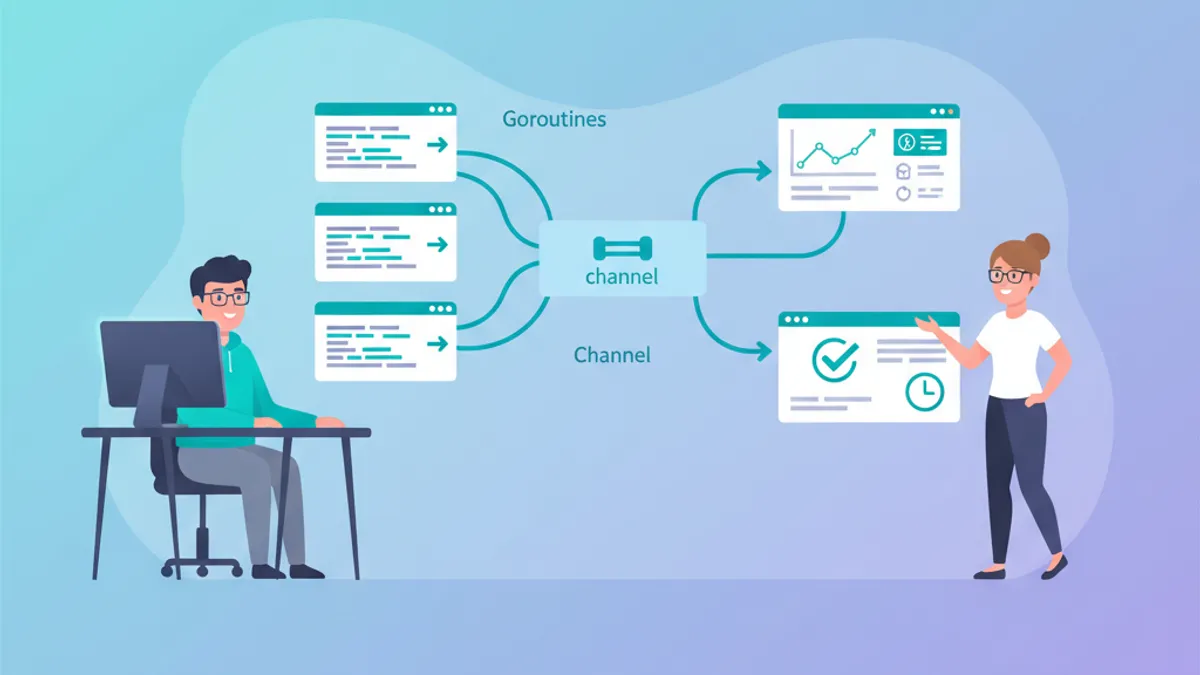
Go技術面接:Goroutine、Channel、並行処理パターン完全ガイド
Go技術面接で頻出のgoroutine、channel、並行処理に関する質問を網羅。本番レベルのコード例と各回答の背景にある設計思想を2026年の面接対策として解説します。

Goの並行処理: GoroutineとChannel - 完全ガイド
GoroutineとChannelでGoの並行処理を習得しましょう。高度なパターン、同期、select文、ベストプラクティスを詳細なコード例とともに解説します。