Goの並行処理: GoroutineとChannel - 完全ガイド
GoroutineとChannelでGoの並行処理を習得しましょう。高度なパターン、同期、select文、ベストプラクティスを詳細なコード例とともに解説します。

並行処理はGoの最大の強みの一つです。マルチスレッドが複雑なままの他の言語とは異なり、GoはgoroutineとchannelをベースにしたエレガントなモデルによってC並行アプリケーションの開発を大幅に簡素化します。
「メモリを共有して通信するのではなく、通信によってメモリを共有しなさい。」この基本原則がGoのすべての並行性設計を導きます。
Goroutineを理解する
GoroutineはGoランタイムによって管理される軽量スレッドです。約2 KBのスタックを消費し(OSスレッドの数MBに対して)、システムの過負荷なしに数千の並行タスクを実行できます。
Goroutineを起動するには、関数呼び出しの前にgoキーワードを置くだけで済みます。ランタイムが利用可能なスレッド間でのスケジューリングと分配を担当します。
package main

import (
    "fmt"
    "time"
)

// fetchData simulates a network request
func fetchData(id int) {
    // Simulates network delay
    time.Sleep(100 * time.Millisecond)
    fmt.Printf("Data %d fetched\n", id)
}

func main() {
    // Sequential execution - 500ms total
    start := time.Now()
    for i := 1; i <= 5; i++ {
        fetchData(i)
    }
    fmt.Printf("Sequential: %v\n", time.Since(start))

    // Concurrent execution - ~100ms total
    start = time.Now()
    for i := 1; i <= 5; i++ {
        go fetchData(i) // Execute as goroutine
    }
    time.Sleep(150 * time.Millisecond) // Wait for completion
    fmt.Printf("Concurrent: %v\n", time.Since(start))
}並行実行は合計時間を500msから約100msに削減します。しかし、goroutineの同期にtime.Sleepを使用するのはベストプラクティスではありません。Channelはエレガントな解決策を提供します。
Channel: Goroutine間の通信
Channelはgoroutine間で値を送受信するための型付きの導管です。Channelは同期を保証します。送信goroutineは別のgoroutineが受信するまで待ち、その逆も同様です。
Channelの作成にはmake関数を使用します。<-演算子は、channelに対する位置に応じてデータを送受信します。
package main

import "fmt"

// worker performs computation and returns result via channel
func worker(id int, jobs <-chan int, results chan<- int) {
    // Receives jobs until channel closes
    for job := range jobs {
        result := job * 2 // Processing
        results <- result // Send result
    }
}

func main() {
    // Create channels
    jobs := make(chan int, 10)    // Buffered channel
    results := make(chan int, 10)

    // Start 3 workers
    for w := 1; w <= 3; w++ {
        go worker(w, jobs, results)
    }

    // Send 5 jobs
    for j := 1; j <= 5; j++ {
        jobs <- j
    }
    close(jobs) // Signal end of jobs

    // Collect results
    for r := 1; r <= 5; r++ {
        result := <-results
        fmt.Printf("Result: %d\n", result)
    }
}方向付きchannel(受信用の<-chan、送信用のchan<-)は、可能な操作を制限することでコードの安全性を高めます。
バッファ付き vs バッファなしChannel
これらのchannelタイプの区別は、goroutine間の同期動作に直接影響します。
バッファなしchannelは、受信側が準備完了になるまで送信側をブロックします。バッファ付きchannelは、Nがバッファ容量を表すN個までの値をブロックなしで送信できます。
package main

import "fmt"

func main() {
    // Unbuffered channel - strict synchronization
    unbuffered := make(chan string)

    go func() {
        unbuffered <- "message" // Blocks until received
    }()

    msg := <-unbuffered // Unblocks the send
    fmt.Println(msg)

    // Buffered channel - capacity of 2
    buffered := make(chan int, 2)

    // These sends don't block
    buffered <- 1
    buffered <- 2
    // buffered <- 3 // Would block because buffer is full

    fmt.Println(<-buffered) // 1
    fmt.Println(<-buffered) // 2

    // Check capacity
    fmt.Printf("Length: %d, Capacity: %d\n",
        len(buffered), cap(buffered))
}
バッファ付きchannelは生産者と消費者を分離する一方、バッファなしはポイントツーポイントの同期を保証します。
デッドロックは、すべてのgoroutineが待機状態でブロックされたときに発生します。Goランタイムはこれを検出し、明示的なエラーメッセージとともにプログラムを終了します。
Select: Channelの多重化
select文は複数のchannelに対する同時操作を待機します。並行通信のためのswitch文に似ています。
この構文は、タイムアウト、キャンセル、および単一のchannelで無期限にブロックされることなく複数の通信を管理するために不可欠です。
package main

import (
    "fmt"
    "time"
)

// fetchAPI simulates an API call with variable delay
func fetchAPI(name string, delay time.Duration, ch chan<- string) {
    time.Sleep(delay)
    ch <- fmt.Sprintf("%s: data received", name)
}

func main() {
    api1 := make(chan string)
    api2 := make(chan string)

    // Launch two API calls in parallel
    go fetchAPI("API-1", 100*time.Millisecond, api1)
    go fetchAPI("API-2", 200*time.Millisecond, api2)

    // Global timeout of 150ms
    timeout := time.After(150 * time.Millisecond)

    // Collect results with timeout
    for i := 0; i < 2; i++ {
        select {
        case result := <-api1:
            fmt.Println(result)
        case result := <-api2:
            fmt.Println(result)
        case <-timeout:
            fmt.Println("Timeout - operation cancelled")
            return
        }
    }
}selectは最初に準備ができたchannelを選択します。複数が準備完了の場合、飢餓を防ぐために選択は擬似ランダムになります。
Goの面接対策はできていますか?
インタラクティブなシミュレーター、flashcards、技術テストで練習しましょう。
Worker Poolパターン
Worker poolパターンは、複数のworker間でタスクを分配し、並行性を制限してリソースの使用を最適化します。このパターンは大量のデータを処理するために不可欠です。
実装は、worker間で共有されるタスクchannelと、収集用の結果channelに依存します。
package main

import (
    "fmt"
    "sync"
    "time"
)

// Task represents a unit of work
type Task struct {
    ID   int
    Data string
}

// Result contains the processing result
type Result struct {
    TaskID int
    Output string
}

// worker processes received tasks
func worker(id int, tasks <-chan Task, results chan<- Result, wg *sync.WaitGroup) {
    defer wg.Done()

    for task := range tasks {
        // Simulate processing
        time.Sleep(50 * time.Millisecond)

        results <- Result{
            TaskID: task.ID,
            Output: fmt.Sprintf("Worker %d processed: %s", id, task.Data),
        }
    }
}

func main() {
    const numWorkers = 3
    const numTasks = 10

    tasks := make(chan Task, numTasks)
    results := make(chan Result, numTasks)

    var wg sync.WaitGroup

    // Start workers
    for w := 1; w <= numWorkers; w++ {
        wg.Add(1)
        go worker(w, tasks, results, &wg)
    }

    // Send tasks
    for i := 1; i <= numTasks; i++ {
        tasks <- Task{ID: i, Data: fmt.Sprintf("task-%d", i)}
    }
    close(tasks)

    // Close results channel after workers finish
    go func() {
        wg.Wait()
        close(results)
    }()

    // Collect results
    for result := range results {
        fmt.Printf("Task %d: %s\n", result.TaskID, result.Output)
    }
}sync.WaitGroupは、結果channelを閉じる前にすべてのworkerの完了を待機することを調整します。
Fan-Out/Fan-Inパターン
このパターンは複数のgoroutine(fan-out)に作業を分配し、その後結果を集約します(fan-in)。結果の収集を簡素化しながら並列性を最大化します。
package main

import (
    "fmt"
    "sync"
)

// generate produces numbers on a channel
func generate(nums ...int) <-chan int {
    out := make(chan int)
    go func() {
        for _, n := range nums {
            out <- n
        }
        close(out)
    }()
    return out
}

// square computes the square of received numbers
func square(in <-chan int) <-chan int {
    out := make(chan int)
    go func() {
        for n := range in {
            out <- n * n
        }
        close(out)
    }()
    return out
}

// merge combines multiple channels into one (fan-in)
func merge(channels ...<-chan int) <-chan int {
    out := make(chan int)
    var wg sync.WaitGroup

    // Output function for each channel
    output := func(c <-chan int) {
        defer wg.Done()
        for n := range c {
            out <- n
        }
    }

    // Launch a goroutine per channel
    wg.Add(len(channels))
    for _, c := range channels {
        go output(c)
    }

    // Close after all goroutines finish
    go func() {
        wg.Wait()
        close(out)
    }()

    return out
}

func main() {
    // Generate data
    numbers := generate(1, 2, 3, 4, 5, 6, 7, 8)

    // Fan-out: distribute to 3 workers
    sq1 := square(numbers)
    sq2 := square(numbers)
    sq3 := square(numbers)

    // Fan-in: aggregate results
    for result := range merge(sq1, sq2, sq3) {
        fmt.Println(result)
    }
}
このパターンは、分配可能なCPUバウンドの操作とデータ処理パイプラインに優れています。
キャンセルとデッドラインのためのContext
contextパッケージは、goroutine間のキャンセル、デッドライン、値の管理を標準化します。長時間実行されるgoroutineは、最初のパラメータとしてcontextを受け入れる必要があります。
package main

import (
    "context"
    "fmt"
    "time"
)

// fetchWithContext simulates a cancellable request
func fetchWithContext(ctx context.Context, url string) (string, error) {
    // Simulates a long operation
    select {
    case <-time.After(2 * time.Second):
        return fmt.Sprintf("Data from %s", url), nil
    case <-ctx.Done():
        return "", ctx.Err() // context.Canceled or context.DeadlineExceeded
    }
}

func main() {
    // Context with 500ms timeout
    ctx, cancel := context.WithTimeout(context.Background(), 500*time.Millisecond)
    defer cancel() // Release resources

    result, err := fetchWithContext(ctx, "https://api.example.com")
    if err != nil {
        fmt.Printf("Error: %v\n", err)
        return
    }
    fmt.Println(result)

    // Context with manual cancellation
    ctx2, cancel2 := context.WithCancel(context.Background())

    go func() {
        time.Sleep(100 * time.Millisecond)
        cancel2() // Explicit cancellation
    }()

    result, err = fetchWithContext(ctx2, "https://api2.example.com")
    if err != nil {
        fmt.Printf("Request cancelled: %v\n", err)
    }
}リソースリークを避けるため、contextを作成した直後に必ずdefer cancel()を呼び出してください。
sync.Mutexによる同期
Channelが通信に好ましいとはいえ、共有データ構造への並行アクセスを保護するためにsyncパッケージは依然として必要です。
package main

import (
    "fmt"
    "sync"
)

// SafeCounter is a thread-safe counter
type SafeCounter struct {
    mu    sync.Mutex
    value map[string]int
}

// Increment increments the value for a given key
func (c *SafeCounter) Increment(key string) {
    c.mu.Lock()         // Exclusive lock
    defer c.mu.Unlock() // Guaranteed unlock
    c.value[key]++
}

// Value returns the current value
func (c *SafeCounter) Value(key string) int {
    c.mu.Lock()
    defer c.mu.Unlock()
    return c.value[key]
}

func main() {
    counter := SafeCounter{value: make(map[string]int)}

    var wg sync.WaitGroup

    // 1000 concurrent increments
    for i := 0; i < 1000; i++ {
        wg.Add(1)
        go func() {
            defer wg.Done()
            counter.Increment("visits")
        }()
    }

    wg.Wait()
    fmt.Printf("Total: %d\n", counter.Value("visits")) // 1000
}sync.RWMutexは、読み取り専用操作のためのRLock()/RUnlock()によって並行読み取りを最適化します。
よくあるミスと解決策
Goの並行処理には古典的な落とし穴があります。最も一般的なエラーとそれらを回避する方法を以下に示します。
package main

import (
    "fmt"
    "sync"
)

func main() {
    // ERROR: Loop variable capture
    // All goroutines would print the same value
    for i := 0; i < 3; i++ {
        go func() {
            fmt.Println(i) // Capture by reference - BUG
        }()
    }

    // SOLUTION: Pass value as parameter
    var wg sync.WaitGroup
    for i := 0; i < 3; i++ {
        wg.Add(1)
        go func(n int) {
            defer wg.Done()
            fmt.Println(n) // Local copy - CORRECT
        }(i)
    }
    wg.Wait()

    // ERROR: Send on nil channel
    var ch chan int
    // ch <- 1 // Blocks forever

    // SOLUTION: Always initialize with make
    ch = make(chan int, 1)
    ch <- 1
    fmt.Println(<-ch)

    // ERROR: Send on closed channel
    done := make(chan bool)
    close(done)
    // done <- true // Panic!

    // SOLUTION: Check before send or use sync.Once
    select {
    case done <- true:
        fmt.Println("Sent")
    default:
        fmt.Println("Channel closed or full")
    }
}データレース検出は、コンパイルまたはテスト中に-raceフラグを使用します: go test -race ./...。
今すぐ練習を始めましょう!
面接シミュレーターと技術テストで知識をテストしましょう。
結論
Goの並行処理を習得することは、よく理解されれば高性能なアプリケーションを構築できるいくつかの重要な概念に基づいています。
重要なポイント:
✅ Goroutineは軽量で安価です - 数千を作成しても許容範囲内です
✅ Channelはgoroutine間でデータを同期し転送します
✅ select文は複数の通信とタイムアウトを管理します
✅ Worker poolパターンは並行性を制限しリソースを最適化します
✅ contextパッケージはキャンセルとデッドラインを標準化します
✅ Channelが不十分な場合、Mutexは共有データを保護します
✅ -raceフラグはテスト中にデータレースを検出します
「通信によってメモリを共有する」という哲学は、ロックを使用した従来のマルチスレッドよりも安全で保守しやすい設計へと導きます。
Go のバグを見つけられますか
実際のコード、隠れたバグ、1日1回。アカウントなしで試せます。

執筆
Anthony Fillion-MailletSharpSkill 創業者
10 年以上フルスタック開発に携わっています。SharpSkill を運営し、ここで公開される内容に責任を負っています。
2026年4月29日 更新
タグ
共有
関連記事
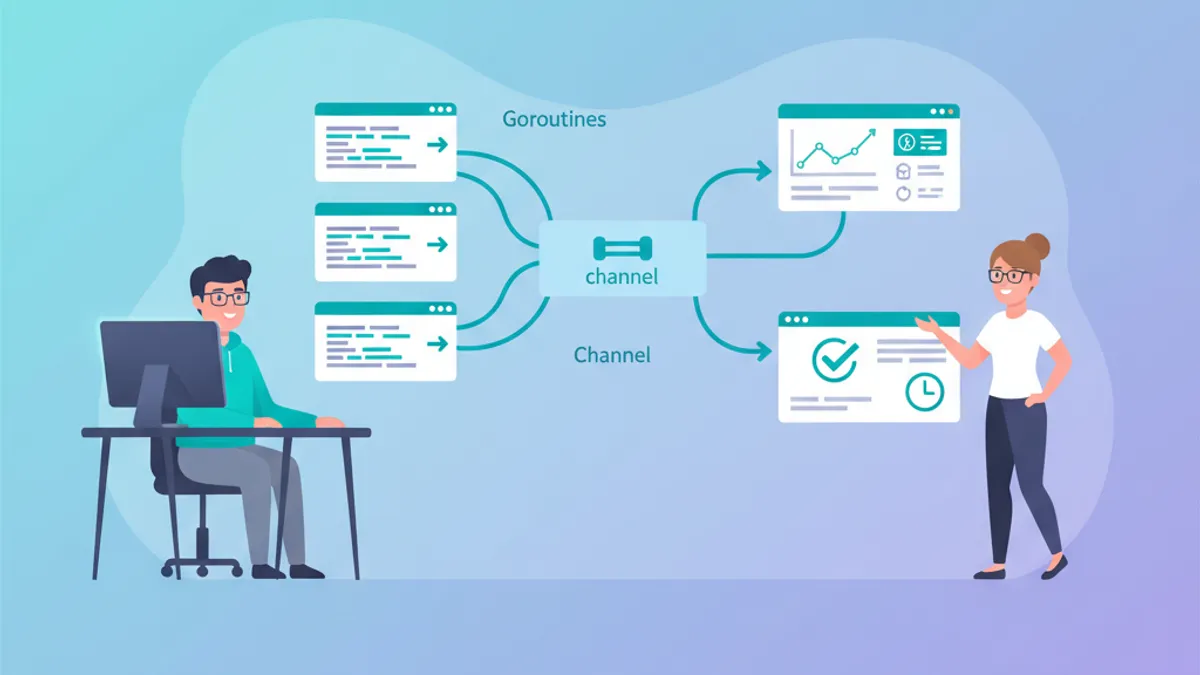
Go技術面接:Goroutine、Channel、並行処理パターン完全ガイド
Go技術面接で頻出のgoroutine、channel、並行処理に関する質問を網羅。本番レベルのコード例と各回答の背景にある設計思想を2026年の面接対策として解説します。
Go面接の頻出25問: 開発者向け完全ガイド
頻出25問でGoの面接を制する。ゴルーチン、チャネル、インターフェース、並行処理パターンをコード例とともに解説。
Go:Java/Python開発者のための基礎知識 2026年版
JavaやPythonの経験を活かしてGoを素早く習得。ゴルーチン、チャネル、インターフェース、スムーズな移行のための基本パターンを解説。