React Testing nel 2026: Vitest, React Testing Library e Best Practice
Strategie professionali per il testing di React nel 2026 con Vitest come test runner e React Testing Library per test dei componenti basati sul comportamento.
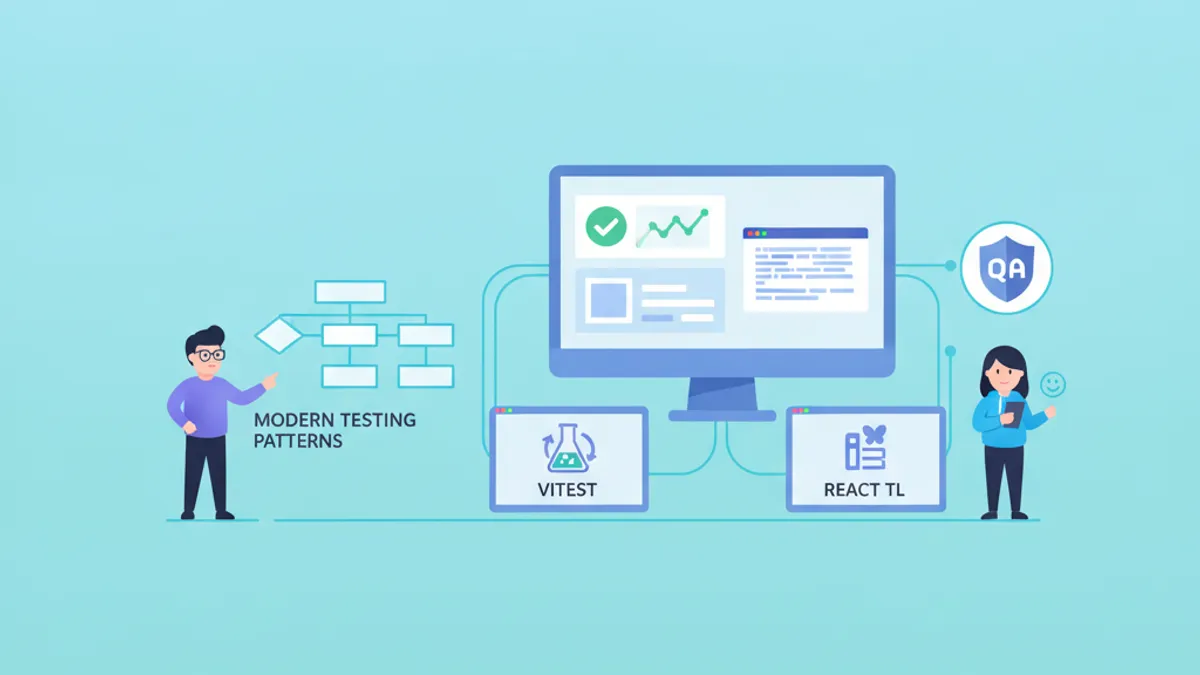
Il testing di React nel 2026 si basa su Vitest come test runner dominante e React Testing Library (RTL) come standard per il testing dei componenti. Questa combinazione offre cicli di feedback rapidi, supporto nativo per i moduli ES e test che verificano il comportamento piuttosto che i dettagli di implementazione.
I test dovrebbero essere scritti in modo da simulare come gli utenti interagiscono con i componenti. Le query per ruoli accessibili, label e testo sono preferibili rispetto a classi CSS o attributi data-testid. Questo approccio rileva bug reali e sopravvive ai refactoring.
Configurazione di Vitest per Progetti React
Vitest ha sostituito Jest come test runner preferito per le applicazioni React moderne. Il supporto nativo per i moduli ES elimina l'overhead di trasformazione, e la stretta integrazione con Vite significa che la configurazione rispecchia l'ambiente di sviluppo.
Una configurazione Vitest pronta per la produzione gestisce la trasformazione JSX, gli alias dei percorsi e la configurazione dell'ambiente di test senza boilerplate:
import { defineConfig } from 'vitest/config'
import react from '@vitejs/plugin-react'
import tsconfigPaths from 'vite-tsconfig-paths'

export default defineConfig({
  plugins: [react(), tsconfigPaths()],
  test: {
    // Use jsdom for DOM APIs and React rendering
    environment: 'jsdom',
    // Run setup file before each test file
    setupFiles: ['./src/test/setup.ts'],
    // Include only test files, exclude e2e
    include: ['src/**/*.{test,spec}.{ts,tsx}'],
    // Enable global test APIs (describe, it, expect)
    globals: true,
    // Generate coverage reports
    coverage: {
      provider: 'v8',
      reporter: ['text', 'html', 'lcov'],
      exclude: ['node_modules', 'src/test/**'],
    },
  },
})
Il file di setup estende i matcher e configura la pulizia tra i test:
import '@testing-library/jest-dom/vitest'
import { cleanup } from '@testing-library/react'
import { afterEach, vi } from 'vitest'

// Clean up rendered components after each test
afterEach(() => {
  cleanup()
})

// Mock window.matchMedia for responsive components
Object.defineProperty(window, 'matchMedia', {
  writable: true,
  value: vi.fn().mockImplementation((query: string) => ({
    matches: false,
    media: query,
    onchange: null,
    addListener: vi.fn(),
    removeListener: vi.fn(),
    addEventListener: vi.fn(),
    removeEventListener: vi.fn(),
    dispatchEvent: vi.fn(),
  })),
})
Questo setup fornisce una base pulita per ogni test e gestisce i mock comuni delle API del browser che jsdom non fornisce.
Test dei Componenti con React Testing Library
React Testing Library impone il testing dei componenti dalla prospettiva dell'utente. Invece di ispezionare lo stato interno o i valori delle prop, i test interagiscono con l'output renderizzato attraverso query di accessibilità.
Un componente di ricerca filtra i risultati e mostra gli stati di caricamento:
import { useState } from 'react'

interface SearchResultsProps {
  onSearch: (query: string) => Promise<string[]>
}

export function SearchResults({ onSearch }: SearchResultsProps) {
  const [query, setQuery] = useState('')
  const [results, setResults] = useState<string[]>([])
  const [isLoading, setIsLoading] = useState(false)
  const [error, setError] = useState<string | null>(null)

  async function handleSearch() {
    if (!query.trim()) return
    setIsLoading(true)
    setError(null)
    try {
      const data = await onSearch(query)
      setResults(data)
    } catch (e) {
      setError('Search failed. Please try again.')
    } finally {
      setIsLoading(false)
    }
  }

  return (
    <div>
      <label htmlFor="search-input">Search</label>
      <input
        id="search-input"
        type="text"
        value={query}
        onChange={(e) => setQuery(e.target.value)}
      />
      <button onClick={handleSearch} disabled={isLoading}>
        {isLoading ? 'Searching...' : 'Search'}
      </button>
      {error && <p role="alert">{error}</p>}
      <ul aria-label="Search results">
        {results.map((result, i) => (
          <li key={i}>{result}</li>
        ))}
      </ul>
    </div>
  )
}
I test verificano il comportamento del componente attraverso le interazioni utente e gli stati asincroni:
import { render, screen } from '@testing-library/react'
import userEvent from '@testing-library/user-event'
import { describe, it, expect, vi } from 'vitest'
import { SearchResults } from './SearchResults'

describe('SearchResults', () => {
  it('displays results after successful search', async () => {
    // Arrange: mock the search function
    const mockSearch = vi.fn().mockResolvedValue(['React', 'Vue', 'Angular'])
    const user = userEvent.setup()
    render(<SearchResults onSearch={mockSearch} />)

    // Act: type a query and click search
    await user.type(screen.getByLabelText('Search'), 'framework')
    await user.click(screen.getByRole('button', { name: 'Search' }))

    // Assert: results appear in the list
    expect(await screen.findByText('React')).toBeInTheDocument()
    expect(screen.getByText('Vue')).toBeInTheDocument()
    expect(mockSearch).toHaveBeenCalledWith('framework')
  })

  it('shows loading state during search', async () => {
    // Create a promise that doesn't resolve immediately
    let resolveSearch: (value: string[]) => void
    const searchPromise = new Promise<string[]>((resolve) => {
      resolveSearch = resolve
    })
    const mockSearch = vi.fn().mockReturnValue(searchPromise)
    const user = userEvent.setup()
    render(<SearchResults onSearch={mockSearch} />)

    await user.type(screen.getByLabelText('Search'), 'test')
    await user.click(screen.getByRole('button', { name: 'Search' }))

    // Button shows loading state
    expect(screen.getByRole('button', { name: 'Searching...' })).toBeDisabled()

    // Resolve the search to clean up
    resolveSearch!([])
  })

  it('displays error message on search failure', async () => {
    const mockSearch = vi.fn().mockRejectedValue(new Error('Network error'))
    const user = userEvent.setup()
    render(<SearchResults onSearch={mockSearch} />)

    await user.type(screen.getByLabelText('Search'), 'query')
    await user.click(screen.getByRole('button', { name: 'Search' }))

    // Error message appears with alert role for screen readers
    expect(await screen.findByRole('alert')).toHaveTextContent(
      'Search failed. Please try again.'
    )
  })
})
La libreria userEvent simula interazioni utente realistiche inclusi eventi della tastiera e gestione del focus, rilevando bug che gli eventi sintetici non individuano.
Pattern per Test Asincroni e waitFor
Le operazioni asincrone richiedono strategie di attesa esplicite. React Testing Library fornisce query findBy che combinano getBy con l'attesa automatica, più waitFor per assertion complesse.
Preferire findBy rispetto a waitFor + getBy quando si attende che gli elementi appaiano. Riservare waitFor per le assertion su elementi esistenti che cambiano stato.
I pattern asincroni comuni appaiono quando si testano hook e componenti che recuperano dati:
import { render, screen, waitFor, waitForElementToBeRemoved } from '@testing-library/react'
import userEvent from '@testing-library/user-event'
import { describe, it, expect, vi } from 'vitest'

// Wait for element to appear (preferred for new elements)
it('loads user profile on mount', async () => {
  render(<UserProfile userId="123" />)

  // findBy returns a promise, automatically waits up to 1000ms
  const heading = await screen.findByRole('heading', { name: /john doe/i })
  expect(heading).toBeInTheDocument()
})

// Wait for element to disappear
it('removes loading spinner after data loads', async () => {
  render(<DataTable />)

  // Wait for spinner to be removed from DOM
  await waitForElementToBeRemoved(() => screen.queryByRole('progressbar'))
  expect(screen.getByRole('table')).toBeInTheDocument()
})

// Wait for multiple conditions
it('enables submit button when form is valid', async () => {
  const user = userEvent.setup()
  render(<RegistrationForm />)

  const submitButton = screen.getByRole('button', { name: 'Submit' })
  expect(submitButton).toBeDisabled()

  await user.type(screen.getByLabelText('Email'), 'user@example.com')
  await user.type(screen.getByLabelText('Password'), 'SecurePass123!')

  // waitFor retries the assertion until it passes or times out
  await waitFor(() => {
    expect(submitButton).toBeEnabled()
  })
})

// Avoid false positives with queryBy for absence checks
it('does not show premium badge for free users', async () => {
  render(<UserCard subscription="free" />)

  // queryBy returns null instead of throwing, use for absence checks
  expect(screen.queryByText('Premium')).not.toBeInTheDocument()
})
La personalizzazione del timeout aiuta con operazioni più lente senza rallentare l'intera suite di test:
// Increase timeout for slow operations
await screen.findByText('Upload complete', {}, { timeout: 5000 })

await waitFor(
  () => expect(mockSubmit).toHaveBeenCalled(),
  { timeout: 3000, interval: 100 }
)
Pronto a superare i tuoi colloqui su React / Next.js?
Pratica con i nostri simulatori interattivi, flashcards e test tecnici.
Strategie di Mocking: Moduli, API e Hook
Le capacità di mocking di Vitest gestiscono le dipendenze esterne senza inquinare il grafo dei moduli. Il mocking strategico isola i componenti dalle chiamate di rete, librerie di terze parti e dipendenze complesse.
Il mocking dei moduli sostituisce gli import a livello di bundler:
import { vi, describe, it, expect, beforeEach } from 'vitest'
import { fetchUserData } from './api'

// Mock the entire fetch module
vi.mock('./http-client', () => ({
  httpClient: {
    get: vi.fn(),
  },
}))

import { httpClient } from './http-client'

describe('fetchUserData', () => {
  beforeEach(() => {
    vi.clearAllMocks()
  })

  it('transforms API response into user model', async () => {
    // Type-safe mock implementation
    vi.mocked(httpClient.get).mockResolvedValue({
      data: { id: 1, first_name: 'John', last_name: 'Doe' },
    })

    const user = await fetchUserData(1)

    expect(user).toEqual({
      id: 1,
      fullName: 'John Doe',
    })
  })
})
Per gli hook React che dipendono dal contesto o da stato esterno, l'utility renderHook consente test isolati:
import { renderHook, waitFor } from '@testing-library/react'
import { describe, it, expect, vi } from 'vitest'
import { useAuth } from './useAuth'
import { AuthProvider } from './AuthContext'

describe('useAuth', () => {
  it('returns authenticated user after login', async () => {
    const mockLogin = vi.fn().mockResolvedValue({ id: 1, name: 'Alice' })

    const { result } = renderHook(() => useAuth(), {
      wrapper: ({ children }) => (
        <AuthProvider loginFn={mockLogin}>{children}</AuthProvider>
      ),
    })

    expect(result.current.user).toBeNull()
    expect(result.current.isAuthenticated).toBe(false)

    await result.current.login('alice@example.com', 'password')

    await waitFor(() => {
      expect(result.current.user).toEqual({ id: 1, name: 'Alice' })
      expect(result.current.isAuthenticated).toBe(true)
    })
  })
})
MSW (Mock Service Worker) fornisce mocking delle API a livello di rete, permettendo test che eseguono chiamate fetch reali:
import { http, HttpResponse } from 'msw'

export const handlers = [
  http.get('/api/users/:id', ({ params }) => {
    return HttpResponse.json({
      id: params.id,
      name: 'Test User',
    })
  }),

  http.post('/api/login', async ({ request }) => {
    const body = await request.json()
    if (body.email === 'valid@example.com') {
      return HttpResponse.json({ token: 'abc123' })
    }
    return HttpResponse.json(
      { error: 'Invalid credentials' },
      { status: 401 }
    )
  }),
]
Test dei Server Component di React 19
I Server Component presentano sfide di testing uniche poiché vengono eseguiti sul server e inviano HTML in streaming al client. Il testing unitario diretto richiede un approccio diverso rispetto ai test dei componenti client.
Per i Server Component che eseguono il recupero dati, si testa l'output del rendering con fonti dati mockate:
import { describe, it, expect, vi } from 'vitest'

// Mock the data fetching function
vi.mock('./db', () => ({
  getUser: vi.fn().mockResolvedValue({ id: 1, name: 'Server User' }),
}))

import { render, screen } from '@testing-library/react'
import { UserProfile } from './UserProfile.server'

describe('UserProfile Server Component', () => {
  it('renders user data from database', async () => {
    // Server components are async, await the component
    const Component = await UserProfile({ userId: '1' })
    render(Component)

    expect(screen.getByRole('heading')).toHaveTextContent('Server User')
  })
})
I test di integrazione con Playwright forniscono la copertura più affidabile per i Server Component testando l'intera pipeline di rendering:
import { test, expect } from '@playwright/test'

test('server component renders with streamed data', async ({ page }) => {
  await page.goto('/users/1')

  // Wait for streaming to complete
  await expect(page.getByRole('heading', { name: /profile/i })).toBeVisible()
  await expect(page.getByText('Server User')).toBeVisible()
})
Test di Custom Hook con Stato Complesso
I custom hook che gestiscono stato complesso, side effect o subscription esterne beneficiano di test dedicati. L'utility renderHook di React Testing Library gestisce il ciclo di vita degli hook e gli aggiornamenti.
Un hook di ricerca con debounce si coordina con un'API:
import { useState, useEffect, useCallback } from 'react'

export function useDebounceSearch<T>(
  searchFn: (query: string) => Promise<T[]>,
  delay = 300
) {
  const [query, setQuery] = useState('')
  const [results, setResults] = useState<T[]>([])
  const [isLoading, setIsLoading] = useState(false)

  useEffect(() => {
    if (!query) {
      setResults([])
      return
    }

    setIsLoading(true)
    const timeoutId = setTimeout(async () => {
      try {
        const data = await searchFn(query)
        setResults(data)
      } finally {
        setIsLoading(false)
      }
    }, delay)

    return () => clearTimeout(timeoutId)
  }, [query, searchFn, delay])

  return { query, setQuery, results, isLoading }
}
I test verificano il comportamento del debouncing e le transizioni di stato:
import { renderHook, act, waitFor } from '@testing-library/react'
import { describe, it, expect, vi, beforeEach } from 'vitest'
import { useDebounceSearch } from './useDebounceSearch'

describe('useDebounceSearch', () => {
  beforeEach(() => {
    vi.useFakeTimers()
  })

  it('debounces search calls', async () => {
    const mockSearch = vi.fn().mockResolvedValue(['result1', 'result2'])
    const { result } = renderHook(() => useDebounceSearch(mockSearch, 300))

    // Type multiple characters quickly
    act(() => result.current.setQuery('r'))
    act(() => result.current.setQuery('re'))
    act(() => result.current.setQuery('rea'))
    act(() => result.current.setQuery('reac'))
    act(() => result.current.setQuery('react'))

    // Search not called yet (debouncing)
    expect(mockSearch).not.toHaveBeenCalled()

    // Advance timers past debounce delay
    await act(async () => {
      vi.advanceTimersByTime(300)
    })

    // Only one search call with final query
    expect(mockSearch).toHaveBeenCalledTimes(1)
    expect(mockSearch).toHaveBeenCalledWith('react')
  })

  it('shows loading state during search', async () => {
    let resolveSearch: (value: string[]) => void
    const mockSearch = vi.fn().mockImplementation(
      () => new Promise((resolve) => { resolveSearch = resolve })
    )
    const { result } = renderHook(() => useDebounceSearch(mockSearch, 100))

    act(() => result.current.setQuery('test'))

    await act(async () => {
      vi.advanceTimersByTime(100)
    })

    expect(result.current.isLoading).toBe(true)

    await act(async () => {
      resolveSearch(['result'])
    })

    expect(result.current.isLoading).toBe(false)
    expect(result.current.results).toEqual(['result'])
  })
})
I fake timer di Vitest consentono test deterministici del comportamento dipendente dal tempo senza ritardi reali.
Domande di Colloquio sul React Testing
I colloqui tecnici spesso esplorano la conoscenza del testing. Queste domande valutano la comprensione pratica piuttosto che i concetti teorici.
Evitare di testare i dettagli di implementazione come valori di stato o metodi dei componenti. I test che si rompono quando si effettua il refactoring della struttura interna forniscono falsa sicurezza e oneri di manutenzione.
Priorità delle query in React Testing Library
La priorità delle query raccomandata segue l'accessibilità: getByRole > getByLabelText > getByPlaceholderText > getByText > getByTestId. Le query basate sui ruoli assicurano che i componenti rimangano accessibili e che i test sopravvivano ai cambiamenti del markup.
Quando usare findBy vs waitFor
Le query findBy attendono che gli elementi appaiano nel DOM e restituiscono una Promise. Si usano quando ci si aspetta nuovi elementi dopo operazioni asincrone. waitFor avvolge le assertion che potrebbero non passare immediatamente, riprovando fino al successo o al timeout. Si usa waitFor quando si fanno assertion sui cambiamenti di stato di elementi esistenti.
Mocking di fetch vs MSW
Il mocking diretto di fetch (vi.spyOn(global, 'fetch')) funziona per casi semplici ma richiede la reimplementazione degli oggetti Response e della gestione degli errori. MSW intercetta a livello di rete, permettendo ai test di esercitare chiamate fetch reali, serializzazione delle richieste e percorsi di codice per la gestione degli errori.
Per approfondire questi concetti, le domande di colloquio sul React Testing su SharpSkill offrono ottimi esercizi pratici.
Conclusione
- Configurare Vitest con ambiente jsdom, file di setup per estensioni dei matcher e report di copertura per visibilità sulle lacune nella copertura dei test
- Interrogare i componenti per ruoli accessibili e label per scrivere test che verificano il comportamento lato utente e rilevano bug reali
- Usare query
findByper elementi che appaiono dopo operazioni asincrone,waitForper assertion su stato in cambiamento - Fare mock al livello appropriato: mock dei moduli per isolamento unitario, MSW per test realistici a livello di rete
- Testare i custom hook con
renderHooke fake timer per verificare gestione dello stato complessa e side effect - I Server Component richiedono rendering asincrono nei test o test di integrazione completi con Playwright
- Letture correlate: Pattern avanzati per React Hook e TypeScript con React per pattern di testing type-safe
Inizia a praticare!
Metti alla prova le tue conoscenze con i nostri simulatori di colloquio e test tecnici.
Sapresti trovare il bug in React / Next.js?
Uno snippet reale, un bug nascosto, un tentativo al giorno. Senza account per provare.

Scritto da
Anthony Fillion-MailletFondatore di SharpSkill
Sviluppatore fullstack da oltre 10 anni. Guida SharpSkill e risponde di tutto ciò che vi viene pubblicato.
Aggiornato il 9 luglio 2026
Tag
Condividi
Articoli correlati
React 19 useEffectEvent e Activity: Nuove API e Domande da Colloquio 2026
Guida approfondita a useEffectEvent e al componente Activity di React 19.2 – con esempi di codice, best practice e domande frequenti nei colloqui tecnici 2026.
Next.js 16 Cache Components nel 2026: use cache, PPR e Domande da Colloquio
I Cache Components di Next.js 16 spiegati: direttiva use cache, PPR, cacheLife, cacheTag, 16.3 Instant Navigations e domande da colloquio per sviluppatori senior.

React Compiler nel 2026: Memoizzazione Automatica e Domande da Colloquio
Il React Compiler v1.0 introduce la memoizzazione automatica nelle applicazioni React. Questa guida analizza la pipeline di compilazione, le Rules of React, l'integrazione ESLint e le domande più frequenti nei colloqui tecnici sulla performance React nel 2026.