Migrazione da Core Data a SwiftData: Guida Passo Passo 2026
Guida completa per migrare un'applicazione iOS da Core Data a SwiftData con esempi pratici, strategie di coesistenza e migliori pratiche.
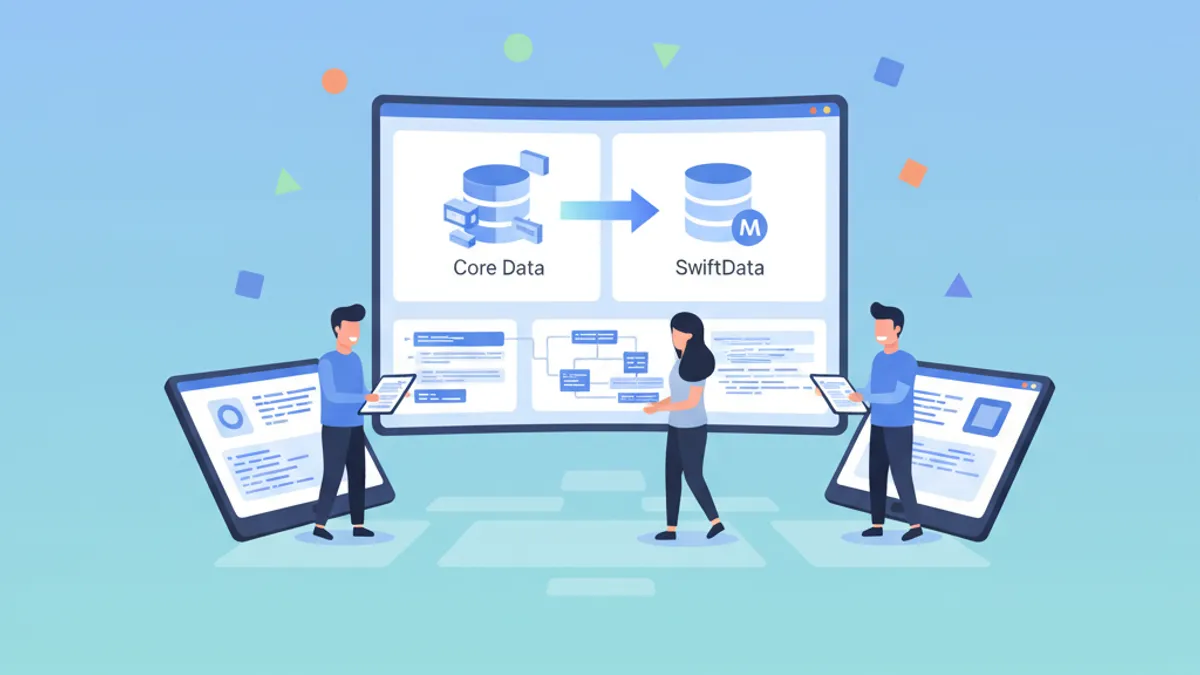
SwiftData rappresenta il futuro della persistenza dei dati sulle piattaforme Apple. Presentato alla WWDC 2023, questo framework offre una sintassi Swift nativa e un'integrazione fluida con SwiftUI. Per le applicazioni esistenti basate su Core Data, la migrazione costituisce un passo strategico verso un codice più moderno e manutenibile.
Questa guida descrive nel dettaglio il processo completo di migrazione da Core Data a SwiftData: valutazione della compatibilità, conversione dei modelli, strategie di migrazione dei dati e pattern di coesistenza per una transizione progressiva.
Valutazione della Fattibilità della Migrazione
Prima di avviare la migrazione, una valutazione rigorosa permette di identificare i potenziali ostacoli. Core Data e SwiftData condividono lo stesso motore di persistenza SQLite, rendendo i dati totalmente compatibili.
// Migration assessment checklist

/*
 FEATURES SUPPORTED BY SWIFTDATA:
 ✅ Simple models with basic properties
 ✅ One-to-one and one-to-many relationships
 ✅ Optional properties and default values
 ✅ Transformable attributes (via Codable)
 ✅ CloudKit synchronization (basic)
 ✅ Automatic lightweight migrations
 ✅ Class inheritance (iOS 26+)

 FEATURES REQUIRING ATTENTION:
 ⚠️ NSFetchedResultsController → @Query + manual observation
 ⚠️ NSCompoundPredicate → #Predicate with combined logic
 ⚠️ Dynamic predicates → Workarounds required

 UNSUPPORTED FEATURES:
 ❌ Advanced CloudKit Sharing
 ❌ Derived attributes
 ❌ Fetched properties
*/

// Example of typical Core Data model to migrate
import CoreData

// Existing Core Data entity
class CDTask: NSManagedObject {
    @NSManaged var id: UUID
    @NSManaged var title: String
    @NSManaged var isCompleted: Bool
    @NSManaged var createdAt: Date
    @NSManaged var priority: Int16
    @NSManaged var category: CDCategory?
}

class CDCategory: NSManagedObject {
    @NSManaged var id: UUID
    @NSManaged var name: String
    @NSManaged var color: String
    @NSManaged var tasks: NSSet?
}
La compatibilità a livello di dati significa che gli utenti conservano le loro informazioni esistenti dopo la migrazione. Nessuna perdita di dati si verifica quando il processo viene eseguito correttamente.
Conversione dei Modelli Core Data in SwiftData
Il primo passo concreto consiste nel convertire le entità Core Data in classi SwiftData. Xcode offre uno strumento automatico, ma comprendere il processo manuale rimane essenziale.
import SwiftData

// SwiftData equivalent of CDTask
@Model
final class Task {
    // Properties with default values
    var id: UUID = UUID()
    var title: String = ""
    var isCompleted: Bool = false
    var createdAt: Date = Date()
    var priority: Int = 0

    // Optional relationship to Category
    var category: Category?

    // Explicit initializer recommended
    init(
        id: UUID = UUID(),
        title: String,
        isCompleted: Bool = false,
        createdAt: Date = Date(),
        priority: Int = 0,
        category: Category? = nil
    ) {
        self.id = id
        self.title = title
        self.isCompleted = isCompleted
        self.createdAt = createdAt
        self.priority = priority
        self.category = category
    }
}
Le differenze principali rispetto a Core Data includono l'uso della macro @Model invece di NSManagedObject, oltre a tipi Swift nativi al posto dei tipi Objective-C.
import SwiftData

@Model
final class Category {
    var id: UUID = UUID()
    var name: String = ""
    var color: String = "blue"

    // Inverse relationship with delete rule
    @Relationship(deleteRule: .cascade, inverse: \Task.category)
    var tasks: [Task] = []

    init(id: UUID = UUID(), name: String, color: String = "blue") {
        self.id = id
        self.name = name
        self.color = color
    }
}I tipi di Core Data si convertono direttamente: Int16 diventa Int, NSSet diventa [Model] e Date rimane Date. Gli attributi Transformable richiedono l'adozione di Codable.
Configurazione del ModelContainer
Il ModelContainer di SwiftData sostituisce l'NSPersistentContainer di Core Data. La configurazione determina dove e come vengono archiviati i dati.
import SwiftData
import SwiftUI

@main
struct TaskManagerApp: App {
    // SwiftData container configuration
    var sharedModelContainer: ModelContainer = {
        // Schema including all models
        let schema = Schema([
            Task.self,
            Category.self
        ])

        // Configuration with storage options
        let modelConfiguration = ModelConfiguration(
            schema: schema,
            isStoredInMemoryOnly: false,
            // Use the same store as Core Data
            url: URL.applicationSupportDirectory
                .appending(path: "TaskManager.sqlite")
        )

        do {
            return try ModelContainer(
                for: schema,
                configurations: [modelConfiguration]
            )
        } catch {
            fatalError("Could not create ModelContainer: \(error)")
        }
    }()

    var body: some Scene {
        WindowGroup {
            ContentView()
        }
        .modelContainer(sharedModelContainer)
    }
}
Il punto cruciale risiede nell'URL dello store: utilizzare lo stesso file SQLite di Core Data permette a SwiftData di leggere i dati esistenti.
Strategia di Coesistenza tra Core Data e SwiftData
Per le applicazioni complesse, una migrazione progressiva tramite la coesistenza dei due framework rappresenta l'approccio più sicuro. I due stack possono accedere allo stesso file SQLite.
import CoreData
import SwiftData

// Configuration for coexistence
class PersistenceController {
    static let shared = PersistenceController()

    // Shared store between Core Data and SwiftData
    private let storeURL: URL = {
        let appSupport = FileManager.default
            .urls(for: .applicationSupportDirectory, in: .userDomainMask)
            .first!
        return appSupport.appending(path: "TaskManager.sqlite")
    }()

    // MARK: - Core Data Stack (existing)

    lazy var persistentContainer: NSPersistentContainer = {
        let container = NSPersistentContainer(name: "TaskManager")

        // Configure to use shared store
        let description = NSPersistentStoreDescription(url: storeURL)
        description.setOption(
            true as NSNumber,
            forKey: NSPersistentHistoryTrackingKey
        )
        container.persistentStoreDescriptions = [description]

        container.loadPersistentStores { _, error in
            if let error = error as NSError? {
                fatalError("Core Data error: \(error)")
            }
        }

        return container
    }()

    // MARK: - SwiftData Stack (new)

    lazy var swiftDataContainer: ModelContainer = {
        let schema = Schema([Task.self, Category.self])

        let config = ModelConfiguration(
            schema: schema,
            url: storeURL,
            // Disable automatic migrations in coexistence
            allowsSave: true
        )

        do {
            return try ModelContainer(for: schema, configurations: [config])
        } catch {
            fatalError("SwiftData error: \(error)")
        }
    }()
}In modalità coesistenza, le modifiche apportate da un framework non sono immediatamente visibili all'altro. Può essere necessario un reload esplicito o un riavvio dell'applicazione.
Migrazione delle Query: Da NSFetchRequest a @Query
La differenza più significativa riguarda il modo in cui i dati vengono recuperati. SwiftUI utilizza il property wrapper @Query per sostituire @FetchRequest.
import SwiftUI
import SwiftData

// ❌ Old pattern with Core Data
struct OldTaskListView: View {
    @FetchRequest(
        sortDescriptors: [
            NSSortDescriptor(keyPath: \CDTask.createdAt, ascending: false)
        ],
        predicate: NSPredicate(format: "isCompleted == NO")
    )
    private var tasks: FetchedResults<CDTask>

    var body: some View {
        List(tasks) { task in
            Text(task.title)
        }
    }
}

// ✅ New pattern with SwiftData
struct NewTaskListView: View {
    // @Query with built-in sorting and filtering
    @Query(
        filter: #Predicate<Task> { !$0.isCompleted },
        sort: \Task.createdAt,
        order: .reverse
    )
    private var tasks: [Task]

    var body: some View {
        List(tasks) { task in
            TaskRowView(task: task)
        }
    }
}

struct TaskRowView: View {
    let task: Task

    var body: some View {
        HStack {
            // Priority indicator
            Circle()
                .fill(priorityColor)
                .frame(width: 8, height: 8)

            VStack(alignment: .leading) {
                Text(task.title)
                    .font(.headline)

                if let category = task.category {
                    Text(category.name)
                        .font(.caption)
                        .foregroundStyle(.secondary)
                }
            }

            Spacer()

            // Date badge
            Text(task.createdAt, style: .date)
                .font(.caption2)
                .foregroundStyle(.tertiary)
        }
    }

    private var priorityColor: Color {
        switch task.priority {
        case 3: return .red
        case 2: return .orange
        case 1: return .yellow
        default: return .gray
        }
    }
}
Pronto a superare i tuoi colloqui su iOS?
Pratica con i nostri simulatori interattivi, flashcards e test tecnici.
Gestione dei Predicati Dinamici
Una sfida importante con SwiftData riguarda i predicati dinamici. A differenza di Core Data, dove i predicati possono essere modificati al volo, @Query richiede approcci alternativi.
import SwiftUI
import SwiftData

// Solution 1: Use @Query with custom init
struct FilteredTasksView: View {
    @Query private var tasks: [Task]

    // Create view with specific filter
    init(showCompleted: Bool, categoryId: UUID?) {
        // Build predicate based on parameters
        var predicates: [Predicate<Task>] = []

        if !showCompleted {
            predicates.append(#Predicate { !$0.isCompleted })
        }

        if let categoryId {
            predicates.append(#Predicate { task in
                task.category?.id == categoryId
            })
        }

        // Combine predicates
        let combinedPredicate: Predicate<Task>?
        if predicates.isEmpty {
            combinedPredicate = nil
        } else if predicates.count == 1 {
            combinedPredicate = predicates[0]
        } else {
            // Manually combine for AND logic
            combinedPredicate = #Predicate<Task> { task in
                !task.isCompleted && task.category?.id == categoryId
            }
        }

        _tasks = Query(
            filter: combinedPredicate,
            sort: \Task.createdAt,
            order: .reverse
        )
    }

    var body: some View {
        List(tasks) { task in
            TaskRowView(task: task)
        }
    }
}

// Solution 2: View-side filtering with all results
struct SmartTaskListView: View {
    // Fetch all tasks
    @Query(sort: \Task.createdAt, order: .reverse)
    private var allTasks: [Task]

    // Filter state
    @State private var searchText = ""
    @State private var showCompleted = false
    @State private var selectedCategory: Category?

    // Computed filtering
    private var filteredTasks: [Task] {
        allTasks.filter { task in
            // Text filter
            let matchesSearch = searchText.isEmpty ||
                task.title.localizedCaseInsensitiveContains(searchText)

            // Status filter
            let matchesStatus = showCompleted || !task.isCompleted

            // Category filter
            let matchesCategory = selectedCategory == nil ||
                task.category?.id == selectedCategory?.id

            return matchesSearch && matchesStatus && matchesCategory
        }
    }

    var body: some View {
        NavigationStack {
            List(filteredTasks) { task in
                TaskRowView(task: task)
            }
            .searchable(text: $searchText)
            .toolbar {
                FilterMenu(
                    showCompleted: $showCompleted,
                    selectedCategory: $selectedCategory
                )
            }
        }
    }
}
Migrazioni di Schema Versionate
Quando il modello dei dati evolve, SwiftData utilizza VersionedSchema per gestire le migrazioni complesse.
import SwiftData

// Version 1: Initial schema
enum TaskSchemaV1: VersionedSchema {
    static var versionIdentifier = Schema.Version(1, 0, 0)

    static var models: [any PersistentModel.Type] {
        [Task.self, Category.self]
    }

    @Model
    final class Task {
        var id: UUID = UUID()
        var title: String = ""
        var isCompleted: Bool = false
        var createdAt: Date = Date()
        var category: Category?

        init(title: String) {
            self.title = title
        }
    }

    @Model
    final class Category {
        var id: UUID = UUID()
        var name: String = ""

        @Relationship(deleteRule: .cascade, inverse: \Task.category)
        var tasks: [Task] = []

        init(name: String) {
            self.name = name
        }
    }
}

// Version 2: Added priority and notes fields
enum TaskSchemaV2: VersionedSchema {
    static var versionIdentifier = Schema.Version(2, 0, 0)

    static var models: [any PersistentModel.Type] {
        [Task.self, Category.self]
    }

    @Model
    final class Task {
        var id: UUID = UUID()
        var title: String = ""
        var isCompleted: Bool = false
        var createdAt: Date = Date()
        // New properties with default values
        var priority: Int = 0
        var notes: String = ""
        var category: Category?

        init(title: String, priority: Int = 0) {
            self.title = title
            self.priority = priority
        }
    }

    @Model
    final class Category {
        var id: UUID = UUID()
        var name: String = ""
        // New property
        var color: String = "blue"

        @Relationship(deleteRule: .cascade, inverse: \Task.category)
        var tasks: [Task] = []

        init(name: String, color: String = "blue") {
            self.name = name
            self.color = color
        }
    }
}
Il piano di migrazione definisce l'ordine delle versioni e le eventuali migrazioni personalizzate richieste.
import SwiftData

enum TaskMigrationPlan: SchemaMigrationPlan {
    // Chronological order of schemas
    static var schemas: [any VersionedSchema.Type] {
        [TaskSchemaV1.self, TaskSchemaV2.self]
    }

    // Migration stages
    static var stages: [MigrationStage] {
        [migrateV1toV2]
    }

    // V1 → V2 migration: lightweight (properties with defaults)
    static let migrateV1toV2 = MigrationStage.lightweight(
        fromVersion: TaskSchemaV1.self,
        toVersion: TaskSchemaV2.self
    )
}

// Container configuration with migration
@main
struct TaskManagerApp: App {
    var sharedModelContainer: ModelContainer = {
        do {
            return try ModelContainer(
                for: TaskSchemaV2.Task.self, TaskSchemaV2.Category.self,
                migrationPlan: TaskMigrationPlan.self
            )
        } catch {
            fatalError("Migration failed: \(error)")
        }
    }()

    var body: some Scene {
        WindowGroup {
            ContentView()
        }
        .modelContainer(sharedModelContainer)
    }
}SwiftData gestisce automaticamente le migrazioni lightweight (aggiunta di proprietà con valori di default, ridenominazione, eliminazione). Le migrazioni complesse che richiedono trasformazione dei dati utilizzano MigrationStage.custom.
Sostituzione di NSFetchedResultsController
Per le liste con sezioni o l'osservazione fine delle modifiche, @Query combinato con l'estrazione di dati sostituisce NSFetchedResultsController.
import SwiftUI
import SwiftData

struct SectionedTaskListView: View {
    @Query(sort: \Task.createdAt, order: .reverse)
    private var tasks: [Task]

    // Grouping by category
    private var tasksByCategory: [(Category?, [Task])] {
        Dictionary(grouping: tasks) { $0.category }
            .map { ($0.key, $0.value) }
            .sorted { first, second in
                // Tasks without category last
                guard let firstName = first.0?.name else { return false }
                guard let secondName = second.0?.name else { return true }
                return firstName < secondName
            }
    }

    var body: some View {
        List {
            ForEach(tasksByCategory, id: \.0?.id) { category, categoryTasks in
                Section(header: SectionHeader(category: category)) {
                    ForEach(categoryTasks) { task in
                        TaskRowView(task: task)
                    }
                }
            }
        }
    }
}

struct SectionHeader: View {
    let category: Category?

    var body: some View {
        HStack {
            if let category {
                Circle()
                    .fill(Color(category.color))
                    .frame(width: 12, height: 12)
                Text(category.name)
            } else {
                Text("Uncategorized")
                    .foregroundStyle(.secondary)
            }
        }
    }
}

// Alternative: Grouping by date
struct DateGroupedTasksView: View {
    @Query(sort: \Task.createdAt, order: .reverse)
    private var tasks: [Task]

    private var tasksByDate: [(Date, [Task])] {
        let calendar = Calendar.current

        let grouped = Dictionary(grouping: tasks) { task in
            calendar.startOfDay(for: task.createdAt)
        }

        return grouped
            .map { ($0.key, $0.value) }
            .sorted { $0.0 > $1.0 }
    }

    var body: some View {
        List {
            ForEach(tasksByDate, id: \.0) { date, dateTasks in
                Section(header: Text(date, style: .date)) {
                    ForEach(dateTasks) { task in
                        TaskRowView(task: task)
                    }
                }
            }
        }
    }
}
Operazioni CRUD con ModelContext
Il ModelContext sostituisce l'NSManagedObjectContext per tutte le operazioni di creazione, lettura, aggiornamento ed eliminazione.
import SwiftUI
import SwiftData

struct TaskManagementView: View {
    @Environment(\.modelContext) private var modelContext
    @Query private var tasks: [Task]
    @Query private var categories: [Category]

    @State private var newTaskTitle = ""
    @State private var selectedCategory: Category?

    var body: some View {
        NavigationStack {
            VStack {
                // Add form
                AddTaskForm(
                    title: $newTaskTitle,
                    category: $selectedCategory,
                    categories: categories,
                    onAdd: addTask
                )

                // Task list
                List {
                    ForEach(tasks) { task in
                        TaskRowView(task: task)
                            .swipeActions(edge: .trailing) {
                                Button(role: .destructive) {
                                    deleteTask(task)
                                } label: {
                                    Label("Delete", systemImage: "trash")
                                }
                            }
                            .swipeActions(edge: .leading) {
                                Button {
                                    toggleCompletion(task)
                                } label: {
                                    Label(
                                        task.isCompleted ? "Todo" : "Done",
                                        systemImage: task.isCompleted ? "circle" : "checkmark"
                                    )
                                }
                                .tint(task.isCompleted ? .orange : .green)
                            }
                    }
                }
            }
            .navigationTitle("Tasks")
        }
    }

    // CREATE
    private func addTask() {
        guard !newTaskTitle.isEmpty else { return }

        let task = Task(
            title: newTaskTitle,
            category: selectedCategory
        )

        // Insert into context
        modelContext.insert(task)

        // Explicit save (optional - autosave enabled by default)
        do {
            try modelContext.save()
        } catch {
            print("Save error: \(error)")
        }

        // Reset form
        newTaskTitle = ""
        selectedCategory = nil
    }

    // UPDATE
    private func toggleCompletion(_ task: Task) {
        // Direct modification - SwiftData tracks automatically
        task.isCompleted.toggle()

        // Automatic save handles persistence
    }

    // DELETE
    private func deleteTask(_ task: Task) {
        modelContext.delete(task)
    }
}

struct AddTaskForm: View {
    @Binding var title: String
    @Binding var category: Category?
    let categories: [Category]
    let onAdd: () -> Void

    var body: some View {
        VStack(spacing: 12) {
            TextField("New task...", text: $title)
                .textFieldStyle(.roundedBorder)

            HStack {
                Picker("Category", selection: $category) {
                    Text("None").tag(nil as Category?)
                    ForEach(categories) { cat in
                        Text(cat.name).tag(cat as Category?)
                    }
                }
                .pickerStyle(.menu)

                Button("Add", action: onAdd)
                    .buttonStyle(.borderedProminent)
                    .disabled(title.isEmpty)
            }
        }
        .padding()
    }
}
Test Unitari con SwiftData
Una strategia di testing solida facilita la validazione della migrazione. SwiftData consente di creare contenitori in memoria per i test.
import XCTest
import SwiftData
@testable import TaskManager

final class TaskModelTests: XCTestCase {
    var container: ModelContainer!
    var context: ModelContext!

    override func setUpWithError() throws {
        // In-memory container for tests
        let config = ModelConfiguration(isStoredInMemoryOnly: true)
        container = try ModelContainer(
            for: Task.self, Category.self,
            configurations: config
        )
        context = ModelContext(container)
    }

    override func tearDownWithError() throws {
        container = nil
        context = nil
    }

    func testCreateTask() throws {
        // Given
        let task = Task(title: "Test Task")

        // When
        context.insert(task)
        try context.save()

        // Then
        let descriptor = FetchDescriptor<Task>()
        let tasks = try context.fetch(descriptor)

        XCTAssertEqual(tasks.count, 1)
        XCTAssertEqual(tasks.first?.title, "Test Task")
    }

    func testTaskCategoryRelationship() throws {
        // Given
        let category = Category(name: "Work", color: "blue")
        let task = Task(title: "Meeting", category: category)

        // When
        context.insert(category)
        context.insert(task)
        try context.save()

        // Then
        XCTAssertEqual(task.category?.name, "Work")
        XCTAssertTrue(category.tasks.contains(task))
    }

    func testDeleteCategoryCascade() throws {
        // Given
        let category = Category(name: "Personal")
        let task1 = Task(title: "Task 1", category: category)
        let task2 = Task(title: "Task 2", category: category)

        context.insert(category)
        context.insert(task1)
        context.insert(task2)
        try context.save()

        // When
        context.delete(category)
        try context.save()

        // Then - cascade delete should remove tasks
        let descriptor = FetchDescriptor<Task>()
        let remainingTasks = try context.fetch(descriptor)

        XCTAssertEqual(remainingTasks.count, 0)
    }

    func testFilteredFetch() throws {
        // Given
        let task1 = Task(title: "Completed", isCompleted: true)
        let task2 = Task(title: "Pending", isCompleted: false)
        let task3 = Task(title: "Also Pending", isCompleted: false)

        [task1, task2, task3].forEach { context.insert($0) }
        try context.save()

        // When
        var descriptor = FetchDescriptor<Task>(
            predicate: #Predicate { !$0.isCompleted }
        )
        let pendingTasks = try context.fetch(descriptor)

        // Then
        XCTAssertEqual(pendingTasks.count, 2)
    }
}
Checklist Completa di Migrazione
Di seguito una sintesi delle fasi per una migrazione di successo:
/*
 PHASE 1: PREPARATION
 □ Audit Core Data features in use
 □ Identify features not supported by SwiftData
 □ Create dedicated migration branch
 □ Back up test data

 PHASE 2: MODEL CONVERSION
 □ Convert NSManagedObject entities to @Model
 □ Adapt relationships with @Relationship
 □ Configure appropriate delete rules
 □ Add required default values

 PHASE 3: CONFIGURATION
 □ Create ModelContainer with existing store URL
 □ Configure versioned schema if needed
 □ Define migration plan
 □ Test in coexistence mode if applicable

 PHASE 4: CODE MIGRATION
 □ Replace @FetchRequest with @Query
 □ Adapt predicates to #Predicate
 □ Migrate NSFetchedResultsController to manual grouping
 □ Convert CRUD operations to ModelContext

 PHASE 5: VALIDATION
 □ Run all unit tests
 □ Test migration with real data
 □ Verify performance with Instruments
 □ Validate CloudKit sync (if applicable)

 PHASE 6: DEPLOYMENT
 □ Document breaking changes
 □ Prepare rollback plan
 □ Deploy to TestFlight
 □ Monitor post-deployment crashes
*/
Conclusione
La migrazione da Core Data a SwiftData rappresenta un'evoluzione naturale per le applicazioni iOS moderne. La compatibilità a livello di store SQLite garantisce la conservazione dei dati utente, mentre la sintassi Swift nativa semplifica notevolmente il codice.
Punti Chiave
- ✅ SwiftData e Core Data condividono lo stesso motore SQLite
- ✅ La coesistenza permette una migrazione graduale
- ✅
@Querysostituisce@FetchRequestcon sintassi più semplice - ✅ I predicati dinamici richiedono pattern alternativi
- ✅
VersionedSchemagestisce l'evoluzione dello schema - ✅ I test in memoria facilitano la validazione
- ✅ iOS 26 introduce il supporto all'ereditarietà delle classi
- ✅ Conviene avviare nuovi progetti con SwiftData salvo specifiche esigenze di Core Data
Inizia a praticare!
Metti alla prova le tue conoscenze con i nostri simulatori di colloquio e test tecnici.
Sapresti trovare il bug in iOS?
Uno snippet reale, un bug nascosto, un tentativo al giorno. Senza account per provare.

Scritto da
Anthony Fillion-MailletFondatore di SharpSkill
Sviluppatore fullstack da oltre 10 anni. Guida SharpSkill e risponde di tutto ciò che vi viene pubblicato.
Aggiornato il 29 aprile 2026
Tag
Condividi
Articoli correlati

Combine vs async/await in Swift: Pattern di Migrazione Progressiva
Guida completa alla migrazione da Combine ad async/await in Swift: strategie progressive, pattern di bridging e coesistenza dei paradigmi nelle codebase iOS.

Lavoro sviluppatore iOS 2026: dove cercare, stipendi e preparazione ai colloqui
Il mercato del lavoro per sviluppatori iOS nel 2026: dove trovare offerte, fasce salariali attuali e come prepararsi efficacemente ai colloqui tecnici.

Swift Package Manager nel 2026: Creare, Pubblicare Pacchetti e Domande da Colloquio
Guida completa a Swift Package Manager per sviluppatori iOS. Come creare pacchetti, gestire dipendenze, pubblicare librerie e rispondere alle domande tecniche sui colloqui SPM.