Testcontainers Spring Boot: pengujian integrasi tanpa kesulitan
Panduan lengkap untuk mengonfigurasi Testcontainers dengan Spring Boot 3.4. PostgreSQL, Redis, dan Kafka dalam kontainer Docker untuk pengujian integrasi yang andal dan dapat direproduksi.
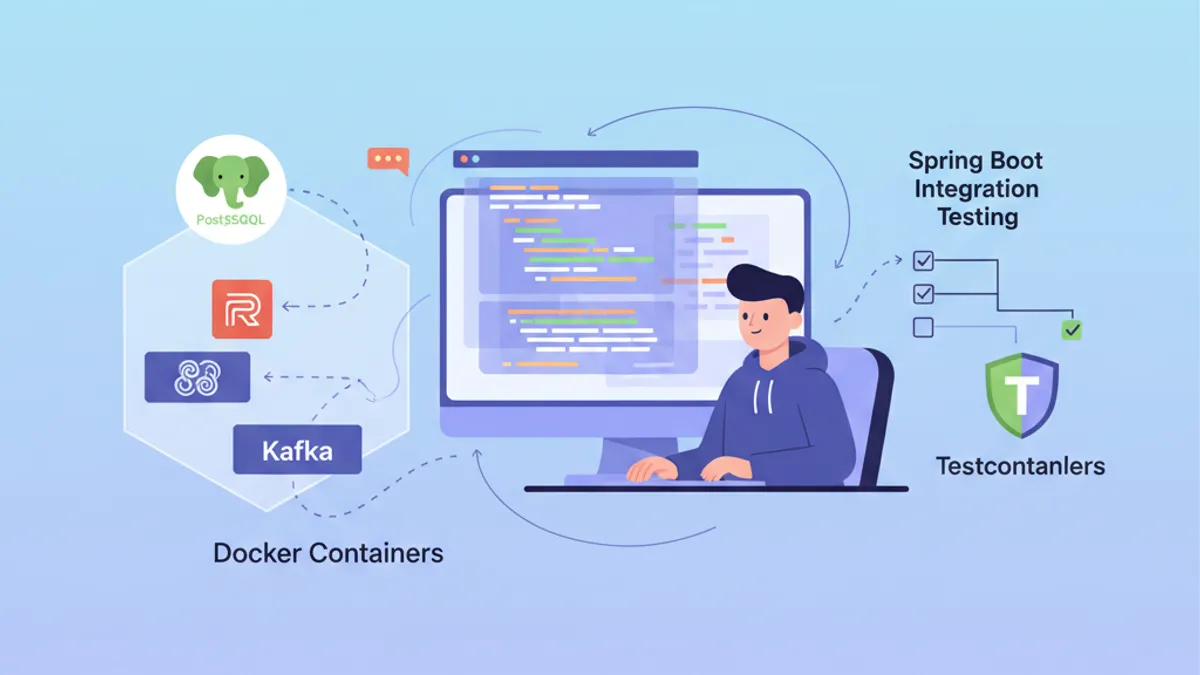
Pengujian integrasi merupakan tantangan besar dalam pengembangan aplikasi Spring Boot. Pengujian terhadap database PostgreSQL nyata atau broker Kafka memerlukan pemeliharaan infrastruktur yang berat. Testcontainers menyelesaikan masalah ini dengan menjalankan kontainer Docker sesuai permintaan selama pengujian, menjamin lingkungan yang terisolasi dan dapat direproduksi.
Spring Boot 3.4 menyertakan dukungan native Testcontainers dengan auto-konfigurasi. Dependensi spring-boot-testcontainers menyederhanakan pemasangan secara drastis dan memungkinkan penggunaan ulang kontainer di antara pengujian.
Memahami integrasi antara Testcontainers dan Spring Boot
Testcontainers menyediakan API Java untuk menjalankan kontainer Docker selama eksekusi pengujian. Alih-alih melakukan mock pada dependensi eksternal atau memelihara database pengujian bersama, setiap eksekusi pengujian mendapatkan instance terisolasinya sendiri.
Arsitekturnya bergantung pada tiga komponen utama: pustaka Testcontainers yang mengendalikan Docker, modul khusus untuk setiap teknologi (PostgreSQL, Redis, Kafka), dan integrasi Spring Boot yang secara otomatis menyuntikkan parameter koneksi.
<!-- pom.xml -->
<dependencies>
    <!-- Main Testcontainers dependency -->
    <dependency>
        <groupId>org.springframework.boot</groupId>
        <artifactId>spring-boot-testcontainers</artifactId>
        <scope>test</scope>
    </dependency>

    <!-- PostgreSQL module -->
    <dependency>
        <groupId>org.testcontainers</groupId>
        <artifactId>postgresql</artifactId>
        <scope>test</scope>
    </dependency>

    <!-- JUnit 5 support -->
    <dependency>
        <groupId>org.testcontainers</groupId>
        <artifactId>junit-jupiter</artifactId>
        <scope>test</scope>
    </dependency>
</dependencies>

<dependencyManagement>
    <dependencies>
        <!-- Testcontainers BOM for version management -->
        <dependency>
            <groupId>org.testcontainers</groupId>
            <artifactId>testcontainers-bom</artifactId>
            <version>1.20.4</version>
            <type>pom</type>
            <scope>import</scope>
        </dependency>
    </dependencies>
</dependencyManagement>
BOM Testcontainers memastikan konsistensi versi di antara semua modul yang digunakan dalam proyek.
Konfigurasi dasar dengan PostgreSQL
Kasus penggunaan paling umum melibatkan pengujian dengan database PostgreSQL nyata. Spring Boot 3.4 menawarkan dua pendekatan: anotasi @ServiceConnection untuk auto-konfigurasi atau konfigurasi manual melalui @DynamicPropertySource.
@DataJpaTest
@Testcontainers
@AutoConfigureTestDatabase(replace = Replace.NONE)
class UserRepositoryIntegrationTest {

    // Starts a PostgreSQL container before tests
    @Container
    @ServiceConnection
    static PostgreSQLContainer<?> postgres = new PostgreSQLContainer<>(
        DockerImageName.parse("postgres:16-alpine")
    );

    @Autowired
    private UserRepository userRepository;

    @Test
    void shouldSaveAndRetrieveUser() {
        // Given: a user to persist
        User user = new User();
        user.setEmail("test@example.com");
        user.setName("Test User");

        // When: save and retrieve
        User saved = userRepository.save(user);
        Optional<User> found = userRepository.findById(saved.getId());

        // Then: user is correctly persisted
        assertThat(found).isPresent();
        assertThat(found.get().getEmail()).isEqualTo("test@example.com");
    }

    @Test
    void shouldFindUserByEmail() {
        // Given: a user in database
        User user = new User();
        user.setEmail("search@example.com");
        user.setName("Search User");
        userRepository.save(user);

        // When: search by email
        Optional<User> found = userRepository.findByEmail("search@example.com");

        // Then: user is found
        assertThat(found).isPresent();
        assertThat(found.get().getName()).isEqualTo("Search User");
    }
}
Anotasi @ServiceConnection secara otomatis mendeteksi tipe kontainer dan mengonfigurasi properti Spring yang sesuai (spring.datasource.url, spring.datasource.username, dan sebagainya). Pendekatan ini menghilangkan kode konfigurasi yang berulang.
Dengan @Container pada bidang statis, kontainer dimulai sekali sebelum semua pengujian dalam kelas dan berhenti setelah pengujian terakhir. Untuk satu kontainer per pengujian, gunakan bidang instance non-statis.
Konfigurasi manual dengan @DynamicPropertySource
Beberapa skenario memerlukan kontrol yang lebih halus atas properti yang disuntikkan. Anotasi @DynamicPropertySource memungkinkan pendefinisian nilai konfigurasi secara eksplisit.
@DataJpaTest
@Testcontainers
@AutoConfigureTestDatabase(replace = Replace.NONE)
class OrderRepositoryIntegrationTest {

    @Container
    static PostgreSQLContainer<?> postgres = new PostgreSQLContainer<>(
        DockerImageName.parse("postgres:16-alpine")
    )
        // Specific container configuration
        .withDatabaseName("orders_test")
        .withUsername("test_user")
        .withPassword("test_password")
        // SQL initialization script
        .withInitScript("db/init-orders.sql");

    // Manual injection of dynamic properties
    @DynamicPropertySource
    static void configureProperties(DynamicPropertyRegistry registry) {
        // JDBC URL generated dynamically with mapped port
        registry.add("spring.datasource.url", postgres::getJdbcUrl);
        registry.add("spring.datasource.username", postgres::getUsername);
        registry.add("spring.datasource.password", postgres::getPassword);
        // Additional properties if needed
        registry.add("spring.jpa.hibernate.ddl-auto", () -> "validate");
    }

    @Autowired
    private OrderRepository orderRepository;

    @Autowired
    private EntityManager entityManager;

    @Test
    void shouldPersistOrderWithItems() {
        // Given: an order with items
        Order order = new Order();
        order.setOrderNumber("ORD-2026-001");
        order.setStatus(OrderStatus.PENDING);

        OrderItem item = new OrderItem();
        item.setProductId(1L);
        item.setQuantity(2);
        item.setUnitPrice(BigDecimal.valueOf(29.99));
        order.addItem(item);

        // When: save the order
        Order saved = orderRepository.save(order);
        entityManager.flush();
        entityManager.clear();

        // Then: order and its items are persisted
        Order found = orderRepository.findById(saved.getId()).orElseThrow();
        assertThat(found.getItems()).hasSize(1);
        assertThat(found.getItems().get(0).getQuantity()).isEqualTo(2);
    }
}
Skrip inisialisasi withInitScript mempersiapkan skema atau menyisipkan data referensi sebelum pengujian dijalankan.
Pengujian integrasi Spring Boot lengkap
Untuk menguji seluruh aplikasi dengan semua komponen dimuat, @SpringBootTest menggantikan @DataJpaTest. Konfigurasi ini menjalankan konteks Spring lengkap bersama kontainer PostgreSQL.
@SpringBootTest(webEnvironment = WebEnvironment.RANDOM_PORT)
@Testcontainers
class UserServiceIntegrationTest {

    @Container
    @ServiceConnection
    static PostgreSQLContainer<?> postgres = new PostgreSQLContainer<>(
        DockerImageName.parse("postgres:16-alpine")
    );

    @Autowired
    private UserService userService;

    @Autowired
    private TestRestTemplate restTemplate;

    @Test
    void shouldCreateUserViaApi() {
        // Given: a creation request
        CreateUserRequest request = new CreateUserRequest(
            "api@example.com",
            "API User",
            "securePassword123"
        );

        // When: call the REST API
        ResponseEntity<UserResponse> response = restTemplate.postForEntity(
            "/api/users",
            request,
            UserResponse.class
        );

        // Then: user is created successfully
        assertThat(response.getStatusCode()).isEqualTo(HttpStatus.CREATED);
        assertThat(response.getBody()).isNotNull();
        assertThat(response.getBody().email()).isEqualTo("api@example.com");
    }

    @Test
    void shouldRetrieveUserById() {
        // Given: an existing user
        UserResponse created = userService.createUser(
            new CreateUserRequest("retrieve@example.com", "Retrieve User", "password")
        );

        // When: retrieve by ID
        ResponseEntity<UserResponse> response = restTemplate.getForEntity(
            "/api/users/" + created.id(),
            UserResponse.class
        );

        // Then: user is returned
        assertThat(response.getStatusCode()).isEqualTo(HttpStatus.OK);
        assertThat(response.getBody().name()).isEqualTo("Retrieve User");
    }
}
TestRestTemplate yang dikonfigurasi otomatis mengarah ke server yang dijalankan pada port acak, sehingga menghindari konflik port di antara pengujian paralel.
Siap menguasai wawancara Spring Boot Anda?
Berlatih dengan simulator interaktif, flashcards, dan tes teknis kami.
Penggunaan ulang kontainer di antara pengujian
Menjalankan kontainer Docker memerlukan beberapa detik. Untuk mempercepat eksekusi pengujian, Spring Boot 3.4 memungkinkan penggunaan ulang kontainer melalui konfigurasi terpusat.
@TestConfiguration(proxyBeanMethods = false)
public class TestcontainersConfiguration {

    // Reusable container bean across all tests
    @Bean
    @ServiceConnection
    PostgreSQLContainer<?> postgresContainer() {
        return new PostgreSQLContainer<>(DockerImageName.parse("postgres:16-alpine"))
            .withReuse(true)
            .withLabel("reuse.UUID", "e06d7a87-7d7d-472e-a047-7c2c6d4b5f7a");
    }

    @Bean
    @ServiceConnection
    RedisContainer redisContainer() {
        return new RedisContainer(DockerImageName.parse("redis:7-alpine"))
            .withReuse(true)
            .withLabel("reuse.UUID", "b3c8f9d2-4a5e-4c8d-9f2a-1b3c5d7e9f0a");
    }
}
Pengujian mengimpor konfigurasi ini untuk berbagi kontainer yang sama.
@SpringBootTest
@Import(TestcontainersConfiguration.class)
class ProductServiceIntegrationTest {

    @Autowired
    private ProductService productService;

    @Autowired
    private ProductRepository productRepository;

    @Test
    void shouldCacheProductDetails() {
        // Given: a product in database
        Product product = new Product();
        product.setName("Cached Product");
        product.setPrice(BigDecimal.valueOf(99.99));
        productRepository.save(product);

        // When: two successive calls
        ProductDto first = productService.getProductById(product.getId());
        ProductDto second = productService.getProductById(product.getId());

        // Then: second call uses cache
        assertThat(first).isEqualTo(second);
    }
}
Untuk mengaktifkan penggunaan ulang kontainer, konfigurasi harus ditambahkan dalam ~/.testcontainers.properties:
# ~/.testcontainers.properties
testcontainers.reuse.enable=trueDengan penggunaan ulang kontainer, data tetap ada di antara eksekusi. Sebaiknya gunakan @Sql atau @BeforeEach untuk membersihkan tabel sebelum setiap pengujian, atau konfigurasikan skema yang berbeda per kelas pengujian.
Pengujian dengan Redis dan cache terdistribusi
Testcontainers mendukung Redis untuk menguji fitur cache. Modul Redis menyediakan kontainer yang sudah dikonfigurasi sebelumnya dan siap digunakan.
@SpringBootTest
@Testcontainers
class CacheServiceIntegrationTest {

    @Container
    @ServiceConnection
    static RedisContainer redis = new RedisContainer(
        DockerImageName.parse("redis:7-alpine")
    );

    @Autowired
    private CacheService cacheService;

    @Autowired
    private StringRedisTemplate redisTemplate;

    @Test
    void shouldStoreAndRetrieveFromCache() {
        // Given: a value to cache
        String key = "user:123";
        String value = "{\"id\":123,\"name\":\"Cached User\"}";

        // When: store in cache
        cacheService.put(key, value, Duration.ofMinutes(10));

        // Then: value is retrievable
        String cached = cacheService.get(key);
        assertThat(cached).isEqualTo(value);
    }

    @Test
    void shouldExpireAfterTtl() throws InterruptedException {
        // Given: a value with short TTL
        String key = "expiring:key";
        cacheService.put(key, "temporary", Duration.ofSeconds(1));

        // When: wait for expiration
        Thread.sleep(1500);

        // Then: key has expired
        String cached = cacheService.get(key);
        assertThat(cached).isNull();
    }

    @Test
    void shouldIncrementCounter() {
        // Given: a counter key
        String counterKey = "page:views:homepage";

        // When: multiple increments
        Long first = redisTemplate.opsForValue().increment(counterKey);
        Long second = redisTemplate.opsForValue().increment(counterKey);
        Long third = redisTemplate.opsForValue().increment(counterKey);

        // Then: counter increments correctly
        assertThat(first).isEqualTo(1);
        assertThat(second).isEqualTo(2);
        assertThat(third).isEqualTo(3);
    }
}
Spring Boot secara otomatis mendeteksi RedisContainer melalui @ServiceConnection dan mengonfigurasi spring.data.redis.host serta spring.data.redis.port.
Pengujian dengan Kafka dan pesan asinkron
Aplikasi berbasis event memerlukan pengujian dengan broker Kafka nyata. Testcontainers menyediakan modul Kafka yang menjalankan klaster satu node yang sesuai untuk pengujian.
@SpringBootTest
@Testcontainers
@EmbeddedKafka(partitions = 1, topics = {"order-events"})
class OrderEventIntegrationTest {

    @Container
    @ServiceConnection
    static KafkaContainer kafka = new KafkaContainer(
        DockerImageName.parse("confluentinc/cp-kafka:7.6.0")
    );

    @Autowired
    private KafkaTemplate<String, OrderEvent> kafkaTemplate;

    @Autowired
    private OrderEventConsumer orderEventConsumer;

    @Test
    void shouldPublishAndConsumeOrderEvent() throws Exception {
        // Given: an order event
        OrderEvent event = new OrderEvent(
            "ORD-2026-100",
            OrderEventType.CREATED,
            LocalDateTime.now()
        );

        // When: publish to Kafka
        kafkaTemplate.send("order-events", event.orderId(), event).get();

        // Then: event is consumed (with timeout)
        await()
            .atMost(Duration.ofSeconds(10))
            .untilAsserted(() -> {
                assertThat(orderEventConsumer.getReceivedEvents())
                    .hasSize(1)
                    .first()
                    .extracting(OrderEvent::orderId)
                    .isEqualTo("ORD-2026-100");
            });
    }
}@Component
public class OrderEventConsumer {
private final List<OrderEvent> receivedEvents = new CopyOnWriteArrayList<>();
@KafkaListener(topics = "order-events", groupId = "test-group")
public void consume(OrderEvent event) {
receivedEvents.add(event);
}
public List<OrderEvent> getReceivedEvents() {
return List.copyOf(receivedEvents);
}
public void clear() {
receivedEvents.clear();
}
}Pustaka Awaitility menangani assertion asinkron dengan timeout, menghindari pemanggilan Thread.sleep yang rapuh dalam pengujian.
Konfigurasi multi-kontainer dengan Docker Compose
Untuk aplikasi kompleks yang memerlukan beberapa layanan saling bergantung, Testcontainers mendukung berkas Docker Compose.
# src/test/resources/docker-compose-test.yml
services:
  postgres:
    image: postgres:16-alpine
    environment:
      POSTGRES_DB: testdb
      POSTGRES_USER: testuser
      POSTGRES_PASSWORD: testpass
    ports:
      - "5432"

  redis:
    image: redis:7-alpine
    ports:
      - "6379"

  localstack:
    image: localstack/localstack:3.0
    environment:
      SERVICES: s3,sqs
      DEFAULT_REGION: eu-west-1
    ports:
- "4566"@SpringBootTest
@Testcontainers
class FullStackIntegrationTest {
@Container
static DockerComposeContainer<?> environment = new DockerComposeContainer<>(
new File("src/test/resources/docker-compose-test.yml")
)
.withExposedService("postgres", 5432)
.withExposedService("redis", 6379)
.withExposedService("localstack", 4566)
.waitingFor("postgres", Wait.forListeningPort())
.waitingFor("redis", Wait.forListeningPort())
.waitingFor("localstack", Wait.forLogMessage(".*Ready\\.$", 1));
@DynamicPropertySource
static void configureProperties(DynamicPropertyRegistry registry) {
// PostgreSQL configuration
String postgresHost = environment.getServiceHost("postgres", 5432);
Integer postgresPort = environment.getServicePort("postgres", 5432);
registry.add("spring.datasource.url",
() -> "jdbc:postgresql://" + postgresHost + ":" + postgresPort + "/testdb");
registry.add("spring.datasource.username", () -> "testuser");
registry.add("spring.datasource.password", () -> "testpass");
// Redis configuration
String redisHost = environment.getServiceHost("redis", 6379);
Integer redisPort = environment.getServicePort("redis", 6379);
registry.add("spring.data.redis.host", () -> redisHost);
registry.add("spring.data.redis.port", () -> redisPort);
// LocalStack S3 configuration
String localstackHost = environment.getServiceHost("localstack", 4566);
Integer localstackPort = environment.getServicePort("localstack", 4566);
registry.add("aws.s3.endpoint",
() -> "http://" + localstackHost + ":" + localstackPort);
}
@Autowired
private FileStorageService fileStorageService;
@Test
void shouldUploadFileToS3() {
// Given: a file to upload
byte[] content = "Test file content".getBytes();
String fileName = "test-file.txt";
// When: upload to S3 via LocalStack
String url = fileStorageService.upload(fileName, content);
// Then: file is accessible
assertThat(url).contains(fileName);
byte[] downloaded = fileStorageService.download(fileName);
assertThat(downloaded).isEqualTo(content);
}
}Mulai berlatih!
Uji pengetahuan Anda dengan simulator wawancara dan tes teknis kami.
Praktik terbaik dan optimalisasi performa
Eksekusi Testcontainers yang efisien memerlukan beberapa optimalisasi untuk mengurangi waktu build.
@SpringBootTest
@Testcontainers
@ActiveProfiles("test")
public abstract class AbstractIntegrationTest {

    // Shared container across all inheriting classes
    @Container
    @ServiceConnection
    protected static PostgreSQLContainer<?> postgres = new PostgreSQLContainer<>(
        DockerImageName.parse("postgres:16-alpine")
    )
        .withReuse(true);

    @Autowired
    protected JdbcTemplate jdbcTemplate;

    @BeforeEach
    void cleanDatabase() {
        // Clean tables in order to respect FK constraints
        jdbcTemplate.execute("TRUNCATE TABLE order_items CASCADE");
        jdbcTemplate.execute("TRUNCATE TABLE orders CASCADE");
        jdbcTemplate.execute("TRUNCATE TABLE users CASCADE");
    }
}class UserIntegrationTest extends AbstractIntegrationTest {
@Autowired
private UserRepository userRepository;
@Test
void shouldCreateUser() {
// PostgreSQL container already started via parent class
User user = new User();
user.setEmail("inherited@test.com");
user.setName("Inherited Test");
User saved = userRepository.save(user);
assertThat(saved.getId()).isNotNull();
}
}Kelas abstrak memusatkan konfigurasi kontainer dan pembersihan database, sehingga menghindari duplikasi kode.
# src/test/resources/application-test.properties
# Test-specific configuration
spring.jpa.hibernate.ddl-auto=create-drop
spring.jpa.show-sql=false

# Disable Flyway/Liquibase if using ddl-auto
spring.flyway.enabled=false

# Reduced connection pool for tests
spring.datasource.hikari.maximum-pool-size=5
spring.datasource.hikari.minimum-idle=2Gambar Alpine (postgres:16-alpine, redis:7-alpine) lebih disukai karena lebih ringan dan lebih cepat dimulai. Untuk pengujian, perbedaan fungsional dengan image lengkap dapat diabaikan.
Pengujian migrasi database
Testcontainers unggul dalam menguji migrasi Flyway atau Liquibase terhadap database nyata.
@DataJpaTest
@Testcontainers
@AutoConfigureTestDatabase(replace = Replace.NONE)
class FlywayMigrationTest {

    @Container
    @ServiceConnection
    static PostgreSQLContainer<?> postgres = new PostgreSQLContainer<>(
        DockerImageName.parse("postgres:16-alpine")
    );

    @Autowired
    private Flyway flyway;

    @Autowired
    private JdbcTemplate jdbcTemplate;

    @Test
    void shouldApplyAllMigrations() {
        // Given: migrations applied at startup

        // When: check state
        MigrationInfoService info = flyway.info();

        // Then: all migrations are applied
        assertThat(info.pending()).isEmpty();
        assertThat(info.applied()).isNotEmpty();
    }

    @Test
    void shouldCreateExpectedTables() {
        // Given: migrations applied

        // When: query system tables
        List<String> tables = jdbcTemplate.queryForList(
            "SELECT table_name FROM information_schema.tables " +
            "WHERE table_schema = 'public' AND table_type = 'BASE TABLE'",
            String.class
        );

        // Then: expected tables exist
        assertThat(tables).contains("users", "orders", "order_items", "products");
    }

    @Test
    void shouldHaveCorrectColumnTypes() {
        // Given: users table created

        // When: verify schema
        List<Map<String, Object>> columns = jdbcTemplate.queryForList(
            "SELECT column_name, data_type, is_nullable " +
            "FROM information_schema.columns " +
            "WHERE table_name = 'users'"
        );

        // Then: columns have correct types
        assertThat(columns)
            .extracting(c -> c.get("column_name"))
            .contains("id", "email", "name", "created_at");
    }
}
Pengujian ini menjamin migrasi SQL berfungsi dengan benar sebelum penerapan ke produksi.
Kesimpulan
Testcontainers mengubah pengujian integrasi Spring Boot dengan membuatnya andal, dapat direproduksi, dan independen dari lingkungan lokal. Dukungan native Spring Boot 3.4 dengan @ServiceConnection menyederhanakan konfigurasi secara signifikan, sementara penggunaan ulang kontainer mengoptimalkan waktu eksekusi.
Daftar Periksa Testcontainers Spring Boot:
- ✅ Gunakan
spring-boot-testcontainersuntuk auto-konfigurasi native - ✅ Utamakan
@ServiceConnectiondaripada@DynamicPropertySourcejika memungkinkan - ✅ Aktifkan
withReuse(true)untuk mempercepat eksekusi berurutan - ✅ Pusatkan konfigurasi dalam kelas abstrak atau
@TestConfiguration - ✅ Bersihkan data di antara pengujian dengan
@BeforeEachatau@Sql - ✅ Gunakan image Alpine untuk waktu mulai yang lebih cepat
- ✅ Uji migrasi Flyway/Liquibase terhadap PostgreSQL nyata
- ✅ Manfaatkan Docker Compose untuk lingkungan multi-layanan
Bisakah kamu menemukan bug di Spring Boot?
Satu potongan kode nyata, satu bug tersembunyi, satu percobaan per hari. Tanpa akun untuk mencoba.

Ditulis oleh
Anthony Fillion-MailletPendiri SharpSkill
Developer fullstack selama lebih dari 10 tahun. Ia menjalankan SharpSkill dan bertanggung jawab atas semua yang diterbitkan di sini.
Diperbarui 1 Mei 2026
Tag
Bagikan
Artikel terkait

Spring Modulith: Arsitektur Monolit Modular Dijelaskan
Pelajari Spring Modulith untuk membangun monolit modular di Java. Arsitektur, modul, event asinkron, testing, dan observability dengan contoh kode Spring Boot 3 dan 4.

Wawancara Spring Batch 5: Partisi, Chunk, dan Toleransi Kegagalan
Kuasai wawancara Spring Batch 5: 15 pertanyaan penting tentang partisi, pemrosesan chunk, dan toleransi kegagalan dengan contoh kode Java 21.

Wawancara Spring Boot: Propagasi Transaksi Dijelaskan
Kuasai propagasi transaksi Spring Boot: REQUIRED, REQUIRES_NEW, NESTED dan lainnya. 12 pertanyaan wawancara dengan contoh kode dan jebakan umum.