Spring Security 6: Konfigurasi OAuth2 Resource Server
Panduan praktis untuk mengonfigurasi OAuth2 Resource Server dengan Spring Security 6. Validasi JWT, konfigurasi issuer, manajemen scope, dan integrasi Keycloak.
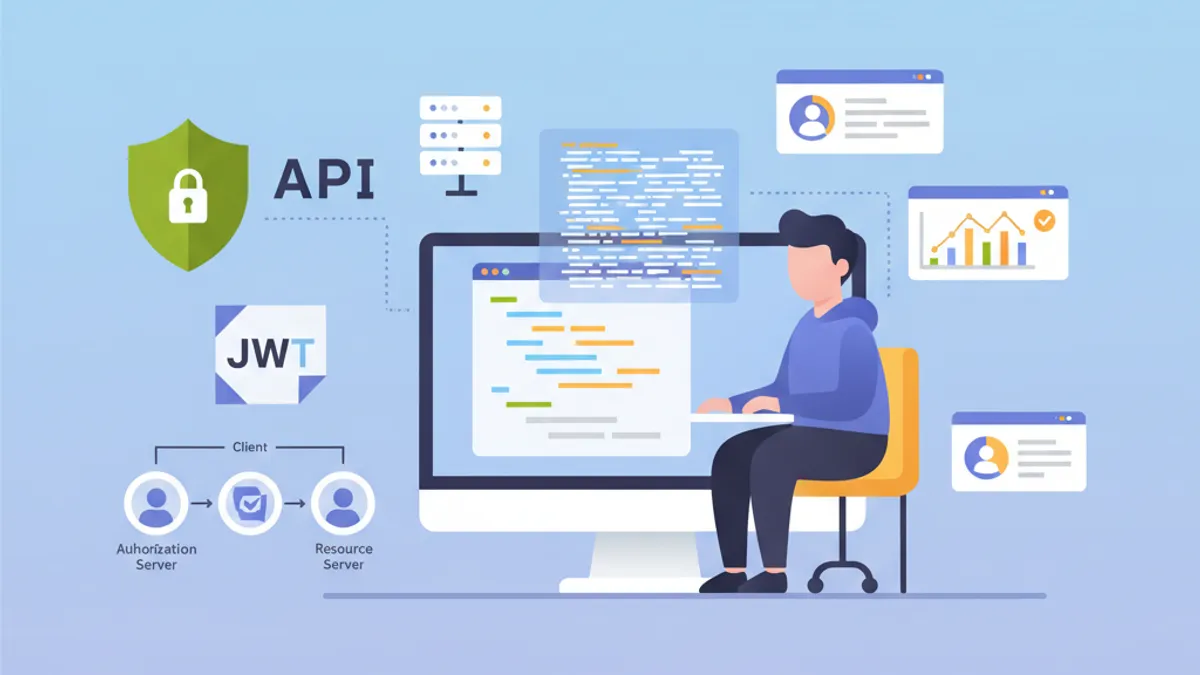
OAuth2 Resource Server melindungi API dengan memvalidasi token JWT yang diterbitkan oleh Authorization Server eksternal seperti Keycloak, Auth0, atau Okta. Berbeda dengan autentikasi JWT kustom di mana aplikasi menghasilkan token sendiri, Resource Server sepenuhnya mendelegasikan manajemen identitas kepada Identity Provider (IdP) khusus.
Resource Server tidak pernah menghasilkan token. Hanya memvalidasinya. Pemisahan tanggung jawab ini memperkuat keamanan dan menyederhanakan arsitektur dengan memusatkan manajemen identitas.
Arsitektur OAuth2 Resource Server
Alur OAuth2 melibatkan tiga aktor utama. Klien (aplikasi frontend atau mobile) memperoleh access token dari Authorization Server. Selanjutnya menyertakan token ini di setiap permintaan ke Resource Server. Resource Server memvalidasi token dengan memverifikasi tanda tangannya menggunakan kunci publik Authorization Server.
Arsitektur ini menawarkan beberapa keuntungan. Resource Server tetap stateless karena semua informasi yang diperlukan terkandung dalam token JWT. Validasi terjadi tanpa panggilan jaringan ke IdP berkat verifikasi tanda tangan asimetris. Beberapa API dapat berbagi Authorization Server yang sama, sehingga menyederhanakan manajemen pengguna.
┌──────────────┐     1. Login      ┌─────────────────────┐
│   Client     │ ───────────────►  │  Authorization      │
│   (SPA/App)  │                   │  Server (Keycloak)  │
│              │ ◄─────────────────│                     │
└──────────────┘   2. JWT Token    └─────────────────────┘
       │                                    │
       │ 3. Request + Bearer Token          │
       ▼                                    ▼
┌──────────────────────┐           ┌─────────────────────┐
│   Resource Server    │ ◄─────── │   JWKS Endpoint     │
│   (Spring Boot API)  │  4. Public Keys (cached)       │
└──────────────────────┘           └─────────────────────┘
Resource Server mengunduh kunci publik saat startup dan menyimpannya dalam cache, sehingga menghindari panggilan jaringan untuk setiap permintaan.
Dependensi Maven untuk OAuth2 Resource Server
Konfigurasi Resource Server membutuhkan dua dependensi spesifik. Starter oauth2-resource-server menyediakan infrastruktur dasar, sedangkan oauth2-jose berisi kelas-kelas untuk mendekode dan memvalidasi JWT.
<!-- pom.xml -->
<dependencies>
    <!-- OAuth2 Resource Server support -->
    <dependency>
        <groupId>org.springframework.boot</groupId>
        <artifactId>spring-boot-starter-oauth2-resource-server</artifactId>
    </dependency>

    <!-- Spring Web for REST endpoints -->
    <dependency>
        <groupId>org.springframework.boot</groupId>
        <artifactId>spring-boot-starter-web</artifactId>
    </dependency>

    <!-- DTO validation -->
    <dependency>
        <groupId>org.springframework.boot</groupId>
        <artifactId>spring-boot-starter-validation</artifactId>
    </dependency>
</dependencies>
Dependensi tambahan seperti JJWT tidak diperlukan. Spring Security menggunakan library Nimbus JOSE+JWT yang termasuk dalam spring-security-oauth2-jose untuk pemrosesan token.
Konfigurasi Dasar dengan issuer-uri
Konfigurasi minimal Resource Server hanya memerlukan dua baris. Spring Security secara otomatis menemukan endpoint IdP melalui protokol OpenID Connect Discovery.
# application.yml
spring:
  security:
    oauth2:
      resourceserver:
        jwt:
          # URI Authorization Server
          # Spring secara otomatis mengambil kunci publik via /.well-known/openid-configuration
          issuer-uri: https://keycloak.example.com/realms/myrealm
Berangkat dari issuer-uri, Spring Security mengirim permintaan ke {issuer-uri}/.well-known/openid-configuration untuk memperoleh metadata Authorization Server. Selanjutnya mengekstrak URL JWKS (JSON Web Key Set) yang berisi kunci publik untuk memvalidasi tanda tangan token.
@Configuration
@EnableWebSecurity
@EnableMethodSecurity
public class SecurityConfig {

    @Bean
    public SecurityFilterChain securityFilterChain(HttpSecurity http) throws Exception {
        return http
            // Disable CSRF for stateless APIs
            .csrf(csrf -> csrf.disable())

            // Authorization rules
            .authorizeHttpRequests(auth -> auth
                // Public endpoints
                .requestMatchers("/api/public/**").permitAll()
                .requestMatchers("/actuator/health").permitAll()
                // All other requests require a valid token
                .anyRequest().authenticated()
            )

            // Enable OAuth2 JWT validation
            .oauth2ResourceServer(oauth2 -> oauth2
                .jwt(Customizer.withDefaults())
            )

            // Stateless mode required for Resource Servers
            .sessionManagement(session -> session
                .sessionCreationPolicy(SessionCreationPolicy.STATELESS)
            )

            .build();
    }
}
Konfigurasi ini cukup untuk melindungi sebuah API. Spring Security secara otomatis memvalidasi tanda tangan token, memverifikasi timestamp (exp, nbf, iat), dan memastikan claim iss sesuai dengan issuer-uri yang dikonfigurasi.
Secara default, aplikasi gagal start jika Authorization Server tidak dapat dijangkau. Untuk memungkinkan startup independen, konfigurasikan jwk-set-uri secara eksplisit alih-alih issuer-uri.
Konfigurasi Lanjutan dengan jwk-set-uri
Ketika Authorization Server tidak mendukung OpenID Connect Discovery atau ketika aplikasi harus dapat dijalankan tanpa ketergantungan jaringan terhadap IdP, konfigurasi JWKS eksplisit lebih disukai.
# application.yml
spring:
  security:
    oauth2:
      resourceserver:
        jwt:
          # Direct URL to JWKS (public keys)
          jwk-set-uri: https://keycloak.example.com/realms/myrealm/protocol/openid-connect/certs
          # Expected value of the "iss" claim in tokens
          issuer-uri: https://keycloak.example.com/realms/myrealm
          # Allowed audiences ("aud" claim)
          audiences:
            - my-api
            - account
Pendekatan ini memberikan kontrol yang lebih besar. Validasi audience mencegah penggunaan token yang ditujukan untuk layanan lain. Token yang diterbitkan untuk aplikasi frontend-app akan ditolak jika API hanya menerima audience my-api dan account.
@Configuration
@EnableWebSecurity
public class SecurityConfig {

    @Value("${spring.security.oauth2.resourceserver.jwt.issuer-uri}")
    private String issuerUri;

    @Bean
    public SecurityFilterChain securityFilterChain(HttpSecurity http) throws Exception {
        return http
            .csrf(csrf -> csrf.disable())

            .authorizeHttpRequests(auth -> auth
                .requestMatchers("/api/public/**").permitAll()
                .anyRequest().authenticated()
            )

            // Custom JWT configuration
            .oauth2ResourceServer(oauth2 -> oauth2
                .jwt(jwt -> jwt
                    .jwtAuthenticationConverter(jwtAuthenticationConverter())
                )
            )

            .sessionManagement(session -> session
                .sessionCreationPolicy(SessionCreationPolicy.STATELESS)
            )

            .build();
    }

    // Custom converter to extract authorities from the token
    @Bean
    public JwtAuthenticationConverter jwtAuthenticationConverter() {
        JwtGrantedAuthoritiesConverter grantedAuthoritiesConverter =
            new JwtGrantedAuthoritiesConverter();
        // SCOPE_ prefix for authorities (e.g., SCOPE_read, SCOPE_write)
        grantedAuthoritiesConverter.setAuthorityPrefix("SCOPE_");
        // Claim containing scopes (OAuth2 standard)
        grantedAuthoritiesConverter.setAuthoritiesClaimName("scope");

        JwtAuthenticationConverter jwtAuthenticationConverter =
            new JwtAuthenticationConverter();
        jwtAuthenticationConverter.setJwtGrantedAuthoritiesConverter(
            grantedAuthoritiesConverter
        );

        return jwtAuthenticationConverter;
    }
}
JwtAuthenticationConverter mengubah claim token menjadi objek GrantedAuthority yang dapat digunakan dalam ekspresi keamanan.
Siap menguasai wawancara Spring Boot Anda?
Berlatih dengan simulator interaktif, flashcards, dan tes teknis kami.
Mengekstrak Role Keycloak
Keycloak menyusun role secara berbeda dari standar OAuth2. Role berada di realm_access.roles (role realm) atau resource_access.{client}.roles (role spesifik klien). Converter kustom mengekstrak informasi tersebut.
@Component
public class KeycloakJwtAuthenticationConverter
    implements Converter<Jwt, AbstractAuthenticationToken> {

    private static final String REALM_ACCESS_CLAIM = "realm_access";
    private static final String RESOURCE_ACCESS_CLAIM = "resource_access";
    private static final String ROLES_CLAIM = "roles";

    @Value("${keycloak.client-id}")
    private String clientId;

    @Override
    public AbstractAuthenticationToken convert(Jwt jwt) {
        // Combine realm and client roles
        Collection<GrantedAuthority> authorities = Stream.concat(
            extractRealmRoles(jwt).stream(),
            extractClientRoles(jwt).stream()
        ).collect(Collectors.toSet());

        // Return authentication token with extracted authorities
        return new JwtAuthenticationToken(jwt, authorities, extractUsername(jwt));
    }

    // Extract realm-level roles
    private Collection<GrantedAuthority> extractRealmRoles(Jwt jwt) {
        Map<String, Object> realmAccess = jwt.getClaim(REALM_ACCESS_CLAIM);
        if (realmAccess == null) {
            return Collections.emptyList();
        }

        @SuppressWarnings("unchecked")
        List<String> roles = (List<String>) realmAccess.get(ROLES_CLAIM);
        if (roles == null) {
            return Collections.emptyList();
        }

        // ROLE_ prefix for compatibility with hasRole()
        return roles.stream()
            .map(role -> new SimpleGrantedAuthority("ROLE_" + role.toUpperCase()))
            .collect(Collectors.toList());
    }

    // Extract client-specific roles
    private Collection<GrantedAuthority> extractClientRoles(Jwt jwt) {
        Map<String, Object> resourceAccess = jwt.getClaim(RESOURCE_ACCESS_CLAIM);
        if (resourceAccess == null) {
            return Collections.emptyList();
        }

        @SuppressWarnings("unchecked")
        Map<String, Object> clientAccess =
            (Map<String, Object>) resourceAccess.get(clientId);
        if (clientAccess == null) {
            return Collections.emptyList();
        }

        @SuppressWarnings("unchecked")
        List<String> roles = (List<String>) clientAccess.get(ROLES_CLAIM);
        if (roles == null) {
            return Collections.emptyList();
        }

        return roles.stream()
            .map(role -> new SimpleGrantedAuthority("ROLE_" + role.toUpperCase()))
            .collect(Collectors.toList());
    }

    // Extract username from token
    private String extractUsername(Jwt jwt) {
        // Keycloak uses "preferred_username" by default
        String username = jwt.getClaimAsString("preferred_username");
        if (username != null) {
            return username;
        }
        // Fallback to subject (usually the user UUID)
        return jwt.getSubject();
    }
}
Integrasi ke konfigurasi keamanan dilakukan melalui parameter jwtAuthenticationConverter.
@Configuration
@EnableWebSecurity
@EnableMethodSecurity
@RequiredArgsConstructor
public class SecurityConfig {

    private final KeycloakJwtAuthenticationConverter keycloakConverter;

    @Bean
    public SecurityFilterChain securityFilterChain(HttpSecurity http) throws Exception {
        return http
            .csrf(csrf -> csrf.disable())

            .authorizeHttpRequests(auth -> auth
                .requestMatchers("/api/public/**").permitAll()
                // Protection by Keycloak role
                .requestMatchers("/api/admin/**").hasRole("ADMIN")
                .anyRequest().authenticated()
            )

            .oauth2ResourceServer(oauth2 -> oauth2
                .jwt(jwt -> jwt
                    // Use Keycloak converter
                    .jwtAuthenticationConverter(keycloakConverter)
                )
            )

            .sessionManagement(session -> session
                .sessionCreationPolicy(SessionCreationPolicy.STATELESS)
            )

            .build();
    }
}
Role yang diekstrak sekarang dapat digunakan dengan anotasi @PreAuthorize("hasRole('ADMIN')") atau dalam ekspresi requestMatchers().hasRole().
Validasi Token Kustom
Validasi tambahan mungkin diperlukan tergantung pada kebutuhan bisnis: verifikasi claim kustom, validasi audience, atau kontrol masa hidup maksimum.
@Component
public class CustomJwtValidator implements OAuth2TokenValidator<Jwt> {

    private static final OAuth2Error AUDIENCE_ERROR =
        new OAuth2Error("invalid_token", "Token audience is not valid", null);

    private static final OAuth2Error CUSTOM_CLAIM_ERROR =
        new OAuth2Error("invalid_token", "Required custom claim missing", null);

    @Value("${app.jwt.required-audience}")
    private String requiredAudience;

    @Value("${app.jwt.required-tenant-claim:tenant_id}")
    private String tenantClaimName;

    @Override
    public OAuth2TokenValidatorResult validate(Jwt jwt) {
        List<OAuth2Error> errors = new ArrayList<>();

        // Audience validation
        if (!validateAudience(jwt)) {
            errors.add(AUDIENCE_ERROR);
        }

        // Custom business claim validation
        if (!validateTenantClaim(jwt)) {
            errors.add(CUSTOM_CLAIM_ERROR);
        }

        if (!errors.isEmpty()) {
            return OAuth2TokenValidatorResult.failure(errors);
        }

        return OAuth2TokenValidatorResult.success();
    }

    private boolean validateAudience(Jwt jwt) {
        List<String> audiences = jwt.getAudience();
        return audiences != null && audiences.contains(requiredAudience);
    }

    private boolean validateTenantClaim(Jwt jwt) {
        // Check for required business claim
        String tenantId = jwt.getClaimAsString(tenantClaimName);
        return tenantId != null && !tenantId.isBlank();
    }
}
Validator kustom diintegrasikan ke konfigurasi JwtDecoder.
@Configuration
@RequiredArgsConstructor
public class JwtConfig {

    private final CustomJwtValidator customValidator;

    @Value("${spring.security.oauth2.resourceserver.jwt.issuer-uri}")
    private String issuerUri;

    @Value("${spring.security.oauth2.resourceserver.jwt.jwk-set-uri}")
    private String jwkSetUri;

    @Bean
    public JwtDecoder jwtDecoder() {
        // Create decoder with JWKS URL
        NimbusJwtDecoder jwtDecoder = NimbusJwtDecoder
            .withJwkSetUri(jwkSetUri)
            .build();

        // Combine default validators with custom validator
        OAuth2TokenValidator<Jwt> defaultValidators =
            JwtValidators.createDefaultWithIssuer(issuerUri);

        OAuth2TokenValidator<Jwt> combinedValidator =
            new DelegatingOAuth2TokenValidator<>(defaultValidators, customValidator);

        jwtDecoder.setJwtValidator(combinedValidator);

        return jwtDecoder;
    }
}Validasi sinkron memblokir thread pemrosesan. Untuk validasi yang membutuhkan panggilan eksternal (database, layanan pihak ketiga), filter asinkron atau verifikasi setelahnya lebih disukai.
Mengakses Informasi Token di Controller
Spring Security menyediakan beberapa metode untuk mengakses informasi token JWT di controller.
@RestController
@RequestMapping("/api/users")
public class UserController {

    // Direct JWT injection via @AuthenticationPrincipal
    @GetMapping("/me")
    public ResponseEntity<UserInfoResponse> getCurrentUser(
        @AuthenticationPrincipal Jwt jwt
    ) {
        String userId = jwt.getSubject();
        String email = jwt.getClaimAsString("email");
        String username = jwt.getClaimAsString("preferred_username");
        List<String> roles = extractRoles(jwt);

        return ResponseEntity.ok(new UserInfoResponse(
            userId, email, username, roles
        ));
    }

    // Alternative with JwtAuthenticationToken to access authorities
    @GetMapping("/profile")
    public ResponseEntity<ProfileResponse> getProfile(
        JwtAuthenticationToken authentication
    ) {
        Jwt jwt = authentication.getToken();
        Collection<String> authorities = authentication.getAuthorities()
            .stream()
            .map(GrantedAuthority::getAuthority)
            .toList();

        return ResponseEntity.ok(new ProfileResponse(
            jwt.getSubject(),
            jwt.getClaimAsString("name"),
            authorities
        ));
    }

    // Access scopes for conditional business logic
    @GetMapping("/data")
    @PreAuthorize("hasAuthority('SCOPE_read')")
    public ResponseEntity<DataResponse> getData(
        @AuthenticationPrincipal Jwt jwt
    ) {
        boolean canWrite = hasScope(jwt, "write");

        // Business logic adapted according to permissions
        DataResponse response = buildDataResponse(jwt.getSubject(), canWrite);
        return ResponseEntity.ok(response);
    }

    private List<String> extractRoles(Jwt jwt) {
        Map<String, Object> realmAccess = jwt.getClaim("realm_access");
        if (realmAccess == null) {
            return Collections.emptyList();
        }
        @SuppressWarnings("unchecked")
        List<String> roles = (List<String>) realmAccess.get("roles");
        return roles != null ? roles : Collections.emptyList();
    }

    private boolean hasScope(Jwt jwt, String scope) {
        String scopes = jwt.getClaimAsString("scope");
        return scopes != null && scopes.contains(scope);
    }
}public record UserInfoResponse(
String userId,
String email,
String username,
List<String> roles
) {}
// ProfileResponse.java
public record ProfileResponse(
String userId,
String name,
Collection<String> authorities
) {}Anotasi @AuthenticationPrincipal menghindari pengambilan autentikasi secara manual dari SecurityContextHolder.
Penanganan Error Autentikasi OAuth2
Penanganan error spesifik meningkatkan pengalaman pengembang bagi konsumen API.
@RestControllerAdvice
public class OAuth2SecurityExceptionHandler {

    private static final Logger log =
        LoggerFactory.getLogger(OAuth2SecurityExceptionHandler.class);

    // Missing token or invalid format
    @ExceptionHandler(AuthenticationException.class)
    @ResponseStatus(HttpStatus.UNAUTHORIZED)
    public ErrorResponse handleAuthenticationException(AuthenticationException ex) {
        log.warn("Authentication failed: {}", ex.getMessage());

        return new ErrorResponse(
            "UNAUTHORIZED",
            "Authentication required. Provide a valid Bearer token.",
            Map.of("error", ex.getMessage())
        );
    }

    // Access denied despite valid token
    @ExceptionHandler(AccessDeniedException.class)
    @ResponseStatus(HttpStatus.FORBIDDEN)
    public ErrorResponse handleAccessDeniedException(AccessDeniedException ex) {
        log.warn("Access denied: {}", ex.getMessage());

        return new ErrorResponse(
            "FORBIDDEN",
            "Insufficient permissions for this resource",
            null
        );
    }

    // OAuth2-specific error (expired token, invalid signature, etc.)
    @ExceptionHandler(OAuth2AuthenticationException.class)
    @ResponseStatus(HttpStatus.UNAUTHORIZED)
    public ErrorResponse handleOAuth2Exception(OAuth2AuthenticationException ex) {
        OAuth2Error error = ex.getError();
        log.warn("OAuth2 authentication error: {} - {}",
            error.getErrorCode(), error.getDescription());

        String message = switch (error.getErrorCode()) {
            case "invalid_token" -> "Token is invalid or expired";
            case "insufficient_scope" -> "Token does not have required scopes";
            default -> "Authentication failed";
        };

        return new ErrorResponse(
            error.getErrorCode().toUpperCase(),
            message,
            Map.of("details", error.getDescription())
        );
    }
}

// ErrorResponse.java
public record ErrorResponse(
    String code,
    String message,
    Map<String, String> details
) {}
Kode error OAuth2 yang terstandarisasi (invalid_token, insufficient_scope) memudahkan pemrosesan di sisi klien.
Konfigurasi Multi-Lingkungan
Konfigurasi bervariasi tergantung lingkungan. Di pengembangan, server Keycloak lokal dapat digunakan, sementara di produksi IdP yang dikelola seperti Auth0 mengambil alih.
# application.yml (common configuration)
app:
  jwt:
    required-audience: my-api

---
# application-dev.yml
spring:
  config:
    activate:
      on-profile: dev
  security:
    oauth2:
      resourceserver:
        jwt:
          issuer-uri: http://localhost:8180/realms/dev-realm

keycloak:
  client-id: my-api-dev

logging:
  level:
    org.springframework.security: DEBUG

---
# application-prod.yml
spring:
  config:
    activate:
      on-profile: prod
  security:
    oauth2:
      resourceserver:
        jwt:
          issuer-uri: ${OAUTH2_ISSUER_URI}
          audiences: ${OAUTH2_AUDIENCES:my-api}

keycloak:
  client-id: ${KEYCLOAK_CLIENT_ID}

logging:
  level:
    org.springframework.security: WARN
Di produksi, nilai-nilai sensitif berasal dari variabel lingkungan atau secrets manager.
Tes Integrasi dengan JWT yang Di-mock
Tes integrasi menggunakan utilitas Spring Security Test untuk mensimulasikan token JWT yang valid.
@SpringBootTest(webEnvironment = WebEnvironment.RANDOM_PORT)
@AutoConfigureMockMvc
class ResourceServerIntegrationTest {

    @Autowired
    private MockMvc mockMvc;

    @Test
    void shouldRejectRequestWithoutToken() throws Exception {
        mockMvc.perform(get("/api/users/me"))
            .andExpect(status().isUnauthorized());
    }

    @Test
    @WithMockJwtAuth(
        claims = @OpenIdClaims(sub = "user-123", preferredUsername = "john.doe"),
        authorities = {"ROLE_USER"}
    )
    void shouldAllowAuthenticatedUser() throws Exception {
        mockMvc.perform(get("/api/users/me"))
            .andExpect(status().isOk())
            .andExpect(jsonPath("$.userId").value("user-123"))
            .andExpect(jsonPath("$.username").value("john.doe"));
    }

    @Test
    void shouldAllowAccessWithValidJwt() throws Exception {
        mockMvc.perform(get("/api/users/me")
                .with(jwt()
                    .jwt(jwt -> jwt
                        .subject("user-456")
                        .claim("preferred_username", "jane.doe")
                        .claim("email", "jane@example.com")
                    )
                    .authorities(new SimpleGrantedAuthority("ROLE_USER"))
                ))
            .andExpect(status().isOk())
            .andExpect(jsonPath("$.email").value("jane@example.com"));
    }

    @Test
    void shouldDenyAccessWithoutAdminRole() throws Exception {
        mockMvc.perform(get("/api/admin/users")
                .with(jwt()
                    .authorities(new SimpleGrantedAuthority("ROLE_USER"))
                ))
            .andExpect(status().isForbidden());
    }

    @Test
    void shouldAllowAdminAccess() throws Exception {
        mockMvc.perform(get("/api/admin/users")
                .with(jwt()
                    .authorities(new SimpleGrantedAuthority("ROLE_ADMIN"))
                ))
            .andExpect(status().isOk());
    }
}
Utilitas jwt() dari spring-security-test membuat token yang di-mock tanpa memerlukan Authorization Server.
@TestConfiguration
public class SecurityTestConfig {

    // Mocked JwtDecoder for tests
    @Bean
    @Primary
    public JwtDecoder jwtDecoder() {
        return token -> {
            // Return a mocked JWT for tests
            return Jwt.withTokenValue(token)
                .header("alg", "RS256")
                .subject("test-user")
                .claim("scope", "read write")
                .build();
        };
    }
}
Mulai berlatih!
Uji pengetahuan Anda dengan simulator wawancara dan tes teknis kami.
Kesimpulan
Mengonfigurasi OAuth2 Resource Server dengan Spring Security 6 memusatkan validasi token dan menyederhanakan keamanan API. Authorization Server menangani autentikasi dan penerbitan token, sementara API berfokus pada validasi dan ekstraksi informasi identitas.
Checklist Deployment:
- ✅ Konfigurasikan
issuer-uriataujwk-set-urisesuai kebutuhan - ✅ Validasi audience untuk mencegah penyalahgunaan token dari layanan lain
- ✅ Converter kustom untuk mengekstrak role Keycloak
- ✅ Penanganan error OAuth2 dengan kode terstandarisasi
- ✅ Tes integrasi dengan token yang di-mock
- ✅ HTTPS wajib antara klien dan Resource Server
- ✅ Konfigurasi spesifik per lingkungan
- ✅ Logging upaya autentikasi yang gagal
Arsitektur ini terintegrasi secara alami ke dalam ekosistem microservices di mana beberapa API berbagi Identity Provider yang sama.
Bisakah kamu menemukan bug di Spring Boot?
Satu potongan kode nyata, satu bug tersembunyi, satu percobaan per hari. Tanpa akun untuk mencoba.

Ditulis oleh
Anthony Fillion-MailletPendiri SharpSkill
Developer fullstack selama lebih dari 10 tahun. Ia menjalankan SharpSkill dan bertanggung jawab atas semua yang diterbitkan di sini.
Diperbarui 1 Mei 2026
Tag
Bagikan
Artikel terkait
Spring Security 6: Autentikasi JWT Lengkap
Panduan praktis untuk menerapkan autentikasi JWT dengan Spring Security 6: konfigurasi, pembuatan token, validasi, dan praktik keamanan terbaik.

Spring Modulith: Arsitektur Monolit Modular Dijelaskan
Pelajari Spring Modulith untuk membangun monolit modular di Java. Arsitektur, modul, event asinkron, testing, dan observability dengan contoh kode Spring Boot 3 dan 4.

Wawancara Spring Batch 5: Partisi, Chunk, dan Toleransi Kegagalan
Kuasai wawancara Spring Batch 5: 15 pertanyaan penting tentang partisi, pemrosesan chunk, dan toleransi kegagalan dengan contoh kode Java 21.