GraalVM Native Image dengan Spring Boot 3 di 2026: Kompilasi AOT Langkah demi Langkah
Panduan lengkap untuk mengompilasi aplikasi Spring Boot 3 menjadi native image dengan GraalVM. Konfigurasi AOT, optimasi, dan deployment produksi.
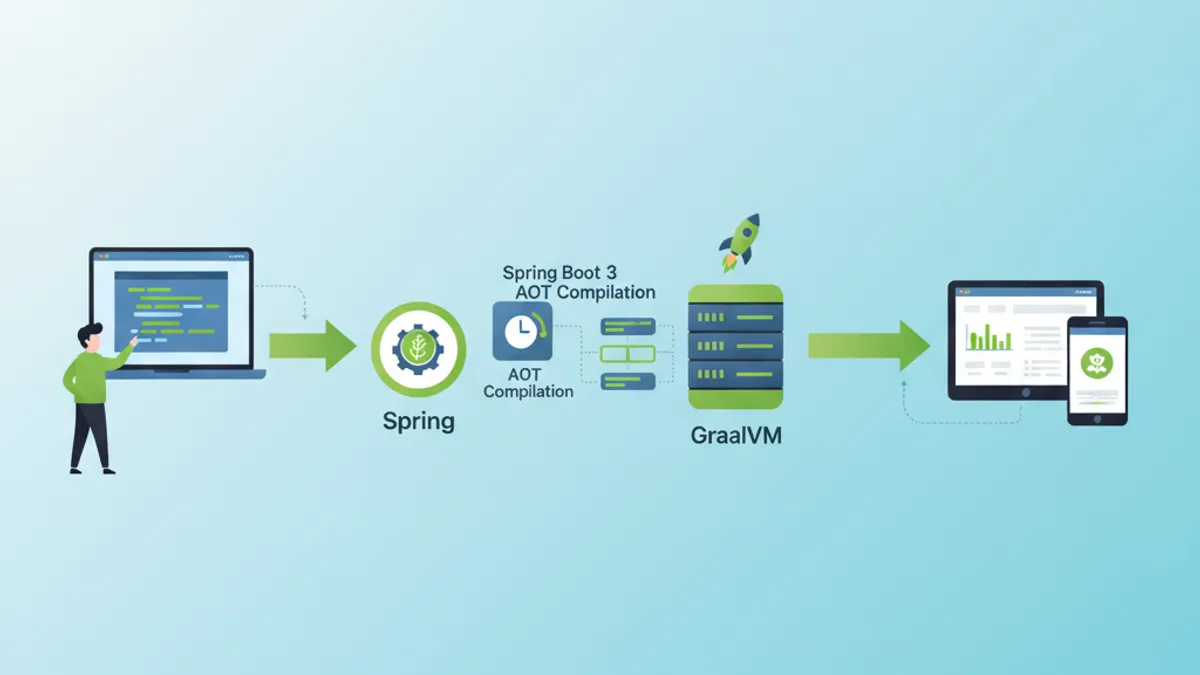
Kompilasi native dengan GraalVM mengubah aplikasi Spring Boot 3 menjadi file eksekusi native. Waktu startup berkurang dari hitungan detik menjadi milidetik, dan konsumsi memori turun drastis. Panduan ini mencakup setiap langkah, mulai dari konfigurasi AOT hingga deployment di lingkungan produksi.
GraalVM 22.3+ dengan Native Image terpasang, Spring Boot 3.2+, serta Maven atau Gradle. Kompilasi native membutuhkan RAM lebih besar (minimum 8 GB direkomendasikan) dan memakan waktu beberapa menit.
Memahami AOT dan kompilasi Native Image
Perbedaan antara JIT dan AOT
JVM tradisional menggunakan kompilasi Just-In-Time (JIT): bytecode diinterpretasikan lalu dikompilasi menjadi kode mesin saat runtime. GraalVM Native Image mengadopsi pendekatan Ahead-Of-Time (AOT): seluruh kode dikompilasi sebelum dijalankan.
┌─────────────────────────────────────────────────────────────┐
│                    JIT Compilation                          │
├─────────────────────────────────────────────────────────────┤
│                                                             │
│   .java → .class → JVM → Interpretation → JIT → Machine    │
│                           (runtime)        (runtime)        │
│                                                             │
│   Advantages: Adaptive optimizations, fast class loading   │
│   Disadvantages: Slow startup, high memory consumption     │
└─────────────────────────────────────────────────────────────┘

┌─────────────────────────────────────────────────────────────┐
│                    AOT Compilation                          │
├─────────────────────────────────────────────────────────────┤
│                                                             │
│   .java → .class → GraalVM Native Image → Native executable │
│                    (build time)                              │
│                                                             │
│   Advantages: Instant startup, low memory footprint         │
│   Disadvantages: Long build, no dynamic reflection          │
└─────────────────────────────────────────────────────────────┘
Kompilasi AOT menganalisis seluruh kode yang dapat dijangkau dari titik masuk secara statis. Setiap kode yang tidak terdeteksi pada saat build dikecualikan dari native image, sehingga muncul batasan terkait reflection dan dynamic class loading.
Arsitektur Spring AOT
Spring Boot 3 mengintegrasikan dukungan AOT secara native. Proses kompilasi menghasilkan kode sumber tambahan yang menggantikan mekanisme dinamis dengan padanan statis.
// Standard Spring configuration
@Configuration
@EnableCaching
public class ApplicationConfig {

    @Bean
    public CacheManager cacheManager() {
        // Bean created dynamically at runtime in JIT mode
        // Pre-generated statically in AOT mode
        return new ConcurrentMapCacheManager("users", "products");
    }

    @Bean
    @ConditionalOnProperty(name = "app.feature.enabled", havingValue = "true")
    public FeatureService featureService() {
        // Conditions are evaluated at build time in AOT
        return new FeatureServiceImpl();
    }
}
Proses Spring AOT secara otomatis menghasilkan file di target/spring-aot/main:
target/spring-aot/main/
├── sources/                    # Generated Java code
│   └── com/example/
│       └── ApplicationConfig__BeanDefinitions.java
├── resources/
│   └── META-INF/
│       └── native-image/
│           ├── reflect-config.json    # Reflection configuration
│           ├── resource-config.json   # Included resources
│           └── proxy-config.json      # JDK proxies
Konfigurasi proyek Spring Boot
Dependensi Maven
Konfigurasi Maven menggunakan plugin Spring Boot dengan profil native. Dependensi harus kompatibel dengan GraalVM.
<!-- pom.xml -->
<!-- Complete configuration for Spring Boot 3 Native -->
<?xml version="1.0" encoding="UTF-8"?>
<project xmlns="http://maven.apache.org/POM/4.0.0"
         xmlns:xsi="http://www.w3.org/2001/XMLSchema-instance"
         xsi:schemaLocation="http://maven.apache.org/POM/4.0.0
         https://maven.apache.org/xsd/maven-4.0.0.xsd">

    <modelVersion>4.0.0</modelVersion>

    <parent>
        <groupId>org.springframework.boot</groupId>
        <artifactId>spring-boot-starter-parent</artifactId>
        <version>3.4.2</version>
        <relativePath/>
    </parent>

    <groupId>com.example</groupId>
    <artifactId>native-demo</artifactId>
    <version>1.0.0</version>

    <properties>
        <java.version>21</java.version>
    </properties>

    <dependencies>
        <!-- Web starter with built-in native support -->
        <dependency>
            <groupId>org.springframework.boot</groupId>
            <artifactId>spring-boot-starter-web</artifactId>
        </dependency>

        <!-- JPA with native-compatible Hibernate 6 -->
        <dependency>
            <groupId>org.springframework.boot</groupId>
            <artifactId>spring-boot-starter-data-jpa</artifactId>
        </dependency>

        <!-- Native-compatible PostgreSQL driver -->
        <dependency>
            <groupId>org.postgresql</groupId>
            <artifactId>postgresql</artifactId>
            <scope>runtime</scope>
        </dependency>

        <!-- Validation with native hints -->
        <dependency>
            <groupId>org.springframework.boot</groupId>
            <artifactId>spring-boot-starter-validation</artifactId>
        </dependency>

        <!-- Tests with native support -->
        <dependency>
            <groupId>org.springframework.boot</groupId>
            <artifactId>spring-boot-starter-test</artifactId>
            <scope>test</scope>
        </dependency>
    </dependencies>

    <build>
        <plugins>
            <plugin>
                <groupId>org.springframework.boot</groupId>
                <artifactId>spring-boot-maven-plugin</artifactId>
            </plugin>

            <!-- GraalVM plugin for native compilation -->
            <plugin>
                <groupId>org.graalvm.buildtools</groupId>
                <artifactId>native-maven-plugin</artifactId>
            </plugin>
        </plugins>
    </build>

    <!-- Profile for native build -->
    <profiles>
        <profile>
            <id>native</id>
            <build>
                <plugins>
                    <plugin>
                        <groupId>org.graalvm.buildtools</groupId>
                        <artifactId>native-maven-plugin</artifactId>
                        <configuration>
                            <!-- Native build options -->
                            <buildArgs>
                                <!-- Size optimizations -->
                                <buildArg>-O2</buildArg>
                                <!-- Generate build report -->
                                <buildArg>--verbose</buildArg>
                                <!-- Enable HTTP/2 support -->
                                <buildArg>--enable-http</buildArg>
                                <buildArg>--enable-https</buildArg>
                            </buildArgs>
                            <!-- Memory for build -->
                            <jvmArgs>
                                <jvmArg>-Xmx8g</jvmArg>
                            </jvmArgs>
                        </configuration>
                    </plugin>
                </plugins>
            </build>
        </profile>
    </profiles>

</project>
Konfigurasi Gradle yang setara
Untuk proyek Gradle, konfigurasi native dilakukan dengan plugin GraalVM native dengan cara serupa.
// Gradle configuration for Spring Boot Native
plugins {
    java
    id("org.springframework.boot") version "3.4.2"
    id("io.spring.dependency-management") version "1.1.7"
    // GraalVM Native plugin
    id("org.graalvm.buildtools.native") version "0.10.4"
}

group = "com.example"
version = "1.0.0"

java {
    toolchain {
        languageVersion = JavaLanguageVersion.of(21)
    }
}

dependencies {
    implementation("org.springframework.boot:spring-boot-starter-web")
    implementation("org.springframework.boot:spring-boot-starter-data-jpa")
    runtimeOnly("org.postgresql:postgresql")
    testImplementation("org.springframework.boot:spring-boot-starter-test")
}

// Native build configuration
graalvmNative {
    binaries {
        named("main") {
            // Generated executable name
            imageName = "native-demo"

            // Compilation options
            buildArgs.addAll(
                "-O2",                    // Optimization level
                "--enable-http",          // HTTP support
                "--enable-https",         // HTTPS support
                "--verbose"               // Detailed logs
            )

            // Memory configuration for build
            jvmArgs.addAll("-Xmx8g")
        }

        named("test") {
            // Native tests with report
            buildArgs.add("--verbose")
        }
    }

    // Tracing agent for automatic discovery
    agent {
        defaultMode = "standard"
        enabled = true
    }
}

tasks.withType<Test> {
    useJUnitPlatform()
}Tracing agent (-agentlib:native-image-agent) menemukan panggilan reflection secara otomatis saat runtime. Jalankan aplikasi dengan agent, gunakan seluruh fitur, lalu manfaatkan file konfigurasi yang dihasilkan.
Mengelola reflection dan resource
Konfigurasi reflection manual
Beberapa pustaka memakai reflection dengan cara yang tidak dapat dideteksi oleh analisis statis. Konfigurasi manual menjadi keharusan.
// Configuration for classes requiring reflection
[
  {
    "name": "com.example.entity.User",
    "allDeclaredConstructors": true,
    "allDeclaredMethods": true,
    "allDeclaredFields": true
  },
  {
    "name": "com.example.dto.UserDTO",
    "allDeclaredConstructors": true,
    "allDeclaredMethods": true,
    "allDeclaredFields": true
  },
  {
    "name": "com.example.config.DynamicProperties",
    "methods": [
      { "name": "getValue", "parameterTypes": [] },
      { "name": "setValue", "parameterTypes": ["java.lang.String"] }
    ]
  }
]
Memanfaatkan Spring RuntimeHints
Spring Boot 3 menyediakan API programatik untuk mendeklarasikan native hints, lebih mudah dipelihara dibanding file JSON.
// Programmatic registration of native hints
@Configuration
@ImportRuntimeHints(NativeHintsRegistrar.AppRuntimeHints.class)
public class NativeHintsRegistrar {

    static class AppRuntimeHints implements RuntimeHintsRegistrar {

        @Override
        public void registerHints(RuntimeHints hints, ClassLoader classLoader) {
            // Register classes for reflection
            hints.reflection()
                // JPA entities with all members
                .registerType(User.class, MemberCategory.values())
                .registerType(Order.class, MemberCategory.values())
                // DTOs with constructors and getters/setters
                .registerType(UserDTO.class,
                    MemberCategory.INVOKE_DECLARED_CONSTRUCTORS,
                    MemberCategory.INVOKE_DECLARED_METHODS,
                    MemberCategory.DECLARED_FIELDS
                );

            // Register resources to include
            hints.resources()
                // Configuration files
                .registerPattern("application*.yml")
                .registerPattern("application*.properties")
                // Templates and static files
                .registerPattern("templates/*")
                .registerPattern("static/**/*")
                // Validation messages
                .registerPattern("ValidationMessages*.properties");

            // Register JDK proxies
            hints.proxies()
                .registerJdkProxy(
                    UserRepository.class,
                    Repository.class
                );

            // Serialization for caching
            hints.serialization()
                .registerType(User.class)
                .registerType(ArrayList.class);
        }
    }
}// Automatic hints for JPA entities
@Component
public class EntityRuntimeHints implements RuntimeHintsRegistrar {
@Override
public void registerHints(RuntimeHints hints, ClassLoader classLoader) {
// Automatic scan of entities in package
ClassPathScanningCandidateComponentProvider scanner =
new ClassPathScanningCandidateComponentProvider(false);
scanner.addIncludeFilter(new AnnotationTypeFilter(Entity.class));
for (BeanDefinition bd : scanner.findCandidateComponents("com.example.entity")) {
try {
Class<?> entityClass = Class.forName(bd.getBeanClassName());
// Register each entity for full reflection
hints.reflection().registerType(
entityClass,
MemberCategory.INVOKE_DECLARED_CONSTRUCTORS,
MemberCategory.INVOKE_DECLARED_METHODS,
MemberCategory.DECLARED_FIELDS
);
} catch (ClassNotFoundException e) {
// Log error without interrupting build
System.err.println("Entity class not found: " + bd.getBeanClassName());
}
}
}
}Siap menguasai wawancara Spring Boot Anda?
Berlatih dengan simulator interaktif, flashcards, dan tes teknis kami.
Kompilasi dan optimasi native image
Perintah build
Kompilasi native dilakukan dengan Maven atau Gradle. Proses memakan waktu beberapa menit dan menggunakan banyak resource.
# Maven build with native profile
# Generates executable in target/
mvn -Pnative native:compile

# Gradle build
# Generates executable in build/native/nativeCompile/
./gradlew nativeCompile

# Build with native tests included
mvn -Pnative native:compile -DskipTests=false

# Build with tracing agent enabled
mvn -Pnative -Dagent=true test
mvn -Pnative native:compile
Opsi optimasi lanjutan
Opsi kompilasi memengaruhi ukuran image, waktu startup, dan performa runtime.
<!-- pom.xml -->
<!-- Advanced native build configuration -->
<plugin>
    <groupId>org.graalvm.buildtools</groupId>
    <artifactId>native-maven-plugin</artifactId>
    <configuration>
        <buildArgs>
            <!-- Optimization level (0-3, default: 2) -->
            <buildArg>-O3</buildArg>

            <!-- Optimization for startup time -->
            <buildArg>--pgo-instrument</buildArg>

            <!-- Executable compression (reduces size) -->
            <buildArg>-H:+CompressStrings</buildArg>

            <!-- Optimal garbage collector for containers -->
            <buildArg>--gc=serial</buildArg>

            <!-- Build time initialization -->
            <buildArg>--initialize-at-build-time=org.slf4j</buildArg>

            <!-- Debug symbols (disable in prod) -->
            <buildArg>-H:-IncludeAllTimeZones</buildArg>

            <!-- Detailed build report -->
            <buildArg>-H:+ReportExceptionStackTraces</buildArg>
            <buildArg>--verbose</buildArg>

            <!-- Monitoring support -->
            <buildArg>--enable-monitoring=heapdump,jfr</buildArg>
        </buildArgs>

        <!-- Quickbuild for development (faster, less optimized) -->
        <quickBuild>false</quickBuild>

        <!-- Fallback to jar if native fails -->
        <fallback>false</fallback>
    </configuration>
</plugin>// Build time initialization to reduce startup
@Configuration
public class BuildTimeInitializer {
// These configurations are evaluated at build time
// not at runtime
static {
// Initialize loggers at build time
LoggerFactory.getLogger(BuildTimeInitializer.class);
}
@Bean
@NativeHint(options = "--initialize-at-build-time=com.example.Constants")
public ConstantsProvider constantsProvider() {
// Constants are computed once at build
return new ConstantsProvider();
}
}Perbandingan performa
Kenaikan performa dari kompilasi native sangat berarti.
┌─────────────────────────────────────────────────────────────────────┐
│                    JIT vs Native Comparison                         │
├─────────────────────┬─────────────────┬─────────────────────────────┤
│ Metric              │ JIT (JVM)       │ Native (GraalVM)            │
├─────────────────────┼─────────────────┼─────────────────────────────┤
│ Startup time        │ 2.5 - 5 sec     │ 50 - 200 ms                 │
│ RSS Memory          │ 200 - 400 MB    │ 50 - 100 MB                 │
│ Executable size     │ JAR ~30 MB      │ Binary ~80 MB               │
│ First request time  │ 100 - 500 ms    │ < 10 ms                     │
│ Peak throughput     │ Excellent       │ Good (85-95% of JIT)        │
│ Build time          │ 30 sec          │ 3 - 10 min                  │
└─────────────────────┴─────────────────┴─────────────────────────────┘Throughput maksimum di mode native dapat sedikit lebih rendah dibandingkan mode JIT karena optimasi adaptif JIT tidak tersedia. Untuk beban dengan performa tinggi yang berkesinambungan, lakukan evaluasi pada kedua mode.
Mengatasi masalah umum
Kesalahan reflection
Kesalahan paling sering muncul karena reflection yang tidak dideklarasikan. Exception menunjukkan kelas yang hilang.
// Diagnosing and resolving reflection errors
@Component
@Slf4j
public class ReflectionErrorHandler {

    // Typical error:
    // java.lang.ClassNotFoundException: com.example.SomeClass
    // when accessing via reflection

    // Solution 1: Add manual configuration
    // src/main/resources/META-INF/native-image/reflect-config.json

    // Solution 2: Use @RegisterReflection annotation
    @RegisterReflection(classes = {
        SomeClass.class,
        AnotherClass.class
    })
    public void configureReflection() {
        // Annotated classes will be available for reflection
    }

    // Solution 3: Programmatic RuntimeHints
    public void registerHints(RuntimeHints hints) {
        hints.reflection().registerType(
            SomeClass.class,
            MemberCategory.INVOKE_DECLARED_CONSTRUCTORS,
            MemberCategory.INVOKE_DECLARED_METHODS
        );
    }
}
Resource yang hilang
File resource harus dideklarasikan secara eksplisit agar masuk ke dalam native image.
// Configuration for resources to include
{
  "resources": {
    "includes": [
      {"pattern": "application\\.yml"},
      {"pattern": "application-.*\\.yml"},
      {"pattern": "messages.*\\.properties"},
      {"pattern": "templates/.*\\.html"},
      {"pattern": "static/.*"},
      {"pattern": "db/migration/.*\\.sql"}
    ],
    "excludes": [
      {"pattern": ".*\\.java"},
      {"pattern": ".*\\.class"}
    ]
  },
  "bundles": [
    {"name": "messages"},
    {"name": "ValidationMessages"}
  ]
}// Programmatic resource configuration
@Configuration
@ImportRuntimeHints(ResourceHintsConfig.ResourceHints.class)
public class ResourceHintsConfig {
static class ResourceHints implements RuntimeHintsRegistrar {
@Override
public void registerHints(RuntimeHints hints, ClassLoader classLoader) {
// YAML/Properties files
hints.resources()
.registerPattern("application*.yml")
.registerPattern("application*.properties");
// Thymeleaf templates
hints.resources().registerPattern("templates/**");
// Flyway SQL scripts
hints.resources().registerPattern("db/migration/*.sql");
// Static files
hints.resources().registerPattern("static/**");
// Message bundles
hints.resources().registerResourceBundle("messages");
hints.resources().registerResourceBundle("ValidationMessages");
}
}
}Masalah pada proxy
Proxy JDK dan CGLIB membutuhkan konfigurasi khusus agar dapat berjalan di mode native.
// Managing proxies for native compilation
@Configuration
public class ProxyConfiguration implements RuntimeHintsRegistrar {

    @Override
    public void registerHints(RuntimeHints hints, ClassLoader classLoader) {
        // JDK proxies for Spring Data interfaces
        hints.proxies().registerJdkProxy(
            UserRepository.class,
            Repository.class,
            CrudRepository.class
        );

        // Proxies for service interfaces
        hints.proxies().registerJdkProxy(
            PaymentService.class,
            TransactionalService.class
        );
    }

    // Alternative: force CGLIB proxies
    @Bean
    public BeanFactoryPostProcessor forceProxyTargetClass() {
        return beanFactory -> {
            // Use CGLIB instead of JDK proxies
            // More compatible with native compilation
        };
    }
}
Deployment Docker dan Kubernetes
Dockerfile multi-stage yang dioptimalkan
Build multi-stage memisahkan kompilasi dari eksekusi sehingga menghasilkan image yang minimal.
# Dockerfile
# Multi-stage build for Spring Boot Native
# Stage 1: Build with GraalVM
FROM ghcr.io/graalvm/graalvm-community:21 AS builder
# Install Native Image
RUN gu install native-image
WORKDIR /app
# Copy build files
COPY pom.xml .
COPY src ./src
# Install Maven
RUN microdnf install -y maven
# Native build with dependency caching
RUN \
mvn -Pnative native:compile -DskipTests
# Stage 2: Minimal runtime image
FROM gcr.io/distroless/base-debian12
WORKDIR /app
# Copy native executable
COPY /app/target/native-demo /app/native-demo
# Exposed port
EXPOSE 8080
# Healthcheck
HEALTHCHECK \
CMD ["/app/native-demo", "--health"]
# Execution
ENTRYPOINT ["/app/native-demo"]# Dockerfile.alpine
# Alternative with Alpine for even smaller image
FROM ghcr.io/graalvm/native-image-community:21-muslib AS builder
WORKDIR /app
COPY pom.xml .
COPY src ./src
RUN \
mvn -Pnative native:compile \
-Dspring-boot.aot.jvmArguments="-Dspring.aot.processing.resource.matching.strategy=GLOB" \
-DskipTests
# Minimal Alpine image (< 20 MB)
FROM alpine:3.19
RUN apk add --no-cache libc6-compat
WORKDIR /app
COPY /app/target/native-demo /app/native-demo
EXPOSE 8080
ENTRYPOINT ["/app/native-demo"]Deployment Kubernetes dengan resource yang dioptimalkan
Aplikasi native membutuhkan lebih sedikit resource dibanding aplikasi JVM tradisional.
# kubernetes/deployment.yaml
# Optimized Kubernetes deployment for native
apiVersion: apps/v1
kind: Deployment
metadata:
  name: native-demo
spec:
  replicas: 3
  selector:
    matchLabels:
      app: native-demo
  template:
    metadata:
      labels:
        app: native-demo
    spec:
      containers:
        - name: native-demo
          image: registry.example.com/native-demo:1.0.0
          ports:
            - containerPort: 8080

          # Reduced resources thanks to native
          resources:
            requests:
              memory: "64Mi"    # vs 256Mi for JVM
              cpu: "50m"        # vs 200m for JVM
            limits:
              memory: "128Mi"   # vs 512Mi for JVM
              cpu: "200m"       # vs 500m for JVM

          # Fast probes (instant startup)
          readinessProbe:
            httpGet:
              path: /actuator/health/readiness
              port: 8080
            initialDelaySeconds: 1    # vs 30s for JVM
            periodSeconds: 5
            failureThreshold: 3

          livenessProbe:
            httpGet:
              path: /actuator/health/liveness
              port: 8080
            initialDelaySeconds: 2    # vs 60s for JVM
            periodSeconds: 10
            failureThreshold: 3

          # Environment variables
          env:
            - name: SPRING_PROFILES_ACTIVE
              value: "production"
            - name: JAVA_TOOL_OPTIONS
              value: ""  # No JVM options needed

---
apiVersion: v1
kind: Service
metadata:
  name: native-demo
spec:
  selector:
    app: native-demo
  ports:
    - port: 80
      targetPort: 8080
  type: ClusterIP

---
apiVersion: autoscaling/v2
kind: HorizontalPodAutoscaler
metadata:
  name: native-demo-hpa
spec:
  scaleTargetRef:
    apiVersion: apps/v1
    kind: Deployment
    name: native-demo
  minReplicas: 2
  maxReplicas: 10
  metrics:
    - type: Resource
      resource:
        name: cpu
        target:
          type: Utilization
averageUtilization: 70Waktu startup yang instan memungkinkan scaling horizontal sangat cepat. Pod baru siap dalam hitungan detik, ideal untuk beban dengan lonjakan trafik.
Pengujian dan validasi native image
Konfigurasi pengujian native
Pengujian dapat dikompilasi dan dijalankan dalam mode native untuk memvalidasi perilaku.
// Integration tests for native validation
@SpringBootTest(webEnvironment = SpringBootTest.WebEnvironment.RANDOM_PORT)
@TestPropertySource(properties = {
    "spring.datasource.url=jdbc:h2:mem:testdb",
    "spring.jpa.hibernate.ddl-auto=create-drop"
})
class NativeIntegrationTest {

    @Autowired
    private TestRestTemplate restTemplate;

    @Autowired
    private UserRepository userRepository;

    @Test
    void shouldCreateAndRetrieveUser() {
        // Arrange: create a user
        UserDTO request = new UserDTO("John", "john@example.com");

        // Act: API call
        ResponseEntity<UserDTO> createResponse = restTemplate.postForEntity(
            "/api/users",
            request,
            UserDTO.class
        );

        // Assert: verify creation
        assertThat(createResponse.getStatusCode()).isEqualTo(HttpStatus.CREATED);
        assertThat(createResponse.getBody()).isNotNull();
        assertThat(createResponse.getBody().getName()).isEqualTo("John");

        // Verify retrieval
        Long userId = createResponse.getBody().getId();
        ResponseEntity<UserDTO> getResponse = restTemplate.getForEntity(
            "/api/users/{id}",
            UserDTO.class,
            userId
        );

        assertThat(getResponse.getStatusCode()).isEqualTo(HttpStatus.OK);
        assertThat(getResponse.getBody().getEmail()).isEqualTo("john@example.com");
    }

    @Test
    void shouldHandleReflectionCorrectly() {
        // Specific test to validate reflection configuration
        User user = new User();
        user.setName("Test");
        user.setEmail("test@example.com");

        // ORM uses reflection to map entities
        User saved = userRepository.save(user);

        assertThat(saved.getId()).isNotNull();
        assertThat(userRepository.findById(saved.getId())).isPresent();
    }
}<!-- pom.xml -->
<!-- Native tests configuration -->
<plugin>
<groupId>org.graalvm.buildtools</groupId>
<artifactId>native-maven-plugin</artifactId>
<configuration>
<testArgs>
<!-- Include tests in native build -->
<testArg>--verbose</testArg>
</testArgs>
</configuration>
<executions>
<execution>
<id>test-native</id>
<goals>
<goal>test</goal>
</goals>
<phase>test</phase>
</execution>
</executions>
</plugin>Siap menguasai wawancara Spring Boot Anda?
Berlatih dengan simulator interaktif, flashcards, dan tes teknis kami.
Kesimpulan
Kompilasi native dengan GraalVM mengubah aplikasi Spring Boot 3 menjadi file eksekusi berkinerja tinggi. Poin penting:
Konfigurasi proyek:
- ✅ Spring Boot 3.2+ dengan plugin GraalVM native
- ✅ RuntimeHints untuk reflection dan resource
- ✅ Tracing agent untuk pendeteksian otomatis
Optimasi build:
- ✅ Opsi kompilasi yang sesuai (O2/O3, GC, kompresi)
- ✅ Inisialisasi pada build time untuk komponen statis
- ✅ Quickbuild untuk pengembangan, build penuh untuk produksi
Pemecahan masalah:
- ✅ Konfigurasi reflection eksplisit untuk pustaka pihak ketiga
- ✅ Deklarasi resource yang harus disertakan
- ✅ Pengelolaan proxy JDK dan CGLIB
Deployment:
- ✅ Image Docker multi-stage berbasis distroless
- ✅ Resource Kubernetes lebih hemat (64 Mi vs 256 Mi)
- ✅ Probe dengan delay minimum (startup instan)
Kompilasi native ideal untuk microservices, fungsi serverless, dan lingkungan dengan resource terbatas. Startup instan dan konsumsi memori rendah jauh melebihi kompensasi untuk waktu build yang lebih lama.
Mulai berlatih!
Uji pengetahuan Anda dengan simulator wawancara dan tes teknis kami.
Bisakah kamu menemukan bug di Spring Boot?
Satu potongan kode nyata, satu bug tersembunyi, satu percobaan per hari. Tanpa akun untuk mencoba.

Ditulis oleh
Anthony Fillion-MailletPendiri SharpSkill
Developer fullstack selama lebih dari 10 tahun. Ia menjalankan SharpSkill dan bertanggung jawab atas semua yang diterbitkan di sini.
Diperbarui 1 Mei 2026
Tag
Bagikan
Artikel terkait

Observability Spring Boot 2026: OpenTelemetry, Distributed Tracing, dan Pertanyaan Interview
Pelajari observability Spring Boot dengan OpenTelemetry dan Micrometer Tracing. Panduan lengkap konfigurasi distributed tracing, Observation API, ekspor OTLP, serta persiapan interview teknis.

Spring Boot YAML vs Properties: Perbandingan Konfigurasi dan Pertanyaan Interview 2026
Panduan lengkap membandingkan format konfigurasi YAML dan Properties di Spring Boot, termasuk praktik terbaik dan pertanyaan interview yang sering muncul.

Spring Boot Structured Logging 2026: Log JSON untuk Produksi dengan Logback dan OpenTelemetry
Panduan lengkap structured logging Spring Boot 4.x. Dukungan JSON native, OpenTelemetry starter, MDC tracing, dan integrasi ELK Stack untuk observability produksi.