Vision Framework dan CoreML: pertanyaan wawancara iOS tentang ML on-device
Persiapkan wawancara iOS dengan pertanyaan penting tentang Vision Framework dan CoreML: pengenalan gambar, deteksi objek, dan ML on-device.
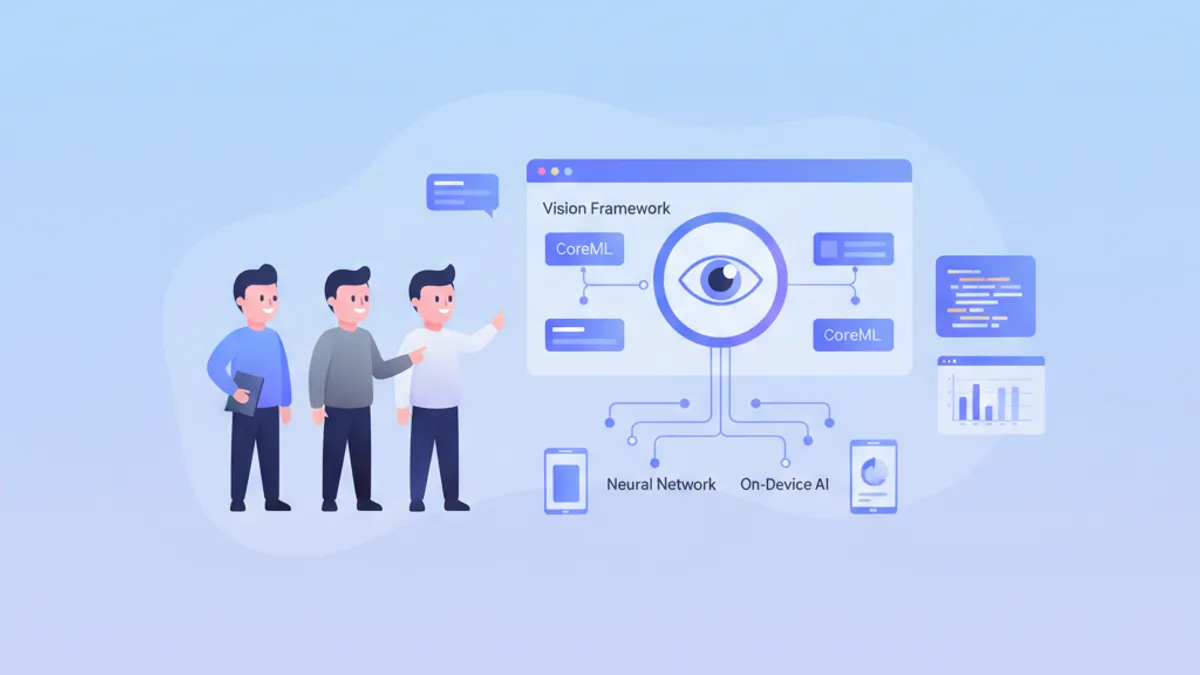
Machine learning on-device merupakan keunggulan kompetitif yang penting bagi aplikasi iOS modern. Vision Framework dan CoreML memungkinkan menjalankan model langsung di perangkat, menjamin privasi data dan kinerja real-time. Pertanyaan wawancara ini mencakup konsep penting yang harus dikuasai oleh setiap pengembang iOS senior.
Pertanyaan diorganisir berdasarkan tema: dasar-dasar CoreML, Vision Framework, optimasi kinerja, dan kasus praktis. Setiap jawaban menyertakan kode Swift modern dan penjelasan terperinci.
Dasar-dasar CoreML
1. Apa itu CoreML dan apa kelebihannya?
CoreML adalah framework Apple untuk mengintegrasikan model machine learning ke aplikasi iOS, macOS, watchOS, dan tvOS. Framework ini secara otomatis mengoptimalkan model untuk perangkat keras Apple (CPU, GPU, Neural Engine) dan menjamin eksekusi on-device tanpa koneksi jaringan.
Kelebihan utamanya meliputi privasi data (tidak ada data yang keluar dari perangkat), latensi rendah (tanpa round-trip jaringan), dan optimasi otomatis untuk Neural Engine pada chip Apple Silicon.
import CoreML

// Loading a compiled CoreML model (.mlmodelc)
class ImageClassifier {
    // Model is compiled at build time to optimize loading
    private let model: VNCoreMLModel

    init() throws {
        // Configuration to use Neural Engine if available
        let config = MLModelConfiguration()
        config.computeUnits = .all  // CPU + GPU + Neural Engine

        // Load model with custom configuration
        let mlModel = try MobileNetV2(configuration: config).model
        model = try VNCoreMLModel(for: mlModel)
    }

    // Method to classify an image
    func classify(image: CGImage) async throws -> [(String, Float)] {
        // Create Vision request with CoreML model
        let request = VNCoreMLRequest(model: model)
        request.imageCropAndScaleOption = .centerCrop

        // Handler to process the image
        let handler = VNImageRequestHandler(cgImage: image, options: [:])
        try handler.perform([request])

        // Extract results
        guard let results = request.results as? [VNClassificationObservation] else {
            return []
        }

        // Return top 5 predictions with confidence
        return results.prefix(5).map { ($0.identifier, $0.confidence) }
    }
}
2. Bagaimana cara mengonversi model TensorFlow atau PyTorch ke CoreML?
Konversi menggunakan coremltools, paket Python resmi dari Apple. Paket ini mendukung TensorFlow, PyTorch, ONNX, dan format populer lainnya. Konversi dapat mencakup optimasi seperti kuantisasi untuk mengurangi ukuran model.
# convert_model.py
import coremltools as ct
import torch

# Conversion from PyTorch
class MyClassifier(torch.nn.Module):
    def __init__(self):
        super().__init__()
        self.conv = torch.nn.Conv2d(3, 64, 3)
        self.fc = torch.nn.Linear(64, 10)

    def forward(self, x):
        x = self.conv(x)
        x = x.mean([2, 3])  # Global average pooling
        return self.fc(x)

# Example input for tracing
example_input = torch.rand(1, 3, 224, 224)

# Trace the PyTorch model
traced_model = torch.jit.trace(MyClassifier(), example_input)

# Convert to CoreML with metadata
mlmodel = ct.convert(
    traced_model,
    inputs=[ct.ImageType(name="image", shape=(1, 3, 224, 224))],
    classifier_config=ct.ClassifierConfig(["cat", "dog", "bird"]),
    minimum_deployment_target=ct.target.iOS17
)

# Save model with compression
mlmodel.save("MyClassifier.mlpackage")
Model .mlpackage kemudian dapat ditambahkan langsung ke proyek Xcode, yang secara otomatis menghasilkan kelas Swift bertipe.
3. Apa perbedaan antara MLModel dan VNCoreMLModel?
MLModel adalah kelas dasar CoreML untuk memuat dan menjalankan model ML. VNCoreMLModel adalah wrapper yang memungkinkan penggunaan model CoreML dengan Vision Framework, menyediakan preprocessing gambar otomatis dan integrasi dengan pipeline Vision.
import CoreML
import Vision

// Direct MLModel usage (low level)
func predictWithMLModel(features: MLFeatureProvider) async throws -> String {
    let config = MLModelConfiguration()
    let model = try MyModel(configuration: config)

    // Direct prediction with feature provider
    let prediction = try model.prediction(from: features)

    // Manual output access
    guard let output = prediction.featureValue(for: "classLabel")?.stringValue else {
        throw PredictionError.invalidOutput
    }
    return output
}

// Usage with VNCoreMLModel (high level, recommended for images)
func predictWithVision(image: CGImage) async throws -> [VNClassificationObservation] {
    let config = MLModelConfiguration()
    let mlModel = try MyModel(configuration: config).model

    // Wrapper for use with Vision
    let visionModel = try VNCoreMLModel(for: mlModel)

    // Vision automatically handles resizing and preprocessing
    let request = VNCoreMLRequest(model: visionModel)
    request.imageCropAndScaleOption = .scaleFill

    let handler = VNImageRequestHandler(cgImage: image)
    try handler.perform([request])

    return request.results as? [VNClassificationObservation] ?? []
}MLModel langsung untuk data tabular atau input non-gambar. VNCoreMLModel untuk semua hal yang berkaitan dengan gambar, karena Vision menangani konversi format dan preprocessing secara otomatis.
4. Bagaimana cara menangani versi iOS yang berbeda dengan CoreML?
CoreML berkembang dengan setiap versi iOS. Penting untuk menentukan deployment target minimum saat konversi dan menangani fitur yang tidak tersedia pada versi lama.
import CoreML

class AdaptiveMLManager {
    // Check model capabilities based on iOS version
    func loadOptimalModel() throws -> MLModel {
        let config = MLModelConfiguration()

        // iOS 17+: Optimized Neural Engine with compute budget
        if #available(iOS 17, *) {
            config.computeUnits = .cpuAndNeuralEngine
            // New in iOS 17: compute power limit
            config.allowLowPrecisionAccumulationOnGPU = true
            return try AdvancedModel(configuration: config).model
        }
        // iOS 16: Enhanced GPU support
        else if #available(iOS 16, *) {
            config.computeUnits = .all
            return try StandardModel(configuration: config).model
        }
        // iOS 15: CPU only fallback for reliability
        else {
            config.computeUnits = .cpuOnly
            return try LegacyModel(configuration: config).model
        }
    }

    // Check if Neural Engine is available
    var hasNeuralEngine: Bool {
        if #available(iOS 16, *) {
            // Devices with A11+ have Neural Engine
            var sysinfo = utsname()
            uname(&sysinfo)
            let machine = String(bytes: Data(bytes: &sysinfo.machine,
                count: Int(_SYS_NAMELEN)), encoding: .ascii)?
                .trimmingCharacters(in: .controlCharacters) ?? ""

            // iPhone X and later have Neural Engine
            return machine.contains("iPhone10") ||
                   machine.hasPrefix("iPhone1") && machine.count > 7
        }
        return false
    }
}
Vision Framework
5. Jenis request apa yang didukung oleh Vision Framework?
Vision Framework menawarkan berbagai jenis request untuk analisis gambar. Kategori utama meliputi deteksi wajah, pengenalan teks (OCR), deteksi objek, pelacakan objek pada video, dan analisis kemiripan gambar.
import Vision

class VisionAnalyzer {
    // Face detection with landmarks
    func detectFaces(in image: CGImage) async throws -> [VNFaceObservation] {
        let request = VNDetectFaceLandmarksRequest()
        request.revision = VNDetectFaceLandmarksRequestRevision3

        let handler = VNImageRequestHandler(cgImage: image)
        try handler.perform([request])

        return request.results ?? []
    }

    // Text recognition (OCR)
    func recognizeText(in image: CGImage) async throws -> [String] {
        let request = VNRecognizeTextRequest()
        request.recognitionLevel = .accurate  // .fast for real-time
        request.recognitionLanguages = ["en-US", "fr-FR"]
        request.usesLanguageCorrection = true

        let handler = VNImageRequestHandler(cgImage: image)
        try handler.perform([request])

        return request.results?.compactMap { observation in
            observation.topCandidates(1).first?.string
        } ?? []
    }

    // Object detection and classification
    func detectObjects(in image: CGImage) async throws -> [VNRecognizedObjectObservation] {
        // Use a CoreML model for detection
        let config = MLModelConfiguration()
        let detector = try YOLOv8(configuration: config)
        let visionModel = try VNCoreMLModel(for: detector.model)

        let request = VNCoreMLRequest(model: visionModel)
        request.imageCropAndScaleOption = .scaleFill

        let handler = VNImageRequestHandler(cgImage: image)
        try handler.perform([request])

        return request.results as? [VNRecognizedObjectObservation] ?? []
    }

    // Compute similarity between images
    func computeSimilarity(image1: CGImage, image2: CGImage) async throws -> Float {
        // Generate feature prints for both images
        let request = VNGenerateImageFeaturePrintRequest()

        let handler1 = VNImageRequestHandler(cgImage: image1)
        try handler1.perform([request])
        guard let print1 = request.results?.first else { throw VisionError.noResults }

        let handler2 = VNImageRequestHandler(cgImage: image2)
        try handler2.perform([request])
        guard let print2 = request.results?.first else { throw VisionError.noResults }

        // Compute distance between embeddings
        var distance: Float = 0
        try print1.computeDistance(&distance, to: print2)

        // Convert distance to similarity score (0-1)
        return 1.0 / (1.0 + distance)
    }
}
6. Bagaimana cara mengimplementasikan pelacakan objek real-time dengan Vision?
Pelacakan objek menggunakan VNTrackObjectRequest untuk melacak objek yang terdeteksi melalui frame video. Inisialisasi dilakukan dengan observation deteksi, kemudian frame berikutnya menggunakan request yang sama untuk pelacakan.
import Vision
import AVFoundation

class ObjectTracker: NSObject {
    private var trackingRequest: VNTrackObjectRequest?
    private let sequenceHandler = VNSequenceRequestHandler()

    // Callback to notify position updates
    var onTrackingUpdate: ((CGRect) -> Void)?
    var onTrackingLost: (() -> Void)?

    // Initialize tracking with an initial detection
    func startTracking(observation: VNDetectedObjectObservation) {
        // Create tracking request from observation
        trackingRequest = VNTrackObjectRequest(
            detectedObjectObservation: observation
        ) { [weak self] request, error in
            self?.handleTrackingResult(request: request, error: error)
        }

        // Configure tracking
        trackingRequest?.trackingLevel = .accurate  // .fast for 60fps
    }

    // Process each new video frame
    func processFrame(_ pixelBuffer: CVPixelBuffer) {
        guard let request = trackingRequest else { return }

        do {
            // Sequence handler maintains context between frames
            try sequenceHandler.perform([request], on: pixelBuffer)
        } catch {
            onTrackingLost?()
            trackingRequest = nil
        }
    }

    private func handleTrackingResult(request: VNRequest, error: Error?) {
        guard let result = request.results?.first as? VNDetectedObjectObservation else {
            onTrackingLost?()
            return
        }

        // Check tracking confidence
        if result.confidence < 0.3 {
            onTrackingLost?()
            trackingRequest = nil
            return
        }

        // Update request for next frame
        trackingRequest = VNTrackObjectRequest(detectedObjectObservation: result) {
            [weak self] request, error in
            self?.handleTrackingResult(request: request, error: error)
        }

        // Notify new position (normalized coordinates)
        DispatchQueue.main.async { [weak self] in
            self?.onTrackingUpdate?(result.boundingBox)
        }
    }
}

// Integration with AVCaptureSession
extension ObjectTracker: AVCaptureVideoDataOutputSampleBufferDelegate {
    func captureOutput(
        _ output: AVCaptureOutput,
        didOutput sampleBuffer: CMSampleBuffer,
        from connection: AVCaptureConnection
    ) {
        guard let pixelBuffer = CMSampleBufferGetImageBuffer(sampleBuffer) else {
            return
        }
        processFrame(pixelBuffer)
    }
}
Siap menguasai wawancara iOS Anda?
Berlatih dengan simulator interaktif, flashcards, dan tes teknis kami.
7. Bagaimana cara mengoptimalkan kinerja Vision untuk pemrosesan real-time?
Optimasi melibatkan beberapa teknik: menggunakan tingkat pengenalan yang sesuai, memproses frame pada queue khusus, dan membatasi request bersamaan. Pilihan antara akurasi dan kecepatan bergantung pada use case.
import Vision
import AVFoundation

class OptimizedVisionPipeline {
    // Dedicated queue for Vision processing (avoids main thread)
    private let processingQueue = DispatchQueue(
        label: "com.app.vision",
        qos: .userInteractive,
        attributes: .concurrent
    )

    // Limit number of simultaneously processed frames
    private let semaphore = DispatchSemaphore(value: 2)

    // Reuse requests to avoid allocations
    private lazy var textRequest: VNRecognizeTextRequest = {
        let request = VNRecognizeTextRequest()
        request.recognitionLevel = .fast  // .accurate if precision > speed
        request.usesLanguageCorrection = false  // Disable for +20% perf
        request.minimumTextHeight = 0.05  // Ignore text too small
        return request
    }()

    // Reuse sequence handler for tracking
    private let sequenceHandler = VNSequenceRequestHandler()

    // Optimized frame processing
    func processFrame(_ pixelBuffer: CVPixelBuffer) {
        // Skip if pipeline is saturated
        guard semaphore.wait(timeout: .now()) == .success else {
            return  // Drop frame rather than block
        }

        processingQueue.async { [weak self] in
            defer { self?.semaphore.signal() }

            guard let self = self else { return }

            do {
                // Use sequence handler for better performance
                try self.sequenceHandler.perform(
                    [self.textRequest],
                    on: pixelBuffer,
                    orientation: .up
                )

                // Process results
                if let results = self.textRequest.results {
                    self.handleResults(results)
                }
            } catch {
                print("Vision error: \(error)")
            }
        }
    }

    // Batch processing for static images
    func processImages(_ images: [CGImage]) async throws -> [[VNObservation]] {
        // Parallel processing with TaskGroup
        try await withThrowingTaskGroup(of: (Int, [VNObservation]).self) { group in
            for (index, image) in images.enumerated() {
                group.addTask {
                    let handler = VNImageRequestHandler(cgImage: image)
                    let request = VNDetectFaceRectanglesRequest()
                    try handler.perform([request])
                    return (index, request.results ?? [])
                }
            }

            // Collect results in original order
            var results = [[VNObservation]](repeating: [], count: images.count)
            for try await (index, observations) in group {
                results[index] = observations
            }
            return results
        }
    }

    private func handleResults(_ results: [VNRecognizedTextObservation]) {
        // Async processing of results
    }
}
8. Bagaimana cara mengimplementasikan deteksi pose manusia dengan Vision?
Vision Framework iOS 14+ menyediakan VNDetectHumanBodyPoseRequest untuk mendeteksi sendi tubuh. Fitur ini digunakan untuk aplikasi kebugaran, game AR, dan analisis gerakan.
import Vision

struct DetectedPose {
    let joints: [VNHumanBodyPoseObservation.JointName: CGPoint]
    let confidence: Float

    // Calculate angle between three joints
    func angleBetween(
        _ joint1: VNHumanBodyPoseObservation.JointName,
        _ joint2: VNHumanBodyPoseObservation.JointName,
        _ joint3: VNHumanBodyPoseObservation.JointName
    ) -> Double? {
        guard let p1 = joints[joint1],
              let p2 = joints[joint2],
              let p3 = joints[joint3] else { return nil }

        let v1 = CGVector(dx: p1.x - p2.x, dy: p1.y - p2.y)
        let v2 = CGVector(dx: p3.x - p2.x, dy: p3.y - p2.y)

        let dot = v1.dx * v2.dx + v1.dy * v2.dy
        let mag1 = sqrt(v1.dx * v1.dx + v1.dy * v1.dy)
        let mag2 = sqrt(v2.dx * v2.dx + v2.dy * v2.dy)

        return acos(dot / (mag1 * mag2)) * 180 / .pi
    }
}

class PoseDetector {
    private let request = VNDetectHumanBodyPoseRequest()

    func detectPose(in image: CGImage) async throws -> DetectedPose? {
        let handler = VNImageRequestHandler(cgImage: image)
        try handler.perform([request])

        guard let observation = request.results?.first else { return nil }

        // Extract all detected joints
        var joints: [VNHumanBodyPoseObservation.JointName: CGPoint] = [:]

        // List of main joints
        let jointNames: [VNHumanBodyPoseObservation.JointName] = [
            .nose, .neck,
            .leftShoulder, .rightShoulder,
            .leftElbow, .rightElbow,
            .leftWrist, .rightWrist,
            .leftHip, .rightHip,
            .leftKnee, .rightKnee,
            .leftAnkle, .rightAnkle
        ]

        for jointName in jointNames {
            if let point = try? observation.recognizedPoint(jointName),
               point.confidence > 0.3 {
                // Convert normalized coordinates to points
                joints[jointName] = CGPoint(x: point.x, y: point.y)
            }
        }

        return DetectedPose(
            joints: joints,
            confidence: observation.confidence
        )
    }

    // Detect if person is doing a squat
    func isSquatting(pose: DetectedPose) -> Bool {
        guard let kneeAngle = pose.angleBetween(
            .leftHip, .leftKnee, .leftAnkle
        ) else { return false }

        // A squat typically has knee angle < 100°
        return kneeAngle < 100
    }
}
Optimasi dan produksi
9. Bagaimana cara mengkuantisasi model CoreML untuk mengurangi ukurannya?
Kuantisasi mengurangi presisi bobot (dari Float32 ke Float16 atau Int8) untuk mengurangi ukuran model dan mempercepat inferensi. Trade-off-nya adalah sedikit kehilangan presisi.
# quantize_model.py
import coremltools as ct
from coremltools.models.neural_network import quantization_utils

# Load existing model
model = ct.models.MLModel("MyModel.mlpackage")

# Float16 quantization (recommended, good size/precision balance)
model_fp16 = ct.models.neural_network.quantization_utils.quantize_weights(
    model,
    nbits=16,
    quantization_mode="linear"
)
model_fp16.save("MyModel_FP16.mlpackage")

# Int8 quantization (smallest size, possible precision loss)
# Requires calibration dataset for best results
def calibration_data():
    import numpy as np
    for _ in range(100):
        yield {"image": np.random.rand(1, 3, 224, 224).astype(np.float32)}

model_int8 = ct.compression_utils.affine_quantize_weights(
    model,
    mode="linear_symmetric",
    dtype=ct.converters.mil.mil.types.int8
)
model_int8.save("MyModel_INT8.mlpackage")import CoreML
class ModelBenchmark {
// Compare performance of different versions
func benchmark() async throws {
let configs: [(String, URL)] = [
("Full Precision", Bundle.main.url(forResource: "Model", withExtension: "mlmodelc")!),
("Float16", Bundle.main.url(forResource: "Model_FP16", withExtension: "mlmodelc")!),
("Int8", Bundle.main.url(forResource: "Model_INT8", withExtension: "mlmodelc")!)
]
for (name, url) in configs {
let model = try MLModel(contentsOf: url)
// Measure average inference time over 100 iterations
let startTime = CFAbsoluteTimeGetCurrent()
for _ in 0..<100 {
let input = try prepareInput()
_ = try model.prediction(from: input)
}
let elapsed = CFAbsoluteTimeGetCurrent() - startTime
// Model size
let size = try FileManager.default.attributesOfItem(atPath: url.path)[.size] as? Int ?? 0
print("\(name): \(elapsed/100*1000)ms/inference, \(size/1024/1024)MB")
}
}
private func prepareInput() throws -> MLFeatureProvider {
// Prepare test input
fatalError("Implement based on model requirements")
}
}10. Bagaimana cara mengelola memori saat memproses gambar besar?
Memproses gambar resolusi tinggi dapat menyebabkan lonjakan memori. Tekniknya meliputi downsampling cerdas, pemrosesan per tile, dan pelepasan resource yang proaktif.
import Vision
import CoreImage

class MemoryEfficientProcessor {
    // Reusable CoreImage context to avoid allocations
    private let ciContext = CIContext(options: [
        .useSoftwareRenderer: false,
        .cacheIntermediates: false  // Reduces memory usage
    ])

    // Smart downsampling of large images
    func downsampleImage(at url: URL, to maxDimension: CGFloat) -> CGImage? {
        // Options for downsampling at read time (avoids loading full image)
        let options: [CFString: Any] = [
            kCGImageSourceCreateThumbnailFromImageAlways: true,
            kCGImageSourceThumbnailMaxPixelSize: maxDimension,
            kCGImageSourceCreateThumbnailWithTransform: true,
            kCGImageSourceShouldCacheImmediately: false
        ]

        guard let source = CGImageSourceCreateWithURL(url as CFURL, nil),
              let image = CGImageSourceCreateThumbnailAtIndex(source, 0, options as CFDictionary) else {
            return nil
        }

        return image
    }

    // Tile processing for very large images
    func processByTiles(
        image: CGImage,
        tileSize: CGSize,
        processor: (CGImage) throws -> [VNObservation]
    ) throws -> [VNObservation] {
        var allObservations: [VNObservation] = []

        let imageWidth = CGFloat(image.width)
        let imageHeight = CGFloat(image.height)

        // Iterate through image by tiles
        var y: CGFloat = 0
        while y < imageHeight {
            var x: CGFloat = 0
            while x < imageWidth {
                // Calculate tile rectangle
                let tileRect = CGRect(
                    x: x, y: y,
                    width: min(tileSize.width, imageWidth - x),
                    height: min(tileSize.height, imageHeight - y)
                )

                // Extract tile
                autoreleasepool {
                    if let tile = image.cropping(to: tileRect) {
                        do {
                            let observations = try processor(tile)

                            // Adjust coordinates relative to full image
                            let adjusted = observations.compactMap { obs -> VNObservation? in
                                guard let detected = obs as? VNDetectedObjectObservation else {
                                    return obs
                                }
                                // Recalculate bounding box in global coordinates
                                var box = detected.boundingBox
                                box.origin.x = (box.origin.x * tileRect.width + x) / imageWidth
                                box.origin.y = (box.origin.y * tileRect.height + y) / imageHeight
                                box.size.width = box.size.width * tileRect.width / imageWidth
                                box.size.height = box.size.height * tileRect.height / imageHeight

                                return detected
                            }
                            allObservations.append(contentsOf: adjusted)
                        } catch {
                            print("Tile processing error: \(error)")
                        }
                    }
                }

                x += tileSize.width * 0.9  // 10% overlap to avoid cutting objects
            }
            y += tileSize.height * 0.9
        }

        return allObservations
    }
}Selalu gunakan autoreleasepool di dalam loop pemrosesan gambar dan periksa retain cycle pada closure request Vision.
11. Bagaimana cara mengimplementasikan pipeline ML dengan Create ML Components?
Create ML Components (iOS 16+) memungkinkan pembuatan pipeline ML modular dengan transformer yang sudah didefinisikan sebelumnya. Lebih fleksibel dibandingkan model monolitik tradisional.
import CreateMLComponents
import CoreImage

@available(iOS 16.0, *)
class MLPipeline {
    // Image classification pipeline with preprocessing
    func createImageClassificationPipeline() throws -> some Transformer<CGImage, String> {
        // Transformer composition
        let pipeline = ImageReader()
            .appending(ImageScaler(targetSize: .init(width: 224, height: 224)))
            .appending(ImageNormalizer(mean: [0.485, 0.456, 0.406],
                                       std: [0.229, 0.224, 0.225]))
            .appending(try ImageFeaturePrint())
            .appending(try NearestNeighborClassifier<String>
                .load(from: trainingDataURL))

        return pipeline
    }

    // Custom pipeline with custom steps
    func createCustomPipeline() -> some Transformer<CIImage, AnalysisResult> {
        // Step 1: Preprocessing
        let preprocess = CIImageTransformer { image in
            // Apply CoreImage filters
            let adjusted = image
                .applyingFilter("CIColorControls", parameters: [
                    kCIInputContrastKey: 1.2,
                    kCIInputSaturationKey: 1.1
                ])
            return adjusted
        }

        // Step 2: Detection
        let detect = VisionTransformer<CIImage, [VNFaceObservation]> { image in
            let request = VNDetectFaceRectanglesRequest()
            let handler = VNImageRequestHandler(ciImage: image)
            try handler.perform([request])
            return request.results ?? []
        }

        // Step 3: Analysis
        let analyze = ResultTransformer<[VNFaceObservation], AnalysisResult> { faces in
            AnalysisResult(
                faceCount: faces.count,
                averageConfidence: faces.map(\.confidence).reduce(0, +) / Float(faces.count)
            )
        }

        return preprocess
            .appending(detect)
            .appending(analyze)
    }
}

struct AnalysisResult {
    let faceCount: Int
    let averageConfidence: Float
}
12. Bagaimana cara menguji dan memvalidasi model CoreML?
Pengujian mencakup validasi akurasi, uji kinerja, dan uji integrasi. Pengujian pada perangkat dan kondisi yang berbeda sangat penting.
import XCTest
import CoreML
import Vision

class CoreMLModelTests: XCTestCase {
    var model: VNCoreMLModel!

    override func setUpWithError() throws {
        let config = MLModelConfiguration()
        config.computeUnits = .cpuOnly  // Reproducible on CI
        let mlModel = try MyClassifier(configuration: config).model
        model = try VNCoreMLModel(for: mlModel)
    }

    // Accuracy test with validation dataset
    func testClassificationAccuracy() async throws {
        let testCases: [(imageName: String, expectedClass: String)] = [
            ("cat_001", "cat"),
            ("dog_001", "dog"),
            ("bird_001", "bird")
        ]

        var correct = 0
        for testCase in testCases {
            let image = try loadTestImage(named: testCase.imageName)
            let prediction = try await classify(image: image)

            if prediction == testCase.expectedClass {
                correct += 1
            }
        }

        let accuracy = Double(correct) / Double(testCases.count)
        XCTAssertGreaterThan(accuracy, 0.95, "Accuracy should be > 95%")
    }

    // Performance test (inference time)
    func testInferencePerformance() throws {
        let image = try loadTestImage(named: "test_image")

        measure(metrics: [XCTClockMetric(), XCTMemoryMetric()]) {
            let request = VNCoreMLRequest(model: model)
            let handler = VNImageRequestHandler(cgImage: image)
            try? handler.perform([request])
        }
    }

    // Transformation robustness test
    func testRobustness() async throws {
        let originalImage = try loadTestImage(named: "cat_001")
        let originalPrediction = try await classify(image: originalImage)

        // Test with rotation
        let rotated = try applyTransform(originalImage, rotation: .pi / 6)
        let rotatedPrediction = try await classify(image: rotated)
        XCTAssertEqual(originalPrediction, rotatedPrediction)

        // Test with noise
        let noisy = try addNoise(to: originalImage, intensity: 0.1)
        let noisyPrediction = try await classify(image: noisy)
        XCTAssertEqual(originalPrediction, noisyPrediction)
    }

    // Edge case handling test
    func testEdgeCases() async throws {
        // Very small image
        let smallImage = try loadTestImage(named: "tiny_10x10")
        let smallResult = try await classify(image: smallImage)
        XCTAssertNotNil(smallResult)

        // Monochrome image
        let monoImage = try loadTestImage(named: "grayscale")
        let monoResult = try await classify(image: monoImage)
        XCTAssertNotNil(monoResult)
    }

    // Helpers
    private func classify(image: CGImage) async throws -> String {
        let request = VNCoreMLRequest(model: model)
        let handler = VNImageRequestHandler(cgImage: image)
        try handler.perform([request])

        guard let results = request.results as? [VNClassificationObservation],
              let top = results.first else {
            throw TestError.noResults
        }

        return top.identifier
    }

    private func loadTestImage(named: String) throws -> CGImage {
        guard let url = Bundle(for: type(of: self))
                .url(forResource: named, withExtension: "jpg"),
              let source = CGImageSourceCreateWithURL(url as CFURL, nil),
              let image = CGImageSourceCreateImageAtIndex(source, 0, nil) else {
            throw TestError.imageNotFound
        }
        return image
    }
}
Siap menguasai wawancara iOS Anda?
Berlatih dengan simulator interaktif, flashcards, dan tes teknis kami.
Pertanyaan System Design
13. Bagaimana cara mendesain arsitektur ML on-device untuk aplikasi produksi?
Arsitektur ML yang kuat memisahkan tanggung jawab: model, preprocessing, postprocessing, dan caching. Arsitektur tersebut harus mengelola pembaruan model dan fallback yang halus.
import CoreML
import Vision

// Protocol for model abstraction
protocol MLModelProvider {
    associatedtype Input
    associatedtype Output

    func predict(_ input: Input) async throws -> Output
    var modelVersion: String { get }
}

// Model manager with OTA updates
class ModelManager {
    static let shared = ModelManager()

    private var models: [String: any MLModel] = [:]
    private let modelDirectory: URL

    private init() {
        modelDirectory = FileManager.default.urls(for: .applicationSupportDirectory, in: .userDomainMask)[0]
            .appendingPathComponent("MLModels")
        try? FileManager.default.createDirectory(at: modelDirectory, withIntermediateDirectories: true)
    }

    // Load model with fallback to bundled version
    func loadModel<T: MLModel>(
        named name: String,
        type: T.Type
    ) async throws -> T {
        // Check if downloaded version exists
        let downloadedURL = modelDirectory.appendingPathComponent("\(name).mlmodelc")

        if FileManager.default.fileExists(atPath: downloadedURL.path) {
            // Validate downloaded model integrity
            do {
                let model = try await loadAndValidate(from: downloadedURL, type: type)
                return model
            } catch {
                // Fallback to bundled version if corrupted
                print("Downloaded model corrupted, falling back to bundled version")
                try? FileManager.default.removeItem(at: downloadedURL)
            }
        }

        // Load bundled version
        guard let bundledURL = Bundle.main.url(forResource: name, withExtension: "mlmodelc") else {
            throw ModelError.modelNotFound(name)
        }

        return try await loadAndValidate(from: bundledURL, type: type)
    }

    // Download and install new model version
    func updateModel(named name: String, from url: URL) async throws {
        // Download model
        let (tempURL, _) = try await URLSession.shared.download(from: url)

        // Compile model if needed
        let compiledURL: URL
        if tempURL.pathExtension == "mlmodel" {
            compiledURL = try MLModel.compileModel(at: tempURL)
        } else {
            compiledURL = tempURL
        }

        // Validate before installation
        let config = MLModelConfiguration()
        _ = try MLModel(contentsOf: compiledURL, configuration: config)

        // Install in models directory
        let destURL = modelDirectory.appendingPathComponent("\(name).mlmodelc")
        try? FileManager.default.removeItem(at: destURL)
        try FileManager.default.moveItem(at: compiledURL, to: destURL)

        // Notify app of update
        NotificationCenter.default.post(name: .modelUpdated, object: name)
    }

    private func loadAndValidate<T: MLModel>(
        from url: URL,
        type: T.Type
    ) async throws -> T {
        let config = MLModelConfiguration()
        config.computeUnits = .all

        let model = try T(contentsOf: url, configuration: config)

        // Basic model validation
        // Verify inputs/outputs match expectations

        return model
    }
}

extension Notification.Name {
    static let modelUpdated = Notification.Name("MLModelUpdated")
}
14. Bagaimana cara menangani error dan monitoring di produksi?
Sistem monitoring yang kuat menangkap metrik kinerja, error, dan memungkinkan debugging jarak jauh. Integrasi dengan tools analitik sangat penting.
import OSLog

class MLMonitor {
    static let shared = MLMonitor()

    private let logger = Logger(subsystem: "com.app.ml", category: "inference")
    private var metrics: [InferenceMetric] = []

    struct InferenceMetric: Codable {
        let modelName: String
        let inferenceTime: Double
        let inputSize: CGSize?
        let confidence: Float?
        let timestamp: Date
        let success: Bool
        let errorDescription: String?
    }

    // Record an inference
    func recordInference(
        model: String,
        duration: TimeInterval,
        inputSize: CGSize? = nil,
        confidence: Float? = nil,
        error: Error? = nil
    ) {
        let metric = InferenceMetric(
            modelName: model,
            inferenceTime: duration,
            inputSize: inputSize,
            confidence: confidence,
            timestamp: Date(),
            success: error == nil,
            errorDescription: error?.localizedDescription
        )

        metrics.append(metric)

        // Log for debugging
        if let error = error {
            logger.error("ML inference failed: \(model) - \(error.localizedDescription)")
        } else {
            logger.info("ML inference: \(model) completed in \(duration)s")
        }

        // Detect anomalies
        checkForAnomalies(metric)
    }

    // Wrapper for automatic measurement
    func measure<T>(
        model: String,
        inputSize: CGSize? = nil,
        operation: () async throws -> T
    ) async rethrows -> T {
        let start = CFAbsoluteTimeGetCurrent()

        do {
            let result = try await operation()
            let duration = CFAbsoluteTimeGetCurrent() - start

            recordInference(
                model: model,
                duration: duration,
                inputSize: inputSize
            )

            return result
        } catch {
            let duration = CFAbsoluteTimeGetCurrent() - start

            recordInference(
                model: model,
                duration: duration,
                inputSize: inputSize,
                error: error
            )

            throw error
        }
    }

    // Detect performance issues
    private func checkForAnomalies(_ metric: InferenceMetric) {
        // Alert if inference time exceeds threshold
        if metric.inferenceTime > 1.0 {
            logger.warning("Slow inference detected: \(metric.modelName) took \(metric.inferenceTime)s")

            // Send alert if available
            Task {
                await AnalyticsService.shared.reportAnomaly(
                    type: .slowInference,
                    details: metric
                )
            }
        }

        // Alert if confidence is too low
        if let confidence = metric.confidence, confidence < 0.5 {
            logger.info("Low confidence prediction: \(confidence) for \(metric.modelName)")
        }
    }

    // Generate performance report
    func generateReport() -> PerformanceReport {
        let recentMetrics = metrics.filter {
            $0.timestamp > Date().addingTimeInterval(-3600)  // Last hour
        }

        let avgInferenceTime = recentMetrics.map(\.inferenceTime).reduce(0, +) / Double(recentMetrics.count)
        let successRate = Double(recentMetrics.filter(\.success).count) / Double(recentMetrics.count)

        return PerformanceReport(
            totalInferences: recentMetrics.count,
            averageInferenceTime: avgInferenceTime,
            successRate: successRate,
            modelBreakdown: Dictionary(grouping: recentMetrics, by: \.modelName)
        )
    }
}

struct PerformanceReport {
    let totalInferences: Int
    let averageInferenceTime: Double
    let successRate: Double
    let modelBreakdown: [String: [MLMonitor.InferenceMetric]]
}
Kesimpulan
Vision Framework dan CoreML mewakili dasar machine learning on-device pada iOS. Menguasai teknologi ini sangat penting untuk mengembangkan aplikasi modern yang menghormati privasi pengguna sembari menawarkan fitur ML yang canggih.
Daftar pemeriksaan
- ✅ Memahami CoreML dan kelebihannya (privasi, latensi, offline)
- ✅ Tahu cara mengonversi model TensorFlow/PyTorch ke CoreML
- ✅ Menguasai request Vision (deteksi wajah, OCR, klasifikasi)
- ✅ Mengimplementasikan pelacakan objek real-time
- ✅ Mengoptimalkan kinerja (kuantisasi, manajemen memori)
- ✅ Mendesain arsitektur ML yang kuat untuk produksi
- ✅ Menyiapkan monitoring dan penanganan error
Poin penting
Kinerja on-device sangat bergantung pada pilihan antara CPU, GPU, dan Neural Engine. Kuantisasi model menawarkan trade-off ukuran/kinerja yang sangat baik. Monitoring di produksi sangat penting untuk mendeteksi regresi.
Mulai berlatih!
Uji pengetahuan Anda dengan simulator wawancara dan tes teknis kami.
Bisakah kamu menemukan bug di iOS?
Satu potongan kode nyata, satu bug tersembunyi, satu percobaan per hari. Tanpa akun untuk mencoba.

Ditulis oleh
Anthony Fillion-MailletPendiri SharpSkill
Developer fullstack selama lebih dari 10 tahun. Ia menjalankan SharpSkill dan bertanggung jawab atas semua yang diterbitkan di sini.
Diperbarui 29 April 2026
Tag
Bagikan
Artikel terkait

Wawancara MapKit SwiftUI di 2026: Anotasi, Overlay, dan Geolokasi
Kuasai MapKit dengan SwiftUI untuk wawancara iOS: anotasi kustom, overlay, geolokasi, pencarian tempat, dan pola integrasi Maps.

Wawancara StoreKit 2: Manajemen Langganan dan Validasi Tanda Terima
Kuasai pertanyaan wawancara iOS tentang StoreKit 2, manajemen langganan, validasi tanda terima, dan implementasi pembelian dalam aplikasi dengan contoh kode Swift praktis.

Swift Testing Framework Wawancara 2026: Makro #expect dan #require vs XCTest
Kuasai Swift Testing Framework baru untuk wawancara iOS: makro #expect dan #require, migrasi dari XCTest, pola lanjutan, dan jebakan umum.