App Intents 2.0 dan Siri Shortcuts: Panduan Otomatisasi iOS 27
Panduan lengkap App Intents 2.0 dan Siri Shortcuts untuk iOS 27. Membangun streaming responses, percakapan multi-turn, View Annotations, dan integrasi dengan Foundation Models.

App Intents 2.0 dan Siri Shortcuts menjadi satu-satunya jalur bagi aplikasi pihak ketiga untuk berintegrasi dengan Siri di iOS 27. Setelah WWDC 2026, Apple menghentikan SiriKit dan menetapkan App Intents sebagai framework wajib untuk interaksi suara, penemuan Spotlight, dan alur kerja otomatisasi.
Artikel ini menyajikan pembuatan App Intents dan Siri Shortcuts secara lengkap untuk iOS 27, dari konsep dasar hingga streaming responses, percakapan multi-turn, dan View Annotations API.
Memahami Framework App Intents 2.0
Framework App Intents, pertama kali diperkenalkan dengan iOS 16 dan diperluas ke versi 2.0 di WWDC 2026, adalah framework Swift-native deklaratif untuk membangun aksi yang dapat ditemukan sistem. iOS 27 membawa empat penambahan utama: streaming responses untuk operasi yang berjalan lama, follow-up percakapan multi-turn, View Annotations untuk mereferensikan elemen di layar, dan App Schemas untuk pemahaman semantik tanpa frasa pelatihan.
Di WWDC 2026, Apple secara resmi menghentikan SiriKit dan menjadikan App Intents sebagai satu-satunya cara Siri dapat berinteraksi dengan aplikasi pihak ketiga. Kode SiriKit yang ada tetap dapat dikompilasi dengan peringatan penghentian, tetapi Apple telah mengindikasikan jendela dukungan dua hingga tiga tahun sebelum penghapusan.
import AppIntents

// An AppIntent represents an action users can perform
struct CreateTaskIntent: AppIntent {
    // Title displayed in Shortcuts and Siri
    static var title: LocalizedStringResource = "Create a task"

    // Description for accessibility and suggestions
    static var description = IntentDescription(
        "Creates a new task in the application."
    )

    // Parameter with automatic validation
    @Parameter(title: "Task title")
    var taskTitle: String

    // Optional parameter with default value
    @Parameter(title: "Priority", default: .medium)
    var priority: TaskPriority

    // Action execution with async/await
    func perform() async throws -> some IntentResult & ReturnsValue<TaskEntity> {
        // Create task via service
        let task = TaskService.shared.createTask(
            title: taskTitle,
            priority: priority
        )

        // Return created entity for chaining
        return .result(value: TaskEntity(task: task))
    }
}
Intent mendeklarasikan parameter menggunakan property wrapper @Parameter, memungkinkan Siri meminta nilai yang hilang secara percakapan. Method perform() mengeksekusi logika bisnis dan mengembalikan hasil bertipe. Sistem tipe itu sendiri berfungsi sebagai schema yang ditemukan Siri AI secara dinamis.
Streaming Responses untuk Aksi yang Berjalan Lama
App Intents 2.0 memperkenalkan streaming responses, memungkinkan intents melaporkan kemajuan selama eksekusi daripada memblokir hingga selesai. Kemampuan ini menangani skenario seperti upload file, sinkronisasi data, atau kalkulasi kompleks di mana pengguna membutuhkan feedback.
import AppIntents

struct ExportDataIntent: AppIntent {
    static var title: LocalizedStringResource = "Export data"

    @Parameter(title: "Format")
    var format: ExportFormat

    // Streaming response for progress reporting
    func perform() async throws -> some IntentResult & ProvidesDialog {
        let totalItems = DataService.shared.itemCount
        var processed = 0

        // Stream progress updates to Siri
        for item in DataService.shared.allItems {
            await exportItem(item, format: format)
            processed += 1

            // Report progress at intervals
            if processed % 100 == 0 {
                await reportProgress(
                    "Exported (processed) of (totalItems) items..."
                )
            }
        }

        return .result(
            dialog: "Export complete. (totalItems) items saved as (format.rawValue)."
        )
    }
}
Streaming responses memungkinkan feedback natural selama operasi yang memakan waktu lebih dari beberapa detik, menjaga keterlibatan pengguna daripada membiarkan mereka menunggu dalam keheningan.
Percakapan Multi-Turn dengan Follow-Ups
Percakapan multi-turn memungkinkan Siri mengajukan pertanyaan klarifikasi dan melanjutkan interaksi dalam satu sesi. Fitur ini mengubah App Intents dari perintah satu kali menjadi alur kerja percakapan.
import AppIntents

struct SmartTaskIntent: AppIntent {
    static var title: LocalizedStringResource = "Create smart task"

    @Parameter(title: "Task title")
    var taskTitle: String?

    @Parameter(title: "Priority")
    var priority: TaskPriority?

    @Parameter(title: "Due date")
    var dueDate: Date?

    // Multi-turn conversation flow
    func perform() async throws -> some IntentResult & ProvidesDialog {
        // Request missing parameters conversationally
        let title = try await taskTitle ?? requestValue(
            for: .$taskTitle,
            dialog: "What should the task be called?"
        )

        let taskPriority = try await priority ?? requestValue(
            for: .$priority,
            dialog: "What priority level?"
        )

        // Optional follow-up
        let date: Date?
        if try await requestConfirmation(
            result: .result(dialog: "Should this task have a due date?")
        ) {
            date = try await requestValue(
                for: .$dueDate,
                dialog: "When is it due?"
            )
        } else {
            date = nil
        }

        let task = TaskService.shared.createTask(
            title: title,
            priority: taskPriority,
            dueDate: date
        )

        return .result(
            dialog: "Created '(task.title)' with (taskPriority.rawValue) priority."
        )
    }
}
Method requestValue(for:dialog:) menjeda eksekusi hingga Siri menerima respons pengguna, menciptakan pertukaran natural bolak-balik daripada memerlukan semua parameter di awal.
View Annotations API untuk Referensi di Layar
View Annotations API, baru di iOS 27, memungkinkan pengguna mereferensikan elemen UI secara langsung dalam perintah Siri menggunakan frasa seperti "foto ini", "yang ketiga", atau "pesan itu". Kemampuan ini memerlukan anotasi view SwiftUI dengan informasi semantik.
import SwiftUI
import AppIntents

struct PhotoGridView: View {
    let photos: [Photo]

    var body: some View {
        LazyVGrid(columns: [GridItem(.adaptive(minimum: 100))]) {
            ForEach(photos) { photo in
                PhotoThumbnail(photo: photo)
                    // Annotate view for Siri reference
                    .appIntentAnnotation(
                        entity: PhotoEntity(photo: photo),
                        label: photo.title
                    )
            }
        }
    }
}

// Intent that accepts view-referenced entities
struct SharePhotoIntent: AppIntent {
    static var title: LocalizedStringResource = "Share photo"

    // Parameter resolved from on-screen annotation
    @Parameter(title: "Photo", supportsViewAnnotation: true)
    var photo: PhotoEntity

    func perform() async throws -> some IntentResult & ProvidesDialog {
        await ShareService.share(photo.id)
        return .result(dialog: "Photo shared.")
    }
}
Ketika pengguna mengatakan "bagikan foto ini" saat melihat grid, Siri menyelesaikan "ini" ke PhotoEntity yang saat ini fokus atau terakhir diketuk melalui anotasi. Ini menghilangkan hambatan mendeskripsikan item secara verbal.
View Annotations memerlukan iOS 27, tetapi layer App Intents sendiri bekerja di setiap perangkat iOS 27 termasuk iPhone 11 dan yang lebih baru. Fitur Apple Intelligence seperti kesadaran di layar memerlukan iPhone 15 Pro atau yang lebih baru.
Mendefinisikan App Entities untuk Data
App Entities merepresentasikan "kata benda" aplikasi: objek yang dioperasikan oleh intents. Mereka memungkinkan Siri memahami, mencari, dan memanipulasi data aplikasi. Membangun entities yang efektif sangat penting untuk pola manajemen state SwiftUI dalam aplikasi yang digerakkan oleh intent.
import AppIntents

// Internal data model
struct Task: Identifiable, Codable {
    let id: UUID
    var title: String
    var priority: TaskPriority
    var isCompleted: Bool
    var dueDate: Date?
}

// Entity exposed to the system
struct TaskEntity: AppEntity {
    // Required unique identifier
    var id: UUID

    // Displayable properties
    var title: String
    var priority: TaskPriority
    var isCompleted: Bool

    // Display configuration in the system
    static var typeDisplayRepresentation: TypeDisplayRepresentation = "Task"

    // Visual representation of the instance
    var displayRepresentation: DisplayRepresentation {
        DisplayRepresentation(
            title: "(title)",
            subtitle: "(priority.rawValue)",
            image: .init(systemName: isCompleted ? "checkmark.circle.fill" : "circle")
        )
    }

    // Default query for searching entities
    static var defaultQuery = TaskEntityQuery()

    // Initializer from internal model
    init(task: Task) {
        self.id = task.id
        self.title = task.title
        self.priority = task.priority
        self.isCompleted = task.isCompleted
    }
}

// Optimized entity query with search
struct TaskEntityQuery: EntityStringQuery {
    // Text search with service-side filtering
    func entities(matching string: String) async throws -> [TaskEntity] {
        TaskService.shared.search(query: string, limit: 10)
            .map { TaskEntity(task: $0) }
    }

    // Search by identifiers
    func entities(for identifiers: [UUID]) async throws -> [TaskEntity] {
        TaskService.shared.fetchTasks()
            .filter { identifiers.contains($0.id) }
            .map { TaskEntity(task: $0) }
    }

    // Limited suggestions for performance
    func suggestedEntities() async throws -> [TaskEntity] {
        TaskService.shared.fetchRecentTasks(limit: 5)
            .map { TaskEntity(task: $0) }
    }
}
Protokol EntityStringQuery menambahkan kemampuan pencarian teks, memungkinkan Siri menemukan entities berdasarkan nama. Method suggestedEntities() memberi makan antarmuka Siri dan Shortcuts dengan opsi yang relevan.
Gunakan AppEnum untuk tipe dengan set nilai tetap (prioritas, status), dan AppEntity untuk tipe dinamis yang dibuat pengguna (tugas, catatan, kontak). Mencampurnya menyebabkan kompleksitas yang tidak perlu.
Membuat App Enums untuk Nilai Tetap
App Enums mengekspos tipe enumerasi ke sistem, memungkinkan Siri menawarkan pilihan kontekstual dengan representasi visual.
import AppIntents

// Enum exposed to the system
enum TaskPriority: String, AppEnum, Codable {
    case low
    case medium
    case high

    // Type name displayed
    static var typeDisplayRepresentation: TypeDisplayRepresentation = "Priority"

    // Representation of each case
    static var caseDisplayRepresentations: [TaskPriority: DisplayRepresentation] = [
        .low: DisplayRepresentation(
            title: "Low",
            image: .init(systemName: "arrow.down.circle")
        ),
        .medium: DisplayRepresentation(
            title: "Medium",
            image: .init(systemName: "minus.circle")
        ),
        .high: DisplayRepresentation(
            title: "High",
            image: .init(systemName: "exclamationmark.circle")
        )
    ]
}
Ikon SF Symbols memperkaya tampilan di Shortcuts dan saran Siri, membuat pemilihan lebih cepat daripada deskripsi verbal.
Siap menguasai wawancara iOS Anda?
Berlatih dengan simulator interaktif, flashcards, dan tes teknis kami.
Mengimplementasikan AppShortcutsProvider
AppShortcutsProvider mengekspos App Shortcuts ke sistem, membuatnya langsung tersedia tanpa konfigurasi pengguna. Pintasan ini muncul di Spotlight, Siri, Action Button, dan alur kerja agentic Siri AI yang baru.
import AppIntents

// Provider declaring all app shortcuts
struct TaskAppShortcutsProvider: AppShortcutsProvider {
    // Maximum 10 shortcuts per application
    @AppShortcutsBuilder
    static var appShortcuts: [AppShortcut] {
        // Shortcut to create a task
        AppShortcut(
            intent: CreateTaskIntent(),
            phrases: [
                // The .applicationName placeholder is REQUIRED
                "Create a task with (.applicationName)",
                "New task in (.applicationName)",
                "Add a task to (.applicationName)"
            ],
            shortTitle: "Create Task",
            systemImageName: "plus.circle"
        )

        // Shortcut with dynamic parameter
        AppShortcut(
            intent: CompleteTaskIntent(),
            phrases: [
                "Complete (.$taskName) in (.applicationName)",
                "Mark (.$taskName) as done with (.applicationName)"
            ],
            shortTitle: "Complete Task",
            systemImageName: "checkmark.circle"
        )

        // Shortcut for smart conversational intent
        AppShortcut(
            intent: SmartTaskIntent(),
            phrases: [
                "Quick task (.applicationName)",
                "Remind me (.applicationName)"
            ],
            shortTitle: "Smart Task",
            systemImageName: "brain"
        )
    }
}
Frasa suara harus menyertakan placeholder (.applicationName) agar Siri dapat mengidentifikasi aplikasi target. Parameter dinamis seperti (.$taskName) memungkinkan perintah kontekstual.
Intents dalam Widget Interaktif
App Intents terintegrasi dengan WidgetKit untuk membuat widget interaktif. Memahami pola navigasi SwiftUI membantu saat membangun transisi widget-ke-aplikasi.
import AppIntents
import WidgetKit

// Widget-optimized intent (fast execution)
struct ToggleTaskFromWidgetIntent: AppIntent {
    static var title: LocalizedStringResource = "Toggle task"

    @Parameter(title: "Task ID")
    var taskID: String

    init() {}

    init(taskID: UUID) {
        self.taskID = taskID.uuidString
    }

    // No dialog for widgets
    func perform() async throws -> some IntentResult {
        guard let uuid = UUID(uuidString: taskID) else {
            return .result()
        }

        TaskService.shared.toggleCompletion(taskId: uuid)

        // Immediate widget refresh
        WidgetCenter.shared.reloadTimelines(ofKind: "TaskWidget")

        return .result()
    }
}

// Widget view with interactive button
import SwiftUI

struct TaskWidgetView: View {
    let task: Task

    var body: some View {
        Button(intent: ToggleTaskFromWidgetIntent(taskID: task.id)) {
            HStack {
                Image(systemName: task.isCompleted ? "checkmark.circle.fill" : "circle")
                    .foregroundStyle(task.isCompleted ? .green : .secondary)

                Text(task.title)
                    .strikethrough(task.isCompleted)
            }
            .padding()
        }
        .buttonStyle(.plain)
    }
}
Widget menggunakan sintaks Button(intent:) untuk menghubungkan interaksi langsung ke App Intent tanpa membuka aplikasi.
Integrasi Foundation Models Framework
iOS 27 memperkenalkan Foundation Models framework, memungkinkan inferensi LLM di perangkat. Meskipun Foundation Models tidak memiliki integrasi Siri langsung, aplikasi dapat menggunakannya dalam App Intents untuk memproses bahasa natural atau menghasilkan respons.
import AppIntents
import FoundationModels

struct SummarizeNotesIntent: AppIntent {
    static var title: LocalizedStringResource = "Summarize notes"

    @Parameter(title: "Topic")
    var topic: String

    func perform() async throws -> some IntentResult & ProvidesDialog {
        let notes = NoteService.shared.fetchNotes(matching: topic)
        let content = notes.map(.content).joined(separator: "

")

        // Use Foundation Models for on-device summarization
        let model = LanguageModel.default
        let summary = try await model.generate(
            prompt: "Summarize these notes in 2 sentences: (content)",
            maxTokens: 100
        )

        return .result(dialog: IntentDialog(summary))
    }
}
Foundation Models berjalan sekitar 30 token per detik di perangkat tanpa biaya per permintaan. Framework ini memerlukan iPhone 15 Pro atau iPhone 16 dan yang lebih baru untuk pemrosesan di perangkat.
Migrasi dari SiriKit ke App Intents
Untuk aplikasi yang masih menggunakan SiriKit, migrasi mengikuti proses terstruktur. Xcode 27 menyediakan tool "Convert to App Intent" untuk konfigurasi Widget, tetapi handler kustom memerlukan penulisan ulang manual.
// Before: SiriKit Intent Handler
class CreateTaskIntentHandler: NSObject, CreateTaskIntentHandling {
    func handle(intent: CreateTaskIntent) async -> CreateTaskIntentResponse {
        guard let title = intent.taskTitle else {
            return CreateTaskIntentResponse(code: .failure, userActivity: nil)
        }

        let task = TaskService.shared.createTask(title: title)
        return CreateTaskIntentResponse.success(task: task)
    }
}

// After: App Intent (iOS 27)
struct CreateTaskIntent: AppIntent {
    static var title: LocalizedStringResource = "Create a task"

    @Parameter(title: "Task title")
    var taskTitle: String

    func perform() async throws -> some IntentResult & ReturnsValue<TaskEntity> {
        let task = TaskService.shared.createTask(title: taskTitle)
        return .result(value: TaskEntity(task: task))
    }
}
Migrasi menghilangkan file .intentdefinition dan target Intent Extension. Semua logika intent berpindah ke target aplikasi utama sebagai struct Swift.
Menguji App Intents
Framework AppIntentsTesting memvalidasi intents melalui infrastruktur Siri, Shortcuts, dan Spotlight yang sebenarnya tanpa mock.
import XCTest
import AppIntentsTesting
@testable import TaskApp

final class TaskIntentTests: XCTestCase {

    override func setUp() {
        super.setUp()
        TaskService.shared.reset()
    }

    func testCreateTaskIntent() async throws {
        // Given
        var intent = CreateTaskIntent()
        intent.taskTitle = "Test Task"
        intent.priority = .high

        // When
        let result = try await intent.perform()

        // Then
        let tasks = TaskService.shared.fetchTasks()
        XCTAssertEqual(tasks.count, 1)
        XCTAssertEqual(tasks.first?.title, "Test Task")
        XCTAssertEqual(tasks.first?.priority, .high)
    }

    func testEntityQuery() async throws {
        // Given
        let task1 = TaskService.shared.createTask(title: "Task 1", priority: .low)
        let task2 = TaskService.shared.createTask(title: "Task 2", priority: .high)

        let query = TaskEntityQuery()

        // When
        let entities = try await query.entities(for: [task1.id, task2.id])

        // Then
        XCTAssertEqual(entities.count, 2)
    }

    func testStreamingIntent() async throws {
        // Given
        var intent = ExportDataIntent()
        intent.format = .json

        // When
        let result = try await intent.perform()

        // Then: verify completion dialog
        XCTAssertNotNil(result)
    }
}
Test memverifikasi perilaku intent secara independen dari antarmuka sistem, menangkap regresi sebelum deployment.
Sources
- Apple WWDC 2026 Announcements : App Intents 2.0 dan penghentian SiriKit
- Swift.org Blog : Rilis Swift 6.3 dan 6.4
- Apple Developer News : Persyaratan iOS 27 SDK dan Foundation Models framework
- iOS 27 App Intents Developer Guide : Detail streaming responses dan View Annotations
Daftar Periksa Implementasi App Intents iOS 27
Untuk aplikasi yang menargetkan iOS 27, App Intents tidak lagi opsional. Siri AI menyusun aksi multi-langkah lintas aplikasi, dan aplikasi tanpa intents yang dipublikasikan dikecualikan dari alur kerja agentic ini.
- Buat AppIntents untuk aksi utama aplikasi
- Definisikan AppEntities untuk data yang dapat dimanipulasi
- Gunakan AppEnum untuk tipe enumerasi
- Implementasikan AppShortcutsProvider dengan frasa suara
- Patuhi batas maksimum 10 App Shortcuts
- Sertakan
(.applicationName)di semua frasa - Tambahkan View Annotations ke view SwiftUI untuk referensi di layar
- Implementasikan streaming responses untuk operasi yang berjalan lama
- Dukung percakapan multi-turn untuk alur kerja kompleks
- Migrasi dari SiriKit sebelum jendela penghentian ditutup
- Uji intents dengan framework AppIntentsTesting
- Lokalisasi judul dan deskripsi
Mulai berlatih!
Uji pengetahuan Anda dengan simulator wawancara dan tes teknis kami.
Bisakah kamu menemukan bug di iOS?
Satu potongan kode nyata, satu bug tersembunyi, satu percobaan per hari. Tanpa akun untuk mencoba.

Ditulis oleh
Anthony Fillion-MailletPendiri SharpSkill
Developer fullstack selama lebih dari 10 tahun. Ia menjalankan SharpSkill dan bertanggung jawab atas semua yang diterbitkan di sini.
Diperbarui 20 Agustus 2026
Tag
Bagikan
Artikel terkait
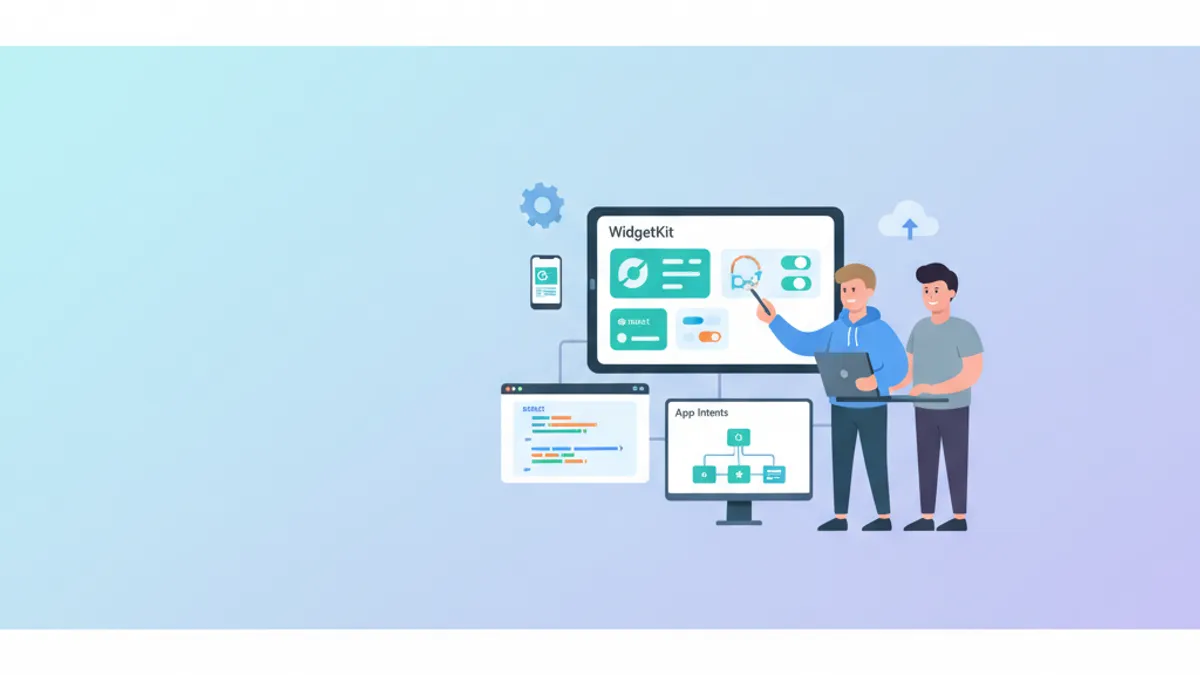
WidgetKit iOS 17-26: Widget Interaktif dengan App Intents
Panduan lengkap untuk membuat widget iOS interaktif dengan WidgetKit dan App Intents. Tombol, toggle, animasi, material Liquid Glass iOS 26, dan pembaruan WWDC 2026.

Lowongan Developer iOS 2026: Sumber Pencarian, Kisaran Gaji, dan Persiapan Interview
Panduan lengkap mencari pekerjaan developer iOS di tahun 2026. Temukan sumber lowongan terbaik, data gaji terkini, dan strategi persiapan interview teknis.

Combine vs async/await di Swift: Pola Migrasi Progresif
Panduan lengkap migrasi dari Combine ke async/await di Swift: strategi progresif, pola jembatan, dan koeksistensi paradigma di basis kode iOS.