.NET 10: Membangun REST API dengan ASP.NET Core
Panduan lengkap membangun REST API profesional dengan .NET 10 dan ASP.NET Core. Controller, Entity Framework Core, validasi bawaan dan praktik terbaik dijelaskan.
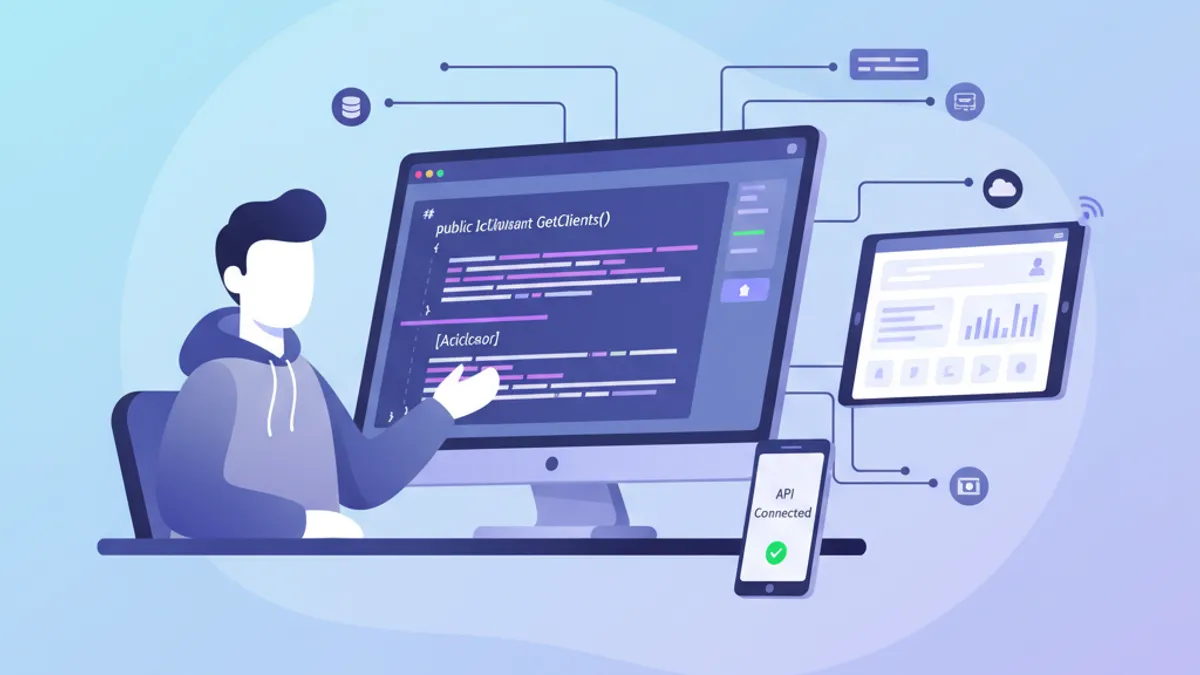
.NET 10 adalah rilis Long-Term Support (LTS) terkini, menghadirkan validasi bawaan untuk Minimal API, OpenAPI 3.1 secara default, dan peningkatan performa yang signifikan. ASP.NET Core menggabungkan C# dengan arsitektur modular yang cocok untuk aplikasi enterprise. Panduan ini membahas pembuatan REST API siap produksi dari konfigurasi awal hingga deployment.
.NET 10 didukung hingga akhir 2028. Validasi bawaan untuk Minimal API, dukungan OpenAPI 3.1, dan peningkatan Native AOT menjadikannya pilihan optimal untuk proyek API baru.
Konfigurasi Proyek dengan .NET 10 CLI
Pembuatan proyek API ASP.NET Core menggunakan .NET CLI untuk menghasilkan struktur proyek yang optimal. Konfigurasi paket NuGet penting menyiapkan fondasi untuk pengembangan.
# terminal
# Check installed .NET version
dotnet --version
# Expected: 10.0.x

# Create the API project
dotnet new webapi -n ProductApi -o ProductApi
cd ProductApi

# Add essential packages
dotnet add package Microsoft.EntityFrameworkCore.SqlServer
dotnet add package Microsoft.EntityFrameworkCore.Design
dotnet add package Swashbuckle.AspNetCore
Perintah tersebut membuat proyek API dengan dependensi untuk Entity Framework Core dan dokumentasi Swagger. FluentValidation tidak lagi diperlukan untuk validasi dasar di .NET 10.
using Microsoft.EntityFrameworkCore;
using ProductApi.Data;
using ProductApi.Services;

var builder = WebApplication.CreateBuilder(args);

// Configure Entity Framework Core with SQL Server
builder.Services.AddDbContext<AppDbContext>(options =>
    options.UseSqlServer(builder.Configuration.GetConnectionString("DefaultConnection")));

// Register business services
builder.Services.AddScoped<IProductService, ProductService>();
builder.Services.AddScoped<ICategoryService, CategoryService>();

// Configure controllers with built-in validation (.NET 10)
builder.Services.AddControllers();
builder.Services.AddValidation();

// Configure OpenAPI 3.1 (default in .NET 10)
builder.Services.AddEndpointsApiExplorer();
builder.Services.AddSwaggerGen(c =>
{
    c.SwaggerDoc("v1", new() { Title = "Product API", Version = "v1" });
});

var app = builder.Build();

// Middleware pipeline
if (app.Environment.IsDevelopment())
{
    app.UseSwagger();
    app.UseSwaggerUI();
}

app.UseHttpsRedirection();
app.UseAuthorization();
app.MapControllers();

app.Run();
Method AddValidation() mengaktifkan validasi bawaan yang diperkenalkan di ASP.NET Core 10, menghilangkan kebutuhan library pihak ketiga seperti FluentValidation untuk skenario umum.
Data Model dan Entity Framework Core 10
Model merepresentasikan entitas bisnis aplikasi. Entity Framework Core menangani pemetaan objek-relasional dengan konfigurasi fluent dan konvensi cerdas.
namespace ProductApi.Models;

public class Product
{
    // Primary key with auto-increment
    public int Id { get; set; }

    // Required properties (non-nullable in C# 14)
    public required string Name { get; set; }
    public required string Description { get; set; }

    // Price with decimal precision
    public decimal Price { get; set; }

    // Stock with default value
    public int StockQuantity { get; set; } = 0;

    // Product status
    public bool IsActive { get; set; } = true;

    // Relationship with Category (foreign key)
    public int CategoryId { get; set; }
    public Category? Category { get; set; }

    // Automatic tracking dates
    public DateTime CreatedAt { get; set; } = DateTime.UtcNow;
    public DateTime? UpdatedAt { get; set; }
}
Kata kunci required memastikan properti penting selalu diinisialisasi saat pembuatan objek.
namespace ProductApi.Models;

public class Category
{
    public int Id { get; set; }

    public required string Name { get; set; }

    // Slug for friendly URLs
    public required string Slug { get; set; }

    public string? Description { get; set; }

    // Inverse navigation: list of products in this category
    public ICollection<Product> Products { get; set; } = new List<Product>();

    public DateTime CreatedAt { get; set; } = DateTime.UtcNow;
}using Microsoft.EntityFrameworkCore;
using ProductApi.Models;
namespace ProductApi.Data;
public class AppDbContext : DbContext
{
public AppDbContext(DbContextOptions<AppDbContext> options) : base(options)
{
}
// DbSets for each entity
public DbSet<Product> Products => Set<Product>();
public DbSet<Category> Categories => Set<Category>();
protected override void OnModelCreating(ModelBuilder modelBuilder)
{
// Product entity configuration
modelBuilder.Entity<Product>(entity =>
{
// Index on name for fast search
entity.HasIndex(p => p.Name);
// Price precision: 18 digits, 2 decimals
entity.Property(p => p.Price)
.HasPrecision(18, 2);
// Relationship with Category
entity.HasOne(p => p.Category)
.WithMany(c => c.Products)
.HasForeignKey(p => p.CategoryId)
.OnDelete(DeleteBehavior.Restrict);
});
// Category entity configuration
modelBuilder.Entity<Category>(entity =>
{
// Unique slug
entity.HasIndex(c => c.Slug).IsUnique();
// Maximum name length
entity.Property(c => c.Name).HasMaxLength(100);
});
}
}Konfigurasi Fluent API memberikan kontrol presisi terhadap skema database yang dihasilkan oleh migrasi EF Core.
Migrasi mengelola versi skema database. Jalankan dotnet ef migrations add InitialCreate kemudian dotnet ef database update untuk menerapkan perubahan.
DTO dan Validasi Bawaan di ASP.NET Core 10
DTO (Data Transfer Object) memisahkan model domain dari data yang diekspos melalui API. ASP.NET Core 10 memperkenalkan validasi bawaan menggunakan DataAnnotations, menghilangkan kebutuhan library pihak ketiga untuk sebagian besar kasus.
using System.ComponentModel.DataAnnotations;

namespace ProductApi.DTOs;

// DTO for product creation with DataAnnotations
public record CreateProductDto(
    [Required(ErrorMessage = "Product name is required.")]
    [MaxLength(200, ErrorMessage = "Name cannot exceed 200 characters.")]
    string Name,

    [Required(ErrorMessage = "Description is required.")]
    [MinLength(10, ErrorMessage = "Description must contain at least 10 characters.")]
    string Description,

    [Range(0.01, 999999.99, ErrorMessage = "Price must be between 0.01 and 999,999.99.")]
    decimal Price,

    [Range(0, int.MaxValue, ErrorMessage = "Stock cannot be negative.")]
    int StockQuantity,

    [Required(ErrorMessage = "A valid category is required.")]
    int CategoryId
);

// DTO for product update
public record UpdateProductDto(
    [MaxLength(200)]
    string? Name,
    string? Description,
    [Range(0.01, 999999.99)]
    decimal? Price,
    [Range(0, int.MaxValue)]
    int? StockQuantity,
    bool? IsActive
);

// DTO for response (read)
public record ProductDto(
    int Id,
    string Name,
    string Description,
    decimal Price,
    int StockQuantity,
    bool IsActive,
    string CategoryName,
    DateTime CreatedAt
);

// DTO for list with pagination
public record ProductListDto(
    int Id,
    string Name,
    decimal Price,
    int StockQuantity,
    bool IsActive,
    string CategoryName
);
Penggunaan record C# menjadikan DTO immutable dan ringkas, dengan kesetaraan nilai otomatis. Validasi bawaan secara otomatis mengembalikan error terstruktur dengan kode 400 ketika validasi gagal. Untuk persiapan wawancara terkait pola ASP.NET Core, lihat panduan pertanyaan wawancara ASP.NET Core.
Siap menguasai wawancara .NET Anda?
Berlatih dengan simulator interaktif, flashcards, dan tes teknis kami.
Layanan Bisnis dan Lapisan Abstraksi
Lapisan layanan mengenkapsulasi logika bisnis dan operasi database, memudahkan pengujian dan pemeliharaan.
using ProductApi.DTOs;

namespace ProductApi.Services;

public interface IProductService
{
    // Retrieval with pagination
    Task<(IEnumerable<ProductListDto> Items, int TotalCount)> GetAllAsync(
        int page = 1,
        int pageSize = 10,
        string? search = null,
        int? categoryId = null);

    // Retrieval by ID
    Task<ProductDto?> GetByIdAsync(int id);

    // Creation
    Task<ProductDto> CreateAsync(CreateProductDto dto);

    // Update
    Task<ProductDto?> UpdateAsync(int id, UpdateProductDto dto);

    // Deletion
    Task<bool> DeleteAsync(int id);
}using Microsoft.EntityFrameworkCore;
using ProductApi.Data;
using ProductApi.DTOs;
using ProductApi.Models;
namespace ProductApi.Services;
public class ProductService : IProductService
{
private readonly AppDbContext _context;
public ProductService(AppDbContext context)
{
_context = context;
}
public async Task<(IEnumerable<ProductListDto> Items, int TotalCount)> GetAllAsync(
int page = 1,
int pageSize = 10,
string? search = null,
int? categoryId = null)
{
// Build base query
var query = _context.Products
.Include(p => p.Category)
.AsQueryable();
// Filter by text search
if (!string.IsNullOrWhiteSpace(search))
{
query = query.Where(p =>
p.Name.Contains(search) ||
p.Description.Contains(search));
}
// Filter by category
if (categoryId.HasValue)
{
query = query.Where(p => p.CategoryId == categoryId.Value);
}
// Total count before pagination
var totalCount = await query.CountAsync();
// Apply pagination
var items = await query
.OrderByDescending(p => p.CreatedAt)
.Skip((page - 1) * pageSize)
.Take(pageSize)
.Select(p => new ProductListDto(
p.Id,
p.Name,
p.Price,
p.StockQuantity,
p.IsActive,
p.Category!.Name))
.ToListAsync();
return (items, totalCount);
}
public async Task<ProductDto?> GetByIdAsync(int id)
{
// Retrieve with category inclusion
var product = await _context.Products
.Include(p => p.Category)
.FirstOrDefaultAsync(p => p.Id == id);
if (product == null) return null;
// Map to DTO
return new ProductDto(
product.Id,
product.Name,
product.Description,
product.Price,
product.StockQuantity,
product.IsActive,
product.Category?.Name ?? "Uncategorized",
product.CreatedAt);
}
public async Task<ProductDto> CreateAsync(CreateProductDto dto)
{
// Create entity
var product = new Product
{
Name = dto.Name,
Description = dto.Description,
Price = dto.Price,
StockQuantity = dto.StockQuantity,
CategoryId = dto.CategoryId
};
// Add and save
_context.Products.Add(product);
await _context.SaveChangesAsync();
// Load category for response
await _context.Entry(product)
.Reference(p => p.Category)
.LoadAsync();
return new ProductDto(
product.Id,
product.Name,
product.Description,
product.Price,
product.StockQuantity,
product.IsActive,
product.Category?.Name ?? "Uncategorized",
product.CreatedAt);
}
public async Task<ProductDto?> UpdateAsync(int id, UpdateProductDto dto)
{
// Retrieve existing entity
var product = await _context.Products
.Include(p => p.Category)
.FirstOrDefaultAsync(p => p.Id == id);
if (product == null) return null;
// Conditional field updates
if (!string.IsNullOrEmpty(dto.Name))
product.Name = dto.Name;
if (!string.IsNullOrEmpty(dto.Description))
product.Description = dto.Description;
if (dto.Price.HasValue)
product.Price = dto.Price.Value;
if (dto.StockQuantity.HasValue)
product.StockQuantity = dto.StockQuantity.Value;
if (dto.IsActive.HasValue)
product.IsActive = dto.IsActive.Value;
// Update modification date
product.UpdatedAt = DateTime.UtcNow;
await _context.SaveChangesAsync();
return new ProductDto(
product.Id,
product.Name,
product.Description,
product.Price,
product.StockQuantity,
product.IsActive,
product.Category?.Name ?? "Uncategorized",
product.CreatedAt);
}
public async Task<bool> DeleteAsync(int id)
{
// Direct deletion without prior loading (EF Core 7+)
var result = await _context.Products
.Where(p => p.Id == id)
.ExecuteDeleteAsync();
return result > 0;
}
}Penggunaan ExecuteDeleteAsync meningkatkan performa dengan menghindari pemuatan entitas sebelum penghapusan. Untuk pola lanjutan, lihat panduan Clean Architecture dengan .NET.
Controller API dan Endpoint REST
Controller mengekspos endpoint REST dan mengorkestrasikan panggilan ke layanan bisnis dengan penanganan kode status HTTP yang tepat.
using Microsoft.AspNetCore.Mvc;
using ProductApi.DTOs;
using ProductApi.Services;

namespace ProductApi.Controllers;

[ApiController]
[Route("api/[controller]")]
[Produces("application/json")]
public class ProductsController : ControllerBase
{
    private readonly IProductService _productService;

    public ProductsController(IProductService productService)
    {
        _productService = productService;
    }

    /// <summary>
    /// Retrieves the list of products with pagination and filters.
    /// </summary>
    [HttpGet]
    [ProducesResponseType(typeof(PaginatedResponse<ProductListDto>), StatusCodes.Status200OK)]
    public async Task<IActionResult> GetAll(
        [FromQuery] int page = 1,
        [FromQuery] int pageSize = 10,
        [FromQuery] string? search = null,
        [FromQuery] int? categoryId = null)
    {
        // Validate pagination parameters
        if (page < 1) page = 1;
        if (pageSize < 1 || pageSize > 100) pageSize = 10;

        var (items, totalCount) = await _productService.GetAllAsync(
            page, pageSize, search, categoryId);

        // Standardized paginated response
        var response = new PaginatedResponse<ProductListDto>
        {
            Items = items,
            Page = page,
            PageSize = pageSize,
            TotalCount = totalCount,
            TotalPages = (int)Math.Ceiling(totalCount / (double)pageSize)
        };

        return Ok(response);
    }

    /// <summary>
    /// Retrieves a product by its identifier.
    /// </summary>
    [HttpGet("{id:int}")]
    [ProducesResponseType(typeof(ProductDto), StatusCodes.Status200OK)]
    [ProducesResponseType(StatusCodes.Status404NotFound)]
    public async Task<IActionResult> GetById(int id)
    {
        var product = await _productService.GetByIdAsync(id);

        if (product == null)
        {
            return NotFound(new { message = $"Product with ID {id} not found." });
        }

        return Ok(product);
    }

    /// <summary>
    /// Creates a new product.
    /// </summary>
    [HttpPost]
    [ProducesResponseType(typeof(ProductDto), StatusCodes.Status201Created)]
    [ProducesResponseType(StatusCodes.Status400BadRequest)]
    public async Task<IActionResult> Create([FromBody] CreateProductDto dto)
    {
        // Validation is automatic via AddValidation()
        var product = await _productService.CreateAsync(dto);

        // Returns 201 with the created resource URL
        return CreatedAtAction(
            nameof(GetById),
            new { id = product.Id },
            product);
    }

    /// <summary>
    /// Updates an existing product.
    /// </summary>
    [HttpPut("{id:int}")]
    [ProducesResponseType(typeof(ProductDto), StatusCodes.Status200OK)]
    [ProducesResponseType(StatusCodes.Status404NotFound)]
    [ProducesResponseType(StatusCodes.Status400BadRequest)]
    public async Task<IActionResult> Update(int id, [FromBody] UpdateProductDto dto)
    {
        var product = await _productService.UpdateAsync(id, dto);

        if (product == null)
        {
            return NotFound(new { message = $"Product with ID {id} not found." });
        }

        return Ok(product);
    }

    /// <summary>
    /// Deletes a product.
    /// </summary>
    [HttpDelete("{id:int}")]
    [ProducesResponseType(StatusCodes.Status204NoContent)]
    [ProducesResponseType(StatusCodes.Status404NotFound)]
    public async Task<IActionResult> Delete(int id)
    {
        var deleted = await _productService.DeleteAsync(id);

        if (!deleted)
        {
            return NotFound(new { message = $"Product with ID {id} not found." });
        }

        // 204 No Content for successful deletion
        return NoContent();
    }
}
Atribut ProducesResponseType mendokumentasikan kode respons yang mungkin untuk pembuatan dokumentasi Swagger otomatis.
namespace ProductApi.DTOs;

public class PaginatedResponse<T>
{
    public IEnumerable<T> Items { get; set; } = Enumerable.Empty<T>();
    public int Page { get; set; }
    public int PageSize { get; set; }
    public int TotalCount { get; set; }
    public int TotalPages { get; set; }
    public bool HasPreviousPage => Page > 1;
    public bool HasNextPage => Page < TotalPages;
}Penggunaan constraint seperti {id:int} mencegah konflik routing dan otomatis mengembalikan 404 jika format tidak sesuai.
Middleware Penanganan Error Global
Middleware penanganan error memusatkan pemrosesan exception untuk respons yang konsisten dan aman.
using System.Net;
using System.Text.Json;

namespace ProductApi.Middleware;

public class ExceptionMiddleware
{
    private readonly RequestDelegate _next;
    private readonly ILogger<ExceptionMiddleware> _logger;
    private readonly IHostEnvironment _env;

    public ExceptionMiddleware(
        RequestDelegate next,
        ILogger<ExceptionMiddleware> logger,
        IHostEnvironment env)
    {
        _next = next;
        _logger = logger;
        _env = env;
    }

    public async Task InvokeAsync(HttpContext context)
    {
        try
        {
            // Continue pipeline
            await _next(context);
        }
        catch (Exception ex)
        {
            // Log the error
            _logger.LogError(ex, "An unhandled exception occurred");

            // Prepare response
            context.Response.ContentType = "application/json";
            context.Response.StatusCode = (int)HttpStatusCode.InternalServerError;

            // Different response based on environment
            var response = _env.IsDevelopment()
                ? new ErrorResponse(
                    StatusCode: context.Response.StatusCode,
                    Message: ex.Message,
                    Details: ex.StackTrace)
                : new ErrorResponse(
                    StatusCode: context.Response.StatusCode,
                    Message: "An internal error occurred.",
                    Details: null);

            // Serialize with camelCase options
            var options = new JsonSerializerOptions
            {
                PropertyNamingPolicy = JsonNamingPolicy.CamelCase
            };

            var json = JsonSerializer.Serialize(response, options);
            await context.Response.WriteAsync(json);
        }
    }
}

// DTO for error responses
public record ErrorResponse(int StatusCode, string Message, string? Details);

// Extension to register middleware
public static class ExceptionMiddlewareExtensions
{
    public static IApplicationBuilder UseExceptionMiddleware(this IApplicationBuilder app)
    {
        return app.UseMiddleware<ExceptionMiddleware>();
    }
}var app = builder.Build();
// Exception middleware must be first
app.UseExceptionMiddleware();
if (app.Environment.IsDevelopment())
{
app.UseSwagger();
app.UseSwaggerUI();
}
// ... rest of configurationKonfigurasi dan Variabel Environment
Konfigurasi eksternal memungkinkan penyesuaian aplikasi ke berbagai environment tanpa mengubah kode.
{
  "ConnectionStrings": {
    "DefaultConnection": "Server=localhost;Database=ProductDb;User Id=sa;Password=YourPassword;TrustServerCertificate=true"
  },
  "Logging": {
    "LogLevel": {
      "Default": "Information",
      "Microsoft.AspNetCore": "Warning",
      "Microsoft.EntityFrameworkCore": "Warning"
    }
  },
  "ApiSettings": {
    "DefaultPageSize": 10,
    "MaxPageSize": 100,
    "ApiVersion": "1.0"
  }
}namespace ProductApi.Configuration;
public class ApiSettings
{
public int DefaultPageSize { get; set; } = 10;
public int MaxPageSize { get; set; } = 100;
public string ApiVersion { get; set; } = "1.0";
}builder.Services.Configure<ApiSettings>(
builder.Configuration.GetSection("ApiSettings"));
// Usage in a service
public class ProductService : IProductService
{
private readonly ApiSettings _settings;
public ProductService(IOptions<ApiSettings> settings)
{
_settings = settings.Value;
}
}Unit Testing dengan xUnit
Unit test memvalidasi perilaku layanan dan controller secara terisolasi.
using Microsoft.EntityFrameworkCore;
using ProductApi.Data;
using ProductApi.DTOs;
using ProductApi.Models;
using ProductApi.Services;
using Xunit;

namespace ProductApi.Tests;

public class ProductServiceTests
{
    private AppDbContext CreateInMemoryContext()
    {
        // Configure in-memory database
        var options = new DbContextOptionsBuilder<AppDbContext>()
            .UseInMemoryDatabase(databaseName: Guid.NewGuid().ToString())
            .Options;

        return new AppDbContext(options);
    }

    [Fact]
    public async Task CreateAsync_ValidDto_ReturnsProductDto()
    {
        // Arrange
        using var context = CreateInMemoryContext();

        // Add test category
        var category = new Category { Id = 1, Name = "Electronics", Slug = "electronics" };
        context.Categories.Add(category);
        await context.SaveChangesAsync();

        var service = new ProductService(context);
        var dto = new CreateProductDto(
            Name: "Test Product",
            Description: "Test Description",
            Price: 99.99m,
            StockQuantity: 10,
            CategoryId: 1);

        // Act
        var result = await service.CreateAsync(dto);

        // Assert
        Assert.NotNull(result);
        Assert.Equal("Test Product", result.Name);
        Assert.Equal(99.99m, result.Price);
        Assert.Equal("Electronics", result.CategoryName);
    }

    [Fact]
    public async Task GetByIdAsync_NonExistent_ReturnsNull()
    {
        // Arrange
        using var context = CreateInMemoryContext();
        var service = new ProductService(context);

        // Act
        var result = await service.GetByIdAsync(999);

        // Assert
        Assert.Null(result);
    }

    [Fact]
    public async Task DeleteAsync_ExistingProduct_ReturnsTrue()
    {
        // Arrange
        using var context = CreateInMemoryContext();

        var category = new Category { Id = 1, Name = "Test", Slug = "test" };
        var product = new Product
        {
            Id = 1,
            Name = "To Delete",
            Description = "Will be deleted",
            Price = 10.00m,
            CategoryId = 1
        };

        context.Categories.Add(category);
        context.Products.Add(product);
        await context.SaveChangesAsync();

        var service = new ProductService(context);

        // Act
        var result = await service.DeleteAsync(1);

        // Assert
        Assert.True(result);
        Assert.Null(await context.Products.FindAsync(1));
    }
}
Pengujian dijalankan dengan dotnet test dari root proyek. Untuk informasi lebih lanjut tentang pola performa EF Core, termasuk strategi pengujian, lihat panduan khusus.
Sumber
- What's new in ASP.NET Core 10 - Validasi bawaan, dukungan OpenAPI 3.1
- What's new in .NET 10 - Detail rilis LTS, fitur C# 14
- Entity Framework Core documentation - Pembaruan EF Core 10
- Announcing .NET 10 - Pengumuman rilis resmi
Checklist Membangun API .NET Produksi
.NET 10 dengan ASP.NET Core menyediakan ekosistem lengkap dan berperforma tinggi untuk membangun REST API profesional. Kombinasi validasi bawaan, Entity Framework Core untuk akses data, dan dependency injection native memungkinkan pembuatan aplikasi yang mudah dipelihara dan diuji.
- Pisahkan DTO dari model domain
- Implementasikan lapisan layanan untuk logika bisnis
- Gunakan validasi bawaan dengan DataAnnotations (.NET 10+)
- Konfigurasi middleware penanganan error global
- Eksternalisasi konfigurasi dengan IOptions
- Tulis unit test untuk layanan
- Dokumentasikan API dengan OpenAPI 3.1
Mulai berlatih!
Uji pengetahuan Anda dengan simulator wawancara dan tes teknis kami.
Arsitektur berlapis (Controller, Service, Repository/DbContext) mendorong pemisahan tanggung jawab dan memfasilitasi evolusi aplikasi. Fitur .NET 10 seperti validasi bawaan, OpenAPI 3.1 secara default, dan peningkatan dukungan Native AOT memodernisasi pengembangan API sekaligus meningkatkan performa.
Bisakah kamu menemukan bug di .NET?
Satu potongan kode nyata, satu bug tersembunyi, satu percobaan per hari. Tanpa akun untuk mencoba.

Ditulis oleh
Anthony Fillion-MailletPendiri SharpSkill
Developer fullstack selama lebih dari 10 tahun. Ia menjalankan SharpSkill dan bertanggung jawab atas semua yang diterbitkan di sini.
Diperbarui 22 Agustus 2026
Tag
Bagikan
Artikel terkait
Clean Architecture dengan .NET: Panduan Praktis
Kuasai Clean Architecture di .NET dengan C#. Pelajari prinsip SOLID, pemisahan lapisan, dan pola implementasi untuk aplikasi yang mudah dipelihara.

Pertanyaan Wawancara C# dan .NET: Panduan Lengkap 2026
17 pertanyaan wawancara C# dan .NET yang paling sering diajukan. LINQ, async/await, dependency injection, Entity Framework, dan best practice dengan jawaban mendetail.
Clean Code Architecture C#: Panduan Lengkap dan Pertanyaan Interview 2026
Pelajari Clean Code Architecture di C# dengan prinsip SOLID, pola Repository, Dependency Injection, dan pertanyaan interview yang sering muncul untuk developer .NET.