Docker: dari Pengembangan ke Produksi
Panduan lengkap Docker untuk kontainerisasi aplikasi. Dockerfile, Docker Compose, multi-stage build, dan deployment produksi dengan contoh praktis.
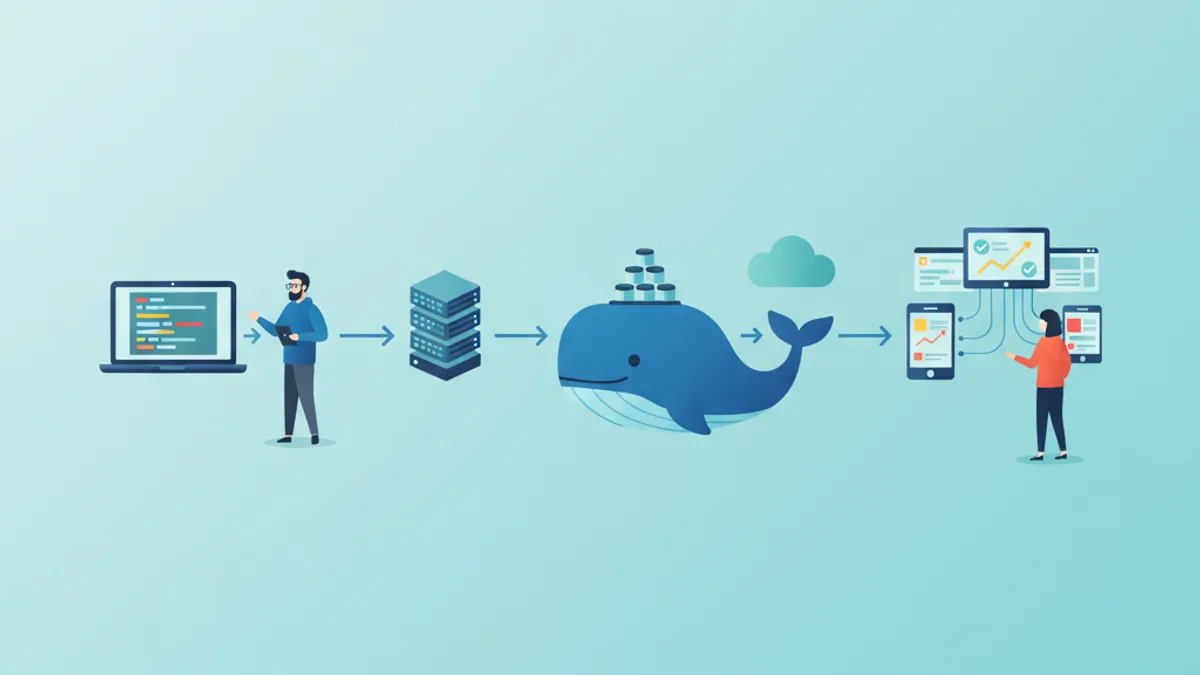
Docker merevolusi cara aplikasi dikembangkan, diuji, dan di-deploy. Dengan mengenkapsulasi aplikasi beserta dependensinya dalam kontainer portabel, Docker menghilangkan masalah terkenal "di mesin saya bisa jalan" dan menjamin konsistensi di semua lingkungan. Panduan ini membahas perjalanan lengkap dari Dockerfile pertama hingga deployment produksi.
Docker Desktop 5.x membawa peningkatan performa signifikan, termasuk dukungan native containerd, manajemen resource yang dioptimalkan, dan integrasi Kubernetes yang mulus. Image multi-arsitektur (ARM/x86) kini menjadi praktik standar.
Dasar-dasar Kontainerisasi
Kontainer adalah unit perangkat lunak ringan yang mengemas kode, runtime, library sistem, dan pengaturan. Berbeda dengan mesin virtual yang memvirtualisasi hardware, kontainer berbagi kernel sistem host, menjadikannya lebih cepat untuk dijalankan dan lebih hemat resource.
# terminal
# Docker installation on Ubuntu
sudo apt update
sudo apt install -y docker.io

# Add user to docker group (avoids sudo)
sudo usermod -aG docker $USER

# Verify installation
docker --version
# Docker version 26.1.0, build 1234567

# First container: downloads image and runs
docker run hello-world
Perintah ini mengunduh image hello-world dari Docker Hub dan menjalankan kontainer yang menampilkan pesan konfirmasi.
# terminal
# List running containers
docker ps

# List all containers (including stopped)
docker ps -a

# List downloaded images
docker images

# Remove a container
docker rm <container_id>

# Remove an image
docker rmi <image_name>
Perintah-perintah dasar ini mengelola siklus hidup kontainer dan image.
Membuat Dockerfile Pertama
Dockerfile berisi instruksi untuk membangun image Docker. Setiap instruksi membuat layer pada image akhir, memungkinkan caching dan penggunaan ulang.
# Dockerfile
# Base image: Node.js 22 on Alpine Linux (lightweight)
FROM node:22-alpine

# Set working directory in the container
WORKDIR /app

# Copy dependency files first (cache optimization)
COPY package*.json ./

# Install dependencies
RUN npm ci --only=production

# Copy source code
COPY . .

# Expose port (documentation)
EXPOSE 3000

# Startup command
CMD ["node", "server.js"]
Urutan instruksi sangat penting untuk optimasi cache. File yang jarang berubah (package.json) harus disalin sebelum source code.
# terminal
# Build image with a tag
docker build -t my-app:1.0 .

# Run the container
docker run -d -p 3000:3000 --name my-app-container my-app:1.0

# Check logs
docker logs my-app-container

# Access container shell
docker exec -it my-app-container sh
Flag -d menjalankan kontainer di background, -p memetakan port 3000 kontainer ke port 3000 host.
Image Alpine jauh lebih kecil (sekitar 5 MB dibandingkan 120 MB untuk Debian). Namun, image ini menggunakan musl libc alih-alih glibc, yang dapat menyebabkan inkompatibilitas dengan beberapa dependensi native. Jika terjadi masalah, disarankan menggunakan image berbasis Debian (node:22-slim).
Multi-stage Build untuk Produksi
Multi-stage build membuat image produksi yang dioptimalkan dengan memisahkan lingkungan build dari lingkungan runtime. Hanya artefak yang diperlukan yang disertakan dalam image akhir.
# Dockerfile.production
# ============================================
# Stage 1: Build
# ============================================
FROM node:22-alpine AS builder
WORKDIR /app
# Copy and install dependencies (including devDependencies)
COPY package*.json ./
RUN npm ci
# Copy source code
COPY . .
# Build the application (TypeScript, bundling, etc.)
RUN npm run build
# ============================================
# Stage 2: Production
# ============================================
FROM node:22-alpine AS production
# Non-root user for security
RUN addgroup -g 1001 -S nodejs && \
adduser -S nodejs -u 1001
WORKDIR /app
# Copy only necessary files from builder stage
COPY /app/dist ./dist
COPY /app/node_modules ./node_modules
COPY /app/package.json ./
# Switch to non-root user
USER nodejs
# Environment variables
ENV NODE_ENV=production
ENV PORT=3000
EXPOSE 3000
# Startup command
CMD ["node", "dist/server.js"]Pendekatan ini secara signifikan mengurangi ukuran image akhir dengan mengecualikan build tool, devDependencies, dan file sumber.
# terminal
# Build with specific file
docker build -f Dockerfile.production -t my-app:production .

# Compare image sizes
docker images | grep my-app
# my-app    production    abc123    150MB
# my-app    1.0           def456    450MB
Pengurangan ukuran dapat mencapai 60-70% tergantung proyeknya, meningkatkan waktu deployment dan mengurangi attack surface.
Docker Compose untuk Orkestrasi Lokal
Docker Compose menyederhanakan pengelolaan aplikasi multi-kontainer. File YAML mendeklarasikan semua service, konfigurasinya, dan dependensinya.
# docker-compose.yml
version: "3.9"

services:
  # Main application
  app:
    build:
      context: .
      dockerfile: Dockerfile
    ports:
      - "3000:3000"
    environment:
      - NODE_ENV=development
      - DATABASE_URL=postgresql://postgres:secret@db:5432/myapp
      - REDIS_URL=redis://cache:6379
    volumes:
      # Mount source code for hot-reload
      - ./src:/app/src
      - ./package.json:/app/package.json
    depends_on:
      db:
        condition: service_healthy
      cache:
        condition: service_started
    networks:
      - app-network

  # PostgreSQL database
  db:
    image: postgres:16-alpine
    environment:
      POSTGRES_USER: postgres
      POSTGRES_PASSWORD: secret
      POSTGRES_DB: myapp
    volumes:
      # Data persistence
      - postgres_data:/var/lib/postgresql/data
      # Initialization script
      - ./init.sql:/docker-entrypoint-initdb.d/init.sql
    ports:
      - "5432:5432"
    healthcheck:
      test: ["CMD-SHELL", "pg_isready -U postgres"]
      interval: 5s
      timeout: 5s
      retries: 5
    networks:
      - app-network

  # Redis cache
  cache:
    image: redis:7-alpine
    ports:
      - "6379:6379"
    volumes:
      - redis_data:/data
    command: redis-server --appendonly yes
    networks:
      - app-network

# Named volumes for persistence
volumes:
  postgres_data:
  redis_data:

# Dedicated network for isolation
networks:
  app-network:
    driver: bridge
Service berkomunikasi menggunakan namanya (db, cache) melalui jaringan internal Docker. Healthcheck memastikan dependensi siap sebelum aplikasi dimulai.
# terminal
# Start all services
docker compose up -d

# View logs from all services
docker compose logs -f

# Logs from a specific service
docker compose logs -f app

# Stop and remove containers
docker compose down

# Removal including volumes (caution: data loss)
docker compose down -v

# Rebuild after Dockerfile changes
docker compose up -d --build
Siap menguasai wawancara DevOps Anda?
Berlatih dengan simulator interaktif, flashcards, dan tes teknis kami.
Pengelolaan Secret dan Variabel Lingkungan
Pengelolaan secret yang aman sangat penting di produksi. Docker menawarkan beberapa pendekatan tergantung konteksnya.
# docker-compose.override.yml (development only)
version: "3.9"

services:
  app:
    env_file:
      - .env.development
    environment:
      - DEBUG=true
Untuk produksi, Docker secrets memberikan keamanan yang lebih tinggi.
# docker-compose.production.yml
version: "3.9"

services:
  app:
    build:
      context: .
      dockerfile: Dockerfile.production
    secrets:
      - db_password
      - api_key
    environment:
      - NODE_ENV=production
      - DATABASE_PASSWORD_FILE=/run/secrets/db_password
      - API_KEY_FILE=/run/secrets/api_key

secrets:
  db_password:
    file: ./secrets/db_password.txt
  api_key:
    file: ./secrets/api_key.txt
Kode aplikasi membaca secret dari file yang di-mount.
const fs = require('fs');
const path = require('path');

// Utility function to read Docker secrets
function readSecret(secretName) {
  const secretPath = `/run/secrets/${secretName}`;

  // Check if secret file exists
  if (fs.existsSync(secretPath)) {
    return fs.readFileSync(secretPath, 'utf8').trim();
  }

  // Fallback to classic environment variables
  const envVar = secretName.toUpperCase();
  return process.env[envVar];
}

module.exports = {
  databasePassword: readSecret('db_password'),
  apiKey: readSecret('api_key'),
};
Pendekatan ini mencegah secret terekspos di variabel lingkungan atau image Docker.
Optimasi Image Docker
Beberapa teknik mengurangi ukuran image dan meningkatkan performa.
# Dockerfile.optimized
FROM node:22-alpine AS base
# Install necessary tools in a single layer
RUN apk add --no-cache \
dumb-init \
&& rm -rf /var/cache/apk/*
# ============================================
# Stage: Dependencies
# ============================================
FROM base AS deps
WORKDIR /app
# Copy only lock files for caching
COPY package.json package-lock.json ./
# Install with mounted npm cache (BuildKit)
RUN \
npm ci --only=production
# ============================================
# Stage: Builder
# ============================================
FROM base AS builder
WORKDIR /app
COPY package.json package-lock.json ./
RUN \
npm ci
COPY . .
RUN npm run build
# ============================================
# Stage: Production
# ============================================
FROM base AS production
# Image metadata
LABEL maintainer="team@example.com"
LABEL version="1.0"
LABEL description="Production-ready Node.js application"
# Non-root user
RUN addgroup -g 1001 -S nodejs && \
adduser -S nodejs -u 1001
WORKDIR /app
# Copy production dependencies
COPY /app/node_modules ./node_modules
# Copy build output
COPY /app/dist ./dist
COPY /app/package.json ./
USER nodejs
ENV NODE_ENV=production
# dumb-init as PID 1 for signal handling
ENTRYPOINT ["dumb-init", "--"]
CMD ["node", "dist/server.js"]Penggunaan dumb-init memastikan penanganan sinyal Unix yang benar, memungkinkan shutdown kontainer yang graceful.
# terminal
# Enable BuildKit for advanced features
export DOCKER_BUILDKIT=1

# Build with cache and detailed output
docker build --progress=plain -t my-app:optimized .

# Analyze image layers
docker history my-app:optimized

# Detailed image inspection
docker inspect my-app:optimizedImage harus dipindai secara berkala untuk menemukan kerentanan menggunakan tool seperti Trivy atau Snyk. Base image harus diperbarui secara berkala untuk menyertakan patch keamanan.
Jaringan Docker Lanjutan
Docker menawarkan berbagai driver jaringan untuk skenario penggunaan yang berbeda.
# docker-compose.networking.yml
version: "3.9"

services:
  # Publicly accessible frontend
  frontend:
    build: ./frontend
    ports:
      - "80:80"
    networks:
      - frontend-network
      - backend-network

  # API accessible only from frontend
  api:
    build: ./api
    networks:
      - backend-network
      - database-network
    # No external ports exposed

  # Isolated database
  database:
    image: postgres:16-alpine
    networks:
      - database-network
    # Accessible only by API

networks:
  frontend-network:
    driver: bridge
  backend-network:
    driver: bridge
    internal: true  # No internet access
  database-network:
    driver: bridge
    internal: true
Konfigurasi ini mengisolasi service mengikuti prinsip hak istimewa minimal. Database hanya dapat diakses oleh API.
# terminal
# Inspect Docker networks
docker network ls

# Details of a specific network
docker network inspect app-network

# Create a custom network
docker network create --driver bridge --subnet 172.28.0.0/16 custom-network

# Connect a container to an existing network
docker network connect custom-network my-container
Volume dan Persistensi Data
Volume Docker menyimpan data melampaui siklus hidup kontainer.
# docker-compose.volumes.yml
version: "3.9"

services:
  app:
    image: my-app:latest
    volumes:
      # Named volume for persistent data
      - app_data:/app/data
      # Bind mount for development
      - ./uploads:/app/uploads:rw
      # Read-only mount for configuration
      - ./config:/app/config:ro

  backup:
    image: alpine
    volumes:
      # Access same volume for backups
      - app_data:/data:ro
      - ./backups:/backups
    command: |
      sh -c "tar czf /backups/backup-$$(date +%Y%m%d).tar.gz /data"

volumes:
  app_data:
    driver: local
    driver_opts:
      type: none
      device: /path/to/host/data
      o: bind
Perbedaan antara named volume dan bind mount penting: volume dikelola oleh Docker sementara bind mount langsung menggunakan filesystem host.
# terminal
# List volumes
docker volume ls

# Inspect a volume
docker volume inspect app_data

# Remove orphaned volumes
docker volume prune

# Backup a volume
docker run --rm -v app_data:/data -v $(pwd):/backup alpine \
  tar czf /backup/volume-backup.tar.gz /data
Deployment Produksi
Alur deployment yang kokoh mencakup build, pengujian, dan push ke registry.
# deploy.sh
#!/bin/bash
set -e

# Variables
REGISTRY="registry.example.com"
IMAGE_NAME="my-app"
VERSION=$(git describe --tags --always)

echo "Building version: $VERSION"

# Build production image
docker build \
  -f Dockerfile.production \
  -t $REGISTRY/$IMAGE_NAME:$VERSION \
  -t $REGISTRY/$IMAGE_NAME:latest \
  --build-arg BUILD_DATE=$(date -u +"%Y-%m-%dT%H:%M:%SZ") \
  --build-arg VERSION=$VERSION \
  .

# Security scan
echo "Running security scan..."
docker run --rm -v /var/run/docker.sock:/var/run/docker.sock \
  aquasec/trivy image $REGISTRY/$IMAGE_NAME:$VERSION

# Push to registry
echo "Pushing to registry..."
docker push $REGISTRY/$IMAGE_NAME:$VERSION
docker push $REGISTRY/$IMAGE_NAME:latest

echo "Deployment complete: $REGISTRY/$IMAGE_NAME:$VERSION"
Untuk deployment server, file compose produksi terpisah menyesuaikan konfigurasi.
# docker-compose.prod.yml
version: "3.9"

services:
  app:
    image: registry.example.com/my-app:latest
    restart: always
    deploy:
      replicas: 3
      resources:
        limits:
          cpus: "0.5"
          memory: 512M
        reservations:
          cpus: "0.25"
          memory: 256M
      update_config:
        parallelism: 1
        delay: 10s
        failure_action: rollback
    healthcheck:
      test: ["CMD", "curl", "-f", "http://localhost:3000/health"]
      interval: 30s
      timeout: 10s
      retries: 3
      start_period: 40s
    logging:
      driver: "json-file"
      options:
        max-size: "10m"
        max-file: "3"
Konfigurasi ini mendefinisikan alokasi resource, strategi update, dan healthcheck untuk deployment yang andal.
# terminal
# Production deployment with Docker Compose
docker compose -f docker-compose.yml -f docker-compose.prod.yml up -d

# Zero-downtime update (rolling update)
docker compose -f docker-compose.yml -f docker-compose.prod.yml pull
docker compose -f docker-compose.yml -f docker-compose.prod.yml up -d --no-deps app

# Rollback if issues occur
docker compose -f docker-compose.yml -f docker-compose.prod.yml up -d --no-deps \
  --scale app=0 && \
docker compose -f docker-compose.yml -f docker-compose.prod.yml up -d --no-deps app
Monitoring dan Debugging Kontainer
Monitoring kontainer sangat penting di produksi.
# terminal
# Real-time statistics for all containers
docker stats

# Statistics for a specific container with custom format
docker stats my-app --format "table {{.Name}}\t{{.CPUPerc}}\t{{.MemUsage}}"

# Inspect processes in a container
docker top my-app

# Real-time Docker events
docker events --filter container=my-app

# Copy files from/to a container
docker cp my-app:/app/logs/error.log ./error.log
Untuk debugging mendalam, beberapa teknik tersedia.
# terminal
# Interactive shell in a running container
docker exec -it my-app sh

# Execute a single command
docker exec my-app cat /app/config/settings.json

# Start a container in debug mode
docker run -it --rm --entrypoint sh my-app:latest

# Inspect environment variables
docker exec my-app printenv

# Analyze logs with filters
docker logs my-app --since 1h --tail 100 | grep ERROR# docker-compose.monitoring.yml
version: "3.9"
services:
app:
# ... existing configuration
labels:
- "prometheus.scrape=true"
- "prometheus.port=3000"
- "prometheus.path=/metrics"
prometheus:
image: prom/prometheus:latest
ports:
- "9090:9090"
volumes:
- ./prometheus.yml:/etc/prometheus/prometheus.yml
- prometheus_data:/prometheus
command:
- '--config.file=/etc/prometheus/prometheus.yml'
- '--storage.tsdb.retention.time=15d'
grafana:
image: grafana/grafana:latest
ports:
- "3001:3000"
volumes:
- grafana_data:/var/lib/grafana
environment:
- GF_SECURITY_ADMIN_PASSWORD=secret
volumes:
prometheus_data:
grafana_data:Stack monitoring ini memungkinkan pengumpulan dan visualisasi metrik kontainer.
Kesimpulan
Docker mentransformasi siklus pengembangan dengan menjamin konsistensi di semua lingkungan. Kontainerisasi membawa portabilitas, isolasi, dan reprodusibilitas — kualitas esensial untuk aplikasi modern.
Checklist Docker untuk Produksi
- ✅ Multi-stage build untuk image yang dioptimalkan
- ✅ User non-root di kontainer
- ✅ Healthcheck dikonfigurasi untuk semua service
- ✅ Secret dikelola via Docker secrets atau variabel lingkungan yang aman
- ✅ Limit resource (CPU, memori) didefinisikan
- ✅ Volume untuk persistensi data kritis
- ✅ Logging terpusat dengan rotasi file
- ✅ Pemindaian keamanan image sebelum deployment
- ✅ Strategi update tanpa downtime
- ✅ Jaringan terisolasi antar service
Mulai berlatih!
Uji pengetahuan Anda dengan simulator wawancara dan tes teknis kami.
Menguasai Docker adalah keterampilan fundamental bagi setiap developer modern. Dari lingkungan lokal hingga deployment produksi, Docker menstandarkan alur kerja dan menyederhanakan operasi. Konsep yang disajikan di sini membentuk fondasi yang kokoh untuk menjelajahi Kubernetes dan orkestrasi kontainer skala besar.
Bisakah kamu menemukan bug di DevOps?
Satu potongan kode nyata, satu bug tersembunyi, satu percobaan per hari. Tanpa akun untuk mencoba.

Ditulis oleh
Anthony Fillion-MailletPendiri SharpSkill
Developer fullstack selama lebih dari 10 tahun. Ia menjalankan SharpSkill dan bertanggung jawab atas semua yang diterbitkan di sini.
Diperbarui 10 April 2026
Tag
Bagikan
Artikel terkait
Kubernetes: Mendeploy aplikasi pertama Anda
Panduan praktis untuk mendeploy aplikasi di Kubernetes. Dari instalasi minikube hingga Deployments, Services, dan ConfigMaps dengan contoh nyata.
Keamanan Pipeline DevOps 2026: Praktik Terbaik DevSecOps dan Pertanyaan Wawancara
Panduan lengkap tentang keamanan pipeline DevOps di tahun 2026, mencakup praktik terbaik DevSecOps, implementasi CI/CD yang aman, dan pertanyaan wawancara teknis untuk persiapan karir.

Manajemen Secrets Kubernetes 2026: External Secrets, Vault, dan Pertanyaan Interview
Panduan lengkap manajemen secrets Kubernetes dengan External Secrets Operator dan HashiCorp Vault. Termasuk konfigurasi produksi, rotasi otomatis, dan pertanyaan interview DevOps.