Preguntas de entrevista sobre NavigationStack en SwiftUI: Patrones de navegación 2026
Prepárate para entrevistas iOS con preguntas esenciales sobre NavigationStack, NavigationPath y los patrones modernos de navegación en SwiftUI.
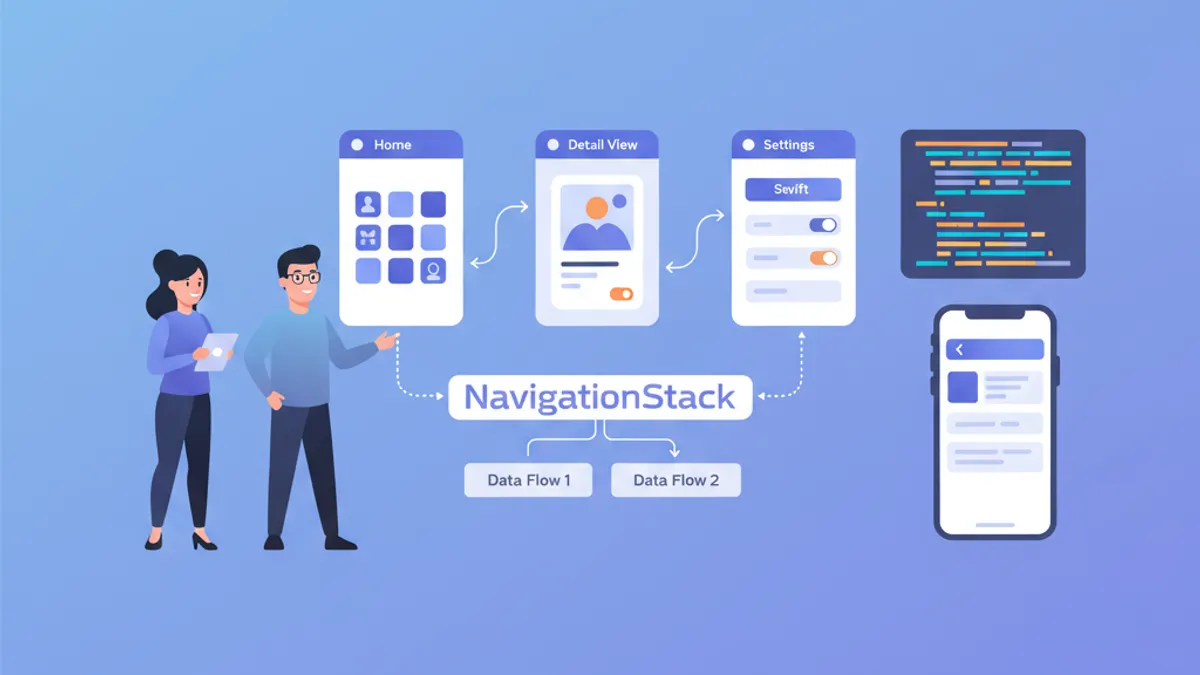
La navegación constituye un pilar fundamental de cualquier aplicación iOS. Desde iOS 16, NavigationStack reemplaza a NavigationView y ofrece un control programático completo sobre la pila de navegación. Los reclutadores evalúan regularmente el dominio de estos conceptos durante las entrevistas técnicas.
Cada pregunta reproduce el formato de una entrevista técnica real, con una respuesta detallada y código funcional. Los conceptos avanzan desde lo fundamental hasta lo avanzado.
Fundamentos de NavigationStack
Pregunta 1: ¿Cuál es la diferencia entre NavigationView y NavigationStack?
NavigationView (obsoleto desde iOS 16) creaba una navegación implícita basada en NavigationLink anidados. NavigationStack introduce un enfoque declarativo con una pila de navegación explícita y modificable de forma programática.
// ❌ Old pattern with NavigationView (deprecated)
struct OldNavigation: View {
    var body: some View {
        NavigationView {
            NavigationLink("Details", destination: DetailView())
        }
    }
}

// ✅ New pattern with NavigationStack
struct ModernNavigation: View {
    // Navigation stack is explicit and controllable
    @State private var path = NavigationPath()

    var body: some View {
        NavigationStack(path: $path) {
            List {
                // NavigationLink with typed value
                NavigationLink("User 1", value: User(id: 1, name: "Alice"))
                NavigationLink("User 2", value: User(id: 2, name: "Bob"))
            }
            // Destination defined by value type
            .navigationDestination(for: User.self) { user in
                UserDetailView(user: user)
            }
        }
    }
}
La ventaja principal radica en separar la declaración del enlace de su destino, lo que permite una navegación centralizada y testeable.
Pregunta 2: ¿Cómo funciona NavigationPath?
NavigationPath es un contenedor con borrado de tipos que almacena valores de navegación. Permite manipular la pila sin conocer los tipos exactos de las pantallas, conservando al mismo tiempo la seguridad de tipos en tiempo de compilación.
struct ContentView: View {
    // NavigationPath can contain different Hashable types
    @State private var path = NavigationPath()

    var body: some View {
        NavigationStack(path: $path) {
            VStack(spacing: 20) {
                Button("View user profile") {
                    // Adds a User to the stack
                    path.append(User(id: 1, name: "Alice"))
                }

                Button("View settings") {
                    // Adds a Settings enum to the stack
                    path.append(SettingsRoute.notifications)
                }

                Button("Back to root") {
                    // Clears the entire stack
                    path.removeLast(path.count)
                }
            }
            .navigationDestination(for: User.self) { user in
                UserDetailView(user: user)
            }
            .navigationDestination(for: SettingsRoute.self) { route in
                SettingsView(route: route)
            }
        }
    }
}

// Types must be Hashable
struct User: Hashable {
    let id: Int
    let name: String
}

enum SettingsRoute: Hashable {
    case notifications
    case privacy
    case account
}NavigationPath utiliza el borrado de tipos internamente, pero verifica los tipos en tiempo de compilación mediante navigationDestination. Un valor sin un destino correspondiente provoca un error silencioso en tiempo de ejecución.
Pregunta 3: ¿Cómo implementar una navegación programática completa?
La navegación programática permite controlar la pila desde cualquier punto del código, sin interacción directa del usuario. Resulta esencial para los deep links, las redirecciones tras autenticación o los flujos en varios pasos.
// Centralized router to manage navigation
@Observable
class NavigationRouter {
    var path = NavigationPath()

    // Navigate to a specific screen
    func navigateTo(_ destination: AppRoute) {
        path.append(destination)
    }

    // Go back one level
    func goBack() {
        guard !path.isEmpty else { return }
        path.removeLast()
    }

    // Return to root
    func popToRoot() {
        path.removeLast(path.count)
    }

    // Navigate to a complete stack (deep link)
    func navigateToPath(_ routes: [AppRoute]) {
        popToRoot()
        for route in routes {
            path.append(route)
        }
    }
}

// Enum defining all app routes
enum AppRoute: Hashable {
    case userList
    case userDetail(userId: Int)
    case userEdit(userId: Int)
    case settings
    case settingsDetail(SettingsSection)
}

enum SettingsSection: String, Hashable {
    case notifications, privacy, account
}

// Usage in main view
struct MainView: View {
    @State private var router = NavigationRouter()

    var body: some View {
        NavigationStack(path: $router.path) {
            HomeView()
                .navigationDestination(for: AppRoute.self) { route in
                    destinationView(for: route)
                }
        }
        .environment(router)
    }

    @ViewBuilder
    private func destinationView(for route: AppRoute) -> some View {
        switch route {
        case .userList:
            UserListView()
        case .userDetail(let userId):
            UserDetailView(userId: userId)
        case .userEdit(let userId):
            UserEditView(userId: userId)
        case .settings:
            SettingsView()
        case .settingsDetail(let section):
            SettingsDetailView(section: section)
        }
    }
}
Este patrón centraliza toda la lógica de navegación, lo que facilita las pruebas unitarias y el mantenimiento.
Patrones avanzados de navegación
Pregunta 4: ¿Cómo implementar deep links con NavigationStack?
Los deep links permiten abrir la aplicación directamente en una pantalla específica desde una URL externa. Con NavigationStack, la pila puede reconstruirse de forma programática.
@Observable
class DeepLinkHandler {
    var router: NavigationRouter

    init(router: NavigationRouter) {
        self.router = router
    }

    // Parse a URL and navigate to destination
    func handle(url: URL) {
        guard let components = URLComponents(url: url, resolvingAgainstBaseURL: true),
              let host = components.host else {
            return
        }

        // Build navigation stack according to URL
        let routes = parseRoutes(host: host, path: components.path, queryItems: components.queryItems)
        router.navigateToPath(routes)
    }

    private func parseRoutes(host: String, path: String, queryItems: [URLQueryItem]?) -> [AppRoute] {
        // myapp://users/42/edit → [.userList, .userDetail(42), .userEdit(42)]
        switch host {
        case "users":
            return parseUserPath(path)
        case "settings":
            return parseSettingsPath(path)
        default:
            return []
        }
    }

    private func parseUserPath(_ path: String) -> [AppRoute] {
        let segments = path.split(separator: "/").map(String.init)
        var routes: [AppRoute] = [.userList]

        if let userIdString = segments.first, let userId = Int(userIdString) {
            routes.append(.userDetail(userId: userId))

            // /users/42/edit
            if segments.count > 1 && segments[1] == "edit" {
                routes.append(.userEdit(userId: userId))
            }
        }

        return routes
    }

    private func parseSettingsPath(_ path: String) -> [AppRoute] {
        var routes: [AppRoute] = [.settings]

        let segments = path.split(separator: "/").map(String.init)
        if let sectionString = segments.first,
           let section = SettingsSection(rawValue: sectionString) {
            routes.append(.settingsDetail(section))
        }

        return routes
    }
}

// In the main App
@main
struct MyApp: App {
    @State private var router = NavigationRouter()
    @State private var deepLinkHandler: DeepLinkHandler?

    var body: some Scene {
        WindowGroup {
            MainView()
                .environment(router)
                .onOpenURL { url in
                    // Handle deep links
                    deepLinkHandler?.handle(url: url)
                }
                .onAppear {
                    deepLinkHandler = DeepLinkHandler(router: router)
                }
        }
    }
}
Pregunta 5: ¿Cómo persistir y restaurar el estado de navegación?
La persistencia del estado de navegación permite restaurar la posición del usuario tras reiniciar la aplicación. NavigationPath admite Codable para la serialización.
// Extension to make NavigationPath persistable
extension NavigationPath {
    // Encode path to Data
    func encoded() -> Data? {
        guard let representation = self.codable else { return nil }
        return try? JSONEncoder().encode(representation)
    }

    // Decode from Data
    static func decoded(from data: Data) -> NavigationPath? {
        guard let representation = try? JSONDecoder().decode(
            NavigationPath.CodableRepresentation.self,
            from: data
        ) else {
            return nil
        }
        return NavigationPath(representation)
    }
}

// Router with persistence
@Observable
class PersistentNavigationRouter {
    var path: NavigationPath {
        didSet {
            saveState()
        }
    }

    private let storageKey = "navigation_path"

    init() {
        // Restore state at startup
        if let data = UserDefaults.standard.data(forKey: storageKey),
           let restored = NavigationPath.decoded(from: data) {
            self.path = restored
        } else {
            self.path = NavigationPath()
        }
    }

    private func saveState() {
        if let data = path.encoded() {
            UserDefaults.standard.set(data, forKey: storageKey)
        }
    }

    func clearPersistedState() {
        UserDefaults.standard.removeObject(forKey: storageKey)
    }
}Para que NavigationPath.codable funcione, todos los tipos añadidos a la pila deben ser Codable además de Hashable. De lo contrario, la propiedad codable devuelve nil.
¿Listo para aprobar tus entrevistas de iOS?
Practica con nuestros simuladores interactivos, flashcards y tests técnicos.
Pregunta 6: ¿Cómo gestionar la navegación con flujos de autenticación?
Los flujos de autenticación a menudo requieren redirigir a una pantalla protegida tras el inicio de sesión, o regresar al login después de cerrar sesión. El siguiente patrón gestiona estas transiciones de forma limpia.
enum AuthState {
    case unauthenticated
    case authenticated(User)
}

@Observable
class AuthManager {
    var state: AuthState = .unauthenticated
    var pendingDeepLink: URL?

    func login(email: String, password: String) async throws {
        // Simulated authentication
        let user = try await AuthService.shared.login(email: email, password: password)
        state = .authenticated(user)
    }

    func logout() {
        state = .unauthenticated
    }
}

struct RootView: View {
    @State private var authManager = AuthManager()
    @State private var router = NavigationRouter()

    var body: some View {
        Group {
            switch authManager.state {
            case .unauthenticated:
                // Separate navigation stack for auth
                AuthNavigationStack(authManager: authManager)
            case .authenticated:
                // Main app stack
                MainNavigationStack(router: router, authManager: authManager)
            }
        }
        .onChange(of: authManager.state) { oldState, newState in
            handleAuthStateChange(from: oldState, to: newState)
        }
    }

    private func handleAuthStateChange(from oldState: AuthState, to newState: AuthState) {
        switch (oldState, newState) {
        case (.unauthenticated, .authenticated):
            // Login successful: process pending deep link
            if let pendingURL = authManager.pendingDeepLink {
                DeepLinkHandler(router: router).handle(url: pendingURL)
                authManager.pendingDeepLink = nil
            }
        case (.authenticated, .unauthenticated):
            // Logout: reset navigation
            router.popToRoot()
        default:
            break
        }
    }
}

struct AuthNavigationStack: View {
    let authManager: AuthManager
    @State private var authPath = NavigationPath()

    var body: some View {
        NavigationStack(path: $authPath) {
            LoginView(authManager: authManager)
                .navigationDestination(for: AuthRoute.self) { route in
                    switch route {
                    case .register:
                        RegisterView(authManager: authManager)
                    case .forgotPassword:
                        ForgotPasswordView()
                    }
                }
        }
    }
}

enum AuthRoute: Hashable {
    case register
    case forgotPassword
}
Pregunta 7: ¿Cómo implementar navegación modal con NavigationStack?
Los modales y los sheets requieren su propio contexto de navegación. Combinar NavigationStack con presentaciones modales exige una gestión de estado separada.
struct ParentView: View {
    @State private var mainPath = NavigationPath()
    @State private var showSettings = false
    @State private var showUserProfile: User?

    var body: some View {
        NavigationStack(path: $mainPath) {
            ContentView()
                .toolbar {
                    Button("Settings") {
                        showSettings = true
                    }
                }
                .navigationDestination(for: MainRoute.self) { route in
                    MainRouteView(route: route)
                }
        }
        // Sheet with its own NavigationStack
        .sheet(isPresented: $showSettings) {
            SettingsSheet()
        }
        // Conditional sheet based on item
        .sheet(item: $showUserProfile) { user in
            UserProfileSheet(user: user)
        }
    }
}

// Each sheet has its own NavigationStack
struct SettingsSheet: View {
    @Environment(\.dismiss) private var dismiss
    @State private var settingsPath = NavigationPath()

    var body: some View {
        NavigationStack(path: $settingsPath) {
            SettingsListView()
                .navigationTitle("Settings")
                .toolbar {
                    ToolbarItem(placement: .cancellationAction) {
                        Button("Close") {
                            dismiss()
                        }
                    }
                }
                .navigationDestination(for: SettingsSection.self) { section in
                    SettingsDetailView(section: section)
                }
        }
    }
}

// Extension to make User identifiable for sheet(item:)
extension User: Identifiable {}
Gestión del estado y testabilidad
Pregunta 8: ¿Cómo escribir pruebas unitarias de navegación?
La testabilidad es una ventaja importante de NavigationStack. Al aislar el router, las pruebas unitarias verifican la lógica de navegación sin necesidad de UI.
// Protocol to abstract the router
protocol NavigationRouterProtocol {
    var pathCount: Int { get }
    func navigateTo(_ destination: AppRoute)
    func goBack()
    func popToRoot()
}

// Concrete implementation
@Observable
class AppNavigationRouter: NavigationRouterProtocol {
    var path = NavigationPath()

    var pathCount: Int {
        path.count
    }

    func navigateTo(_ destination: AppRoute) {
        path.append(destination)
    }

    func goBack() {
        guard !path.isEmpty else { return }
        path.removeLast()
    }

    func popToRoot() {
        path.removeLast(path.count)
    }
}

// Unit tests
import XCTest

final class NavigationRouterTests: XCTestCase {
    var router: AppNavigationRouter!

    override func setUp() {
        router = AppNavigationRouter()
    }

    func testNavigateToAddsToPath() {
        // Given
        XCTAssertEqual(router.pathCount, 0)

        // When
        router.navigateTo(.userDetail(userId: 42))

        // Then
        XCTAssertEqual(router.pathCount, 1)
    }

    func testGoBackRemovesLastItem() {
        // Given
        router.navigateTo(.userList)
        router.navigateTo(.userDetail(userId: 1))
        XCTAssertEqual(router.pathCount, 2)

        // When
        router.goBack()

        // Then
        XCTAssertEqual(router.pathCount, 1)
    }

    func testPopToRootClearsPath() {
        // Given
        router.navigateTo(.userList)
        router.navigateTo(.userDetail(userId: 1))
        router.navigateTo(.userEdit(userId: 1))
        XCTAssertEqual(router.pathCount, 3)

        // When
        router.popToRoot()

        // Then
        XCTAssertEqual(router.pathCount, 0)
    }

    func testGoBackOnEmptyPathDoesNothing() {
        // Given
        XCTAssertEqual(router.pathCount, 0)

        // When
        router.goBack()

        // Then
        XCTAssertEqual(router.pathCount, 0) // No crash
    }
}
Pregunta 9: ¿Cómo gestionar estados de navegación complejos con varias pestañas?
Las aplicaciones con TabView requieren un estado de navegación por pestaña. Cada pestaña mantiene su propia pila independiente.
// Navigation state for each tab
@Observable
class TabNavigationState {
    var homePath = NavigationPath()
    var searchPath = NavigationPath()
    var profilePath = NavigationPath()
    var selectedTab: Tab = .home

    enum Tab: Hashable {
        case home, search, profile
    }

    func resetCurrentTab() {
        switch selectedTab {
        case .home:
            homePath.removeLast(homePath.count)
        case .search:
            searchPath.removeLast(searchPath.count)
        case .profile:
            profilePath.removeLast(profilePath.count)
        }
    }

    func resetAllTabs() {
        homePath.removeLast(homePath.count)
        searchPath.removeLast(searchPath.count)
        profilePath.removeLast(profilePath.count)
    }
}

struct TabRootView: View {
    @State private var tabState = TabNavigationState()

    var body: some View {
        TabView(selection: $tabState.selectedTab) {
            // Home tab
            NavigationStack(path: $tabState.homePath) {
                HomeView()
                    .navigationDestination(for: HomeRoute.self) { route in
                        HomeRouteView(route: route)
                    }
            }
            .tabItem { Label("Home", systemImage: "house") }
            .tag(TabNavigationState.Tab.home)

            // Search tab
            NavigationStack(path: $tabState.searchPath) {
                SearchView()
                    .navigationDestination(for: SearchRoute.self) { route in
                        SearchRouteView(route: route)
                    }
            }
            .tabItem { Label("Search", systemImage: "magnifyingglass") }
            .tag(TabNavigationState.Tab.search)

            // Profile tab
            NavigationStack(path: $tabState.profilePath) {
                ProfileView()
                    .navigationDestination(for: ProfileRoute.self) { route in
                        ProfileRouteView(route: route)
                    }
            }
            .tabItem { Label("Profile", systemImage: "person") }
            .tag(TabNavigationState.Tab.profile)
        }
        .environment(tabState)
    }
}
Pregunta 10: ¿Cómo evitar problemas de rendimiento con NavigationStack?
Las pilas de navegación grandes o los destinos complejos pueden afectar el rendimiento. Varias técnicas optimizan el renderizado y la memoria.
struct OptimizedNavigationStack: View {
    @State private var path = NavigationPath()

    var body: some View {
        NavigationStack(path: $path) {
            LazyContentView()
                // ✅ Lazy-loaded destinations
                .navigationDestination(for: HeavyRoute.self) { route in
                    // View only created on navigation
                    HeavyDetailView(route: route)
                }
        }
    }
}

// ✅ View with lazy content loading
struct LazyContentView: View {
    @State private var items: [Item] = []

    var body: some View {
        // LazyVStack only creates visible views
        ScrollView {
            LazyVStack(spacing: 12) {
                ForEach(items) { item in
                    NavigationLink(value: HeavyRoute.detail(item.id)) {
                        ItemRow(item: item)
                    }
                }
            }
        }
        .task {
            items = await loadItems()
        }
    }
}

// ✅ Detail with progressive loading
struct HeavyDetailView: View {
    let route: HeavyRoute
    @State private var data: DetailData?

    var body: some View {
        Group {
            if let data {
                DetailContent(data: data)
            } else {
                ProgressView()
            }
        }
        .task {
            // Load data only when view appears
            data = await loadDetailData(for: route)
        }
    }
}

// ❌ Avoid: eager creation of heavy views
struct BadNavigationStack: View {
    let allItems: [Item]

    var body: some View {
        NavigationStack {
            List(allItems) { item in
                // Creates all destinations immediately
                NavigationLink {
                    HeavyDetailView(item: item) // ❌ Created upfront
                } label: {
                    ItemRow(item: item)
                }
            }
        }
    }
}Utiliza siempre navigationDestination(for:) en lugar de NavigationLink con destinos en línea. El primer patrón solo carga la vista de destino al navegar.
Conclusión
NavigationStack transforma la gestión de la navegación en SwiftUI al ofrecer un control programático completo. Dominar estos patrones, desde la navegación básica hasta los deep links y la persistencia del estado, distingue a los desarrolladores iOS experimentados durante las entrevistas.
Lista de revisión
- ✅ Comprender la diferencia entre
NavigationViewyNavigationStack - ✅ Saber utilizar
NavigationPathpara la navegación programática - ✅ Implementar un router centralizado para la navegación
- ✅ Gestionar deep links con reconstrucción de la pila
- ✅ Persistir y restaurar el estado de navegación con
Codable - ✅ Separar los flujos de autenticación de la navegación principal
- ✅ Combinar correctamente modales y
NavigationStack - ✅ Escribir pruebas unitarias para la lógica de navegación
- ✅ Gestionar la navegación multi-pestaña con
TabView - ✅ Optimizar el rendimiento de pilas de navegación grandes
¡Empieza a practicar!
Pon a prueba tu conocimiento con nuestros simuladores de entrevista y tests técnicos.
¿Sabrías detectar el bug en iOS?
Un fragmento real, un bug oculto, un intento al día. Sin cuenta para probar.

Escrito por
Anthony Fillion-MailletFundador de SharpSkill
Desarrollador fullstack desde hace más de 10 años. Dirige SharpSkill y responde por todo lo que se publica aquí.
Actualizado el 29 de abril de 2026
Etiquetas
Compartir
Artículos relacionados

Entrevista MapKit SwiftUI en 2026: Anotaciones, Superposiciones y Geolocalización
Domina MapKit con SwiftUI para entrevistas iOS: anotaciones personalizadas, superposiciones, geolocalización, búsqueda de lugares y patrones de integración con Maps.

Entrevista StoreKit 2: Gestión de Suscripciones y Validación de Recibos
Domina las preguntas de entrevista iOS sobre StoreKit 2, gestión de suscripciones, validación de recibos e implementación de compras integradas con ejemplos prácticos en Swift.

Vision Framework y CoreML: preguntas de entrevista iOS sobre ML on-device
Prepara tu entrevista iOS con preguntas esenciales sobre Vision Framework y CoreML: reconocimiento de imagen, detección de objetos y ML on-device explicados.