Entrevista iOS Push Notifications 2026: APNs, tokens y troubleshooting
Guía completa para preparar entrevistas iOS sobre Push Notifications, APNs, gestión de tokens y troubleshooting. Preguntas frecuentes con respuestas detalladas.
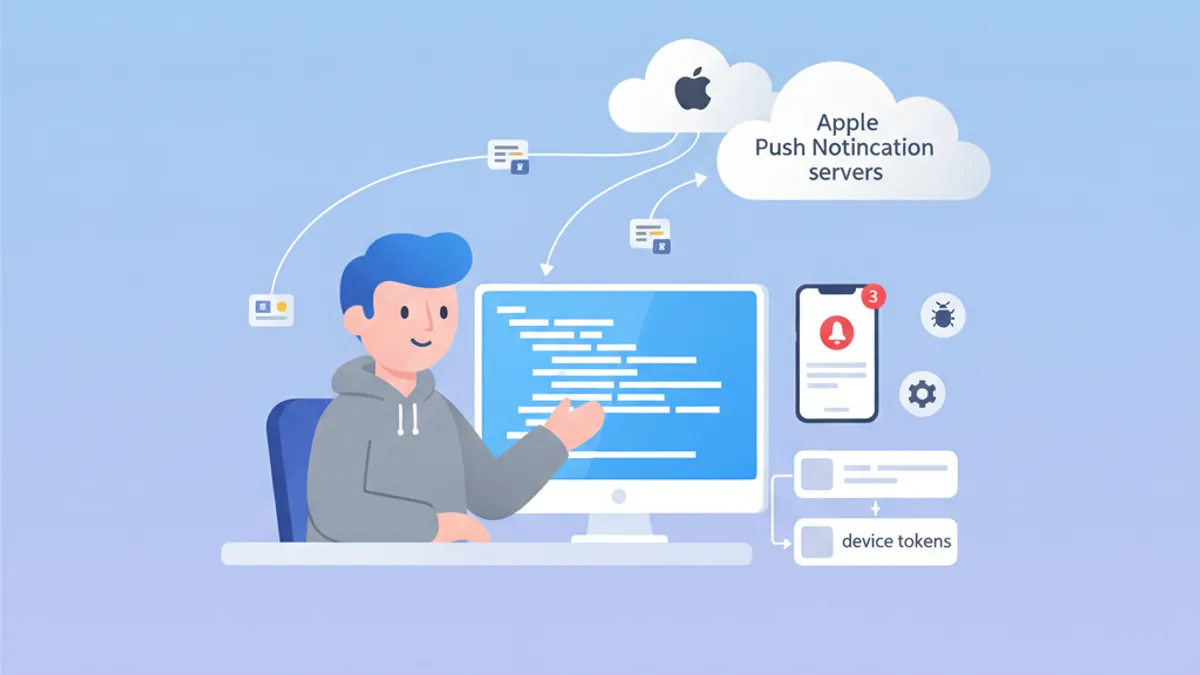
Las Push Notifications siguen siendo un tema crítico en las entrevistas de iOS. Comprender cómo funciona APNs, gestionar device tokens y resolver problemas comunes demuestra un conocimiento profundo del ecosistema de Apple. Esta guía cubre las preguntas de entrevista más frecuentes.
Los entrevistadores buscan candidatos que comprendan el ciclo de vida completo: desde el registro del dispositivo hasta la entrega de la notificación, incluyendo el manejo correcto de errores en cada etapa.
Arquitectura APNs: la base de las notificaciones iOS
Apple Push Notification service (APNs) es el servicio centralizado que gestiona la entrega de push notifications a los dispositivos Apple. Comprender su arquitectura resulta esencial para responder con eficacia a las preguntas de entrevista.
¿Cómo funciona APNs?
El flujo de comunicación involucra a tres actores principales: la aplicación iOS, APNs y el servidor backend. Este es el proceso completo:
import UIKit
import UserNotifications

@main
class AppDelegate: UIResponder, UIApplicationDelegate {

    func application(
        _ application: UIApplication,
        didFinishLaunchingWithOptions launchOptions: [UIApplication.LaunchOptionsKey: Any]?
    ) -> Bool {
        // Request notification authorization
        UNUserNotificationCenter.current().requestAuthorization(
            options: [.alert, .badge, .sound]
        ) { granted, error in
            guard granted else { return }
            // Register with APNs
            DispatchQueue.main.async {
                application.registerForRemoteNotifications()
            }
        }
        return true
    }
}
El registro APNs ocurre en dos pasos: obtener la autorización del usuario y luego llamar a registerForRemoteNotifications().
Gestión del device token
El device token es un identificador único generado por APNs para apuntar a un dispositivo concreto. Este token puede cambiar y debe enviarse al servidor backend en cada lanzamiento de la aplicación.
extension AppDelegate {

    // Callback when APNs provides the token
    func application(
        _ application: UIApplication,
        didRegisterForRemoteNotificationsWithDeviceToken deviceToken: Data
    ) {
        // Convert token to hexadecimal string
        let tokenString = deviceToken.map { String(format: "%02.2hhx", $0) }.joined()
        print("Device Token: \(tokenString)")

        // Send to backend server
        sendTokenToServer(tokenString)
    }

    // Callback on registration failure
    func application(
        _ application: UIApplication,
        didFailToRegisterForRemoteNotificationsWithError error: Error
    ) {
        print("Failed to register: \(error.localizedDescription)")
    }

    private func sendTokenToServer(_ token: String) {
        // Implement HTTP request to backend
    }
}
El token llega como Data y debe convertirse en una cadena hexadecimal antes de enviarlo al servidor.
Preguntas frecuentes de entrevista sobre APNs
Las entrevistas iOS combinan habitualmente preguntas teóricas y prácticas sobre APNs. Aquí están las más comunes con respuestas detalladas.
Pregunta 1: ¿Cuál es la diferencia entre APNs sandbox y producción?
APNs cuenta con dos entornos distintos con endpoints diferentes. Los tokens generados en un entorno no funcionan en el otro.
| Entorno | Endpoint | Uso |
|---|---|---|
| Sandbox | api.sandbox.push.apple.com | Debug, TestFlight |
| Producción | api.push.apple.com | App Store |
Pregunta 2: ¿Cómo gestionar la expiración del token?
Los device tokens pueden cambiar por varias razones: restauración del sistema, instalación en un nuevo dispositivo o renovación periódica por parte de APNs. El servidor debe manejar correctamente las respuestas de error de APNs.
enum APNsError: Int {
    case badDeviceToken = 400
    case unregistered = 410
    case payloadTooLarge = 413
    case tooManyRequests = 429
    case internalServerError = 500

    var shouldRemoveToken: Bool {
        // Remove token only if device is no longer registered
        return self == .unregistered || self == .badDeviceToken
    }
}

struct APNsResponse {
    let statusCode: Int
    let deviceToken: String

    func handleError() {
        guard let error = APNsError(rawValue: statusCode) else { return }

        if error.shouldRemoveToken {
            // Remove token from database
            TokenRepository.shared.remove(deviceToken)
        }
    }
}
El manejo de errores APNs en el servidor resulta crucial para mantener limpia la base de datos de tokens y evitar peticiones innecesarias.
Pregunta 3: ¿Cómo implementar silent notifications?
Las silent notifications permiten despertar la aplicación en segundo plano para realizar tareas sin mostrar ninguna alerta al usuario.
func application(
    _ application: UIApplication,
    didReceiveRemoteNotification userInfo: [AnyHashable: Any],
    fetchCompletionHandler completionHandler: @escaping (UIBackgroundFetchResult) -> Void
) {
    // Check if this is a silent notification
    guard let aps = userInfo["aps"] as? [String: Any],
          aps["content-available"] as? Int == 1 else {
        completionHandler(.noData)
        return
    }

    // Perform background task
    performBackgroundTask { result in
        switch result {
        case .success:
            completionHandler(.newData)
        case .failure:
            completionHandler(.failed)
        }
    }
}
El payload JSON de una silent notification debe contener "content-available": 1 dentro del objeto aps.
¿Listo para aprobar tus entrevistas de iOS?
Practica con nuestros simuladores interactivos, flashcards y tests técnicos.
Notification Service Extension: personalización avanzada
Las Notification Service Extensions permiten modificar el contenido de la notificación antes de mostrarla. Esta funcionalidad aparece a menudo en las entrevistas.
Crear una Service Extension
import UserNotifications

class NotificationService: UNNotificationServiceExtension {

    var contentHandler: ((UNNotificationContent) -> Void)?
    var bestAttemptContent: UNMutableNotificationContent?

    override func didReceive(
        _ request: UNNotificationRequest,
        withContentHandler contentHandler: @escaping (UNNotificationContent) -> Void
    ) {
        self.contentHandler = contentHandler
        bestAttemptContent = request.content.mutableCopy() as? UNMutableNotificationContent

        guard let bestAttemptContent = bestAttemptContent else {
            contentHandler(request.content)
            return
        }

        // Modify content
        if let imageURLString = bestAttemptContent.userInfo["image-url"] as? String,
           let imageURL = URL(string: imageURLString) {
            downloadImage(from: imageURL) { attachment in
                if let attachment = attachment {
                    bestAttemptContent.attachments = [attachment]
                }
                contentHandler(bestAttemptContent)
            }
        } else {
            contentHandler(bestAttemptContent)
        }
    }

    override func serviceExtensionTimeWillExpire() {
        // Called when time limit (30 seconds) is exceeded
        if let contentHandler = contentHandler,
           let bestAttemptContent = bestAttemptContent {
            contentHandler(bestAttemptContent)
        }
    }

    private func downloadImage(
        from url: URL,
        completion: @escaping (UNNotificationAttachment?) -> Void
    ) {
        URLSession.shared.downloadTask(with: url) { localURL, _, error in
            guard let localURL = localURL, error == nil else {
                completion(nil)
                return
            }

            let tempDirectory = FileManager.default.temporaryDirectory
            let fileName = url.lastPathComponent
            let destinationURL = tempDirectory.appendingPathComponent(fileName)

            try? FileManager.default.moveItem(at: localURL, to: destinationURL)

            let attachment = try? UNNotificationAttachment(
                identifier: fileName,
                url: destinationURL,
                options: nil
            )
            completion(attachment)
        }.resume()
    }
}
La extensión dispone de 30 segundos para modificar el contenido. El método serviceExtensionTimeWillExpire() se llama si se supera ese límite.
Troubleshooting de Push Notifications
La depuración de push notifications es un tema recurrente en entrevistas. Los candidatos deben conocer las herramientas y las técnicas de diagnóstico.
Verificar el estado del registro
struct PushNotificationDebugger {

    static func checkNotificationStatus() async {
        let center = UNUserNotificationCenter.current()
        let settings = await center.notificationSettings()

        print("=== Push Notification Status ===")
        print("Authorization: \(settings.authorizationStatus.description)")
        print("Alert: \(settings.alertSetting.description)")
        print("Badge: \(settings.badgeSetting.description)")
        print("Sound: \(settings.soundSetting.description)")
        print("Notification Center: \(settings.notificationCenterSetting.description)")
    }
}

extension UNAuthorizationStatus {
    var description: String {
        switch self {
        case .notDetermined: return "Not Determined"
        case .denied: return "Denied"
        case .authorized: return "Authorized"
        case .provisional: return "Provisional"
        case .ephemeral: return "Ephemeral"
        @unknown default: return "Unknown"
        }
    }
}
Esta función de debug permite verificar rápidamente el estado de autorización de las notificaciones.
Errores comunes y soluciones
Los entrevistadores suelen preguntar por errores comunes y sus soluciones. Estos son los más importantes que conviene tener presentes.
| Error | Causa | Solución |
|---|---|---|
| Token inválido | Entorno incorrecto (sandbox/prod) | Verificar el provisioning profile |
| Notificación no recibida | Modo bajo consumo activado | Probar con la batería cargada |
| Extensión no llamada | Payload sin mutable-content | Añadir "mutable-content": 1 |
| Background fetch fallido | App cerrada por el usuario | Informar al usuario de la limitación |
Probar APNs directamente
Para probar las notificaciones durante el desarrollo, la herramienta curl permite enviar peticiones directamente a APNs:
struct APNsTestPayload {

    static let silentNotification = """
    {
        "aps": {
            "content-available": 1
        },
        "custom-data": "test"
    }
    """

    static let richNotification = """
    {
        "aps": {
            "alert": {
                "title": "New message",
                "body": "Message content"
            },
            "mutable-content": 1,
            "sound": "default"
        },
        "image-url": "https://example.com/image.jpg"
    }
    """
}
Estos payloads de prueba resultan útiles para validar el comportamiento de la aplicación con distintos tipos de notificación.
Buenas prácticas en producción
Las preguntas sobre buenas prácticas ayudan a evaluar la experiencia del candidato con aplicaciones en producción.
Manejo de errores de red
actor PushTokenManager {

    private var pendingToken: String?
    private var retryCount = 0
    private let maxRetries = 3

    func registerToken(_ token: String) async {
        pendingToken = token
        await sendTokenWithRetry()
    }

    private func sendTokenWithRetry() async {
        guard let token = pendingToken else { return }

        do {
            try await APIClient.shared.registerPushToken(token)
            pendingToken = nil
            retryCount = 0
        } catch {
            retryCount += 1
            if retryCount < maxRetries {
                // Retry with exponential backoff
                let delay = UInt64(pow(2.0, Double(retryCount))) * 1_000_000_000
                try? await Task.sleep(nanoseconds: delay)
                await sendTokenWithRetry()
            }
        }
    }
}
El uso de un actor garantiza la seguridad entre hilos a la hora de gestionar tokens en entornos concurrentes.
Persistencia local del token
struct TokenStorage {

    private static let tokenKey = "com.app.pushToken"

    static func save(_ token: String) {
        UserDefaults.standard.set(token, forKey: tokenKey)
    }

    static func retrieve() -> String? {
        UserDefaults.standard.string(forKey: tokenKey)
    }

    static func hasTokenChanged(_ newToken: String) -> Bool {
        guard let savedToken = retrieve() else { return true }
        return savedToken != newToken
    }
}
Guardar el token en local evita llamadas de red innecesarias cuando el token no ha cambiado.
Conclusión
Dominar las iOS Push Notifications demuestra un conocimiento profundo del ecosistema de Apple y de las interacciones cliente-servidor. Puntos clave a recordar para las entrevistas:
✅ Arquitectura APNs: comprender el flujo completo desde el registro hasta la entrega
✅ Device tokens: ciclo de vida y gestión de los cambios de token
✅ Notification Service Extension: personalización del contenido con un límite de 30 segundos
✅ Troubleshooting: conocer los errores frecuentes y sus soluciones
✅ Silent notifications: content-available para el background fetch
✅ Buenas prácticas: lógica de reintento, persistencia local, manejo de errores
¡Empieza a practicar!
Pon a prueba tu conocimiento con nuestros simuladores de entrevista y tests técnicos.
¿Sabrías detectar el bug en iOS?
Un fragmento real, un bug oculto, un intento al día. Sin cuenta para probar.

Escrito por
Anthony Fillion-MailletFundador de SharpSkill
Desarrollador fullstack desde hace más de 10 años. Dirige SharpSkill y responde por todo lo que se publica aquí.
Actualizado el 29 de abril de 2026
Etiquetas
Compartir
Artículos relacionados

Entrevista StoreKit 2: Gestión de Suscripciones y Validación de Recibos
Domina las preguntas de entrevista iOS sobre StoreKit 2, gestión de suscripciones, validación de recibos e implementación de compras integradas con ejemplos prácticos en Swift.

Swift Testing Framework Entrevista 2026: Macros #expect y #require vs XCTest
Domina el nuevo Swift Testing Framework para entrevistas iOS: macros #expect y #require, migración desde XCTest, patrones avanzados y errores comunes.
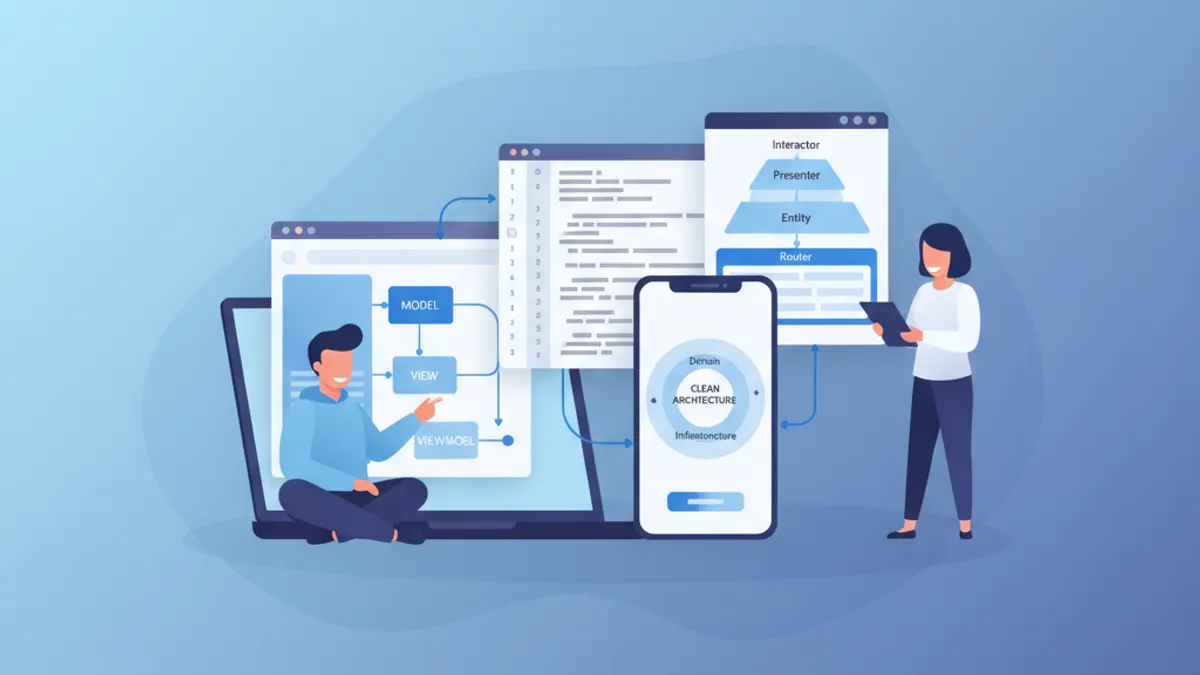
Entrevista iOS Senior 2026: Preguntas de Arquitectura y Patrones de Diseño
Prepárate para entrevistas iOS senior con preguntas clave sobre MVVM, VIPER, Clean Architecture y patrones de diseño. Guía completa con ejemplos de código Swift.