React 19: Server Components in Production - The Complete Guide
Master React 19 Server Components in production. Architecture, patterns, streaming, caching, and optimizations for high-performance applications.
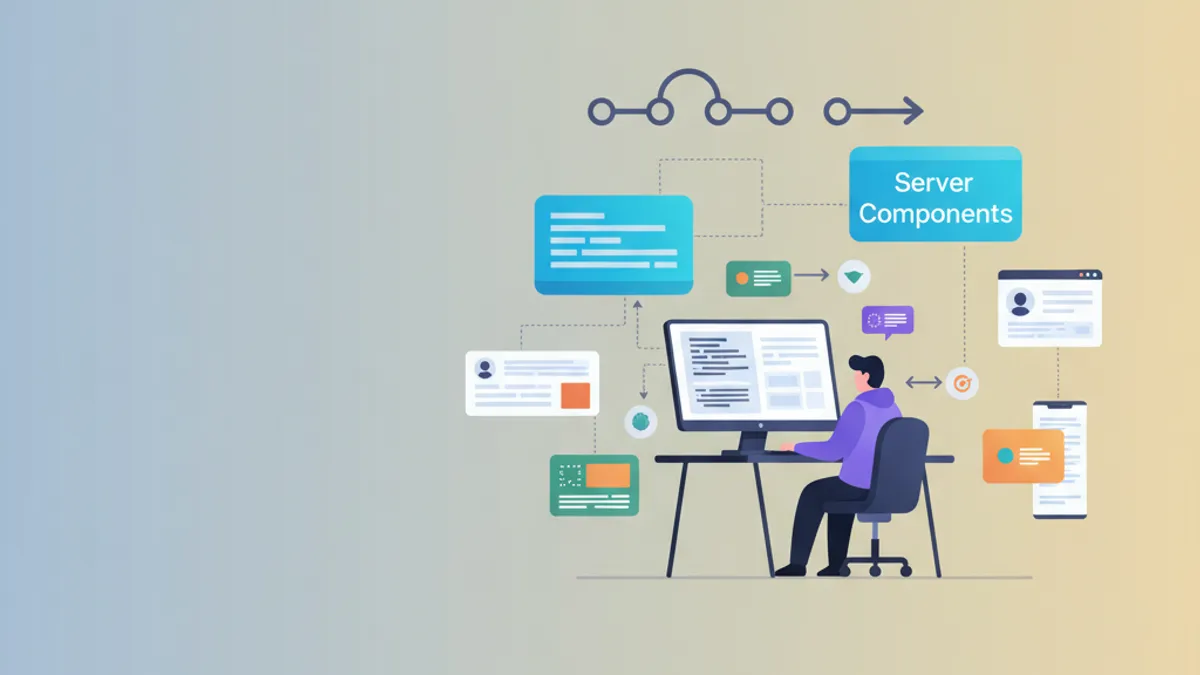
Server Components represent the most significant evolution in React since Hooks. With React 19, this architecture has matured and become production-ready, enabling components to execute directly on the server while preserving client-side interactivity.
This guide assumes familiarity with React and Next.js App Router. Examples use Next.js 14+ which natively implements React Server Components.
Understanding the Server Components Architecture
Server Components (RSC) introduce a new paradigm: some components run exclusively on the server, others on the client, and both can coexist in the same component tree. This separation dramatically optimizes performance by reducing the JavaScript bundle sent to the browser.
The fundamental idea relies on the fact that many components don't need interactivity. A component displaying a list of articles from a database, for example, can run entirely server-side. Only interactive elements (buttons, forms, animations) require client-side JavaScript.
// This component runs only on the server
// No JavaScript is sent to the client for this component
import { getArticles } from '@/lib/articles'
import ArticleCard from './ArticleCard'
import LikeButton from './LikeButton'

// async/await directly in the component
// Only possible with Server Components
export default async function ArticlesPage() {
  // Direct database call (no REST API needed)
  const articles = await getArticles()

  return (
    <main className="container mx-auto py-8">
      <h1 className="text-3xl font-bold mb-6">Recent Articles</h1>

      <div className="grid gap-6 md:grid-cols-2 lg:grid-cols-3">
        {articles.map((article) => (
          // ArticleCard is also a Server Component
          <ArticleCard key={article.id} article={article}>
            {/* LikeButton is a Client Component (interactive) */}
            <LikeButton articleId={article.id} />
          </ArticleCard>
        ))}
      </div>
    </main>
  )
}
The "use client" directive explicitly marks components that require browser JavaScript.
'use client'

// useState and interactive hooks require "use client"
import { useState, useTransition } from 'react'
import { likeArticle } from '@/actions/articles'

interface LikeButtonProps {
  articleId: string
  initialLikes?: number
}

export default function LikeButton({ articleId, initialLikes = 0 }: LikeButtonProps) {
  // Local state for optimistic UI
  const [likes, setLikes] = useState(initialLikes)
  const [isPending, startTransition] = useTransition()

  const handleLike = () => {
    // Immediate optimistic update
    setLikes((prev) => prev + 1)

    // Server Action to persist
    startTransition(async () => {
      await likeArticle(articleId)
    })
  }

  return (
    <button
      onClick={handleLike}
      disabled={isPending}
      className="flex items-center gap-2 px-3 py-1 rounded-full bg-gray-100 hover:bg-gray-200 transition-colors"
    >
      <span>❤️</span>
      <span>{likes}</span>
    </button>
  )
}
This architecture significantly reduces the JavaScript bundle: only LikeButton code is sent to the client, not ArticlesPage or ArticleCard.
Server/Client Composition Patterns
Composition between Server and Client Components follows precise rules. A Server Component can import and render Client Components, but the reverse isn't directly possible. To pass server content to a client component, the children pattern provides the solution.
'use client'

import { useState, ReactNode } from 'react'

interface InteractiveWrapperProps {
  children: ReactNode
  expandable?: boolean
}

// Client Component that wraps server content
export function InteractiveWrapper({ children, expandable = false }: InteractiveWrapperProps) {
  const [isExpanded, setIsExpanded] = useState(!expandable)

  if (!expandable) {
    return <div>{children}</div>
  }

  return (
    <div className="border rounded-lg overflow-hidden">
      <button
        onClick={() => setIsExpanded(!isExpanded)}
        className="w-full p-4 text-left font-medium bg-gray-50 hover:bg-gray-100"
      >
        {isExpanded ? '▼ Collapse' : '▶ Expand'}
      </button>

      {isExpanded && (
        <div className="p-4">
          {/* children can contain Server Components */}
          {children}
        </div>
      )}
    </div>
  )
}// Server Component using the client wrapper
import { InteractiveWrapper } from '@/components/InteractiveWrapper'
import { getStats, getRecentActivity } from '@/lib/dashboard'
export default async function DashboardPage() {
// Parallel server-side requests
const [stats, activity] = await Promise.all([
getStats(),
getRecentActivity()
])
return (
<div className="space-y-6">
{/* Stats in an expandable wrapper */}
<InteractiveWrapper expandable>
{/* This content is rendered server-side then passed to client */}
<div className="grid grid-cols-3 gap-4">
<StatCard title="Users" value={stats.users} />
<StatCard title="Revenue" value={stats.revenue} />
<StatCard title="Orders" value={stats.orders} />
</div>
</InteractiveWrapper>
{/* Recent activity */}
<InteractiveWrapper>
<ActivityList activities={activity} />
</InteractiveWrapper>
</div>
)
}This pattern enables combining client interactivity with server-rendered data without duplicating logic.
Data Fetching and Caching
React 19 automatically extends the native fetch API to add deduplication and caching. Identical requests within the same render execute only once.
Data fetching in Server Components happens directly with async/await. React automatically handles deduplication of identical requests.
// Centralized request configuration with caching
const API_BASE = process.env.API_URL

// Request with time-based revalidation
export async function getProducts() {
  const response = await fetch(`${API_BASE}/products`, {
    // Revalidate every hour
    next: { revalidate: 3600 }
  })

  if (!response.ok) {
    throw new Error('Failed to fetch products')
  }

  return response.json()
}

// Request without cache (real-time data)
export async function getCurrentUser() {
  const response = await fetch(`${API_BASE}/me`, {
    // No cache, always fresh
    cache: 'no-store'
  })

  if (!response.ok) {
    return null
  }

  return response.json()
}

// Request with tag for targeted invalidation
export async function getProduct(id: string) {
  const response = await fetch(`${API_BASE}/products/${id}`, {
    next: {
      tags: [`product-${id}`],
      revalidate: 3600
    }
  })

  if (!response.ok) {
    throw new Error('Product not found')
  }

  return response.json()
}
For direct database access (Prisma, Drizzle), React cache with unstable_cache offers the same capabilities.
import { unstable_cache } from 'next/cache'
import { prisma } from '@/lib/prisma'

// Cache categories (rarely modified)
export const getCategories = unstable_cache(
  async () => {
    return prisma.category.findMany({
      orderBy: { name: 'asc' }
    })
  },
  ['categories'], // Cache key
  {
    revalidate: 86400, // 24 hours
    tags: ['categories']
  }
)

// Cache products by category
export const getProductsByCategory = unstable_cache(
  async (categoryId: string) => {
    return prisma.product.findMany({
      where: { categoryId },
      include: { images: true },
      orderBy: { createdAt: 'desc' }
    })
  },
  ['products-by-category'],
  {
    revalidate: 3600,
    tags: ['products']
  }
)

// Cache invalidation after mutation
export async function createProduct(data: ProductInput) {
  const product = await prisma.product.create({ data })

  // Invalidate related caches
  revalidateTag('products')

  return product
}
Ready to ace your React / Next.js interviews?
Practice with our interactive simulators, flashcards, and technical tests.
Streaming and Suspense for Optimal UX
Streaming enables progressively sending HTML to the browser, immediately displaying available parts while others load. Combined with Suspense, this mechanism dramatically improves Time to First Byte (TTFB) and perceived user experience.
import { Suspense } from 'react'
import { getProduct } from '@/lib/products'
import ProductDetails from './ProductDetails'
import ProductReviews from './ProductReviews'
import RecommendedProducts from './RecommendedProducts'
import { Skeleton } from '@/components/ui/Skeleton'

interface ProductPageProps {
  params: { id: string }
}

export default async function ProductPage({ params }: ProductPageProps) {
  // This request blocks initial render
  const product = await getProduct(params.id)

  return (
    <div className="container mx-auto py-8">
      {/* Immediate render with product data */}
      <ProductDetails product={product} />

      {/* Reviews load via streaming */}
      <section className="mt-12">
        <h2 className="text-2xl font-bold mb-6">Customer Reviews</h2>
        <Suspense fallback={<ReviewsSkeleton />}>
          {/* This async component will be streamed */}
          <ProductReviews productId={params.id} />
        </Suspense>
      </section>

      {/* Recommendations too */}
      <section className="mt-12">
        <h2 className="text-2xl font-bold mb-6">Similar Products</h2>
        <Suspense fallback={<ProductGridSkeleton count={4} />}>
          <RecommendedProducts productId={params.id} />
        </Suspense>
      </section>
    </div>
  )
}

// Skeleton for reviews
function ReviewsSkeleton() {
  return (
    <div className="space-y-4">
      {[1, 2, 3].map((i) => (
        <div key={i} className="border rounded-lg p-4">
          <Skeleton className="h-4 w-32 mb-2" />
          <Skeleton className="h-4 w-full" />
          <Skeleton className="h-4 w-3/4" />
        </div>
      ))}
    </div>
  )
}// Async Server Component that will be streamed
import { getProductReviews } from '@/lib/reviews'
interface ProductReviewsProps {
productId: string
}
export default async function ProductReviews({ productId }: ProductReviewsProps) {
// This request may take time
// Component will be streamed when complete
const reviews = await getProductReviews(productId)
if (reviews.length === 0) {
return (
<p className="text-gray-500 italic">
No reviews yet. Be the first to share your thoughts!
</p>
)
}
return (
<div className="space-y-4">
{reviews.map((review) => (
<article key={review.id} className="border rounded-lg p-4">
<div className="flex items-center gap-2 mb-2">
<span className="font-medium">{review.author}</span>
<span className="text-yellow-500">
{'★'.repeat(review.rating)}{'☆'.repeat(5 - review.rating)}
</span>
</div>
<p className="text-gray-700">{review.content}</p>
<time className="text-sm text-gray-500">
{new Date(review.createdAt).toLocaleDateString('en-US')}
</time>
</article>
))}
</div>
)
}The browser first receives the HTML shell with skeletons, then actual content gets injected progressively via streaming.
Server Actions for Mutations
Server Actions enable executing server code from client components without creating API routes. This approach significantly simplifies mutation handling.
'use server'

import { revalidatePath } from 'next/cache'
import { cookies } from 'next/headers'
import { prisma } from '@/lib/prisma'
import { getCurrentUser } from '@/lib/auth'

// Action to add to cart
export async function addToCart(productId: string, quantity: number = 1) {
  const user = await getCurrentUser()

  if (!user) {
    // Return structured error
    return { error: 'Login required', code: 'UNAUTHORIZED' }
  }

  try {
    // Check stock
    const product = await prisma.product.findUnique({
      where: { id: productId }
    })

    if (!product || product.stock < quantity) {
      return { error: 'Insufficient stock', code: 'OUT_OF_STOCK' }
    }

    // Add or update cart item
    await prisma.cartItem.upsert({
      where: {
        cartId_productId: {
          cartId: user.cartId,
          productId
        }
      },
      update: {
        quantity: { increment: quantity }
      },
      create: {
        cartId: user.cartId,
        productId,
        quantity
      }
    })

    // Invalidate cart page cache
    revalidatePath('/cart')

    return { success: true, message: 'Product added to cart' }
  } catch (error) {
    console.error('Add to cart error:', error)
    return { error: 'An error occurred', code: 'SERVER_ERROR' }
  }
}

// Action to remove from cart
export async function removeFromCart(itemId: string) {
  const user = await getCurrentUser()

  if (!user) {
    return { error: 'Login required' }
  }

  await prisma.cartItem.delete({
    where: { id: itemId, cart: { userId: user.id } }
  })

  revalidatePath('/cart')

  return { success: true }
}'use client'
import { useTransition } from 'react'
import { addToCart } from '@/actions/cart'
import { toast } from '@/components/ui/toast'
interface AddToCartButtonProps {
productId: string
}
export function AddToCartButton({ productId }: AddToCartButtonProps) {
const [isPending, startTransition] = useTransition()
const handleClick = () => {
startTransition(async () => {
const result = await addToCart(productId)
if (result.error) {
toast.error(result.error)
return
}
toast.success(result.message)
})
}
return (
<button
onClick={handleClick}
disabled={isPending}
className="w-full py-3 px-6 bg-blue-600 text-white rounded-lg font-medium hover:bg-blue-700 disabled:opacity-50 disabled:cursor-not-allowed transition-colors"
>
{isPending ? (
<span className="flex items-center justify-center gap-2">
<span className="w-4 h-4 border-2 border-white/30 border-t-white rounded-full animate-spin" />
Adding...
</span>
) : (
'Add to Cart'
)}
</button>
)
}Always validate data in Server Actions. Client-side validations can be bypassed. Use Zod or a similar library for robust validation.
Error Handling and Error Boundaries
React 19 improves error handling with Server Components. Error Boundaries work the same way as with Client Components.
'use client'

// Error Boundary for /products segment
interface ErrorProps {
  error: Error & { digest?: string }
  reset: () => void
}

export default function ProductsError({ error, reset }: ErrorProps) {
  return (
    <div className="flex flex-col items-center justify-center min-h-[400px] text-center">
      <div className="p-6 bg-red-50 rounded-lg max-w-md">
        <h2 className="text-xl font-bold text-red-800 mb-2">
          Loading Error
        </h2>
        <p className="text-red-600 mb-4">
          Unable to load products. Please try again.
        </p>
        {/* Display digest for debugging */}
        {error.digest && (
          <p className="text-sm text-gray-500 mb-4">
            Reference: {error.digest}
          </p>
        )}
        <button
          onClick={reset}
          className="px-4 py-2 bg-red-600 text-white rounded-lg hover:bg-red-700"
        >
          Try Again
        </button>
      </div>
    </div>
  )
}// Loading UI during initial load
export default function ProductsLoading() {
return (
<div className="container mx-auto py-8">
<div className="h-8 w-48 bg-gray-200 rounded animate-pulse mb-6" />
<div className="grid grid-cols-3 gap-6">
{[1, 2, 3, 4, 5, 6].map((i) => (
<div key={i} className="border rounded-lg p-4">
<div className="aspect-square bg-gray-200 rounded animate-pulse mb-4" />
<div className="h-4 bg-gray-200 rounded animate-pulse mb-2" />
<div className="h-4 w-2/3 bg-gray-200 rounded animate-pulse" />
</div>
))}
</div>
</div>
)
}For finer error handling in specific components, the ErrorBoundary component can be used directly.
'use client'

import { Component, ReactNode } from 'react'

interface Props {
  children: ReactNode
  fallback?: ReactNode
}

interface State {
  hasError: boolean
  error?: Error
}

export class ErrorBoundary extends Component<Props, State> {
  constructor(props: Props) {
    super(props)
    this.state = { hasError: false }
  }

  static getDerivedStateFromError(error: Error): State {
    return { hasError: true, error }
  }

  componentDidCatch(error: Error, errorInfo: React.ErrorInfo) {
    // Log error to monitoring service
    console.error('ErrorBoundary caught:', error, errorInfo)
  }

  render() {
    if (this.state.hasError) {
      return this.props.fallback || (
        <div className="p-4 bg-red-50 rounded-lg">
          <p className="text-red-600">An error occurred</p>
        </div>
      )
    }

    return this.props.children
  }
}
Production Performance Optimizations
Several techniques enable optimizing Server Components performance in production.
import { Suspense } from 'react'
import { headers } from 'next/headers'

// Preload critical data
export const dynamic = 'force-dynamic'

export default async function RootLayout({
  children
}: {
  children: React.ReactNode
}) {
  return (
    <html lang="en">
      <body>
        {/* Header streamed independently */}
        <Suspense fallback={<HeaderSkeleton />}>
          <Header />
        </Suspense>

        <main>{children}</main>

        {/* Footer can be static */}
        <Footer />
      </body>
    </html>
  )
}// Data prefetching for links
import { preload } from 'react-dom'
export function prefetchProduct(productId: string) {
// Prefetch images
preload(`/api/products/${productId}/image`, { as: 'image' })
}
// Usage in a component
// <Link href={`/products/${id}`} onMouseEnter={() => prefetchProduct(id)}>/** @type {import('next').NextConfig} */
const nextConfig = {
// Build optimizations
experimental: {
// Enable Partial Prerendering (PPR)
ppr: true,
// Optimize package imports
optimizePackageImports: ['lucide-react', '@radix-ui/react-icons']
},
// Image configuration
images: {
formats: ['image/avif', 'image/webp'],
remotePatterns: [
{ hostname: 'cdn.example.com' }
]
}
}
module.exports = nextConfigReady to ace your React / Next.js interviews?
Practice with our interactive simulators, flashcards, and technical tests.
Conclusion
React 19 Server Components fundamentally transform how React applications are built. Key takeaways:
- ✅ Server/client separation: use
"use client"only for interactive components - ✅ Direct data fetching:
async/awaitin components, no useEffect or API routes needed - ✅ Streaming with Suspense: progressive display for better perceived UX
- ✅ Server Actions: simplified mutations without creating API endpoints
- ✅ Smart caching:
revalidateandtagsfor performance optimization - ✅ Flexible composition:
childrenpattern to mix Server and Client Components
This architecture enables creating more performant applications with less client-side JavaScript while significantly simplifying code. Transitioning to Server Components represents an investment that quickly pays off in terms of performance and maintainability.
Start practicing!
Test your knowledge with our interview simulators and technical tests.
Can you spot the bug in React / Next.js?
One real snippet, one hidden bug, one attempt a day. No account needed to try.

Written by
Anthony Fillion-MailletFounder of SharpSkill
Full-stack developer for over 10 years. Runs SharpSkill and answers for everything published here.
Updated on March 31, 2026
Tags
Share
Related articles

Zustand vs Redux Toolkit in 2026: Which React State Manager to Choose?
A practical 2026 comparison of Zustand 5 and Redux Toolkit 2.x for React state management: setup, async data fetching with RTK Query, performance, and interview questions.

React Compiler in 2026: Automatic Memoization and Interview Questions
Master React Compiler interview questions for 2026. Covers automatic memoization, HIR compilation pipeline, Rules of React, ESLint integration, and when manual optimization still matters.

React Server Components in Production: Patterns and Pitfalls
React Server Components in production: battle-tested patterns, common anti-patterns, and debugging strategies for robust Next.js 15 applications.