Core Data to SwiftData Migration: Step-by-Step Guide 2026
Complete guide to migrate your iOS app from Core Data to SwiftData with practical examples, coexistence strategies, and best practices.
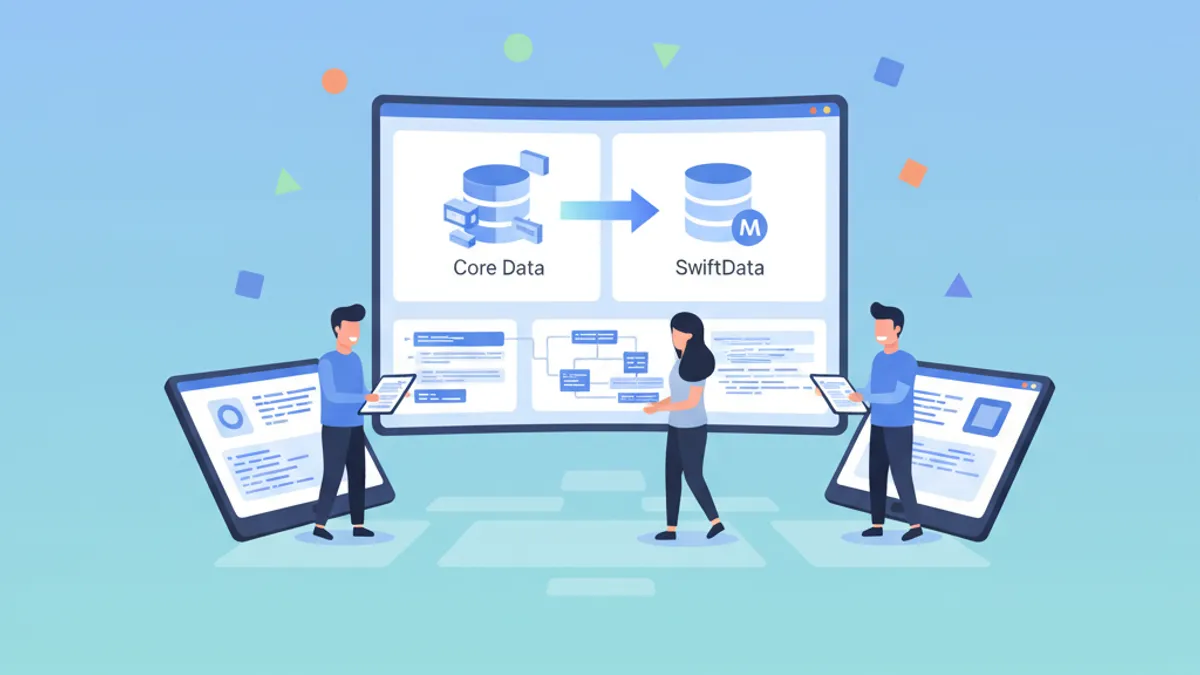
SwiftData represents the future of data persistence on Apple platforms. Introduced at WWDC 2023, this framework offers native Swift syntax and seamless SwiftUI integration. For existing Core Data applications, migration constitutes a strategic step toward more modern and maintainable code.
This guide details the complete migration process from Core Data to SwiftData: compatibility assessment, model conversion, data migration strategies, and coexistence patterns for a gradual transition.
Assessing Migration Feasibility
Before starting the migration, a thorough assessment helps identify potential obstacles. Core Data and SwiftData share the same SQLite persistence engine, making data fully compatible.
// Migration assessment checklist

/*
 FEATURES SUPPORTED BY SWIFTDATA:
 ✅ Simple models with basic properties
 ✅ One-to-one and one-to-many relationships
 ✅ Optional properties and default values
 ✅ Transformable attributes (via Codable)
 ✅ CloudKit synchronization (basic)
 ✅ Automatic lightweight migrations
 ✅ Class inheritance (iOS 26+)

 FEATURES REQUIRING ATTENTION:
 ⚠️ NSFetchedResultsController → @Query + manual observation
 ⚠️ NSCompoundPredicate → #Predicate with combined logic
 ⚠️ Dynamic predicates → Workarounds required

 UNSUPPORTED FEATURES:
 ❌ Advanced CloudKit Sharing
 ❌ Derived attributes
 ❌ Fetched properties
*/

// Example of typical Core Data model to migrate
import CoreData

// Existing Core Data entity
class CDTask: NSManagedObject {
    @NSManaged var id: UUID
    @NSManaged var title: String
    @NSManaged var isCompleted: Bool
    @NSManaged var createdAt: Date
    @NSManaged var priority: Int16
    @NSManaged var category: CDCategory?
}

class CDCategory: NSManagedObject {
    @NSManaged var id: UUID
    @NSManaged var name: String
    @NSManaged var color: String
    @NSManaged var tasks: NSSet?
}
Data-level compatibility means users retain their existing information after migration. No data loss occurs when the process is correctly executed.
Converting Core Data Models to SwiftData
The first concrete step involves converting Core Data entities to SwiftData classes. Xcode provides an automatic tool, but understanding the manual process remains essential.
import SwiftData

// SwiftData equivalent of CDTask
@Model
final class Task {
    // Properties with default values
    var id: UUID = UUID()
    var title: String = ""
    var isCompleted: Bool = false
    var createdAt: Date = Date()
    var priority: Int = 0

    // Optional relationship to Category
    var category: Category?

    // Explicit initializer recommended
    init(
        id: UUID = UUID(),
        title: String,
        isCompleted: Bool = false,
        createdAt: Date = Date(),
        priority: Int = 0,
        category: Category? = nil
    ) {
        self.id = id
        self.title = title
        self.isCompleted = isCompleted
        self.createdAt = createdAt
        self.priority = priority
        self.category = category
    }
}
Key differences from Core Data include using the @Model macro instead of NSManagedObject, and native Swift types rather than Objective-C types.
import SwiftData

@Model
final class Category {
    var id: UUID = UUID()
    var name: String = ""
    var color: String = "blue"

    // Inverse relationship with delete rule
    @Relationship(deleteRule: .cascade, inverse: \Task.category)
    var tasks: [Task] = []

    init(id: UUID = UUID(), name: String, color: String = "blue") {
        self.id = id
        self.name = name
        self.color = color
    }
}Core Data types convert directly: Int16 becomes Int, NSSet becomes [Model], and Date remains Date. Transformable attributes require adopting Codable.
Configuring the ModelContainer
The SwiftData ModelContainer replaces Core Data's NSPersistentContainer. Configuration determines where and how data is stored.
import SwiftData
import SwiftUI

@main
struct TaskManagerApp: App {
    // SwiftData container configuration
    var sharedModelContainer: ModelContainer = {
        // Schema including all models
        let schema = Schema([
            Task.self,
            Category.self
        ])

        // Configuration with storage options
        let modelConfiguration = ModelConfiguration(
            schema: schema,
            isStoredInMemoryOnly: false,
            // Use the same store as Core Data
            url: URL.applicationSupportDirectory
                .appending(path: "TaskManager.sqlite")
        )

        do {
            return try ModelContainer(
                for: schema,
                configurations: [modelConfiguration]
            )
        } catch {
            fatalError("Could not create ModelContainer: \(error)")
        }
    }()

    var body: some Scene {
        WindowGroup {
            ContentView()
        }
        .modelContainer(sharedModelContainer)
    }
}
The crucial point lies in the store URL: using the same SQLite file as Core Data allows SwiftData to read existing data.
Core Data and SwiftData Coexistence Strategy
For complex applications, gradual migration via coexistence of both frameworks represents the safest approach. Both stacks can access the same SQLite file.
import CoreData
import SwiftData

// Configuration for coexistence
class PersistenceController {
    static let shared = PersistenceController()

    // Shared store between Core Data and SwiftData
    private let storeURL: URL = {
        let appSupport = FileManager.default
            .urls(for: .applicationSupportDirectory, in: .userDomainMask)
            .first!
        return appSupport.appending(path: "TaskManager.sqlite")
    }()

    // MARK: - Core Data Stack (existing)

    lazy var persistentContainer: NSPersistentContainer = {
        let container = NSPersistentContainer(name: "TaskManager")

        // Configure to use shared store
        let description = NSPersistentStoreDescription(url: storeURL)
        description.setOption(
            true as NSNumber,
            forKey: NSPersistentHistoryTrackingKey
        )
        container.persistentStoreDescriptions = [description]

        container.loadPersistentStores { _, error in
            if let error = error as NSError? {
                fatalError("Core Data error: \(error)")
            }
        }

        return container
    }()

    // MARK: - SwiftData Stack (new)

    lazy var swiftDataContainer: ModelContainer = {
        let schema = Schema([Task.self, Category.self])

        let config = ModelConfiguration(
            schema: schema,
            url: storeURL,
            // Disable automatic migrations in coexistence
            allowsSave: true
        )

        do {
            return try ModelContainer(for: schema, configurations: [config])
        } catch {
            fatalError("SwiftData error: \(error)")
        }
    }()
}In coexistence mode, changes made by one framework are not immediately visible to the other. An explicit reload or app restart may be necessary.
Migrating Queries: From NSFetchRequest to @Query
The most significant difference concerns how data is retrieved. SwiftUI uses the @Query property wrapper to replace @FetchRequest.
import SwiftUI
import SwiftData

// ❌ Old pattern with Core Data
struct OldTaskListView: View {
    @FetchRequest(
        sortDescriptors: [
            NSSortDescriptor(keyPath: \CDTask.createdAt, ascending: false)
        ],
        predicate: NSPredicate(format: "isCompleted == NO")
    )
    private var tasks: FetchedResults<CDTask>

    var body: some View {
        List(tasks) { task in
            Text(task.title)
        }
    }
}

// ✅ New pattern with SwiftData
struct NewTaskListView: View {
    // @Query with built-in sorting and filtering
    @Query(
        filter: #Predicate<Task> { !$0.isCompleted },
        sort: \Task.createdAt,
        order: .reverse
    )
    private var tasks: [Task]

    var body: some View {
        List(tasks) { task in
            TaskRowView(task: task)
        }
    }
}

struct TaskRowView: View {
    let task: Task

    var body: some View {
        HStack {
            // Priority indicator
            Circle()
                .fill(priorityColor)
                .frame(width: 8, height: 8)

            VStack(alignment: .leading) {
                Text(task.title)
                    .font(.headline)

                if let category = task.category {
                    Text(category.name)
                        .font(.caption)
                        .foregroundStyle(.secondary)
                }
            }

            Spacer()

            // Date badge
            Text(task.createdAt, style: .date)
                .font(.caption2)
                .foregroundStyle(.tertiary)
        }
    }

    private var priorityColor: Color {
        switch task.priority {
        case 3: return .red
        case 2: return .orange
        case 1: return .yellow
        default: return .gray
        }
    }
}
Ready to ace your iOS interviews?
Practice with our interactive simulators, flashcards, and technical tests.
Handling Dynamic Predicates
A major challenge with SwiftData concerns dynamic predicates. Unlike Core Data where predicates can be modified on the fly, @Query requires alternative approaches.
import SwiftUI
import SwiftData

// Solution 1: Use @Query with custom init
struct FilteredTasksView: View {
    @Query private var tasks: [Task]

    // Create view with specific filter
    init(showCompleted: Bool, categoryId: UUID?) {
        // Build predicate based on parameters
        var predicates: [Predicate<Task>] = []

        if !showCompleted {
            predicates.append(#Predicate { !$0.isCompleted })
        }

        if let categoryId {
            predicates.append(#Predicate { task in
                task.category?.id == categoryId
            })
        }

        // Combine predicates
        let combinedPredicate: Predicate<Task>?
        if predicates.isEmpty {
            combinedPredicate = nil
        } else if predicates.count == 1 {
            combinedPredicate = predicates[0]
        } else {
            // Manually combine for AND logic
            combinedPredicate = #Predicate<Task> { task in
                !task.isCompleted && task.category?.id == categoryId
            }
        }

        _tasks = Query(
            filter: combinedPredicate,
            sort: \Task.createdAt,
            order: .reverse
        )
    }

    var body: some View {
        List(tasks) { task in
            TaskRowView(task: task)
        }
    }
}

// Solution 2: View-side filtering with all results
struct SmartTaskListView: View {
    // Fetch all tasks
    @Query(sort: \Task.createdAt, order: .reverse)
    private var allTasks: [Task]

    // Filter state
    @State private var searchText = ""
    @State private var showCompleted = false
    @State private var selectedCategory: Category?

    // Computed filtering
    private var filteredTasks: [Task] {
        allTasks.filter { task in
            // Text filter
            let matchesSearch = searchText.isEmpty ||
                task.title.localizedCaseInsensitiveContains(searchText)

            // Status filter
            let matchesStatus = showCompleted || !task.isCompleted

            // Category filter
            let matchesCategory = selectedCategory == nil ||
                task.category?.id == selectedCategory?.id

            return matchesSearch && matchesStatus && matchesCategory
        }
    }

    var body: some View {
        NavigationStack {
            List(filteredTasks) { task in
                TaskRowView(task: task)
            }
            .searchable(text: $searchText)
            .toolbar {
                FilterMenu(
                    showCompleted: $showCompleted,
                    selectedCategory: $selectedCategory
                )
            }
        }
    }
}
Versioned Schema Migrations
When the data model evolves, SwiftData uses VersionedSchema to manage complex migrations.
import SwiftData

// Version 1: Initial schema
enum TaskSchemaV1: VersionedSchema {
    static var versionIdentifier = Schema.Version(1, 0, 0)

    static var models: [any PersistentModel.Type] {
        [Task.self, Category.self]
    }

    @Model
    final class Task {
        var id: UUID = UUID()
        var title: String = ""
        var isCompleted: Bool = false
        var createdAt: Date = Date()
        var category: Category?

        init(title: String) {
            self.title = title
        }
    }

    @Model
    final class Category {
        var id: UUID = UUID()
        var name: String = ""

        @Relationship(deleteRule: .cascade, inverse: \Task.category)
        var tasks: [Task] = []

        init(name: String) {
            self.name = name
        }
    }
}

// Version 2: Added priority and notes fields
enum TaskSchemaV2: VersionedSchema {
    static var versionIdentifier = Schema.Version(2, 0, 0)

    static var models: [any PersistentModel.Type] {
        [Task.self, Category.self]
    }

    @Model
    final class Task {
        var id: UUID = UUID()
        var title: String = ""
        var isCompleted: Bool = false
        var createdAt: Date = Date()
        // New properties with default values
        var priority: Int = 0
        var notes: String = ""
        var category: Category?

        init(title: String, priority: Int = 0) {
            self.title = title
            self.priority = priority
        }
    }

    @Model
    final class Category {
        var id: UUID = UUID()
        var name: String = ""
        // New property
        var color: String = "blue"

        @Relationship(deleteRule: .cascade, inverse: \Task.category)
        var tasks: [Task] = []

        init(name: String, color: String = "blue") {
            self.name = name
            self.color = color
        }
    }
}
The migration plan defines the version order and any custom migrations required.
import SwiftData

enum TaskMigrationPlan: SchemaMigrationPlan {
    // Chronological order of schemas
    static var schemas: [any VersionedSchema.Type] {
        [TaskSchemaV1.self, TaskSchemaV2.self]
    }

    // Migration stages
    static var stages: [MigrationStage] {
        [migrateV1toV2]
    }

    // V1 → V2 migration: lightweight (properties with defaults)
    static let migrateV1toV2 = MigrationStage.lightweight(
        fromVersion: TaskSchemaV1.self,
        toVersion: TaskSchemaV2.self
    )
}

// Container configuration with migration
@main
struct TaskManagerApp: App {
    var sharedModelContainer: ModelContainer = {
        do {
            return try ModelContainer(
                for: TaskSchemaV2.Task.self, TaskSchemaV2.Category.self,
                migrationPlan: TaskMigrationPlan.self
            )
        } catch {
            fatalError("Migration failed: \(error)")
        }
    }()

    var body: some Scene {
        WindowGroup {
            ContentView()
        }
        .modelContainer(sharedModelContainer)
    }
}SwiftData automatically handles lightweight migrations (adding properties with defaults, renaming, deleting). Complex migrations requiring data transformation use MigrationStage.custom.
Replacing NSFetchedResultsController
For sectioned lists or fine-grained change observation, @Query combined with data extraction replaces NSFetchedResultsController.
import SwiftUI
import SwiftData

struct SectionedTaskListView: View {
    @Query(sort: \Task.createdAt, order: .reverse)
    private var tasks: [Task]

    // Grouping by category
    private var tasksByCategory: [(Category?, [Task])] {
        Dictionary(grouping: tasks) { $0.category }
            .map { ($0.key, $0.value) }
            .sorted { first, second in
                // Tasks without category last
                guard let firstName = first.0?.name else { return false }
                guard let secondName = second.0?.name else { return true }
                return firstName < secondName
            }
    }

    var body: some View {
        List {
            ForEach(tasksByCategory, id: \.0?.id) { category, categoryTasks in
                Section(header: SectionHeader(category: category)) {
                    ForEach(categoryTasks) { task in
                        TaskRowView(task: task)
                    }
                }
            }
        }
    }
}

struct SectionHeader: View {
    let category: Category?

    var body: some View {
        HStack {
            if let category {
                Circle()
                    .fill(Color(category.color))
                    .frame(width: 12, height: 12)
                Text(category.name)
            } else {
                Text("Uncategorized")
                    .foregroundStyle(.secondary)
            }
        }
    }
}

// Alternative: Grouping by date
struct DateGroupedTasksView: View {
    @Query(sort: \Task.createdAt, order: .reverse)
    private var tasks: [Task]

    private var tasksByDate: [(Date, [Task])] {
        let calendar = Calendar.current

        let grouped = Dictionary(grouping: tasks) { task in
            calendar.startOfDay(for: task.createdAt)
        }

        return grouped
            .map { ($0.key, $0.value) }
            .sorted { $0.0 > $1.0 }
    }

    var body: some View {
        List {
            ForEach(tasksByDate, id: \.0) { date, dateTasks in
                Section(header: Text(date, style: .date)) {
                    ForEach(dateTasks) { task in
                        TaskRowView(task: task)
                    }
                }
            }
        }
    }
}
CRUD Operations with ModelContext
The ModelContext replaces NSManagedObjectContext for all create, read, update, and delete operations.
import SwiftUI
import SwiftData

struct TaskManagementView: View {
    @Environment(\.modelContext) private var modelContext
    @Query private var tasks: [Task]
    @Query private var categories: [Category]

    @State private var newTaskTitle = ""
    @State private var selectedCategory: Category?

    var body: some View {
        NavigationStack {
            VStack {
                // Add form
                AddTaskForm(
                    title: $newTaskTitle,
                    category: $selectedCategory,
                    categories: categories,
                    onAdd: addTask
                )

                // Task list
                List {
                    ForEach(tasks) { task in
                        TaskRowView(task: task)
                            .swipeActions(edge: .trailing) {
                                Button(role: .destructive) {
                                    deleteTask(task)
                                } label: {
                                    Label("Delete", systemImage: "trash")
                                }
                            }
                            .swipeActions(edge: .leading) {
                                Button {
                                    toggleCompletion(task)
                                } label: {
                                    Label(
                                        task.isCompleted ? "Todo" : "Done",
                                        systemImage: task.isCompleted ? "circle" : "checkmark"
                                    )
                                }
                                .tint(task.isCompleted ? .orange : .green)
                            }
                    }
                }
            }
            .navigationTitle("Tasks")
        }
    }

    // CREATE
    private func addTask() {
        guard !newTaskTitle.isEmpty else { return }

        let task = Task(
            title: newTaskTitle,
            category: selectedCategory
        )

        // Insert into context
        modelContext.insert(task)

        // Explicit save (optional - autosave enabled by default)
        do {
            try modelContext.save()
        } catch {
            print("Save error: \(error)")
        }

        // Reset form
        newTaskTitle = ""
        selectedCategory = nil
    }

    // UPDATE
    private func toggleCompletion(_ task: Task) {
        // Direct modification - SwiftData tracks automatically
        task.isCompleted.toggle()

        // Automatic save handles persistence
    }

    // DELETE
    private func deleteTask(_ task: Task) {
        modelContext.delete(task)
    }
}

struct AddTaskForm: View {
    @Binding var title: String
    @Binding var category: Category?
    let categories: [Category]
    let onAdd: () -> Void

    var body: some View {
        VStack(spacing: 12) {
            TextField("New task...", text: $title)
                .textFieldStyle(.roundedBorder)

            HStack {
                Picker("Category", selection: $category) {
                    Text("None").tag(nil as Category?)
                    ForEach(categories) { cat in
                        Text(cat.name).tag(cat as Category?)
                    }
                }
                .pickerStyle(.menu)

                Button("Add", action: onAdd)
                    .buttonStyle(.borderedProminent)
                    .disabled(title.isEmpty)
            }
        }
        .padding()
    }
}
Unit Testing with SwiftData
A robust testing strategy facilitates migration validation. SwiftData allows creating in-memory containers for tests.
import XCTest
import SwiftData
@testable import TaskManager

final class TaskModelTests: XCTestCase {
    var container: ModelContainer!
    var context: ModelContext!

    override func setUpWithError() throws {
        // In-memory container for tests
        let config = ModelConfiguration(isStoredInMemoryOnly: true)
        container = try ModelContainer(
            for: Task.self, Category.self,
            configurations: config
        )
        context = ModelContext(container)
    }

    override func tearDownWithError() throws {
        container = nil
        context = nil
    }

    func testCreateTask() throws {
        // Given
        let task = Task(title: "Test Task")

        // When
        context.insert(task)
        try context.save()

        // Then
        let descriptor = FetchDescriptor<Task>()
        let tasks = try context.fetch(descriptor)

        XCTAssertEqual(tasks.count, 1)
        XCTAssertEqual(tasks.first?.title, "Test Task")
    }

    func testTaskCategoryRelationship() throws {
        // Given
        let category = Category(name: "Work", color: "blue")
        let task = Task(title: "Meeting", category: category)

        // When
        context.insert(category)
        context.insert(task)
        try context.save()

        // Then
        XCTAssertEqual(task.category?.name, "Work")
        XCTAssertTrue(category.tasks.contains(task))
    }

    func testDeleteCategoryCascade() throws {
        // Given
        let category = Category(name: "Personal")
        let task1 = Task(title: "Task 1", category: category)
        let task2 = Task(title: "Task 2", category: category)

        context.insert(category)
        context.insert(task1)
        context.insert(task2)
        try context.save()

        // When
        context.delete(category)
        try context.save()

        // Then - cascade delete should remove tasks
        let descriptor = FetchDescriptor<Task>()
        let remainingTasks = try context.fetch(descriptor)

        XCTAssertEqual(remainingTasks.count, 0)
    }

    func testFilteredFetch() throws {
        // Given
        let task1 = Task(title: "Completed", isCompleted: true)
        let task2 = Task(title: "Pending", isCompleted: false)
        let task3 = Task(title: "Also Pending", isCompleted: false)

        [task1, task2, task3].forEach { context.insert($0) }
        try context.save()

        // When
        var descriptor = FetchDescriptor<Task>(
            predicate: #Predicate { !$0.isCompleted }
        )
        let pendingTasks = try context.fetch(descriptor)

        // Then
        XCTAssertEqual(pendingTasks.count, 2)
    }
}
Complete Migration Checklist
Here is a summary of steps for a successful migration:
/*
 PHASE 1: PREPARATION
 □ Audit Core Data features in use
 □ Identify features not supported by SwiftData
 □ Create dedicated migration branch
 □ Back up test data

 PHASE 2: MODEL CONVERSION
 □ Convert NSManagedObject entities to @Model
 □ Adapt relationships with @Relationship
 □ Configure appropriate delete rules
 □ Add required default values

 PHASE 3: CONFIGURATION
 □ Create ModelContainer with existing store URL
 □ Configure versioned schema if needed
 □ Define migration plan
 □ Test in coexistence mode if applicable

 PHASE 4: CODE MIGRATION
 □ Replace @FetchRequest with @Query
 □ Adapt predicates to #Predicate
 □ Migrate NSFetchedResultsController to manual grouping
 □ Convert CRUD operations to ModelContext

 PHASE 5: VALIDATION
 □ Run all unit tests
 □ Test migration with real data
 □ Verify performance with Instruments
 □ Validate CloudKit sync (if applicable)

 PHASE 6: DEPLOYMENT
 □ Document breaking changes
 □ Prepare rollback plan
 □ Deploy to TestFlight
 □ Monitor post-deployment crashes
*/
Conclusion
Migration from Core Data to SwiftData represents a natural evolution for modern iOS applications. SQLite store-level compatibility guarantees preservation of user data, while native Swift syntax significantly simplifies the code.
Key Takeaways
- ✅ SwiftData and Core Data share the same SQLite engine
- ✅ Coexistence enables gradual migration
- ✅
@Queryreplaces@FetchRequestwith simpler syntax - ✅ Dynamic predicates require alternative patterns
- ✅
VersionedSchemamanages schema evolution - ✅ In-memory tests facilitate validation
- ✅ iOS 26 brings class inheritance support
- ✅ Start new projects with SwiftData unless specific Core Data needs exist
Start practicing!
Test your knowledge with our interview simulators and technical tests.
Can you spot the bug in iOS?
One real snippet, one hidden bug, one attempt a day. No account needed to try.

Written by
Anthony Fillion-MailletFounder of SharpSkill
Full-stack developer for over 10 years. Runs SharpSkill and answers for everything published here.
Updated on March 31, 2026
Tags
Share
Related articles

Combine vs async/await in Swift: Progressive Migration Patterns
Complete guide to migrating from Combine to async/await in Swift: progressive strategies, bridging patterns, and paradigm coexistence in iOS codebases.
Swift Package Manager in 2026: Creating, Publishing and Interview Questions
Master Swift Package Manager with this comprehensive tutorial. Learn to create packages, manage dependencies, publish libraries, and prepare for iOS interview questions about SPM.

iOS Accessibility Interview Questions in 2026: VoiceOver and Dynamic Type
Prepare for iOS interviews with key accessibility questions: VoiceOver, Dynamic Type, semantic traits, and accessibility audits.