CloudKit with SwiftUI in 2026: Cross-Device Data Sync Patterns
Complete guide to implementing CloudKit sync with SwiftUI: CKSyncEngine, SwiftData integration, conflict resolution, and best practices for iOS 2026.
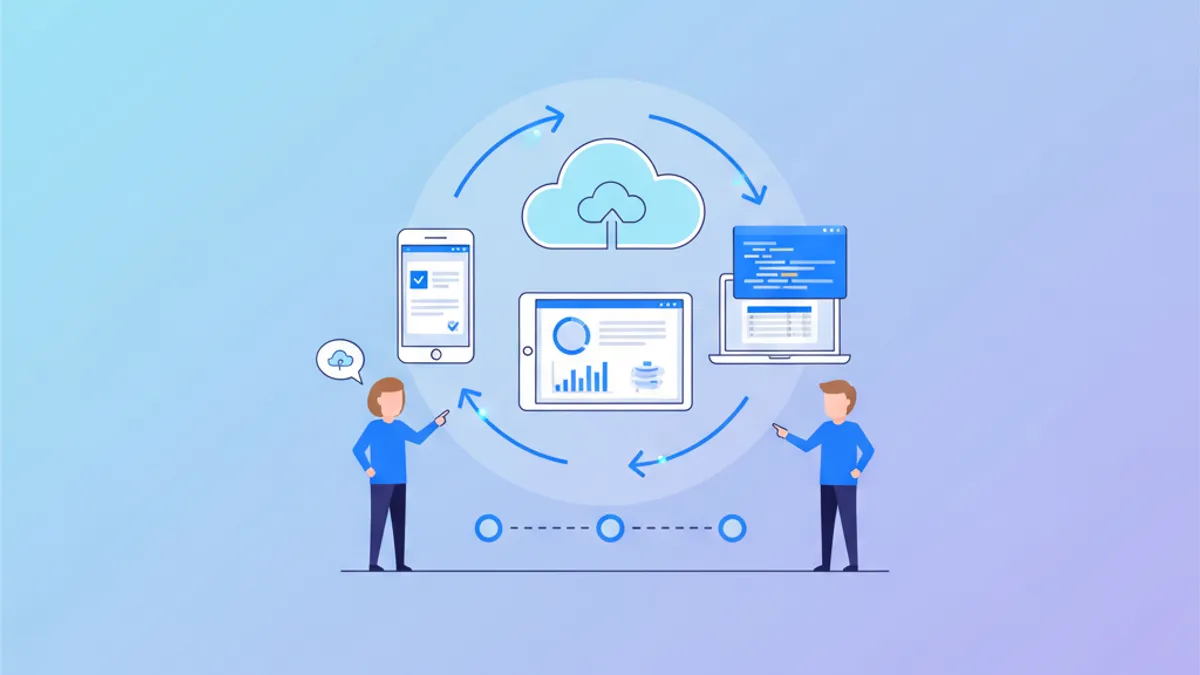
Cross-device data synchronization represents a feature modern users expect from Apple platform apps. CloudKit, Apple's cloud service, provides a free and integrated solution for syncing data via iCloud. With the introduction of CKSyncEngine in iOS 17 and continuous improvements, cross-device synchronization has become more accessible than ever.
This guide explores the complete implementation of CloudKit with SwiftUI: initial configuration, CKSyncEngine for fine-grained control, SwiftData integration, conflict handling, and advanced patterns for robust synchronization.
Understanding CloudKit Architecture
CloudKit operates with three distinct database types, each serving a specific use case. Understanding this architecture forms the foundation of any successful implementation.
// The three types of CloudKit databases

import CloudKit

/*
 CLOUDKIT DATABASE TYPES:

 1. PUBLIC DATABASE
    - Accessible to all app users
    - Storage quota counts against developer quota
    - Ideal for: shared content, reference data

 2. PRIVATE DATABASE
    - Each user's private data
    - Storage quota counts against user's iCloud
    - Ideal for: personal data, preferences

 3. SHARED DATABASE
    - Data sharing between specific users
    - Based on zones shared from private database
    - Ideal for: collaboration, family sharing
*/

class CloudKitManager {
    // Reference to the CloudKit container
    private let container: CKContainer

    // Access to different databases
    var publicDatabase: CKDatabase {
        container.publicCloudDatabase
    }

    var privateDatabase: CKDatabase {
        container.privateCloudDatabase
    }

    var sharedDatabase: CKDatabase {
        container.sharedCloudDatabase
    }

    init(containerIdentifier: String? = nil) {
        // Uses default container or a specific one
        if let identifier = containerIdentifier {
            container = CKContainer(identifier: identifier)
        } else {
            container = CKContainer.default()
        }
    }
}
The major advantage of CloudKit lies in free storage for private data: each user utilizes their own iCloud quota, eliminating server costs for the developer.
Xcode Project Configuration
Before writing code, Xcode configuration requires several essential steps to enable CloudKit in the application.
// Configuration steps in Xcode

/*
 XCODE CONFIGURATION FOR CLOUDKIT:

 1. SIGNING & CAPABILITIES
    ├── + Capability → iCloud
    ├── Check "CloudKit"
    └── Select or create a container (iCloud.com.yourcompany.appname)

 2. BACKGROUND MODES (optional but recommended)
    ├── + Capability → Background Modes
    └── Check "Remote notifications"

 3. CLOUDKIT DASHBOARD
    ├── Access via: https://icloud.developer.apple.com
    ├── Create necessary Record Types
    └── Define indexes for queries

 INFO.PLIST REQUIRED:
 - UIBackgroundModes: ["remote-notification"]
*/

// Check iCloud status at launch
import CloudKit
import SwiftUI

@MainActor
class CloudKitAuthManager: ObservableObject {
    @Published var accountStatus: CKAccountStatus = .couldNotDetermine
    @Published var isSignedIn: Bool = false
    @Published var errorMessage: String?

    func checkAccountStatus() async {
        do {
            // Check if user is signed in to iCloud
            let status = try await CKContainer.default().accountStatus()
            accountStatus = status
            isSignedIn = status == .available

            if status != .available {
                errorMessage = statusMessage(for: status)
            }
        } catch {
            errorMessage = "iCloud check error: \(error.localizedDescription)"
        }
    }

    private func statusMessage(for status: CKAccountStatus) -> String {
        switch status {
        case .available:
            return "iCloud available"
        case .noAccount:
            return "No iCloud account configured"
        case .restricted:
            return "iCloud access restricted"
        case .couldNotDetermine:
            return "Could not determine status"
        case .temporarilyUnavailable:
            return "iCloud temporarily unavailable"
        @unknown default:
            return "Unknown status"
        }
    }
}Users must be signed in to iCloud for synchronization to work. An interface informing users and guiding them to Settings improves the experience when no account is configured.
Defining CloudKit Data Models
CloudKit uses CKRecord to store data. Creating Swift models mapped to these records facilitates data manipulation within the application.
// Definition of synchronized models

import CloudKit
import Foundation

// Protocol for CloudKit models
protocol CloudKitRecord {
    static var recordType: String { get }
    var record: CKRecord { get }
    init?(record: CKRecord)
}

// Note model synchronized via CloudKit
struct Note: Identifiable, CloudKitRecord {
    let id: UUID
    var title: String
    var content: String
    var createdAt: Date
    var modifiedAt: Date
    var isFavorite: Bool

    // Type name in CloudKit Dashboard
    static var recordType: String { "Note" }

    // Converts the model to CKRecord
    var record: CKRecord {
        // Uses UUID as record identifier
        let recordID = CKRecord.ID(recordName: id.uuidString)
        let record = CKRecord(recordType: Self.recordType, recordID: recordID)

        // Map properties to CloudKit fields
        record["title"] = title as CKRecordValue
        record["content"] = content as CKRecordValue
        record["createdAt"] = createdAt as CKRecordValue
        record["modifiedAt"] = modifiedAt as CKRecordValue
        record["isFavorite"] = isFavorite as CKRecordValue

        return record
    }

    // Initialize from CKRecord
    init?(record: CKRecord) {
        guard record.recordType == Self.recordType,
              let title = record["title"] as? String,
              let content = record["content"] as? String,
              let createdAt = record["createdAt"] as? Date,
              let modifiedAt = record["modifiedAt"] as? Date,
              let isFavorite = record["isFavorite"] as? Bool
        else {
            return nil
        }

        // Extract UUID from recordName
        guard let uuid = UUID(uuidString: record.recordID.recordName) else {
            return nil
        }

        self.id = uuid
        self.title = title
        self.content = content
        self.createdAt = createdAt
        self.modifiedAt = modifiedAt
        self.isFavorite = isFavorite
    }

    // Standard initialization
    init(
        id: UUID = UUID(),
        title: String,
        content: String = "",
        createdAt: Date = Date(),
        modifiedAt: Date = Date(),
        isFavorite: Bool = false
    ) {
        self.id = id
        self.title = title
        self.content = content
        self.createdAt = createdAt
        self.modifiedAt = modifiedAt
        self.isFavorite = isFavorite
    }
}
The bidirectional mapping allows easy conversion between Swift model and CKRecord during sync operations.
Implementing CKSyncEngine
CKSyncEngine, introduced in iOS 17, drastically simplifies CloudKit synchronization. This framework automatically handles the complexity of network operations, caching, and error management.
// CKSyncEngine configuration for automatic synchronization

import CloudKit
import OSLog

// Dedicated logger for debugging
private let logger = Logger(subsystem: "com.app.sync", category: "SyncEngine")

@MainActor
class NoteSyncEngine: ObservableObject {
    private var syncEngine: CKSyncEngine?
    private let database: CKDatabase

    // Custom zone for notes
    private let zoneID = CKRecordZone.ID(
        zoneName: "NotesZone",
        ownerName: CKCurrentUserDefaultName
    )

    // Local cache of notes
    @Published private(set) var notes: [Note] = []

    // Sync status
    @Published private(set) var isSyncing: Bool = false
    @Published private(set) var lastSyncDate: Date?

    // Change token for resumption
    private var lastChangeToken: CKServerChangeToken?

    init() {
        database = CKContainer.default().privateCloudDatabase
    }

    // Initialize sync engine at launch
    func initialize() async throws {
        // Create zone if needed
        try await createZoneIfNeeded()

        // Configure sync engine
        let configuration = CKSyncEngine.Configuration(
            database: database,
            stateSerialization: loadSavedState(),
            delegate: self
        )

        syncEngine = CKSyncEngine(configuration)
        logger.info("CKSyncEngine initialized")
    }

    // Create CloudKit zone for records
    private func createZoneIfNeeded() async throws {
        let zone = CKRecordZone(zoneID: zoneID)

        do {
            _ = try await database.save(zone)
            logger.info("Zone created: \(self.zoneID.zoneName)")
        } catch let error as CKError where error.code == .serverRecordChanged {
            // Zone already exists, OK
            logger.debug("Zone already exists")
        }
    }

    // Load saved state for resumption
    private func loadSavedState() -> CKSyncEngine.State.Serialization? {
        guard let data = UserDefaults.standard.data(forKey: "syncEngineState"),
              let state = try? JSONDecoder().decode(
                  CKSyncEngine.State.Serialization.self,
                  from: data
              )
        else {
            return nil
        }
        return state
    }

    // Save state for next session
    private func saveState(_ state: CKSyncEngine.State.Serialization) {
        if let data = try? JSONEncoder().encode(state) {
            UserDefaults.standard.set(data, forKey: "syncEngineState")
        }
    }
}
Configuring the delegate enables reacting to sync events and providing data to synchronize.
// Extension for CKSyncEngineDelegate protocol

extension NoteSyncEngine: CKSyncEngineDelegate {
    // Handle sync events
    func handleEvent(_ event: CKSyncEngine.Event, syncEngine: CKSyncEngine) {
        switch event {
        case .stateUpdate(let stateUpdate):
            // Save state for resumption
            saveState(stateUpdate.stateSerialization)

        case .accountChange(let accountChange):
            // User changed iCloud account
            handleAccountChange(accountChange)

        case .fetchedDatabaseChanges(let databaseChanges):
            // New zones or deleted zones
            handleDatabaseChanges(databaseChanges)

        case .fetchedRecordZoneChanges(let zoneChanges):
            // Changes in records
            handleZoneChanges(zoneChanges)

        case .sentDatabaseChanges(let sentChanges):
            // Confirmation of sent changes
            handleSentChanges(sentChanges)

        case .sentRecordZoneChanges(let sentZoneChanges):
            // Records sent to server
            handleSentZoneChanges(sentZoneChanges)

        case .willFetchChanges, .willFetchRecordZoneChanges,
             .didFetchChanges, .didFetchRecordZoneChanges,
             .willSendChanges, .didSendChanges:
            // Progress events
            updateSyncingStatus(event)

        @unknown default:
            logger.warning("Unknown event: \(String(describing: event))")
        }
    }

    // Provide changes to send to server
    func nextRecordZoneChangeBatch(
        _ context: CKSyncEngine.SendChangesContext,
        syncEngine: CKSyncEngine
    ) -> CKSyncEngine.RecordZoneChangeBatch? {
        // Get pending modified records
        let pendingChanges = syncEngine.state.pendingRecordZoneChanges

        // Filter for relevant zone
        let relevantChanges = pendingChanges.filter { change in
            switch change {
            case .saveRecord(let recordID):
                return recordID.zoneID == zoneID
            case .deleteRecord(let recordID):
                return recordID.zoneID == zoneID
            @unknown default:
                return false
            }
        }

        guard !relevantChanges.isEmpty else { return nil }

        // Build batch with records to save
        var recordsToSave: [CKRecord] = []
        var recordIDsToDelete: [CKRecord.ID] = []

        for change in relevantChanges {
            switch change {
            case .saveRecord(let recordID):
                // Find corresponding note in cache
                if let note = notes.first(where: {
                    $0.id.uuidString == recordID.recordName
                }) {
                    recordsToSave.append(note.record)
                }

            case .deleteRecord(let recordID):
                recordIDsToDelete.append(recordID)

            @unknown default:
                break
            }
        }

        return CKSyncEngine.RecordZoneChangeBatch(
            recordsToSave: recordsToSave,
            recordIDsToDelete: recordIDsToDelete,
            atomicByZone: true
        )
    }

    // Process changes received from server
    private func handleZoneChanges(
        _ changes: CKSyncEngine.Event.FetchedRecordZoneChanges
    ) {
        // Process modifications
        for modification in changes.modifications {
            if let note = Note(record: modification.record) {
                // Update or add note
                if let index = notes.firstIndex(where: { $0.id == note.id }) {
                    notes[index] = note
                } else {
                    notes.append(note)
                }
                logger.debug("Note synced: \(note.title)")
            }
        }

        // Process deletions
        for deletion in changes.deletions {
            notes.removeAll { $0.id.uuidString == deletion.recordID.recordName }
            logger.debug("Note deleted: \(deletion.recordID.recordName)")
        }

        // Update last sync date
        lastSyncDate = Date()
    }

    private func handleAccountChange(
        _ change: CKSyncEngine.Event.AccountChange
    ) {
        switch change.changeType {
        case .signIn:
            logger.info("User signed in to iCloud")
            Task { try? await initialize() }

        case .signOut:
            logger.info("User signed out")
            notes.removeAll()

        case .switchAccounts:
            logger.info("iCloud account switched")
            notes.removeAll()
            Task { try? await initialize() }

        @unknown default:
            break
        }
    }

    private func updateSyncingStatus(_ event: CKSyncEngine.Event) {
        switch event {
        case .willFetchChanges, .willSendChanges:
            isSyncing = true
        case .didFetchChanges, .didSendChanges:
            isSyncing = false
        default:
            break
        }
    }
}
Ready to ace your iOS interviews?
Practice with our interactive simulators, flashcards, and technical tests.
CRUD Operations with CKSyncEngine
Integrating CRUD operations with CKSyncEngine requires informing the engine of local changes so it can synchronize them.
// CRUD operations integrated with CKSyncEngine

extension NoteSyncEngine {
    // CREATE - Add a new note
    func addNote(title: String, content: String) {
        let note = Note(title: title, content: content)

        // Add to local cache
        notes.append(note)

        // Inform sync engine of new record
        let recordID = CKRecord.ID(
            recordName: note.id.uuidString,
            zoneID: zoneID
        )
        syncEngine?.state.add(pendingRecordZoneChanges: [
            .saveRecord(recordID)
        ])

        logger.info("Note added locally: \(note.title)")
    }

    // UPDATE - Modify an existing note
    func updateNote(_ note: Note, title: String? = nil, content: String? = nil) {
        guard let index = notes.firstIndex(where: { $0.id == note.id }) else {
            return
        }

        // Update modified properties
        var updatedNote = notes[index]
        if let title { updatedNote.title = title }
        if let content { updatedNote.content = content }
        updatedNote.modifiedAt = Date()

        // Update local cache
        notes[index] = updatedNote

        // Mark record as modified
        let recordID = CKRecord.ID(
            recordName: note.id.uuidString,
            zoneID: zoneID
        )
        syncEngine?.state.add(pendingRecordZoneChanges: [
            .saveRecord(recordID)
        ])

        logger.info("Note updated: \(updatedNote.title)")
    }

    // DELETE - Remove a note
    func deleteNote(_ note: Note) {
        // Remove from local cache
        notes.removeAll { $0.id == note.id }

        // Mark record as deleted
        let recordID = CKRecord.ID(
            recordName: note.id.uuidString,
            zoneID: zoneID
        )
        syncEngine?.state.add(pendingRecordZoneChanges: [
            .deleteRecord(recordID)
        ])

        logger.info("Note deleted: \(note.title)")
    }

    // TOGGLE FAVORITE - Modify favorite status
    func toggleFavorite(_ note: Note) {
        guard let index = notes.firstIndex(where: { $0.id == note.id }) else {
            return
        }

        notes[index].isFavorite.toggle()
        notes[index].modifiedAt = Date()

        let recordID = CKRecord.ID(
            recordName: note.id.uuidString,
            zoneID: zoneID
        )
        syncEngine?.state.add(pendingRecordZoneChanges: [
            .saveRecord(recordID)
        ])
    }
}
This architecture ensures that every local modification is automatically synchronized with iCloud when connectivity is available.
SwiftUI Integration
SwiftUI integration uses the observable NoteSyncEngine to display and manipulate synchronized data.
// SwiftUI interface with CloudKit synchronization

import SwiftUI

struct NotesListView: View {
    @StateObject private var syncEngine = NoteSyncEngine()
    @State private var showingAddNote = false
    @State private var searchText = ""

    // Filter notes
    private var filteredNotes: [Note] {
        if searchText.isEmpty {
            return syncEngine.notes.sorted { $0.modifiedAt > $1.modifiedAt }
        }
        return syncEngine.notes.filter { note in
            note.title.localizedCaseInsensitiveContains(searchText) ||
            note.content.localizedCaseInsensitiveContains(searchText)
        }
    }

    var body: some View {
        NavigationStack {
            List {
                // Favorites section
                if !favorites.isEmpty {
                    Section("Favorites") {
                        ForEach(favorites) { note in
                            NoteRowView(note: note, syncEngine: syncEngine)
                        }
                    }
                }

                // All notes
                Section("Notes") {
                    ForEach(filteredNotes.filter { !$0.isFavorite }) { note in
                        NoteRowView(note: note, syncEngine: syncEngine)
                    }
                    .onDelete(perform: deleteNotes)
                }
            }
            .searchable(text: $searchText, prompt: "Search...")
            .navigationTitle("Notes")
            .toolbar {
                ToolbarItem(placement: .topBarLeading) {
                    SyncStatusView(
                        isSyncing: syncEngine.isSyncing,
                        lastSync: syncEngine.lastSyncDate
                    )
                }

                ToolbarItem(placement: .topBarTrailing) {
                    Button {
                        showingAddNote = true
                    } label: {
                        Image(systemName: "plus")
                    }
                }
            }
            .sheet(isPresented: $showingAddNote) {
                AddNoteView(syncEngine: syncEngine)
            }
            .task {
                // Initialize synchronization at launch
                try? await syncEngine.initialize()
            }
        }
    }

    private var favorites: [Note] {
        filteredNotes.filter { $0.isFavorite }
    }

    private func deleteNotes(at offsets: IndexSet) {
        let notesToDelete = offsets.map { filteredNotes[$0] }
        for note in notesToDelete {
            syncEngine.deleteNote(note)
        }
    }
}

// Note row with actions
struct NoteRowView: View {
    let note: Note
    let syncEngine: NoteSyncEngine

    var body: some View {
        NavigationLink {
            NoteDetailView(note: note, syncEngine: syncEngine)
        } label: {
            HStack {
                VStack(alignment: .leading, spacing: 4) {
                    Text(note.title)
                        .font(.headline)

                    Text(note.content)
                        .font(.subheadline)
                        .foregroundStyle(.secondary)
                        .lineLimit(2)

                    Text(note.modifiedAt, style: .relative)
                        .font(.caption2)
                        .foregroundStyle(.tertiary)
                }

                Spacer()

                if note.isFavorite {
                    Image(systemName: "star.fill")
                        .foregroundStyle(.yellow)
                }
            }
        }
        .swipeActions(edge: .leading) {
            Button {
                syncEngine.toggleFavorite(note)
            } label: {
                Label(
                    note.isFavorite ? "Remove" : "Favorite",
                    systemImage: note.isFavorite ? "star.slash" : "star"
                )
            }
            .tint(.yellow)
        }
    }
}

// Sync status indicator
struct SyncStatusView: View {
    let isSyncing: Bool
    let lastSync: Date?

    var body: some View {
        HStack(spacing: 4) {
            if isSyncing {
                ProgressView()
                    .scaleEffect(0.8)
                Text("Syncing...")
                    .font(.caption)
            } else if let lastSync {
                Image(systemName: "checkmark.icloud")
                    .foregroundStyle(.green)
                Text(lastSync, style: .time)
                    .font(.caption)
                    .foregroundStyle(.secondary)
            } else {
                Image(systemName: "icloud.slash")
                    .foregroundStyle(.secondary)
            }
        }
    }
}
The interface displays a sync indicator and enables all CRUD operations with automatic updates via CloudKit.
SwiftData Integration with CloudKit
SwiftData offers native CloudKit integration via ModelConfiguration. This approach significantly simplifies implementation for apps using SwiftData.
// SwiftData configuration with automatic CloudKit sync

import SwiftData
import SwiftUI

// CloudKit-compatible SwiftData model
@Model
final class SyncedNote {
    // CloudKit requires optionals or default values
    var id: UUID = UUID()
    var title: String = ""
    var content: String = ""
    var createdAt: Date = Date()
    var modifiedAt: Date = Date()
    var isFavorite: Bool = false

    init(title: String, content: String = "") {
        self.title = title
        self.content = content
    }
}

// App configuration with CloudKit
@main
struct CloudNotesApp: App {
    var sharedModelContainer: ModelContainer = {
        let schema = Schema([SyncedNote.self])

        // Configuration with CloudKit enabled
        let modelConfiguration = ModelConfiguration(
            schema: schema,
            isStoredInMemoryOnly: false,
            // Enable CloudKit synchronization
            cloudKitDatabase: .private("iCloud.com.yourcompany.cloudnotes")
        )

        do {
            return try ModelContainer(
                for: schema,
                configurations: [modelConfiguration]
            )
        } catch {
            fatalError("ModelContainer creation error: \(error)")
        }
    }()

    var body: some Scene {
        WindowGroup {
            ContentView()
        }
        .modelContainer(sharedModelContainer)
    }
}For CloudKit compatibility, all SwiftData properties must be optional or have default values, and all relationships must be optional. These constraints ensure correct synchronization between devices.
// Interface using SwiftData with CloudKit

import SwiftUI
import SwiftData

struct SwiftDataNotesView: View {
    @Environment(\.modelContext) private var modelContext

    // Query automatically synchronized via CloudKit
    @Query(sort: \SyncedNote.modifiedAt, order: .reverse)
    private var notes: [SyncedNote]

    @State private var newNoteTitle = ""

    var body: some View {
        NavigationStack {
            List {
                // Add form
                Section {
                    HStack {
                        TextField("New note...", text: $newNoteTitle)

                        Button {
                            addNote()
                        } label: {
                            Image(systemName: "plus.circle.fill")
                        }
                        .disabled(newNoteTitle.isEmpty)
                    }
                }

                // Notes list
                Section {
                    ForEach(notes) { note in
                        NavigationLink {
                            SwiftDataNoteEditor(note: note)
                        } label: {
                            VStack(alignment: .leading) {
                                Text(note.title)
                                    .font(.headline)
                                Text(note.modifiedAt, style: .relative)
                                    .font(.caption)
                                    .foregroundStyle(.secondary)
                            }
                        }
                    }
                    .onDelete(perform: deleteNotes)
                }
            }
            .navigationTitle("iCloud Notes")
        }
    }

    private func addNote() {
        let note = SyncedNote(title: newNoteTitle)
        modelContext.insert(note)
        newNoteTitle = ""
        // Save and sync are automatic
    }

    private func deleteNotes(at offsets: IndexSet) {
        for index in offsets {
            modelContext.delete(notes[index])
        }
    }
}

// Note editor with automatic save
struct SwiftDataNoteEditor: View {
    @Bindable var note: SyncedNote

    var body: some View {
        Form {
            Section("Title") {
                TextField("Title", text: $note.title)
                    .onChange(of: note.title) {
                        note.modifiedAt = Date()
                    }
            }

            Section("Content") {
                TextEditor(text: $note.content)
                    .frame(minHeight: 200)
                    .onChange(of: note.content) {
                        note.modifiedAt = Date()
                    }
            }

            Section("Information") {
                LabeledContent("Created") {
                    Text(note.createdAt, style: .date)
                }
                LabeledContent("Modified") {
                    Text(note.modifiedAt, style: .relative)
                }
            }
        }
        .navigationTitle("Edit")
    }
}
Conflict Resolution Handling
Conflicts occur when the same record is modified on multiple devices before synchronization. CloudKit provides tools to detect and resolve these situations.
// CloudKit conflict resolution strategies

import CloudKit

enum ConflictResolutionStrategy {
    case serverWins      // Server is always right
    case clientWins      // Client overwrites server
    case merge           // Intelligent field merging
    case askUser         // Ask user
}

class ConflictResolver {
    let strategy: ConflictResolutionStrategy

    init(strategy: ConflictResolutionStrategy = .merge) {
        self.strategy = strategy
    }

    // Resolve conflict between local and server versions
    func resolve(
        localNote: Note,
        serverRecord: CKRecord
    ) -> CKRecord {
        guard let serverNote = Note(record: serverRecord) else {
            // If parsing fails, use local version
            return localNote.record
        }

        switch strategy {
        case .serverWins:
            // Keep server version as-is
            return serverRecord

        case .clientWins:
            // Overwrite with local version
            // But keep server metadata
            let record = serverRecord
            record["title"] = localNote.title as CKRecordValue
            record["content"] = localNote.content as CKRecordValue
            record["modifiedAt"] = localNote.modifiedAt as CKRecordValue
            record["isFavorite"] = localNote.isFavorite as CKRecordValue
            return record

        case .merge:
            // Intelligent timestamp-based merge
            return mergeRecords(local: localNote, server: serverNote, record: serverRecord)

        case .askUser:
            // Return server by default, UI handles display
            return serverRecord
        }
    }

    // Intelligent field-by-field merge
    private func mergeRecords(
        local: Note,
        server: Note,
        record: CKRecord
    ) -> CKRecord {
        // Keep most recent version of each field
        // In practice, per-field modifications could be tracked

        if local.modifiedAt > server.modifiedAt {
            // Local more recent: use local values
            record["title"] = local.title as CKRecordValue
            record["content"] = local.content as CKRecordValue
            record["modifiedAt"] = local.modifiedAt as CKRecordValue
            record["isFavorite"] = local.isFavorite as CKRecordValue
        }
        // Otherwise keep server values (already in record)

        return record
    }
}

// Extension to handle conflict errors in CKSyncEngine
extension NoteSyncEngine {
    func handleSentZoneChanges(
        _ changes: CKSyncEngine.Event.SentRecordZoneChanges
    ) {
        // Process successes
        for savedRecord in changes.savedRecords {
            logger.debug("Record saved: \(savedRecord.recordID.recordName)")
        }

        // Process failures with conflict handling
        for failedSave in changes.failedRecordSaves {
            let recordID = failedSave.record.recordID
            let error = failedSave.error

            if let ckError = error as? CKError,
               ckError.code == .serverRecordChanged,
               let serverRecord = ckError.serverRecord {
                // Conflict detected!
                handleConflict(
                    localRecord: failedSave.record,
                    serverRecord: serverRecord
                )
            } else {
                logger.error("Save failed: \(error.localizedDescription)")
            }
        }
    }

    private func handleConflict(localRecord: CKRecord, serverRecord: CKRecord) {
        guard let localNote = Note(record: localRecord) else { return }

        let resolver = ConflictResolver(strategy: .merge)
        let resolvedRecord = resolver.resolve(
            localNote: localNote,
            serverRecord: serverRecord
        )

        // Retry save with resolved record
        syncEngine?.state.add(pendingRecordZoneChanges: [
            .saveRecord(resolvedRecord.recordID)
        ])

        // Update local cache if needed
        if let resolvedNote = Note(record: resolvedRecord),
           let index = notes.firstIndex(where: { $0.id == resolvedNote.id }) {
            notes[index] = resolvedNote
        }
    }
}
Offline Mode Support
A robust application must work even without internet connectivity. CKSyncEngine automatically queues operations, but local persistence improves the experience.
// Local persistence for offline mode

import Foundation

class LocalPersistence {
    private let fileManager = FileManager.default
    private let notesURL: URL

    init() {
        // Storage in Documents folder
        let documentsPath = fileManager.urls(
            for: .documentDirectory,
            in: .userDomainMask
        ).first!
        notesURL = documentsPath.appending(path: "cached_notes.json")
    }

    // Save notes locally
    func saveNotes(_ notes: [Note]) {
        do {
            let data = try JSONEncoder().encode(notes)
            try data.write(to: notesURL)
        } catch {
            print("Local save error: \(error)")
        }
    }

    // Load notes from local cache
    func loadNotes() -> [Note] {
        guard fileManager.fileExists(atPath: notesURL.path),
              let data = try? Data(contentsOf: notesURL),
              let notes = try? JSONDecoder().decode([Note].self, from: data)
        else {
            return []
        }
        return notes
    }
}

// Note extension for Codable
extension Note: Codable {
    enum CodingKeys: String, CodingKey {
        case id, title, content, createdAt, modifiedAt, isFavorite
    }
}

// SyncEngine extension with offline support
extension NoteSyncEngine {
    private var localPersistence: LocalPersistence {
        LocalPersistence()
    }

    // Load data at startup (before sync)
    func loadCachedData() {
        let cachedNotes = localPersistence.loadNotes()
        if !cachedNotes.isEmpty {
            notes = cachedNotes
            logger.info("Loaded \(cachedNotes.count) notes from cache")
        }
    }

    // Save after each modification
    func persistLocally() {
        localPersistence.saveNotes(notes)
    }
}The combined use of CKSyncEngine and a local JSON cache ensures a smooth experience. Users see their data immediately at launch, then CloudKit updates apply in the background.
Performance Optimization
Best practices for optimization ensure efficient synchronization without impacting battery life.
// Optimization techniques for CloudKit

import CloudKit
import Network

class SyncOptimizer {
    private let networkMonitor = NWPathMonitor()
    private let monitorQueue = DispatchQueue(label: "NetworkMonitor")

    @Published private(set) var isConnected = false
    @Published private(set) var isExpensiveConnection = false

    init() {
        startNetworkMonitoring()
    }

    // Monitor network connectivity
    private func startNetworkMonitoring() {
        networkMonitor.pathUpdateHandler = { [weak self] path in
            DispatchQueue.main.async {
                self?.isConnected = path.status == .satisfied
                self?.isExpensiveConnection = path.isExpensive
            }
        }
        networkMonitor.start(queue: monitorQueue)
    }

    // Determine if sync should happen now
    func shouldSyncNow(priority: SyncPriority) -> Bool {
        guard isConnected else { return false }

        switch priority {
        case .immediate:
            // Immediate sync (user modification)
            return true

        case .background:
            // Avoid expensive connections for background
            return !isExpensiveConnection

        case .batch:
            // Batch only on WiFi
            return !isExpensiveConnection
        }
    }

    enum SyncPriority {
        case immediate   // Active user modification
        case background  // Automatic refresh
        case batch       // Grouped operations
    }
}

// Operation batching for efficiency
extension NoteSyncEngine {
    // Group multiple modifications before sync
    private var pendingModifications: [CKRecord.ID] = []
    private var batchTimer: Timer?

    func scheduleSync(for recordID: CKRecord.ID) {
        pendingModifications.append(recordID)

        // Cancel previous timer
        batchTimer?.invalidate()

        // Start new 2-second timer
        batchTimer = Timer.scheduledTimer(withTimeInterval: 2.0, repeats: false) {
            [weak self] _ in
            self?.flushPendingSync()
        }
    }

    private func flushPendingSync() {
        guard !pendingModifications.isEmpty else { return }

        // Send all pending changes
        let changes = pendingModifications.map {
            CKSyncEngine.PendingRecordZoneChange.saveRecord($0)
        }
        syncEngine?.state.add(pendingRecordZoneChanges: changes)

        pendingModifications.removeAll()
    }
}
Testing and Debugging CloudKit
CloudKit debugging requires specific tools to observe sync operations.
// Debugging tools for CloudKit

import CloudKit
import OSLog

class CloudKitDebugger {
    private let logger = Logger(subsystem: "com.app", category: "CloudKit")

    // Print complete sync state
    func printSyncState(engine: CKSyncEngine) {
        let state = engine.state

        logger.debug("""
        ══════════════════════════════════════
        CLOUDKIT SYNC STATE
        ══════════════════════════════════════
        Pending record changes: \(state.pendingRecordZoneChanges.count)
        Pending database changes: \(state.pendingDatabaseChanges.count)
        Has changes to send: \(state.hasPendingUploads)
        ══════════════════════════════════════
        """)
    }

    // Check CloudKit connectivity
    func checkCloudKitStatus() async {
        do {
            let status = try await CKContainer.default().accountStatus()
            logger.info("Account status: \(String(describing: status))")

            // Check permissions
            let permissions = try await CKContainer.default()
                .status(forApplicationPermission: .userDiscoverability)
            logger.info("Permissions: \(String(describing: permissions))")

        } catch {
            logger.error("CloudKit check failed: \(error.localizedDescription)")
        }
    }

    // List all records in a zone
    func listRecords(in zoneID: CKRecordZone.ID) async {
        let database = CKContainer.default().privateCloudDatabase

        let query = CKQuery(
            recordType: "Note",
            predicate: NSPredicate(value: true)
        )

        do {
            let (results, _) = try await database.records(
                matching: query,
                inZoneWith: zoneID
            )

            logger.info("Found \(results.count) records:")
            for (id, result) in results {
                switch result {
                case .success(let record):
                    logger.debug("  - \(id.recordName): \(record["title"] ?? "no title")")
                case .failure(let error):
                    logger.error("  - \(id.recordName): ERROR \(error)")
                }
            }
        } catch {
            logger.error("Query failed: \(error)")
        }
    }
}

// Development CloudKit logging configuration
#if DEBUG
extension NoteSyncEngine {
    func enableVerboseLogging() {
        // Enable detailed CloudKit logs
        UserDefaults.standard.set(true, forKey: "com.apple.cloudkit.verbose")
    }
}
#endif
Conclusion
CloudKit with SwiftUI offers a powerful and free solution for cross-device synchronization. The introduction of CKSyncEngine significantly simplifies implementation while maintaining fine-grained control over the sync process.
Key takeaways
- ✅ CloudKit stores private data on the user's iCloud quota (free for developers)
- ✅ CKSyncEngine (iOS 17+) automates sync complexity
- ✅ SwiftData offers native CloudKit integration via
ModelConfiguration - ✅ Conflict handling requires an explicit strategy (merge, server wins, etc.)
- ✅ Local cache ensures offline operation
- ✅ Operation batching optimizes battery consumption
- ✅ Custom zones enable logical data organization
- ✅ Network monitoring helps adapt sync strategy
Start practicing!
Test your knowledge with our interview simulators and technical tests.
Can you spot the bug in iOS?
One real snippet, one hidden bug, one attempt a day. No account needed to try.

Written by
Anthony Fillion-MailletFounder of SharpSkill
Full-stack developer for over 10 years. Runs SharpSkill and answers for everything published here.
Updated on March 31, 2026
Tags
Share
Related articles
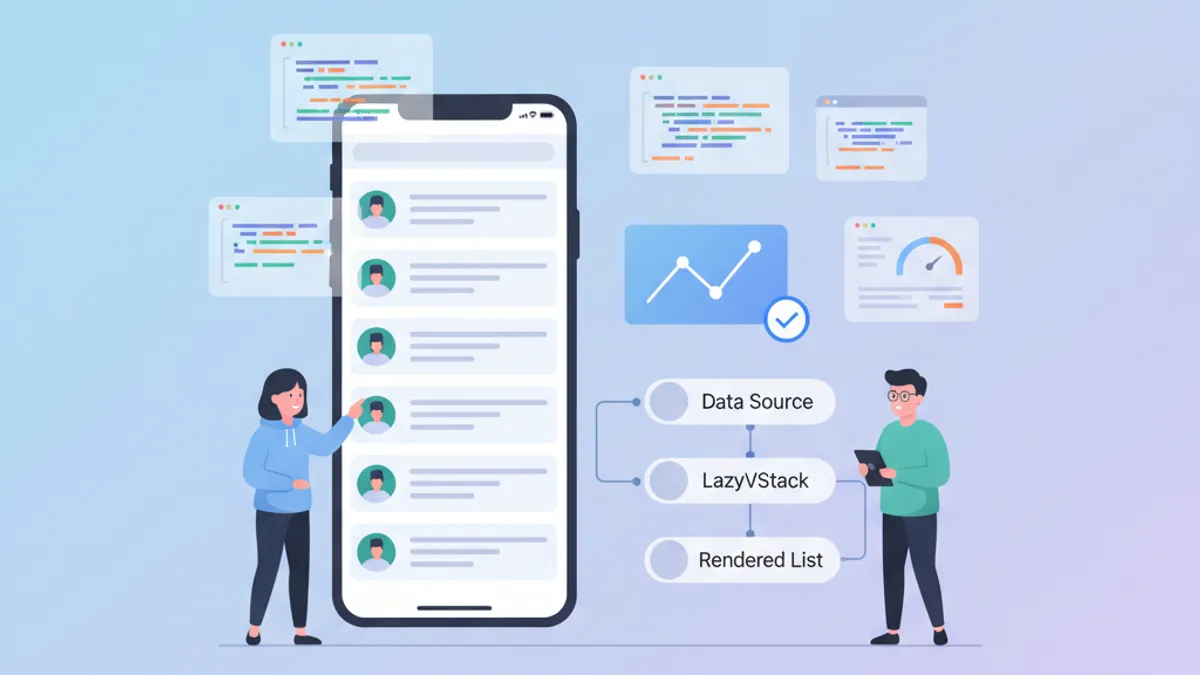
SwiftUI Performance: Optimizing LazyVStack and Complex Lists
Optimization techniques for LazyVStack and SwiftUI lists. Reduce memory consumption, improve scrolling performance, and avoid common pitfalls.

SwiftUI Custom ViewModifiers: Reusable Patterns for Design Systems
Build custom SwiftUI ViewModifiers for a consistent design system. Patterns, best practices, and practical examples to style iOS views efficiently.
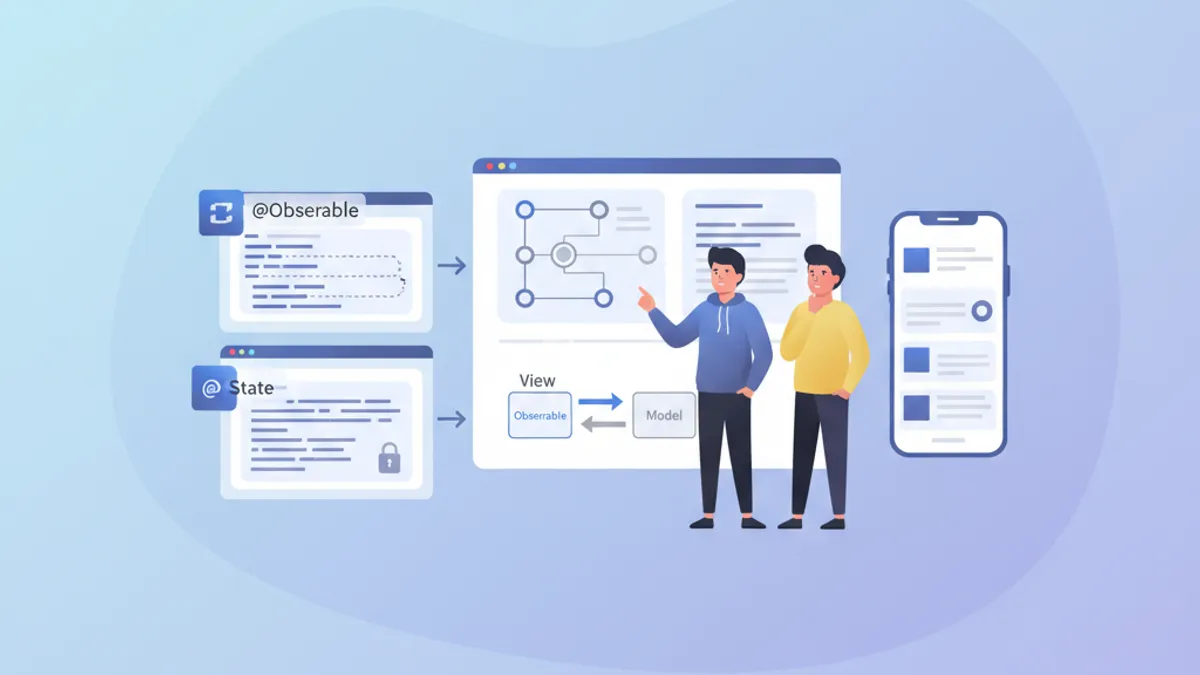
SwiftUI @Observable vs @State: When to Use What in 2026
Master the differences between @Observable and @State in SwiftUI to choose the right state management tool for your iOS applications.