Flutter: Die erste plattformuebergreifende App erstellen
Vollstaendiger Leitfaden zur Erstellung einer plattformuebergreifenden mobilen Anwendung mit Flutter und Dart. Widgets, Zustandsverwaltung, Navigation und Best Practices fuer Einsteiger.
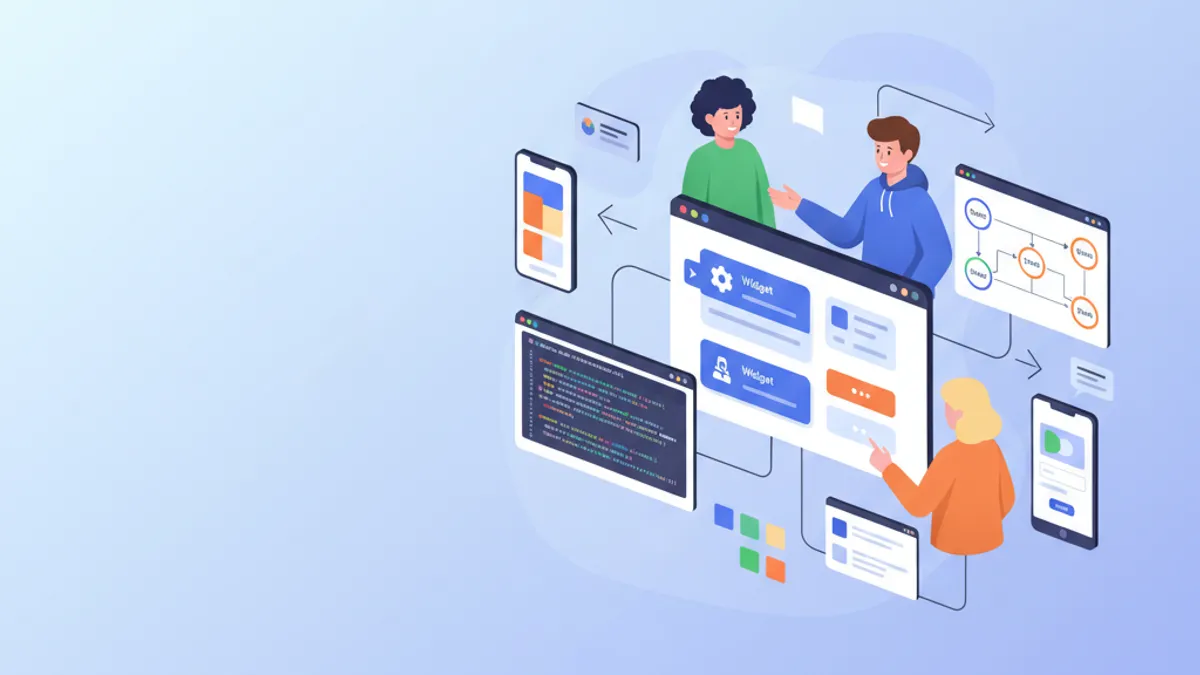
Flutter revolutioniert die mobile Entwicklung, indem es die Erstellung von iOS- und Android-Anwendungen aus einer einzigen Codebasis ermoeglicht. Dieses von Google entwickelte Framework kombiniert native Leistung mit aussergewoehnlicher Produktivitaet dank seiner Skia-Rendering-Engine und seines deklarativen Widget-Systems. Dieser Leitfaden behandelt die Erstellung einer vollstaendigen Anwendung, von der Installation bis zu den Best Practices fuer die Produktion.
Flutter 3.27 bringt bedeutende Verbesserungen: native Material-3-Unterstuetzung standardmaessig, neue optimierte Impeller-Animationen und Integration mit Dart 3.6 mit experimentellen Makros. Das Framework kompiliert jetzt nativ nach ARM64 fuer optimale Leistung.
Einrichtung der Umgebung und Installation
Die Einrichtung von Flutter erfordert einige Konfigurationsschritte. Das Flutter SDK enthaelt alles Notwendige: das Framework, Build-Tools und den Dart-Paketmanager.
# terminal
# Download Flutter SDK (macOS/Linux)
git clone https://github.com/flutter/flutter.git -b stable
export PATH="$PATH:`pwd`/flutter/bin"

# Verify installation and dependencies
flutter doctor

# Create a new project
flutter create --org com.example my_app
cd my_app

# Run in development mode
flutter run
Der Befehl flutter doctor ueberprueft, ob alle Abhaengigkeiten installiert sind: Android Studio, Xcode (macOS) und konfigurierte Emulatoren.
# pubspec.yaml
name: my_app
description: Cross-platform Flutter application
publish_to: 'none'
version: 1.0.0+1

environment:
  sdk: '>=3.6.0 <4.0.0'

dependencies:
  flutter:
    sdk: flutter
  # UI and design
  cupertino_icons: ^1.0.8
  google_fonts: ^6.2.1
  # State management
  flutter_riverpod: ^2.6.1
  # Navigation
  go_router: ^14.6.2
  # HTTP and API
  dio: ^5.7.0
  # Local storage
  shared_preferences: ^2.3.4

dev_dependencies:
  flutter_test:
    sdk: flutter
  flutter_lints: ^5.0.0

flutter:
  uses-material-design: true
Diese pubspec.yaml-Datei konfiguriert die wesentlichen Abhaengigkeiten fuer eine moderne Flutter-Anwendung.
Projektarchitektur in Flutter
Eine klare Projektstruktur erleichtert die Wartung und Weiterentwicklung der Anwendung. Diese Organisation trennt die Verantwortlichkeiten klar.
lib/
├── main.dart                 # Entry point
├── app.dart                  # App configuration
├── core/
│   ├── constants/           # Colors, dimensions, strings
│   ├── theme/               # Material 3 theme
│   └── utils/               # Utility functions
├── features/
│   ├── auth/                # Authentication feature
│   │   ├── data/           # Repositories, data sources
│   │   ├── domain/         # Models, use cases
│   │   └── presentation/   # Screens, widgets, providers
│   └── home/               # Home feature
│       ├── data/
│       ├── domain/
│       └── presentation/
├── shared/
│   ├── widgets/            # Reusable widgets
│   └── providers/          # Shared providers
└── routing/
    └── app_router.dart     # Route configuration
Diese "Feature-First"-Architektur gruppiert den gesamten Code, der mit einer Funktionalitaet zusammenhaengt, im selben Ordner, was die Navigation und das Refactoring erleichtert.
Der Feature-First-Ansatz organisiert den Code nach Geschaeftsfunktionalitaet statt nach technischem Typ. Jedes Feature enthaelt seine eigenen Modelle, Widgets und Logik, wodurch der Code modularer und testbarer wird.
Flutter-Widgets verstehen
Widgets sind die grundlegenden Bausteine von Flutter. Alles ist ein Widget: Buttons, Text, Layouts, sogar die Anwendung selbst. Flutter bietet zwei Arten von Widgets: StatelessWidget (zustandslos) und StatefulWidget (mit lokalem Zustand).
import 'package:flutter/material.dart';
/// Custom reusable button widget throughout the application.
/// Automatically handles loading and disabled states.
class CustomButton extends StatelessWidget {
// Required and optional widget parameters
final String label;
final VoidCallback? onPressed;
final bool isLoading;
final bool isOutlined;
// Constructor with named parameters for clarity
const CustomButton({
super.key,
required this.label,
this.onPressed,
this.isLoading = false,
this.isOutlined = false,
});
Widget build(BuildContext context) {
// Access theme for consistent styles
final theme = Theme.of(context);
// Conditional build based on button type
if (isOutlined) {
return OutlinedButton(
// Disable button during loading
onPressed: isLoading ? null : onPressed,
style: OutlinedButton.styleFrom(
padding: const EdgeInsets.symmetric(
horizontal: 24,
vertical: 16,
),
shape: RoundedRectangleBorder(
borderRadius: BorderRadius.circular(12),
),
),
child: _buildChild(theme),
);
}
return FilledButton(
onPressed: isLoading ? null : onPressed,
style: FilledButton.styleFrom(
padding: const EdgeInsets.symmetric(
horizontal: 24,
vertical: 16,
),
shape: RoundedRectangleBorder(
borderRadius: BorderRadius.circular(12),
),
),
child: _buildChild(theme),
);
}
/// Builds button content with loading state handling.
Widget _buildChild(ThemeData theme) {
if (isLoading) {
return const SizedBox(
height: 20,
width: 20,
child: CircularProgressIndicator(
strokeWidth: 2,
color: Colors.white,
),
);
}
return Text(label);
}
}Dieses Widget kapselt die Anzeigelogik von Buttons mit automatischer Behandlung des Ladezustands.
import 'package:flutter/material.dart';
import '../../features/auth/domain/models/user.dart';
/// Card displaying user information.
/// Uses Material 3 with consistent elevation and shape.
class UserCard extends StatelessWidget {
final User user;
final VoidCallback? onTap;
const UserCard({
super.key,
required this.user,
this.onTap,
});
Widget build(BuildContext context) {
final theme = Theme.of(context);
// Material 3 Card with InkWell for ripple effect
return Card(
// Adaptive elevation based on theme
elevation: 2,
// Consistent rounded shape
shape: RoundedRectangleBorder(
borderRadius: BorderRadius.circular(16),
),
// Clipping so ripple respects borders
clipBehavior: Clip.antiAlias,
child: InkWell(
onTap: onTap,
child: Padding(
padding: const EdgeInsets.all(16),
child: Row(
children: [
// Avatar with image or initials
CircleAvatar(
radius: 28,
backgroundImage: user.avatarUrl != null
? NetworkImage(user.avatarUrl!)
: null,
child: user.avatarUrl == null
? Text(user.initials)
: null,
),
const SizedBox(width: 16),
// User information
Expanded(
child: Column(
crossAxisAlignment: CrossAxisAlignment.start,
children: [
Text(
user.displayName,
style: theme.textTheme.titleMedium?.copyWith(
fontWeight: FontWeight.w600,
),
),
const SizedBox(height: 4),
Text(
user.email,
style: theme.textTheme.bodyMedium?.copyWith(
color: theme.colorScheme.onSurfaceVariant,
),
),
],
),
),
// Navigation icon
Icon(
Icons.chevron_right,
color: theme.colorScheme.onSurfaceVariant,
),
],
),
),
),
);
}
}Die Komposition von Widgets ermoeglicht den Aufbau komplexer Oberflaechen aus einfachen und wiederverwendbaren Bausteinen.
Zustandsverwaltung mit Riverpod
Riverpod stellt die moderne Loesung fuer die Zustandsverwaltung in Flutter dar. Diese Bibliothek bietet einen deklarativen, typisierten und testbaren Ansatz zum Teilen von Zustaenden zwischen Widgets.
/// Immutable user model with fromJson factory.
class User {
  final String id;
  final String email;
  final String displayName;
  final String? avatarUrl;
  final DateTime createdAt;

  const User({
    required this.id,
    required this.email,
    required this.displayName,
    this.avatarUrl,
    required this.createdAt,
  });

  /// Generates initials from display name.
  String get initials {
    final parts = displayName.split(' ');
    if (parts.length >= 2) {
      return '${parts[0][0]}${parts[1][0]}'.toUpperCase();
    }
    return displayName.substring(0, 2).toUpperCase();
  }

  /// Creates instance from JSON (API response).
  factory User.fromJson(Map<String, dynamic> json) {
    return User(
      id: json['id'] as String,
      email: json['email'] as String,
      displayName: json['display_name'] as String,
      avatarUrl: json['avatar_url'] as String?,
      createdAt: DateTime.parse(json['created_at'] as String),
    );
  }

  /// Converts to JSON for API submission.
  Map<String, dynamic> toJson() {
    return {
      'id': id,
      'email': email,
      'display_name': displayName,
      'avatar_url': avatarUrl,
      'created_at': createdAt.toIso8601String(),
    };
  }
}import 'package:flutter_riverpod/flutter_riverpod.dart';
import '../../data/repositories/auth_repository.dart';
import '../../domain/models/user.dart';
/// Authentication state representing different possible cases.
sealed class AuthState {
const AuthState();
}
class AuthInitial extends AuthState {
const AuthInitial();
}
class AuthLoading extends AuthState {
const AuthLoading();
}
class AuthAuthenticated extends AuthState {
final User user;
const AuthAuthenticated(this.user);
}
class AuthUnauthenticated extends AuthState {
const AuthUnauthenticated();
}
class AuthError extends AuthState {
final String message;
const AuthError(this.message);
}
/// Provider for authentication repository.
final authRepositoryProvider = Provider<AuthRepository>((ref) {
return AuthRepository();
});
/// Main provider managing authentication state.
final authProvider = StateNotifierProvider<AuthNotifier, AuthState>((ref) {
final repository = ref.watch(authRepositoryProvider);
return AuthNotifier(repository);
});
/// Notifier handling authentication logic.
class AuthNotifier extends StateNotifier<AuthState> {
final AuthRepository _repository;
AuthNotifier(this._repository) : super(const AuthInitial()) {
// Check initial state on startup
checkAuthStatus();
}
/// Checks if a user is already logged in.
Future<void> checkAuthStatus() async {
state = const AuthLoading();
try {
final user = await _repository.getCurrentUser();
if (user != null) {
state = AuthAuthenticated(user);
} else {
state = const AuthUnauthenticated();
}
} catch (e) {
state = const AuthUnauthenticated();
}
}
/// Signs in user with email and password.
Future<void> signIn(String email, String password) async {
state = const AuthLoading();
try {
final user = await _repository.signIn(email, password);
state = AuthAuthenticated(user);
} catch (e) {
state = AuthError(e.toString());
}
}
/// Creates a new user account.
Future<void> signUp(String email, String password, String displayName) async {
state = const AuthLoading();
try {
final user = await _repository.signUp(email, password, displayName);
state = AuthAuthenticated(user);
} catch (e) {
state = AuthError(e.toString());
}
}
/// Signs out the user.
Future<void> signOut() async {
state = const AuthLoading();
await _repository.signOut();
state = const AuthUnauthenticated();
}
}Das Muster versiegelter Klassen (Dart 3.0+) stellt sicher, dass alle Zustandsfaelle bei der Verwendung von Switch-Ausdruecken behandelt werden.
Bereit für deine Flutter-Interviews?
Übe mit unseren interaktiven Simulatoren, Flashcards und technischen Tests.
Navigation mit GoRouter
GoRouter vereinfacht die deklarative Navigation in Flutter. Diese Bibliothek verwaltet Routen, Parameter, Weiterleitungen und verschachtelte Navigation.
import 'package:flutter/material.dart';
import 'package:flutter_riverpod/flutter_riverpod.dart';
import 'package:go_router/go_router.dart';
import '../features/auth/presentation/providers/auth_provider.dart';
import '../features/auth/presentation/screens/login_screen.dart';
import '../features/auth/presentation/screens/register_screen.dart';
import '../features/home/presentation/screens/home_screen.dart';
import '../features/home/presentation/screens/profile_screen.dart';
import '../shared/widgets/shell_scaffold.dart';

/// Provider for router with authentication handling.
final routerProvider = Provider<GoRouter>((ref) {
  // Listen to authentication state changes
  final authState = ref.watch(authProvider);

  return GoRouter(
    // Initial route
    initialLocation: '/',
    // Refresh router when auth changes
    refreshListenable: GoRouterRefreshStream(ref, authProvider),
    // Handle redirects based on authentication
    redirect: (context, state) {
      final isAuthenticated = authState is AuthAuthenticated;
      final isAuthRoute = state.matchedLocation.startsWith('/auth');

      // Not authenticated on protected route → login
      if (!isAuthenticated && !isAuthRoute) {
        return '/auth/login';
      }

      // Authenticated on auth route → home
      if (isAuthenticated && isAuthRoute) {
        return '/';
      }

      return null; // No redirect
    },
    routes: [
      // Auth routes (without shell)
      GoRoute(
        path: '/auth/login',
        name: 'login',
        builder: (context, state) => const LoginScreen(),
      ),
      GoRoute(
        path: '/auth/register',
        name: 'register',
        builder: (context, state) => const RegisterScreen(),
      ),
      // Protected routes with shell (bottom navigation)
      ShellRoute(
        builder: (context, state, child) {
          return ShellScaffold(child: child);
        },
        routes: [
          GoRoute(
            path: '/',
            name: 'home',
            builder: (context, state) => const HomeScreen(),
          ),
          GoRoute(
            path: '/profile',
            name: 'profile',
            builder: (context, state) => const ProfileScreen(),
          ),
          GoRoute(
            path: '/profile/:userId',
            name: 'userProfile',
            builder: (context, state) {
              // Extract route parameter
              final userId = state.pathParameters['userId']!;
              return ProfileScreen(userId: userId);
            },
          ),
        ],
      ),
    ],
    // Custom error page
    errorBuilder: (context, state) => Scaffold(
      body: Center(
        child: Text('Page not found: ${state.error}'),
      ),
    ),
  );
});

/// Stream to trigger router refresh.
class GoRouterRefreshStream extends ChangeNotifier {
  GoRouterRefreshStream(Ref ref, StateNotifierProvider provider) {
    ref.listen(provider, (previous, next) {
      notifyListeners();
    });
  }
}
Die automatische Weiterleitung basierend auf dem Authentifizierungszustand stellt sicher, dass geschuetzte Routen fuer nicht authentifizierte Benutzer unzugaenglich bleiben.
import 'package:flutter/material.dart';
import 'package:go_router/go_router.dart';
/// Scaffold with bottom navigation bar for protected routes.
class ShellScaffold extends StatelessWidget {
final Widget child;
const ShellScaffold({
super.key,
required this.child,
});
Widget build(BuildContext context) {
return Scaffold(
body: child,
bottomNavigationBar: NavigationBar(
// Determine active index based on route
selectedIndex: _calculateSelectedIndex(context),
onDestinationSelected: (index) => _onItemTapped(index, context),
destinations: const [
NavigationDestination(
icon: Icon(Icons.home_outlined),
selectedIcon: Icon(Icons.home),
label: 'Home',
),
NavigationDestination(
icon: Icon(Icons.person_outline),
selectedIcon: Icon(Icons.person),
label: 'Profile',
),
],
),
);
}
/// Calculates navigation index based on current route.
int _calculateSelectedIndex(BuildContext context) {
final location = GoRouterState.of(context).matchedLocation;
if (location.startsWith('/profile')) return 1;
return 0;
}
/// Navigates to route corresponding to index.
void _onItemTapped(int index, BuildContext context) {
switch (index) {
case 0:
context.goNamed('home');
case 1:
context.goNamed('profile');
}
}
}Die NavigationBar von Material 3 passt sich automatisch an helle und dunkle Themes an.
Bildschirme und Formulare
Die Erstellung interaktiver Bildschirme kombiniert Widgets, Zustandsverwaltung und Formularvalidierung.
import 'package:flutter/material.dart';
import 'package:flutter_riverpod/flutter_riverpod.dart';
import 'package:go_router/go_router.dart';
import '../providers/auth_provider.dart';
import '../../../../shared/widgets/custom_button.dart';
/// Login screen with validated form.
class LoginScreen extends ConsumerStatefulWidget {
const LoginScreen({super.key});
ConsumerState<LoginScreen> createState() => _LoginScreenState();
}
class _LoginScreenState extends ConsumerState<LoginScreen> {
// Global key for the form
final _formKey = GlobalKey<FormState>();
// Controllers for text fields
final _emailController = TextEditingController();
final _passwordController = TextEditingController();
// Local state for password visibility
bool _obscurePassword = true;
void dispose() {
// Resource cleanup
_emailController.dispose();
_passwordController.dispose();
super.dispose();
}
/// Submits the login form.
Future<void> _submit() async {
// Validate all fields
if (_formKey.currentState!.validate()) {
await ref.read(authProvider.notifier).signIn(
_emailController.text.trim(),
_passwordController.text,
);
}
}
Widget build(BuildContext context) {
final theme = Theme.of(context);
final authState = ref.watch(authProvider);
final isLoading = authState is AuthLoading;
// Listen for errors to display snackbar
ref.listen<AuthState>(authProvider, (previous, next) {
if (next is AuthError) {
ScaffoldMessenger.of(context).showSnackBar(
SnackBar(
content: Text(next.message),
backgroundColor: theme.colorScheme.error,
),
);
}
});
return Scaffold(
body: SafeArea(
child: Center(
child: SingleChildScrollView(
padding: const EdgeInsets.all(24),
child: Form(
key: _formKey,
child: Column(
mainAxisAlignment: MainAxisAlignment.center,
crossAxisAlignment: CrossAxisAlignment.stretch,
children: [
// Logo or title
Icon(
Icons.flutter_dash,
size: 80,
color: theme.colorScheme.primary,
),
const SizedBox(height: 16),
Text(
'Sign In',
style: theme.textTheme.headlineMedium?.copyWith(
fontWeight: FontWeight.bold,
),
textAlign: TextAlign.center,
),
const SizedBox(height: 32),
// Email field with validation
TextFormField(
controller: _emailController,
keyboardType: TextInputType.emailAddress,
textInputAction: TextInputAction.next,
decoration: const InputDecoration(
labelText: 'Email',
hintText: 'example@email.com',
prefixIcon: Icon(Icons.email_outlined),
),
validator: (value) {
if (value == null || value.isEmpty) {
return 'Email is required';
}
// Basic email format validation
if (!RegExp(r'^[\w-\.]+@([\w-]+\.)+[\w-]{2,4}$')
.hasMatch(value)) {
return 'Invalid email format';
}
return null;
},
),
const SizedBox(height: 16),
// Password field with visibility toggle
TextFormField(
controller: _passwordController,
obscureText: _obscurePassword,
textInputAction: TextInputAction.done,
onFieldSubmitted: (_) => _submit(),
decoration: InputDecoration(
labelText: 'Password',
prefixIcon: const Icon(Icons.lock_outlined),
suffixIcon: IconButton(
icon: Icon(
_obscurePassword
? Icons.visibility_outlined
: Icons.visibility_off_outlined,
),
onPressed: () {
setState(() {
_obscurePassword = !_obscurePassword;
});
},
),
),
validator: (value) {
if (value == null || value.isEmpty) {
return 'Password is required';
}
if (value.length < 8) {
return 'Minimum 8 characters';
}
return null;
},
),
const SizedBox(height: 24),
// Sign in button
CustomButton(
label: 'Sign In',
isLoading: isLoading,
onPressed: _submit,
),
const SizedBox(height: 16),
// Link to registration
TextButton(
onPressed: () => context.goNamed('register'),
child: const Text('No account? Create one'),
),
],
),
),
),
),
),
);
}
}Die Verwendung von ConsumerStatefulWidget kombiniert den lokalen Zustand (Formular-Controller) mit dem globalen Zustand (Riverpod).
TextEditingController-Instanzen muessen in der dispose()-Methode freigegeben werden, um Speicherlecks zu vermeiden. Diese Regel gilt fuer alle manuell erstellten Controller und Listener.
HTTP-Kommunikation mit Dio
Dio bietet eine leistungsstarke HTTP-API mit Interceptoren, Fehlerbehandlung und automatischer Antworttransformation.
import 'package:dio/dio.dart';
import 'package:flutter_riverpod/flutter_riverpod.dart';
import '../constants/api_constants.dart';
/// Provider for Dio HTTP client.
final apiClientProvider = Provider<ApiClient>((ref) {
return ApiClient();
});
/// HTTP client configured with interceptors.
class ApiClient {
late final Dio _dio;
ApiClient() {
_dio = Dio(
BaseOptions(
baseUrl: ApiConstants.baseUrl,
connectTimeout: const Duration(seconds: 10),
receiveTimeout: const Duration(seconds: 10),
headers: {
'Content-Type': 'application/json',
'Accept': 'application/json',
},
),
);
// Add interceptors
_dio.interceptors.addAll([
_AuthInterceptor(),
_LoggingInterceptor(),
]);
}
/// Generic GET request.
Future<T> get<T>(
String path, {
Map<String, dynamic>? queryParameters,
T Function(dynamic)? fromJson,
}) async {
try {
final response = await _dio.get(
path,
queryParameters: queryParameters,
);
if (fromJson != null) {
return fromJson(response.data);
}
return response.data as T;
} on DioException catch (e) {
throw _handleError(e);
}
}
/// Generic POST request.
Future<T> post<T>(
String path, {
dynamic data,
T Function(dynamic)? fromJson,
}) async {
try {
final response = await _dio.post(path, data: data);
if (fromJson != null) {
return fromJson(response.data);
}
return response.data as T;
} on DioException catch (e) {
throw _handleError(e);
}
}
/// Sets the authentication token.
void setAuthToken(String token) {
_dio.options.headers['Authorization'] = 'Bearer $token';
}
/// Clears the authentication token.
void clearAuthToken() {
_dio.options.headers.remove('Authorization');
}
/// Converts Dio errors to readable exceptions.
Exception _handleError(DioException error) {
switch (error.type) {
case DioExceptionType.connectionTimeout:
case DioExceptionType.sendTimeout:
case DioExceptionType.receiveTimeout:
return Exception('Connection timeout. Check your connection.');
case DioExceptionType.badResponse:
final statusCode = error.response?.statusCode;
final message = error.response?.data['message'] ?? 'Server error';
return Exception('Error $statusCode: $message');
case DioExceptionType.cancel:
return Exception('Request cancelled');
default:
return Exception('Network error: ${error.message}');
}
}
}
/// Interceptor to automatically add token.
class _AuthInterceptor extends Interceptor {
void onRequest(
RequestOptions options,
RequestInterceptorHandler handler,
) {
// Token is added via setAuthToken()
handler.next(options);
}
void onError(
DioException err,
ErrorInterceptorHandler handler,
) {
// Handle 401 for token refresh
if (err.response?.statusCode == 401) {
// TODO: Implement token refresh
}
handler.next(err);
}
}
/// Logging interceptor for development.
class _LoggingInterceptor extends Interceptor {
void onRequest(
RequestOptions options,
RequestInterceptorHandler handler,
) {
print('→ ${options.method} ${options.path}');
handler.next(options);
}
void onResponse(
Response response,
ResponseInterceptorHandler handler,
) {
print('← ${response.statusCode} ${response.requestOptions.path}');
handler.next(response);
}
void onError(
DioException err,
ErrorInterceptorHandler handler,
) {
print('✗ ${err.response?.statusCode} ${err.requestOptions.path}');
handler.next(err);
}
}Die Interceptoren zentralisieren die Authentifizierungs- und Protokollierungslogik, ohne jede einzelne Anfrage zu belasten.
Benutzerdefiniertes Theme mit Material 3
Ein konsistentes Theme gewaehrleistet eine einheitliche Benutzererfahrung. Material 3 (Material You) passt sich den Systemeinstellungen an.
import 'package:flutter/material.dart';
import 'package:google_fonts/google_fonts.dart';

/// Application theme configuration.
class AppTheme {
  // Brand primary color
  static const _primaryColor = Color(0xFF6750A4);

  /// Material 3 light theme.
  static ThemeData get lightTheme {
    // Generate color scheme from primary color
    final colorScheme = ColorScheme.fromSeed(
      seedColor: _primaryColor,
      brightness: Brightness.light,
    );

    return ThemeData(
      useMaterial3: true,
      colorScheme: colorScheme,
      // Custom typography
      textTheme: GoogleFonts.interTextTheme(),
      // AppBar configuration
      appBarTheme: AppBarTheme(
        centerTitle: true,
        elevation: 0,
        backgroundColor: colorScheme.surface,
        foregroundColor: colorScheme.onSurface,
      ),
      // Form field configuration
      inputDecorationTheme: InputDecorationTheme(
        filled: true,
        fillColor: colorScheme.surfaceContainerHighest.withOpacity(0.5),
        border: OutlineInputBorder(
          borderRadius: BorderRadius.circular(12),
          borderSide: BorderSide.none,
        ),
        enabledBorder: OutlineInputBorder(
          borderRadius: BorderRadius.circular(12),
          borderSide: BorderSide.none,
        ),
        focusedBorder: OutlineInputBorder(
          borderRadius: BorderRadius.circular(12),
          borderSide: BorderSide(color: colorScheme.primary, width: 2),
        ),
        errorBorder: OutlineInputBorder(
          borderRadius: BorderRadius.circular(12),
          borderSide: BorderSide(color: colorScheme.error),
        ),
        contentPadding: const EdgeInsets.symmetric(
          horizontal: 16,
          vertical: 16,
        ),
      ),
      // Button configuration
      filledButtonTheme: FilledButtonThemeData(
        style: FilledButton.styleFrom(
          minimumSize: const Size(double.infinity, 52),
          shape: RoundedRectangleBorder(
            borderRadius: BorderRadius.circular(12),
          ),
        ),
      ),
      outlinedButtonTheme: OutlinedButtonThemeData(
        style: OutlinedButton.styleFrom(
          minimumSize: const Size(double.infinity, 52),
          shape: RoundedRectangleBorder(
            borderRadius: BorderRadius.circular(12),
          ),
        ),
      ),
      // Card configuration
      cardTheme: CardTheme(
        elevation: 2,
        shape: RoundedRectangleBorder(
          borderRadius: BorderRadius.circular(16),
        ),
      ),
    );
  }

  /// Material 3 dark theme.
  static ThemeData get darkTheme {
    final colorScheme = ColorScheme.fromSeed(
      seedColor: _primaryColor,
      brightness: Brightness.dark,
    );

    return ThemeData(
      useMaterial3: true,
      colorScheme: colorScheme,
      textTheme: GoogleFonts.interTextTheme(
        ThemeData.dark().textTheme,
      ),
      appBarTheme: AppBarTheme(
        centerTitle: true,
        elevation: 0,
        backgroundColor: colorScheme.surface,
        foregroundColor: colorScheme.onSurface,
      ),
      inputDecorationTheme: InputDecorationTheme(
        filled: true,
        fillColor: colorScheme.surfaceContainerHighest.withOpacity(0.5),
        border: OutlineInputBorder(
          borderRadius: BorderRadius.circular(12),
          borderSide: BorderSide.none,
        ),
        enabledBorder: OutlineInputBorder(
          borderRadius: BorderRadius.circular(12),
          borderSide: BorderSide.none,
        ),
        focusedBorder: OutlineInputBorder(
          borderRadius: BorderRadius.circular(12),
          borderSide: BorderSide(color: colorScheme.primary, width: 2),
        ),
        errorBorder: OutlineInputBorder(
          borderRadius: BorderRadius.circular(12),
          borderSide: BorderSide(color: colorScheme.error),
        ),
        contentPadding: const EdgeInsets.symmetric(
          horizontal: 16,
          vertical: 16,
        ),
      ),
      filledButtonTheme: FilledButtonThemeData(
        style: FilledButton.styleFrom(
          minimumSize: const Size(double.infinity, 52),
          shape: RoundedRectangleBorder(
            borderRadius: BorderRadius.circular(12),
          ),
        ),
      ),
      outlinedButtonTheme: OutlinedButtonThemeData(
        style: OutlinedButton.styleFrom(
          minimumSize: const Size(double.infinity, 52),
          shape: RoundedRectangleBorder(
            borderRadius: BorderRadius.circular(12),
          ),
        ),
      ),
      cardTheme: CardTheme(
        elevation: 2,
        shape: RoundedRectangleBorder(
          borderRadius: BorderRadius.circular(16),
        ),
      ),
    );
  }
}
ColorScheme.fromSeed generiert automatisch eine vollstaendige und barrierefreie Farbpalette aus einer einzigen Farbe.
Konfiguration der Anwendung
Der Einstiegspunkt der Anwendung initialisiert Riverpod und konfiguriert die Themes.
import 'package:flutter/material.dart';
import 'package:flutter_riverpod/flutter_riverpod.dart';
import 'app.dart';

void main() {
  // Ensure Flutter bindings are initialized
  WidgetsFlutterBinding.ensureInitialized();

  // Launch application with Riverpod scope
  runApp(
    const ProviderScope(
      child: App(),
    ),
  );
}import 'package:flutter/material.dart';
import 'package:flutter_riverpod/flutter_riverpod.dart';
import 'core/theme/app_theme.dart';
import 'routing/app_router.dart';
/// Root application widget.
class App extends ConsumerWidget {
const App({super.key});
Widget build(BuildContext context, WidgetRef ref) {
// Get configured router
final router = ref.watch(routerProvider);
return MaterialApp.router(
title: 'My Flutter App',
debugShowCheckedModeBanner: false,
// Theme configuration
theme: AppTheme.lightTheme,
darkTheme: AppTheme.darkTheme,
themeMode: ThemeMode.system,
// Router configuration
routerConfig: router,
);
}
}ThemeMode.system passt das Theme automatisch an die Benutzereinstellungen an.
Fazit
Flutter bietet ein vollstaendiges Oekosystem fuer die Erstellung leistungsstarker plattformuebergreifender Anwendungen. Die Kombination aus deklarativen Widgets, Riverpod fuer die Zustandsverwaltung und GoRouter fuer die Navigation ermoeglicht die Erstellung wartbarer und skalierbarer Anwendungen.
Checkliste fuer den Einstieg in Flutter
- ✅ Flutter SDK installieren und die Umgebung mit
flutter doctorkonfigurieren - ✅ Das Projekt nach Features strukturieren fuer bessere Organisation
- ✅ Riverpod fuer typisierte und sichere Zustandsverwaltung verwenden
- ✅ GoRouter mit Authentifizierungsweiterleitungen konfigurieren
- ✅ Wiederverwendbare und komponierbare Widgets erstellen
- ✅ Ein konsistentes Material-3-Theme implementieren
- ✅ HTTP-Aufrufe mit Dio und Interceptoren zentralisieren
Fang an zu üben!
Teste dein Wissen mit unseren Interview-Simulatoren und technischen Tests.
Der deklarative Ansatz von Flutter foerdert die Komposition und Wiederverwendung. Jedes Widget kann unabhaengig getestet werden, und das Hot-Reload beschleunigt den Entwicklungszyklus erheblich. Diese solide Grundlage ermoeglicht die Erweiterung der Anwendung um fortgeschrittene Funktionalitaeten wie komplexe Animationen, automatisierte Tests und die Veroeffentlichung in App Stores.
Findest du den Bug in Flutter?
Ein echter Codeausschnitt, ein versteckter Bug, ein Versuch pro Tag. Zum Ausprobieren ohne Konto.

Geschrieben von
Anthony Fillion-MailletGründer von SharpSkill
Seit über 10 Jahren Fullstack-Entwickler. Er leitet SharpSkill und verantwortet alles, was hier erscheint.
Aktualisiert am 10. April 2026
Tags
Teilen
Verwandte Artikel

Die 20 wichtigsten Flutter-Interviewfragen für Mobile-Entwickler
Vorbereitung auf Flutter-Interviews mit den 20 häufigsten Fragen. Widgets, State Management, Dart, Architektur und Best Practices ausführlich erklärt.
React Native vs. Flutter 2026: Architektur und Performance im Vergleich
Ein umfassender Vergleich zwischen React Native und Flutter im Jahr 2026: Architektur, Performance, Entwicklererfahrung und Anwendungsfälle für die plattformübergreifende mobile Entwicklung.

Flutter und Firebase 2026: Authentifizierung, Firestore und Interview-Tipps
Kompletter Guide zu Flutter Firebase Integration 2026: Authentifizierung mit firebase_auth, Firestore CRUD-Operationen, Real-Time Streams und häufige Interviewfragen.