Top 25 Angular-Interviewfragen: Vollständiger Leitfaden zum Erfolg
Die 25 häufigsten Angular-Interviewfragen 2026. Detaillierte Antworten, Codebeispiele und Tipps, um die Stelle als Angular-Entwickler zu sichern.

Technische Angular-Interviews bewerten das Verständnis der Framework-Architektur, die TypeScript-Kompetenz und die Best Practices der Frontend-Entwicklung. Dieser Leitfaden präsentiert die 25 am häufigsten gestellten Fragen mit detaillierten Antworten und Codebeispielen für eine optimale Vorbereitung.
Diese Fragen decken die aktuellen Angular-Versionen (16+) ab, einschließlich Signals, Standalone-Komponenten und des neuen Control Flow. Wer diese modernen Konzepte beherrscht, zeigt aktive Technologie-Aufmerksamkeit.
Angular-Grundlagen
1. Worin liegt der Unterschied zwischen Angular und AngularJS?
Angular (ab Version 2) ist eine vollständige Neuentwicklung von AngularJS. Die wichtigsten Unterschiede betreffen Architektur, Sprache und Performance.
AngularJS verwendete JavaScript und das MVC-Pattern mit einem Two-Way-Binding-System, das zu Performance-Problemen führen konnte. Angular setzt auf TypeScript, eine komponentenbasierte Architektur und eine optimierte Change Detection.
// angular.module('app').controller('UserController', function($scope) {
//   $scope.user = { name: 'Alice' };
// });

// Angular (2+) - Component-based
// user.component.ts
import { Component } from '@angular/core';

@Component({
  selector: 'app-user',
  standalone: true,
  template: `
    <div class="user-card">
      <h2>{{ user.name }}</h2>
      <p>{{ user.email }}</p>
    </div>
  `
})
export class UserComponent {
  // Strong typing with TypeScript
  user = {
    name: 'Alice',
    email: 'alice@example.com'
  };
}
Angular bringt außerdem native Unterstützung für ES6-Module, besseres Tooling über die Angular CLI und eine Architektur, die besser zu Enterprise-Anwendungen passt.
2. Was ist eine Angular-Komponente und wie wird sie erstellt?
Eine Angular-Komponente ist eine TypeScript-Klasse mit dem @Component-Decorator. Sie kapselt die Logik, das Template und die Styles eines Teils der Benutzeroberfläche.
import { Component, Input, Output, EventEmitter } from '@angular/core';
import { CommonModule } from '@angular/common';

// Interface for strong typing
interface Product {
  id: number;
  name: string;
  price: number;
  inStock: boolean;
}

@Component({
  // CSS selector to use the component
  selector: 'app-product-card',
  // Standalone = no NgModule needed
  standalone: true,
  // Dependency imports
  imports: [CommonModule],
  // Inline or external template (templateUrl)
  template: `
    <article class="product-card">
      <h3>{{ product.name }}</h3>
      <p class="price">{{ product.price | currency:'USD' }}</p>

      @if (product.inStock) {
        <button (click)="onAddToCart()">Add to Cart</button>
      } @else {
        <span class="out-of-stock">Out of Stock</span>
      }
    </article>
  `,
  // Encapsulated styles by default
  styles: [`
    .product-card { padding: 1rem; border: 1px solid #e0e0e0; }
    .price { font-weight: bold; color: #2563eb; }
    .out-of-stock { color: #dc2626; }
  `]
})
export class ProductCardComponent {
  // Input: data from parent
  @Input({ required: true }) product!: Product;

  // Output: events to parent
  @Output() addToCart = new EventEmitter<number>();

  onAddToCart() {
    this.addToCart.emit(this.product.id);
  }
}
Standalone-Komponenten (Angular 14+) vereinfachen die Erstellung, da die Deklaration in einem NgModule entfällt.
3. Erkläre den Lebenszyklus einer Angular-Komponente
Angular stellt Lifecycle-Hooks bereit, mit denen sich Code zu definierten Zeitpunkten im Lebenszyklus einer Komponente ausführen lässt.
import {
  Component,
  OnInit,
  OnChanges,
  DoCheck,
  AfterContentInit,
  AfterContentChecked,
  AfterViewInit,
  AfterViewChecked,
  OnDestroy,
  Input,
  SimpleChanges
} from '@angular/core';

@Component({
  selector: 'app-lifecycle-demo',
  standalone: true,
  template: `<p>{{ data }}</p>`
})
export class LifecycleDemoComponent implements
  OnInit, OnChanges, DoCheck, AfterContentInit,
  AfterContentChecked, AfterViewInit, AfterViewChecked, OnDestroy {

  @Input() data = '';

  // 1. Called when an @Input changes (before ngOnInit)
  ngOnChanges(changes: SimpleChanges) {
    console.log('ngOnChanges', changes);
  }

  // 2. Called once after the first ngOnChanges
  // Ideal for initializations
  ngOnInit() {
    console.log('ngOnInit - Component initialization');
  }

  // 3. Called on every change detection cycle
  // Use with caution (performance)
  ngDoCheck() {
    console.log('ngDoCheck');
  }

  // 4. After content projection (ng-content)
  ngAfterContentInit() {
    console.log('ngAfterContentInit');
  }

  // 5. After each projected content check
  ngAfterContentChecked() {
    console.log('ngAfterContentChecked');
  }

  // 6. After component view initialization
  // @ViewChild references are available here
  ngAfterViewInit() {
    console.log('ngAfterViewInit - View initialized');
  }

  // 7. After each view check
  ngAfterViewChecked() {
    console.log('ngAfterViewChecked');
  }

  // 8. Just before component destruction
  // Cleanup: unsubscribe, clearInterval, etc.
  ngOnDestroy() {
    console.log('ngOnDestroy - Cleanup');
  }
}
Die am häufigsten verwendeten Hooks sind ngOnInit für die Initialisierung, ngOnChanges zum Reagieren auf Input-Änderungen und ngOnDestroy zum Aufräumen von Ressourcen.
4. Was ist Data Binding in Angular?
Data Binding verbindet die Daten der Komponente mit dem Template. Angular bietet vier Formen des Bindings.
import { Component } from '@angular/core';
import { FormsModule } from '@angular/forms';

@Component({
  selector: 'app-data-binding',
  standalone: true,
  imports: [FormsModule],
  template: `
    <!-- 1. Interpolation: component → template -->
    <h1>{{ title }}</h1>
    <p>{{ getFullName() }}</p>

    <!-- 2. Property Binding: component → DOM property -->
    <img [src]="imageUrl" [alt]="imageAlt">
    <button [disabled]="isLoading">Submit</button>

    <!-- 3. Event Binding: template → component -->
    <button (click)="handleClick()">Click</button>
    <input (keyup.enter)="onEnter($event)">

    <!-- 4. Two-way Binding: bidirectional -->
    <input [(ngModel)]="username">
    <p>Hello, {{ username }}</p>
  `
})
export class DataBindingComponent {
  // Properties for interpolation
  title = 'My Application';
  firstName = 'John';
  lastName = 'Doe';

  // Properties for property binding
  imageUrl = '/assets/logo.png';
  imageAlt = 'Application logo';
  isLoading = false;

  // Property for two-way binding
  username = '';

  getFullName(): string {
    return `${this.firstName} ${this.lastName}`;
  }

  handleClick(): void {
    console.log('Button clicked');
  }

  onEnter(event: KeyboardEvent): void {
    const target = event.target as HTMLInputElement;
    console.log('Entered value:', target.value);
  }
}
Two-Way Binding [(ngModel)] ist eine Kombination aus Property Binding und Event Binding und ermöglicht die automatische Synchronisation zwischen Modell und View.
5. Worin liegt der Unterschied zwischen einem Module und einer Standalone-Komponente?
NgModules gruppieren zusammengehörige Komponenten, Direktiven und Services. Standalone-Komponenten (Angular 14+) erlauben es, eigenständige Komponenten ohne Modul zu erstellen.
// Traditional approach with NgModule
// products.module.ts
import { NgModule } from '@angular/core';
import { CommonModule } from '@angular/common';
import { ProductListComponent } from './product-list.component';
import { ProductCardComponent } from './product-card.component';
import { ProductService } from './product.service';

@NgModule({
  // Components belonging to this module
  declarations: [
    ProductListComponent,
    ProductCardComponent
  ],
  // Modules needed
  imports: [CommonModule],
  // Components usable outside
  exports: [ProductListComponent],
  // Services with module scope
  providers: [ProductService]
})
export class ProductsModule {}

// Modern approach with Standalone Components
// product-list.component.ts
import { Component, inject } from '@angular/core';
import { CommonModule } from '@angular/common';
import { ProductCardComponent } from './product-card.component';
import { ProductService } from './product.service';

@Component({
  selector: 'app-product-list',
  // No NgModule needed
  standalone: true,
  // Direct dependency imports
  imports: [CommonModule, ProductCardComponent],
  template: `
    @for (product of products(); track product.id) {
      <app-product-card [product]="product" />
    }
  `
})
export class ProductListComponent {
  // Modern injection with inject()
  private productService = inject(ProductService);

  products = this.productService.getProducts();
}
Standalone-Komponenten reduzieren die Komplexität, verbessern das Tree-Shaking und erleichtern Lazy Loading. Dieser Ansatz wird für neue Projekte empfohlen.
Services und Dependency Injection
6. Wie funktioniert Dependency Injection in Angular?
Dependency Injection (DI) ist ein zentrales Designmuster in Angular. Das Framework übernimmt die Erzeugung und Bereitstellung der Service-Instanzen.
import { Injectable, inject } from '@angular/core';
import { HttpClient } from '@angular/common/http';
import { Observable, BehaviorSubject } from 'rxjs';

interface User {
  id: number;
  name: string;
  email: string;
}

// providedIn: 'root' = singleton at application level
@Injectable({ providedIn: 'root' })
export class UserService {
  // Modern injection with inject()
  private http = inject(HttpClient);

  // Shared reactive state
  private currentUser$ = new BehaviorSubject<User | null>(null);

  // Public API
  getUsers(): Observable<User[]> {
    return this.http.get<User[]>('/api/users');
  }

  getUserById(id: number): Observable<User> {
    return this.http.get<User>(`/api/users/${id}`);
  }

  setCurrentUser(user: User): void {
    this.currentUser$.next(user);
  }

  getCurrentUser(): Observable<User | null> {
    return this.currentUser$.asObservable();
  }
}

// Usage in a component
// user-profile.component.ts
@Component({
  selector: 'app-user-profile',
  standalone: true,
  template: `
    @if (user$ | async; as user) {
      <h1>{{ user.name }}</h1>
      <p>{{ user.email }}</p>
    }
  `
})
export class UserProfileComponent implements OnInit {
  // Injection via inject() (recommended)
  private userService = inject(UserService);

  user$!: Observable<User | null>;

  ngOnInit() {
    this.user$ = this.userService.getCurrentUser();
  }
}
Die verschiedenen Provisioning-Ebenen (providedIn: 'root', Modul- oder Komponentenebene) erlauben es, Scope und Lebenszyklus der Services zu steuern.
7. Worin liegt der Unterschied zwischen providedIn root, any und platform?
Die providedIn-Optionen steuern, wie Angular Service-Instanzen erzeugt und teilt.
// Single instance shared across the entire application
@Injectable({ providedIn: 'root' })
export class AuthService {
  private isAuthenticated = false;

  login() { this.isAuthenticated = true; }
  logout() { this.isAuthenticated = false; }
  isLoggedIn() { return this.isAuthenticated; }
}

// 2. providedIn: 'any' - Instance per lazy-loaded module
// Each lazy-loaded module gets its own instance
@Injectable({ providedIn: 'any' })
export class FeatureLoggerService {
  private logs: string[] = [];

  log(message: string) {
    this.logs.push(`[${new Date().toISOString()}] ${message}`);
  }
}

// 3. providedIn: 'platform' - Shared between applications
// Useful for micro-frontends or multi-app setups
@Injectable({ providedIn: 'platform' })
export class SharedConfigService {
  readonly apiUrl = 'https://api.example.com';
}

// 4. Component-level provision - Instance per component
@Component({
  selector: 'app-editor',
  standalone: true,
  // Each component instance has its own service instance
  providers: [EditorStateService],
  template: `...`
})
export class EditorComponent {
  private editorState = inject(EditorStateService);
}
In den meisten Fällen ist providedIn: 'root' ausreichend und für das Tree-Shaking optimal.
Mit providedIn: 'root' kann Angular ungenutzte Services aus dem finalen Bundle entfernen. Das verbessert die Ladeperformance.
8. Wie nutzt man Observables mit RxJS in Angular?
RxJS ist die reaktive Programmierbibliothek, die Angular zur Verarbeitung asynchroner Datenströme einsetzt.
import { Injectable, inject } from '@angular/core';
import { HttpClient } from '@angular/common/http';
import {
  Observable,
  Subject,
  debounceTime,
  distinctUntilChanged,
  switchMap,
  catchError,
  of,
  map,
  tap
} from 'rxjs';

interface SearchResult {
  id: number;
  title: string;
  description: string;
}

@Injectable({ providedIn: 'root' })
export class SearchService {
  private http = inject(HttpClient);

  search(term: string): Observable<SearchResult[]> {
    return this.http.get<SearchResult[]>(`/api/search?q=${term}`);
  }
}

// search.component.ts
@Component({
  selector: 'app-search',
  standalone: true,
  imports: [CommonModule, ReactiveFormsModule],
  template: `
    <input [formControl]="searchControl" placeholder="Search...">

    @if (isLoading) {
      <div class="loading">Loading...</div>
    }

    <ul>
      @for (result of results$ | async; track result.id) {
        <li>{{ result.title }}</li>
      }
    </ul>
  `
})
export class SearchComponent implements OnInit, OnDestroy {
  private searchService = inject(SearchService);
  private destroy$ = new Subject<void>();

  searchControl = new FormControl('');
  results$!: Observable<SearchResult[]>;
  isLoading = false;

  ngOnInit() {
    this.results$ = this.searchControl.valueChanges.pipe(
      // Wait 300ms after the last keystroke
      debounceTime(300),
      // Ignore if value hasn't changed
      distinctUntilChanged(),
      // Show loading
      tap(() => this.isLoading = true),
      // Cancel previous request and launch new one
      switchMap(term =>
        term ? this.searchService.search(term) : of([])
      ),
      // Hide loading
      tap(() => this.isLoading = false),
      // Handle errors
      catchError(error => {
        console.error('Search error:', error);
        this.isLoading = false;
        return of([]);
      })
    );
  }

  ngOnDestroy() {
    this.destroy$.next();
    this.destroy$.complete();
  }
}
RxJS-Operatoren wie debounceTime, distinctUntilChanged und switchMap sind essenziell, um Suchen zu optimieren und unnötige Requests zu vermeiden.
Modernes Angular (16+)
9. Was sind Signals in Angular und wie werden sie verwendet?
Signals (ab Angular 16) führen eine neue reaktive Primitive ein, die für lokalen State einfacher und performanter ist als Observables.
import { Component, signal, computed, effect } from '@angular/core';

@Component({
  selector: 'app-counter',
  standalone: true,
  template: `
    <div class="counter">
      <h2>Counter: {{ count() }}</h2>
      <p>Double: {{ doubleCount() }}</p>
      <p>Message: {{ message() }}</p>

      <button (click)="increment()">+1</button>
      <button (click)="decrement()">-1</button>
      <button (click)="reset()">Reset</button>
    </div>
  `
})
export class CounterComponent {
  // Writable signal - modifiable value
  count = signal(0);

  // Computed signal - automatically derived
  // Recalculated only when count() changes
  doubleCount = computed(() => this.count() * 2);

  // Computed with conditional logic
  message = computed(() => {
    const value = this.count();
    if (value < 0) return 'Negative value';
    if (value === 0) return 'Zero';
    if (value < 10) return 'Small number';
    return 'Large number';
  });

  constructor() {
    // Effect - executed on every change of used signals
    // Useful for side effects (logs, localStorage, etc.)
    effect(() => {
      console.log(`New value: ${this.count()}`);
      localStorage.setItem('counter', String(this.count()));
    });
  }

  increment() {
    // update() to modify based on previous value
    this.count.update(value => value + 1);
  }

  decrement() {
    this.count.update(value => value - 1);
  }

  reset() {
    // set() to directly set a value
    this.count.set(0);
  }
}
Signals bieten dank feingranularer Change Detection und einer intuitiveren API als RxJS bessere Performance für lokalen State.
10. Wie funktionieren Signal Inputs und Outputs?
Angular 17+ führt input() und output() als signalbasierte Alternativen zu den Decorators @Input() und @Output() ein.
import { Component, input, output, computed } from '@angular/core';

interface Task {
  id: number;
  title: string;
  completed: boolean;
  priority: 'low' | 'medium' | 'high';
}

@Component({
  selector: 'app-task-item',
  standalone: true,
  template: `
    <div class="task" [class.completed]="task().completed">
      <input
        type="checkbox"
        [checked]="task().completed"
        (change)="onToggle()"
      >

      <span class="title">{{ task().title }}</span>
      <span class="priority" [class]="priorityClass()">
        {{ task().priority }}
      </span>

      @if (showActions()) {
        <button (click)="onDelete()">Delete</button>
      }
    </div>
  `
})
export class TaskItemComponent {
  // Required input - must be provided by parent
  task = input.required<Task>();

  // Optional input with default value
  showActions = input(true);

  // Signal-based output
  toggle = output<number>();
  delete = output<number>();

  // Computed based on input
  priorityClass = computed(() => `priority-${this.task().priority}`);

  onToggle() {
    this.toggle.emit(this.task().id);
  }

  onDelete() {
    this.delete.emit(this.task().id);
  }
}

// Usage in parent
// task-list.component.ts
@Component({
  selector: 'app-task-list',
  standalone: true,
  imports: [TaskItemComponent],
  template: `
    @for (task of tasks(); track task.id) {
      <app-task-item
        [task]="task"
        [showActions]="canEdit()"
        (toggle)="onToggleTask($event)"
        (delete)="onDeleteTask($event)"
      />
    }
  `
})
export class TaskListComponent {
  tasks = signal<Task[]>([
    { id: 1, title: 'Learn Angular', completed: false, priority: 'high' },
    { id: 2, title: 'Build a project', completed: false, priority: 'medium' }
  ]);

  canEdit = signal(true);

  onToggleTask(id: number) {
    this.tasks.update(tasks =>
      tasks.map(t => t.id === id ? { ...t, completed: !t.completed } : t)
    );
  }

  onDeleteTask(id: number) {
    this.tasks.update(tasks => tasks.filter(t => t.id !== id));
  }
}
Signal Inputs bieten bessere Typisierung, eine konsistentere API mit den anderen Signals und bereiten den Übergang zur zonelosen Change Detection vor.
Bereit für deine Angular-Interviews?
Übe mit unseren interaktiven Simulatoren, Flashcards und technischen Tests.
11. Erkläre den neuen Control Flow ab Angular 17
Angular 17 führt eine neue, in Templates integrierte Control-Flow-Syntax ein, die die strukturellen Direktiven *ngIf, *ngFor und *ngSwitch ersetzt.
import { Component, signal } from '@angular/core';

interface User {
  id: number;
  name: string;
  role: 'admin' | 'user' | 'guest';
  status: 'active' | 'inactive' | 'pending';
}

@Component({
  selector: 'app-modern-control-flow',
  standalone: true,
  template: `
    <!-- @if replaces *ngIf -->
    @if (isLoading()) {
      <div class="loading">Loading...</div>
    } @else if (error()) {
      <div class="error">{{ error() }}</div>
    } @else {
      <div class="content">
        <h2>Users ({{ users().length }})</h2>

        <!-- @for replaces *ngFor -->
        <!-- track is mandatory for performance -->
        @for (user of users(); track user.id; let i = $index, first = $first, last = $last) {
          <div class="user" [class.first]="first" [class.last]="last">
            <span class="index">{{ i + 1 }}.</span>
            <span class="name">{{ user.name }}</span>

            <!-- @switch replaces *ngSwitch -->
            @switch (user.role) {
              @case ('admin') {
                <span class="badge admin">Administrator</span>
              }
              @case ('user') {
                <span class="badge user">User</span>
              }
              @default {
                <span class="badge guest">Guest</span>
              }
            }
          </div>
        } @empty {
          <!-- Block shown if collection is empty -->
          <p>No users found</p>
        }
      </div>
    }
  `
})
export class ModernControlFlowComponent {
  isLoading = signal(false);
  error = signal<string | null>(null);
  users = signal<User[]>([
    { id: 1, name: 'Alice', role: 'admin', status: 'active' },
    { id: 2, name: 'Bob', role: 'user', status: 'active' },
    { id: 3, name: 'Charlie', role: 'guest', status: 'pending' }
  ]);
}
Die neue Syntax bringt durch optimierte Kompilierung bessere Performance, höhere Lesbarkeit und Funktionen wie @empty für @for.
12. Wie konfiguriert man Lazy Loading mit Standalone-Komponenten?
Lazy Loading lädt Module oder Komponenten bei Bedarf und reduziert so die initiale Ladezeit.
import { Routes } from '@angular/router';

export const routes: Routes = [
  {
    path: '',
    // Component loaded immediately
    loadComponent: () => import('./home/home.component')
      .then(m => m.HomeComponent)
  },
  {
    path: 'products',
    // Lazy loading a standalone component
    loadComponent: () => import('./products/product-list.component')
      .then(m => m.ProductListComponent)
  },
  {
    path: 'admin',
    // Lazy loading child routes
    loadChildren: () => import('./admin/admin.routes')
      .then(m => m.adminRoutes),
    // Guard for authentication
    canActivate: [authGuard]
  },
  {
    path: 'dashboard',
    loadComponent: () => import('./dashboard/dashboard.component')
      .then(m => m.DashboardComponent),
    // Inline child routes
    children: [
      {
        path: 'stats',
        loadComponent: () => import('./dashboard/stats/stats.component')
          .then(m => m.StatsComponent)
      },
      {
        path: 'settings',
        loadComponent: () => import('./dashboard/settings/settings.component')
          .then(m => m.SettingsComponent)
      }
    ]
  }
];

// admin/admin.routes.ts
import { Routes } from '@angular/router';

export const adminRoutes: Routes = [
  {
    path: '',
    loadComponent: () => import('./admin-layout.component')
      .then(m => m.AdminLayoutComponent),
    children: [
      {
        path: 'users',
        loadComponent: () => import('./users/users.component')
          .then(m => m.UsersComponent)
      },
      {
        path: 'reports',
        loadComponent: () => import('./reports/reports.component')
          .then(m => m.ReportsComponent)
      }
    ]
  }
];

// main.ts - Bootstrap with routes
import { bootstrapApplication } from '@angular/platform-browser';
import { provideRouter } from '@angular/router';
import { AppComponent } from './app/app.component';
import { routes } from './app/app.routes';

bootstrapApplication(AppComponent, {
  providers: [
    provideRouter(routes)
  ]
});
Mit Standalone-Komponenten ist Lazy Loading einfacher und granularer als mit NgModules.
Angular-Formulare
13. Worin liegt der Unterschied zwischen Template-driven und Reactive Forms?
Angular bietet zwei Ansätze für die Formularverwaltung, die jeweils zu unterschiedlichen Anwendungsfällen passen.
// TEMPLATE-DRIVEN FORMS
// Simple, declarative, suited for basic forms
// template-form.component.ts
import { Component } from '@angular/core';
import { FormsModule, NgForm } from '@angular/forms';

@Component({
  selector: 'app-template-form',
  standalone: true,
  imports: [FormsModule],
  template: `
    <form #loginForm="ngForm" (ngSubmit)="onSubmit(loginForm)">
      <input
        name="email"
        type="email"
        [(ngModel)]="user.email"
        required
        email
        #emailField="ngModel"
      >
      @if (emailField.invalid && emailField.touched) {
        <span class="error">Invalid email</span>
      }

      <input
        name="password"
        type="password"
        [(ngModel)]="user.password"
        required
        minlength="8"
        #passwordField="ngModel"
      >
      @if (passwordField.errors?.['minlength']) {
        <span class="error">Minimum 8 characters</span>
      }

      <button type="submit" [disabled]="loginForm.invalid">
        Login
      </button>
    </form>
  `
})
export class TemplateFormComponent {
  user = { email: '', password: '' };

  onSubmit(form: NgForm) {
    if (form.valid) {
      console.log('Form data:', this.user);
    }
  }
}

// REACTIVE FORMS
// More control, testable, suited for complex forms
// reactive-form.component.ts
import { Component, inject } from '@angular/core';
import { ReactiveFormsModule, FormBuilder, Validators } from '@angular/forms';

@Component({
  selector: 'app-reactive-form',
  standalone: true,
  imports: [ReactiveFormsModule],
  template: `
    <form [formGroup]="loginForm" (ngSubmit)="onSubmit()">
      <input formControlName="email" type="email">
      @if (loginForm.get('email')?.hasError('required') && loginForm.get('email')?.touched) {
        <span class="error">Email required</span>
      }
      @if (loginForm.get('email')?.hasError('email')) {
        <span class="error">Invalid email format</span>
      }

      <input formControlName="password" type="password">
      @if (loginForm.get('password')?.hasError('minlength')) {
        <span class="error">Minimum 8 characters</span>
      }

      <button type="submit" [disabled]="loginForm.invalid">
        Login
      </button>
    </form>
  `
})
export class ReactiveFormComponent {
  private fb = inject(FormBuilder);

  // Programmatic form definition
  loginForm = this.fb.group({
    email: ['', [Validators.required, Validators.email]],
    password: ['', [Validators.required, Validators.minLength(8)]]
  });

  onSubmit() {
    if (this.loginForm.valid) {
      console.log('Form data:', this.loginForm.value);
    }
  }
}
Reactive Forms sind für komplexe Formulare empfohlen: sie bieten mehr Flexibilität, lassen sich leichter testen und ermöglichen eine bessere Wiederverwendung der Validierungslogik.
14. Wie erstellt man einen Custom Validator?
Custom Validators erlauben es, fachspezifische Validierungsregeln umzusetzen.
import { AbstractControl, ValidationErrors, ValidatorFn, AsyncValidatorFn } from '@angular/forms';
import { Observable, of, map, delay } from 'rxjs';

// Synchronous validator - checks immediately
export function forbiddenNameValidator(forbiddenName: RegExp): ValidatorFn {
  return (control: AbstractControl): ValidationErrors | null => {
    const forbidden = forbiddenName.test(control.value);
    return forbidden ? { forbiddenName: { value: control.value } } : null;
  };
}

// Password confirmation validator
export function passwordMatchValidator(): ValidatorFn {
  return (group: AbstractControl): ValidationErrors | null => {
    const password = group.get('password')?.value;
    const confirmPassword = group.get('confirmPassword')?.value;

    return password === confirmPassword ? null : { passwordMismatch: true };
  };
}

// Asynchronous validator - checks via API
export function uniqueEmailValidator(userService: UserService): AsyncValidatorFn {
  return (control: AbstractControl): Observable<ValidationErrors | null> => {
    if (!control.value) {
      return of(null);
    }

    return userService.checkEmailExists(control.value).pipe(
      map(exists => exists ? { emailTaken: true } : null)
    );
  };
}

// Usage in a component
// registration.component.ts
import { Component, inject } from '@angular/core';
import { ReactiveFormsModule, FormBuilder, Validators } from '@angular/forms';
import { forbiddenNameValidator, passwordMatchValidator, uniqueEmailValidator } from './validators/custom.validators';
import { UserService } from './user.service';

@Component({
  selector: 'app-registration',
  standalone: true,
  imports: [ReactiveFormsModule],
  template: `
    <form [formGroup]="registrationForm" (ngSubmit)="onSubmit()">
      <div>
        <input formControlName="username" placeholder="Username">
        @if (registrationForm.get('username')?.hasError('forbiddenName')) {
          <span class="error">This name is not allowed</span>
        }
      </div>

      <div>
        <input formControlName="email" type="email" placeholder="Email">
        @if (registrationForm.get('email')?.pending) {
          <span class="info">Checking...</span>
        }
        @if (registrationForm.get('email')?.hasError('emailTaken')) {
          <span class="error">This email is already in use</span>
        }
      </div>

      <div formGroupName="passwords">
        <input formControlName="password" type="password" placeholder="Password">
        <input formControlName="confirmPassword" type="password" placeholder="Confirm">
        @if (registrationForm.get('passwords')?.hasError('passwordMismatch')) {
          <span class="error">Passwords do not match</span>
        }
      </div>

      <button type="submit" [disabled]="registrationForm.invalid || registrationForm.pending">
        Sign Up
      </button>
    </form>
  `
})
export class RegistrationComponent {
  private fb = inject(FormBuilder);
  private userService = inject(UserService);

  registrationForm = this.fb.group({
    username: ['', [
      Validators.required,
      forbiddenNameValidator(/admin/i)
    ]],
    email: ['',
      [Validators.required, Validators.email],
      [uniqueEmailValidator(this.userService)]
    ],
    passwords: this.fb.group({
      password: ['', [Validators.required, Validators.minLength(8)]],
      confirmPassword: ['', Validators.required]
    }, { validators: passwordMatchValidator() })
  });

  onSubmit() {
    if (this.registrationForm.valid) {
      console.log(this.registrationForm.value);
    }
  }
}
Asynchrone Validators sind besonders nützlich für serverseitige Prüfungen wie die Eindeutigkeit einer E-Mail-Adresse oder eines Benutzernamens.
Routing und Navigation
15. Wie schützt man Routen mit Guards?
Guards steuern den Zugriff auf Routen anhand von Bedingungen wie Authentifizierung oder Berechtigungen.
import { inject } from '@angular/core';
import { Router, CanActivateFn, CanMatchFn } from '@angular/router';
import { AuthService } from '../services/auth.service';

// Functional guard (recommended since Angular 15+)
export const authGuard: CanActivateFn = (route, state) => {
  const authService = inject(AuthService);
  const router = inject(Router);

  if (authService.isAuthenticated()) {
    return true;
  }

  // Redirect to login page with return URL
  return router.createUrlTree(['/login'], {
    queryParams: { returnUrl: state.url }
  });
};

// Role-based guard
export const roleGuard: CanActivateFn = (route, state) => {
  const authService = inject(AuthService);
  const router = inject(Router);

  const requiredRoles = route.data['roles'] as string[];
  const userRole = authService.getUserRole();

  if (requiredRoles.includes(userRole)) {
    return true;
  }

  return router.createUrlTree(['/unauthorized']);
};

// Guard for lazy loading (canMatch)
export const featureGuard: CanMatchFn = (route, segments) => {
  const featureService = inject(FeatureService);
  return featureService.isFeatureEnabled(route.path || '');
};

// Route configuration with guards
// app.routes.ts
export const routes: Routes = [
  { path: 'login', loadComponent: () => import('./login.component') },

  {
    path: 'dashboard',
    loadComponent: () => import('./dashboard.component'),
    canActivate: [authGuard]
  },

  {
    path: 'admin',
    loadChildren: () => import('./admin/admin.routes'),
    canActivate: [authGuard, roleGuard],
    canMatch: [featureGuard],
    data: { roles: ['admin', 'superadmin'] }
  },

  {
    path: 'settings',
    loadComponent: () => import('./settings.component'),
    canActivate: [authGuard],
    // Guard for leaving page (unsaved data)
    canDeactivate: [unsavedChangesGuard]
  }
];

// Guard for unsaved changes
export const unsavedChangesGuard: CanDeactivateFn<{ hasUnsavedChanges: () => boolean }> =
  (component) => {
    if (component.hasUnsavedChanges()) {
      return confirm('Unsaved changes will be lost. Continue?');
    }
    return true;
  };
Functional Guards sind einfacher und integrieren sich besser in die moderne Dependency Injection.
16. Wie übergibt man Daten zwischen Routen?
Angular bietet mehrere Methoden, um Daten während der Navigation zu übermitteln.
// app.routes.ts
export const routes: Routes = [
  { path: 'products/:id', loadComponent: () => import('./product-detail.component') }
];

// product-detail.component.ts
import { Component, inject, OnInit } from '@angular/core';
import { ActivatedRoute } from '@angular/router';

@Component({
  selector: 'app-product-detail',
  standalone: true,
  template: `<h1>Product {{ productId }}</h1>`
})
export class ProductDetailComponent implements OnInit {
  private route = inject(ActivatedRoute);
  productId!: string;

  ngOnInit() {
    // Access route parameters
    this.productId = this.route.snapshot.paramMap.get('id')!;

    // Or reactively
    this.route.paramMap.subscribe(params => {
      this.productId = params.get('id')!;
    });
  }
}

// 2. Query Parameters (?key=value)
// navigation.component.ts
import { Component, inject } from '@angular/core';
import { Router } from '@angular/router';

@Component({
  selector: 'app-navigation',
  standalone: true,
  template: `
    <button (click)="navigateWithQuery()">Search</button>
  `
})
export class NavigationComponent {
  private router = inject(Router);

  navigateWithQuery() {
    this.router.navigate(['/products'], {
      queryParams: { category: 'electronics', sort: 'price' }
    });
  }
}

// 3. State (data not visible in URL)
// order-confirmation.component.ts
@Component({
  selector: 'app-order-confirmation',
  standalone: true,
  template: `
    @if (orderData) {
      <h1>Order #{{ orderData.orderId }} confirmed</h1>
    }
  `
})
export class OrderConfirmationComponent implements OnInit {
  private route = inject(ActivatedRoute);
  orderData: any;

  ngOnInit() {
    // Retrieve state passed via navigation
    this.orderData = history.state;
  }
}

// Navigate with state
this.router.navigate(['/order-confirmation'], {
  state: { orderId: '12345', total: 99.99 }
});

// 4. Resolvers (data pre-loading)
// product.resolver.ts
import { inject } from '@angular/core';
import { ResolveFn } from '@angular/router';
import { ProductService } from './product.service';

export const productResolver: ResolveFn<Product> = (route) => {
  const productService = inject(ProductService);
  const id = route.paramMap.get('id')!;
  return productService.getProduct(id);
};

// Route with resolver
{
  path: 'products/:id',
  loadComponent: () => import('./product-detail.component'),
  resolve: { product: productResolver }
}

// Access resolved data
ngOnInit() {
  this.product = this.route.snapshot.data['product'];
}Über state übergebene Daten gehen beim Neuladen der Seite verloren. Für persistente Daten sind URL-Parameter oder ein Service besser geeignet.
Performance und Optimierung
17. Wie funktioniert Change Detection in Angular?
Angular nutzt Zone.js, um asynchrone Ereignisse zu erkennen und die Komponentenüberprüfung auszulösen.
import {
  Component,
  ChangeDetectionStrategy,
  ChangeDetectorRef,
  inject,
  signal
} from '@angular/core';

// Default strategy: checks entire component tree
@Component({
  selector: 'app-default-strategy',
  template: `<p>{{ data }}</p>`
})
export class DefaultStrategyComponent {
  data = 'Hello';
}

// OnPush strategy: checks only if inputs change
// or if an event is triggered within the component
@Component({
  selector: 'app-onpush-strategy',
  changeDetection: ChangeDetectionStrategy.OnPush,
  template: `
    <p>{{ data().name }}</p>
    <button (click)="update()">Update</button>
  `
})
export class OnPushStrategyComponent {
  private cdr = inject(ChangeDetectorRef);

  // Signal: automatically triggers detection
  data = signal({ name: 'Alice' });

  update() {
    // With signal, update is automatic
    this.data.set({ name: 'Bob' });
  }

  // For cases where manual detection is needed
  manualUpdate() {
    // Mark component for checking
    this.cdr.markForCheck();

    // Or force immediate detection
    this.cdr.detectChanges();
  }
}

// Practical example: optimized list
@Component({
  selector: 'app-optimized-list',
  standalone: true,
  changeDetection: ChangeDetectionStrategy.OnPush,
  template: `
    @for (item of items(); track item.id) {
      <!-- Each item has its own OnPush component -->
      <app-list-item [item]="item" />
    }
  `
})
export class OptimizedListComponent {
  items = signal<Item[]>([]);

  addItem(item: Item) {
    // Create new array to trigger detection
    this.items.update(current => [...current, item]);
  }

  updateItem(id: number, changes: Partial<Item>) {
    this.items.update(current =>
      current.map(item =>
        item.id === id ? { ...item, ...changes } : item
      )
    );
  }
}
Die OnPush-Strategie in Verbindung mit Signals liefert die beste Performance, da nur tatsächlich geänderte Komponenten überprüft werden.
18. Wie optimiert man die Performance einer Angular-Anwendung?
Mehrere Techniken können die Performance einer Angular-Anwendung verbessern.
// 2. TrackBy for lists (mandatory with @for)
@Component({
  template: `
    @for (user of users(); track user.id) {
      <app-user-card [user]="user" />
    }
  `
})
export class UserListComponent {
  users = signal<User[]>([]);
}

// 3. Pure pipes for transformations
// format-date.pipe.ts
import { Pipe, PipeTransform } from '@angular/core';

@Pipe({
  name: 'formatDate',
  standalone: true,
  pure: true // Default, recalculated only if input changes
})
export class FormatDatePipe implements PipeTransform {
  transform(value: Date, format: string = 'short'): string {
    return new Intl.DateTimeFormat('en-US', {
      dateStyle: format as any
    }).format(value);
  }
}

// 4. Virtual Scrolling for large lists
import { Component } from '@angular/core';
import { ScrollingModule } from '@angular/cdk/scrolling';

@Component({
  selector: 'app-virtual-list',
  standalone: true,
  imports: [ScrollingModule],
  template: `
    <!-- Only visible elements are rendered -->
    <cdk-virtual-scroll-viewport itemSize="50" class="viewport">
      <div *cdkVirtualFor="let item of items" class="item">
        {{ item.name }}
      </div>
    </cdk-virtual-scroll-viewport>
  `,
  styles: [`
    .viewport { height: 400px; }
    .item { height: 50px; }
  `]
})
export class VirtualListComponent {
  items = Array.from({ length: 10000 }, (_, i) => ({
    id: i,
    name: `Item ${i}`
  }));
}

// 5. Defer for deferred loading (Angular 17+)
@Component({
  template: `
    <header>Always loaded immediately</header>

    <!-- Loaded when visible in viewport -->
    @defer (on viewport) {
      <app-heavy-component />
    } @placeholder {
      <div class="skeleton">Loading...</div>
    } @loading (minimum 500ms) {
      <app-spinner />
    }

    <!-- Loaded after interaction -->
    @defer (on interaction) {
      <app-comments />
    } @placeholder {
      <button>Show comments</button>
    }

    <!-- Loaded after a delay -->
    @defer (on timer(2000ms)) {
      <app-analytics />
    }
  `
})
export class OptimizedPageComponent {}
Diese Techniken in Kombination mit Profiling über die Angular DevTools helfen dabei, Engpässe zu identifizieren und zu beseitigen.
Bereit für deine Angular-Interviews?
Übe mit unseren interaktiven Simulatoren, Flashcards und technischen Tests.
Komponentenkommunikation
19. Welche Methoden gibt es zur Kommunikation zwischen Komponenten?
Angular bietet je nach hierarchischer Beziehung verschiedene Patterns für die Kommunikation zwischen Komponenten.
// parent.component.ts
@Component({
  template: `<app-child [message]="parentMessage" />`
})
export class ParentComponent {
  parentMessage = 'Hello from parent';
}

// child.component.ts
@Component({
  template: `<p>{{ message() }}</p>`
})
export class ChildComponent {
  message = input.required<string>();
}

// 2. Child → Parent: @Output / output()
// child.component.ts
@Component({
  template: `<button (click)="sendMessage()">Send</button>`
})
export class ChildComponent {
  messageEvent = output<string>();

  sendMessage() {
    this.messageEvent.emit('Hello from child');
  }
}

// parent.component.ts
@Component({
  template: `<app-child (messageEvent)="onMessage($event)" />`
})
export class ParentComponent {
  onMessage(message: string) {
    console.log(message);
  }
}

// 3. Via shared Service (unrelated components)
// message.service.ts
@Injectable({ providedIn: 'root' })
export class MessageService {
  private messageSubject = new Subject<string>();
  message$ = this.messageSubject.asObservable();

  // Or with Signal
  currentMessage = signal<string>('');

  sendMessage(message: string) {
    this.messageSubject.next(message);
    this.currentMessage.set(message);
  }
}

// component-a.ts
@Component({
  template: `<button (click)="send()">Send</button>`
})
export class ComponentA {
  private messageService = inject(MessageService);

  send() {
    this.messageService.sendMessage('Hello from A');
  }
}

// component-b.ts
@Component({
  template: `<p>{{ message$ | async }}</p>`
})
export class ComponentB implements OnDestroy {
  private messageService = inject(MessageService);
  private destroy$ = new Subject<void>();

  message$ = this.messageService.message$;

  ngOnDestroy() {
    this.destroy$.next();
    this.destroy$.complete();
  }
}

// 4. ViewChild to access a child
@Component({
  template: `<app-timer #timer />`
})
export class ParentComponent implements AfterViewInit {
  @ViewChild('timer') timerComponent!: TimerComponent;

  ngAfterViewInit() {
    this.timerComponent.start();
  }
}

// 5. ContentChild for projected content
@Component({
  selector: 'app-card',
  template: `
    <div class="card">
      <ng-content select="[card-header]" />
      <ng-content />
    </div>
  `
})
export class CardComponent implements AfterContentInit {
  @ContentChild('header') header!: ElementRef;

  ngAfterContentInit() {
    console.log('Header content:', this.header);
  }
}
Die Wahl der Methode hängt von der Beziehung zwischen den Komponenten und der Komplexität der Kommunikation ab.
20. Wie implementiert man State Management mit Signals?
Signals erlauben es, einen einfachen reaktiven Store ohne externe Bibliotheken zu erstellen.
import { Injectable, signal, computed } from '@angular/core';

interface CartItem {
  id: number;
  name: string;
  price: number;
  quantity: number;
}

interface CartState {
  items: CartItem[];
  loading: boolean;
  error: string | null;
}

@Injectable({ providedIn: 'root' })
export class CartStore {
  // Private state
  private state = signal<CartState>({
    items: [],
    loading: false,
    error: null
  });

  // Public selectors (read-only)
  readonly items = computed(() => this.state().items);
  readonly loading = computed(() => this.state().loading);
  readonly error = computed(() => this.state().error);

  readonly itemCount = computed(() =>
    this.state().items.reduce((sum, item) => sum + item.quantity, 0)
  );

  readonly total = computed(() =>
    this.state().items.reduce(
      (sum, item) => sum + item.price * item.quantity,
      0
    )
  );

  readonly isEmpty = computed(() => this.state().items.length === 0);

  // Actions
  addItem(product: Omit<CartItem, 'quantity'>) {
    this.state.update(state => {
      const existingItem = state.items.find(i => i.id === product.id);

      if (existingItem) {
        return {
          ...state,
          items: state.items.map(item =>
            item.id === product.id
              ? { ...item, quantity: item.quantity + 1 }
              : item
          )
        };
      }

      return {
        ...state,
        items: [...state.items, { ...product, quantity: 1 }]
      };
    });
  }

  removeItem(id: number) {
    this.state.update(state => ({
      ...state,
      items: state.items.filter(item => item.id !== id)
    }));
  }

  updateQuantity(id: number, quantity: number) {
    if (quantity <= 0) {
      this.removeItem(id);
      return;
    }

    this.state.update(state => ({
      ...state,
      items: state.items.map(item =>
        item.id === id ? { ...item, quantity } : item
      )
    }));
  }

  clearCart() {
    this.state.update(state => ({ ...state, items: [] }));
  }

  // Async action
  async checkout() {
    this.state.update(s => ({ ...s, loading: true, error: null }));

    try {
      // API call
      await fetch('/api/checkout', {
        method: 'POST',
        body: JSON.stringify({ items: this.items() })
      });

      this.clearCart();
    } catch (e) {
      this.state.update(s => ({
        ...s,
        error: 'Order error'
      }));
    } finally {
      this.state.update(s => ({ ...s, loading: false }));
    }
  }
}

// Usage in a component
// cart.component.ts
@Component({
  selector: 'app-cart',
  standalone: true,
  template: `
    @if (cartStore.isEmpty()) {
      <p>Your cart is empty</p>
    } @else {
      @for (item of cartStore.items(); track item.id) {
        <div class="cart-item">
          <span>{{ item.name }}</span>
          <span>{{ item.price }} $ × {{ item.quantity }}</span>
          <button (click)="cartStore.removeItem(item.id)">Remove</button>
        </div>
      }

      <div class="cart-total">
        <strong>Total: {{ cartStore.total() }} $</strong>
        <span>({{ cartStore.itemCount() }} items)</span>
      </div>

      <button
        (click)="cartStore.checkout()"
        [disabled]="cartStore.loading()"
      >
        @if (cartStore.loading()) {
          Processing...
        } @else {
          Checkout
        }
      </button>
    }
  `
})
export class CartComponent {
  cartStore = inject(CartStore);
}
Dieses Pattern ermöglicht ein vorhersehbares, reaktives State Management ohne die Komplexität von NgRx und ist für mittelgroße Anwendungen ideal.
Testing in Angular
21. Wie testet man eine Angular-Komponente?
Komponententests prüfen das Rendering, die Interaktionen und die Integration mit den Services.
import { ComponentFixture, TestBed } from '@angular/core/testing';
import { By } from '@angular/platform-browser';
import { UserCardComponent } from './user-card.component';

describe('UserCardComponent', () => {
  let component: UserCardComponent;
  let fixture: ComponentFixture<UserCardComponent>;

  beforeEach(async () => {
    await TestBed.configureTestingModule({
      imports: [UserCardComponent]
    }).compileComponents();

    fixture = TestBed.createComponent(UserCardComponent);
    component = fixture.componentInstance;
  });

  it('should create', () => {
    expect(component).toBeTruthy();
  });

  it('should display user name', () => {
    // Arrange
    fixture.componentRef.setInput('user', {
      name: 'Alice',
      email: 'alice@test.com'
    });

    // Act
    fixture.detectChanges();

    // Assert
    const nameElement = fixture.debugElement.query(By.css('.user-name'));
    expect(nameElement.nativeElement.textContent).toContain('Alice');
  });

  it('should emit event when delete button clicked', () => {
    // Arrange
    fixture.componentRef.setInput('user', { id: 1, name: 'Alice' });
    fixture.detectChanges();

    const deleteSpy = jest.spyOn(component.delete, 'emit');

    // Act
    const deleteButton = fixture.debugElement.query(By.css('.delete-btn'));
    deleteButton.triggerEventHandler('click', null);

    // Assert
    expect(deleteSpy).toHaveBeenCalledWith(1);
  });

  it('should show loading state', () => {
    // Arrange
    fixture.componentRef.setInput('isLoading', true);

    // Act
    fixture.detectChanges();

    // Assert
    const spinner = fixture.debugElement.query(By.css('.spinner'));
    expect(spinner).toBeTruthy();
  });
});

// Test with mocked service
// user-list.component.spec.ts
import { of, throwError } from 'rxjs';

describe('UserListComponent', () => {
  let component: UserListComponent;
  let fixture: ComponentFixture<UserListComponent>;
  let mockUserService: jest.Mocked<UserService>;

  beforeEach(async () => {
    mockUserService = {
      getUsers: jest.fn(),
      deleteUser: jest.fn()
    } as any;

    await TestBed.configureTestingModule({
      imports: [UserListComponent],
      providers: [
        { provide: UserService, useValue: mockUserService }
      ]
    }).compileComponents();

    fixture = TestBed.createComponent(UserListComponent);
    component = fixture.componentInstance;
  });

  it('should load users on init', () => {
    // Arrange
    const users = [{ id: 1, name: 'Alice' }, { id: 2, name: 'Bob' }];
    mockUserService.getUsers.mockReturnValue(of(users));

    // Act
    fixture.detectChanges();

    // Assert
    expect(mockUserService.getUsers).toHaveBeenCalled();
    expect(component.users()).toEqual(users);
  });

  it('should handle error state', () => {
    // Arrange
    mockUserService.getUsers.mockReturnValue(
      throwError(() => new Error('Network error'))
    );

    // Act
    fixture.detectChanges();

    // Assert
    expect(component.error()).toBe('Loading error');
  });
});
22. Wie testet man einen Angular-Service?
Service-Tests prüfen die Geschäftslogik und die Interaktionen mit der API.
import { TestBed } from '@angular/core/testing';
import { HttpClientTestingModule, HttpTestingController } from '@angular/common/http/testing';
import { AuthService } from './auth.service';

describe('AuthService', () => {
  let service: AuthService;
  let httpMock: HttpTestingController;

  beforeEach(() => {
    TestBed.configureTestingModule({
      imports: [HttpClientTestingModule],
      providers: [AuthService]
    });

    service = TestBed.inject(AuthService);
    httpMock = TestBed.inject(HttpTestingController);
  });

  afterEach(() => {
    // Verify no pending requests
    httpMock.verify();
  });

  describe('login', () => {
    it('should return user on successful login', () => {
      // Arrange
      const credentials = { email: 'test@test.com', password: 'password' };
      const mockResponse = { id: 1, email: 'test@test.com', token: 'abc123' };

      // Act
      service.login(credentials).subscribe(user => {
        // Assert
        expect(user).toEqual(mockResponse);
        expect(service.isAuthenticated()).toBe(true);
      });

      // Simulate HTTP response
      const req = httpMock.expectOne('/api/auth/login');
      expect(req.request.method).toBe('POST');
      expect(req.request.body).toEqual(credentials);
      req.flush(mockResponse);
    });

    it('should handle login error', () => {
      // Arrange
      const credentials = { email: 'test@test.com', password: 'wrong' };

      // Act
      service.login(credentials).subscribe({
        error: (error) => {
          // Assert
          expect(error.status).toBe(401);
          expect(service.isAuthenticated()).toBe(false);
        }
      });

      // Simulate error
      const req = httpMock.expectOne('/api/auth/login');
      req.flush({ message: 'Invalid credentials' }, { status: 401, statusText: 'Unauthorized' });
    });
  });

  describe('logout', () => {
    it('should clear authentication state', () => {
      // Arrange - simulate logged in user
      service['currentUser'].set({ id: 1, email: 'test@test.com' });

      // Act
      service.logout();

      // Assert
      expect(service.isAuthenticated()).toBe(false);
      expect(service.getCurrentUser()).toBeNull();
    });
  });
});
Fortgeschrittene Fragen
23. Wie funktioniert Server-Side Rendering (SSR) mit Angular?
Angular Universal ermöglicht serverseitiges Rendering, um SEO und gefühlte Performance zu verbessern.
// SSR Configuration with Angular 17+
// app.config.server.ts
import { ApplicationConfig, mergeApplicationConfig } from '@angular/core';
import { provideServerRendering } from '@angular/platform-server';
import { appConfig } from './app.config';

const serverConfig: ApplicationConfig = {
  providers: [
    provideServerRendering()
  ]
};

export const config = mergeApplicationConfig(appConfig, serverConfig);

// Handling browser-only APIs
// platform.service.ts
import { Injectable, PLATFORM_ID, inject } from '@angular/core';
import { isPlatformBrowser, isPlatformServer } from '@angular/common';

@Injectable({ providedIn: 'root' })
export class PlatformService {
  private platformId = inject(PLATFORM_ID);

  get isBrowser(): boolean {
    return isPlatformBrowser(this.platformId);
  }

  get isServer(): boolean {
    return isPlatformServer(this.platformId);
  }
}

// SSR-aware component
// analytics.component.ts
@Component({
  selector: 'app-analytics',
  standalone: true,
  template: `
    @if (platform.isBrowser) {
      <div id="analytics-container"></div>
    }
  `
})
export class AnalyticsComponent implements OnInit {
  platform = inject(PlatformService);

  ngOnInit() {
    // Code executed only on client side
    if (this.platform.isBrowser) {
      this.initializeAnalytics();
    }
  }

  private initializeAnalytics() {
    // window and document are available
    console.log('Analytics initialized on', window.location.href);
  }
}

// TransferState to avoid duplicate requests
// product.service.ts
import { Injectable, inject } from '@angular/core';
import { HttpClient } from '@angular/common/http';
import { TransferState, makeStateKey } from '@angular/core';
import { of, tap } from 'rxjs';

const PRODUCTS_KEY = makeStateKey<Product[]>('products');

@Injectable({ providedIn: 'root' })
export class ProductService {
  private http = inject(HttpClient);
  private transferState = inject(TransferState);
  private platform = inject(PlatformService);

  getProducts() {
    // Client side: check if data already exists
    if (this.platform.isBrowser) {
      const cachedProducts = this.transferState.get(PRODUCTS_KEY, null);
      if (cachedProducts) {
        this.transferState.remove(PRODUCTS_KEY);
        return of(cachedProducts);
      }
    }

    return this.http.get<Product[]>('/api/products').pipe(
      tap(products => {
        // Server side: store for client
        if (this.platform.isServer) {
          this.transferState.set(PRODUCTS_KEY, products);
        }
      })
    );
  }
}
SSR verbessert den First Contentful Paint und ermöglicht es Suchmaschinen, dynamische Inhalte zu indexieren.
24. Wie wird Internationalisierung (i18n) in Angular umgesetzt?
Angular bietet mehrere Ansätze, um eine Anwendung zu internationalisieren.
// app.component.ts
@Component({
  template: `
    <h1 i18n="page title|Main heading@@homeTitle">
      Welcome to our application
    </h1>

    <p i18n="@@itemCount">
      {itemCount, plural,
        =0 {No items}
        =1 {One item}
        other {{{itemCount}} items}
      }
    </p>

    <button i18n-title="@@addToCartTitle" title="Add to cart">
      <span i18n="@@addToCart">Add</span>
    </button>
  `
})
export class AppComponent {
  itemCount = 5;
}

// 2. ngx-translate (runtime language switching)
// app.config.ts
import { TranslateModule, TranslateLoader } from '@ngx-translate/core';
import { TranslateHttpLoader } from '@ngx-translate/http-loader';

export function HttpLoaderFactory(http: HttpClient) {
  return new TranslateHttpLoader(http, './assets/i18n/', '.json');
}

// Configuration
provideTranslateService({
  defaultLanguage: 'en',
  loader: {
    provide: TranslateLoader,
    useFactory: HttpLoaderFactory,
    deps: [HttpClient]
  }
})

// language-switcher.component.ts
@Component({
  selector: 'app-language-switcher',
  standalone: true,
  imports: [TranslateModule],
  template: `
    <select (change)="changeLanguage($event)">
      <option value="en">English</option>
      <option value="fr">Français</option>
      <option value="es">Español</option>
    </select>

    <!-- Usage in template -->
    <h1>{{ 'HOME.TITLE' | translate }}</h1>
    <p>{{ 'HOME.WELCOME' | translate:{ name: userName } }}</p>
  `
})
export class LanguageSwitcherComponent {
  private translate = inject(TranslateService);
  userName = 'Alice';

  changeLanguage(event: Event) {
    const lang = (event.target as HTMLSelectElement).value;
    this.translate.use(lang);
  }
}

// assets/i18n/en.json
{
  "HOME": {
    "TITLE": "Welcome",
    "WELCOME": "Hello {{name}}!"
  }
}

// assets/i18n/fr.json
{
  "HOME": {
    "TITLE": "Bienvenue",
    "WELCOME": "Bonjour {{name}} !"
  }
}
Die Wahl zwischen dem nativen i18n und ngx-translate hängt von den Anforderungen ab: separate Kompilierung für maximale Performance oder dynamischer Wechsel für mehr Flexibilität.
25. Was sind Best Practices für die Strukturierung eines Angular-Projekts?
Eine gut organisierte Struktur erleichtert die Wartung und Skalierbarkeit eines Projekts.
src/
├── app/
│   ├── core/                    # Singleton services, guards, interceptors
│   │   ├── guards/
│   │   │   └── auth.guard.ts
│   │   ├── interceptors/
│   │   │   └── auth.interceptor.ts
│   │   ├── services/
│   │   │   ├── auth.service.ts
│   │   │   └── api.service.ts
│   │   └── core.provider.ts     # Provider configuration
│   │
│   ├── shared/                  # Reusable components, pipes, directives
│   │   ├── components/
│   │   │   ├── button/
│   │   │   └── modal/
│   │   ├── directives/
│   │   ├── pipes/
│   │   └── index.ts             # Barrel exports
│   │
│   ├── features/                # Feature modules (lazy-loaded)
│   │   ├── products/
│   │   │   ├── components/
│   │   │   ├── services/
│   │   │   ├── models/
│   │   │   ├── products.routes.ts
│   │   │   └── products.component.ts
│   │   ├── cart/
│   │   └── checkout/
│   │
│   ├── layouts/                 # Page layouts
│   │   ├── main-layout/
│   │   └── auth-layout/
│   │
│   ├── app.component.ts
│   ├── app.config.ts
│   └── app.routes.ts
│
├── assets/
├── environments/
└── styles/// Best code practices
// 1. Barrel exports to simplify imports
// shared/index.ts
export * from './components/button/button.component';
export * from './components/modal/modal.component';
export * from './pipes/format-date.pipe';
// 2. Centralized provider configuration
// core/core.provider.ts
import { provideHttpClient, withInterceptors } from '@angular/common/http';
import { authInterceptor } from './interceptors/auth.interceptor';
export const coreProviders = [
provideHttpClient(
withInterceptors([authInterceptor])
),
// Other global providers
];
// 3. Typed models
// features/products/models/product.model.ts
export interface Product {
id: number;
name: string;
price: number;
category: ProductCategory;
createdAt: Date;
}
export type ProductCategory = 'electronics' | 'clothing' | 'books';
export interface CreateProductDto {
name: string;
price: number;
category: ProductCategory;
}
// 4. Functional interceptor
// core/interceptors/auth.interceptor.ts
import { HttpInterceptorFn } from '@angular/common/http';
import { inject } from '@angular/core';
export const authInterceptor: HttpInterceptorFn = (req, next) => {
const authService = inject(AuthService);
const token = authService.getToken();
if (token) {
req = req.clone({
setHeaders: { Authorization: `Bearer ${token}` }
});
}
return next(req);
};Diese Konventionen ermöglichen eine intuitive Code-Navigation und erleichtern die Zusammenarbeit im Team.
Fazit
Diese 25 Fragen decken die wesentlichen Angular-Konzepte ab, die in Interviews abgefragt werden. Wichtige Punkte zum Beherrschen:
- ✅ Grundlagen: Komponenten, Data Binding, Lifecycle, DI
- ✅ Modernes Angular: Signals, Standalone-Komponenten, neuer Control Flow
- ✅ Reaktivität: RxJS, Observables, State Management mit Signals
- ✅ Formulare: Template-driven vs Reactive, Custom Validation
- ✅ Routing: Guards, Lazy Loading, Datenübergabe
- ✅ Performance: OnPush, defer, Virtual Scrolling
- ✅ Testing: Unit-Tests, Mocks, HttpTestingController
Die Vorbereitung auf Angular-Interviews erfordert regelmäßige Praxis. Eigene Projekte zu bauen hilft dabei, dieses Wissen zu festigen und im Gespräch natürlich zu erklären.
Fang an zu üben!
Teste dein Wissen mit unseren Interview-Simulatoren und technischen Tests.
Findest du den Bug in Angular?
Ein echter Codeausschnitt, ein versteckter Bug, ein Versuch pro Tag. Zum Ausprobieren ohne Konto.

Geschrieben von
Anthony Fillion-MailletGründer von SharpSkill
Seit über 10 Jahren Fullstack-Entwickler. Er leitet SharpSkill und verantwortet alles, was hier erscheint.
Aktualisiert am 27. April 2026
Tags
Teilen
Verwandte Artikel

Angular Control Flow Syntax 2026: @if, @for, @switch und Interviewfragen
Umfassende Anleitung zur neuen Angular Control Flow Syntax mit @if, @for und @switch. Performance-Optimierungen, Signal-Integration und häufige Interviewfragen für Angular-Entwickler.
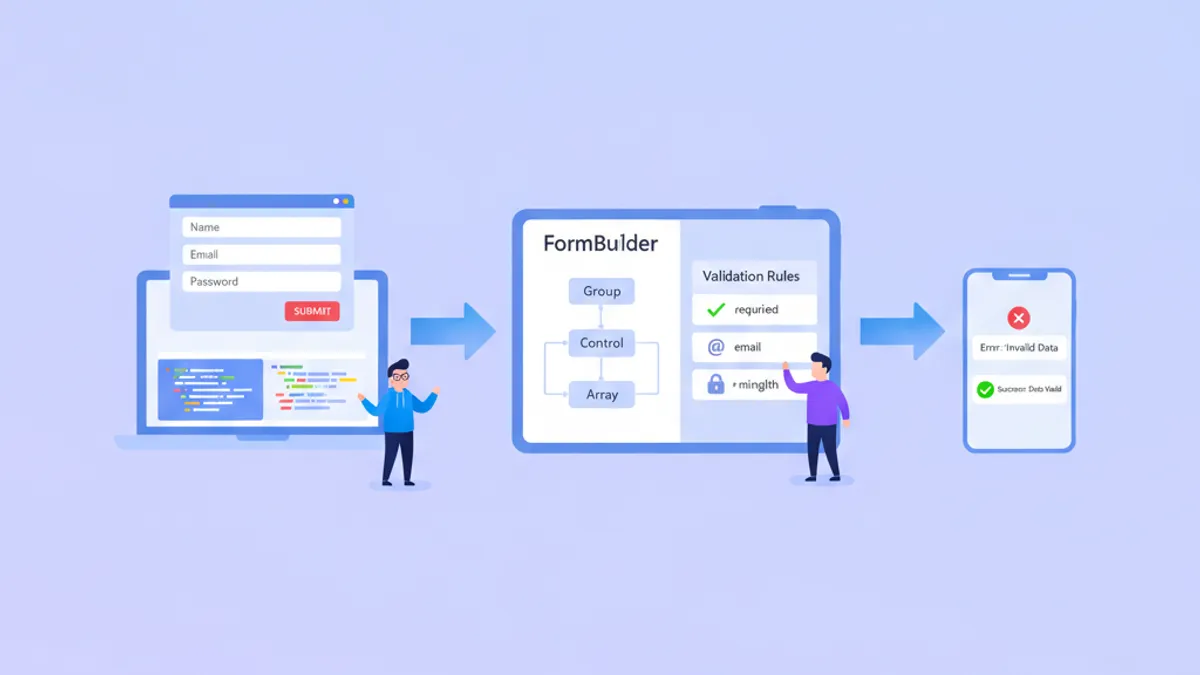
Angular Forms 2026: Reactive Forms, Validierung und technische Interviewfragen
Eine umfassende Anleitung zu Angular Reactive Forms mit typisiertem FormBuilder, benutzerdefinierten Validatoren, asynchroner Validierung und FormArray. Enthält häufige Interviewfragen und eine Vorschau auf Signal Forms.

Angular 20 im Jahr 2026: Resource API, httpResource und Interviewfragen
Angular 20 führt die Resource API und httpResource als signalbasierte Alternativen zu manuellen HttpClient-Subscriptions ein. Dieser Leitfaden behandelt alle drei Resource-Varianten, Zod-Validierung und häufige Interviewfragen.