Entrevista iOS Push Notifications 2026: APNs, tokens e troubleshooting
Guia completo para preparar entrevistas iOS sobre Push Notifications, APNs, gestão de tokens e troubleshooting. Perguntas frequentes com respostas detalhadas.
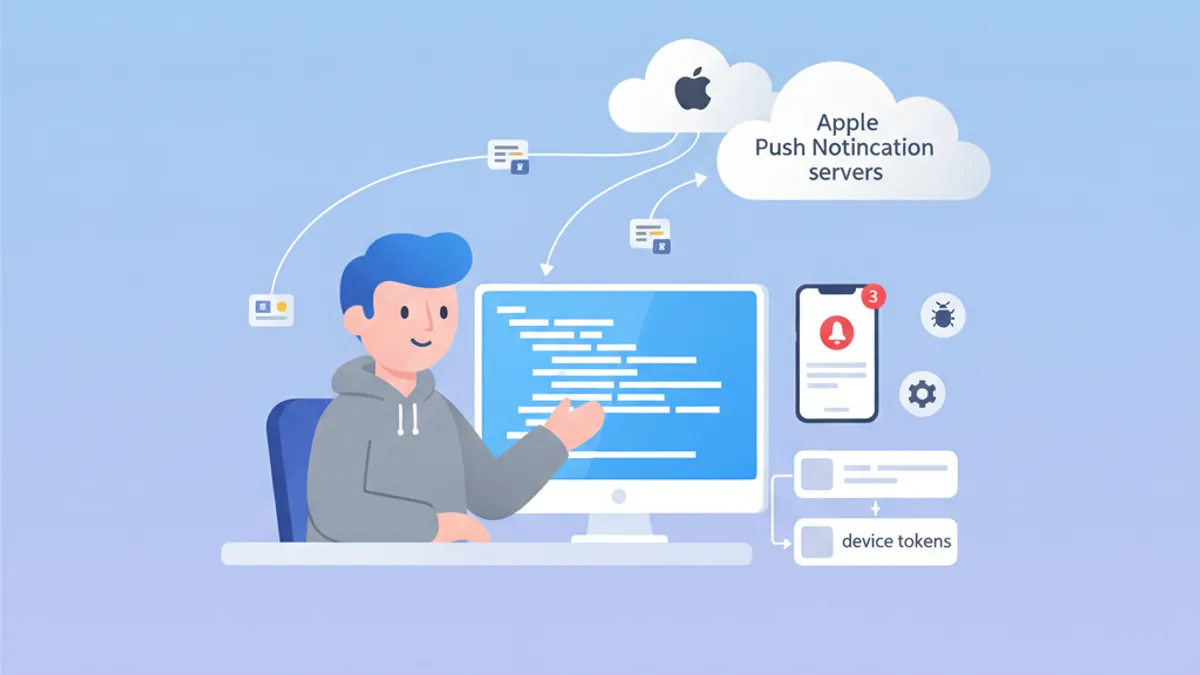
As Push Notifications continuam sendo um tema crítico nas entrevistas de iOS. Compreender como o APNs funciona, gerenciar device tokens e resolver problemas comuns demonstra um conhecimento profundo do ecossistema da Apple. Este guia cobre as perguntas de entrevista mais frequentes.
Os entrevistadores procuram candidatos que entendam o ciclo de vida completo: do registro do dispositivo à entrega da notificação, incluindo o tratamento adequado de erros em cada etapa.
Arquitetura APNs: a base das notificações iOS
O Apple Push Notification service (APNs) é o serviço centralizado que gerencia a entrega de push notifications para os dispositivos Apple. Compreender sua arquitetura é essencial para responder com eficácia às perguntas de entrevista.
Como o APNs funciona?
O fluxo de comunicação envolve três atores principais: o aplicativo iOS, o APNs e o servidor backend. Veja o processo completo:
import UIKit
import UserNotifications

@main
class AppDelegate: UIResponder, UIApplicationDelegate {

    func application(
        _ application: UIApplication,
        didFinishLaunchingWithOptions launchOptions: [UIApplication.LaunchOptionsKey: Any]?
    ) -> Bool {
        // Request notification authorization
        UNUserNotificationCenter.current().requestAuthorization(
            options: [.alert, .badge, .sound]
        ) { granted, error in
            guard granted else { return }
            // Register with APNs
            DispatchQueue.main.async {
                application.registerForRemoteNotifications()
            }
        }
        return true
    }
}
O registro no APNs acontece em duas etapas: obter a autorização do usuário e depois chamar registerForRemoteNotifications().
Gestão do device token
O device token é um identificador único gerado pelo APNs para direcionar um dispositivo específico. Esse token pode mudar e deve ser enviado ao servidor backend a cada inicialização do aplicativo.
extension AppDelegate {

    // Callback when APNs provides the token
    func application(
        _ application: UIApplication,
        didRegisterForRemoteNotificationsWithDeviceToken deviceToken: Data
    ) {
        // Convert token to hexadecimal string
        let tokenString = deviceToken.map { String(format: "%02.2hhx", $0) }.joined()
        print("Device Token: \(tokenString)")

        // Send to backend server
        sendTokenToServer(tokenString)
    }

    // Callback on registration failure
    func application(
        _ application: UIApplication,
        didFailToRegisterForRemoteNotificationsWithError error: Error
    ) {
        print("Failed to register: \(error.localizedDescription)")
    }

    private func sendTokenToServer(_ token: String) {
        // Implement HTTP request to backend
    }
}
O token chega como Data e precisa ser convertido em uma string hexadecimal antes de ser enviado ao servidor.
Perguntas frequentes de entrevista sobre APNs
As entrevistas iOS combinam normalmente perguntas teóricas e práticas sobre APNs. Aqui estão as mais comuns com respostas detalhadas.
Pergunta 1: Qual é a diferença entre APNs sandbox e produção?
O APNs possui dois ambientes distintos com endpoints diferentes. Tokens gerados em um ambiente não funcionam no outro.
| Ambiente | Endpoint | Uso |
|---|---|---|
| Sandbox | api.sandbox.push.apple.com | Debug, TestFlight |
| Produção | api.push.apple.com | App Store |
Pergunta 2: Como lidar com a expiração do token?
Os device tokens podem mudar por vários motivos: restauração do sistema, instalação em um novo dispositivo ou renovação periódica pelo APNs. O servidor precisa tratar adequadamente as respostas de erro do APNs.
enum APNsError: Int {
    case badDeviceToken = 400
    case unregistered = 410
    case payloadTooLarge = 413
    case tooManyRequests = 429
    case internalServerError = 500

    var shouldRemoveToken: Bool {
        // Remove token only if device is no longer registered
        return self == .unregistered || self == .badDeviceToken
    }
}

struct APNsResponse {
    let statusCode: Int
    let deviceToken: String

    func handleError() {
        guard let error = APNsError(rawValue: statusCode) else { return }

        if error.shouldRemoveToken {
            // Remove token from database
            TokenRepository.shared.remove(deviceToken)
        }
    }
}
O tratamento de erros do APNs no servidor é fundamental para manter a base de tokens limpa e evitar requisições desnecessárias.
Pergunta 3: Como implementar silent notifications?
As silent notifications permitem acordar o aplicativo em segundo plano para executar tarefas sem exibir nenhum alerta ao usuário.
func application(
    _ application: UIApplication,
    didReceiveRemoteNotification userInfo: [AnyHashable: Any],
    fetchCompletionHandler completionHandler: @escaping (UIBackgroundFetchResult) -> Void
) {
    // Check if this is a silent notification
    guard let aps = userInfo["aps"] as? [String: Any],
          aps["content-available"] as? Int == 1 else {
        completionHandler(.noData)
        return
    }

    // Perform background task
    performBackgroundTask { result in
        switch result {
        case .success:
            completionHandler(.newData)
        case .failure:
            completionHandler(.failed)
        }
    }
}
O payload JSON de uma silent notification deve conter "content-available": 1 dentro do objeto aps.
Pronto para mandar bem nas entrevistas de iOS?
Pratique com nossos simuladores interativos, flashcards e testes tecnicos.
Notification Service Extension: personalização avançada
As Notification Service Extensions permitem modificar o conteúdo da notificação antes da exibição. Esse recurso aparece com frequência nas entrevistas.
Criar uma Service Extension
import UserNotifications

class NotificationService: UNNotificationServiceExtension {

    var contentHandler: ((UNNotificationContent) -> Void)?
    var bestAttemptContent: UNMutableNotificationContent?

    override func didReceive(
        _ request: UNNotificationRequest,
        withContentHandler contentHandler: @escaping (UNNotificationContent) -> Void
    ) {
        self.contentHandler = contentHandler
        bestAttemptContent = request.content.mutableCopy() as? UNMutableNotificationContent

        guard let bestAttemptContent = bestAttemptContent else {
            contentHandler(request.content)
            return
        }

        // Modify content
        if let imageURLString = bestAttemptContent.userInfo["image-url"] as? String,
           let imageURL = URL(string: imageURLString) {
            downloadImage(from: imageURL) { attachment in
                if let attachment = attachment {
                    bestAttemptContent.attachments = [attachment]
                }
                contentHandler(bestAttemptContent)
            }
        } else {
            contentHandler(bestAttemptContent)
        }
    }

    override func serviceExtensionTimeWillExpire() {
        // Called when time limit (30 seconds) is exceeded
        if let contentHandler = contentHandler,
           let bestAttemptContent = bestAttemptContent {
            contentHandler(bestAttemptContent)
        }
    }

    private func downloadImage(
        from url: URL,
        completion: @escaping (UNNotificationAttachment?) -> Void
    ) {
        URLSession.shared.downloadTask(with: url) { localURL, _, error in
            guard let localURL = localURL, error == nil else {
                completion(nil)
                return
            }

            let tempDirectory = FileManager.default.temporaryDirectory
            let fileName = url.lastPathComponent
            let destinationURL = tempDirectory.appendingPathComponent(fileName)

            try? FileManager.default.moveItem(at: localURL, to: destinationURL)

            let attachment = try? UNNotificationAttachment(
                identifier: fileName,
                url: destinationURL,
                options: nil
            )
            completion(attachment)
        }.resume()
    }
}
A extensão tem 30 segundos para modificar o conteúdo. O método serviceExtensionTimeWillExpire() é chamado se esse limite for ultrapassado.
Troubleshooting de Push Notifications
A depuração das push notifications é um tema recorrente em entrevistas. Os candidatos devem conhecer as ferramentas e técnicas de diagnóstico.
Verificar o status do registro
struct PushNotificationDebugger {

    static func checkNotificationStatus() async {
        let center = UNUserNotificationCenter.current()
        let settings = await center.notificationSettings()

        print("=== Push Notification Status ===")
        print("Authorization: \(settings.authorizationStatus.description)")
        print("Alert: \(settings.alertSetting.description)")
        print("Badge: \(settings.badgeSetting.description)")
        print("Sound: \(settings.soundSetting.description)")
        print("Notification Center: \(settings.notificationCenterSetting.description)")
    }
}

extension UNAuthorizationStatus {
    var description: String {
        switch self {
        case .notDetermined: return "Not Determined"
        case .denied: return "Denied"
        case .authorized: return "Authorized"
        case .provisional: return "Provisional"
        case .ephemeral: return "Ephemeral"
        @unknown default: return "Unknown"
        }
    }
}
Essa função de debug permite verificar rapidamente o status de autorização das notificações.
Erros comuns e soluções
Os entrevistadores costumam perguntar sobre erros comuns e suas soluções. Aqui estão os mais importantes para memorizar.
| Erro | Causa | Solução |
|---|---|---|
| Token inválido | Ambiente errado (sandbox/prod) | Verificar o provisioning profile |
| Notificação não recebida | Modo de baixo consumo ativo | Testar com a bateria carregada |
| Extensão não chamada | Payload sem mutable-content | Adicionar "mutable-content": 1 |
| Background fetch falhou | App encerrado pelo usuário | Informar o usuário sobre a limitação |
Testar o APNs diretamente
Para testar as notificações durante o desenvolvimento, a ferramenta curl permite enviar requisições diretamente para o APNs:
struct APNsTestPayload {

    static let silentNotification = """
    {
        "aps": {
            "content-available": 1
        },
        "custom-data": "test"
    }
    """

    static let richNotification = """
    {
        "aps": {
            "alert": {
                "title": "New message",
                "body": "Message content"
            },
            "mutable-content": 1,
            "sound": "default"
        },
        "image-url": "https://example.com/image.jpg"
    }
    """
}
Esses payloads de teste são úteis para validar o comportamento do app com diferentes tipos de notificação.
Boas práticas em produção
As perguntas sobre boas práticas ajudam a avaliar a experiência do candidato com aplicativos em produção.
Tratamento de erros de rede
actor PushTokenManager {

    private var pendingToken: String?
    private var retryCount = 0
    private let maxRetries = 3

    func registerToken(_ token: String) async {
        pendingToken = token
        await sendTokenWithRetry()
    }

    private func sendTokenWithRetry() async {
        guard let token = pendingToken else { return }

        do {
            try await APIClient.shared.registerPushToken(token)
            pendingToken = nil
            retryCount = 0
        } catch {
            retryCount += 1
            if retryCount < maxRetries {
                // Retry with exponential backoff
                let delay = UInt64(pow(2.0, Double(retryCount))) * 1_000_000_000
                try? await Task.sleep(nanoseconds: delay)
                await sendTokenWithRetry()
            }
        }
    }
}
O uso de um actor garante a segurança entre threads ao gerenciar tokens em ambientes concorrentes.
Persistência local do token
struct TokenStorage {

    private static let tokenKey = "com.app.pushToken"

    static func save(_ token: String) {
        UserDefaults.standard.set(token, forKey: tokenKey)
    }

    static func retrieve() -> String? {
        UserDefaults.standard.string(forKey: tokenKey)
    }

    static func hasTokenChanged(_ newToken: String) -> Bool {
        guard let savedToken = retrieve() else { return true }
        return savedToken != newToken
    }
}
Salvar o token localmente evita chamadas de rede desnecessárias quando o token não foi alterado.
Conclusão
Dominar as iOS Push Notifications demonstra conhecimento profundo do ecossistema Apple e das interações cliente-servidor. Pontos-chave para lembrar nas entrevistas:
✅ Arquitetura APNs: entender o fluxo completo do registro até a entrega
✅ Device tokens: ciclo de vida e gestão das mudanças de token
✅ Notification Service Extension: personalização do conteúdo com limite de 30 segundos
✅ Troubleshooting: conhecer os erros frequentes e suas soluções
✅ Silent notifications: content-available para o background fetch
✅ Boas práticas: lógica de retry, persistência local, tratamento de erros
Comece a praticar!
Teste seus conhecimentos com nossos simuladores de entrevista e testes tecnicos.
Você saberia encontrar o bug em iOS?
Um trecho real, um bug escondido, uma tentativa por dia. Sem conta para testar.

Escrito por
Anthony Fillion-MailletFundador da SharpSkill
Desenvolvedor fullstack há mais de 10 anos. Dirige a SharpSkill e responde por tudo o que é publicado aqui.
Atualizado em 29 de abril de 2026
Tags
Compartilhar
Artigos relacionados

Entrevista StoreKit 2: Gerenciamento de Assinaturas e Validação de Recibos
Domine perguntas de entrevista iOS sobre StoreKit 2, gerenciamento de assinaturas, validação de recibos e implementação de compras no aplicativo com exemplos práticos em Swift.

Swift Testing Framework Entrevista 2026: Macros #expect e #require vs XCTest
Domine o novo Swift Testing Framework para entrevistas iOS: macros #expect e #require, migração do XCTest, padrões avançados e armadilhas comuns.
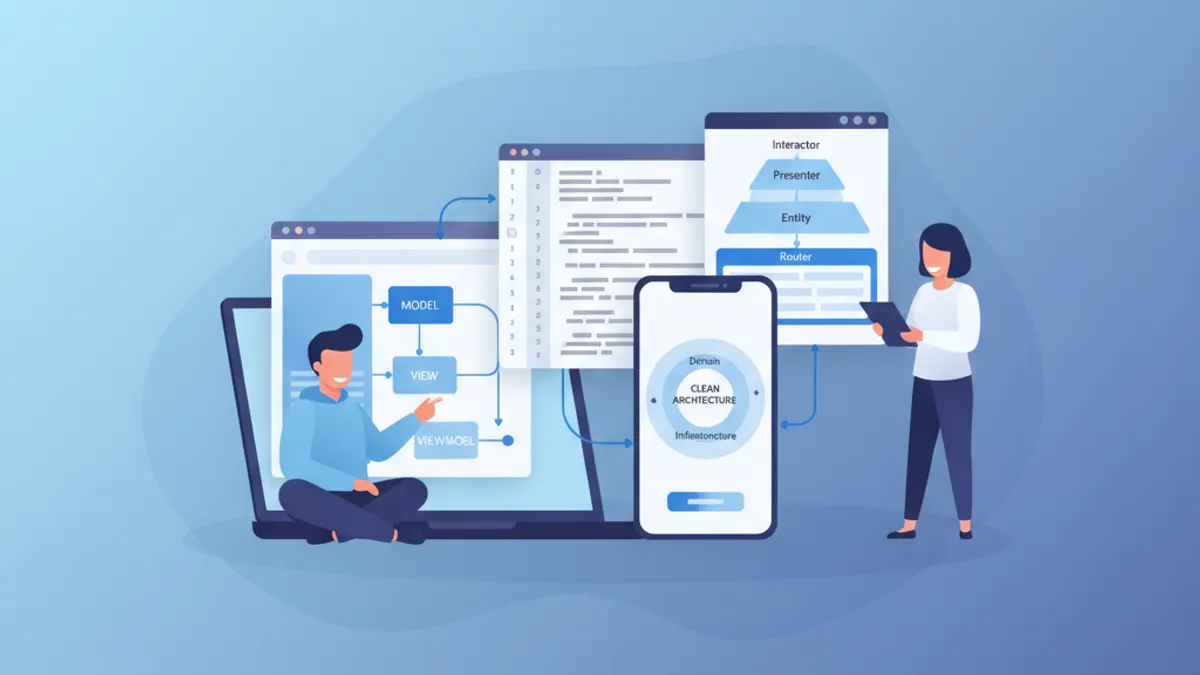
Entrevista iOS Sênior 2026: Perguntas sobre Arquitetura e Padrões de Design
Prepare-se para entrevistas iOS sênior com perguntas-chave sobre MVVM, VIPER, Clean Architecture e padrões de design. Guia completo com exemplos de código Swift.