Spring Security 6: OAuth2 Resource Server configureren
Praktische gids voor het configureren van een OAuth2 Resource Server met Spring Security 6. JWT-validatie, issuer-configuratie, scope-beheer en Keycloak-integratie.
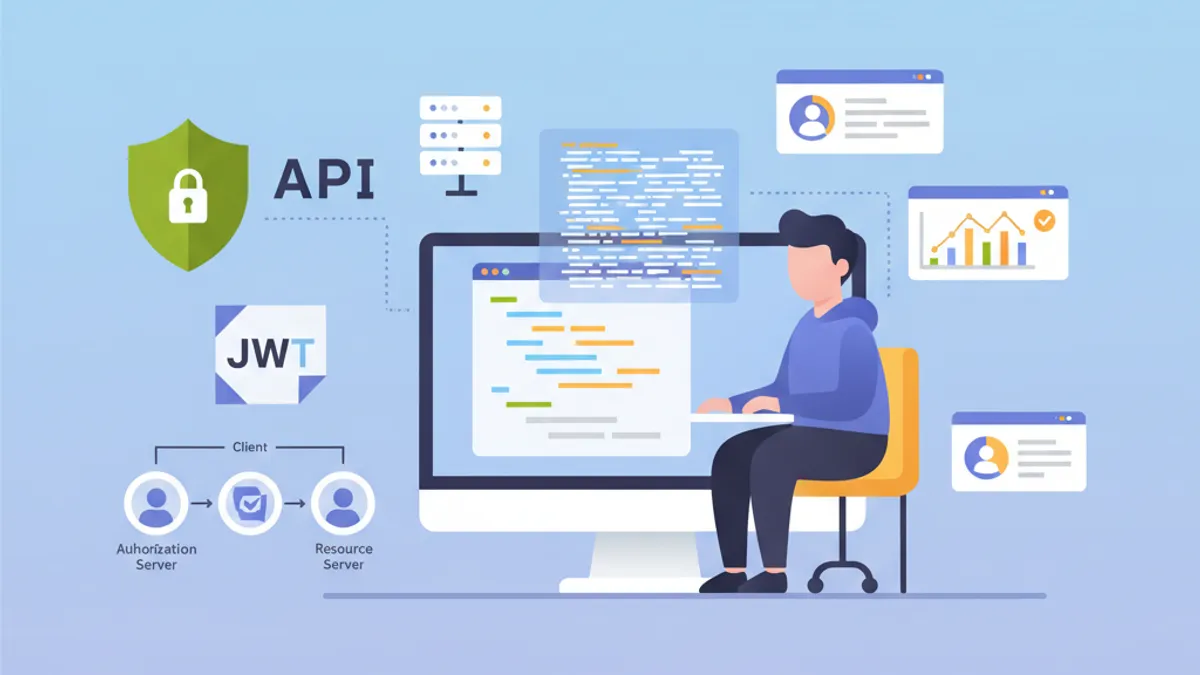
Een OAuth2 Resource Server beschermt API's door JWT-tokens te valideren die zijn uitgegeven door een externe Authorization Server zoals Keycloak, Auth0 of Okta. In tegenstelling tot aangepaste JWT-authenticatie waarbij de applicatie zijn eigen tokens genereert, delegeert de Resource Server het identiteitsbeheer volledig aan een dedicated Identity Provider (IdP).
Een Resource Server genereert nooit tokens. Hij valideert ze alleen. Deze scheiding van verantwoordelijkheden versterkt de beveiliging en vereenvoudigt de architectuur door identiteitsbeheer te centraliseren.
Architectuur van de OAuth2 Resource Server
De OAuth2-flow betrekt drie hoofdactoren. De client (frontend- of mobiele applicatie) verkrijgt een access token van de Authorization Server. Vervolgens neemt hij dit token op in elke aanvraag aan de Resource Server. De Resource Server valideert het token door de handtekening te verifiëren met de publieke sleutel van de Authorization Server.
Deze architectuur biedt verschillende voordelen. De Resource Server blijft stateless aangezien alle benodigde informatie zich in het JWT-token bevindt. Validatie vindt plaats zonder netwerkaanroepen naar de IdP dankzij asymmetrische handtekeningverificatie. Meerdere API's kunnen dezelfde Authorization Server delen, wat het gebruikersbeheer vereenvoudigt.
┌──────────────┐     1. Login      ┌─────────────────────┐
│   Client     │ ───────────────►  │  Authorization      │
│   (SPA/App)  │                   │  Server (Keycloak)  │
│              │ ◄─────────────────│                     │
└──────────────┘   2. JWT Token    └─────────────────────┘
       │                                    │
       │ 3. Request + Bearer Token          │
       ▼                                    ▼
┌──────────────────────┐           ┌─────────────────────┐
│   Resource Server    │ ◄─────── │   JWKS Endpoint     │
│   (Spring Boot API)  │  4. Public Keys (cached)       │
└──────────────────────┘           └─────────────────────┘
De Resource Server downloadt de publieke sleutels bij het opstarten en cachet deze, waardoor netwerkaanroepen voor elke aanvraag worden vermeden.
Maven-dependencies voor OAuth2 Resource Server
De configuratie van een Resource Server vereist twee specifieke dependencies. De oauth2-resource-server starter levert de basisinfrastructuur, terwijl oauth2-jose de klassen bevat voor het decoderen en valideren van JWT's.
<!-- pom.xml -->
<dependencies>
    <!-- OAuth2 Resource Server support -->
    <dependency>
        <groupId>org.springframework.boot</groupId>
        <artifactId>spring-boot-starter-oauth2-resource-server</artifactId>
    </dependency>

    <!-- Spring Web for REST endpoints -->
    <dependency>
        <groupId>org.springframework.boot</groupId>
        <artifactId>spring-boot-starter-web</artifactId>
    </dependency>

    <!-- DTO validation -->
    <dependency>
        <groupId>org.springframework.boot</groupId>
        <artifactId>spring-boot-starter-validation</artifactId>
    </dependency>
</dependencies>
Aanvullende dependencies zoals JJWT zijn niet nodig. Spring Security gebruikt de Nimbus JOSE+JWT-bibliotheek die is opgenomen in spring-security-oauth2-jose voor de tokenafhandeling.
Basisconfiguratie met issuer-uri
De minimale Resource Server-configuratie vereist slechts twee regels. Spring Security ontdekt automatisch de IdP-endpoints via het OpenID Connect Discovery-protocol.
# application.yml
spring:
  security:
    oauth2:
      resourceserver:
        jwt:
          # URI van de Authorization Server
          # Spring haalt automatisch publieke sleutels op via /.well-known/openid-configuration
          issuer-uri: https://keycloak.example.com/realms/myrealm
Vanuit de issuer-uri doet Spring Security een aanvraag naar {issuer-uri}/.well-known/openid-configuration om de metadata van de Authorization Server te verkrijgen. Vervolgens wordt de JWKS-URL (JSON Web Key Set) geëxtraheerd die de publieke sleutels bevat die worden gebruikt om token-handtekeningen te valideren.
@Configuration
@EnableWebSecurity
@EnableMethodSecurity
public class SecurityConfig {

    @Bean
    public SecurityFilterChain securityFilterChain(HttpSecurity http) throws Exception {
        return http
            // Disable CSRF for stateless APIs
            .csrf(csrf -> csrf.disable())

            // Authorization rules
            .authorizeHttpRequests(auth -> auth
                // Public endpoints
                .requestMatchers("/api/public/**").permitAll()
                .requestMatchers("/actuator/health").permitAll()
                // All other requests require a valid token
                .anyRequest().authenticated()
            )

            // Enable OAuth2 JWT validation
            .oauth2ResourceServer(oauth2 -> oauth2
                .jwt(Customizer.withDefaults())
            )

            // Stateless mode required for Resource Servers
            .sessionManagement(session -> session
                .sessionCreationPolicy(SessionCreationPolicy.STATELESS)
            )

            .build();
    }
}
Deze configuratie volstaat om een API te beschermen. Spring Security valideert automatisch de tokenhandtekening, controleert de timestamps (exp, nbf, iat) en zorgt ervoor dat de iss-claim overeenkomt met de geconfigureerde issuer-uri.
Standaard start de applicatie niet als de Authorization Server onbereikbaar is. Om een onafhankelijke opstart mogelijk te maken, moet jwk-set-uri expliciet worden geconfigureerd in plaats van issuer-uri.
Geavanceerde configuratie met jwk-set-uri
Wanneer de Authorization Server geen OpenID Connect Discovery ondersteunt of wanneer de applicatie moet opstarten zonder netwerkafhankelijkheid van de IdP, is expliciete JWKS-configuratie te verkiezen.
# application.yml
spring:
  security:
    oauth2:
      resourceserver:
        jwt:
          # Direct URL to JWKS (public keys)
          jwk-set-uri: https://keycloak.example.com/realms/myrealm/protocol/openid-connect/certs
          # Expected value of the "iss" claim in tokens
          issuer-uri: https://keycloak.example.com/realms/myrealm
          # Allowed audiences ("aud" claim)
          audiences:
            - my-api
            - account
Deze aanpak biedt meer controle. Audience-validatie voorkomt het gebruik van tokens die voor andere services bedoeld zijn. Een token uitgegeven voor de frontend-app-applicatie wordt afgewezen als de API alleen de audiences my-api en account accepteert.
@Configuration
@EnableWebSecurity
public class SecurityConfig {

    @Value("${spring.security.oauth2.resourceserver.jwt.issuer-uri}")
    private String issuerUri;

    @Bean
    public SecurityFilterChain securityFilterChain(HttpSecurity http) throws Exception {
        return http
            .csrf(csrf -> csrf.disable())

            .authorizeHttpRequests(auth -> auth
                .requestMatchers("/api/public/**").permitAll()
                .anyRequest().authenticated()
            )

            // Custom JWT configuration
            .oauth2ResourceServer(oauth2 -> oauth2
                .jwt(jwt -> jwt
                    .jwtAuthenticationConverter(jwtAuthenticationConverter())
                )
            )

            .sessionManagement(session -> session
                .sessionCreationPolicy(SessionCreationPolicy.STATELESS)
            )

            .build();
    }

    // Custom converter to extract authorities from the token
    @Bean
    public JwtAuthenticationConverter jwtAuthenticationConverter() {
        JwtGrantedAuthoritiesConverter grantedAuthoritiesConverter =
            new JwtGrantedAuthoritiesConverter();
        // SCOPE_ prefix for authorities (e.g., SCOPE_read, SCOPE_write)
        grantedAuthoritiesConverter.setAuthorityPrefix("SCOPE_");
        // Claim containing scopes (OAuth2 standard)
        grantedAuthoritiesConverter.setAuthoritiesClaimName("scope");

        JwtAuthenticationConverter jwtAuthenticationConverter =
            new JwtAuthenticationConverter();
        jwtAuthenticationConverter.setJwtGrantedAuthoritiesConverter(
            grantedAuthoritiesConverter
        );

        return jwtAuthenticationConverter;
    }
}
De JwtAuthenticationConverter zet de tokenclaims om in GrantedAuthority-objecten die bruikbaar zijn in beveiligingsexpressies.
Klaar om je Spring Boot gesprekken te halen?
Oefen met onze interactieve simulatoren, flashcards en technische tests.
Extractie van Keycloak-rollen
Keycloak structureert rollen anders dan de OAuth2-standaard. Rollen bevinden zich in realm_access.roles (realm-rollen) of resource_access.{client}.roles (clientspecifieke rollen). Een aangepaste converter extraheert deze informatie.
@Component
public class KeycloakJwtAuthenticationConverter
    implements Converter<Jwt, AbstractAuthenticationToken> {

    private static final String REALM_ACCESS_CLAIM = "realm_access";
    private static final String RESOURCE_ACCESS_CLAIM = "resource_access";
    private static final String ROLES_CLAIM = "roles";

    @Value("${keycloak.client-id}")
    private String clientId;

    @Override
    public AbstractAuthenticationToken convert(Jwt jwt) {
        // Combine realm and client roles
        Collection<GrantedAuthority> authorities = Stream.concat(
            extractRealmRoles(jwt).stream(),
            extractClientRoles(jwt).stream()
        ).collect(Collectors.toSet());

        // Return authentication token with extracted authorities
        return new JwtAuthenticationToken(jwt, authorities, extractUsername(jwt));
    }

    // Extract realm-level roles
    private Collection<GrantedAuthority> extractRealmRoles(Jwt jwt) {
        Map<String, Object> realmAccess = jwt.getClaim(REALM_ACCESS_CLAIM);
        if (realmAccess == null) {
            return Collections.emptyList();
        }

        @SuppressWarnings("unchecked")
        List<String> roles = (List<String>) realmAccess.get(ROLES_CLAIM);
        if (roles == null) {
            return Collections.emptyList();
        }

        // ROLE_ prefix for compatibility with hasRole()
        return roles.stream()
            .map(role -> new SimpleGrantedAuthority("ROLE_" + role.toUpperCase()))
            .collect(Collectors.toList());
    }

    // Extract client-specific roles
    private Collection<GrantedAuthority> extractClientRoles(Jwt jwt) {
        Map<String, Object> resourceAccess = jwt.getClaim(RESOURCE_ACCESS_CLAIM);
        if (resourceAccess == null) {
            return Collections.emptyList();
        }

        @SuppressWarnings("unchecked")
        Map<String, Object> clientAccess =
            (Map<String, Object>) resourceAccess.get(clientId);
        if (clientAccess == null) {
            return Collections.emptyList();
        }

        @SuppressWarnings("unchecked")
        List<String> roles = (List<String>) clientAccess.get(ROLES_CLAIM);
        if (roles == null) {
            return Collections.emptyList();
        }

        return roles.stream()
            .map(role -> new SimpleGrantedAuthority("ROLE_" + role.toUpperCase()))
            .collect(Collectors.toList());
    }

    // Extract username from token
    private String extractUsername(Jwt jwt) {
        // Keycloak uses "preferred_username" by default
        String username = jwt.getClaimAsString("preferred_username");
        if (username != null) {
            return username;
        }
        // Fallback to subject (usually the user UUID)
        return jwt.getSubject();
    }
}
De integratie in de beveiligingsconfiguratie gebeurt via de parameter jwtAuthenticationConverter.
@Configuration
@EnableWebSecurity
@EnableMethodSecurity
@RequiredArgsConstructor
public class SecurityConfig {

    private final KeycloakJwtAuthenticationConverter keycloakConverter;

    @Bean
    public SecurityFilterChain securityFilterChain(HttpSecurity http) throws Exception {
        return http
            .csrf(csrf -> csrf.disable())

            .authorizeHttpRequests(auth -> auth
                .requestMatchers("/api/public/**").permitAll()
                // Protection by Keycloak role
                .requestMatchers("/api/admin/**").hasRole("ADMIN")
                .anyRequest().authenticated()
            )

            .oauth2ResourceServer(oauth2 -> oauth2
                .jwt(jwt -> jwt
                    // Use Keycloak converter
                    .jwtAuthenticationConverter(keycloakConverter)
                )
            )

            .sessionManagement(session -> session
                .sessionCreationPolicy(SessionCreationPolicy.STATELESS)
            )

            .build();
    }
}
De geëxtraheerde rollen zijn nu bruikbaar met @PreAuthorize("hasRole('ADMIN')")-annotaties of in requestMatchers().hasRole()-expressies.
Aangepaste tokenvalidatie
Aanvullende validaties kunnen vereist zijn afhankelijk van de bedrijfsbehoeften: verificatie van aangepaste claims, audience-validatie of controle van de maximale levensduur.
@Component
public class CustomJwtValidator implements OAuth2TokenValidator<Jwt> {

    private static final OAuth2Error AUDIENCE_ERROR =
        new OAuth2Error("invalid_token", "Token audience is not valid", null);

    private static final OAuth2Error CUSTOM_CLAIM_ERROR =
        new OAuth2Error("invalid_token", "Required custom claim missing", null);

    @Value("${app.jwt.required-audience}")
    private String requiredAudience;

    @Value("${app.jwt.required-tenant-claim:tenant_id}")
    private String tenantClaimName;

    @Override
    public OAuth2TokenValidatorResult validate(Jwt jwt) {
        List<OAuth2Error> errors = new ArrayList<>();

        // Audience validation
        if (!validateAudience(jwt)) {
            errors.add(AUDIENCE_ERROR);
        }

        // Custom business claim validation
        if (!validateTenantClaim(jwt)) {
            errors.add(CUSTOM_CLAIM_ERROR);
        }

        if (!errors.isEmpty()) {
            return OAuth2TokenValidatorResult.failure(errors);
        }

        return OAuth2TokenValidatorResult.success();
    }

    private boolean validateAudience(Jwt jwt) {
        List<String> audiences = jwt.getAudience();
        return audiences != null && audiences.contains(requiredAudience);
    }

    private boolean validateTenantClaim(Jwt jwt) {
        // Check for required business claim
        String tenantId = jwt.getClaimAsString(tenantClaimName);
        return tenantId != null && !tenantId.isBlank();
    }
}
De aangepaste validator integreert in de configuratie van de JwtDecoder.
@Configuration
@RequiredArgsConstructor
public class JwtConfig {

    private final CustomJwtValidator customValidator;

    @Value("${spring.security.oauth2.resourceserver.jwt.issuer-uri}")
    private String issuerUri;

    @Value("${spring.security.oauth2.resourceserver.jwt.jwk-set-uri}")
    private String jwkSetUri;

    @Bean
    public JwtDecoder jwtDecoder() {
        // Create decoder with JWKS URL
        NimbusJwtDecoder jwtDecoder = NimbusJwtDecoder
            .withJwkSetUri(jwkSetUri)
            .build();

        // Combine default validators with custom validator
        OAuth2TokenValidator<Jwt> defaultValidators =
            JwtValidators.createDefaultWithIssuer(issuerUri);

        OAuth2TokenValidator<Jwt> combinedValidator =
            new DelegatingOAuth2TokenValidator<>(defaultValidators, customValidator);

        jwtDecoder.setJwtValidator(combinedValidator);

        return jwtDecoder;
    }
}Synchrone validaties blokkeren de verwerkingsthread. Voor validaties die externe aanroepen vereisen (database, externe services), is een asynchroon filter of een navalidatie te verkiezen.
Toegang tot tokeninformatie in controllers
Spring Security biedt verschillende methoden om in controllers toegang te krijgen tot JWT-tokeninformatie.
@RestController
@RequestMapping("/api/users")
public class UserController {

    // Direct JWT injection via @AuthenticationPrincipal
    @GetMapping("/me")
    public ResponseEntity<UserInfoResponse> getCurrentUser(
        @AuthenticationPrincipal Jwt jwt
    ) {
        String userId = jwt.getSubject();
        String email = jwt.getClaimAsString("email");
        String username = jwt.getClaimAsString("preferred_username");
        List<String> roles = extractRoles(jwt);

        return ResponseEntity.ok(new UserInfoResponse(
            userId, email, username, roles
        ));
    }

    // Alternative with JwtAuthenticationToken to access authorities
    @GetMapping("/profile")
    public ResponseEntity<ProfileResponse> getProfile(
        JwtAuthenticationToken authentication
    ) {
        Jwt jwt = authentication.getToken();
        Collection<String> authorities = authentication.getAuthorities()
            .stream()
            .map(GrantedAuthority::getAuthority)
            .toList();

        return ResponseEntity.ok(new ProfileResponse(
            jwt.getSubject(),
            jwt.getClaimAsString("name"),
            authorities
        ));
    }

    // Access scopes for conditional business logic
    @GetMapping("/data")
    @PreAuthorize("hasAuthority('SCOPE_read')")
    public ResponseEntity<DataResponse> getData(
        @AuthenticationPrincipal Jwt jwt
    ) {
        boolean canWrite = hasScope(jwt, "write");

        // Business logic adapted according to permissions
        DataResponse response = buildDataResponse(jwt.getSubject(), canWrite);
        return ResponseEntity.ok(response);
    }

    private List<String> extractRoles(Jwt jwt) {
        Map<String, Object> realmAccess = jwt.getClaim("realm_access");
        if (realmAccess == null) {
            return Collections.emptyList();
        }
        @SuppressWarnings("unchecked")
        List<String> roles = (List<String>) realmAccess.get("roles");
        return roles != null ? roles : Collections.emptyList();
    }

    private boolean hasScope(Jwt jwt, String scope) {
        String scopes = jwt.getClaimAsString("scope");
        return scopes != null && scopes.contains(scope);
    }
}public record UserInfoResponse(
String userId,
String email,
String username,
List<String> roles
) {}
// ProfileResponse.java
public record ProfileResponse(
String userId,
String name,
Collection<String> authorities
) {}De @AuthenticationPrincipal-annotatie voorkomt het handmatig ophalen van de authenticatie uit de SecurityContextHolder.
Afhandeling van OAuth2-authenticatiefouten
Een specifieke foutafhandeling verbetert de ontwikkelaarservaring voor API-consumenten.
@RestControllerAdvice
public class OAuth2SecurityExceptionHandler {

    private static final Logger log =
        LoggerFactory.getLogger(OAuth2SecurityExceptionHandler.class);

    // Missing token or invalid format
    @ExceptionHandler(AuthenticationException.class)
    @ResponseStatus(HttpStatus.UNAUTHORIZED)
    public ErrorResponse handleAuthenticationException(AuthenticationException ex) {
        log.warn("Authentication failed: {}", ex.getMessage());

        return new ErrorResponse(
            "UNAUTHORIZED",
            "Authentication required. Provide a valid Bearer token.",
            Map.of("error", ex.getMessage())
        );
    }

    // Access denied despite valid token
    @ExceptionHandler(AccessDeniedException.class)
    @ResponseStatus(HttpStatus.FORBIDDEN)
    public ErrorResponse handleAccessDeniedException(AccessDeniedException ex) {
        log.warn("Access denied: {}", ex.getMessage());

        return new ErrorResponse(
            "FORBIDDEN",
            "Insufficient permissions for this resource",
            null
        );
    }

    // OAuth2-specific error (expired token, invalid signature, etc.)
    @ExceptionHandler(OAuth2AuthenticationException.class)
    @ResponseStatus(HttpStatus.UNAUTHORIZED)
    public ErrorResponse handleOAuth2Exception(OAuth2AuthenticationException ex) {
        OAuth2Error error = ex.getError();
        log.warn("OAuth2 authentication error: {} - {}",
            error.getErrorCode(), error.getDescription());

        String message = switch (error.getErrorCode()) {
            case "invalid_token" -> "Token is invalid or expired";
            case "insufficient_scope" -> "Token does not have required scopes";
            default -> "Authentication failed";
        };

        return new ErrorResponse(
            error.getErrorCode().toUpperCase(),
            message,
            Map.of("details", error.getDescription())
        );
    }
}

// ErrorResponse.java
public record ErrorResponse(
    String code,
    String message,
    Map<String, String> details
) {}
De gestandaardiseerde OAuth2-foutcodes (invalid_token, insufficient_scope) vergemakkelijken de verwerking aan clientzijde.
Multi-omgevingsconfiguratie
De configuratie verschilt per omgeving. In ontwikkeling kan een lokale Keycloak-server worden gebruikt, terwijl in productie een beheerde IdP zoals Auth0 het overneemt.
# application.yml (common configuration)
app:
  jwt:
    required-audience: my-api

---
# application-dev.yml
spring:
  config:
    activate:
      on-profile: dev
  security:
    oauth2:
      resourceserver:
        jwt:
          issuer-uri: http://localhost:8180/realms/dev-realm

keycloak:
  client-id: my-api-dev

logging:
  level:
    org.springframework.security: DEBUG

---
# application-prod.yml
spring:
  config:
    activate:
      on-profile: prod
  security:
    oauth2:
      resourceserver:
        jwt:
          issuer-uri: ${OAUTH2_ISSUER_URI}
          audiences: ${OAUTH2_AUDIENCES:my-api}

keycloak:
  client-id: ${KEYCLOAK_CLIENT_ID}

logging:
  level:
    org.springframework.security: WARN
In productie komen gevoelige waarden uit omgevingsvariabelen of een secrets manager.
Integratietests met gemockte JWT's
Integratietests gebruiken de utilities van Spring Security Test om geldige JWT-tokens te simuleren.
@SpringBootTest(webEnvironment = WebEnvironment.RANDOM_PORT)
@AutoConfigureMockMvc
class ResourceServerIntegrationTest {

    @Autowired
    private MockMvc mockMvc;

    @Test
    void shouldRejectRequestWithoutToken() throws Exception {
        mockMvc.perform(get("/api/users/me"))
            .andExpect(status().isUnauthorized());
    }

    @Test
    @WithMockJwtAuth(
        claims = @OpenIdClaims(sub = "user-123", preferredUsername = "john.doe"),
        authorities = {"ROLE_USER"}
    )
    void shouldAllowAuthenticatedUser() throws Exception {
        mockMvc.perform(get("/api/users/me"))
            .andExpect(status().isOk())
            .andExpect(jsonPath("$.userId").value("user-123"))
            .andExpect(jsonPath("$.username").value("john.doe"));
    }

    @Test
    void shouldAllowAccessWithValidJwt() throws Exception {
        mockMvc.perform(get("/api/users/me")
                .with(jwt()
                    .jwt(jwt -> jwt
                        .subject("user-456")
                        .claim("preferred_username", "jane.doe")
                        .claim("email", "jane@example.com")
                    )
                    .authorities(new SimpleGrantedAuthority("ROLE_USER"))
                ))
            .andExpect(status().isOk())
            .andExpect(jsonPath("$.email").value("jane@example.com"));
    }

    @Test
    void shouldDenyAccessWithoutAdminRole() throws Exception {
        mockMvc.perform(get("/api/admin/users")
                .with(jwt()
                    .authorities(new SimpleGrantedAuthority("ROLE_USER"))
                ))
            .andExpect(status().isForbidden());
    }

    @Test
    void shouldAllowAdminAccess() throws Exception {
        mockMvc.perform(get("/api/admin/users")
                .with(jwt()
                    .authorities(new SimpleGrantedAuthority("ROLE_ADMIN"))
                ))
            .andExpect(status().isOk());
    }
}
De jwt()-utility van spring-security-test maakt gemockte tokens zonder dat een Authorization Server nodig is.
@TestConfiguration
public class SecurityTestConfig {

    // Mocked JwtDecoder for tests
    @Bean
    @Primary
    public JwtDecoder jwtDecoder() {
        return token -> {
            // Return a mocked JWT for tests
            return Jwt.withTokenValue(token)
                .header("alg", "RS256")
                .subject("test-user")
                .claim("scope", "read write")
                .build();
        };
    }
}
Begin met oefenen!
Test je kennis met onze gespreksimulatoren en technische tests.
Conclusie
De configuratie van een OAuth2 Resource Server met Spring Security 6 centraliseert de tokenvalidatie en vereenvoudigt de API-beveiliging. De Authorization Server beheert de authenticatie en token-uitgifte, terwijl de API zich richt op validatie en extractie van identiteitsinformatie.
Deployment-checklist:
- ✅
issuer-uriofjwk-set-uriconfigureren afhankelijk van de behoeften - ✅ Audience valideren om misbruik van tokens van andere services te voorkomen
- ✅ Aangepaste converter om Keycloak-rollen te extraheren
- ✅ OAuth2-foutafhandeling met gestandaardiseerde codes
- ✅ Integratietests met gemockte tokens
- ✅ HTTPS verplicht tussen client en Resource Server
- ✅ Omgevingsspecifieke configuratie
- ✅ Logging van mislukte authenticatiepogingen
Deze architectuur integreert natuurlijk in een microservices-ecosysteem waarin meerdere API's dezelfde Identity Provider delen.
Zie jij de bug in Spring Boot?
Een echt codefragment, een verborgen bug, één poging per dag. Zonder account uit te proberen.

Geschreven door
Anthony Fillion-MailletOprichter van SharpSkill
Al meer dan 10 jaar fullstack-ontwikkelaar. Hij leidt SharpSkill en staat in voor alles wat hier verschijnt.
Bijgewerkt op 1 mei 2026
Tags
Delen
Gerelateerde artikelen
Spring Security 6: Volledige JWT-Authenticatie
Praktische gids om JWT-authenticatie te implementeren met Spring Security 6: configuratie, token-generatie, validatie en best practices voor beveiliging.

Spring Modulith: Modulaire Monoliet-architectuur Uitgelegd
Leer Spring Modulith om modulaire monolieten in Java te bouwen. Architectuur, modules, async events, testen en observability met Spring Boot 3 en 4 codevoorbeelden.

Spring Batch 5 Interview: Partitioning, Chunks en Fault Tolerance
Slaag voor Spring Batch 5 interviews: 15 essentiële vragen over partitioning, chunk-verwerking en fault tolerance met Java 21 codevoorbeelden.