Top 25 Angular Sollicitatievragen: Complete Gids voor Succes
De 25 meest gestelde Angular sollicitatievragen in 2026. Uitgebreide antwoorden, codevoorbeelden en tips om de Angular developer-rol binnen te halen.

Technische Angular-sollicitatiegesprekken toetsen het inzicht in de architectuur van het framework, de TypeScript-vaardigheid en de best practices van frontend-ontwikkeling. Deze gids presenteert de 25 meest gestelde vragen met uitgebreide antwoorden en codevoorbeelden voor een optimale voorbereiding.
Deze vragen behandelen de recente Angular-versies (16+), inclusief Signals, standalone componenten en de nieuwe control flow. Wie deze moderne concepten beheerst, laat actieve technologische alertheid zien.
Angular-grondbeginselen
1. Wat is het verschil tussen Angular en AngularJS?
Angular (versies 2+) is een volledige herschrijving van AngularJS. De grootste verschillen liggen in architectuur, taal en performance.
AngularJS gebruikte JavaScript en het MVC-patroon met een two-way binding-systeem dat tot prestatieproblemen kon leiden. Angular gebruikt TypeScript, een componentgebaseerde architectuur en een geoptimaliseerd change detection-systeem.
// angular.module('app').controller('UserController', function($scope) {
//   $scope.user = { name: 'Alice' };
// });

// Angular (2+) - Component-based
// user.component.ts
import { Component } from '@angular/core';

@Component({
  selector: 'app-user',
  standalone: true,
  template: `
    <div class="user-card">
      <h2>{{ user.name }}</h2>
      <p>{{ user.email }}</p>
    </div>
  `
})
export class UserComponent {
  // Strong typing with TypeScript
  user = {
    name: 'Alice',
    email: 'alice@example.com'
  };
}
Angular biedt daarnaast native ondersteuning voor ES6-modules, betere tooling via de Angular CLI en een architectuur die beter past bij enterprise-applicaties.
2. Wat is een Angular-component en hoe maak je er een?
Een Angular-component is een TypeScript-klasse met de @Component-decorator. Het kapselt de logica, het template en de stijlen van een deel van de gebruikersinterface in.
import { Component, Input, Output, EventEmitter } from '@angular/core';
import { CommonModule } from '@angular/common';

// Interface for strong typing
interface Product {
  id: number;
  name: string;
  price: number;
  inStock: boolean;
}

@Component({
  // CSS selector to use the component
  selector: 'app-product-card',
  // Standalone = no NgModule needed
  standalone: true,
  // Dependency imports
  imports: [CommonModule],
  // Inline or external template (templateUrl)
  template: `
    <article class="product-card">
      <h3>{{ product.name }}</h3>
      <p class="price">{{ product.price | currency:'USD' }}</p>

      @if (product.inStock) {
        <button (click)="onAddToCart()">Add to Cart</button>
      } @else {
        <span class="out-of-stock">Out of Stock</span>
      }
    </article>
  `,
  // Encapsulated styles by default
  styles: [`
    .product-card { padding: 1rem; border: 1px solid #e0e0e0; }
    .price { font-weight: bold; color: #2563eb; }
    .out-of-stock { color: #dc2626; }
  `]
})
export class ProductCardComponent {
  // Input: data from parent
  @Input({ required: true }) product!: Product;

  // Output: events to parent
  @Output() addToCart = new EventEmitter<number>();

  onAddToCart() {
    this.addToCart.emit(this.product.id);
  }
}
Standalone componenten (Angular 14+) vereenvoudigen het maken doordat het component niet langer in een NgModule hoeft te worden gedeclareerd.
3. Leg de levenscyclus van een Angular-component uit
Angular biedt lifecycle hooks waarmee code op specifieke momenten in de levensduur van een component kan worden uitgevoerd.
import {
  Component,
  OnInit,
  OnChanges,
  DoCheck,
  AfterContentInit,
  AfterContentChecked,
  AfterViewInit,
  AfterViewChecked,
  OnDestroy,
  Input,
  SimpleChanges
} from '@angular/core';

@Component({
  selector: 'app-lifecycle-demo',
  standalone: true,
  template: `<p>{{ data }}</p>`
})
export class LifecycleDemoComponent implements
  OnInit, OnChanges, DoCheck, AfterContentInit,
  AfterContentChecked, AfterViewInit, AfterViewChecked, OnDestroy {

  @Input() data = '';

  // 1. Called when an @Input changes (before ngOnInit)
  ngOnChanges(changes: SimpleChanges) {
    console.log('ngOnChanges', changes);
  }

  // 2. Called once after the first ngOnChanges
  // Ideal for initializations
  ngOnInit() {
    console.log('ngOnInit - Component initialization');
  }

  // 3. Called on every change detection cycle
  // Use with caution (performance)
  ngDoCheck() {
    console.log('ngDoCheck');
  }

  // 4. After content projection (ng-content)
  ngAfterContentInit() {
    console.log('ngAfterContentInit');
  }

  // 5. After each projected content check
  ngAfterContentChecked() {
    console.log('ngAfterContentChecked');
  }

  // 6. After component view initialization
  // @ViewChild references are available here
  ngAfterViewInit() {
    console.log('ngAfterViewInit - View initialized');
  }

  // 7. After each view check
  ngAfterViewChecked() {
    console.log('ngAfterViewChecked');
  }

  // 8. Just before component destruction
  // Cleanup: unsubscribe, clearInterval, etc.
  ngOnDestroy() {
    console.log('ngOnDestroy - Cleanup');
  }
}
De meest gebruikte hooks zijn ngOnInit voor initialisatie, ngOnChanges om op input-wijzigingen te reageren en ngOnDestroy om resources op te ruimen.
4. Wat is Data Binding in Angular?
Data binding verbindt de gegevens van het component met het template. Angular biedt vier vormen van binding.
import { Component } from '@angular/core';
import { FormsModule } from '@angular/forms';

@Component({
  selector: 'app-data-binding',
  standalone: true,
  imports: [FormsModule],
  template: `
    <!-- 1. Interpolation: component → template -->
    <h1>{{ title }}</h1>
    <p>{{ getFullName() }}</p>

    <!-- 2. Property Binding: component → DOM property -->
    <img [src]="imageUrl" [alt]="imageAlt">
    <button [disabled]="isLoading">Submit</button>

    <!-- 3. Event Binding: template → component -->
    <button (click)="handleClick()">Click</button>
    <input (keyup.enter)="onEnter($event)">

    <!-- 4. Two-way Binding: bidirectional -->
    <input [(ngModel)]="username">
    <p>Hello, {{ username }}</p>
  `
})
export class DataBindingComponent {
  // Properties for interpolation
  title = 'My Application';
  firstName = 'John';
  lastName = 'Doe';

  // Properties for property binding
  imageUrl = '/assets/logo.png';
  imageAlt = 'Application logo';
  isLoading = false;

  // Property for two-way binding
  username = '';

  getFullName(): string {
    return `${this.firstName} ${this.lastName}`;
  }

  handleClick(): void {
    console.log('Button clicked');
  }

  onEnter(event: KeyboardEvent): void {
    const target = event.target as HTMLInputElement;
    console.log('Entered value:', target.value);
  }
}
Two-way binding [(ngModel)] is een combinatie van property binding en event binding en zorgt voor automatische synchronisatie tussen model en view.
5. Wat is het verschil tussen een Module en een Standalone Component?
NgModules groeperen samenhangende componenten, directives en services. Standalone componenten (Angular 14+) maken het mogelijk om autonome componenten zonder module te creëren.
// Traditional approach with NgModule
// products.module.ts
import { NgModule } from '@angular/core';
import { CommonModule } from '@angular/common';
import { ProductListComponent } from './product-list.component';
import { ProductCardComponent } from './product-card.component';
import { ProductService } from './product.service';

@NgModule({
  // Components belonging to this module
  declarations: [
    ProductListComponent,
    ProductCardComponent
  ],
  // Modules needed
  imports: [CommonModule],
  // Components usable outside
  exports: [ProductListComponent],
  // Services with module scope
  providers: [ProductService]
})
export class ProductsModule {}

// Modern approach with Standalone Components
// product-list.component.ts
import { Component, inject } from '@angular/core';
import { CommonModule } from '@angular/common';
import { ProductCardComponent } from './product-card.component';
import { ProductService } from './product.service';

@Component({
  selector: 'app-product-list',
  // No NgModule needed
  standalone: true,
  // Direct dependency imports
  imports: [CommonModule, ProductCardComponent],
  template: `
    @for (product of products(); track product.id) {
      <app-product-card [product]="product" />
    }
  `
})
export class ProductListComponent {
  // Modern injection with inject()
  private productService = inject(ProductService);

  products = this.productService.getProducts();
}
Standalone componenten verlagen de complexiteit, verbeteren tree-shaking en vereenvoudigen lazy loading. Voor nieuwe projecten is dit de aanbevolen aanpak.
Services en Dependency Injection
6. Hoe werkt dependency injection in Angular?
Dependency injection (DI) is een centraal designpatroon in Angular. Het framework regelt de creatie en aanlevering van service-instanties.
import { Injectable, inject } from '@angular/core';
import { HttpClient } from '@angular/common/http';
import { Observable, BehaviorSubject } from 'rxjs';

interface User {
  id: number;
  name: string;
  email: string;
}

// providedIn: 'root' = singleton at application level
@Injectable({ providedIn: 'root' })
export class UserService {
  // Modern injection with inject()
  private http = inject(HttpClient);

  // Shared reactive state
  private currentUser$ = new BehaviorSubject<User | null>(null);

  // Public API
  getUsers(): Observable<User[]> {
    return this.http.get<User[]>('/api/users');
  }

  getUserById(id: number): Observable<User> {
    return this.http.get<User>(`/api/users/${id}`);
  }

  setCurrentUser(user: User): void {
    this.currentUser$.next(user);
  }

  getCurrentUser(): Observable<User | null> {
    return this.currentUser$.asObservable();
  }
}

// Usage in a component
// user-profile.component.ts
@Component({
  selector: 'app-user-profile',
  standalone: true,
  template: `
    @if (user$ | async; as user) {
      <h1>{{ user.name }}</h1>
      <p>{{ user.email }}</p>
    }
  `
})
export class UserProfileComponent implements OnInit {
  // Injection via inject() (recommended)
  private userService = inject(UserService);

  user$!: Observable<User | null>;

  ngOnInit() {
    this.user$ = this.userService.getCurrentUser();
  }
}
De verschillende provisioning-niveaus (providedIn: 'root', op moduleniveau of op componentniveau) maken het mogelijk om de scope en levenscyclus van services te sturen.
7. Wat is het verschil tussen providedIn root, any en platform?
De providedIn-opties bepalen hoe Angular service-instanties aanmaakt en deelt.
// Single instance shared across the entire application
@Injectable({ providedIn: 'root' })
export class AuthService {
  private isAuthenticated = false;

  login() { this.isAuthenticated = true; }
  logout() { this.isAuthenticated = false; }
  isLoggedIn() { return this.isAuthenticated; }
}

// 2. providedIn: 'any' - Instance per lazy-loaded module
// Each lazy-loaded module gets its own instance
@Injectable({ providedIn: 'any' })
export class FeatureLoggerService {
  private logs: string[] = [];

  log(message: string) {
    this.logs.push(`[${new Date().toISOString()}] ${message}`);
  }
}

// 3. providedIn: 'platform' - Shared between applications
// Useful for micro-frontends or multi-app setups
@Injectable({ providedIn: 'platform' })
export class SharedConfigService {
  readonly apiUrl = 'https://api.example.com';
}

// 4. Component-level provision - Instance per component
@Component({
  selector: 'app-editor',
  standalone: true,
  // Each component instance has its own service instance
  providers: [EditorStateService],
  template: `...`
})
export class EditorComponent {
  private editorState = inject(EditorStateService);
}
In de meeste gevallen volstaat providedIn: 'root' en is het optimaal voor tree-shaking.
Met providedIn: 'root' kan Angular ongebruikte services uit de uiteindelijke bundle verwijderen. Dat verbetert de laadprestaties.
8. Hoe gebruik je Observables met RxJS in Angular?
RxJS is de reactieve programmeerbibliotheek die Angular gebruikt om asynchrone datastromen te verwerken.
import { Injectable, inject } from '@angular/core';
import { HttpClient } from '@angular/common/http';
import {
  Observable,
  Subject,
  debounceTime,
  distinctUntilChanged,
  switchMap,
  catchError,
  of,
  map,
  tap
} from 'rxjs';

interface SearchResult {
  id: number;
  title: string;
  description: string;
}

@Injectable({ providedIn: 'root' })
export class SearchService {
  private http = inject(HttpClient);

  search(term: string): Observable<SearchResult[]> {
    return this.http.get<SearchResult[]>(`/api/search?q=${term}`);
  }
}

// search.component.ts
@Component({
  selector: 'app-search',
  standalone: true,
  imports: [CommonModule, ReactiveFormsModule],
  template: `
    <input [formControl]="searchControl" placeholder="Search...">

    @if (isLoading) {
      <div class="loading">Loading...</div>
    }

    <ul>
      @for (result of results$ | async; track result.id) {
        <li>{{ result.title }}</li>
      }
    </ul>
  `
})
export class SearchComponent implements OnInit, OnDestroy {
  private searchService = inject(SearchService);
  private destroy$ = new Subject<void>();

  searchControl = new FormControl('');
  results$!: Observable<SearchResult[]>;
  isLoading = false;

  ngOnInit() {
    this.results$ = this.searchControl.valueChanges.pipe(
      // Wait 300ms after the last keystroke
      debounceTime(300),
      // Ignore if value hasn't changed
      distinctUntilChanged(),
      // Show loading
      tap(() => this.isLoading = true),
      // Cancel previous request and launch new one
      switchMap(term =>
        term ? this.searchService.search(term) : of([])
      ),
      // Hide loading
      tap(() => this.isLoading = false),
      // Handle errors
      catchError(error => {
        console.error('Search error:', error);
        this.isLoading = false;
        return of([]);
      })
    );
  }

  ngOnDestroy() {
    this.destroy$.next();
    this.destroy$.complete();
  }
}
RxJS-operators zoals debounceTime, distinctUntilChanged en switchMap zijn essentieel om zoekopdrachten te optimaliseren en onnodige requests te voorkomen.
Modern Angular (16+)
9. Wat zijn Signals in Angular en hoe gebruik je ze?
Signals (Angular 16+) introduceren een nieuwe reactieve primitief die voor lokale state eenvoudiger en performanter is dan Observables.
import { Component, signal, computed, effect } from '@angular/core';

@Component({
  selector: 'app-counter',
  standalone: true,
  template: `
    <div class="counter">
      <h2>Counter: {{ count() }}</h2>
      <p>Double: {{ doubleCount() }}</p>
      <p>Message: {{ message() }}</p>

      <button (click)="increment()">+1</button>
      <button (click)="decrement()">-1</button>
      <button (click)="reset()">Reset</button>
    </div>
  `
})
export class CounterComponent {
  // Writable signal - modifiable value
  count = signal(0);

  // Computed signal - automatically derived
  // Recalculated only when count() changes
  doubleCount = computed(() => this.count() * 2);

  // Computed with conditional logic
  message = computed(() => {
    const value = this.count();
    if (value < 0) return 'Negative value';
    if (value === 0) return 'Zero';
    if (value < 10) return 'Small number';
    return 'Large number';
  });

  constructor() {
    // Effect - executed on every change of used signals
    // Useful for side effects (logs, localStorage, etc.)
    effect(() => {
      console.log(`New value: ${this.count()}`);
      localStorage.setItem('counter', String(this.count()));
    });
  }

  increment() {
    // update() to modify based on previous value
    this.count.update(value => value + 1);
  }

  decrement() {
    this.count.update(value => value - 1);
  }

  reset() {
    // set() to directly set a value
    this.count.set(0);
  }
}
Signals leveren betere prestaties dankzij fijnmazigere change detection en een intuïtievere API dan RxJS voor lokale state.
10. Hoe werken Signal Inputs en Outputs?
Angular 17+ introduceert input() en output() als signal-gebaseerde alternatieven voor de decorators @Input() en @Output().
import { Component, input, output, computed } from '@angular/core';

interface Task {
  id: number;
  title: string;
  completed: boolean;
  priority: 'low' | 'medium' | 'high';
}

@Component({
  selector: 'app-task-item',
  standalone: true,
  template: `
    <div class="task" [class.completed]="task().completed">
      <input
        type="checkbox"
        [checked]="task().completed"
        (change)="onToggle()"
      >

      <span class="title">{{ task().title }}</span>
      <span class="priority" [class]="priorityClass()">
        {{ task().priority }}
      </span>

      @if (showActions()) {
        <button (click)="onDelete()">Delete</button>
      }
    </div>
  `
})
export class TaskItemComponent {
  // Required input - must be provided by parent
  task = input.required<Task>();

  // Optional input with default value
  showActions = input(true);

  // Signal-based output
  toggle = output<number>();
  delete = output<number>();

  // Computed based on input
  priorityClass = computed(() => `priority-${this.task().priority}`);

  onToggle() {
    this.toggle.emit(this.task().id);
  }

  onDelete() {
    this.delete.emit(this.task().id);
  }
}

// Usage in parent
// task-list.component.ts
@Component({
  selector: 'app-task-list',
  standalone: true,
  imports: [TaskItemComponent],
  template: `
    @for (task of tasks(); track task.id) {
      <app-task-item
        [task]="task"
        [showActions]="canEdit()"
        (toggle)="onToggleTask($event)"
        (delete)="onDeleteTask($event)"
      />
    }
  `
})
export class TaskListComponent {
  tasks = signal<Task[]>([
    { id: 1, title: 'Learn Angular', completed: false, priority: 'high' },
    { id: 2, title: 'Build a project', completed: false, priority: 'medium' }
  ]);

  canEdit = signal(true);

  onToggleTask(id: number) {
    this.tasks.update(tasks =>
      tasks.map(t => t.id === id ? { ...t, completed: !t.completed } : t)
    );
  }

  onDeleteTask(id: number) {
    this.tasks.update(tasks => tasks.filter(t => t.id !== id));
  }
}
Signal inputs bieden betere typing, een API die consistenter is met de overige signals en bereiden de overgang naar zoneless change detection voor.
Klaar om je Angular gesprekken te halen?
Oefen met onze interactieve simulatoren, flashcards en technische tests.
11. Leg de nieuwe Control Flow van Angular 17+ uit
Angular 17 introduceert een nieuwe ingebouwde control flow-syntaxis in templates die de structurele directives *ngIf, *ngFor en *ngSwitch vervangt.
import { Component, signal } from '@angular/core';

interface User {
  id: number;
  name: string;
  role: 'admin' | 'user' | 'guest';
  status: 'active' | 'inactive' | 'pending';
}

@Component({
  selector: 'app-modern-control-flow',
  standalone: true,
  template: `
    <!-- @if replaces *ngIf -->
    @if (isLoading()) {
      <div class="loading">Loading...</div>
    } @else if (error()) {
      <div class="error">{{ error() }}</div>
    } @else {
      <div class="content">
        <h2>Users ({{ users().length }})</h2>

        <!-- @for replaces *ngFor -->
        <!-- track is mandatory for performance -->
        @for (user of users(); track user.id; let i = $index, first = $first, last = $last) {
          <div class="user" [class.first]="first" [class.last]="last">
            <span class="index">{{ i + 1 }}.</span>
            <span class="name">{{ user.name }}</span>

            <!-- @switch replaces *ngSwitch -->
            @switch (user.role) {
              @case ('admin') {
                <span class="badge admin">Administrator</span>
              }
              @case ('user') {
                <span class="badge user">User</span>
              }
              @default {
                <span class="badge guest">Guest</span>
              }
            }
          </div>
        } @empty {
          <!-- Block shown if collection is empty -->
          <p>No users found</p>
        }
      </div>
    }
  `
})
export class ModernControlFlowComponent {
  isLoading = signal(false);
  error = signal<string | null>(null);
  users = signal<User[]>([
    { id: 1, name: 'Alice', role: 'admin', status: 'active' },
    { id: 2, name: 'Bob', role: 'user', status: 'active' },
    { id: 3, name: 'Charlie', role: 'guest', status: 'pending' }
  ]);
}
De nieuwe syntaxis levert betere prestaties dankzij geoptimaliseerde compilatie, betere leesbaarheid en functies zoals @empty voor @for.
12. Hoe configureer je Lazy Loading met standalone componenten?
Lazy loading laadt modules of componenten op aanvraag en verkort zo de initiële laadtijd.
import { Routes } from '@angular/router';

export const routes: Routes = [
  {
    path: '',
    // Component loaded immediately
    loadComponent: () => import('./home/home.component')
      .then(m => m.HomeComponent)
  },
  {
    path: 'products',
    // Lazy loading a standalone component
    loadComponent: () => import('./products/product-list.component')
      .then(m => m.ProductListComponent)
  },
  {
    path: 'admin',
    // Lazy loading child routes
    loadChildren: () => import('./admin/admin.routes')
      .then(m => m.adminRoutes),
    // Guard for authentication
    canActivate: [authGuard]
  },
  {
    path: 'dashboard',
    loadComponent: () => import('./dashboard/dashboard.component')
      .then(m => m.DashboardComponent),
    // Inline child routes
    children: [
      {
        path: 'stats',
        loadComponent: () => import('./dashboard/stats/stats.component')
          .then(m => m.StatsComponent)
      },
      {
        path: 'settings',
        loadComponent: () => import('./dashboard/settings/settings.component')
          .then(m => m.SettingsComponent)
      }
    ]
  }
];

// admin/admin.routes.ts
import { Routes } from '@angular/router';

export const adminRoutes: Routes = [
  {
    path: '',
    loadComponent: () => import('./admin-layout.component')
      .then(m => m.AdminLayoutComponent),
    children: [
      {
        path: 'users',
        loadComponent: () => import('./users/users.component')
          .then(m => m.UsersComponent)
      },
      {
        path: 'reports',
        loadComponent: () => import('./reports/reports.component')
          .then(m => m.ReportsComponent)
      }
    ]
  }
];

// main.ts - Bootstrap with routes
import { bootstrapApplication } from '@angular/platform-browser';
import { provideRouter } from '@angular/router';
import { AppComponent } from './app/app.component';
import { routes } from './app/app.routes';

bootstrapApplication(AppComponent, {
  providers: [
    provideRouter(routes)
  ]
});
Met standalone componenten is lazy loading eenvoudiger en fijnmaziger dan met NgModules.
Angular-formulieren
13. Wat is het verschil tussen Template-driven en Reactive Forms?
Angular biedt twee benaderingen voor formulierbeheer, elk geschikt voor verschillende use cases.
// TEMPLATE-DRIVEN FORMS
// Simple, declarative, suited for basic forms
// template-form.component.ts
import { Component } from '@angular/core';
import { FormsModule, NgForm } from '@angular/forms';

@Component({
  selector: 'app-template-form',
  standalone: true,
  imports: [FormsModule],
  template: `
    <form #loginForm="ngForm" (ngSubmit)="onSubmit(loginForm)">
      <input
        name="email"
        type="email"
        [(ngModel)]="user.email"
        required
        email
        #emailField="ngModel"
      >
      @if (emailField.invalid && emailField.touched) {
        <span class="error">Invalid email</span>
      }

      <input
        name="password"
        type="password"
        [(ngModel)]="user.password"
        required
        minlength="8"
        #passwordField="ngModel"
      >
      @if (passwordField.errors?.['minlength']) {
        <span class="error">Minimum 8 characters</span>
      }

      <button type="submit" [disabled]="loginForm.invalid">
        Login
      </button>
    </form>
  `
})
export class TemplateFormComponent {
  user = { email: '', password: '' };

  onSubmit(form: NgForm) {
    if (form.valid) {
      console.log('Form data:', this.user);
    }
  }
}

// REACTIVE FORMS
// More control, testable, suited for complex forms
// reactive-form.component.ts
import { Component, inject } from '@angular/core';
import { ReactiveFormsModule, FormBuilder, Validators } from '@angular/forms';

@Component({
  selector: 'app-reactive-form',
  standalone: true,
  imports: [ReactiveFormsModule],
  template: `
    <form [formGroup]="loginForm" (ngSubmit)="onSubmit()">
      <input formControlName="email" type="email">
      @if (loginForm.get('email')?.hasError('required') && loginForm.get('email')?.touched) {
        <span class="error">Email required</span>
      }
      @if (loginForm.get('email')?.hasError('email')) {
        <span class="error">Invalid email format</span>
      }

      <input formControlName="password" type="password">
      @if (loginForm.get('password')?.hasError('minlength')) {
        <span class="error">Minimum 8 characters</span>
      }

      <button type="submit" [disabled]="loginForm.invalid">
        Login
      </button>
    </form>
  `
})
export class ReactiveFormComponent {
  private fb = inject(FormBuilder);

  // Programmatic form definition
  loginForm = this.fb.group({
    email: ['', [Validators.required, Validators.email]],
    password: ['', [Validators.required, Validators.minLength(8)]]
  });

  onSubmit() {
    if (this.loginForm.valid) {
      console.log('Form data:', this.loginForm.value);
    }
  }
}
Reactive Forms zijn aan te raden voor complexe formulieren: ze bieden meer flexibiliteit, zijn makkelijker te testen en maken hergebruik van validatielogica eenvoudiger.
14. Hoe maak je een custom validator?
Met custom validators kun je specifieke business-validatieregels implementeren.
import { AbstractControl, ValidationErrors, ValidatorFn, AsyncValidatorFn } from '@angular/forms';
import { Observable, of, map, delay } from 'rxjs';

// Synchronous validator - checks immediately
export function forbiddenNameValidator(forbiddenName: RegExp): ValidatorFn {
  return (control: AbstractControl): ValidationErrors | null => {
    const forbidden = forbiddenName.test(control.value);
    return forbidden ? { forbiddenName: { value: control.value } } : null;
  };
}

// Password confirmation validator
export function passwordMatchValidator(): ValidatorFn {
  return (group: AbstractControl): ValidationErrors | null => {
    const password = group.get('password')?.value;
    const confirmPassword = group.get('confirmPassword')?.value;

    return password === confirmPassword ? null : { passwordMismatch: true };
  };
}

// Asynchronous validator - checks via API
export function uniqueEmailValidator(userService: UserService): AsyncValidatorFn {
  return (control: AbstractControl): Observable<ValidationErrors | null> => {
    if (!control.value) {
      return of(null);
    }

    return userService.checkEmailExists(control.value).pipe(
      map(exists => exists ? { emailTaken: true } : null)
    );
  };
}

// Usage in a component
// registration.component.ts
import { Component, inject } from '@angular/core';
import { ReactiveFormsModule, FormBuilder, Validators } from '@angular/forms';
import { forbiddenNameValidator, passwordMatchValidator, uniqueEmailValidator } from './validators/custom.validators';
import { UserService } from './user.service';

@Component({
  selector: 'app-registration',
  standalone: true,
  imports: [ReactiveFormsModule],
  template: `
    <form [formGroup]="registrationForm" (ngSubmit)="onSubmit()">
      <div>
        <input formControlName="username" placeholder="Username">
        @if (registrationForm.get('username')?.hasError('forbiddenName')) {
          <span class="error">This name is not allowed</span>
        }
      </div>

      <div>
        <input formControlName="email" type="email" placeholder="Email">
        @if (registrationForm.get('email')?.pending) {
          <span class="info">Checking...</span>
        }
        @if (registrationForm.get('email')?.hasError('emailTaken')) {
          <span class="error">This email is already in use</span>
        }
      </div>

      <div formGroupName="passwords">
        <input formControlName="password" type="password" placeholder="Password">
        <input formControlName="confirmPassword" type="password" placeholder="Confirm">
        @if (registrationForm.get('passwords')?.hasError('passwordMismatch')) {
          <span class="error">Passwords do not match</span>
        }
      </div>

      <button type="submit" [disabled]="registrationForm.invalid || registrationForm.pending">
        Sign Up
      </button>
    </form>
  `
})
export class RegistrationComponent {
  private fb = inject(FormBuilder);
  private userService = inject(UserService);

  registrationForm = this.fb.group({
    username: ['', [
      Validators.required,
      forbiddenNameValidator(/admin/i)
    ]],
    email: ['',
      [Validators.required, Validators.email],
      [uniqueEmailValidator(this.userService)]
    ],
    passwords: this.fb.group({
      password: ['', [Validators.required, Validators.minLength(8)]],
      confirmPassword: ['', Validators.required]
    }, { validators: passwordMatchValidator() })
  });

  onSubmit() {
    if (this.registrationForm.valid) {
      console.log(this.registrationForm.value);
    }
  }
}
Asynchrone validators zijn vooral handig voor server-side checks zoals het uniek zijn van een e-mailadres of gebruikersnaam.
Routing en Navigatie
15. Hoe bescherm je routes met Guards?
Guards regelen de toegang tot routes op basis van voorwaarden zoals authenticatie of rechten.
import { inject } from '@angular/core';
import { Router, CanActivateFn, CanMatchFn } from '@angular/router';
import { AuthService } from '../services/auth.service';

// Functional guard (recommended since Angular 15+)
export const authGuard: CanActivateFn = (route, state) => {
  const authService = inject(AuthService);
  const router = inject(Router);

  if (authService.isAuthenticated()) {
    return true;
  }

  // Redirect to login page with return URL
  return router.createUrlTree(['/login'], {
    queryParams: { returnUrl: state.url }
  });
};

// Role-based guard
export const roleGuard: CanActivateFn = (route, state) => {
  const authService = inject(AuthService);
  const router = inject(Router);

  const requiredRoles = route.data['roles'] as string[];
  const userRole = authService.getUserRole();

  if (requiredRoles.includes(userRole)) {
    return true;
  }

  return router.createUrlTree(['/unauthorized']);
};

// Guard for lazy loading (canMatch)
export const featureGuard: CanMatchFn = (route, segments) => {
  const featureService = inject(FeatureService);
  return featureService.isFeatureEnabled(route.path || '');
};

// Route configuration with guards
// app.routes.ts
export const routes: Routes = [
  { path: 'login', loadComponent: () => import('./login.component') },

  {
    path: 'dashboard',
    loadComponent: () => import('./dashboard.component'),
    canActivate: [authGuard]
  },

  {
    path: 'admin',
    loadChildren: () => import('./admin/admin.routes'),
    canActivate: [authGuard, roleGuard],
    canMatch: [featureGuard],
    data: { roles: ['admin', 'superadmin'] }
  },

  {
    path: 'settings',
    loadComponent: () => import('./settings.component'),
    canActivate: [authGuard],
    // Guard for leaving page (unsaved data)
    canDeactivate: [unsavedChangesGuard]
  }
];

// Guard for unsaved changes
export const unsavedChangesGuard: CanDeactivateFn<{ hasUnsavedChanges: () => boolean }> =
  (component) => {
    if (component.hasUnsavedChanges()) {
      return confirm('Unsaved changes will be lost. Continue?');
    }
    return true;
  };
Functional guards zijn eenvoudiger en sluiten beter aan op de moderne dependency injection.
16. Hoe geef je gegevens door tussen routes?
Angular biedt verschillende manieren om gegevens tijdens navigatie door te geven.
// app.routes.ts
export const routes: Routes = [
  { path: 'products/:id', loadComponent: () => import('./product-detail.component') }
];

// product-detail.component.ts
import { Component, inject, OnInit } from '@angular/core';
import { ActivatedRoute } from '@angular/router';

@Component({
  selector: 'app-product-detail',
  standalone: true,
  template: `<h1>Product {{ productId }}</h1>`
})
export class ProductDetailComponent implements OnInit {
  private route = inject(ActivatedRoute);
  productId!: string;

  ngOnInit() {
    // Access route parameters
    this.productId = this.route.snapshot.paramMap.get('id')!;

    // Or reactively
    this.route.paramMap.subscribe(params => {
      this.productId = params.get('id')!;
    });
  }
}

// 2. Query Parameters (?key=value)
// navigation.component.ts
import { Component, inject } from '@angular/core';
import { Router } from '@angular/router';

@Component({
  selector: 'app-navigation',
  standalone: true,
  template: `
    <button (click)="navigateWithQuery()">Search</button>
  `
})
export class NavigationComponent {
  private router = inject(Router);

  navigateWithQuery() {
    this.router.navigate(['/products'], {
      queryParams: { category: 'electronics', sort: 'price' }
    });
  }
}

// 3. State (data not visible in URL)
// order-confirmation.component.ts
@Component({
  selector: 'app-order-confirmation',
  standalone: true,
  template: `
    @if (orderData) {
      <h1>Order #{{ orderData.orderId }} confirmed</h1>
    }
  `
})
export class OrderConfirmationComponent implements OnInit {
  private route = inject(ActivatedRoute);
  orderData: any;

  ngOnInit() {
    // Retrieve state passed via navigation
    this.orderData = history.state;
  }
}

// Navigate with state
this.router.navigate(['/order-confirmation'], {
  state: { orderId: '12345', total: 99.99 }
});

// 4. Resolvers (data pre-loading)
// product.resolver.ts
import { inject } from '@angular/core';
import { ResolveFn } from '@angular/router';
import { ProductService } from './product.service';

export const productResolver: ResolveFn<Product> = (route) => {
  const productService = inject(ProductService);
  const id = route.paramMap.get('id')!;
  return productService.getProduct(id);
};

// Route with resolver
{
  path: 'products/:id',
  loadComponent: () => import('./product-detail.component'),
  resolve: { product: productResolver }
}

// Access resolved data
ngOnInit() {
  this.product = this.route.snapshot.data['product'];
}Gegevens die via state worden meegegeven, gaan verloren bij het herladen van de pagina. Voor blijvende gegevens kun je beter URL-parameters of een service gebruiken.
Prestaties en Optimalisatie
17. Hoe werkt change detection in Angular?
Angular gebruikt Zone.js om asynchrone events te detecteren en de controle van componenten te starten.
import {
  Component,
  ChangeDetectionStrategy,
  ChangeDetectorRef,
  inject,
  signal
} from '@angular/core';

// Default strategy: checks entire component tree
@Component({
  selector: 'app-default-strategy',
  template: `<p>{{ data }}</p>`
})
export class DefaultStrategyComponent {
  data = 'Hello';
}

// OnPush strategy: checks only if inputs change
// or if an event is triggered within the component
@Component({
  selector: 'app-onpush-strategy',
  changeDetection: ChangeDetectionStrategy.OnPush,
  template: `
    <p>{{ data().name }}</p>
    <button (click)="update()">Update</button>
  `
})
export class OnPushStrategyComponent {
  private cdr = inject(ChangeDetectorRef);

  // Signal: automatically triggers detection
  data = signal({ name: 'Alice' });

  update() {
    // With signal, update is automatic
    this.data.set({ name: 'Bob' });
  }

  // For cases where manual detection is needed
  manualUpdate() {
    // Mark component for checking
    this.cdr.markForCheck();

    // Or force immediate detection
    this.cdr.detectChanges();
  }
}

// Practical example: optimized list
@Component({
  selector: 'app-optimized-list',
  standalone: true,
  changeDetection: ChangeDetectionStrategy.OnPush,
  template: `
    @for (item of items(); track item.id) {
      <!-- Each item has its own OnPush component -->
      <app-list-item [item]="item" />
    }
  `
})
export class OptimizedListComponent {
  items = signal<Item[]>([]);

  addItem(item: Item) {
    // Create new array to trigger detection
    this.items.update(current => [...current, item]);
  }

  updateItem(id: number, changes: Partial<Item>) {
    this.items.update(current =>
      current.map(item =>
        item.id === id ? { ...item, ...changes } : item
      )
    );
  }
}
De OnPush-strategie in combinatie met Signals levert de beste prestaties door alleen daadwerkelijk gewijzigde componenten te controleren.
18. Hoe optimaliseer je de prestaties van een Angular-applicatie?
Verschillende technieken kunnen de prestaties van een Angular-applicatie verbeteren.
// 2. TrackBy for lists (mandatory with @for)
@Component({
  template: `
    @for (user of users(); track user.id) {
      <app-user-card [user]="user" />
    }
  `
})
export class UserListComponent {
  users = signal<User[]>([]);
}

// 3. Pure pipes for transformations
// format-date.pipe.ts
import { Pipe, PipeTransform } from '@angular/core';

@Pipe({
  name: 'formatDate',
  standalone: true,
  pure: true // Default, recalculated only if input changes
})
export class FormatDatePipe implements PipeTransform {
  transform(value: Date, format: string = 'short'): string {
    return new Intl.DateTimeFormat('en-US', {
      dateStyle: format as any
    }).format(value);
  }
}

// 4. Virtual Scrolling for large lists
import { Component } from '@angular/core';
import { ScrollingModule } from '@angular/cdk/scrolling';

@Component({
  selector: 'app-virtual-list',
  standalone: true,
  imports: [ScrollingModule],
  template: `
    <!-- Only visible elements are rendered -->
    <cdk-virtual-scroll-viewport itemSize="50" class="viewport">
      <div *cdkVirtualFor="let item of items" class="item">
        {{ item.name }}
      </div>
    </cdk-virtual-scroll-viewport>
  `,
  styles: [`
    .viewport { height: 400px; }
    .item { height: 50px; }
  `]
})
export class VirtualListComponent {
  items = Array.from({ length: 10000 }, (_, i) => ({
    id: i,
    name: `Item ${i}`
  }));
}

// 5. Defer for deferred loading (Angular 17+)
@Component({
  template: `
    <header>Always loaded immediately</header>

    <!-- Loaded when visible in viewport -->
    @defer (on viewport) {
      <app-heavy-component />
    } @placeholder {
      <div class="skeleton">Loading...</div>
    } @loading (minimum 500ms) {
      <app-spinner />
    }

    <!-- Loaded after interaction -->
    @defer (on interaction) {
      <app-comments />
    } @placeholder {
      <button>Show comments</button>
    }

    <!-- Loaded after a delay -->
    @defer (on timer(2000ms)) {
      <app-analytics />
    }
  `
})
export class OptimizedPageComponent {}
Door deze technieken te combineren met profiling via de Angular DevTools worden bottlenecks sneller gevonden en opgelost.
Klaar om je Angular gesprekken te halen?
Oefen met onze interactieve simulatoren, flashcards en technische tests.
Communicatie tussen componenten
19. Welke methoden zijn er voor communicatie tussen componenten?
Angular biedt verschillende communicatiepatronen, afhankelijk van de hiërarchische relatie tussen de componenten.
// parent.component.ts
@Component({
  template: `<app-child [message]="parentMessage" />`
})
export class ParentComponent {
  parentMessage = 'Hello from parent';
}

// child.component.ts
@Component({
  template: `<p>{{ message() }}</p>`
})
export class ChildComponent {
  message = input.required<string>();
}

// 2. Child → Parent: @Output / output()
// child.component.ts
@Component({
  template: `<button (click)="sendMessage()">Send</button>`
})
export class ChildComponent {
  messageEvent = output<string>();

  sendMessage() {
    this.messageEvent.emit('Hello from child');
  }
}

// parent.component.ts
@Component({
  template: `<app-child (messageEvent)="onMessage($event)" />`
})
export class ParentComponent {
  onMessage(message: string) {
    console.log(message);
  }
}

// 3. Via shared Service (unrelated components)
// message.service.ts
@Injectable({ providedIn: 'root' })
export class MessageService {
  private messageSubject = new Subject<string>();
  message$ = this.messageSubject.asObservable();

  // Or with Signal
  currentMessage = signal<string>('');

  sendMessage(message: string) {
    this.messageSubject.next(message);
    this.currentMessage.set(message);
  }
}

// component-a.ts
@Component({
  template: `<button (click)="send()">Send</button>`
})
export class ComponentA {
  private messageService = inject(MessageService);

  send() {
    this.messageService.sendMessage('Hello from A');
  }
}

// component-b.ts
@Component({
  template: `<p>{{ message$ | async }}</p>`
})
export class ComponentB implements OnDestroy {
  private messageService = inject(MessageService);
  private destroy$ = new Subject<void>();

  message$ = this.messageService.message$;

  ngOnDestroy() {
    this.destroy$.next();
    this.destroy$.complete();
  }
}

// 4. ViewChild to access a child
@Component({
  template: `<app-timer #timer />`
})
export class ParentComponent implements AfterViewInit {
  @ViewChild('timer') timerComponent!: TimerComponent;

  ngAfterViewInit() {
    this.timerComponent.start();
  }
}

// 5. ContentChild for projected content
@Component({
  selector: 'app-card',
  template: `
    <div class="card">
      <ng-content select="[card-header]" />
      <ng-content />
    </div>
  `
})
export class CardComponent implements AfterContentInit {
  @ContentChild('header') header!: ElementRef;

  ngAfterContentInit() {
    console.log('Header content:', this.header);
  }
}
De keuze van de methode hangt af van de relatie tussen de componenten en de complexiteit van de communicatie.
20. Hoe implementeer je state management met Signals?
Signals maken het mogelijk om een eenvoudige reactieve store te bouwen zonder externe libraries.
import { Injectable, signal, computed } from '@angular/core';

interface CartItem {
  id: number;
  name: string;
  price: number;
  quantity: number;
}

interface CartState {
  items: CartItem[];
  loading: boolean;
  error: string | null;
}

@Injectable({ providedIn: 'root' })
export class CartStore {
  // Private state
  private state = signal<CartState>({
    items: [],
    loading: false,
    error: null
  });

  // Public selectors (read-only)
  readonly items = computed(() => this.state().items);
  readonly loading = computed(() => this.state().loading);
  readonly error = computed(() => this.state().error);

  readonly itemCount = computed(() =>
    this.state().items.reduce((sum, item) => sum + item.quantity, 0)
  );

  readonly total = computed(() =>
    this.state().items.reduce(
      (sum, item) => sum + item.price * item.quantity,
      0
    )
  );

  readonly isEmpty = computed(() => this.state().items.length === 0);

  // Actions
  addItem(product: Omit<CartItem, 'quantity'>) {
    this.state.update(state => {
      const existingItem = state.items.find(i => i.id === product.id);

      if (existingItem) {
        return {
          ...state,
          items: state.items.map(item =>
            item.id === product.id
              ? { ...item, quantity: item.quantity + 1 }
              : item
          )
        };
      }

      return {
        ...state,
        items: [...state.items, { ...product, quantity: 1 }]
      };
    });
  }

  removeItem(id: number) {
    this.state.update(state => ({
      ...state,
      items: state.items.filter(item => item.id !== id)
    }));
  }

  updateQuantity(id: number, quantity: number) {
    if (quantity <= 0) {
      this.removeItem(id);
      return;
    }

    this.state.update(state => ({
      ...state,
      items: state.items.map(item =>
        item.id === id ? { ...item, quantity } : item
      )
    }));
  }

  clearCart() {
    this.state.update(state => ({ ...state, items: [] }));
  }

  // Async action
  async checkout() {
    this.state.update(s => ({ ...s, loading: true, error: null }));

    try {
      // API call
      await fetch('/api/checkout', {
        method: 'POST',
        body: JSON.stringify({ items: this.items() })
      });

      this.clearCart();
    } catch (e) {
      this.state.update(s => ({
        ...s,
        error: 'Order error'
      }));
    } finally {
      this.state.update(s => ({ ...s, loading: false }));
    }
  }
}

// Usage in a component
// cart.component.ts
@Component({
  selector: 'app-cart',
  standalone: true,
  template: `
    @if (cartStore.isEmpty()) {
      <p>Your cart is empty</p>
    } @else {
      @for (item of cartStore.items(); track item.id) {
        <div class="cart-item">
          <span>{{ item.name }}</span>
          <span>{{ item.price }} $ × {{ item.quantity }}</span>
          <button (click)="cartStore.removeItem(item.id)">Remove</button>
        </div>
      }

      <div class="cart-total">
        <strong>Total: {{ cartStore.total() }} $</strong>
        <span>({{ cartStore.itemCount() }} items)</span>
      </div>

      <button
        (click)="cartStore.checkout()"
        [disabled]="cartStore.loading()"
      >
        @if (cartStore.loading()) {
          Processing...
        } @else {
          Checkout
        }
      </button>
    }
  `
})
export class CartComponent {
  cartStore = inject(CartStore);
}
Dit patroon biedt voorspelbaar en reactief state management zonder de complexiteit van NgRx en is uitstekend voor middelgrote applicaties.
Testen in Angular
21. Hoe test je een Angular-component?
Componenttests verifiëren de rendering, de interacties en de integratie met de services.
import { ComponentFixture, TestBed } from '@angular/core/testing';
import { By } from '@angular/platform-browser';
import { UserCardComponent } from './user-card.component';

describe('UserCardComponent', () => {
  let component: UserCardComponent;
  let fixture: ComponentFixture<UserCardComponent>;

  beforeEach(async () => {
    await TestBed.configureTestingModule({
      imports: [UserCardComponent]
    }).compileComponents();

    fixture = TestBed.createComponent(UserCardComponent);
    component = fixture.componentInstance;
  });

  it('should create', () => {
    expect(component).toBeTruthy();
  });

  it('should display user name', () => {
    // Arrange
    fixture.componentRef.setInput('user', {
      name: 'Alice',
      email: 'alice@test.com'
    });

    // Act
    fixture.detectChanges();

    // Assert
    const nameElement = fixture.debugElement.query(By.css('.user-name'));
    expect(nameElement.nativeElement.textContent).toContain('Alice');
  });

  it('should emit event when delete button clicked', () => {
    // Arrange
    fixture.componentRef.setInput('user', { id: 1, name: 'Alice' });
    fixture.detectChanges();

    const deleteSpy = jest.spyOn(component.delete, 'emit');

    // Act
    const deleteButton = fixture.debugElement.query(By.css('.delete-btn'));
    deleteButton.triggerEventHandler('click', null);

    // Assert
    expect(deleteSpy).toHaveBeenCalledWith(1);
  });

  it('should show loading state', () => {
    // Arrange
    fixture.componentRef.setInput('isLoading', true);

    // Act
    fixture.detectChanges();

    // Assert
    const spinner = fixture.debugElement.query(By.css('.spinner'));
    expect(spinner).toBeTruthy();
  });
});

// Test with mocked service
// user-list.component.spec.ts
import { of, throwError } from 'rxjs';

describe('UserListComponent', () => {
  let component: UserListComponent;
  let fixture: ComponentFixture<UserListComponent>;
  let mockUserService: jest.Mocked<UserService>;

  beforeEach(async () => {
    mockUserService = {
      getUsers: jest.fn(),
      deleteUser: jest.fn()
    } as any;

    await TestBed.configureTestingModule({
      imports: [UserListComponent],
      providers: [
        { provide: UserService, useValue: mockUserService }
      ]
    }).compileComponents();

    fixture = TestBed.createComponent(UserListComponent);
    component = fixture.componentInstance;
  });

  it('should load users on init', () => {
    // Arrange
    const users = [{ id: 1, name: 'Alice' }, { id: 2, name: 'Bob' }];
    mockUserService.getUsers.mockReturnValue(of(users));

    // Act
    fixture.detectChanges();

    // Assert
    expect(mockUserService.getUsers).toHaveBeenCalled();
    expect(component.users()).toEqual(users);
  });

  it('should handle error state', () => {
    // Arrange
    mockUserService.getUsers.mockReturnValue(
      throwError(() => new Error('Network error'))
    );

    // Act
    fixture.detectChanges();

    // Assert
    expect(component.error()).toBe('Loading error');
  });
});
22. Hoe test je een Angular-service?
Servicetests controleren de business-logica en de interacties met de API.
import { TestBed } from '@angular/core/testing';
import { HttpClientTestingModule, HttpTestingController } from '@angular/common/http/testing';
import { AuthService } from './auth.service';

describe('AuthService', () => {
  let service: AuthService;
  let httpMock: HttpTestingController;

  beforeEach(() => {
    TestBed.configureTestingModule({
      imports: [HttpClientTestingModule],
      providers: [AuthService]
    });

    service = TestBed.inject(AuthService);
    httpMock = TestBed.inject(HttpTestingController);
  });

  afterEach(() => {
    // Verify no pending requests
    httpMock.verify();
  });

  describe('login', () => {
    it('should return user on successful login', () => {
      // Arrange
      const credentials = { email: 'test@test.com', password: 'password' };
      const mockResponse = { id: 1, email: 'test@test.com', token: 'abc123' };

      // Act
      service.login(credentials).subscribe(user => {
        // Assert
        expect(user).toEqual(mockResponse);
        expect(service.isAuthenticated()).toBe(true);
      });

      // Simulate HTTP response
      const req = httpMock.expectOne('/api/auth/login');
      expect(req.request.method).toBe('POST');
      expect(req.request.body).toEqual(credentials);
      req.flush(mockResponse);
    });

    it('should handle login error', () => {
      // Arrange
      const credentials = { email: 'test@test.com', password: 'wrong' };

      // Act
      service.login(credentials).subscribe({
        error: (error) => {
          // Assert
          expect(error.status).toBe(401);
          expect(service.isAuthenticated()).toBe(false);
        }
      });

      // Simulate error
      const req = httpMock.expectOne('/api/auth/login');
      req.flush({ message: 'Invalid credentials' }, { status: 401, statusText: 'Unauthorized' });
    });
  });

  describe('logout', () => {
    it('should clear authentication state', () => {
      // Arrange - simulate logged in user
      service['currentUser'].set({ id: 1, email: 'test@test.com' });

      // Act
      service.logout();

      // Assert
      expect(service.isAuthenticated()).toBe(false);
      expect(service.getCurrentUser()).toBeNull();
    });
  });
});
Geavanceerde vragen
23. Hoe werkt Server-Side Rendering (SSR) met Angular?
Angular Universal maakt server-side rendering mogelijk om SEO en gevoelde performance te verbeteren.
// SSR Configuration with Angular 17+
// app.config.server.ts
import { ApplicationConfig, mergeApplicationConfig } from '@angular/core';
import { provideServerRendering } from '@angular/platform-server';
import { appConfig } from './app.config';

const serverConfig: ApplicationConfig = {
  providers: [
    provideServerRendering()
  ]
};

export const config = mergeApplicationConfig(appConfig, serverConfig);

// Handling browser-only APIs
// platform.service.ts
import { Injectable, PLATFORM_ID, inject } from '@angular/core';
import { isPlatformBrowser, isPlatformServer } from '@angular/common';

@Injectable({ providedIn: 'root' })
export class PlatformService {
  private platformId = inject(PLATFORM_ID);

  get isBrowser(): boolean {
    return isPlatformBrowser(this.platformId);
  }

  get isServer(): boolean {
    return isPlatformServer(this.platformId);
  }
}

// SSR-aware component
// analytics.component.ts
@Component({
  selector: 'app-analytics',
  standalone: true,
  template: `
    @if (platform.isBrowser) {
      <div id="analytics-container"></div>
    }
  `
})
export class AnalyticsComponent implements OnInit {
  platform = inject(PlatformService);

  ngOnInit() {
    // Code executed only on client side
    if (this.platform.isBrowser) {
      this.initializeAnalytics();
    }
  }

  private initializeAnalytics() {
    // window and document are available
    console.log('Analytics initialized on', window.location.href);
  }
}

// TransferState to avoid duplicate requests
// product.service.ts
import { Injectable, inject } from '@angular/core';
import { HttpClient } from '@angular/common/http';
import { TransferState, makeStateKey } from '@angular/core';
import { of, tap } from 'rxjs';

const PRODUCTS_KEY = makeStateKey<Product[]>('products');

@Injectable({ providedIn: 'root' })
export class ProductService {
  private http = inject(HttpClient);
  private transferState = inject(TransferState);
  private platform = inject(PlatformService);

  getProducts() {
    // Client side: check if data already exists
    if (this.platform.isBrowser) {
      const cachedProducts = this.transferState.get(PRODUCTS_KEY, null);
      if (cachedProducts) {
        this.transferState.remove(PRODUCTS_KEY);
        return of(cachedProducts);
      }
    }

    return this.http.get<Product[]>('/api/products').pipe(
      tap(products => {
        // Server side: store for client
        if (this.platform.isServer) {
          this.transferState.set(PRODUCTS_KEY, products);
        }
      })
    );
  }
}
SSR verbetert de First Contentful Paint en stelt zoekmachines in staat om dynamische content te indexeren.
24. Hoe regel je internationalisatie (i18n) in Angular?
Angular biedt verschillende benaderingen om een applicatie te internationaliseren.
// app.component.ts
@Component({
  template: `
    <h1 i18n="page title|Main heading@@homeTitle">
      Welcome to our application
    </h1>

    <p i18n="@@itemCount">
      {itemCount, plural,
        =0 {No items}
        =1 {One item}
        other {{{itemCount}} items}
      }
    </p>

    <button i18n-title="@@addToCartTitle" title="Add to cart">
      <span i18n="@@addToCart">Add</span>
    </button>
  `
})
export class AppComponent {
  itemCount = 5;
}

// 2. ngx-translate (runtime language switching)
// app.config.ts
import { TranslateModule, TranslateLoader } from '@ngx-translate/core';
import { TranslateHttpLoader } from '@ngx-translate/http-loader';

export function HttpLoaderFactory(http: HttpClient) {
  return new TranslateHttpLoader(http, './assets/i18n/', '.json');
}

// Configuration
provideTranslateService({
  defaultLanguage: 'en',
  loader: {
    provide: TranslateLoader,
    useFactory: HttpLoaderFactory,
    deps: [HttpClient]
  }
})

// language-switcher.component.ts
@Component({
  selector: 'app-language-switcher',
  standalone: true,
  imports: [TranslateModule],
  template: `
    <select (change)="changeLanguage($event)">
      <option value="en">English</option>
      <option value="fr">Français</option>
      <option value="es">Español</option>
    </select>

    <!-- Usage in template -->
    <h1>{{ 'HOME.TITLE' | translate }}</h1>
    <p>{{ 'HOME.WELCOME' | translate:{ name: userName } }}</p>
  `
})
export class LanguageSwitcherComponent {
  private translate = inject(TranslateService);
  userName = 'Alice';

  changeLanguage(event: Event) {
    const lang = (event.target as HTMLSelectElement).value;
    this.translate.use(lang);
  }
}

// assets/i18n/en.json
{
  "HOME": {
    "TITLE": "Welcome",
    "WELCOME": "Hello {{name}}!"
  }
}

// assets/i18n/fr.json
{
  "HOME": {
    "TITLE": "Bienvenue",
    "WELCOME": "Bonjour {{name}} !"
  }
}
De keuze tussen ingebouwde i18n en ngx-translate hangt af van de behoeften: aparte compilatie voor de beste prestaties of dynamisch wisselen voor meer flexibiliteit.
25. Wat zijn de best practices voor het structureren van een Angular-project?
Een goed georganiseerde structuur vergemakkelijkt het onderhoud en de schaalbaarheid van een project.
src/
├── app/
│   ├── core/                    # Singleton services, guards, interceptors
│   │   ├── guards/
│   │   │   └── auth.guard.ts
│   │   ├── interceptors/
│   │   │   └── auth.interceptor.ts
│   │   ├── services/
│   │   │   ├── auth.service.ts
│   │   │   └── api.service.ts
│   │   └── core.provider.ts     # Provider configuration
│   │
│   ├── shared/                  # Reusable components, pipes, directives
│   │   ├── components/
│   │   │   ├── button/
│   │   │   └── modal/
│   │   ├── directives/
│   │   ├── pipes/
│   │   └── index.ts             # Barrel exports
│   │
│   ├── features/                # Feature modules (lazy-loaded)
│   │   ├── products/
│   │   │   ├── components/
│   │   │   ├── services/
│   │   │   ├── models/
│   │   │   ├── products.routes.ts
│   │   │   └── products.component.ts
│   │   ├── cart/
│   │   └── checkout/
│   │
│   ├── layouts/                 # Page layouts
│   │   ├── main-layout/
│   │   └── auth-layout/
│   │
│   ├── app.component.ts
│   ├── app.config.ts
│   └── app.routes.ts
│
├── assets/
├── environments/
└── styles/// Best code practices
// 1. Barrel exports to simplify imports
// shared/index.ts
export * from './components/button/button.component';
export * from './components/modal/modal.component';
export * from './pipes/format-date.pipe';
// 2. Centralized provider configuration
// core/core.provider.ts
import { provideHttpClient, withInterceptors } from '@angular/common/http';
import { authInterceptor } from './interceptors/auth.interceptor';
export const coreProviders = [
provideHttpClient(
withInterceptors([authInterceptor])
),
// Other global providers
];
// 3. Typed models
// features/products/models/product.model.ts
export interface Product {
id: number;
name: string;
price: number;
category: ProductCategory;
createdAt: Date;
}
export type ProductCategory = 'electronics' | 'clothing' | 'books';
export interface CreateProductDto {
name: string;
price: number;
category: ProductCategory;
}
// 4. Functional interceptor
// core/interceptors/auth.interceptor.ts
import { HttpInterceptorFn } from '@angular/common/http';
import { inject } from '@angular/core';
export const authInterceptor: HttpInterceptorFn = (req, next) => {
const authService = inject(AuthService);
const token = authService.getToken();
if (token) {
req = req.clone({
setHeaders: { Authorization: `Bearer ${token}` }
});
}
return next(req);
};Deze conventies maken intuïtieve navigatie door de code mogelijk en vergemakkelijken de samenwerking in het team.
Conclusie
Deze 25 vragen dekken de essentiële Angular-concepten af die in sollicitatiegesprekken aan bod komen. Belangrijke punten om te beheersen:
- ✅ Grondbeginselen: componenten, data binding, levenscyclus, DI
- ✅ Modern Angular: Signals, standalone componenten, nieuwe control flow
- ✅ Reactiviteit: RxJS, Observables, state management met Signals
- ✅ Formulieren: Template-driven vs Reactive, custom validatie
- ✅ Routing: Guards, lazy loading, gegevens doorgeven
- ✅ Prestaties: OnPush, defer, virtual scrolling
- ✅ Testen: unit-tests, mocks, HttpTestingController
Voorbereiden op Angular-sollicitatiegesprekken vraagt regelmatige oefening. Persoonlijke projecten bouwen helpt om deze kennis te verankeren en er tijdens het gesprek soepel over te praten.
Begin met oefenen!
Test je kennis met onze gespreksimulatoren en technische tests.
Zie jij de bug in Angular?
Een echt codefragment, een verborgen bug, één poging per dag. Zonder account uit te proberen.

Geschreven door
Anthony Fillion-MailletOprichter van SharpSkill
Al meer dan 10 jaar fullstack-ontwikkelaar. Hij leidt SharpSkill en staat in voor alles wat hier verschijnt.
Bijgewerkt op 27 april 2026
Tags
Delen
Gerelateerde artikelen

Angular Control Flow Syntax in 2026: @if, @for, @switch en Interviewvragen
Uitgebreide gids over de nieuwe Angular Control Flow Syntax met @if, @for en @switch. Performance-optimalisaties, Signal-integratie en veelgestelde interviewvragen voor Angular-ontwikkelaars.
Angular Forms in 2026: Reactive Forms, Validatie en Technische Sollicitatievragen
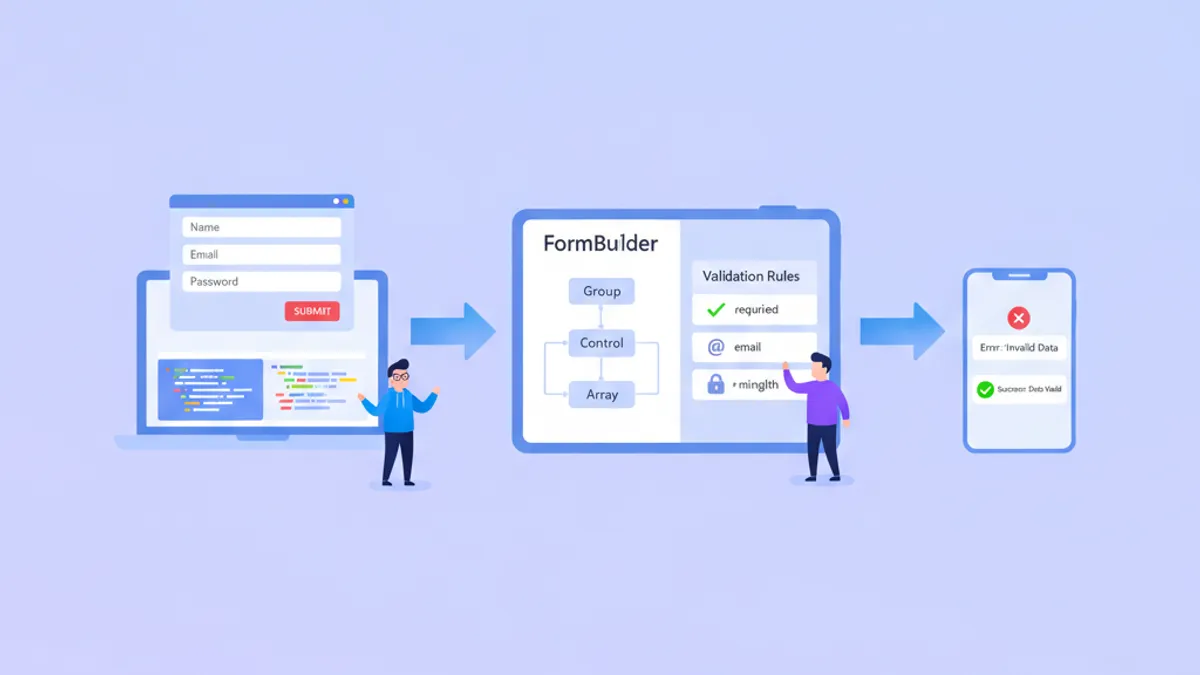
Een uitgebreide handleiding over Angular Reactive Forms met getypeerde FormBuilder, aangepaste validators, asynchrone validatie en FormArray. Bevat veelgestelde sollicitatievragen en een preview van Signal Forms.

Angular 20 in 2026: Resource API, httpResource en sollicitatievragen
Angular 20 introduceert de Resource API en httpResource als signal-gebaseerde alternatieven voor handmatige HttpClient-subscriptions. Deze handleiding behandelt alle drie Resource-varianten, Zod-validatie en veelgestelde sollicitatievragen.