Domande di colloquio su SwiftUI NavigationStack: Pattern di navigazione 2026
Prepararsi ai colloqui iOS con domande essenziali su NavigationStack, NavigationPath e i pattern moderni di navigazione SwiftUI.
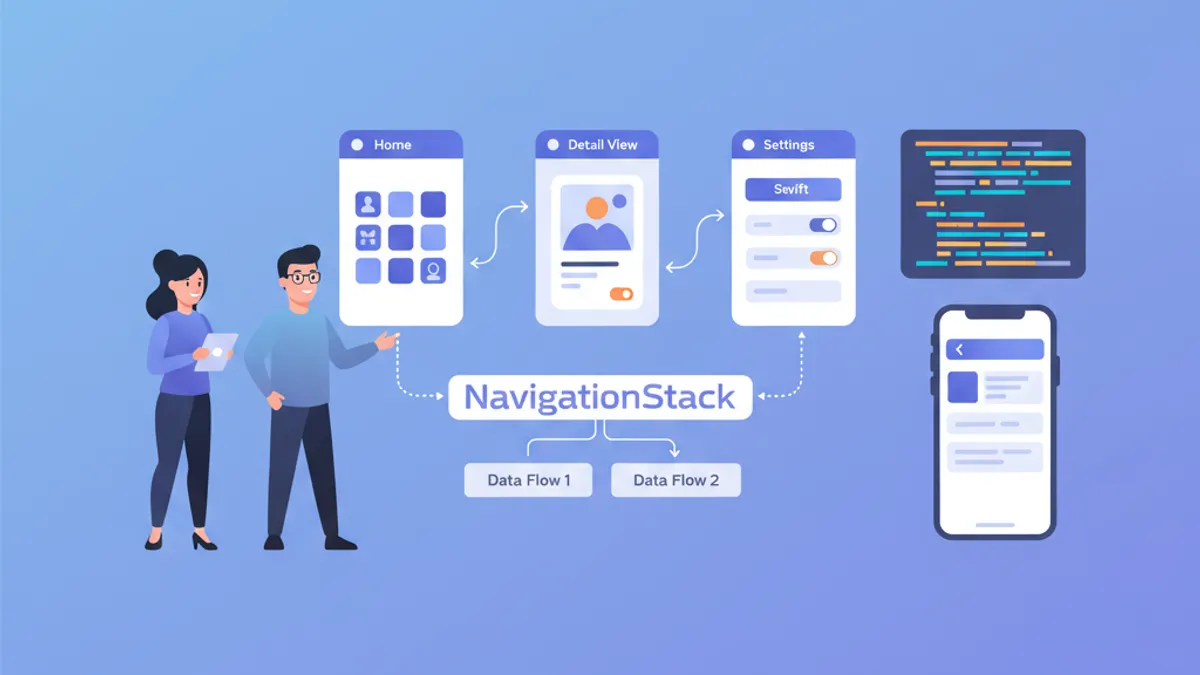
La navigazione rappresenta un pilastro fondamentale di qualsiasi applicazione iOS. Da iOS 16, NavigationStack sostituisce NavigationView e offre un controllo programmatico completo dello stack di navigazione. I selezionatori valutano regolarmente la padronanza di questi concetti durante i colloqui tecnici.
Ogni domanda riproduce il formato di un colloquio tecnico reale, con una risposta dettagliata e codice funzionante. I concetti progrediscono dai fondamentali a quelli avanzati.
Fondamenti di NavigationStack
Domanda 1: Qual è la differenza tra NavigationView e NavigationStack?
NavigationView (deprecato da iOS 16) creava una navigazione implicita basata su NavigationLink annidati. NavigationStack introduce un approccio dichiarativo con uno stack di navigazione esplicito e modificabile programmaticamente.
// ❌ Old pattern with NavigationView (deprecated)
struct OldNavigation: View {
    var body: some View {
        NavigationView {
            NavigationLink("Details", destination: DetailView())
        }
    }
}

// ✅ New pattern with NavigationStack
struct ModernNavigation: View {
    // Navigation stack is explicit and controllable
    @State private var path = NavigationPath()

    var body: some View {
        NavigationStack(path: $path) {
            List {
                // NavigationLink with typed value
                NavigationLink("User 1", value: User(id: 1, name: "Alice"))
                NavigationLink("User 2", value: User(id: 2, name: "Bob"))
            }
            // Destination defined by value type
            .navigationDestination(for: User.self) { user in
                UserDetailView(user: user)
            }
        }
    }
}
Il vantaggio principale risiede nella separazione tra la dichiarazione del link e la sua destinazione, che consente una navigazione centralizzata e testabile.
Domanda 2: Come funziona NavigationPath?
NavigationPath è un contenitore type-erased che memorizza valori di navigazione. Permette di manipolare lo stack senza conoscere i tipi esatti delle schermate, mantenendo al contempo la sicurezza dei tipi a tempo di compilazione.
struct ContentView: View {
    // NavigationPath can contain different Hashable types
    @State private var path = NavigationPath()

    var body: some View {
        NavigationStack(path: $path) {
            VStack(spacing: 20) {
                Button("View user profile") {
                    // Adds a User to the stack
                    path.append(User(id: 1, name: "Alice"))
                }

                Button("View settings") {
                    // Adds a Settings enum to the stack
                    path.append(SettingsRoute.notifications)
                }

                Button("Back to root") {
                    // Clears the entire stack
                    path.removeLast(path.count)
                }
            }
            .navigationDestination(for: User.self) { user in
                UserDetailView(user: user)
            }
            .navigationDestination(for: SettingsRoute.self) { route in
                SettingsView(route: route)
            }
        }
    }
}

// Types must be Hashable
struct User: Hashable {
    let id: Int
    let name: String
}

enum SettingsRoute: Hashable {
    case notifications
    case privacy
    case account
}NavigationPath utilizza il type erasure internamente, ma verifica i tipi a tempo di compilazione tramite navigationDestination. Un valore senza una destinazione corrispondente provoca un errore silenzioso a runtime.
Domanda 3: Come implementare una navigazione programmatica completa?
La navigazione programmatica permette di controllare lo stack da qualsiasi punto del codice, senza interazione diretta dell'utente. Risulta essenziale per i deep link, i reindirizzamenti post-autenticazione o i flussi multi-step.
// Centralized router to manage navigation
@Observable
class NavigationRouter {
    var path = NavigationPath()

    // Navigate to a specific screen
    func navigateTo(_ destination: AppRoute) {
        path.append(destination)
    }

    // Go back one level
    func goBack() {
        guard !path.isEmpty else { return }
        path.removeLast()
    }

    // Return to root
    func popToRoot() {
        path.removeLast(path.count)
    }

    // Navigate to a complete stack (deep link)
    func navigateToPath(_ routes: [AppRoute]) {
        popToRoot()
        for route in routes {
            path.append(route)
        }
    }
}

// Enum defining all app routes
enum AppRoute: Hashable {
    case userList
    case userDetail(userId: Int)
    case userEdit(userId: Int)
    case settings
    case settingsDetail(SettingsSection)
}

enum SettingsSection: String, Hashable {
    case notifications, privacy, account
}

// Usage in main view
struct MainView: View {
    @State private var router = NavigationRouter()

    var body: some View {
        NavigationStack(path: $router.path) {
            HomeView()
                .navigationDestination(for: AppRoute.self) { route in
                    destinationView(for: route)
                }
        }
        .environment(router)
    }

    @ViewBuilder
    private func destinationView(for route: AppRoute) -> some View {
        switch route {
        case .userList:
            UserListView()
        case .userDetail(let userId):
            UserDetailView(userId: userId)
        case .userEdit(let userId):
            UserEditView(userId: userId)
        case .settings:
            SettingsView()
        case .settingsDetail(let section):
            SettingsDetailView(section: section)
        }
    }
}
Questo pattern centralizza tutta la logica di navigazione, facilitando i test unitari e la manutenzione.
Pattern di navigazione avanzati
Domanda 4: Come implementare i deep link con NavigationStack?
I deep link permettono di aprire l'applicazione direttamente su una schermata specifica a partire da un URL esterno. Con NavigationStack, lo stack può essere ricostruito in modo programmatico.
@Observable
class DeepLinkHandler {
    var router: NavigationRouter

    init(router: NavigationRouter) {
        self.router = router
    }

    // Parse a URL and navigate to destination
    func handle(url: URL) {
        guard let components = URLComponents(url: url, resolvingAgainstBaseURL: true),
              let host = components.host else {
            return
        }

        // Build navigation stack according to URL
        let routes = parseRoutes(host: host, path: components.path, queryItems: components.queryItems)
        router.navigateToPath(routes)
    }

    private func parseRoutes(host: String, path: String, queryItems: [URLQueryItem]?) -> [AppRoute] {
        // myapp://users/42/edit → [.userList, .userDetail(42), .userEdit(42)]
        switch host {
        case "users":
            return parseUserPath(path)
        case "settings":
            return parseSettingsPath(path)
        default:
            return []
        }
    }

    private func parseUserPath(_ path: String) -> [AppRoute] {
        let segments = path.split(separator: "/").map(String.init)
        var routes: [AppRoute] = [.userList]

        if let userIdString = segments.first, let userId = Int(userIdString) {
            routes.append(.userDetail(userId: userId))

            // /users/42/edit
            if segments.count > 1 && segments[1] == "edit" {
                routes.append(.userEdit(userId: userId))
            }
        }

        return routes
    }

    private func parseSettingsPath(_ path: String) -> [AppRoute] {
        var routes: [AppRoute] = [.settings]

        let segments = path.split(separator: "/").map(String.init)
        if let sectionString = segments.first,
           let section = SettingsSection(rawValue: sectionString) {
            routes.append(.settingsDetail(section))
        }

        return routes
    }
}

// In the main App
@main
struct MyApp: App {
    @State private var router = NavigationRouter()
    @State private var deepLinkHandler: DeepLinkHandler?

    var body: some Scene {
        WindowGroup {
            MainView()
                .environment(router)
                .onOpenURL { url in
                    // Handle deep links
                    deepLinkHandler?.handle(url: url)
                }
                .onAppear {
                    deepLinkHandler = DeepLinkHandler(router: router)
                }
        }
    }
}
Domanda 5: Come persistere e ripristinare lo stato di navigazione?
La persistenza dello stato di navigazione consente di ripristinare la posizione dell'utente dopo un riavvio dell'applicazione. NavigationPath supporta Codable per la serializzazione.
// Extension to make NavigationPath persistable
extension NavigationPath {
    // Encode path to Data
    func encoded() -> Data? {
        guard let representation = self.codable else { return nil }
        return try? JSONEncoder().encode(representation)
    }

    // Decode from Data
    static func decoded(from data: Data) -> NavigationPath? {
        guard let representation = try? JSONDecoder().decode(
            NavigationPath.CodableRepresentation.self,
            from: data
        ) else {
            return nil
        }
        return NavigationPath(representation)
    }
}

// Router with persistence
@Observable
class PersistentNavigationRouter {
    var path: NavigationPath {
        didSet {
            saveState()
        }
    }

    private let storageKey = "navigation_path"

    init() {
        // Restore state at startup
        if let data = UserDefaults.standard.data(forKey: storageKey),
           let restored = NavigationPath.decoded(from: data) {
            self.path = restored
        } else {
            self.path = NavigationPath()
        }
    }

    private func saveState() {
        if let data = path.encoded() {
            UserDefaults.standard.set(data, forKey: storageKey)
        }
    }

    func clearPersistedState() {
        UserDefaults.standard.removeObject(forKey: storageKey)
    }
}Affinché NavigationPath.codable funzioni, tutti i tipi aggiunti al path devono essere Codable oltre a Hashable. In caso contrario, la proprietà codable restituisce nil.
Pronto a superare i tuoi colloqui su iOS?
Pratica con i nostri simulatori interattivi, flashcards e test tecnici.
Domanda 6: Come gestire la navigazione con i flussi di autenticazione?
I flussi di autenticazione richiedono spesso il reindirizzamento a una schermata protetta dopo il login, o il ritorno al login dopo il logout. Il pattern seguente gestisce queste transizioni in modo pulito.
enum AuthState {
    case unauthenticated
    case authenticated(User)
}

@Observable
class AuthManager {
    var state: AuthState = .unauthenticated
    var pendingDeepLink: URL?

    func login(email: String, password: String) async throws {
        // Simulated authentication
        let user = try await AuthService.shared.login(email: email, password: password)
        state = .authenticated(user)
    }

    func logout() {
        state = .unauthenticated
    }
}

struct RootView: View {
    @State private var authManager = AuthManager()
    @State private var router = NavigationRouter()

    var body: some View {
        Group {
            switch authManager.state {
            case .unauthenticated:
                // Separate navigation stack for auth
                AuthNavigationStack(authManager: authManager)
            case .authenticated:
                // Main app stack
                MainNavigationStack(router: router, authManager: authManager)
            }
        }
        .onChange(of: authManager.state) { oldState, newState in
            handleAuthStateChange(from: oldState, to: newState)
        }
    }

    private func handleAuthStateChange(from oldState: AuthState, to newState: AuthState) {
        switch (oldState, newState) {
        case (.unauthenticated, .authenticated):
            // Login successful: process pending deep link
            if let pendingURL = authManager.pendingDeepLink {
                DeepLinkHandler(router: router).handle(url: pendingURL)
                authManager.pendingDeepLink = nil
            }
        case (.authenticated, .unauthenticated):
            // Logout: reset navigation
            router.popToRoot()
        default:
            break
        }
    }
}

struct AuthNavigationStack: View {
    let authManager: AuthManager
    @State private var authPath = NavigationPath()

    var body: some View {
        NavigationStack(path: $authPath) {
            LoginView(authManager: authManager)
                .navigationDestination(for: AuthRoute.self) { route in
                    switch route {
                    case .register:
                        RegisterView(authManager: authManager)
                    case .forgotPassword:
                        ForgotPasswordView()
                    }
                }
        }
    }
}

enum AuthRoute: Hashable {
    case register
    case forgotPassword
}
Domanda 7: Come implementare la navigazione modale con NavigationStack?
I modali e i sheet richiedono un proprio contesto di navigazione. La combinazione di NavigationStack con presentazioni modali richiede una gestione dello stato separata.
struct ParentView: View {
    @State private var mainPath = NavigationPath()
    @State private var showSettings = false
    @State private var showUserProfile: User?

    var body: some View {
        NavigationStack(path: $mainPath) {
            ContentView()
                .toolbar {
                    Button("Settings") {
                        showSettings = true
                    }
                }
                .navigationDestination(for: MainRoute.self) { route in
                    MainRouteView(route: route)
                }
        }
        // Sheet with its own NavigationStack
        .sheet(isPresented: $showSettings) {
            SettingsSheet()
        }
        // Conditional sheet based on item
        .sheet(item: $showUserProfile) { user in
            UserProfileSheet(user: user)
        }
    }
}

// Each sheet has its own NavigationStack
struct SettingsSheet: View {
    @Environment(\.dismiss) private var dismiss
    @State private var settingsPath = NavigationPath()

    var body: some View {
        NavigationStack(path: $settingsPath) {
            SettingsListView()
                .navigationTitle("Settings")
                .toolbar {
                    ToolbarItem(placement: .cancellationAction) {
                        Button("Close") {
                            dismiss()
                        }
                    }
                }
                .navigationDestination(for: SettingsSection.self) { section in
                    SettingsDetailView(section: section)
                }
        }
    }
}

// Extension to make User identifiable for sheet(item:)
extension User: Identifiable {}
Gestione dello stato e testabilità
Domanda 8: Come scrivere test unitari per la navigazione?
La testabilità è un vantaggio importante di NavigationStack. Isolando il router, i test unitari verificano la logica di navigazione senza UI.
// Protocol to abstract the router
protocol NavigationRouterProtocol {
    var pathCount: Int { get }
    func navigateTo(_ destination: AppRoute)
    func goBack()
    func popToRoot()
}

// Concrete implementation
@Observable
class AppNavigationRouter: NavigationRouterProtocol {
    var path = NavigationPath()

    var pathCount: Int {
        path.count
    }

    func navigateTo(_ destination: AppRoute) {
        path.append(destination)
    }

    func goBack() {
        guard !path.isEmpty else { return }
        path.removeLast()
    }

    func popToRoot() {
        path.removeLast(path.count)
    }
}

// Unit tests
import XCTest

final class NavigationRouterTests: XCTestCase {
    var router: AppNavigationRouter!

    override func setUp() {
        router = AppNavigationRouter()
    }

    func testNavigateToAddsToPath() {
        // Given
        XCTAssertEqual(router.pathCount, 0)

        // When
        router.navigateTo(.userDetail(userId: 42))

        // Then
        XCTAssertEqual(router.pathCount, 1)
    }

    func testGoBackRemovesLastItem() {
        // Given
        router.navigateTo(.userList)
        router.navigateTo(.userDetail(userId: 1))
        XCTAssertEqual(router.pathCount, 2)

        // When
        router.goBack()

        // Then
        XCTAssertEqual(router.pathCount, 1)
    }

    func testPopToRootClearsPath() {
        // Given
        router.navigateTo(.userList)
        router.navigateTo(.userDetail(userId: 1))
        router.navigateTo(.userEdit(userId: 1))
        XCTAssertEqual(router.pathCount, 3)

        // When
        router.popToRoot()

        // Then
        XCTAssertEqual(router.pathCount, 0)
    }

    func testGoBackOnEmptyPathDoesNothing() {
        // Given
        XCTAssertEqual(router.pathCount, 0)

        // When
        router.goBack()

        // Then
        XCTAssertEqual(router.pathCount, 0) // No crash
    }
}
Domanda 9: Come gestire stati di navigazione complessi con più tab?
Le applicazioni con TabView richiedono uno stato di navigazione per ogni tab. Ogni tab mantiene il proprio stack indipendente.
// Navigation state for each tab
@Observable
class TabNavigationState {
    var homePath = NavigationPath()
    var searchPath = NavigationPath()
    var profilePath = NavigationPath()
    var selectedTab: Tab = .home

    enum Tab: Hashable {
        case home, search, profile
    }

    func resetCurrentTab() {
        switch selectedTab {
        case .home:
            homePath.removeLast(homePath.count)
        case .search:
            searchPath.removeLast(searchPath.count)
        case .profile:
            profilePath.removeLast(profilePath.count)
        }
    }

    func resetAllTabs() {
        homePath.removeLast(homePath.count)
        searchPath.removeLast(searchPath.count)
        profilePath.removeLast(profilePath.count)
    }
}

struct TabRootView: View {
    @State private var tabState = TabNavigationState()

    var body: some View {
        TabView(selection: $tabState.selectedTab) {
            // Home tab
            NavigationStack(path: $tabState.homePath) {
                HomeView()
                    .navigationDestination(for: HomeRoute.self) { route in
                        HomeRouteView(route: route)
                    }
            }
            .tabItem { Label("Home", systemImage: "house") }
            .tag(TabNavigationState.Tab.home)

            // Search tab
            NavigationStack(path: $tabState.searchPath) {
                SearchView()
                    .navigationDestination(for: SearchRoute.self) { route in
                        SearchRouteView(route: route)
                    }
            }
            .tabItem { Label("Search", systemImage: "magnifyingglass") }
            .tag(TabNavigationState.Tab.search)

            // Profile tab
            NavigationStack(path: $tabState.profilePath) {
                ProfileView()
                    .navigationDestination(for: ProfileRoute.self) { route in
                        ProfileRouteView(route: route)
                    }
            }
            .tabItem { Label("Profile", systemImage: "person") }
            .tag(TabNavigationState.Tab.profile)
        }
        .environment(tabState)
    }
}
Domanda 10: Come evitare problemi di prestazioni con NavigationStack?
Stack di navigazione ampi o destinazioni complesse possono incidere sulle prestazioni. Diverse tecniche ottimizzano il rendering e l'utilizzo della memoria.
struct OptimizedNavigationStack: View {
    @State private var path = NavigationPath()

    var body: some View {
        NavigationStack(path: $path) {
            LazyContentView()
                // ✅ Lazy-loaded destinations
                .navigationDestination(for: HeavyRoute.self) { route in
                    // View only created on navigation
                    HeavyDetailView(route: route)
                }
        }
    }
}

// ✅ View with lazy content loading
struct LazyContentView: View {
    @State private var items: [Item] = []

    var body: some View {
        // LazyVStack only creates visible views
        ScrollView {
            LazyVStack(spacing: 12) {
                ForEach(items) { item in
                    NavigationLink(value: HeavyRoute.detail(item.id)) {
                        ItemRow(item: item)
                    }
                }
            }
        }
        .task {
            items = await loadItems()
        }
    }
}

// ✅ Detail with progressive loading
struct HeavyDetailView: View {
    let route: HeavyRoute
    @State private var data: DetailData?

    var body: some View {
        Group {
            if let data {
                DetailContent(data: data)
            } else {
                ProgressView()
            }
        }
        .task {
            // Load data only when view appears
            data = await loadDetailData(for: route)
        }
    }
}

// ❌ Avoid: eager creation of heavy views
struct BadNavigationStack: View {
    let allItems: [Item]

    var body: some View {
        NavigationStack {
            List(allItems) { item in
                // Creates all destinations immediately
                NavigationLink {
                    HeavyDetailView(item: item) // ❌ Created upfront
                } label: {
                    ItemRow(item: item)
                }
            }
        }
    }
}Utilizzare sempre navigationDestination(for:) invece di NavigationLink con destinazioni inline. Il primo pattern carica la vista di destinazione solo al momento della navigazione.
Conclusione
NavigationStack trasforma la gestione della navigazione in SwiftUI offrendo un controllo programmatico completo. Padroneggiare questi pattern, dalla navigazione di base ai deep link e alla persistenza dello stato, distingue gli sviluppatori iOS esperti durante i colloqui.
Lista di revisione
- ✅ Comprendere la differenza tra
NavigationVieweNavigationStack - ✅ Saper utilizzare
NavigationPathper la navigazione programmatica - ✅ Implementare un router centralizzato per la navigazione
- ✅ Gestire i deep link con la ricostruzione dello stack
- ✅ Persistere e ripristinare lo stato di navigazione con
Codable - ✅ Separare i flussi di autenticazione dalla navigazione principale
- ✅ Combinare correttamente modali e
NavigationStack - ✅ Scrivere test unitari per la logica di navigazione
- ✅ Gestire la navigazione multi-tab con
TabView - ✅ Ottimizzare le prestazioni di stack di navigazione ampi
Inizia a praticare!
Metti alla prova le tue conoscenze con i nostri simulatori di colloquio e test tecnici.
Sapresti trovare il bug in iOS?
Uno snippet reale, un bug nascosto, un tentativo al giorno. Senza account per provare.

Scritto da
Anthony Fillion-MailletFondatore di SharpSkill
Sviluppatore fullstack da oltre 10 anni. Guida SharpSkill e risponde di tutto ciò che vi viene pubblicato.
Aggiornato il 29 aprile 2026
Tag
Condividi
Articoli correlati

Colloquio MapKit SwiftUI nel 2026: Annotazioni, Overlay e Geolocalizzazione
Padroneggia MapKit con SwiftUI per i colloqui iOS: annotazioni personalizzate, overlay, geolocalizzazione, ricerca di luoghi e pattern di integrazione con Maps.

Lavoro sviluppatore iOS 2026: dove cercare, stipendi e preparazione ai colloqui
Il mercato del lavoro per sviluppatori iOS nel 2026: dove trovare offerte, fasce salariali attuali e come prepararsi efficacemente ai colloqui tecnici.

Colloquio StoreKit 2: Gestione Abbonamenti e Validazione Ricevute
Padroneggia le domande di colloquio iOS su StoreKit 2, gestione abbonamenti, validazione ricevute e implementazione degli acquisti in-app con esempi pratici di codice Swift.