Colloquio iOS Push Notifications 2026: APNs, token e troubleshooting
Guida completa per preparare i colloqui iOS su Push Notifications, APNs, gestione dei token e troubleshooting. Domande frequenti con risposte dettagliate.
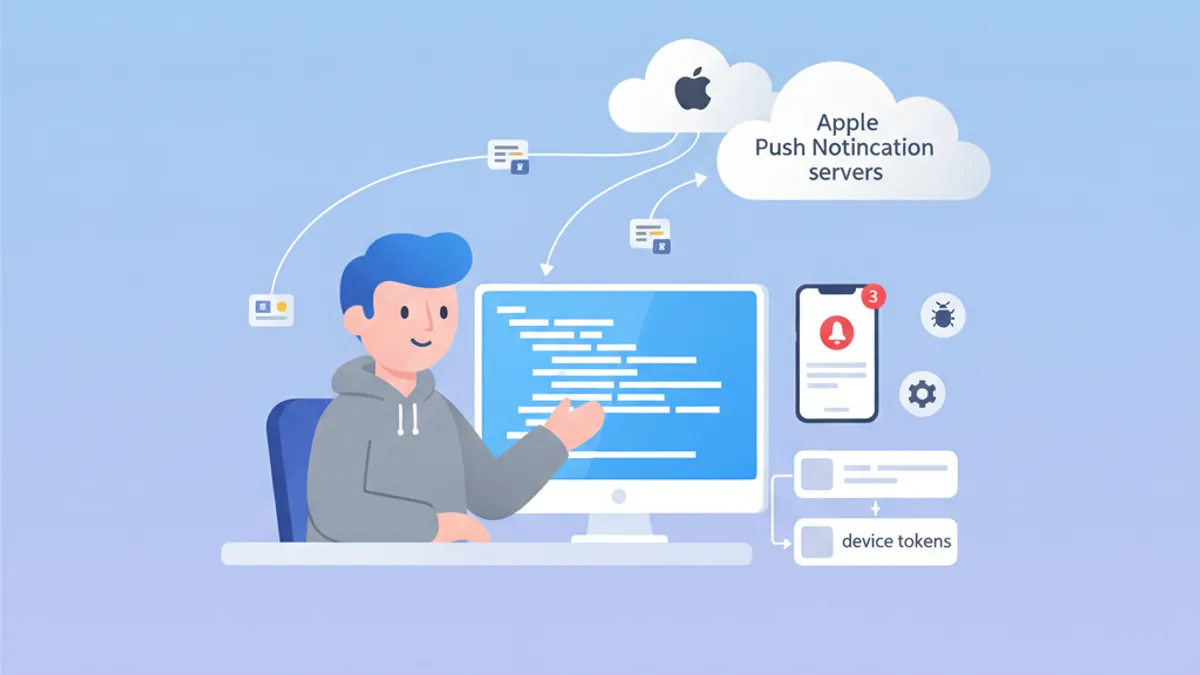
Le Push Notifications restano un argomento centrale nei colloqui iOS. Capire come funziona APNs, gestire i device token e risolvere i problemi comuni dimostra una conoscenza approfondita dell'ecosistema Apple. Questa guida copre le domande di colloquio più frequenti.
Gli intervistatori cercano candidati che padroneggino il ciclo di vita completo: dalla registrazione del dispositivo alla consegna della notifica, inclusa una corretta gestione degli errori in ogni fase.
Architettura APNs: la base delle notifiche iOS
Apple Push Notification service (APNs) è il servizio centralizzato che gestisce la consegna delle push notification ai dispositivi Apple. Conoscere la sua architettura è fondamentale per rispondere efficacemente alle domande di colloquio.
Come funziona APNs?
Il flusso di comunicazione coinvolge tre attori principali: l'applicazione iOS, APNs e il server backend. Ecco il processo completo:
import UIKit
import UserNotifications

@main
class AppDelegate: UIResponder, UIApplicationDelegate {

    func application(
        _ application: UIApplication,
        didFinishLaunchingWithOptions launchOptions: [UIApplication.LaunchOptionsKey: Any]?
    ) -> Bool {
        // Request notification authorization
        UNUserNotificationCenter.current().requestAuthorization(
            options: [.alert, .badge, .sound]
        ) { granted, error in
            guard granted else { return }
            // Register with APNs
            DispatchQueue.main.async {
                application.registerForRemoteNotifications()
            }
        }
        return true
    }
}
La registrazione APNs avviene in due fasi: ottenere l'autorizzazione dell'utente e poi chiamare registerForRemoteNotifications().
Gestione del device token
Il device token è un identificatore univoco generato da APNs per indirizzare un dispositivo specifico. Questo token può cambiare e va inviato al server backend a ogni avvio dell'app.
extension AppDelegate {

    // Callback when APNs provides the token
    func application(
        _ application: UIApplication,
        didRegisterForRemoteNotificationsWithDeviceToken deviceToken: Data
    ) {
        // Convert token to hexadecimal string
        let tokenString = deviceToken.map { String(format: "%02.2hhx", $0) }.joined()
        print("Device Token: \(tokenString)")

        // Send to backend server
        sendTokenToServer(tokenString)
    }

    // Callback on registration failure
    func application(
        _ application: UIApplication,
        didFailToRegisterForRemoteNotificationsWithError error: Error
    ) {
        print("Failed to register: \(error.localizedDescription)")
    }

    private func sendTokenToServer(_ token: String) {
        // Implement HTTP request to backend
    }
}
Il token arriva come Data e va convertito in stringa esadecimale prima di essere inviato al server.
Domande frequenti di colloquio su APNs
I colloqui iOS combinano spesso domande teoriche e pratiche su APNs. Ecco le più comuni con risposte dettagliate.
Domanda 1: Qual è la differenza tra APNs sandbox e produzione?
APNs offre due ambienti distinti con endpoint diversi. I token generati in un ambiente non funzionano nell'altro.
| Ambiente | Endpoint | Utilizzo |
|---|---|---|
| Sandbox | api.sandbox.push.apple.com | Debug, TestFlight |
| Produzione | api.push.apple.com | App Store |
Domanda 2: Come gestire la scadenza del token?
I device token possono cambiare per diversi motivi: ripristino del sistema, installazione su un nuovo dispositivo o rinnovo periodico da parte di APNs. Il server deve gestire correttamente le risposte di errore di APNs.
enum APNsError: Int {
    case badDeviceToken = 400
    case unregistered = 410
    case payloadTooLarge = 413
    case tooManyRequests = 429
    case internalServerError = 500

    var shouldRemoveToken: Bool {
        // Remove token only if device is no longer registered
        return self == .unregistered || self == .badDeviceToken
    }
}

struct APNsResponse {
    let statusCode: Int
    let deviceToken: String

    func handleError() {
        guard let error = APNsError(rawValue: statusCode) else { return }

        if error.shouldRemoveToken {
            // Remove token from database
            TokenRepository.shared.remove(deviceToken)
        }
    }
}
La gestione degli errori APNs lato server è essenziale per mantenere pulito il database dei token ed evitare richieste superflue.
Domanda 3: Come implementare le silent notification?
Le silent notification permettono di risvegliare l'app in background per eseguire attività senza mostrare alcun avviso all'utente.
func application(
    _ application: UIApplication,
    didReceiveRemoteNotification userInfo: [AnyHashable: Any],
    fetchCompletionHandler completionHandler: @escaping (UIBackgroundFetchResult) -> Void
) {
    // Check if this is a silent notification
    guard let aps = userInfo["aps"] as? [String: Any],
          aps["content-available"] as? Int == 1 else {
        completionHandler(.noData)
        return
    }

    // Perform background task
    performBackgroundTask { result in
        switch result {
        case .success:
            completionHandler(.newData)
        case .failure:
            completionHandler(.failed)
        }
    }
}
Il payload JSON di una silent notification deve contenere "content-available": 1 nell'oggetto aps.
Pronto a superare i tuoi colloqui su iOS?
Pratica con i nostri simulatori interattivi, flashcards e test tecnici.
Notification Service Extension: personalizzazione avanzata
Le Notification Service Extension permettono di modificare il contenuto della notifica prima della visualizzazione. Questa funzionalità ricorre spesso nei colloqui.
Creare una Service Extension
import UserNotifications

class NotificationService: UNNotificationServiceExtension {

    var contentHandler: ((UNNotificationContent) -> Void)?
    var bestAttemptContent: UNMutableNotificationContent?

    override func didReceive(
        _ request: UNNotificationRequest,
        withContentHandler contentHandler: @escaping (UNNotificationContent) -> Void
    ) {
        self.contentHandler = contentHandler
        bestAttemptContent = request.content.mutableCopy() as? UNMutableNotificationContent

        guard let bestAttemptContent = bestAttemptContent else {
            contentHandler(request.content)
            return
        }

        // Modify content
        if let imageURLString = bestAttemptContent.userInfo["image-url"] as? String,
           let imageURL = URL(string: imageURLString) {
            downloadImage(from: imageURL) { attachment in
                if let attachment = attachment {
                    bestAttemptContent.attachments = [attachment]
                }
                contentHandler(bestAttemptContent)
            }
        } else {
            contentHandler(bestAttemptContent)
        }
    }

    override func serviceExtensionTimeWillExpire() {
        // Called when time limit (30 seconds) is exceeded
        if let contentHandler = contentHandler,
           let bestAttemptContent = bestAttemptContent {
            contentHandler(bestAttemptContent)
        }
    }

    private func downloadImage(
        from url: URL,
        completion: @escaping (UNNotificationAttachment?) -> Void
    ) {
        URLSession.shared.downloadTask(with: url) { localURL, _, error in
            guard let localURL = localURL, error == nil else {
                completion(nil)
                return
            }

            let tempDirectory = FileManager.default.temporaryDirectory
            let fileName = url.lastPathComponent
            let destinationURL = tempDirectory.appendingPathComponent(fileName)

            try? FileManager.default.moveItem(at: localURL, to: destinationURL)

            let attachment = try? UNNotificationAttachment(
                identifier: fileName,
                url: destinationURL,
                options: nil
            )
            completion(attachment)
        }.resume()
    }
}
L'estensione ha 30 secondi per modificare il contenuto. Il metodo serviceExtensionTimeWillExpire() viene chiamato se questo limite viene superato.
Troubleshooting delle Push Notification
Il debug delle push notification è un argomento ricorrente nei colloqui. I candidati devono conoscere strumenti e tecniche di diagnosi.
Verificare lo stato della registrazione
struct PushNotificationDebugger {

    static func checkNotificationStatus() async {
        let center = UNUserNotificationCenter.current()
        let settings = await center.notificationSettings()

        print("=== Push Notification Status ===")
        print("Authorization: \(settings.authorizationStatus.description)")
        print("Alert: \(settings.alertSetting.description)")
        print("Badge: \(settings.badgeSetting.description)")
        print("Sound: \(settings.soundSetting.description)")
        print("Notification Center: \(settings.notificationCenterSetting.description)")
    }
}

extension UNAuthorizationStatus {
    var description: String {
        switch self {
        case .notDetermined: return "Not Determined"
        case .denied: return "Denied"
        case .authorized: return "Authorized"
        case .provisional: return "Provisional"
        case .ephemeral: return "Ephemeral"
        @unknown default: return "Unknown"
        }
    }
}
Questa funzione di debug consente di verificare rapidamente lo stato di autorizzazione delle notifiche.
Errori comuni e soluzioni
Gli intervistatori chiedono spesso degli errori comuni e delle relative soluzioni. Ecco i più importanti da memorizzare.
| Errore | Causa | Soluzione |
|---|---|---|
| Token non valido | Ambiente errato (sandbox/prod) | Verificare il provisioning profile |
| Notifica non ricevuta | Modalità risparmio energetico attiva | Testare con la batteria carica |
| Estensione non chiamata | Payload senza mutable-content | Aggiungere "mutable-content": 1 |
| Background fetch fallito | App terminata dall'utente | Informare l'utente del limite |
Testare APNs direttamente
Per testare le notifiche durante lo sviluppo, lo strumento curl consente di inviare richieste direttamente ad APNs:
struct APNsTestPayload {

    static let silentNotification = """
    {
        "aps": {
            "content-available": 1
        },
        "custom-data": "test"
    }
    """

    static let richNotification = """
    {
        "aps": {
            "alert": {
                "title": "New message",
                "body": "Message content"
            },
            "mutable-content": 1,
            "sound": "default"
        },
        "image-url": "https://example.com/image.jpg"
    }
    """
}
Questi payload di test sono utili per validare il comportamento dell'app con diversi tipi di notifica.
Best practice in produzione
Le domande sulle best practice servono a valutare l'esperienza del candidato con applicazioni in produzione.
Gestione degli errori di rete
actor PushTokenManager {

    private var pendingToken: String?
    private var retryCount = 0
    private let maxRetries = 3

    func registerToken(_ token: String) async {
        pendingToken = token
        await sendTokenWithRetry()
    }

    private func sendTokenWithRetry() async {
        guard let token = pendingToken else { return }

        do {
            try await APIClient.shared.registerPushToken(token)
            pendingToken = nil
            retryCount = 0
        } catch {
            retryCount += 1
            if retryCount < maxRetries {
                // Retry with exponential backoff
                let delay = UInt64(pow(2.0, Double(retryCount))) * 1_000_000_000
                try? await Task.sleep(nanoseconds: delay)
                await sendTokenWithRetry()
            }
        }
    }
}
L'uso di un actor garantisce la thread-safety nella gestione dei token in ambienti concorrenti.
Persistenza locale del token
struct TokenStorage {

    private static let tokenKey = "com.app.pushToken"

    static func save(_ token: String) {
        UserDefaults.standard.set(token, forKey: tokenKey)
    }

    static func retrieve() -> String? {
        UserDefaults.standard.string(forKey: tokenKey)
    }

    static func hasTokenChanged(_ newToken: String) -> Bool {
        guard let savedToken = retrieve() else { return true }
        return savedToken != newToken
    }
}
Salvare il token in locale evita chiamate di rete inutili quando il token non è cambiato.
Conclusione
Padroneggiare le iOS Push Notifications dimostra una conoscenza profonda dell'ecosistema Apple e delle interazioni client-server. Punti chiave da ricordare per i colloqui:
✅ Architettura APNs: comprendere il flusso completo dalla registrazione alla consegna
✅ Device token: ciclo di vita e gestione delle modifiche del token
✅ Notification Service Extension: personalizzazione del contenuto con limite di 30 secondi
✅ Troubleshooting: conoscere gli errori comuni e le relative soluzioni
✅ Silent notification: content-available per il background fetch
✅ Best practice: logica di retry, persistenza locale, gestione degli errori
Inizia a praticare!
Metti alla prova le tue conoscenze con i nostri simulatori di colloquio e test tecnici.
Sapresti trovare il bug in iOS?
Uno snippet reale, un bug nascosto, un tentativo al giorno. Senza account per provare.

Scritto da
Anthony Fillion-MailletFondatore di SharpSkill
Sviluppatore fullstack da oltre 10 anni. Guida SharpSkill e risponde di tutto ciò che vi viene pubblicato.
Aggiornato il 29 aprile 2026
Tag
Condividi
Articoli correlati

Colloquio StoreKit 2: Gestione Abbonamenti e Validazione Ricevute
Padroneggia le domande di colloquio iOS su StoreKit 2, gestione abbonamenti, validazione ricevute e implementazione degli acquisti in-app con esempi pratici di codice Swift.

Swift Testing Framework Colloquio 2026: Macro #expect e #require vs XCTest
Padroneggia il nuovo Swift Testing Framework per i colloqui iOS: macro #expect e #require, migrazione da XCTest, pattern avanzati ed errori comuni.
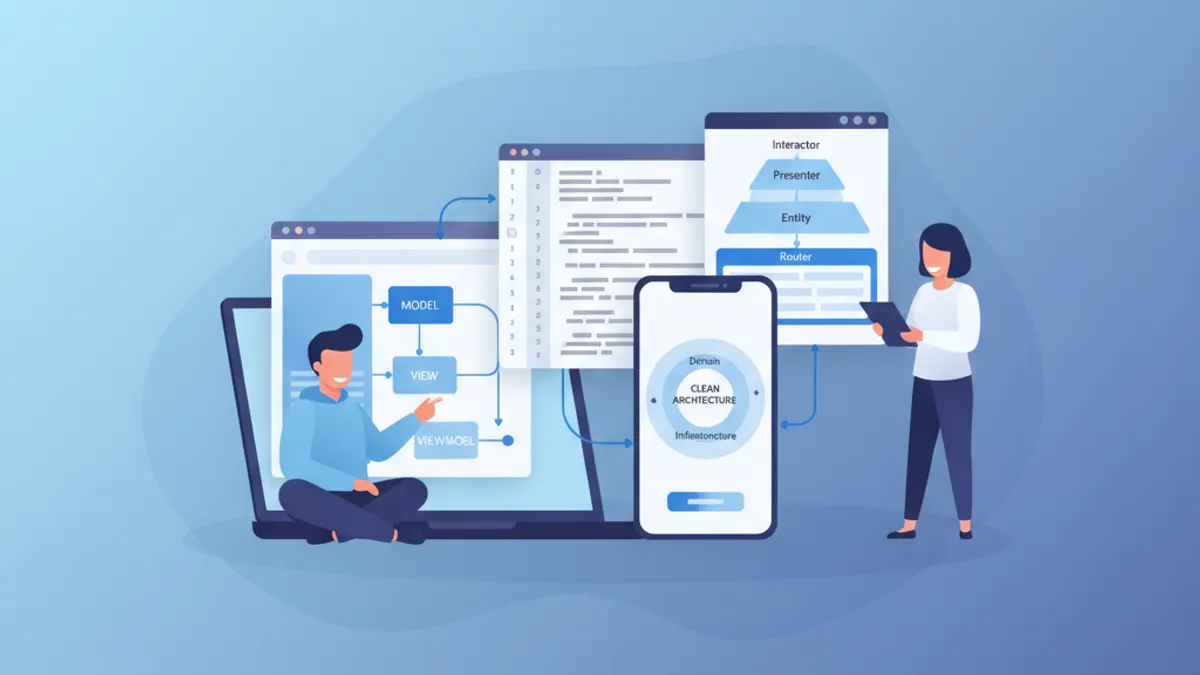
Colloquio iOS Senior 2026: Domande su Architettura e Design Pattern
Preparazione ai colloqui iOS senior con domande chiave su MVVM, VIPER, Clean Architecture e design pattern. Guida completa con esempi di codice Swift.