Top 25 Domande di Colloquio Angular: Guida Completa al Successo
Le 25 domande di colloquio Angular più frequenti nel 2026. Risposte dettagliate, esempi di codice e consigli per ottenere il ruolo di sviluppatore Angular.

I colloqui tecnici Angular valutano la comprensione dell'architettura del framework, la padronanza di TypeScript e le buone pratiche dello sviluppo frontend. Questa guida presenta le 25 domande più frequenti con risposte dettagliate ed esempi di codice per una preparazione efficace.
Queste domande coprono le versioni recenti di Angular (16+), inclusi Signals, componenti standalone e il nuovo control flow. Padroneggiare questi concetti moderni dimostra un aggiornamento tecnologico costante.
Fondamenti di Angular
1. Qual è la differenza tra Angular e AngularJS?
Angular (versioni 2+) è una completa riscrittura di AngularJS. Le differenze principali riguardano architettura, linguaggio e prestazioni.
AngularJS utilizzava JavaScript e il pattern MVC con un sistema di two-way binding che poteva causare problemi di prestazioni. Angular adotta TypeScript, un'architettura a componenti e un sistema di change detection ottimizzato.
// angular.module('app').controller('UserController', function($scope) {
//   $scope.user = { name: 'Alice' };
// });

// Angular (2+) - Component-based
// user.component.ts
import { Component } from '@angular/core';

@Component({
  selector: 'app-user',
  standalone: true,
  template: `
    <div class="user-card">
      <h2>{{ user.name }}</h2>
      <p>{{ user.email }}</p>
    </div>
  `
})
export class UserComponent {
  // Strong typing with TypeScript
  user = {
    name: 'Alice',
    email: 'alice@example.com'
  };
}
Angular introduce inoltre il supporto nativo ai moduli ES6, un tooling più avanzato con Angular CLI e un'architettura più adatta alle applicazioni enterprise.
2. Cos'è un componente Angular e come si crea?
Un componente Angular è una classe TypeScript decorata con @Component. Incapsula la logica, il template e gli stili di una porzione dell'interfaccia utente.
import { Component, Input, Output, EventEmitter } from '@angular/core';
import { CommonModule } from '@angular/common';

// Interface for strong typing
interface Product {
  id: number;
  name: string;
  price: number;
  inStock: boolean;
}

@Component({
  // CSS selector to use the component
  selector: 'app-product-card',
  // Standalone = no NgModule needed
  standalone: true,
  // Dependency imports
  imports: [CommonModule],
  // Inline or external template (templateUrl)
  template: `
    <article class="product-card">
      <h3>{{ product.name }}</h3>
      <p class="price">{{ product.price | currency:'USD' }}</p>

      @if (product.inStock) {
        <button (click)="onAddToCart()">Add to Cart</button>
      } @else {
        <span class="out-of-stock">Out of Stock</span>
      }
    </article>
  `,
  // Encapsulated styles by default
  styles: [`
    .product-card { padding: 1rem; border: 1px solid #e0e0e0; }
    .price { font-weight: bold; color: #2563eb; }
    .out-of-stock { color: #dc2626; }
  `]
})
export class ProductCardComponent {
  // Input: data from parent
  @Input({ required: true }) product!: Product;

  // Output: events to parent
  @Output() addToCart = new EventEmitter<number>();

  onAddToCart() {
    this.addToCart.emit(this.product.id);
  }
}
I componenti standalone (Angular 14+) semplificano la creazione eliminando la necessità di dichiarare il componente in un NgModule.
3. Spiega il ciclo di vita di un componente Angular
Angular fornisce dei lifecycle hook che permettono di eseguire codice in momenti specifici della vita di un componente.
import {
  Component,
  OnInit,
  OnChanges,
  DoCheck,
  AfterContentInit,
  AfterContentChecked,
  AfterViewInit,
  AfterViewChecked,
  OnDestroy,
  Input,
  SimpleChanges
} from '@angular/core';

@Component({
  selector: 'app-lifecycle-demo',
  standalone: true,
  template: `<p>{{ data }}</p>`
})
export class LifecycleDemoComponent implements
  OnInit, OnChanges, DoCheck, AfterContentInit,
  AfterContentChecked, AfterViewInit, AfterViewChecked, OnDestroy {

  @Input() data = '';

  // 1. Called when an @Input changes (before ngOnInit)
  ngOnChanges(changes: SimpleChanges) {
    console.log('ngOnChanges', changes);
  }

  // 2. Called once after the first ngOnChanges
  // Ideal for initializations
  ngOnInit() {
    console.log('ngOnInit - Component initialization');
  }

  // 3. Called on every change detection cycle
  // Use with caution (performance)
  ngDoCheck() {
    console.log('ngDoCheck');
  }

  // 4. After content projection (ng-content)
  ngAfterContentInit() {
    console.log('ngAfterContentInit');
  }

  // 5. After each projected content check
  ngAfterContentChecked() {
    console.log('ngAfterContentChecked');
  }

  // 6. After component view initialization
  // @ViewChild references are available here
  ngAfterViewInit() {
    console.log('ngAfterViewInit - View initialized');
  }

  // 7. After each view check
  ngAfterViewChecked() {
    console.log('ngAfterViewChecked');
  }

  // 8. Just before component destruction
  // Cleanup: unsubscribe, clearInterval, etc.
  ngOnDestroy() {
    console.log('ngOnDestroy - Cleanup');
  }
}
Gli hook più utilizzati sono ngOnInit per l'inizializzazione, ngOnChanges per reagire alle modifiche degli input e ngOnDestroy per liberare le risorse.
4. Cos'è il Data Binding in Angular?
Il data binding collega i dati del componente al template. Angular offre quattro forme di binding.
import { Component } from '@angular/core';
import { FormsModule } from '@angular/forms';

@Component({
  selector: 'app-data-binding',
  standalone: true,
  imports: [FormsModule],
  template: `
    <!-- 1. Interpolation: component → template -->
    <h1>{{ title }}</h1>
    <p>{{ getFullName() }}</p>

    <!-- 2. Property Binding: component → DOM property -->
    <img [src]="imageUrl" [alt]="imageAlt">
    <button [disabled]="isLoading">Submit</button>

    <!-- 3. Event Binding: template → component -->
    <button (click)="handleClick()">Click</button>
    <input (keyup.enter)="onEnter($event)">

    <!-- 4. Two-way Binding: bidirectional -->
    <input [(ngModel)]="username">
    <p>Hello, {{ username }}</p>
  `
})
export class DataBindingComponent {
  // Properties for interpolation
  title = 'My Application';
  firstName = 'John';
  lastName = 'Doe';

  // Properties for property binding
  imageUrl = '/assets/logo.png';
  imageAlt = 'Application logo';
  isLoading = false;

  // Property for two-way binding
  username = '';

  getFullName(): string {
    return `${this.firstName} ${this.lastName}`;
  }

  handleClick(): void {
    console.log('Button clicked');
  }

  onEnter(event: KeyboardEvent): void {
    const target = event.target as HTMLInputElement;
    console.log('Entered value:', target.value);
  }
}
Il two-way binding [(ngModel)] è una combinazione di property binding ed event binding e permette la sincronizzazione automatica tra modello e view.
5. Qual è la differenza tra Module e Standalone Component?
Gli NgModule raggruppano componenti, direttive e service correlati. I componenti standalone (Angular 14+) permettono di creare componenti autonomi senza modulo.
// Traditional approach with NgModule
// products.module.ts
import { NgModule } from '@angular/core';
import { CommonModule } from '@angular/common';
import { ProductListComponent } from './product-list.component';
import { ProductCardComponent } from './product-card.component';
import { ProductService } from './product.service';

@NgModule({
  // Components belonging to this module
  declarations: [
    ProductListComponent,
    ProductCardComponent
  ],
  // Modules needed
  imports: [CommonModule],
  // Components usable outside
  exports: [ProductListComponent],
  // Services with module scope
  providers: [ProductService]
})
export class ProductsModule {}

// Modern approach with Standalone Components
// product-list.component.ts
import { Component, inject } from '@angular/core';
import { CommonModule } from '@angular/common';
import { ProductCardComponent } from './product-card.component';
import { ProductService } from './product.service';

@Component({
  selector: 'app-product-list',
  // No NgModule needed
  standalone: true,
  // Direct dependency imports
  imports: [CommonModule, ProductCardComponent],
  template: `
    @for (product of products(); track product.id) {
      <app-product-card [product]="product" />
    }
  `
})
export class ProductListComponent {
  // Modern injection with inject()
  private productService = inject(ProductService);

  products = this.productService.getProducts();
}
I componenti standalone riducono la complessità, migliorano il tree-shaking e semplificano il lazy loading. È l'approccio consigliato per i nuovi progetti.
Service e Dependency Injection
6. Come funziona la dependency injection in Angular?
La dependency injection (DI) è un pattern centrale in Angular. Il framework si occupa della creazione e della fornitura delle istanze dei service.
import { Injectable, inject } from '@angular/core';
import { HttpClient } from '@angular/common/http';
import { Observable, BehaviorSubject } from 'rxjs';

interface User {
  id: number;
  name: string;
  email: string;
}

// providedIn: 'root' = singleton at application level
@Injectable({ providedIn: 'root' })
export class UserService {
  // Modern injection with inject()
  private http = inject(HttpClient);

  // Shared reactive state
  private currentUser$ = new BehaviorSubject<User | null>(null);

  // Public API
  getUsers(): Observable<User[]> {
    return this.http.get<User[]>('/api/users');
  }

  getUserById(id: number): Observable<User> {
    return this.http.get<User>(`/api/users/${id}`);
  }

  setCurrentUser(user: User): void {
    this.currentUser$.next(user);
  }

  getCurrentUser(): Observable<User | null> {
    return this.currentUser$.asObservable();
  }
}

// Usage in a component
// user-profile.component.ts
@Component({
  selector: 'app-user-profile',
  standalone: true,
  template: `
    @if (user$ | async; as user) {
      <h1>{{ user.name }}</h1>
      <p>{{ user.email }}</p>
    }
  `
})
export class UserProfileComponent implements OnInit {
  // Injection via inject() (recommended)
  private userService = inject(UserService);

  user$!: Observable<User | null>;

  ngOnInit() {
    this.user$ = this.userService.getCurrentUser();
  }
}
I diversi livelli di provisioning (providedIn: 'root', livello modulo o livello componente) consentono di controllare lo scope e il ciclo di vita dei service.
7. Qual è la differenza tra providedIn root, any e platform?
Le opzioni providedIn controllano come Angular crea e condivide le istanze dei service.
// Single instance shared across the entire application
@Injectable({ providedIn: 'root' })
export class AuthService {
  private isAuthenticated = false;

  login() { this.isAuthenticated = true; }
  logout() { this.isAuthenticated = false; }
  isLoggedIn() { return this.isAuthenticated; }
}

// 2. providedIn: 'any' - Instance per lazy-loaded module
// Each lazy-loaded module gets its own instance
@Injectable({ providedIn: 'any' })
export class FeatureLoggerService {
  private logs: string[] = [];

  log(message: string) {
    this.logs.push(`[${new Date().toISOString()}] ${message}`);
  }
}

// 3. providedIn: 'platform' - Shared between applications
// Useful for micro-frontends or multi-app setups
@Injectable({ providedIn: 'platform' })
export class SharedConfigService {
  readonly apiUrl = 'https://api.example.com';
}

// 4. Component-level provision - Instance per component
@Component({
  selector: 'app-editor',
  standalone: true,
  // Each component instance has its own service instance
  providers: [EditorStateService],
  template: `...`
})
export class EditorComponent {
  private editorState = inject(EditorStateService);
}
Nella maggior parte dei casi, providedIn: 'root' è sufficiente e ottimale per il tree-shaking.
Con providedIn: 'root', Angular può eliminare i service non utilizzati dal bundle finale. Questo migliora le prestazioni di caricamento.
8. Come si usano gli Observable con RxJS in Angular?
RxJS è la libreria di programmazione reattiva utilizzata da Angular per gestire i flussi di dati asincroni.
import { Injectable, inject } from '@angular/core';
import { HttpClient } from '@angular/common/http';
import {
  Observable,
  Subject,
  debounceTime,
  distinctUntilChanged,
  switchMap,
  catchError,
  of,
  map,
  tap
} from 'rxjs';

interface SearchResult {
  id: number;
  title: string;
  description: string;
}

@Injectable({ providedIn: 'root' })
export class SearchService {
  private http = inject(HttpClient);

  search(term: string): Observable<SearchResult[]> {
    return this.http.get<SearchResult[]>(`/api/search?q=${term}`);
  }
}

// search.component.ts
@Component({
  selector: 'app-search',
  standalone: true,
  imports: [CommonModule, ReactiveFormsModule],
  template: `
    <input [formControl]="searchControl" placeholder="Search...">

    @if (isLoading) {
      <div class="loading">Loading...</div>
    }

    <ul>
      @for (result of results$ | async; track result.id) {
        <li>{{ result.title }}</li>
      }
    </ul>
  `
})
export class SearchComponent implements OnInit, OnDestroy {
  private searchService = inject(SearchService);
  private destroy$ = new Subject<void>();

  searchControl = new FormControl('');
  results$!: Observable<SearchResult[]>;
  isLoading = false;

  ngOnInit() {
    this.results$ = this.searchControl.valueChanges.pipe(
      // Wait 300ms after the last keystroke
      debounceTime(300),
      // Ignore if value hasn't changed
      distinctUntilChanged(),
      // Show loading
      tap(() => this.isLoading = true),
      // Cancel previous request and launch new one
      switchMap(term =>
        term ? this.searchService.search(term) : of([])
      ),
      // Hide loading
      tap(() => this.isLoading = false),
      // Handle errors
      catchError(error => {
        console.error('Search error:', error);
        this.isLoading = false;
        return of([]);
      })
    );
  }

  ngOnDestroy() {
    this.destroy$.next();
    this.destroy$.complete();
  }
}
Operatori RxJS come debounceTime, distinctUntilChanged e switchMap sono essenziali per ottimizzare le ricerche ed evitare richieste inutili.
Angular moderno (16+)
9. Cosa sono i Signal in Angular e come si usano?
I Signal (Angular 16+) introducono una nuova primitiva reattiva, più semplice e performante degli Observable per lo stato locale.
import { Component, signal, computed, effect } from '@angular/core';

@Component({
  selector: 'app-counter',
  standalone: true,
  template: `
    <div class="counter">
      <h2>Counter: {{ count() }}</h2>
      <p>Double: {{ doubleCount() }}</p>
      <p>Message: {{ message() }}</p>

      <button (click)="increment()">+1</button>
      <button (click)="decrement()">-1</button>
      <button (click)="reset()">Reset</button>
    </div>
  `
})
export class CounterComponent {
  // Writable signal - modifiable value
  count = signal(0);

  // Computed signal - automatically derived
  // Recalculated only when count() changes
  doubleCount = computed(() => this.count() * 2);

  // Computed with conditional logic
  message = computed(() => {
    const value = this.count();
    if (value < 0) return 'Negative value';
    if (value === 0) return 'Zero';
    if (value < 10) return 'Small number';
    return 'Large number';
  });

  constructor() {
    // Effect - executed on every change of used signals
    // Useful for side effects (logs, localStorage, etc.)
    effect(() => {
      console.log(`New value: ${this.count()}`);
      localStorage.setItem('counter', String(this.count()));
    });
  }

  increment() {
    // update() to modify based on previous value
    this.count.update(value => value + 1);
  }

  decrement() {
    this.count.update(value => value - 1);
  }

  reset() {
    // set() to directly set a value
    this.count.set(0);
  }
}
I Signal offrono prestazioni migliori grazie a un change detection più granulare e a un'API più intuitiva di RxJS per lo stato locale.
10. Come funzionano Signal Inputs e Outputs?
Angular 17+ introduce input() e output() come alternative basate sui signal ai decoratori @Input() e @Output().
import { Component, input, output, computed } from '@angular/core';

interface Task {
  id: number;
  title: string;
  completed: boolean;
  priority: 'low' | 'medium' | 'high';
}

@Component({
  selector: 'app-task-item',
  standalone: true,
  template: `
    <div class="task" [class.completed]="task().completed">
      <input
        type="checkbox"
        [checked]="task().completed"
        (change)="onToggle()"
      >

      <span class="title">{{ task().title }}</span>
      <span class="priority" [class]="priorityClass()">
        {{ task().priority }}
      </span>

      @if (showActions()) {
        <button (click)="onDelete()">Delete</button>
      }
    </div>
  `
})
export class TaskItemComponent {
  // Required input - must be provided by parent
  task = input.required<Task>();

  // Optional input with default value
  showActions = input(true);

  // Signal-based output
  toggle = output<number>();
  delete = output<number>();

  // Computed based on input
  priorityClass = computed(() => `priority-${this.task().priority}`);

  onToggle() {
    this.toggle.emit(this.task().id);
  }

  onDelete() {
    this.delete.emit(this.task().id);
  }
}

// Usage in parent
// task-list.component.ts
@Component({
  selector: 'app-task-list',
  standalone: true,
  imports: [TaskItemComponent],
  template: `
    @for (task of tasks(); track task.id) {
      <app-task-item
        [task]="task"
        [showActions]="canEdit()"
        (toggle)="onToggleTask($event)"
        (delete)="onDeleteTask($event)"
      />
    }
  `
})
export class TaskListComponent {
  tasks = signal<Task[]>([
    { id: 1, title: 'Learn Angular', completed: false, priority: 'high' },
    { id: 2, title: 'Build a project', completed: false, priority: 'medium' }
  ]);

  canEdit = signal(true);

  onToggleTask(id: number) {
    this.tasks.update(tasks =>
      tasks.map(t => t.id === id ? { ...t, completed: !t.completed } : t)
    );
  }

  onDeleteTask(id: number) {
    this.tasks.update(tasks => tasks.filter(t => t.id !== id));
  }
}
I signal input offrono una tipizzazione migliore, un'API più coerente con gli altri signal e preparano la transizione verso il change detection zoneless.
Pronto a superare i tuoi colloqui su Angular?
Pratica con i nostri simulatori interattivi, flashcards e test tecnici.
11. Spiega il nuovo Control Flow di Angular 17+
Angular 17 introduce una nuova sintassi di control flow integrata nei template, che sostituisce le direttive strutturali *ngIf, *ngFor e *ngSwitch.
import { Component, signal } from '@angular/core';

interface User {
  id: number;
  name: string;
  role: 'admin' | 'user' | 'guest';
  status: 'active' | 'inactive' | 'pending';
}

@Component({
  selector: 'app-modern-control-flow',
  standalone: true,
  template: `
    <!-- @if replaces *ngIf -->
    @if (isLoading()) {
      <div class="loading">Loading...</div>
    } @else if (error()) {
      <div class="error">{{ error() }}</div>
    } @else {
      <div class="content">
        <h2>Users ({{ users().length }})</h2>

        <!-- @for replaces *ngFor -->
        <!-- track is mandatory for performance -->
        @for (user of users(); track user.id; let i = $index, first = $first, last = $last) {
          <div class="user" [class.first]="first" [class.last]="last">
            <span class="index">{{ i + 1 }}.</span>
            <span class="name">{{ user.name }}</span>

            <!-- @switch replaces *ngSwitch -->
            @switch (user.role) {
              @case ('admin') {
                <span class="badge admin">Administrator</span>
              }
              @case ('user') {
                <span class="badge user">User</span>
              }
              @default {
                <span class="badge guest">Guest</span>
              }
            }
          </div>
        } @empty {
          <!-- Block shown if collection is empty -->
          <p>No users found</p>
        }
      </div>
    }
  `
})
export class ModernControlFlowComponent {
  isLoading = signal(false);
  error = signal<string | null>(null);
  users = signal<User[]>([
    { id: 1, name: 'Alice', role: 'admin', status: 'active' },
    { id: 2, name: 'Bob', role: 'user', status: 'active' },
    { id: 3, name: 'Charlie', role: 'guest', status: 'pending' }
  ]);
}
La nuova sintassi offre prestazioni migliori grazie a una compilazione ottimizzata, una maggiore leggibilità e funzionalità come @empty per @for.
12. Come si configura il Lazy Loading con i componenti standalone?
Il lazy loading carica moduli o componenti su richiesta, riducendo il tempo di caricamento iniziale.
import { Routes } from '@angular/router';

export const routes: Routes = [
  {
    path: '',
    // Component loaded immediately
    loadComponent: () => import('./home/home.component')
      .then(m => m.HomeComponent)
  },
  {
    path: 'products',
    // Lazy loading a standalone component
    loadComponent: () => import('./products/product-list.component')
      .then(m => m.ProductListComponent)
  },
  {
    path: 'admin',
    // Lazy loading child routes
    loadChildren: () => import('./admin/admin.routes')
      .then(m => m.adminRoutes),
    // Guard for authentication
    canActivate: [authGuard]
  },
  {
    path: 'dashboard',
    loadComponent: () => import('./dashboard/dashboard.component')
      .then(m => m.DashboardComponent),
    // Inline child routes
    children: [
      {
        path: 'stats',
        loadComponent: () => import('./dashboard/stats/stats.component')
          .then(m => m.StatsComponent)
      },
      {
        path: 'settings',
        loadComponent: () => import('./dashboard/settings/settings.component')
          .then(m => m.SettingsComponent)
      }
    ]
  }
];

// admin/admin.routes.ts
import { Routes } from '@angular/router';

export const adminRoutes: Routes = [
  {
    path: '',
    loadComponent: () => import('./admin-layout.component')
      .then(m => m.AdminLayoutComponent),
    children: [
      {
        path: 'users',
        loadComponent: () => import('./users/users.component')
          .then(m => m.UsersComponent)
      },
      {
        path: 'reports',
        loadComponent: () => import('./reports/reports.component')
          .then(m => m.ReportsComponent)
      }
    ]
  }
];

// main.ts - Bootstrap with routes
import { bootstrapApplication } from '@angular/platform-browser';
import { provideRouter } from '@angular/router';
import { AppComponent } from './app/app.component';
import { routes } from './app/app.routes';

bootstrapApplication(AppComponent, {
  providers: [
    provideRouter(routes)
  ]
});
Con i componenti standalone, il lazy loading è più semplice e granulare rispetto agli NgModule.
Form Angular
13. Qual è la differenza tra Template-driven e Reactive Forms?
Angular offre due approcci per la gestione dei form, ciascuno adatto a casi d'uso differenti.
// TEMPLATE-DRIVEN FORMS
// Simple, declarative, suited for basic forms
// template-form.component.ts
import { Component } from '@angular/core';
import { FormsModule, NgForm } from '@angular/forms';

@Component({
  selector: 'app-template-form',
  standalone: true,
  imports: [FormsModule],
  template: `
    <form #loginForm="ngForm" (ngSubmit)="onSubmit(loginForm)">
      <input
        name="email"
        type="email"
        [(ngModel)]="user.email"
        required
        email
        #emailField="ngModel"
      >
      @if (emailField.invalid && emailField.touched) {
        <span class="error">Invalid email</span>
      }

      <input
        name="password"
        type="password"
        [(ngModel)]="user.password"
        required
        minlength="8"
        #passwordField="ngModel"
      >
      @if (passwordField.errors?.['minlength']) {
        <span class="error">Minimum 8 characters</span>
      }

      <button type="submit" [disabled]="loginForm.invalid">
        Login
      </button>
    </form>
  `
})
export class TemplateFormComponent {
  user = { email: '', password: '' };

  onSubmit(form: NgForm) {
    if (form.valid) {
      console.log('Form data:', this.user);
    }
  }
}

// REACTIVE FORMS
// More control, testable, suited for complex forms
// reactive-form.component.ts
import { Component, inject } from '@angular/core';
import { ReactiveFormsModule, FormBuilder, Validators } from '@angular/forms';

@Component({
  selector: 'app-reactive-form',
  standalone: true,
  imports: [ReactiveFormsModule],
  template: `
    <form [formGroup]="loginForm" (ngSubmit)="onSubmit()">
      <input formControlName="email" type="email">
      @if (loginForm.get('email')?.hasError('required') && loginForm.get('email')?.touched) {
        <span class="error">Email required</span>
      }
      @if (loginForm.get('email')?.hasError('email')) {
        <span class="error">Invalid email format</span>
      }

      <input formControlName="password" type="password">
      @if (loginForm.get('password')?.hasError('minlength')) {
        <span class="error">Minimum 8 characters</span>
      }

      <button type="submit" [disabled]="loginForm.invalid">
        Login
      </button>
    </form>
  `
})
export class ReactiveFormComponent {
  private fb = inject(FormBuilder);

  // Programmatic form definition
  loginForm = this.fb.group({
    email: ['', [Validators.required, Validators.email]],
    password: ['', [Validators.required, Validators.minLength(8)]]
  });

  onSubmit() {
    if (this.loginForm.valid) {
      console.log('Form data:', this.loginForm.value);
    }
  }
}
I Reactive Forms sono consigliati per i form complessi: offrono maggiore flessibilità, sono più facili da testare e permettono un migliore riutilizzo della logica di validazione.
14. Come si crea un validator personalizzato?
I validator personalizzati permettono di implementare regole di validazione di business specifiche.
import { AbstractControl, ValidationErrors, ValidatorFn, AsyncValidatorFn } from '@angular/forms';
import { Observable, of, map, delay } from 'rxjs';

// Synchronous validator - checks immediately
export function forbiddenNameValidator(forbiddenName: RegExp): ValidatorFn {
  return (control: AbstractControl): ValidationErrors | null => {
    const forbidden = forbiddenName.test(control.value);
    return forbidden ? { forbiddenName: { value: control.value } } : null;
  };
}

// Password confirmation validator
export function passwordMatchValidator(): ValidatorFn {
  return (group: AbstractControl): ValidationErrors | null => {
    const password = group.get('password')?.value;
    const confirmPassword = group.get('confirmPassword')?.value;

    return password === confirmPassword ? null : { passwordMismatch: true };
  };
}

// Asynchronous validator - checks via API
export function uniqueEmailValidator(userService: UserService): AsyncValidatorFn {
  return (control: AbstractControl): Observable<ValidationErrors | null> => {
    if (!control.value) {
      return of(null);
    }

    return userService.checkEmailExists(control.value).pipe(
      map(exists => exists ? { emailTaken: true } : null)
    );
  };
}

// Usage in a component
// registration.component.ts
import { Component, inject } from '@angular/core';
import { ReactiveFormsModule, FormBuilder, Validators } from '@angular/forms';
import { forbiddenNameValidator, passwordMatchValidator, uniqueEmailValidator } from './validators/custom.validators';
import { UserService } from './user.service';

@Component({
  selector: 'app-registration',
  standalone: true,
  imports: [ReactiveFormsModule],
  template: `
    <form [formGroup]="registrationForm" (ngSubmit)="onSubmit()">
      <div>
        <input formControlName="username" placeholder="Username">
        @if (registrationForm.get('username')?.hasError('forbiddenName')) {
          <span class="error">This name is not allowed</span>
        }
      </div>

      <div>
        <input formControlName="email" type="email" placeholder="Email">
        @if (registrationForm.get('email')?.pending) {
          <span class="info">Checking...</span>
        }
        @if (registrationForm.get('email')?.hasError('emailTaken')) {
          <span class="error">This email is already in use</span>
        }
      </div>

      <div formGroupName="passwords">
        <input formControlName="password" type="password" placeholder="Password">
        <input formControlName="confirmPassword" type="password" placeholder="Confirm">
        @if (registrationForm.get('passwords')?.hasError('passwordMismatch')) {
          <span class="error">Passwords do not match</span>
        }
      </div>

      <button type="submit" [disabled]="registrationForm.invalid || registrationForm.pending">
        Sign Up
      </button>
    </form>
  `
})
export class RegistrationComponent {
  private fb = inject(FormBuilder);
  private userService = inject(UserService);

  registrationForm = this.fb.group({
    username: ['', [
      Validators.required,
      forbiddenNameValidator(/admin/i)
    ]],
    email: ['',
      [Validators.required, Validators.email],
      [uniqueEmailValidator(this.userService)]
    ],
    passwords: this.fb.group({
      password: ['', [Validators.required, Validators.minLength(8)]],
      confirmPassword: ['', Validators.required]
    }, { validators: passwordMatchValidator() })
  });

  onSubmit() {
    if (this.registrationForm.valid) {
      console.log(this.registrationForm.value);
    }
  }
}
I validator asincroni sono particolarmente utili per le verifiche lato server, come l'unicità di un'email o di un nome utente.
Routing e Navigazione
15. Come si proteggono le rotte con i Guard?
I Guard controllano l'accesso alle rotte in base a condizioni come autenticazione o permessi.
import { inject } from '@angular/core';
import { Router, CanActivateFn, CanMatchFn } from '@angular/router';
import { AuthService } from '../services/auth.service';

// Functional guard (recommended since Angular 15+)
export const authGuard: CanActivateFn = (route, state) => {
  const authService = inject(AuthService);
  const router = inject(Router);

  if (authService.isAuthenticated()) {
    return true;
  }

  // Redirect to login page with return URL
  return router.createUrlTree(['/login'], {
    queryParams: { returnUrl: state.url }
  });
};

// Role-based guard
export const roleGuard: CanActivateFn = (route, state) => {
  const authService = inject(AuthService);
  const router = inject(Router);

  const requiredRoles = route.data['roles'] as string[];
  const userRole = authService.getUserRole();

  if (requiredRoles.includes(userRole)) {
    return true;
  }

  return router.createUrlTree(['/unauthorized']);
};

// Guard for lazy loading (canMatch)
export const featureGuard: CanMatchFn = (route, segments) => {
  const featureService = inject(FeatureService);
  return featureService.isFeatureEnabled(route.path || '');
};

// Route configuration with guards
// app.routes.ts
export const routes: Routes = [
  { path: 'login', loadComponent: () => import('./login.component') },

  {
    path: 'dashboard',
    loadComponent: () => import('./dashboard.component'),
    canActivate: [authGuard]
  },

  {
    path: 'admin',
    loadChildren: () => import('./admin/admin.routes'),
    canActivate: [authGuard, roleGuard],
    canMatch: [featureGuard],
    data: { roles: ['admin', 'superadmin'] }
  },

  {
    path: 'settings',
    loadComponent: () => import('./settings.component'),
    canActivate: [authGuard],
    // Guard for leaving page (unsaved data)
    canDeactivate: [unsavedChangesGuard]
  }
];

// Guard for unsaved changes
export const unsavedChangesGuard: CanDeactivateFn<{ hasUnsavedChanges: () => boolean }> =
  (component) => {
    if (component.hasUnsavedChanges()) {
      return confirm('Unsaved changes will be lost. Continue?');
    }
    return true;
  };
I functional guard sono più semplici e si integrano meglio con la dependency injection moderna.
16. Come si passano dati tra le rotte?
Angular offre diversi metodi per trasmettere dati durante la navigazione.
// app.routes.ts
export const routes: Routes = [
  { path: 'products/:id', loadComponent: () => import('./product-detail.component') }
];

// product-detail.component.ts
import { Component, inject, OnInit } from '@angular/core';
import { ActivatedRoute } from '@angular/router';

@Component({
  selector: 'app-product-detail',
  standalone: true,
  template: `<h1>Product {{ productId }}</h1>`
})
export class ProductDetailComponent implements OnInit {
  private route = inject(ActivatedRoute);
  productId!: string;

  ngOnInit() {
    // Access route parameters
    this.productId = this.route.snapshot.paramMap.get('id')!;

    // Or reactively
    this.route.paramMap.subscribe(params => {
      this.productId = params.get('id')!;
    });
  }
}

// 2. Query Parameters (?key=value)
// navigation.component.ts
import { Component, inject } from '@angular/core';
import { Router } from '@angular/router';

@Component({
  selector: 'app-navigation',
  standalone: true,
  template: `
    <button (click)="navigateWithQuery()">Search</button>
  `
})
export class NavigationComponent {
  private router = inject(Router);

  navigateWithQuery() {
    this.router.navigate(['/products'], {
      queryParams: { category: 'electronics', sort: 'price' }
    });
  }
}

// 3. State (data not visible in URL)
// order-confirmation.component.ts
@Component({
  selector: 'app-order-confirmation',
  standalone: true,
  template: `
    @if (orderData) {
      <h1>Order #{{ orderData.orderId }} confirmed</h1>
    }
  `
})
export class OrderConfirmationComponent implements OnInit {
  private route = inject(ActivatedRoute);
  orderData: any;

  ngOnInit() {
    // Retrieve state passed via navigation
    this.orderData = history.state;
  }
}

// Navigate with state
this.router.navigate(['/order-confirmation'], {
  state: { orderId: '12345', total: 99.99 }
});

// 4. Resolvers (data pre-loading)
// product.resolver.ts
import { inject } from '@angular/core';
import { ResolveFn } from '@angular/router';
import { ProductService } from './product.service';

export const productResolver: ResolveFn<Product> = (route) => {
  const productService = inject(ProductService);
  const id = route.paramMap.get('id')!;
  return productService.getProduct(id);
};

// Route with resolver
{
  path: 'products/:id',
  loadComponent: () => import('./product-detail.component'),
  resolve: { product: productResolver }
}

// Access resolved data
ngOnInit() {
  this.product = this.route.snapshot.data['product'];
}I dati passati tramite state vengono persi quando la pagina viene ricaricata. Per dati persistenti meglio usare parametri URL o un service.
Prestazioni e Ottimizzazione
17. Come funziona il change detection in Angular?
Angular utilizza Zone.js per rilevare gli eventi asincroni e attivare la verifica dei componenti.
import {
  Component,
  ChangeDetectionStrategy,
  ChangeDetectorRef,
  inject,
  signal
} from '@angular/core';

// Default strategy: checks entire component tree
@Component({
  selector: 'app-default-strategy',
  template: `<p>{{ data }}</p>`
})
export class DefaultStrategyComponent {
  data = 'Hello';
}

// OnPush strategy: checks only if inputs change
// or if an event is triggered within the component
@Component({
  selector: 'app-onpush-strategy',
  changeDetection: ChangeDetectionStrategy.OnPush,
  template: `
    <p>{{ data().name }}</p>
    <button (click)="update()">Update</button>
  `
})
export class OnPushStrategyComponent {
  private cdr = inject(ChangeDetectorRef);

  // Signal: automatically triggers detection
  data = signal({ name: 'Alice' });

  update() {
    // With signal, update is automatic
    this.data.set({ name: 'Bob' });
  }

  // For cases where manual detection is needed
  manualUpdate() {
    // Mark component for checking
    this.cdr.markForCheck();

    // Or force immediate detection
    this.cdr.detectChanges();
  }
}

// Practical example: optimized list
@Component({
  selector: 'app-optimized-list',
  standalone: true,
  changeDetection: ChangeDetectionStrategy.OnPush,
  template: `
    @for (item of items(); track item.id) {
      <!-- Each item has its own OnPush component -->
      <app-list-item [item]="item" />
    }
  `
})
export class OptimizedListComponent {
  items = signal<Item[]>([]);

  addItem(item: Item) {
    // Create new array to trigger detection
    this.items.update(current => [...current, item]);
  }

  updateItem(id: number, changes: Partial<Item>) {
    this.items.update(current =>
      current.map(item =>
        item.id === id ? { ...item, ...changes } : item
      )
    );
  }
}
La strategia OnPush combinata con i Signal offre le prestazioni migliori, limitando i controlli ai soli componenti effettivamente modificati.
18. Come si ottimizzano le prestazioni di un'applicazione Angular?
Diverse tecniche permettono di migliorare le prestazioni di un'applicazione Angular.
// 2. TrackBy for lists (mandatory with @for)
@Component({
  template: `
    @for (user of users(); track user.id) {
      <app-user-card [user]="user" />
    }
  `
})
export class UserListComponent {
  users = signal<User[]>([]);
}

// 3. Pure pipes for transformations
// format-date.pipe.ts
import { Pipe, PipeTransform } from '@angular/core';

@Pipe({
  name: 'formatDate',
  standalone: true,
  pure: true // Default, recalculated only if input changes
})
export class FormatDatePipe implements PipeTransform {
  transform(value: Date, format: string = 'short'): string {
    return new Intl.DateTimeFormat('en-US', {
      dateStyle: format as any
    }).format(value);
  }
}

// 4. Virtual Scrolling for large lists
import { Component } from '@angular/core';
import { ScrollingModule } from '@angular/cdk/scrolling';

@Component({
  selector: 'app-virtual-list',
  standalone: true,
  imports: [ScrollingModule],
  template: `
    <!-- Only visible elements are rendered -->
    <cdk-virtual-scroll-viewport itemSize="50" class="viewport">
      <div *cdkVirtualFor="let item of items" class="item">
        {{ item.name }}
      </div>
    </cdk-virtual-scroll-viewport>
  `,
  styles: [`
    .viewport { height: 400px; }
    .item { height: 50px; }
  `]
})
export class VirtualListComponent {
  items = Array.from({ length: 10000 }, (_, i) => ({
    id: i,
    name: `Item ${i}`
  }));
}

// 5. Defer for deferred loading (Angular 17+)
@Component({
  template: `
    <header>Always loaded immediately</header>

    <!-- Loaded when visible in viewport -->
    @defer (on viewport) {
      <app-heavy-component />
    } @placeholder {
      <div class="skeleton">Loading...</div>
    } @loading (minimum 500ms) {
      <app-spinner />
    }

    <!-- Loaded after interaction -->
    @defer (on interaction) {
      <app-comments />
    } @placeholder {
      <button>Show comments</button>
    }

    <!-- Loaded after a delay -->
    @defer (on timer(2000ms)) {
      <app-analytics />
    }
  `
})
export class OptimizedPageComponent {}
Combinare queste tecniche con il profiling tramite Angular DevTools aiuta a identificare e risolvere i colli di bottiglia.
Pronto a superare i tuoi colloqui su Angular?
Pratica con i nostri simulatori interattivi, flashcards e test tecnici.
Comunicazione tra componenti
19. Quali sono i diversi metodi di comunicazione tra componenti?
Angular offre diversi pattern di comunicazione in base alla relazione gerarchica tra i componenti.
// parent.component.ts
@Component({
  template: `<app-child [message]="parentMessage" />`
})
export class ParentComponent {
  parentMessage = 'Hello from parent';
}

// child.component.ts
@Component({
  template: `<p>{{ message() }}</p>`
})
export class ChildComponent {
  message = input.required<string>();
}

// 2. Child → Parent: @Output / output()
// child.component.ts
@Component({
  template: `<button (click)="sendMessage()">Send</button>`
})
export class ChildComponent {
  messageEvent = output<string>();

  sendMessage() {
    this.messageEvent.emit('Hello from child');
  }
}

// parent.component.ts
@Component({
  template: `<app-child (messageEvent)="onMessage($event)" />`
})
export class ParentComponent {
  onMessage(message: string) {
    console.log(message);
  }
}

// 3. Via shared Service (unrelated components)
// message.service.ts
@Injectable({ providedIn: 'root' })
export class MessageService {
  private messageSubject = new Subject<string>();
  message$ = this.messageSubject.asObservable();

  // Or with Signal
  currentMessage = signal<string>('');

  sendMessage(message: string) {
    this.messageSubject.next(message);
    this.currentMessage.set(message);
  }
}

// component-a.ts
@Component({
  template: `<button (click)="send()">Send</button>`
})
export class ComponentA {
  private messageService = inject(MessageService);

  send() {
    this.messageService.sendMessage('Hello from A');
  }
}

// component-b.ts
@Component({
  template: `<p>{{ message$ | async }}</p>`
})
export class ComponentB implements OnDestroy {
  private messageService = inject(MessageService);
  private destroy$ = new Subject<void>();

  message$ = this.messageService.message$;

  ngOnDestroy() {
    this.destroy$.next();
    this.destroy$.complete();
  }
}

// 4. ViewChild to access a child
@Component({
  template: `<app-timer #timer />`
})
export class ParentComponent implements AfterViewInit {
  @ViewChild('timer') timerComponent!: TimerComponent;

  ngAfterViewInit() {
    this.timerComponent.start();
  }
}

// 5. ContentChild for projected content
@Component({
  selector: 'app-card',
  template: `
    <div class="card">
      <ng-content select="[card-header]" />
      <ng-content />
    </div>
  `
})
export class CardComponent implements AfterContentInit {
  @ContentChild('header') header!: ElementRef;

  ngAfterContentInit() {
    console.log('Header content:', this.header);
  }
}
La scelta del metodo dipende dalla relazione tra i componenti e dalla complessità della comunicazione.
20. Come si implementa un sistema di state management con i Signal?
I Signal permettono di creare uno store reattivo semplice senza librerie esterne.
import { Injectable, signal, computed } from '@angular/core';

interface CartItem {
  id: number;
  name: string;
  price: number;
  quantity: number;
}

interface CartState {
  items: CartItem[];
  loading: boolean;
  error: string | null;
}

@Injectable({ providedIn: 'root' })
export class CartStore {
  // Private state
  private state = signal<CartState>({
    items: [],
    loading: false,
    error: null
  });

  // Public selectors (read-only)
  readonly items = computed(() => this.state().items);
  readonly loading = computed(() => this.state().loading);
  readonly error = computed(() => this.state().error);

  readonly itemCount = computed(() =>
    this.state().items.reduce((sum, item) => sum + item.quantity, 0)
  );

  readonly total = computed(() =>
    this.state().items.reduce(
      (sum, item) => sum + item.price * item.quantity,
      0
    )
  );

  readonly isEmpty = computed(() => this.state().items.length === 0);

  // Actions
  addItem(product: Omit<CartItem, 'quantity'>) {
    this.state.update(state => {
      const existingItem = state.items.find(i => i.id === product.id);

      if (existingItem) {
        return {
          ...state,
          items: state.items.map(item =>
            item.id === product.id
              ? { ...item, quantity: item.quantity + 1 }
              : item
          )
        };
      }

      return {
        ...state,
        items: [...state.items, { ...product, quantity: 1 }]
      };
    });
  }

  removeItem(id: number) {
    this.state.update(state => ({
      ...state,
      items: state.items.filter(item => item.id !== id)
    }));
  }

  updateQuantity(id: number, quantity: number) {
    if (quantity <= 0) {
      this.removeItem(id);
      return;
    }

    this.state.update(state => ({
      ...state,
      items: state.items.map(item =>
        item.id === id ? { ...item, quantity } : item
      )
    }));
  }

  clearCart() {
    this.state.update(state => ({ ...state, items: [] }));
  }

  // Async action
  async checkout() {
    this.state.update(s => ({ ...s, loading: true, error: null }));

    try {
      // API call
      await fetch('/api/checkout', {
        method: 'POST',
        body: JSON.stringify({ items: this.items() })
      });

      this.clearCart();
    } catch (e) {
      this.state.update(s => ({
        ...s,
        error: 'Order error'
      }));
    } finally {
      this.state.update(s => ({ ...s, loading: false }));
    }
  }
}

// Usage in a component
// cart.component.ts
@Component({
  selector: 'app-cart',
  standalone: true,
  template: `
    @if (cartStore.isEmpty()) {
      <p>Your cart is empty</p>
    } @else {
      @for (item of cartStore.items(); track item.id) {
        <div class="cart-item">
          <span>{{ item.name }}</span>
          <span>{{ item.price }} $ × {{ item.quantity }}</span>
          <button (click)="cartStore.removeItem(item.id)">Remove</button>
        </div>
      }

      <div class="cart-total">
        <strong>Total: {{ cartStore.total() }} $</strong>
        <span>({{ cartStore.itemCount() }} items)</span>
      </div>

      <button
        (click)="cartStore.checkout()"
        [disabled]="cartStore.loading()"
      >
        @if (cartStore.loading()) {
          Processing...
        } @else {
          Checkout
        }
      </button>
    }
  `
})
export class CartComponent {
  cartStore = inject(CartStore);
}
Questo pattern offre uno state management prevedibile e reattivo senza la complessità di NgRx, ideale per applicazioni di medie dimensioni.
Testing in Angular
21. Come si testa un componente Angular?
I test sui componenti verificano il rendering, le interazioni e l'integrazione con i service.
import { ComponentFixture, TestBed } from '@angular/core/testing';
import { By } from '@angular/platform-browser';
import { UserCardComponent } from './user-card.component';

describe('UserCardComponent', () => {
  let component: UserCardComponent;
  let fixture: ComponentFixture<UserCardComponent>;

  beforeEach(async () => {
    await TestBed.configureTestingModule({
      imports: [UserCardComponent]
    }).compileComponents();

    fixture = TestBed.createComponent(UserCardComponent);
    component = fixture.componentInstance;
  });

  it('should create', () => {
    expect(component).toBeTruthy();
  });

  it('should display user name', () => {
    // Arrange
    fixture.componentRef.setInput('user', {
      name: 'Alice',
      email: 'alice@test.com'
    });

    // Act
    fixture.detectChanges();

    // Assert
    const nameElement = fixture.debugElement.query(By.css('.user-name'));
    expect(nameElement.nativeElement.textContent).toContain('Alice');
  });

  it('should emit event when delete button clicked', () => {
    // Arrange
    fixture.componentRef.setInput('user', { id: 1, name: 'Alice' });
    fixture.detectChanges();

    const deleteSpy = jest.spyOn(component.delete, 'emit');

    // Act
    const deleteButton = fixture.debugElement.query(By.css('.delete-btn'));
    deleteButton.triggerEventHandler('click', null);

    // Assert
    expect(deleteSpy).toHaveBeenCalledWith(1);
  });

  it('should show loading state', () => {
    // Arrange
    fixture.componentRef.setInput('isLoading', true);

    // Act
    fixture.detectChanges();

    // Assert
    const spinner = fixture.debugElement.query(By.css('.spinner'));
    expect(spinner).toBeTruthy();
  });
});

// Test with mocked service
// user-list.component.spec.ts
import { of, throwError } from 'rxjs';

describe('UserListComponent', () => {
  let component: UserListComponent;
  let fixture: ComponentFixture<UserListComponent>;
  let mockUserService: jest.Mocked<UserService>;

  beforeEach(async () => {
    mockUserService = {
      getUsers: jest.fn(),
      deleteUser: jest.fn()
    } as any;

    await TestBed.configureTestingModule({
      imports: [UserListComponent],
      providers: [
        { provide: UserService, useValue: mockUserService }
      ]
    }).compileComponents();

    fixture = TestBed.createComponent(UserListComponent);
    component = fixture.componentInstance;
  });

  it('should load users on init', () => {
    // Arrange
    const users = [{ id: 1, name: 'Alice' }, { id: 2, name: 'Bob' }];
    mockUserService.getUsers.mockReturnValue(of(users));

    // Act
    fixture.detectChanges();

    // Assert
    expect(mockUserService.getUsers).toHaveBeenCalled();
    expect(component.users()).toEqual(users);
  });

  it('should handle error state', () => {
    // Arrange
    mockUserService.getUsers.mockReturnValue(
      throwError(() => new Error('Network error'))
    );

    // Act
    fixture.detectChanges();

    // Assert
    expect(component.error()).toBe('Loading error');
  });
});
22. Come si testa un service Angular?
I test sui service verificano la logica di business e le interazioni con le API.
import { TestBed } from '@angular/core/testing';
import { HttpClientTestingModule, HttpTestingController } from '@angular/common/http/testing';
import { AuthService } from './auth.service';

describe('AuthService', () => {
  let service: AuthService;
  let httpMock: HttpTestingController;

  beforeEach(() => {
    TestBed.configureTestingModule({
      imports: [HttpClientTestingModule],
      providers: [AuthService]
    });

    service = TestBed.inject(AuthService);
    httpMock = TestBed.inject(HttpTestingController);
  });

  afterEach(() => {
    // Verify no pending requests
    httpMock.verify();
  });

  describe('login', () => {
    it('should return user on successful login', () => {
      // Arrange
      const credentials = { email: 'test@test.com', password: 'password' };
      const mockResponse = { id: 1, email: 'test@test.com', token: 'abc123' };

      // Act
      service.login(credentials).subscribe(user => {
        // Assert
        expect(user).toEqual(mockResponse);
        expect(service.isAuthenticated()).toBe(true);
      });

      // Simulate HTTP response
      const req = httpMock.expectOne('/api/auth/login');
      expect(req.request.method).toBe('POST');
      expect(req.request.body).toEqual(credentials);
      req.flush(mockResponse);
    });

    it('should handle login error', () => {
      // Arrange
      const credentials = { email: 'test@test.com', password: 'wrong' };

      // Act
      service.login(credentials).subscribe({
        error: (error) => {
          // Assert
          expect(error.status).toBe(401);
          expect(service.isAuthenticated()).toBe(false);
        }
      });

      // Simulate error
      const req = httpMock.expectOne('/api/auth/login');
      req.flush({ message: 'Invalid credentials' }, { status: 401, statusText: 'Unauthorized' });
    });
  });

  describe('logout', () => {
    it('should clear authentication state', () => {
      // Arrange - simulate logged in user
      service['currentUser'].set({ id: 1, email: 'test@test.com' });

      // Act
      service.logout();

      // Assert
      expect(service.isAuthenticated()).toBe(false);
      expect(service.getCurrentUser()).toBeNull();
    });
  });
});
Domande avanzate
23. Come funziona il Server-Side Rendering (SSR) con Angular?
Angular Universal abilita il rendering lato server per migliorare SEO e performance percepita.
// SSR Configuration with Angular 17+
// app.config.server.ts
import { ApplicationConfig, mergeApplicationConfig } from '@angular/core';
import { provideServerRendering } from '@angular/platform-server';
import { appConfig } from './app.config';

const serverConfig: ApplicationConfig = {
  providers: [
    provideServerRendering()
  ]
};

export const config = mergeApplicationConfig(appConfig, serverConfig);

// Handling browser-only APIs
// platform.service.ts
import { Injectable, PLATFORM_ID, inject } from '@angular/core';
import { isPlatformBrowser, isPlatformServer } from '@angular/common';

@Injectable({ providedIn: 'root' })
export class PlatformService {
  private platformId = inject(PLATFORM_ID);

  get isBrowser(): boolean {
    return isPlatformBrowser(this.platformId);
  }

  get isServer(): boolean {
    return isPlatformServer(this.platformId);
  }
}

// SSR-aware component
// analytics.component.ts
@Component({
  selector: 'app-analytics',
  standalone: true,
  template: `
    @if (platform.isBrowser) {
      <div id="analytics-container"></div>
    }
  `
})
export class AnalyticsComponent implements OnInit {
  platform = inject(PlatformService);

  ngOnInit() {
    // Code executed only on client side
    if (this.platform.isBrowser) {
      this.initializeAnalytics();
    }
  }

  private initializeAnalytics() {
    // window and document are available
    console.log('Analytics initialized on', window.location.href);
  }
}

// TransferState to avoid duplicate requests
// product.service.ts
import { Injectable, inject } from '@angular/core';
import { HttpClient } from '@angular/common/http';
import { TransferState, makeStateKey } from '@angular/core';
import { of, tap } from 'rxjs';

const PRODUCTS_KEY = makeStateKey<Product[]>('products');

@Injectable({ providedIn: 'root' })
export class ProductService {
  private http = inject(HttpClient);
  private transferState = inject(TransferState);
  private platform = inject(PlatformService);

  getProducts() {
    // Client side: check if data already exists
    if (this.platform.isBrowser) {
      const cachedProducts = this.transferState.get(PRODUCTS_KEY, null);
      if (cachedProducts) {
        this.transferState.remove(PRODUCTS_KEY);
        return of(cachedProducts);
      }
    }

    return this.http.get<Product[]>('/api/products').pipe(
      tap(products => {
        // Server side: store for client
        if (this.platform.isServer) {
          this.transferState.set(PRODUCTS_KEY, products);
        }
      })
    );
  }
}
L'SSR migliora il First Contentful Paint e permette ai motori di ricerca di indicizzare i contenuti dinamici.
24. Come si gestisce l'internazionalizzazione (i18n) in Angular?
Angular offre diversi approcci per internazionalizzare un'applicazione.
// app.component.ts
@Component({
  template: `
    <h1 i18n="page title|Main heading@@homeTitle">
      Welcome to our application
    </h1>

    <p i18n="@@itemCount">
      {itemCount, plural,
        =0 {No items}
        =1 {One item}
        other {{{itemCount}} items}
      }
    </p>

    <button i18n-title="@@addToCartTitle" title="Add to cart">
      <span i18n="@@addToCart">Add</span>
    </button>
  `
})
export class AppComponent {
  itemCount = 5;
}

// 2. ngx-translate (runtime language switching)
// app.config.ts
import { TranslateModule, TranslateLoader } from '@ngx-translate/core';
import { TranslateHttpLoader } from '@ngx-translate/http-loader';

export function HttpLoaderFactory(http: HttpClient) {
  return new TranslateHttpLoader(http, './assets/i18n/', '.json');
}

// Configuration
provideTranslateService({
  defaultLanguage: 'en',
  loader: {
    provide: TranslateLoader,
    useFactory: HttpLoaderFactory,
    deps: [HttpClient]
  }
})

// language-switcher.component.ts
@Component({
  selector: 'app-language-switcher',
  standalone: true,
  imports: [TranslateModule],
  template: `
    <select (change)="changeLanguage($event)">
      <option value="en">English</option>
      <option value="fr">Français</option>
      <option value="es">Español</option>
    </select>

    <!-- Usage in template -->
    <h1>{{ 'HOME.TITLE' | translate }}</h1>
    <p>{{ 'HOME.WELCOME' | translate:{ name: userName } }}</p>
  `
})
export class LanguageSwitcherComponent {
  private translate = inject(TranslateService);
  userName = 'Alice';

  changeLanguage(event: Event) {
    const lang = (event.target as HTMLSelectElement).value;
    this.translate.use(lang);
  }
}

// assets/i18n/en.json
{
  "HOME": {
    "TITLE": "Welcome",
    "WELCOME": "Hello {{name}}!"
  }
}

// assets/i18n/fr.json
{
  "HOME": {
    "TITLE": "Bienvenue",
    "WELCOME": "Bonjour {{name}} !"
  }
}
La scelta tra l'i18n integrato e ngx-translate dipende dalle esigenze: compilazione separata per le migliori prestazioni o cambio dinamico per maggiore flessibilità.
25. Quali sono le best practice per strutturare un progetto Angular?
Una struttura ben organizzata facilita la manutenzione e la scalabilità del progetto.
src/
├── app/
│   ├── core/                    # Singleton services, guards, interceptors
│   │   ├── guards/
│   │   │   └── auth.guard.ts
│   │   ├── interceptors/
│   │   │   └── auth.interceptor.ts
│   │   ├── services/
│   │   │   ├── auth.service.ts
│   │   │   └── api.service.ts
│   │   └── core.provider.ts     # Provider configuration
│   │
│   ├── shared/                  # Reusable components, pipes, directives
│   │   ├── components/
│   │   │   ├── button/
│   │   │   └── modal/
│   │   ├── directives/
│   │   ├── pipes/
│   │   └── index.ts             # Barrel exports
│   │
│   ├── features/                # Feature modules (lazy-loaded)
│   │   ├── products/
│   │   │   ├── components/
│   │   │   ├── services/
│   │   │   ├── models/
│   │   │   ├── products.routes.ts
│   │   │   └── products.component.ts
│   │   ├── cart/
│   │   └── checkout/
│   │
│   ├── layouts/                 # Page layouts
│   │   ├── main-layout/
│   │   └── auth-layout/
│   │
│   ├── app.component.ts
│   ├── app.config.ts
│   └── app.routes.ts
│
├── assets/
├── environments/
└── styles/// Best code practices
// 1. Barrel exports to simplify imports
// shared/index.ts
export * from './components/button/button.component';
export * from './components/modal/modal.component';
export * from './pipes/format-date.pipe';
// 2. Centralized provider configuration
// core/core.provider.ts
import { provideHttpClient, withInterceptors } from '@angular/common/http';
import { authInterceptor } from './interceptors/auth.interceptor';
export const coreProviders = [
provideHttpClient(
withInterceptors([authInterceptor])
),
// Other global providers
];
// 3. Typed models
// features/products/models/product.model.ts
export interface Product {
id: number;
name: string;
price: number;
category: ProductCategory;
createdAt: Date;
}
export type ProductCategory = 'electronics' | 'clothing' | 'books';
export interface CreateProductDto {
name: string;
price: number;
category: ProductCategory;
}
// 4. Functional interceptor
// core/interceptors/auth.interceptor.ts
import { HttpInterceptorFn } from '@angular/common/http';
import { inject } from '@angular/core';
export const authInterceptor: HttpInterceptorFn = (req, next) => {
const authService = inject(AuthService);
const token = authService.getToken();
if (token) {
req = req.clone({
setHeaders: { Authorization: `Bearer ${token}` }
});
}
return next(req);
};Queste convenzioni permettono una navigazione del codice intuitiva e facilitano la collaborazione nel team.
Conclusione
Queste 25 domande coprono i concetti essenziali di Angular richiesti nei colloqui. Punti chiave da padroneggiare:
- ✅ Fondamenti: componenti, data binding, ciclo di vita, DI
- ✅ Angular moderno: Signal, componenti standalone, nuovo control flow
- ✅ Reattività: RxJS, Observable, state management con Signal
- ✅ Form: Template-driven vs Reactive, validazione personalizzata
- ✅ Routing: Guard, lazy loading, passaggio dati
- ✅ Prestazioni: OnPush, defer, virtual scrolling
- ✅ Testing: test unitari, mock, HttpTestingController
Prepararsi a un colloquio Angular richiede pratica costante. Costruire progetti personali aiuta a consolidare queste conoscenze e a spiegarle con naturalezza durante il colloquio.
Inizia a praticare!
Metti alla prova le tue conoscenze con i nostri simulatori di colloquio e test tecnici.
Sapresti trovare il bug in Angular?
Uno snippet reale, un bug nascosto, un tentativo al giorno. Senza account per provare.

Scritto da
Anthony Fillion-MailletFondatore di SharpSkill
Sviluppatore fullstack da oltre 10 anni. Guida SharpSkill e risponde di tutto ciò che vi viene pubblicato.
Aggiornato il 27 aprile 2026
Tag
Condividi
Articoli correlati

Angular Control Flow Syntax 2026: @if, @for, @switch e Domande da Colloquio
Guida completa alla nuova sintassi Control Flow di Angular con @if, @for e @switch. Ottimizzazioni delle performance, integrazione con i Signal e domande frequenti nei colloqui tecnici.
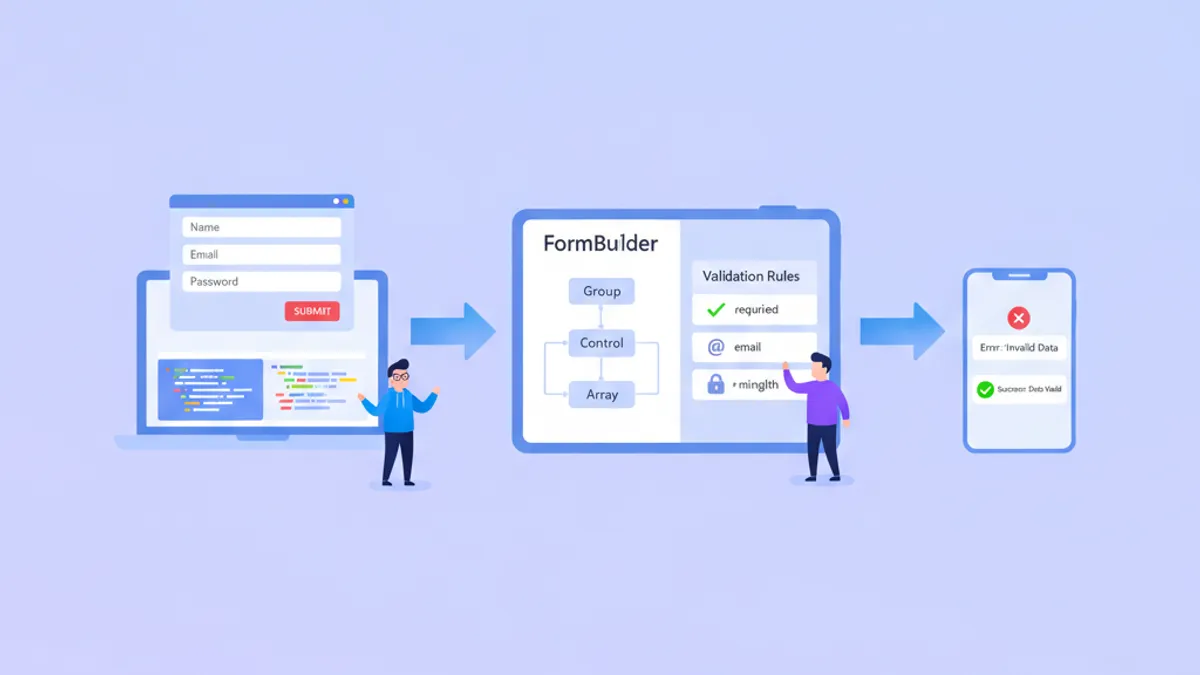
Angular Forms nel 2026: Reactive Forms, Validazione e Domande per Colloqui Tecnici
Una guida completa su Angular Reactive Forms con FormBuilder tipizzato, validatori personalizzati, validazione asincrona e FormArray. Include domande frequenti per colloqui e anteprima di Signal Forms.

Angular 20 nel 2026: Resource API, httpResource e domande da colloquio
Angular 20 introduce la Resource API e httpResource come alternative signal-based alle sottoscrizioni manuali di HttpClient. Questa guida copre tutte e tre le varianti Resource, la validazione con Zod e le domande più frequenti nei colloqui tecnici.