Testcontainers Spring Boot:苦痛のない統合テスト
Spring Boot 3.4でTestcontainersを設定する完全ガイド。信頼性が高く再現可能な統合テストのために、PostgreSQL、Redis、KafkaをDockerコンテナで実行します。
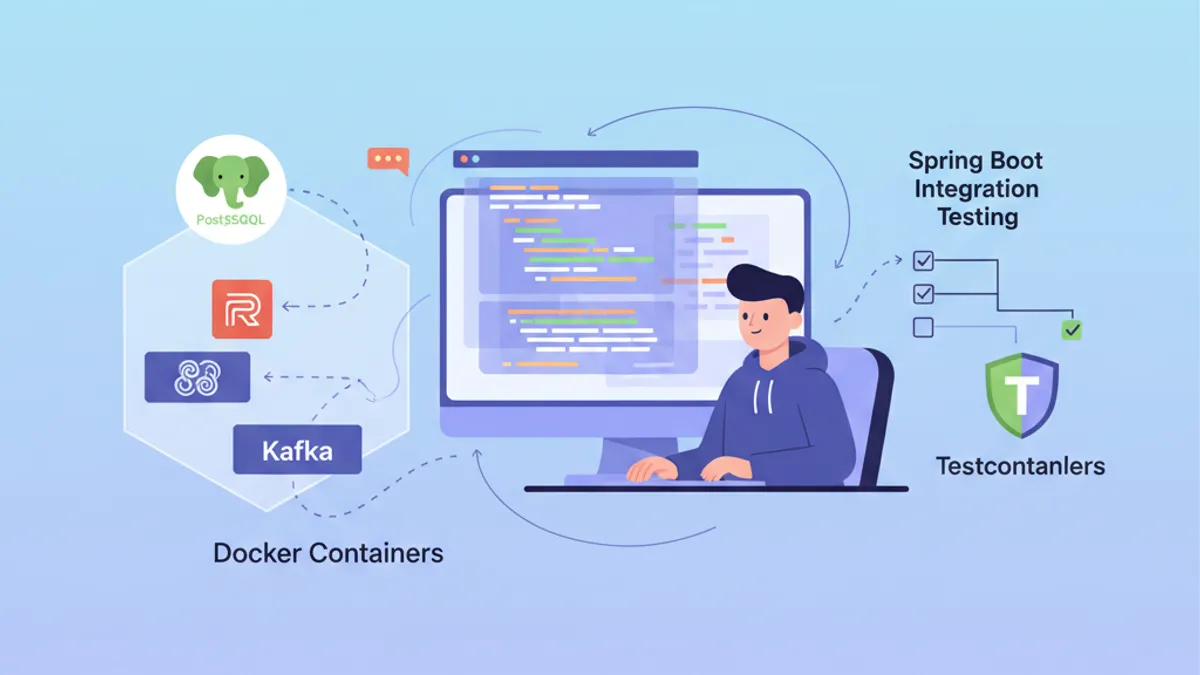
統合テストはSpring Bootアプリケーション開発における大きな課題です。実際のPostgreSQLデータベースやKafkaブローカーに対するテストには、重いインフラの維持が必要となります。Testcontainersは、テスト中にDockerコンテナをオンデマンドで起動することでこの問題を解決し、隔離された再現可能な環境を保証します。
Spring Boot 3.4には、自動構成を備えたTestcontainersのネイティブサポートが含まれています。spring-boot-testcontainersの依存関係はセットアップを大幅に簡素化し、テスト間でのコンテナ再利用を可能にします。
TestcontainersとSpring Bootの統合を理解する
Testcontainersは、テスト実行中にDockerコンテナを起動するためのJava APIを提供します。外部依存関係をモックしたり、共有テストデータベースを維持する代わりに、各テスト実行は独自の隔離されたインスタンスを取得します。
アーキテクチャは3つの主要コンポーネントに依存しています:Dockerを駆動するTestcontainersライブラリ、各技術(PostgreSQL、Redis、Kafka)に特化したモジュール、そして接続パラメータを自動的に注入するSpring Boot統合です。
<!-- pom.xml -->
<dependencies>
    <!-- Main Testcontainers dependency -->
    <dependency>
        <groupId>org.springframework.boot</groupId>
        <artifactId>spring-boot-testcontainers</artifactId>
        <scope>test</scope>
    </dependency>

    <!-- PostgreSQL module -->
    <dependency>
        <groupId>org.testcontainers</groupId>
        <artifactId>postgresql</artifactId>
        <scope>test</scope>
    </dependency>

    <!-- JUnit 5 support -->
    <dependency>
        <groupId>org.testcontainers</groupId>
        <artifactId>junit-jupiter</artifactId>
        <scope>test</scope>
    </dependency>
</dependencies>

<dependencyManagement>
    <dependencies>
        <!-- Testcontainers BOM for version management -->
        <dependency>
            <groupId>org.testcontainers</groupId>
            <artifactId>testcontainers-bom</artifactId>
            <version>1.20.4</version>
            <type>pom</type>
            <scope>import</scope>
        </dependency>
    </dependencies>
</dependencyManagement>
Testcontainers BOMは、プロジェクトで使用されるすべてのモジュール間でバージョンの一貫性を保証します。
PostgreSQLでの基本構成
最も一般的なユースケースは、実際のPostgreSQLデータベースでのテストです。Spring Boot 3.4は2つのアプローチを提供します:自動構成のための@ServiceConnectionアノテーション、または@DynamicPropertySourceによる手動構成です。
@DataJpaTest
@Testcontainers
@AutoConfigureTestDatabase(replace = Replace.NONE)
class UserRepositoryIntegrationTest {

    // Starts a PostgreSQL container before tests
    @Container
    @ServiceConnection
    static PostgreSQLContainer<?> postgres = new PostgreSQLContainer<>(
        DockerImageName.parse("postgres:16-alpine")
    );

    @Autowired
    private UserRepository userRepository;

    @Test
    void shouldSaveAndRetrieveUser() {
        // Given: a user to persist
        User user = new User();
        user.setEmail("test@example.com");
        user.setName("Test User");

        // When: save and retrieve
        User saved = userRepository.save(user);
        Optional<User> found = userRepository.findById(saved.getId());

        // Then: user is correctly persisted
        assertThat(found).isPresent();
        assertThat(found.get().getEmail()).isEqualTo("test@example.com");
    }

    @Test
    void shouldFindUserByEmail() {
        // Given: a user in database
        User user = new User();
        user.setEmail("search@example.com");
        user.setName("Search User");
        userRepository.save(user);

        // When: search by email
        Optional<User> found = userRepository.findByEmail("search@example.com");

        // Then: user is found
        assertThat(found).isPresent();
        assertThat(found.get().getName()).isEqualTo("Search User");
    }
}@ServiceConnectionアノテーションは、コンテナタイプを自動的に検出し、対応するSpringプロパティ(spring.datasource.url、spring.datasource.usernameなど)を構成します。このアプローチにより、繰り返しの構成コードが排除されます。
静的フィールドに@Containerを付けると、コンテナはクラス内のすべてのテストの前に一度だけ起動し、最後のテストの後に停止します。テストごとに1つのコンテナが必要な場合は、非静的なインスタンスフィールドを使用する必要があります。
@DynamicPropertySourceによる手動構成
一部のシナリオでは、注入されるプロパティをより細かく制御する必要があります。@DynamicPropertySourceアノテーションにより、構成値を明示的に定義できます。
@DataJpaTest
@Testcontainers
@AutoConfigureTestDatabase(replace = Replace.NONE)
class OrderRepositoryIntegrationTest {

    @Container
    static PostgreSQLContainer<?> postgres = new PostgreSQLContainer<>(
        DockerImageName.parse("postgres:16-alpine")
    )
        // Specific container configuration
        .withDatabaseName("orders_test")
        .withUsername("test_user")
        .withPassword("test_password")
        // SQL initialization script
        .withInitScript("db/init-orders.sql");

    // Manual injection of dynamic properties
    @DynamicPropertySource
    static void configureProperties(DynamicPropertyRegistry registry) {
        // JDBC URL generated dynamically with mapped port
        registry.add("spring.datasource.url", postgres::getJdbcUrl);
        registry.add("spring.datasource.username", postgres::getUsername);
        registry.add("spring.datasource.password", postgres::getPassword);
        // Additional properties if needed
        registry.add("spring.jpa.hibernate.ddl-auto", () -> "validate");
    }

    @Autowired
    private OrderRepository orderRepository;

    @Autowired
    private EntityManager entityManager;

    @Test
    void shouldPersistOrderWithItems() {
        // Given: an order with items
        Order order = new Order();
        order.setOrderNumber("ORD-2026-001");
        order.setStatus(OrderStatus.PENDING);

        OrderItem item = new OrderItem();
        item.setProductId(1L);
        item.setQuantity(2);
        item.setUnitPrice(BigDecimal.valueOf(29.99));
        order.addItem(item);

        // When: save the order
        Order saved = orderRepository.save(order);
        entityManager.flush();
        entityManager.clear();

        // Then: order and its items are persisted
        Order found = orderRepository.findById(saved.getId()).orElseThrow();
        assertThat(found.getItems()).hasSize(1);
        assertThat(found.getItems().get(0).getQuantity()).isEqualTo(2);
    }
}初期化スクリプトwithInitScriptは、テスト実行前にスキーマを準備したり参照データを挿入したりします。
完全なSpring Boot統合テスト
すべてのコンポーネントが読み込まれた状態でアプリケーション全体をテストするには、@SpringBootTestが@DataJpaTestを置き換えます。この構成は、PostgreSQLコンテナとともに完全なSpringコンテキストを起動します。
@SpringBootTest(webEnvironment = WebEnvironment.RANDOM_PORT)
@Testcontainers
class UserServiceIntegrationTest {

    @Container
    @ServiceConnection
    static PostgreSQLContainer<?> postgres = new PostgreSQLContainer<>(
        DockerImageName.parse("postgres:16-alpine")
    );

    @Autowired
    private UserService userService;

    @Autowired
    private TestRestTemplate restTemplate;

    @Test
    void shouldCreateUserViaApi() {
        // Given: a creation request
        CreateUserRequest request = new CreateUserRequest(
            "api@example.com",
            "API User",
            "securePassword123"
        );

        // When: call the REST API
        ResponseEntity<UserResponse> response = restTemplate.postForEntity(
            "/api/users",
            request,
            UserResponse.class
        );

        // Then: user is created successfully
        assertThat(response.getStatusCode()).isEqualTo(HttpStatus.CREATED);
        assertThat(response.getBody()).isNotNull();
        assertThat(response.getBody().email()).isEqualTo("api@example.com");
    }

    @Test
    void shouldRetrieveUserById() {
        // Given: an existing user
        UserResponse created = userService.createUser(
            new CreateUserRequest("retrieve@example.com", "Retrieve User", "password")
        );

        // When: retrieve by ID
        ResponseEntity<UserResponse> response = restTemplate.getForEntity(
            "/api/users/" + created.id(),
            UserResponse.class
        );

        // Then: user is returned
        assertThat(response.getStatusCode()).isEqualTo(HttpStatus.OK);
        assertThat(response.getBody().name()).isEqualTo("Retrieve User");
    }
}自動構成されたTestRestTemplateは、ランダムなポートで起動されたサーバーを指し、並列テスト間のポート競合を回避します。
Spring Bootの面接対策はできていますか?
インタラクティブなシミュレーター、flashcards、技術テストで練習しましょう。
テスト間でのコンテナ再利用
Dockerコンテナの起動には数秒かかります。テスト実行を高速化するため、Spring Boot 3.4は集中構成を通じてコンテナの再利用を可能にします。
@TestConfiguration(proxyBeanMethods = false)
public class TestcontainersConfiguration {

    // Reusable container bean across all tests
    @Bean
    @ServiceConnection
    PostgreSQLContainer<?> postgresContainer() {
        return new PostgreSQLContainer<>(DockerImageName.parse("postgres:16-alpine"))
            .withReuse(true)
            .withLabel("reuse.UUID", "e06d7a87-7d7d-472e-a047-7c2c6d4b5f7a");
    }

    @Bean
    @ServiceConnection
    RedisContainer redisContainer() {
        return new RedisContainer(DockerImageName.parse("redis:7-alpine"))
            .withReuse(true)
            .withLabel("reuse.UUID", "b3c8f9d2-4a5e-4c8d-9f2a-1b3c5d7e9f0a");
    }
}
テストはこの構成をインポートして同じコンテナを共有します。
@SpringBootTest
@Import(TestcontainersConfiguration.class)
class ProductServiceIntegrationTest {

    @Autowired
    private ProductService productService;

    @Autowired
    private ProductRepository productRepository;

    @Test
    void shouldCacheProductDetails() {
        // Given: a product in database
        Product product = new Product();
        product.setName("Cached Product");
        product.setPrice(BigDecimal.valueOf(99.99));
        productRepository.save(product);

        // When: two successive calls
        ProductDto first = productService.getProductById(product.getId());
        ProductDto second = productService.getProductById(product.getId());

        // Then: second call uses cache
        assertThat(first).isEqualTo(second);
    }
}コンテナの再利用を有効にするには、~/.testcontainers.propertiesに構成を追加する必要があります:
# ~/.testcontainers.properties
testcontainers.reuse.enable=trueコンテナを再利用すると、データは実行間で永続化されます。各テストの前にテーブルをクリーンアップするには、@Sqlまたは@BeforeEachを使用するか、テストクラスごとに異なるスキーマを構成することをお勧めします。
Redisと分散キャッシュでのテスト
Testcontainersは、キャッシュ機能のテストのためにRedisをサポートしています。Redisモジュールは、すぐに使用できる構成済みコンテナを提供します。
@SpringBootTest
@Testcontainers
class CacheServiceIntegrationTest {

    @Container
    @ServiceConnection
    static RedisContainer redis = new RedisContainer(
        DockerImageName.parse("redis:7-alpine")
    );

    @Autowired
    private CacheService cacheService;

    @Autowired
    private StringRedisTemplate redisTemplate;

    @Test
    void shouldStoreAndRetrieveFromCache() {
        // Given: a value to cache
        String key = "user:123";
        String value = "{\"id\":123,\"name\":\"Cached User\"}";

        // When: store in cache
        cacheService.put(key, value, Duration.ofMinutes(10));

        // Then: value is retrievable
        String cached = cacheService.get(key);
        assertThat(cached).isEqualTo(value);
    }

    @Test
    void shouldExpireAfterTtl() throws InterruptedException {
        // Given: a value with short TTL
        String key = "expiring:key";
        cacheService.put(key, "temporary", Duration.ofSeconds(1));

        // When: wait for expiration
        Thread.sleep(1500);

        // Then: key has expired
        String cached = cacheService.get(key);
        assertThat(cached).isNull();
    }

    @Test
    void shouldIncrementCounter() {
        // Given: a counter key
        String counterKey = "page:views:homepage";

        // When: multiple increments
        Long first = redisTemplate.opsForValue().increment(counterKey);
        Long second = redisTemplate.opsForValue().increment(counterKey);
        Long third = redisTemplate.opsForValue().increment(counterKey);

        // Then: counter increments correctly
        assertThat(first).isEqualTo(1);
        assertThat(second).isEqualTo(2);
        assertThat(third).isEqualTo(3);
    }
}
Spring Bootは、@ServiceConnectionを介してRedisContainerを自動的に検出し、spring.data.redis.hostとspring.data.redis.portを構成します。
Kafkaと非同期メッセージングでのテスト
イベント駆動型アプリケーションには、実際のKafkaブローカーでのテストが必要です。Testcontainersは、テストに適した単一ノードクラスタを起動するKafkaモジュールを提供します。
@SpringBootTest
@Testcontainers
@EmbeddedKafka(partitions = 1, topics = {"order-events"})
class OrderEventIntegrationTest {

    @Container
    @ServiceConnection
    static KafkaContainer kafka = new KafkaContainer(
        DockerImageName.parse("confluentinc/cp-kafka:7.6.0")
    );

    @Autowired
    private KafkaTemplate<String, OrderEvent> kafkaTemplate;

    @Autowired
    private OrderEventConsumer orderEventConsumer;

    @Test
    void shouldPublishAndConsumeOrderEvent() throws Exception {
        // Given: an order event
        OrderEvent event = new OrderEvent(
            "ORD-2026-100",
            OrderEventType.CREATED,
            LocalDateTime.now()
        );

        // When: publish to Kafka
        kafkaTemplate.send("order-events", event.orderId(), event).get();

        // Then: event is consumed (with timeout)
        await()
            .atMost(Duration.ofSeconds(10))
            .untilAsserted(() -> {
                assertThat(orderEventConsumer.getReceivedEvents())
                    .hasSize(1)
                    .first()
                    .extracting(OrderEvent::orderId)
                    .isEqualTo("ORD-2026-100");
            });
    }
}@Component
public class OrderEventConsumer {
private final List<OrderEvent> receivedEvents = new CopyOnWriteArrayList<>();
@KafkaListener(topics = "order-events", groupId = "test-group")
public void consume(OrderEvent event) {
receivedEvents.add(event);
}
public List<OrderEvent> getReceivedEvents() {
return List.copyOf(receivedEvents);
}
public void clear() {
receivedEvents.clear();
}
}Awaitilityライブラリは、タイムアウト付きの非同期アサーションを処理し、テストでの脆弱なThread.sleep呼び出しを回避します。
Docker Composeによるマルチコンテナ構成
複数の相互依存するサービスを必要とする複雑なアプリケーションのために、TestcontainersはDocker Composeファイルをサポートしています。
# src/test/resources/docker-compose-test.yml
services:
  postgres:
    image: postgres:16-alpine
    environment:
      POSTGRES_DB: testdb
      POSTGRES_USER: testuser
      POSTGRES_PASSWORD: testpass
    ports:
      - "5432"

  redis:
    image: redis:7-alpine
    ports:
      - "6379"

  localstack:
    image: localstack/localstack:3.0
    environment:
      SERVICES: s3,sqs
      DEFAULT_REGION: eu-west-1
    ports:
- "4566"@SpringBootTest
@Testcontainers
class FullStackIntegrationTest {
@Container
static DockerComposeContainer<?> environment = new DockerComposeContainer<>(
new File("src/test/resources/docker-compose-test.yml")
)
.withExposedService("postgres", 5432)
.withExposedService("redis", 6379)
.withExposedService("localstack", 4566)
.waitingFor("postgres", Wait.forListeningPort())
.waitingFor("redis", Wait.forListeningPort())
.waitingFor("localstack", Wait.forLogMessage(".*Ready\\.$", 1));
@DynamicPropertySource
static void configureProperties(DynamicPropertyRegistry registry) {
// PostgreSQL configuration
String postgresHost = environment.getServiceHost("postgres", 5432);
Integer postgresPort = environment.getServicePort("postgres", 5432);
registry.add("spring.datasource.url",
() -> "jdbc:postgresql://" + postgresHost + ":" + postgresPort + "/testdb");
registry.add("spring.datasource.username", () -> "testuser");
registry.add("spring.datasource.password", () -> "testpass");
// Redis configuration
String redisHost = environment.getServiceHost("redis", 6379);
Integer redisPort = environment.getServicePort("redis", 6379);
registry.add("spring.data.redis.host", () -> redisHost);
registry.add("spring.data.redis.port", () -> redisPort);
// LocalStack S3 configuration
String localstackHost = environment.getServiceHost("localstack", 4566);
Integer localstackPort = environment.getServicePort("localstack", 4566);
registry.add("aws.s3.endpoint",
() -> "http://" + localstackHost + ":" + localstackPort);
}
@Autowired
private FileStorageService fileStorageService;
@Test
void shouldUploadFileToS3() {
// Given: a file to upload
byte[] content = "Test file content".getBytes();
String fileName = "test-file.txt";
// When: upload to S3 via LocalStack
String url = fileStorageService.upload(fileName, content);
// Then: file is accessible
assertThat(url).contains(fileName);
byte[] downloaded = fileStorageService.download(fileName);
assertThat(downloaded).isEqualTo(content);
}
}今すぐ練習を始めましょう!
面接シミュレーターと技術テストで知識をテストしましょう。
ベストプラクティスとパフォーマンス最適化
Testcontainersの効率的な実行には、ビルド時間を短縮するためのいくつかの最適化が必要です。
@SpringBootTest
@Testcontainers
@ActiveProfiles("test")
public abstract class AbstractIntegrationTest {

    // Shared container across all inheriting classes
    @Container
    @ServiceConnection
    protected static PostgreSQLContainer<?> postgres = new PostgreSQLContainer<>(
        DockerImageName.parse("postgres:16-alpine")
    )
        .withReuse(true);

    @Autowired
    protected JdbcTemplate jdbcTemplate;

    @BeforeEach
    void cleanDatabase() {
        // Clean tables in order to respect FK constraints
        jdbcTemplate.execute("TRUNCATE TABLE order_items CASCADE");
        jdbcTemplate.execute("TRUNCATE TABLE orders CASCADE");
        jdbcTemplate.execute("TRUNCATE TABLE users CASCADE");
    }
}class UserIntegrationTest extends AbstractIntegrationTest {
@Autowired
private UserRepository userRepository;
@Test
void shouldCreateUser() {
// PostgreSQL container already started via parent class
User user = new User();
user.setEmail("inherited@test.com");
user.setName("Inherited Test");
User saved = userRepository.save(user);
assertThat(saved.getId()).isNotNull();
}
}抽象クラスはコンテナ構成とデータベースクリーンアップを集中化し、コードの重複を回避します。
# src/test/resources/application-test.properties
# Test-specific configuration
spring.jpa.hibernate.ddl-auto=create-drop
spring.jpa.show-sql=false

# Disable Flyway/Liquibase if using ddl-auto
spring.flyway.enabled=false

# Reduced connection pool for tests
spring.datasource.hikari.maximum-pool-size=5
spring.datasource.hikari.minimum-idle=2より軽量で起動が速いAlpineイメージ(postgres:16-alpine、redis:7-alpine)を選ぶことをお勧めします。テストでは、完全なイメージとの機能的な違いは無視できる程度です。
データベースマイグレーションのテスト
Testcontainersは、実際のデータベースに対してFlywayまたはLiquibaseのマイグレーションをテストするのに優れています。
@DataJpaTest
@Testcontainers
@AutoConfigureTestDatabase(replace = Replace.NONE)
class FlywayMigrationTest {

    @Container
    @ServiceConnection
    static PostgreSQLContainer<?> postgres = new PostgreSQLContainer<>(
        DockerImageName.parse("postgres:16-alpine")
    );

    @Autowired
    private Flyway flyway;

    @Autowired
    private JdbcTemplate jdbcTemplate;

    @Test
    void shouldApplyAllMigrations() {
        // Given: migrations applied at startup

        // When: check state
        MigrationInfoService info = flyway.info();

        // Then: all migrations are applied
        assertThat(info.pending()).isEmpty();
        assertThat(info.applied()).isNotEmpty();
    }

    @Test
    void shouldCreateExpectedTables() {
        // Given: migrations applied

        // When: query system tables
        List<String> tables = jdbcTemplate.queryForList(
            "SELECT table_name FROM information_schema.tables " +
            "WHERE table_schema = 'public' AND table_type = 'BASE TABLE'",
            String.class
        );

        // Then: expected tables exist
        assertThat(tables).contains("users", "orders", "order_items", "products");
    }

    @Test
    void shouldHaveCorrectColumnTypes() {
        // Given: users table created

        // When: verify schema
        List<Map<String, Object>> columns = jdbcTemplate.queryForList(
            "SELECT column_name, data_type, is_nullable " +
            "FROM information_schema.columns " +
            "WHERE table_name = 'users'"
        );

        // Then: columns have correct types
        assertThat(columns)
            .extracting(c -> c.get("column_name"))
            .contains("id", "email", "name", "created_at");
    }
}
これらのテストは、本番デプロイ前にSQLマイグレーションが正しく機能することを保証します。
まとめ
Testcontainersは、Spring Boot統合テストを信頼性が高く、再現可能で、ローカル環境から独立したものに変えます。@ServiceConnectionによるSpring Boot 3.4のネイティブサポートは構成を大幅に簡素化し、コンテナの再利用は実行時間を最適化します。
Testcontainers Spring Bootチェックリスト:
- ✅ ネイティブの自動構成のために
spring-boot-testcontainersを使用する - ✅ 可能な場合は
@DynamicPropertySourceよりも@ServiceConnectionを優先する - ✅ 連続実行を高速化するために
withReuse(true)を有効にする - ✅ 構成を抽象クラスまたは
@TestConfigurationに集約する - ✅
@BeforeEachまたは@Sqlでテスト間のデータをクリーンアップする - ✅ より高速な起動のためにAlpineイメージを使用する
- ✅ 実際のPostgreSQLに対してFlyway/Liquibaseマイグレーションをテストする
- ✅ マルチサービス環境のためにDocker Composeを活用する
Spring Boot のバグを見つけられますか
実際のコード、隠れたバグ、1日1回。アカウントなしで試せます。

執筆
Anthony Fillion-MailletSharpSkill 創業者
10 年以上フルスタック開発に携わっています。SharpSkill を運営し、ここで公開される内容に責任を負っています。
2026年5月1日 更新
タグ
共有
関連記事

Spring Modulith: モジュラーモノリスアーキテクチャ解説
Spring Modulith で Java のモジュラーモノリスを構築する方法を学びます。アーキテクチャ、モジュール、非同期イベント、Spring Boot 3 および 4 のコード例によるテストと可観測性。

Spring Batch 5 面接対策: パーティショニング・チャンク・フォールトトレランス
Spring Batch 5 の面接を制覇する15の必須質問。パーティショニング、チャンク処理、フォールトトレランスを Java 21 のコード例と共に解説します。

Spring Boot 面接: トランザクション伝播の解説
Spring Boot のトランザクション伝播をマスターします。REQUIRED、REQUIRES_NEW、NESTED など。コード例と典型的な落とし穴を含む 12 の面接質問。