Spring Security 6: OAuth2リソースサーバーの設定
Spring Security 6でOAuth2リソースサーバーを設定する実践ガイドです。JWT検証、issuer設定、スコープ管理、Keycloak連携について説明します。
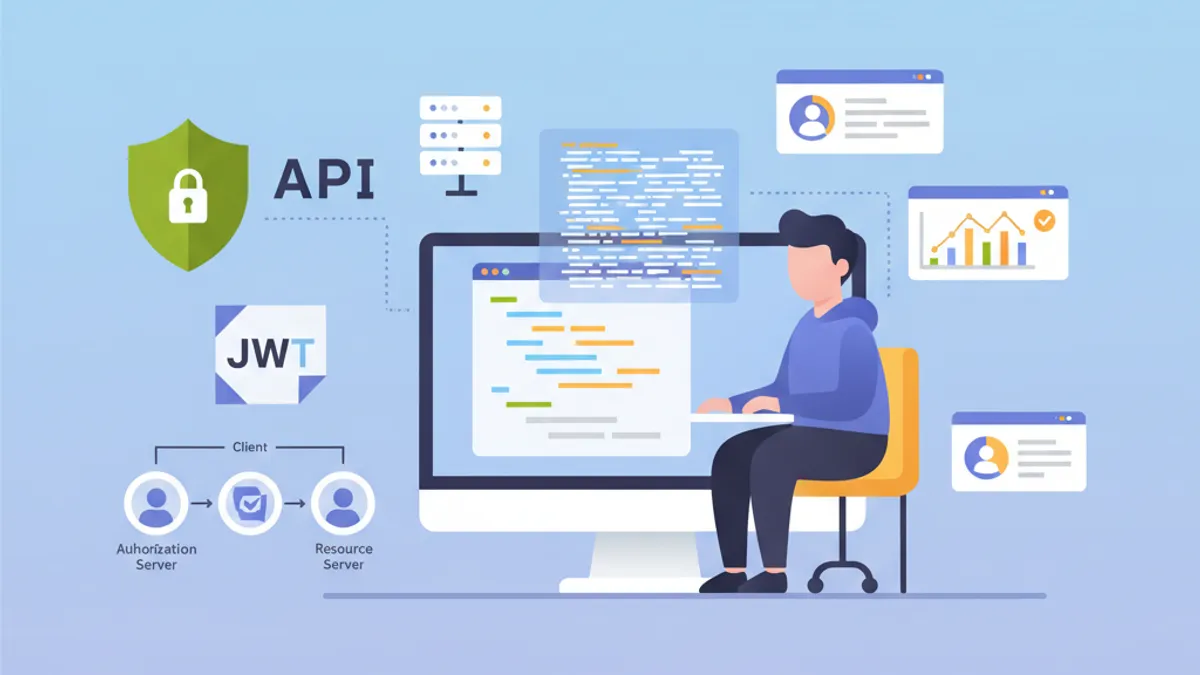
OAuth2リソースサーバーは、Keycloak、Auth0、OktaなどのKeycloak外部の認可サーバーが発行したJWTトークンを検証することでAPIを保護します。アプリケーションが独自のトークンを生成するカスタムJWT認証とは異なり、リソースサーバーはアイデンティティ管理を専用のIdentity Provider(IdP)に完全に委譲します。
リソースサーバーはトークンを生成しません。検証のみを行います。この責務分離はセキュリティを強化し、アイデンティティ管理を集約することでアーキテクチャを単純化します。
OAuth2リソースサーバーのアーキテクチャ
OAuth2フローには3つの主要なアクターが関与します。クライアント(フロントエンドまたはモバイルアプリケーション)は認可サーバーからアクセストークンを取得します。次にこのトークンをリソースサーバーへの各リクエストに含めます。リソースサーバーは認可サーバーの公開鍵を使用して署名を検証することでトークンの妥当性を確認します。
このアーキテクチャにはいくつかの利点があります。必要なすべての情報がJWTトークン内に含まれているため、リソースサーバーはステートレスを保ちます。非対称署名検証により、IdPへのネットワーク呼び出しなしで検証が行われます。複数のAPIが同じ認可サーバーを共有でき、ユーザー管理が単純化されます。
┌──────────────┐     1. Login      ┌─────────────────────┐
│   Client     │ ───────────────►  │  Authorization      │
│   (SPA/App)  │                   │  Server (Keycloak)  │
│              │ ◄─────────────────│                     │
└──────────────┘   2. JWT Token    └─────────────────────┘
       │                                    │
       │ 3. Request + Bearer Token          │
       ▼                                    ▼
┌──────────────────────┐           ┌─────────────────────┐
│   Resource Server    │ ◄─────── │   JWKS Endpoint     │
│   (Spring Boot API)  │  4. Public Keys (cached)       │
└──────────────────────┘           └─────────────────────┘
リソースサーバーは起動時に公開鍵をダウンロードしてキャッシュし、各リクエストでのネットワーク呼び出しを回避します。
OAuth2リソースサーバー用Maven依存関係
リソースサーバーの設定には2つの特定の依存関係が必要です。oauth2-resource-serverスターターは基本インフラを提供し、oauth2-joseはJWTのデコードと検証に必要なクラスを含みます。
<!-- pom.xml -->
<dependencies>
    <!-- OAuth2 Resource Server support -->
    <dependency>
        <groupId>org.springframework.boot</groupId>
        <artifactId>spring-boot-starter-oauth2-resource-server</artifactId>
    </dependency>

    <!-- Spring Web for REST endpoints -->
    <dependency>
        <groupId>org.springframework.boot</groupId>
        <artifactId>spring-boot-starter-web</artifactId>
    </dependency>

    <!-- DTO validation -->
    <dependency>
        <groupId>org.springframework.boot</groupId>
        <artifactId>spring-boot-starter-validation</artifactId>
    </dependency>
</dependencies>
JJWTのような追加の依存関係は必要ありません。Spring Securityはトークン処理のためにspring-security-oauth2-joseに含まれるNimbus JOSE+JWTライブラリを使用します。
issuer-uriによる基本設定
リソースサーバーの最小設定は2行のみです。Spring SecurityはOpenID Connect Discoveryプロトコルを通じて自動的にIdPのエンドポイントを発見します。
# application.yml
spring:
  security:
    oauth2:
      resourceserver:
        jwt:
          # 認可サーバーのURI
          # Springは/.well-known/openid-configurationを介して公開鍵を自動的に取得します
issuer-uri: https://keycloak.example.com/realms/myrealmissuer-uriから、Spring Securityは{issuer-uri}/.well-known/openid-configurationにリクエストを送信し、認可サーバーのメタデータを取得します。次に、トークン署名の検証に使用する公開鍵を含むJWKS(JSON Web Key Set)のURLを抽出します。
@Configuration
@EnableWebSecurity
@EnableMethodSecurity
public class SecurityConfig {

    @Bean
    public SecurityFilterChain securityFilterChain(HttpSecurity http) throws Exception {
        return http
            // Disable CSRF for stateless APIs
            .csrf(csrf -> csrf.disable())

            // Authorization rules
            .authorizeHttpRequests(auth -> auth
                // Public endpoints
                .requestMatchers("/api/public/**").permitAll()
                .requestMatchers("/actuator/health").permitAll()
                // All other requests require a valid token
                .anyRequest().authenticated()
            )

            // Enable OAuth2 JWT validation
            .oauth2ResourceServer(oauth2 -> oauth2
                .jwt(Customizer.withDefaults())
            )

            // Stateless mode required for Resource Servers
            .sessionManagement(session -> session
                .sessionCreationPolicy(SessionCreationPolicy.STATELESS)
            )

            .build();
    }
}
この設定はAPIを保護するのに十分です。Spring Securityはトークンの署名を自動的に検証し、タイムスタンプ(exp、nbf、iat)を確認し、issクレームが設定されたissuer-uriと一致することを保証します。
デフォルトでは、認可サーバーに到達できない場合、アプリケーションは起動しません。独立した起動を可能にするには、issuer-uriの代わりにjwk-set-uriを明示的に設定する必要があります。
jwk-set-uriによる高度な設定
認可サーバーがOpenID Connect Discoveryをサポートしていない場合、またはアプリケーションがIdPへのネットワーク依存なしに起動する必要がある場合、明示的なJWKS設定が好まれます。
# application.yml
spring:
  security:
    oauth2:
      resourceserver:
        jwt:
          # Direct URL to JWKS (public keys)
          jwk-set-uri: https://keycloak.example.com/realms/myrealm/protocol/openid-connect/certs
          # Expected value of the "iss" claim in tokens
          issuer-uri: https://keycloak.example.com/realms/myrealm
          # Allowed audiences ("aud" claim)
          audiences:
            - my-api
- accountこのアプローチはより多くの制御を提供します。オーディエンス検証は他のサービス向けのトークンの使用を防ぎます。frontend-appアプリケーション向けに発行されたトークンは、APIがmy-apiとaccountのオーディエンスのみを受け入れる場合、拒否されます。
@Configuration
@EnableWebSecurity
public class SecurityConfig {

    @Value("${spring.security.oauth2.resourceserver.jwt.issuer-uri}")
    private String issuerUri;

    @Bean
    public SecurityFilterChain securityFilterChain(HttpSecurity http) throws Exception {
        return http
            .csrf(csrf -> csrf.disable())

            .authorizeHttpRequests(auth -> auth
                .requestMatchers("/api/public/**").permitAll()
                .anyRequest().authenticated()
            )

            // Custom JWT configuration
            .oauth2ResourceServer(oauth2 -> oauth2
                .jwt(jwt -> jwt
                    .jwtAuthenticationConverter(jwtAuthenticationConverter())
                )
            )

            .sessionManagement(session -> session
                .sessionCreationPolicy(SessionCreationPolicy.STATELESS)
            )

            .build();
    }

    // Custom converter to extract authorities from the token
    @Bean
    public JwtAuthenticationConverter jwtAuthenticationConverter() {
        JwtGrantedAuthoritiesConverter grantedAuthoritiesConverter =
            new JwtGrantedAuthoritiesConverter();
        // SCOPE_ prefix for authorities (e.g., SCOPE_read, SCOPE_write)
        grantedAuthoritiesConverter.setAuthorityPrefix("SCOPE_");
        // Claim containing scopes (OAuth2 standard)
        grantedAuthoritiesConverter.setAuthoritiesClaimName("scope");

        JwtAuthenticationConverter jwtAuthenticationConverter =
            new JwtAuthenticationConverter();
        jwtAuthenticationConverter.setJwtGrantedAuthoritiesConverter(
            grantedAuthoritiesConverter
        );

        return jwtAuthenticationConverter;
    }
}JwtAuthenticationConverterはトークンのクレームを、セキュリティ式で使用可能なGrantedAuthorityオブジェクトに変換します。
Spring Bootの面接対策はできていますか?
インタラクティブなシミュレーター、flashcards、技術テストで練習しましょう。
Keycloakロールの抽出
KeycloakはOAuth2標準とは異なる方法でロールを構造化します。ロールはrealm_access.roles(レルムロール)またはresource_access.{client}.roles(クライアント固有のロール)に格納されます。カスタムコンバーターがこの情報を抽出します。
@Component
public class KeycloakJwtAuthenticationConverter
    implements Converter<Jwt, AbstractAuthenticationToken> {

    private static final String REALM_ACCESS_CLAIM = "realm_access";
    private static final String RESOURCE_ACCESS_CLAIM = "resource_access";
    private static final String ROLES_CLAIM = "roles";

    @Value("${keycloak.client-id}")
    private String clientId;

    @Override
    public AbstractAuthenticationToken convert(Jwt jwt) {
        // Combine realm and client roles
        Collection<GrantedAuthority> authorities = Stream.concat(
            extractRealmRoles(jwt).stream(),
            extractClientRoles(jwt).stream()
        ).collect(Collectors.toSet());

        // Return authentication token with extracted authorities
        return new JwtAuthenticationToken(jwt, authorities, extractUsername(jwt));
    }

    // Extract realm-level roles
    private Collection<GrantedAuthority> extractRealmRoles(Jwt jwt) {
        Map<String, Object> realmAccess = jwt.getClaim(REALM_ACCESS_CLAIM);
        if (realmAccess == null) {
            return Collections.emptyList();
        }

        @SuppressWarnings("unchecked")
        List<String> roles = (List<String>) realmAccess.get(ROLES_CLAIM);
        if (roles == null) {
            return Collections.emptyList();
        }

        // ROLE_ prefix for compatibility with hasRole()
        return roles.stream()
            .map(role -> new SimpleGrantedAuthority("ROLE_" + role.toUpperCase()))
            .collect(Collectors.toList());
    }

    // Extract client-specific roles
    private Collection<GrantedAuthority> extractClientRoles(Jwt jwt) {
        Map<String, Object> resourceAccess = jwt.getClaim(RESOURCE_ACCESS_CLAIM);
        if (resourceAccess == null) {
            return Collections.emptyList();
        }

        @SuppressWarnings("unchecked")
        Map<String, Object> clientAccess =
            (Map<String, Object>) resourceAccess.get(clientId);
        if (clientAccess == null) {
            return Collections.emptyList();
        }

        @SuppressWarnings("unchecked")
        List<String> roles = (List<String>) clientAccess.get(ROLES_CLAIM);
        if (roles == null) {
            return Collections.emptyList();
        }

        return roles.stream()
            .map(role -> new SimpleGrantedAuthority("ROLE_" + role.toUpperCase()))
            .collect(Collectors.toList());
    }

    // Extract username from token
    private String extractUsername(Jwt jwt) {
        // Keycloak uses "preferred_username" by default
        String username = jwt.getClaimAsString("preferred_username");
        if (username != null) {
            return username;
        }
        // Fallback to subject (usually the user UUID)
        return jwt.getSubject();
    }
}セキュリティ設定への統合はjwtAuthenticationConverterパラメーターを介して行われます。
@Configuration
@EnableWebSecurity
@EnableMethodSecurity
@RequiredArgsConstructor
public class SecurityConfig {

    private final KeycloakJwtAuthenticationConverter keycloakConverter;

    @Bean
    public SecurityFilterChain securityFilterChain(HttpSecurity http) throws Exception {
        return http
            .csrf(csrf -> csrf.disable())

            .authorizeHttpRequests(auth -> auth
                .requestMatchers("/api/public/**").permitAll()
                // Protection by Keycloak role
                .requestMatchers("/api/admin/**").hasRole("ADMIN")
                .anyRequest().authenticated()
            )

            .oauth2ResourceServer(oauth2 -> oauth2
                .jwt(jwt -> jwt
                    // Use Keycloak converter
                    .jwtAuthenticationConverter(keycloakConverter)
                )
            )

            .sessionManagement(session -> session
                .sessionCreationPolicy(SessionCreationPolicy.STATELESS)
            )

            .build();
    }
}抽出されたロールは、@PreAuthorize("hasRole('ADMIN')")アノテーションやrequestMatchers().hasRole()式で使用できるようになりました。
カスタムトークン検証
ビジネス要件に応じて追加の検証が必要になる場合があります。カスタムクレームの確認、オーディエンスの検証、最大有効期間の制御などです。
@Component
public class CustomJwtValidator implements OAuth2TokenValidator<Jwt> {

    private static final OAuth2Error AUDIENCE_ERROR =
        new OAuth2Error("invalid_token", "Token audience is not valid", null);

    private static final OAuth2Error CUSTOM_CLAIM_ERROR =
        new OAuth2Error("invalid_token", "Required custom claim missing", null);

    @Value("${app.jwt.required-audience}")
    private String requiredAudience;

    @Value("${app.jwt.required-tenant-claim:tenant_id}")
    private String tenantClaimName;

    @Override
    public OAuth2TokenValidatorResult validate(Jwt jwt) {
        List<OAuth2Error> errors = new ArrayList<>();

        // Audience validation
        if (!validateAudience(jwt)) {
            errors.add(AUDIENCE_ERROR);
        }

        // Custom business claim validation
        if (!validateTenantClaim(jwt)) {
            errors.add(CUSTOM_CLAIM_ERROR);
        }

        if (!errors.isEmpty()) {
            return OAuth2TokenValidatorResult.failure(errors);
        }

        return OAuth2TokenValidatorResult.success();
    }

    private boolean validateAudience(Jwt jwt) {
        List<String> audiences = jwt.getAudience();
        return audiences != null && audiences.contains(requiredAudience);
    }

    private boolean validateTenantClaim(Jwt jwt) {
        // Check for required business claim
        String tenantId = jwt.getClaimAsString(tenantClaimName);
        return tenantId != null && !tenantId.isBlank();
    }
}カスタムバリデーターはJwtDecoderの設定に統合されます。
@Configuration
@RequiredArgsConstructor
public class JwtConfig {

    private final CustomJwtValidator customValidator;

    @Value("${spring.security.oauth2.resourceserver.jwt.issuer-uri}")
    private String issuerUri;

    @Value("${spring.security.oauth2.resourceserver.jwt.jwk-set-uri}")
    private String jwkSetUri;

    @Bean
    public JwtDecoder jwtDecoder() {
        // Create decoder with JWKS URL
        NimbusJwtDecoder jwtDecoder = NimbusJwtDecoder
            .withJwkSetUri(jwkSetUri)
            .build();

        // Combine default validators with custom validator
        OAuth2TokenValidator<Jwt> defaultValidators =
            JwtValidators.createDefaultWithIssuer(issuerUri);

        OAuth2TokenValidator<Jwt> combinedValidator =
            new DelegatingOAuth2TokenValidator<>(defaultValidators, customValidator);

        jwtDecoder.setJwtValidator(combinedValidator);

        return jwtDecoder;
    }
}同期検証は処理スレッドをブロックします。外部呼び出し(データベース、サードパーティサービス)を必要とする検証には、非同期フィルターまたは後続検証が好ましいです。
コントローラーでのトークン情報へのアクセス
Spring Securityはコントローラー内でJWTトークン情報にアクセスするための複数の方法を提供します。
@RestController
@RequestMapping("/api/users")
public class UserController {

    // Direct JWT injection via @AuthenticationPrincipal
    @GetMapping("/me")
    public ResponseEntity<UserInfoResponse> getCurrentUser(
        @AuthenticationPrincipal Jwt jwt
    ) {
        String userId = jwt.getSubject();
        String email = jwt.getClaimAsString("email");
        String username = jwt.getClaimAsString("preferred_username");
        List<String> roles = extractRoles(jwt);

        return ResponseEntity.ok(new UserInfoResponse(
            userId, email, username, roles
        ));
    }

    // Alternative with JwtAuthenticationToken to access authorities
    @GetMapping("/profile")
    public ResponseEntity<ProfileResponse> getProfile(
        JwtAuthenticationToken authentication
    ) {
        Jwt jwt = authentication.getToken();
        Collection<String> authorities = authentication.getAuthorities()
            .stream()
            .map(GrantedAuthority::getAuthority)
            .toList();

        return ResponseEntity.ok(new ProfileResponse(
            jwt.getSubject(),
            jwt.getClaimAsString("name"),
            authorities
        ));
    }

    // Access scopes for conditional business logic
    @GetMapping("/data")
    @PreAuthorize("hasAuthority('SCOPE_read')")
    public ResponseEntity<DataResponse> getData(
        @AuthenticationPrincipal Jwt jwt
    ) {
        boolean canWrite = hasScope(jwt, "write");

        // Business logic adapted according to permissions
        DataResponse response = buildDataResponse(jwt.getSubject(), canWrite);
        return ResponseEntity.ok(response);
    }

    private List<String> extractRoles(Jwt jwt) {
        Map<String, Object> realmAccess = jwt.getClaim("realm_access");
        if (realmAccess == null) {
            return Collections.emptyList();
        }
        @SuppressWarnings("unchecked")
        List<String> roles = (List<String>) realmAccess.get("roles");
        return roles != null ? roles : Collections.emptyList();
    }

    private boolean hasScope(Jwt jwt, String scope) {
        String scopes = jwt.getClaimAsString("scope");
        return scopes != null && scopes.contains(scope);
    }
}public record UserInfoResponse(
String userId,
String email,
String username,
List<String> roles
) {}
// ProfileResponse.java
public record ProfileResponse(
String userId,
String name,
Collection<String> authorities
) {}@AuthenticationPrincipalアノテーションは、SecurityContextHolderから認証情報を手動で取得することを回避します。
OAuth2認証エラーの処理
特定のエラー処理は、APIコンシューマーの開発者体験を向上させます。
@RestControllerAdvice
public class OAuth2SecurityExceptionHandler {

    private static final Logger log =
        LoggerFactory.getLogger(OAuth2SecurityExceptionHandler.class);

    // Missing token or invalid format
    @ExceptionHandler(AuthenticationException.class)
    @ResponseStatus(HttpStatus.UNAUTHORIZED)
    public ErrorResponse handleAuthenticationException(AuthenticationException ex) {
        log.warn("Authentication failed: {}", ex.getMessage());

        return new ErrorResponse(
            "UNAUTHORIZED",
            "Authentication required. Provide a valid Bearer token.",
            Map.of("error", ex.getMessage())
        );
    }

    // Access denied despite valid token
    @ExceptionHandler(AccessDeniedException.class)
    @ResponseStatus(HttpStatus.FORBIDDEN)
    public ErrorResponse handleAccessDeniedException(AccessDeniedException ex) {
        log.warn("Access denied: {}", ex.getMessage());

        return new ErrorResponse(
            "FORBIDDEN",
            "Insufficient permissions for this resource",
            null
        );
    }

    // OAuth2-specific error (expired token, invalid signature, etc.)
    @ExceptionHandler(OAuth2AuthenticationException.class)
    @ResponseStatus(HttpStatus.UNAUTHORIZED)
    public ErrorResponse handleOAuth2Exception(OAuth2AuthenticationException ex) {
        OAuth2Error error = ex.getError();
        log.warn("OAuth2 authentication error: {} - {}",
            error.getErrorCode(), error.getDescription());

        String message = switch (error.getErrorCode()) {
            case "invalid_token" -> "Token is invalid or expired";
            case "insufficient_scope" -> "Token does not have required scopes";
            default -> "Authentication failed";
        };

        return new ErrorResponse(
            error.getErrorCode().toUpperCase(),
            message,
            Map.of("details", error.getDescription())
        );
    }
}

// ErrorResponse.java
public record ErrorResponse(
    String code,
    String message,
    Map<String, String> details
) {}標準化されたOAuth2エラーコード(invalid_token、insufficient_scope)はクライアント側の処理を容易にします。
マルチ環境設定
設定は環境によって異なります。開発環境ではローカルKeycloakサーバーを使用でき、本番環境ではAuth0などのマネージドIdPが引き継ぎます。
# application.yml (common configuration)
app:
  jwt:
    required-audience: my-api

---
# application-dev.yml
spring:
  config:
    activate:
      on-profile: dev
  security:
    oauth2:
      resourceserver:
        jwt:
          issuer-uri: http://localhost:8180/realms/dev-realm

keycloak:
  client-id: my-api-dev

logging:
  level:
    org.springframework.security: DEBUG

---
# application-prod.yml
spring:
  config:
    activate:
      on-profile: prod
  security:
    oauth2:
      resourceserver:
        jwt:
          issuer-uri: ${OAUTH2_ISSUER_URI}
          audiences: ${OAUTH2_AUDIENCES:my-api}

keycloak:
  client-id: ${KEYCLOAK_CLIENT_ID}

logging:
  level:
    org.springframework.security: WARN
本番環境では機密値は環境変数またはシークレットマネージャーから取得されます。
モックJWTを使用した統合テスト
統合テストはSpring Security Testのユーティリティを使用して有効なJWTトークンをシミュレートします。
@SpringBootTest(webEnvironment = WebEnvironment.RANDOM_PORT)
@AutoConfigureMockMvc
class ResourceServerIntegrationTest {

    @Autowired
    private MockMvc mockMvc;

    @Test
    void shouldRejectRequestWithoutToken() throws Exception {
        mockMvc.perform(get("/api/users/me"))
            .andExpect(status().isUnauthorized());
    }

    @Test
    @WithMockJwtAuth(
        claims = @OpenIdClaims(sub = "user-123", preferredUsername = "john.doe"),
        authorities = {"ROLE_USER"}
    )
    void shouldAllowAuthenticatedUser() throws Exception {
        mockMvc.perform(get("/api/users/me"))
            .andExpect(status().isOk())
            .andExpect(jsonPath("$.userId").value("user-123"))
            .andExpect(jsonPath("$.username").value("john.doe"));
    }

    @Test
    void shouldAllowAccessWithValidJwt() throws Exception {
        mockMvc.perform(get("/api/users/me")
                .with(jwt()
                    .jwt(jwt -> jwt
                        .subject("user-456")
                        .claim("preferred_username", "jane.doe")
                        .claim("email", "jane@example.com")
                    )
                    .authorities(new SimpleGrantedAuthority("ROLE_USER"))
                ))
            .andExpect(status().isOk())
            .andExpect(jsonPath("$.email").value("jane@example.com"));
    }

    @Test
    void shouldDenyAccessWithoutAdminRole() throws Exception {
        mockMvc.perform(get("/api/admin/users")
                .with(jwt()
                    .authorities(new SimpleGrantedAuthority("ROLE_USER"))
                ))
            .andExpect(status().isForbidden());
    }

    @Test
    void shouldAllowAdminAccess() throws Exception {
        mockMvc.perform(get("/api/admin/users")
                .with(jwt()
                    .authorities(new SimpleGrantedAuthority("ROLE_ADMIN"))
                ))
            .andExpect(status().isOk());
    }
}spring-security-testのjwt()ユーティリティは認可サーバーを必要とせずにモックトークンを作成します。
@TestConfiguration
public class SecurityTestConfig {

    // Mocked JwtDecoder for tests
    @Bean
    @Primary
    public JwtDecoder jwtDecoder() {
        return token -> {
            // Return a mocked JWT for tests
            return Jwt.withTokenValue(token)
                .header("alg", "RS256")
                .subject("test-user")
                .claim("scope", "read write")
                .build();
        };
    }
}
今すぐ練習を始めましょう!
面接シミュレーターと技術テストで知識をテストしましょう。
まとめ
Spring Security 6でOAuth2リソースサーバーを設定することで、トークン検証を集約しAPIセキュリティを単純化できます。認可サーバーが認証とトークン発行を処理する一方、APIは検証とアイデンティティ情報の抽出に焦点を当てます。
デプロイメントチェックリスト:
- ✅ ニーズに応じて
issuer-uriまたはjwk-set-uriを設定する - ✅ 他サービスのトークンの誤用を防ぐためにオーディエンスを検証する
- ✅ Keycloakロールを抽出するカスタムコンバーター
- ✅ 標準化されたコードでのOAuth2エラー処理
- ✅ モックトークンを使用した統合テスト
- ✅ クライアントとリソースサーバー間でHTTPSを必須にする
- ✅ 環境固有の設定
- ✅ 認証失敗試行のロギング
このアーキテクチャは、複数のAPIが同じIdentity Providerを共有するマイクロサービスエコシステムに自然に統合されます。
Spring Boot のバグを見つけられますか
実際のコード、隠れたバグ、1日1回。アカウントなしで試せます。

執筆
Anthony Fillion-MailletSharpSkill 創業者
10 年以上フルスタック開発に携わっています。SharpSkill を運営し、ここで公開される内容に責任を負っています。
2026年5月1日 更新
タグ
共有
関連記事
Spring Security 6: JWT認証の完全ガイド
Spring Security 6でJWT認証を実装するための実践ガイド。設定、トークン生成、検証、セキュリティのベストプラクティスを解説します。

Spring Modulith: モジュラーモノリスアーキテクチャ解説
Spring Modulith で Java のモジュラーモノリスを構築する方法を学びます。アーキテクチャ、モジュール、非同期イベント、Spring Boot 3 および 4 のコード例によるテストと可観測性。

Spring Batch 5 面接対策: パーティショニング・チャンク・フォールトトレランス
Spring Batch 5 の面接を制覇する15の必須質問。パーティショニング、チャンク処理、フォールトトレランスを Java 21 のコード例と共に解説します。